
Frontline Employee Communication That Actually Works
Learn why frontline employee communication fails and how to build a unified system that reaches every shift, reduces frustration, and drives real engagement.
Dan Robin

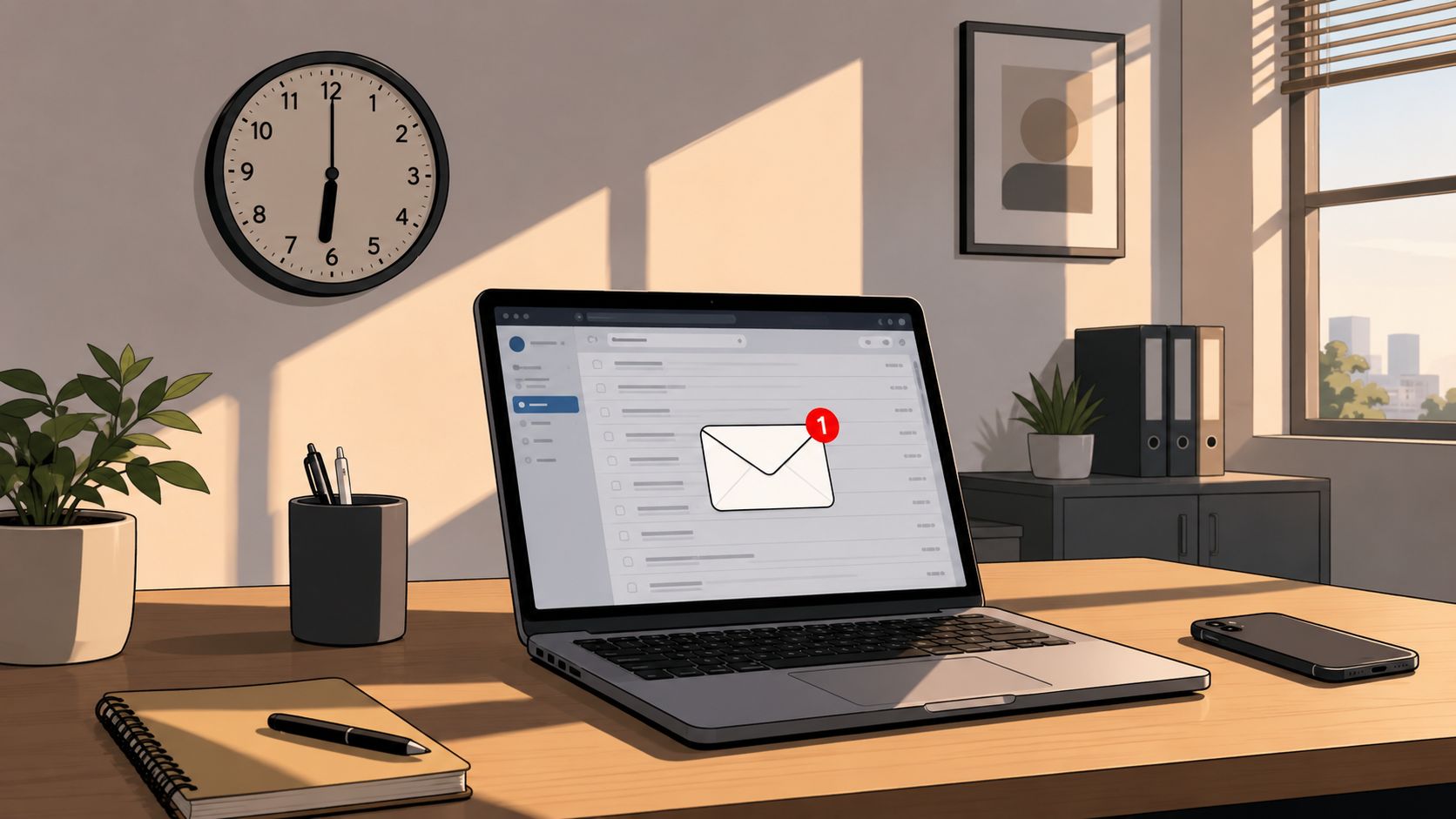
At 6 PM, a manager sends an urgent policy update by email. The evening team starts at 7, checks the schedule on one app, chats with coworkers in another, and never opens the inbox. By the time someone discovers the change, a customer has already received the old process.
The manager did communicate. The workers still didn't receive the message.
That gap sits at the center of frontline employee communication. Retail associates, nurses, warehouse teams, hospitality staff, drivers, and field technicians don't share one schedule, one workplace, or one reliable way to check updates. Better communication doesn't begin with buying another app. It begins with designing a delivery path that matches the work.
The Shift Change Problem Nobody Talks About
The missed update usually looks small from headquarters. Someone sends an email, posts a notice, or tells a supervisor. The task feels complete. On the floor, the message may arrive after the relevant shift has ended, buried under routine announcements, or passed through a manager who wasn't working that day.
That pattern repeats across locations and roles. A desk employee can keep an inbox open between meetings. A cashier, nurse, line cook, or delivery driver may have no reason to check email during a shift. Their attention belongs to customers, equipment, patients, stock, and immediate decisions.
The message often stops at the schedule
Frontline work runs on handoffs. A morning supervisor tells an afternoon lead. The afternoon lead assumes the evening manager saw the note. A printed instruction sits in a break room while a temporary worker starts at another entrance. Nobody intends to hide information, but every handoff creates another chance for delay or distortion.
That's why shift design matters as much as channel selection. A useful shift work schedule should help managers understand when people can reasonably receive and act on an update, not just record who is working.
A major 2023 survey showed how quickly communication channels were changing. In 2021, 44% of employees said they received text messages and 16% received communication through an employee app. By 2022, those figures had risen to 57% for text and 25% for employee apps in the frontline worker survey reported by HR Dive.
Mobile changed the channel, not the problem
The same research found that 70% of respondents were satisfied or extremely satisfied with communication, which still left nearly three in ten less than satisfied. 77% continued to face problems with delivery of key messages, especially at localized sites.
The lesson is uncomfortable but useful. Moving an announcement from email to mobile doesn't guarantee that people will see it, understand it, or know what to do next. Communication works only when the channel, timing, audience, and follow-up fit the shift.
Practical rule: If a worker can miss a critical update simply by starting at the wrong time, your system has a delivery problem, not a motivation problem.
Why Frontline Workers Feel Left Out
A 2025 study of 800 frontline workers found that important company information took an average of 4.5 days to reach employees, rising to 7.38 days in telecommunications. The research, published by ScreenCloud in its frontline communication analysis, also found that 27% received conflicting communication between headquarters and local teams, a figure that reached 42% in telecommunications.
Those delays have practical consequences. A late update can affect staffing, safety, customer handling, or compliance. A conflicting update forces the worker to choose which manager, document, or chat message to trust. That decision lands on the person closest to the customer or task, even though they didn't create the confusion.
Workarounds reveal the broken path
When official channels are slow, workers don't stop needing information. They find another route. The same research reported that 71% of employees used unauthorized apps to access important work information.
That behavior isn't proof that workers are careless with policy. It often shows that the approved route doesn't work under real conditions. A team creates a group chat because the official system is difficult to search. A supervisor keeps a private spreadsheet because schedules change faster than the central tool. A worker asks a colleague because that person usually knows where the latest version lives.
The workaround may solve an immediate problem while creating a governance problem later. Managers lose visibility, old instructions remain in circulation, and nobody can confirm which message reached which team.
Relevance decides whether trust survives
Speed isn't the only failure point. In a 2022 survey of frontline workers in the United States, the United Kingdom, and Australia, 40% said management messages made leadership seem out of touch, 42% said headquarters communication was often irrelevant, and 30% said internal communication got in the way of doing their roles, according to HR Dive's survey coverage.
Workers don't ignore messages because they dislike communication. They ignore messages when the channel repeatedly asks them to sort through information that doesn't apply to their shift, location, or task. Once that happens, even an important safety notice looks like another announcement.
The Broadcast Trap and What Happens Next
Most companies still communicate like a radio tower. Headquarters writes one message, sends it outward, and assumes the audience will tune in. That model works better for people who share a workplace, keep regular office hours, and have time to process updates at a desk.
Frontline teams work differently. They move between tasks, locations, customers, and handoffs. Their attention isn't waiting for a broadcast. A message has to earn its place in the workday.
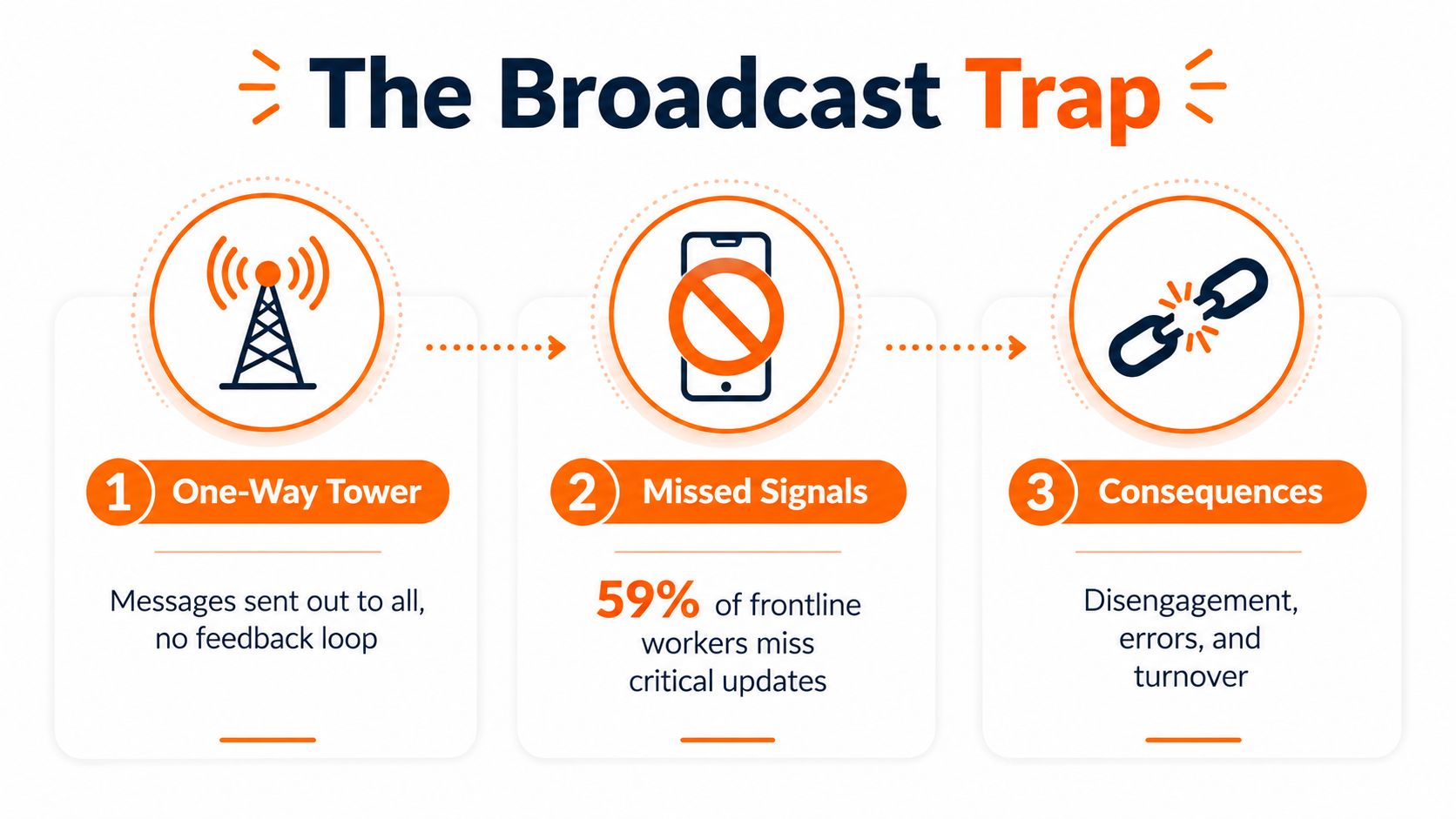
A 2026 report found a sharp difference between managerial confidence and worker experience. 87% of managers said they communicated updates effectively, but only 56% of frontline workers agreed, according to Axonify's frontline operations report. The same report found that 65% of workers wasted time switching between tools, while 64% said messages were missed because they were spread across channels.
More channels create more decisions
Every extra channel asks a worker to make another decision.
Should this be in email or the team chat? Is the schedule in the workforce tool or the shared drive? Did the supervisor post the current policy, or is the pinned document newer? Those decisions consume attention that should go to the job.
The answer isn't to force every message into one giant stream. That creates a different kind of mess. The better design is a clear home for authoritative information, supported by targeted alerts and local conversations.
A practical internal communication plan should define which channel handles each type of message:
Urgent operational updates: Send them where workers can see them during the relevant shift, with a clear action and owner.
Reference material: Keep policies, procedures, and schedules in one searchable location.
Local coordination: Give supervisors and teams a space for questions, handoffs, and context.
Feedback: Provide a visible route for workers to respond, report confusion, and suggest changes.
The broadcast trap ends when delivery becomes a managed process rather than a single act of sending.
What Workers Want From Leadership
Frontline workers are not asking headquarters to send more messages. They want leaders who understand the conditions in which the work happens, including changing shifts, limited screen time, and decisions made under pressure.
A 2026 leadership study found that 54% of frontline workers wanted leaders to be “in touch” with employees, compared with 44% of office workers. 48% preferred face-to-face conversations with leaders, compared with 37% of office workers, while 26% said they received too little communication from leadership, compared with 17% of office workers. These findings were reported in Ragan's coverage of the Ketchum leadership study.
The gap is practical, not abstract. A frontline employee may value a direct conversation because leadership presence is otherwise filtered through schedules, supervisors, and corporate announcements. A brief visit to the floor can expose blocked work, unclear instructions, or staffing pressure that a dashboard will not show.
Digital tools and visible leaders do different jobs
A mobile app can deliver a policy. It cannot replace a manager answering a difficult question in person. A video call can connect a regional leader with several locations, but it cannot fully show the conditions employees face during a busy shift.
Strong communication uses both channels deliberately:
Broadcast-style communication | Context-aware communication |
|---|---|
One message for a broad audience | Messages shaped for roles, locations, and shifts |
Information travels mainly downward | Workers can respond and ask questions |
Success means the message was sent | Success means people understand the action |
Leadership appears distant | Managers connect the update to local work |
The trust problem also appears in satisfaction data. Only 9% of non-desk employees were very satisfied with internal communication quality, and 63% of employees considering leaving cited poor internal communication as a contributing factor, according to the same report.
Communication is a leadership behavior, not only a publishing task. Workers notice whether leaders explain why a change is happening, whether local managers have enough context to answer questions, and whether feedback leads to visible action. Channel design closes the delivery gap, while leadership presence gives the message credibility.
Building Systems That Reach Everyone
A policy approved at headquarters can still fail on the floor. Follow one real update from approval to action, and record every tool, person, delay, and duplicate version it encounters. The delivery path usually reveals more than the org chart.
Then make a few firm design choices.
Establish one source of truth
Workers should know where to find the current schedule, policy, task, and announcement. They do not need every message. They need the information relevant to their work in one dependable place, rather than scattered across email threads, paper notices, private chats, and disconnected apps.
A unified work app can bring chat, announcements, Spaces, tasks, files, knowledge resources, shifts, and related workforce processes into a mobile-accessible environment. The brand matters less than shortening the search path between an update and the action it requires.

Match timing to the shift
An update sent at an arbitrary headquarters hour may arrive before the worker can act, or after the relevant handoff. Schedule routine messages around shift starts, supervisor handoffs, safety events, and the points when employees can respond.
For urgent updates, put four details on the first screen:
What changed
Who it affects
What to do now
Where to ask a question
This structure limits interpretation and gives supervisors a consistent version to repeat. It also exposes missing ownership before the message reaches the floor.
Make access practical
Mobile-first design matters because many frontline workers do not work at a desk. Limited connectivity, shared devices, language needs, and short breaks determine whether a message is usable. Clear search, readable documents, translations, and simple acknowledgement options remove avoidable friction.
Language support needs the same operational care as channel choice. Teams building workplace language skills may benefit from accessible resources such as vocational training in your language, particularly where English, Mandarin, Korean, or Vietnamese support helps employees participate more confidently.
Document the handoff rules in a communication cascade that reaches everyone. Define who sends the update, who confirms receipt, who answers questions, and what happens when someone misses the first delivery. A system reaches everyone only when its recovery path is clear.
Quality Over Quantity in Daily Communication
More messages can make a weak delivery system harder to use. When policy updates, reminders, celebrations, alerts, and routine announcements share one stream, frontline workers learn that checking it rarely repays the effort.
The problem is not just message volume. It is delivery relevance. A worker may receive the same update as everyone else, yet still miss the instruction that affects today's shift because the channel gives every item equal weight.
Relevance comes before frequency
Before sending an update, ask whether the recipient can identify its value immediately. A warehouse picker needs a changed safety step stated plainly. A store associate needs the promotion details for that location. A nurse needs the current procedure, its effective time, and the escalation route.
Segment messages by role, location, shift, and urgency. Reserve company-wide posts for information that affects everyone. Workers should not have to search through unrelated announcements to find the instruction that changes their work today.
A useful message normally has a short subject, one clear action, and a direct path to supporting detail. Put the operational point first. Keep background information available for people who need to understand the reason behind the change.
Protect attention like a work resource
Research on frontline communication found that 30% of workers felt internal communications got in the way of performing their jobs. That finding should change how leaders judge communication. A high sending rate is not success if employees spend work time filtering noise.
Use read receipts or acknowledgement prompts for critical items, but do not turn every announcement into a compliance exercise. Ask a quick question when understanding matters. Invite replies when local knowledge could change the plan. The right channel should make useful feedback easier, not bury it beneath broadcasts.
Communication skill also affects daily management, hiring, and onboarding. Teams assessing how supervisors explain expectations can use these practical tips for interviews as a reference for developing clear communicators. The practical test remains simple: can the employee identify what changed, what to do, and where to raise a problem?
What Good Communication Feels Like
A warehouse team receives a short video from its operations manager before a new safety procedure begins. The update focuses on the one behavior that changes during the shift. The morning crew watches it on a phone during a natural pause, while the evening crew finds the same message waiting when their shift begins.
The video isn't useful because it's polished. It's useful because the team knows where to find it, why it matters, and what to do next. A translated version helps employees who prefer another language, while the written procedure remains available for anyone who needs to check the details later.
The system removes guesswork
The schedule, update, policy, and team discussion live together. A worker doesn't need to remember which manager posted the latest version or ask three coworkers whether the notice is still current. The supervisor can see who acknowledged the critical update and follow up with the people who need help.
That kind of visibility must support, not replace, human judgment. A missed acknowledgement may mean a worker was busy, offline, or confused. The manager still needs to ask what happened.

Trust grows through useful repetition
Good frontline employee communication feels brief, direct, and respectful. It reaches people during the time they can act, gives them enough context to make a decision, and leaves a clear path for questions.
The true test isn't whether headquarters sent the announcement. It's whether the person doing the work could find it, understand it, and use it without chasing someone down. Fix that path, and the organization starts to feel less like a collection of shifts and more like one team.
Pebb brings chat, announcements, Spaces, tasks, files, schedules, and company resources into one mobile-accessible work app, giving frontline teams a clearer place to receive and act on information. Visit Pebb to see how it can help replace fragmented channels with a communication system built around real shifts and locations.
