
The Last Time Off Form You'll Ever Need
Discover how to replace a broken employee request time off form with a simple, respectful process that boosts morale and saves your team time today.
Dan Robin
At its core, an employee request time off form is just a way for your team to ask for a break. A simple document, a quick screen. But let's be honest, it’s usually the starting point for a process that’s a complete headache for everyone.
We've all seen it. The clunky PDFs, the back-and-forth emails, the messy spreadsheets. A manager trying to approve a well-deserved vacation while juggling three crumpled paper forms for last-minute sick days. It’s a broken dance, and it quietly tells your team that taking time off is a burden.
Your Time Off Form Is Quietly Sabotaging Your Culture
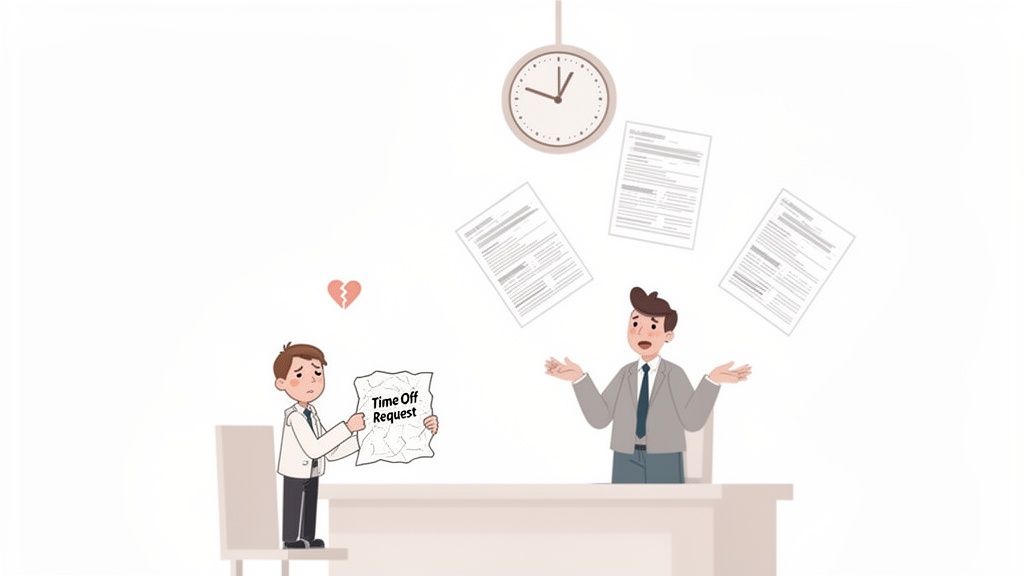
Let’s be real for a second. The way most companies handle time off is a mess. It creates friction for absolutely everyone.
Your employees feel like they have to beg for the time they've already earned. Your managers get buried in busywork. This isn’t just inefficient. It's a culture killer. When you make it hard to take a break, you send a clear message: the company’s needs come before yours.
The Real Cost of a Bad Process
This friction has a real, tangible cost.
Think about it: in the United States, a staggering 48% of workers only use about half of their paid time off. That leaves an estimated $52.4 billion in unused benefits on the table every single year. Why? Heavy workloads, pressure to always be on, and a culture that makes rest feel like a liability. You can dig into these global time off statistics to see just how deep the problem runs.
This is precisely why clunky, manual forms are so damaging. They bog down HR, delay approvals, and slowly build a quiet resentment among your team.
It’s never just about a form; it's about respecting your team’s time, both on and off the clock. In today's workplace, that respect is everything.
Beyond the Form Itself
A time-off request isn't just a data point; it's a person asking for a well-deserved break to recharge, handle a family matter, or just rest. A modern approach flips the script. It makes asking for time easy, transparent, and respectful. It trusts people.
That subtle shift in perspective can change everything.
How to Design a Form That People Don’t Hate
Let's get practical about what a good time-off request form actually looks like. The instinct is to add more fields—to capture every last detail. That’s a trap. The real goal is to be ruthless about removing friction.
Think like a designer, not a manager. Your mission is to create a form someone can fill out on their phone in 30 seconds while waiting for coffee. If it's more complicated than that, you've already failed.
I’ve seen this mistake a thousand times: forms that ask for both an “end date” and a “return to work date.” Why? It's the same information. This tiny detail creates a moment of hesitation, a small papercut that makes the whole process frustrating. Just ask for the “first day off” and the “last day off.” Simple. Clear. Done.
Essential vs Optional Form Fields
A great form asks only for what you absolutely need. Everything else is noise. After looking at hundreds of variations, the best ones always boil down to the same core elements. Here's what's truly necessary versus what just adds clutter.
Field | Purpose & Rationale | Our Recommendation |
|---|---|---|
Employee Name | The most basic identifier. Who is making the request? | Essential |
Leave Type | Categorizes the request (e.g., Vacation, Sick, Personal). Critical for tracking balances and reporting. A dropdown menu works best. | Essential |
Start & End Date | Defines the duration of the absence. This is the core of the request. | Essential |
Reason / Notes | Allows employees to provide optional context, like "My flight leaves in the evening, so I'll be online in the morning." | Optional |
Total Days | Calculates the total number of workdays requested off. | Automate It! |
Current Balance | Shows the employee their remaining PTO balance before they submit the request. This can reduce questions and denied requests. | Nice-to-Have |
Ultimately, the best form is one that gets the job done and then gets out of the way. It should feel invisible.
The Non-Negotiables
So, what’s absolutely essential? For 90% of requests, you only need three things.
Employee Name: This should be pre-filled. Seriously. Making someone type their own name into a system that already knows who they are is just disrespectful.
Leave Type: Use a simple dropdown. Give them the core options: Vacation, Sick Leave, Personal Day. This keeps things consistent and makes reporting a breeze.
Start and End Dates: Just the first and last day. The system should be smart enough to calculate the total duration. Don’t make your people do math.
That's it. That's the list.
A form shouldn’t feel like an interrogation. It should feel like a quick note passed to a colleague—brief, clear, and respectful of their time.
What You Can Probably Skip
Now let's talk about the fields you can probably ditch. The key with optional fields is to make them truly optional. Don't add that little red asterisk unless it's genuinely critical.
A notes section is the perfect example. Sometimes context is helpful. But forcing a reason for a simple vacation request subtly implies they need to justify their earned time off. It chips away at trust.
If you’re looking for inspiration on how to structure your form, checking out different intake form templates can be a great starting point. The best employee request time off form lets people focus on the important part: taking a break. We've written a lot more about the power of simple digital forms.
The Approval Workflow Is Where Everything Breaks
A beautiful, simple form is a wonderful thing. But it’s useless if it disappears into a black hole the moment someone hits “submit.” We’ve all felt that uncertainty—did my manager see it? Is it lost in their inbox? Do I need to follow up?
This is where most systems fall apart. The problem isn’t the form; it’s the silence that follows. The secret to fixing this isn't more complexity. It's automation and immediate, transparent feedback.
When someone submits a request, they should get an instant confirmation. Not an hour later—instantly. It’s a simple acknowledgment that says, “We got it.” This tiny step replaces anxiety with confidence.
The Myth of Tiered Approvals
The next failure point is almost always an overly complicated approval chain. Some companies insist a request go from a manager to a director and then to HR. Let’s be honest: this is a terrible idea born from a lack of trust.
It creates bottlenecks, delays decisions, and makes managers feel like they aren’t empowered to lead their own teams. A 2024 McKinsey study found that empowering frontline managers directly correlates with higher team performance. Micromanaging their approval decisions does the exact opposite.
The direct manager should be the first and only stop. They have the context on team workload and project deadlines. Adding more layers just adds friction.
Your approval workflow should be a straight line, not a tangled web. The goal is to get a decision, not to gather a committee.
This simple flowchart lays out the core design process for a form that feeds into a clean, effective workflow.
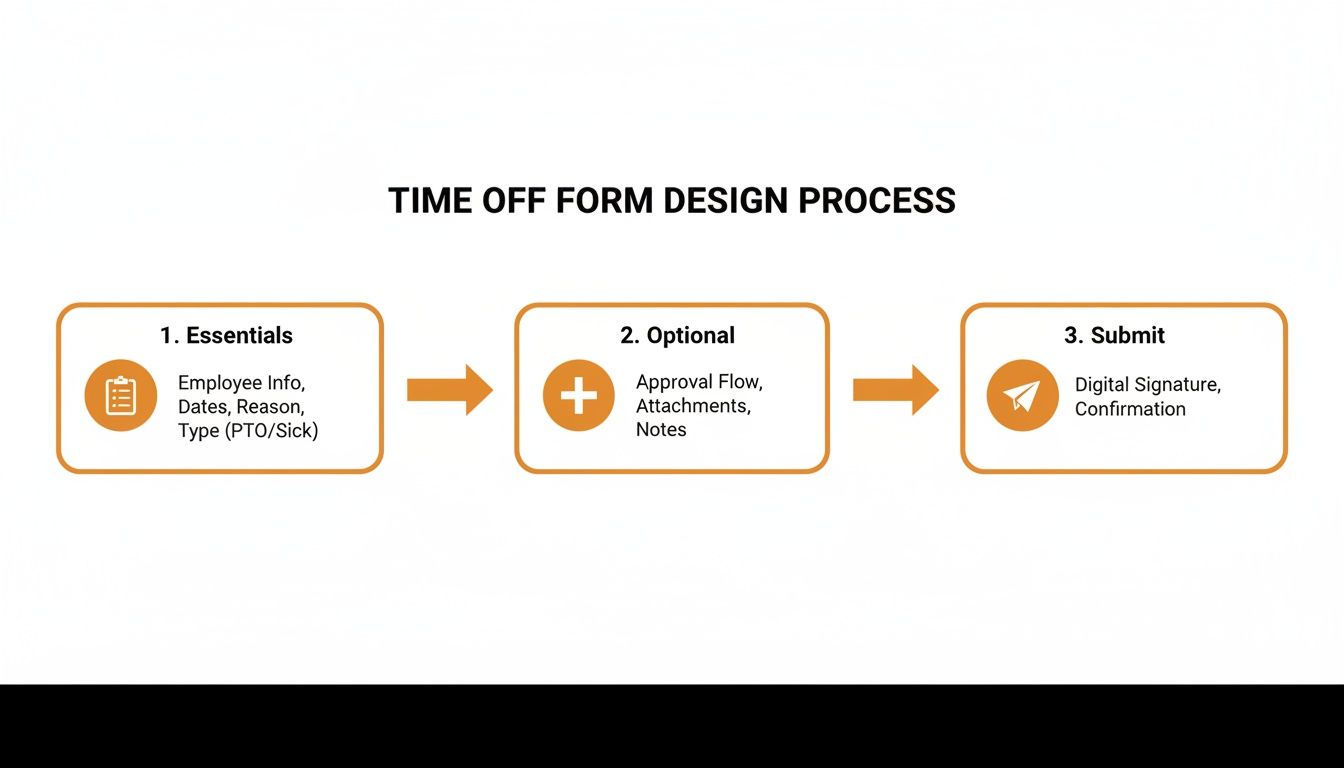
As you can see, the progression is clear—it moves from essential fields to optional data before submission, reinforcing the idea of keeping the process logical and streamlined.
Building a Better Workflow
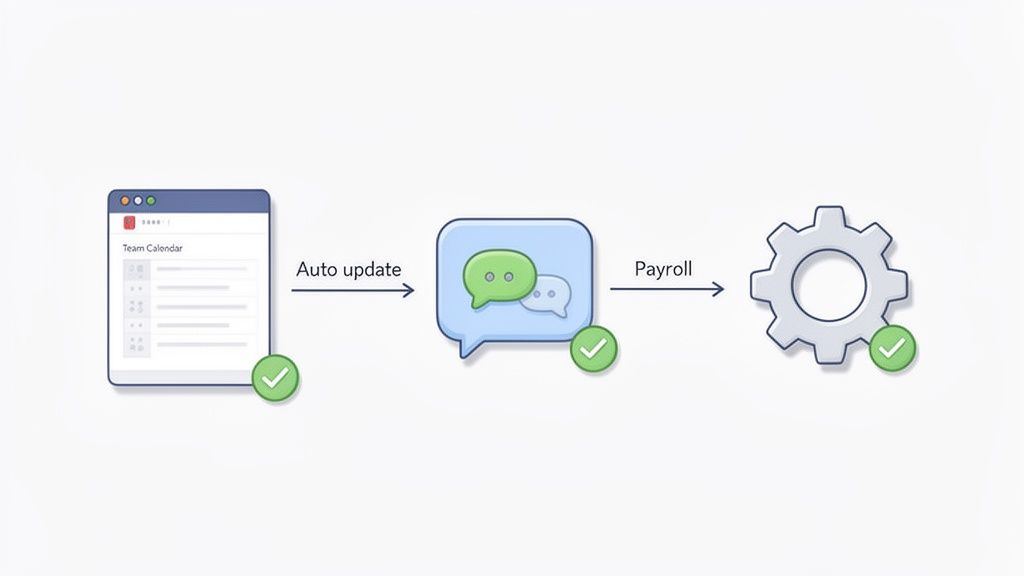
So, what does a good workflow look like? When a manager clicks “approve,” the magic should happen automatically. The employee gets a notification, the team calendar updates, and payroll is informed without a single manual email.
This isn’t a futuristic dream. It’s about building the process inside the tools your team already uses. You can even explore no-code tools like Power Automate workflows for non-technical teams to build these kinds of efficient processes.
The goal is to make requests and approvals happen where the work happens—visibly and without drama. When you automate the tedious parts, you free up managers to focus on the human side of tracking employee time off. That's where their attention should have been all along.
Connecting Your Form to a Smarter System
The form is just the starting line. The real magic happens when that request connects to everything else. It’s the leap from a static document to a living system that actually makes life easier.
What if submitting a request automatically checked the team calendar for conflicts? What if an approval instantly updated the shared schedule? This isn't some far-off idea; it’s how modern tools have changed the game. A request is no longer just a piece of data to be filed away.
It becomes a conversation.
From Data Entry to Team Collaboration
Let’s be honest, the old way is just digital paper. An employee fills out a form, a manager gets an email, and then that manager has to manually open three other tabs to check calendars, schedules, and PTO balances. It’s clunky work that creates unnecessary friction.
A smarter, integrated system flips this on its head. It pulls all the context you need into one place.
When a manager sees a request, they should also see the team calendar, project deadlines, and who else is out that week—all in the same view. This turns a five-minute research project into a five-second decision.
That’s what an integrated workflow actually looks like—simple, contextual, and built for speed.
The system doesn't just collect information; it presents it in a way that helps people make better, faster decisions.
Closing the Communication Loop Automatically
But that’s only half the story. Once a decision is made, the system should do the rest of the work. An approval shouldn't be the end of the process; it should be the trigger for a cascade of helpful, automated actions.
This is how you create a seamless loop that turns an administrative chore into a smooth, collaborative process.
Update the Calendar: The moment a request is approved, it should pop up on the shared team calendar. No manual entry needed.
Notify the Team: The system can post a simple update in your team channel: “Heads up, Sarah will be out next week.” This helps everyone coordinate without a formal announcement.
Adjust Payroll: The approved time off is automatically sent to payroll, ensuring PTO balances are updated and paychecks are accurate without anyone touching a spreadsheet.
This level of connection is about more than just efficiency. It builds transparency and trust. Everyone knows the status of requests and who is available. A dedicated employee time off app brings all these pieces together. It’s less about managing forms and more about creating a single source of truth.
Hard-Earned Lessons on Making the Switch
We’ve guided countless companies away from paper forms and clunky, color-coded spreadsheets. We've been in the trenches with them, untangling years of messy processes. Along the way, we learned a few things the hard way so you don’t have to.
First, always communicate the "why" before you whisper a word about the "how."
Your team doesn’t care about a new digital employee time-off request form. They care about what it does for them. Frame the change as a way to get faster approvals and eliminate the anxiety of a request getting lost in an inbox. This isn't about management getting better data; it’s about them getting their time off with less stress.
Start Small, Win Big
I used to believe in the grand, company-wide launch. A single date on the calendar, a flurry of emails, and… usually, chaos. Don't do that.
Instead, start small with a pilot group. Find a single, willing team—ideally one with a manager who is genuinely excited—and let them be your guinea pigs. Let them try the new process, find the kinks, and feel the benefits firsthand.
Their success will become your most powerful case study. When other teams hear colleagues saying, "It's so much easier now," the rollout becomes a pull, not a push. You create champions, not resistors.
We worked with one company that started with a pilot team of just seven people. Within a month, two other department heads were asking when they could get on the new system because they saw how smoothly everything was running.
Your Form Can't Fix a Broken Policy
Finally, and this is the most important lesson of all: the best form in the world can’t fix a confusing or unfair PTO policy. If nobody knows how much time they have, or if the rules are buried in a 100-page handbook from 2012, your new tool will just automate the confusion.
Before you make the switch, take a hard look at your policies. Make them crystal clear, easy to find, and written in plain English. This isn’t just about the technology; it's about the human side of the process. We’ve learned that the transition is less about software and more about trust and clarity. Get that right, and the tools will fall into place.
Your Questions Answered
We get a lot of questions about this stuff. Forget the jargon—let's get straight to the practical answers. This is what we've learned from being in the trenches with real teams.
How Should We Handle Different Leave Types?
Use a simple, clear dropdown menu in your request form. You might be tempted to use a generic text box for "Reason," but trust me, that's a recipe for messy data.
Create a short list of predefined options: Vacation, Sick Leave, Personal Day, Bereavement. This standardizes everything. It makes requests faster for employees and a whole lot easier for you to track. Even better, a modern system can automatically link these types to the right PTO banks, deducting hours from the correct balance without anyone lifting a finger. It’s a win-win.
What Is the Best Way to Manage Shift Coverage?
This is where an integrated tool makes all the difference. A standalone form just tells you there's a problem—a gap in the schedule. A connected system helps you solve it.
When a request is approved right inside your team's daily communication space—like a shared Slack channel or a Pebb chat—everyone sees it instantly. The manager, or the employee themselves, can immediately post a follow-up: "Heads up team, I need cover for my Tuesday opening shift. Anyone able to pick it up?"
This small shift in process turns finding coverage from a top-down headache into a collaborative, team-based effort. It's faster, more transparent, and empowers your team to solve problems together.
Are There Any Legal Issues to Worry About?
Absolutely. The process your form kicks off is directly tied to legal compliance. You have to get this right.
First, your time-off policy must be applied consistently to everyone. No exceptions. Inconsistency is one of the fastest ways to open the door to discrimination claims.
Second, respect medical privacy. Your form should never ask for a specific diagnosis when an employee requests sick leave. A simple "Sick Leave" category is all you need and, legally, all you should be asking for.
Finally, keep meticulous records. A good digital system creates a clean, timestamped audit trail of every request, approval, and denial. This documentation is invaluable for complying with labor laws and can be a lifesaver if a dispute ever comes up.
How Can We Get Our Team to Actually Use Their Time Off?
It starts with making the process painless. If asking for a break feels like a chore, people will put it off. A simple, easy-to-use form is step one, but it's just as much about your culture.
Leaders have to lead by example. They need to take their own vacations—and actually disconnect. Managers can also use data from the system to see who hasn't taken a break in a while and gently encourage them to schedule some downtime.
A public team calendar that shows upcoming vacations helps normalize taking time off. It sends a powerful, unspoken message that your company values rest, not burnout. And at the end of the day, a well-rested team is a more productive and engaged team.
Ready to ditch the messy spreadsheets and lost emails for a simple, modern system? See how Pebb unifies time-off requests, team calendars, and shift coverage into one seamless experience. Get started with Pebb today.
