
Employee Overtime Calculator How to Calculate Pay Correctly
Use our employee overtime calculator guide to calculate overtime pay correctly, avoid regular rate errors, and stay compliant across workweeks.
Dan Robin

A supervisor notices the problem on payday. A cleaner worked a long shift, covered part of another shift, and earned a bonus for taking an urgent assignment. The spreadsheet shows the right total hours, but the overtime amount still looks low. The team has three versions of the timesheet, a manager's approval buried in chat, and no clear record of which workweek the hours belong to.
That's why an employee overtime calculator is more than a rate and a box for extra hours. The arithmetic is simple only after the underlying time, pay, approvals, and jurisdiction are correct. In practice, payroll errors usually begin before anyone opens the calculator.
Why Most Overtime Math Goes Wrong Before You Open the Calculator
A frontline team rarely records work in one neat system. A supervisor posts a shift change in a group chat. An employee sends a photo of a signed timesheet. HR keeps the pay rules in a shared folder. Payroll receives an export after the pay period closes and tries to reconstruct what happened.
That process creates two separate risks. First, people may attach hours to the wrong workweek. Second, they may calculate overtime from the employee's base hourly wage even when bonuses, commissions, or multiple pay rates affect the regular rate.
I've seen this happen when one employee covers a late shift near the end of a payroll period. The payroll team totals the entire pay period, sees that the employee worked more than the expected number of hours, and applies overtime to the excess. But federal overtime is calculated separately for each fixed workweek, not across a biweekly pay cycle. A correct total can still produce an incorrect result if the hours cross a workweek boundary.
Practical rule: Treat every overtime calculation as an evidence trail, not a quick estimate.
The evidence needs to answer basic questions without a scavenger hunt:
Which workweek applies: When did the employer's fixed workweek begin and end?
Which hours count: Were the hours worked, or were they paid leave, training, or another category with different treatment?
Which rate applies: Did the employee work at more than one rate or receive eligible variable compensation?
Who approved the record: Did a manager confirm the shift, correction, or premium?
Which rule controls: Is the employee covered by federal, state, local, contractual, or country-specific overtime rules?
A shared operating record makes those questions easier to answer. Pebb Spaces can keep shift schedules, clock-in data, timesheets, approvals, policy documents, and payroll conversations together, with access controlled by role. That's a better starting point than asking payroll to trust a message thread and a spreadsheet attachment. Teams that need a practical record of hours can also use this guide on how to track employee hours.

The mindset shift matters. A calculator should produce a number, but the surrounding workflow should explain where that number came from. When HR, operations, and IT can see the same approved record, correcting an error becomes a controlled task instead of a debate about whose file is current.
How the Employee Overtime Calculator Actually Works Under FLSA
Under the U.S. federal standard, the calculation begins with a single fixed workweek. The workweek contains 168 hours, or seven consecutive 24-hour periods, and it must be used consistently for overtime calculations. A payroll period can cross that boundary, but it can't replace it. The Department of Labor overtime calculator guidance describes the workweek method and the need to calculate each workweek separately.
For a covered, nonexempt employee, the federal threshold is more than 40 hours worked in that workweek, and the minimum overtime rate is 1.5 times the regular rate. The Department of Labor states the same baseline in its FLSA frequently asked questions. The employee's status matters. A salaried employee isn't automatically exempt, and certain public safety and healthcare arrangements have special rules.
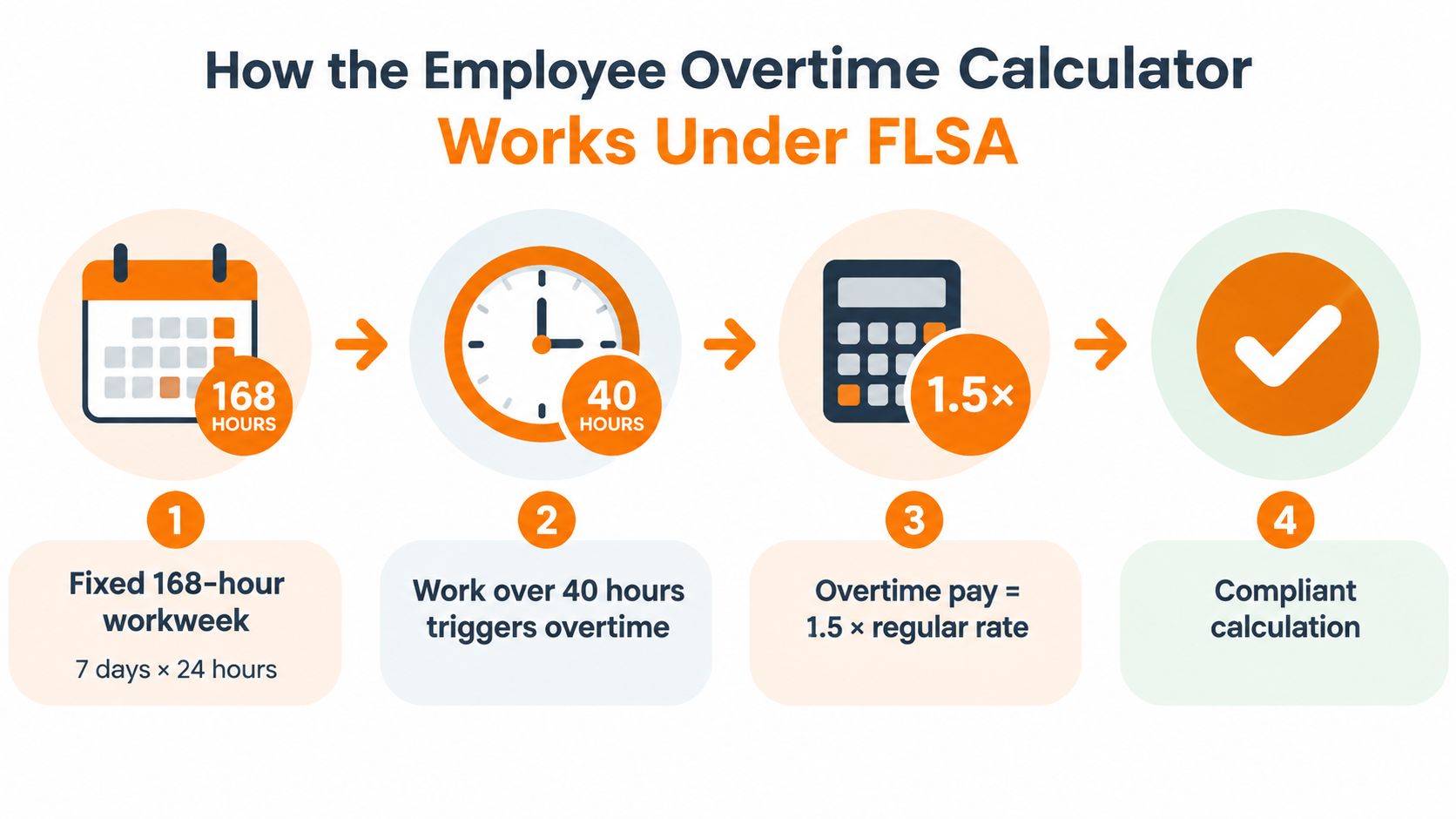
The basic calculation sequence
A dependable calculator follows this order:
Set the workweek. Use the employer's established seven-day workweek, not the dates on the paycheck.
Total hours worked. Separate the hours by workweek and preserve the underlying time entries.
Identify overtime hours. Under the federal rule, hours beyond 40 in the workweek are generally overtime for covered nonexempt employees.
Determine the regular rate. Include the eligible earnings for that workweek, rather than assuming the base wage tells the whole story.
Apply the premium. Overtime compensation generally equals straight-time pay for the overtime hours plus an additional half of the regular rate for those same hours.
That last step is where many people oversimplify. If straight-time pay has already covered the hours, the additional overtime premium is generally 0.5 times the regular rate for each overtime hour. The employee receives the equivalent of 1.5 times the regular rate overall, but the premium calculation must account for the straight-time amount already paid. The Office of Personnel Management explanation of FLSA overtime pay lays out this straight-time plus half-time approach.
The historical reason calculators default to 40 hours is also worth understanding. The FLSA was enacted in 1938 and established time-and-a-half for nonexempt workers. The normal workweek was not immediately set at 40 hours for everyone. Contemporary summaries describe a progression from 44 hours in the first year, to 42 hours in the second, and then 40 hours after that. That history explains the modern default, but it doesn't make 40 hours a universal rule for every worker or location. A calculator that hides the workweek definition is hiding an important assumption.
Getting the Regular Rate Right When Pay Is Not Just Hourly
The most expensive shortcut is using the base hourly rate as if it were always the legal regular rate. It isn't. The regular rate can reflect eligible earnings from the relevant workweek, including compensation tied to services such as nondiscretionary bonuses, commissions, piece-rate pay, and work performed at different rates. The Department of Labor's overtime tools explains why overtime can't be reduced to a simple hourly rate multiplied by 1.5.
A calculator should first normalize the employee's eligible weekly earnings and hours. It can then determine the regular rate for that workweek before applying the overtime premium. This matters most for frontline employees whose pay changes with shifts, assignments, sales, production, or customer demand.
A mixed-rate week
Suppose an employee works some hours at one rate and other hours at another rate. A flat calculator may apply the overtime multiplier to whichever rate appears first in the employee profile. That can produce a clean-looking result with the wrong foundation.
The better approach is to collect the eligible straight-time earnings for the week, add relevant variable compensation, and divide the total by the hours used for the regular-rate calculation. The result is a blended weekly regular rate. Payroll then applies the overtime method required for the employee and jurisdiction.
The same issue appears with a weekly bonus. A bonus that is tied to work and isn't discretionary may need to be allocated into the regular-rate calculation. The Department of Labor's technical overtime guidance on commissions and multiple rates highlights these situations as recurring sources of error.

What the calculator should capture
A useful configuration asks for more than hourly wage and overtime hours:
Pay basis: Hourly, salary, piece rate, commission, tips, or a combination.
Rates worked: Each applicable rate and the hours associated with it.
Variable earnings: Bonuses and commissions that may belong in the regular rate.
Overtime category: Federal overtime, state overtime, contractual premium, or another rule.
Approval record: The person who confirmed the time and pay inputs.
A salaried nonexempt employee is a good test. The weekly salary may cover straight-time work, but a nondiscretionary weekly bonus can still change the regular rate. A calculator that labels every salaried employee exempt will miss the first question, which is whether the employee is exempt under the applicable rule.
The practical standard is simple: if the tool can't show how it moved from weekly earnings to the regular rate, don't treat the output as final payroll.
Setting Up a Secure Overtime Workflow in Pebb Spaces
A calculator works best when the people entering time, approving changes, and reviewing pay use one controlled workspace. Start with a dedicated payroll operations Space. Keep the audience narrow, define who can post or edit records, and separate employee-facing shift information from sensitive compensation files.
Pebb Spaces support conversations, tasks, file sharing, events, shift scheduling, clock-in information, and PTO tracking in one configurable area. The practical benefit isn't that every person needs access to everything. It's that HR can create a clear path from a scheduled shift to an approved time record without copying sensitive data across unrelated tools. Teams can review the product's structure in what Pebb Spaces are.

Build the workflow around responsibility
Give each role a defined job:
Employees record time: They clock in and out, check assigned shifts, and flag corrections.
Supervisors approve operations: They confirm coverage, missed punches, and changes to scheduled work.
HR reviews pay inputs: HR checks worker classification, variable compensation, and jurisdiction rules.
Payroll owns the calculation: Payroll exports or uses approved records to calculate overtime.
IT governs access: IT applies identity, device, and permission controls.
Use roles and permissions so a manager can approve hours without browsing compensation files. Keep payroll exports in restricted file areas, and use an audit trail for changes rather than accepting an unexplained replacement spreadsheet. Single sign-on and device policies add another layer for teams handling personal and pay information.
The Knowledge Library is useful for storing overtime policies, workweek definitions, approval rules, and manager instructions. A single invite link can simplify onboarding, while web and mobile access helps supervisors complete approvals where the work happens. For supporting paperwork, HR teams may also want to browse HR PDF utilities for handling forms and documents alongside the operational record.
The system should make the right action easy. A supervisor sees a pending correction, opens the underlying time entry, adds the reason, and approves it. Payroll sees the same decision before running the employee overtime calculator. Nobody has to infer the answer from a deleted message.
Handling Different Rules Across States and Countries Without Guesswork
The federal U.S. rule is a starting point, not a global template. Some U.S. states add daily overtime rules. India can apply different approaches by establishment type and state, with factories often using 2x and many offices governed by state-specific Shops and Establishments rules. Europe uses a different guardrail, based on average weekly working time and required rest rather than one universal overtime multiplier.
Jurisdiction | Overtime Trigger | Multiplier and Cap | Calculator Implication |
|---|---|---|---|
U.S. federal standard | More than 40 hours worked in a fixed workweek | At least 1.5x the regular rate | Calculate each workweek separately and use the regular rate |
Some U.S. states | May include daily thresholds in addition to the federal weekly rule | State-specific | Add daily logic rather than relying only on weekly totals |
South Africa | Weekday and Saturday overtime follow a different rule from Sundays | 1.5x ordinary pay on weekdays and Saturdays, 2x on Sundays, with overtime capped at 10 hours per week for covered employees | Use a jurisdiction rule engine with day-based premiums and caps |
European Union | Average weekly working time, including overtime, must stay within the directive's guardrail | Average limit of 48 hours, with daily and weekly rest requirements | Track averaging periods, daily rest, and weekly rest, not only premium pay |
India | Rules vary by establishment type and state | Factories often use 2x, while offices may follow state-specific rules | Ask for establishment type and location before selecting a formula |
The European Commission explains that the Working Time Directive measures the 48-hour average over a reference period that may run up to 4, 6, or 12 months, depending on national law or a collective agreement. It also provides for 24 uninterrupted hours of weekly rest plus 11 hours of daily rest. Eurofound's comparison of working-time rules shows that some countries permit higher temporary ceilings while preserving the broader average limit.
A global calculator therefore needs jurisdiction-specific rule engines. It should store the employee's location, establishment type, worker classification, workweek or averaging period, applicable daily rules, multiplier, cap, and rest requirements.
For California teams, payroll owners can use this practical California overtime tax guide as a supplemental reference, then review the operational details in how to calculate overtime in California. When rules conflict, don't force a generic formula. Escalate the question to qualified local counsel.
Auditing Overtime Calculations and Keeping the Process Secure
A correct calculation today can become an unexplained number tomorrow if the inputs disappear. Auditability means preserving the time entry, the pay components, the rule selected, the approval, and any correction. It also means limiting access so sensitive records aren't copied into open team channels.
Start with a small recurring review. Compare scheduled shifts with clock-in records, look for unusual gaps or corrections, and check whether managers approve changes before payroll closes. Pebb analytics can help leaders review activity and engagement patterns, while the operational record remains tied to the people and Spaces responsible for the work. For teams assessing the broader cost of operational interruptions, digna downtime cost estimation can add context to the cost of missing or delayed records.
A review that catches real errors
Audit the process in this order:
Confirm the workweek: Verify that the system uses the established fixed workweek and doesn't combine hours across payroll periods.
Check classification: Confirm that the employee's exempt or nonexempt status is recorded and reviewed when duties or pay change.
Rebuild the regular rate: Inspect hourly, salary, piece-rate, commission, bonus, tip, and multi-rate inputs.
Review approvals: Identify who changed a punch, approved a shift, or authorized a premium.
Compare jurisdiction logic: Make sure the selected rule matches the employee's location and establishment type.
Document corrections: Record what was wrong, what changed, who approved it, and how payroll was corrected.
Manager training deserves more attention than it usually gets. Supervisors should know that a missed punch isn't a minor administrative nuisance. It can change the workweek total, the regular rate, and the employee's pay. Give them a short process for reporting corrections, and make the process available on mobile.
The best audit trail isn't a giant report. It's a clear answer to who changed what, when, and why.
When an error appears, pause the affected workflow, preserve the original record, calculate the corrected amount, and route the fix through HR and payroll. Then update the policy, permission, integration, or manager training that allowed the error. Paying the difference matters, but preventing the next repeat matters too.
An employee overtime calculator should remove arithmetic from the list of things people have to guess. It can't remove responsibility. That comes from a shared record, clear ownership, secure access, and a habit of checking the inputs before trusting the output.
Pebb brings shift scheduling, clock-ins, timesheets, file sharing, approvals, and team communication into one controlled workspace, so HR and operations can build a more reliable overtime process. Visit Pebb to see how your teams can keep the records behind each calculation clear, secure, and easy to review.
