
Deskless Team Forms Photo Proof Checklist: 7 Must-Haves
Use this deskless team forms photo proof checklist to capture clear evidence, verify submissions, protect privacy, and automate follow-up.
Dan Robin

A worker uploads a photo from a store, warehouse, job site, or hotel room. The image is blurry. Nobody can tell which asset it shows, when it was taken, or whether the issue was fixed. The form says “complete,” but the record doesn't prove much.
A photo isn't proof yet. Proof is the photo plus the context, verification, review path, and retention rule around it. A reliable deskless team forms photo proof checklist tells the worker what to capture, makes important evidence required, routes exceptions to the right person, and keeps the final record usable later.
The seven tools below take different approaches. Some are built for inspections. Some are better for maintenance, retail execution, or broader frontline operations. Pebb is especially relevant when forms need to live beside tasks, files, communication, schedules, and follow-up in one mobile-first app.
1. Pebb
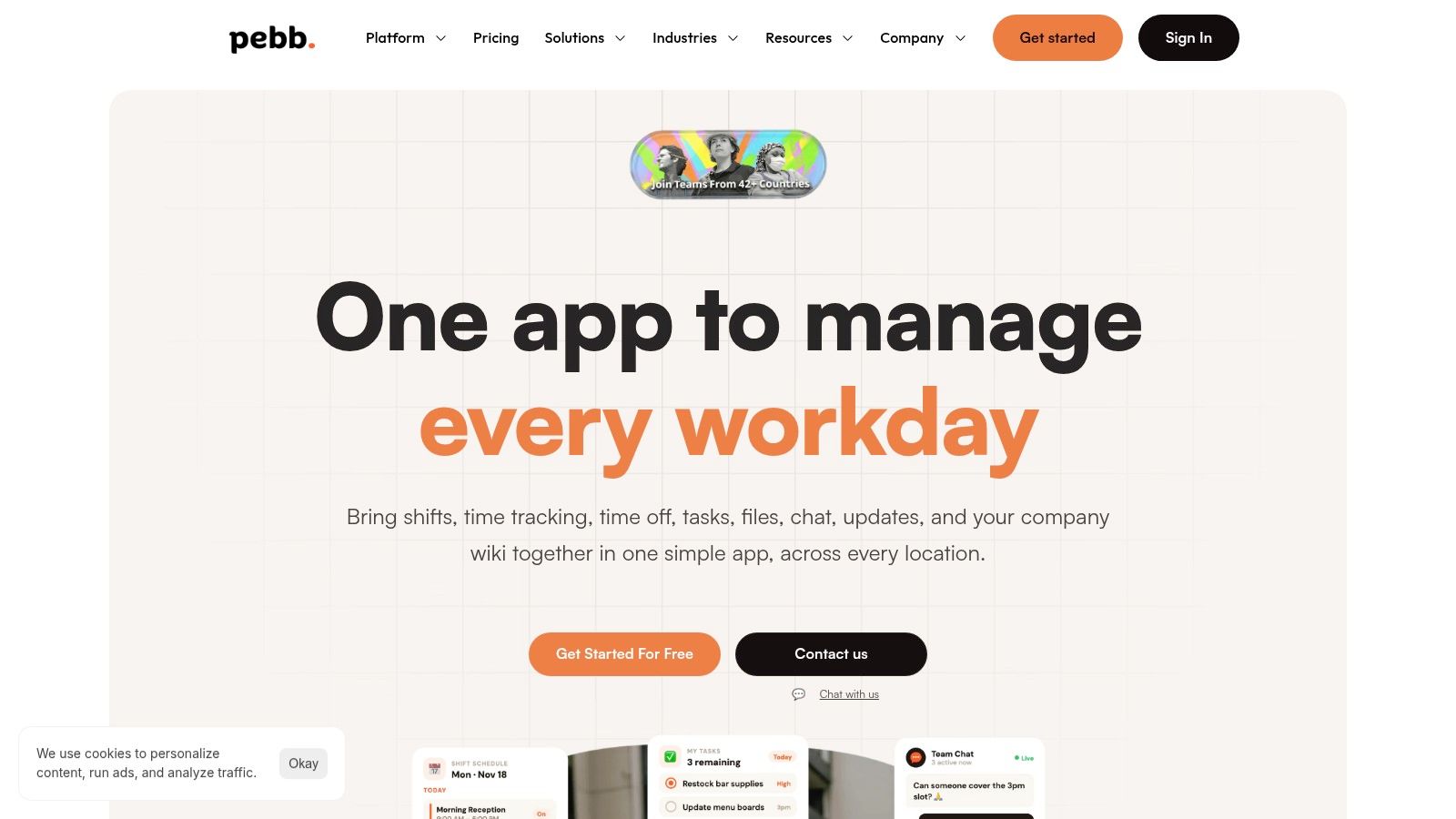
Pebb fits teams that need photo evidence to lead somewhere. A cleaning check, safety inspection, incident report, or maintenance request can stay connected to the task, discussion, file, and follow-up that give the image meaning.
Build the form around evidence, not around a generic upload field. For example, require a wide shot of the location, a close-up of the defect, and a timestamp or identifying note. If a checkbox fails, create a Task for the supervisor or owner. Store the completed record and its images in the relevant Space Knowledge Library, with a clear retention rule such as Retention: 90 days.
Where Pebb fits best
Pebb's digital forms support reusable checklists and fields for text, dropdowns, checkboxes, and file uploads. Workers can submit photos from their phones, while managers can connect each submission to tasks, shared files, team discussions, and follow-up. That workflow prevents a failed check from ending as an unread form entry.
Use a Space for a location, department, or operation. Put the capture standard in the Knowledge Library, for example, “photograph the full panel first, then the defect.” Add a privacy instruction where needed, such as avoiding faces, personal documents, or unrelated customer information. A reviewer can then verify whether the image is identifiable, readable, and tied to the right asset before closing the task.
The deskless workforce whitepaper notes that nearly 80% of the world's workforce is deskless, representing about 2.7 billion employees. For these teams, keeping evidence beside execution can reduce the handoffs created by separate tools.
Practical rule: Set the form, task, review step, policy, and retention rule up in the same workspace whenever possible.
Pebb also offers configurable Spaces, invite-link rollout, mobile and web access, admin controls, analytics, and integrations with HR, payroll, and authentication systems. It suits retail, hospitality, healthcare, logistics, and smaller organizations replacing disconnected tools. The trade-off is specialization. Teams needing deep inspection analytics, advanced compliance controls, or specialized HR and payroll functions may still require third-party systems. Public pricing is limited, so confirm plan details through Pebb. See this guide to digital forms for deskless teams.
2. SafetyCulture
SafetyCulture, formerly known as iAuditor, is built around inspections. That focus shows in the way photo and video evidence sit inside checklist items rather than beside them as loose attachments. A worker can capture an image, annotate it, and connect it to the exact finding that needs attention.
This is a good fit for safety, quality, facilities, and compliance teams that run repeatable inspections across multiple locations. The public template library can shorten the setup work, while offline inspections let workers continue when a basement, plant room, or remote site has poor connectivity. Evidence can sync later, which is a basic requirement for real field work, not a luxury.
Strong follow-up, with a compliance mindset
The best part of SafetyCulture is the connection between an inspection finding and a corrective Action. A failed item can move toward an owner and follow-up instead of sitting in a completed report. Reporting and retained evidence trails also make the platform a natural fit for audits where someone may ask not only whether a check happened, but what the worker found and what happened next.
A photo checklist should be a gate, not a suggestion. Simply Connected Systems' photo documentation guidance makes the operational point clearly: required photos should be attached before a job is marked complete.
SafetyCulture's trade-off is that its breadth can be more than a small team needs. The free tier is limited in inspections and templates, and paid or enterprise pricing varies by region. It makes the most sense when inspection discipline, corrective actions, offline capture, and audit history matter more than keeping the form experience minimal. Visit SafetyCulture to verify current plans and capabilities.
3. GoCanvas
GoCanvas takes a form-first approach to inspections, work orders, and compliance. It gives field workers a mobile way to complete structured forms, attach photo evidence, and keep working offline. Dispatch and scheduling are part of the workflow, which helps when the form is tied to a visit rather than a recurring site audit.
The practical advantage is predictable usage. Every plan includes unlimited forms and submissions, so high-volume teams don't have to redesign the process around a submission meter. That can matter for operations where every delivery, service call, or inspection creates a record.
Useful output after the submission
GoCanvas also supports configurable PDF and DOC outputs, a web client for desktop review, and data sources that can feed the form. Higher tiers add capabilities such as APIs and SSO. The result is a reasonable path from a simple mobile checklist to a more connected field process.
The compromise is commercial and operational. Published packages have a three-user minimum and annual billing, while advanced controls sit on higher tiers. A team that only needs a handful of simple forms may find the setup heavier than a general workforce app. A team with many recurring submissions may value the predictable model.
Photo proof still needs structure. A field guide from Filio's construction photo documentation checklist recommends capturing the project, date, location, description, photographer, tags, status, related issue, and follow-up action. GoCanvas can hold that context, but the form designer has to require it. The tool won't rescue a vague form. For broader field communication and coordination, compare it with a field team employee app, and review GoCanvas for the current plan structure.
4. TrueContext
TrueContext, formerly ProntoForms, is for organizations where the form has to fit a larger field-service system. It supports low-code form building, conditional logic, version control, dispatch, automated reports, and integrations with systems such as SharePoint, Box, OneDrive, ServiceNow, and Salesforce.
That depth changes the buying question. You're not just asking whether a worker can take a photo. You're asking whether the evidence can move into the right CRM, asset record, service workflow, or reporting process without manual re-entry.
Built for governed field work
TrueContext's offline support spans iOS, Android, Windows, and macOS. That's useful for mixed workforces and organizations that can't standardize on one device family. Automated PDF, DOCX, and XLSX outputs, REST APIs, and enterprise connectors support teams that need records in established formats.
Its form logic is also helpful when photo requirements change by answer. For example, a failed inspection item can reveal a defect description, require an image, and route the submission for review. A good conditional form keeps the normal path quick while making exceptions more complete.
The trade-off is clear. There is no public per-user price, and larger deployments usually involve a sales-led implementation. That may be appropriate for a governed enterprise workflow, but it isn't the fastest route for a small team that wants a checklist live this week. Advanced capture features, including smart photo profiling and voice-to-form capabilities, are positioned within the product roadmap and tier structure, so confirm availability directly with TrueContext.
5. GoSpotCheck by FORM
GoSpotCheck by FORM, now associated with MarketX, is built for retail execution and consumer packaged goods teams. Its Missions act as structured field checklists, and photo proof is central rather than incidental. Teams can collect images across locations, organize them in shareable galleries, and use optional image recognition to assess shelf and display execution.
That makes it a strong choice for a visual standard. A retail manager may need to verify that a display is built correctly, a product is in the expected position, or promotional material is present. A checkbox can say “display complete.” A well-framed image gives the central team something they can actually review.
When image analytics earn their keep
The optional image recognition layer is the differentiator. It can help quantify visual compliance and turn a large collection of store photos into a more structured view of execution. Web dashboards, exports, and BI add-ons support teams that need to compare locations and share results beyond the field app.
But this is specialized software. A facilities team documenting a leaking pipe or a warehouse team recording damaged packaging may not need retail image analytics. They may only need a fast form, a required photo, and an assigned action.
GoSpotCheck's published minimum is 20 users for its entry tier, while Pro and Enterprise arrangements require sales engagement and custom quoting. That makes it a better fit for larger retail and merchandising programs than for a small local operation. Before choosing it, define whether you need image recognition or reliable evidence capture. If the answer is the latter, the extra platform depth may not earn its keep. See GoSpotCheck for the current product scope.
6. Crunchtime Ops Execution
Crunchtime Ops Execution, formerly Zenput, is aimed at multi-location restaurants and convenience stores. Its checklists and audits can require photo evidence, trigger follow-up, and connect to a wider food-safety and operations environment.
The product understands a problem that restaurant operators know well. A failed temperature, cleanliness, or brand-standard check is only useful if someone fixes it. Automated remediation and close-the-loop workflows help move the issue from evidence to action.
Photo quality matters too
Crunchtime's photo intelligence can review images and flag poor-quality or non-compliant proof in real time. That addresses a common failure mode: a worker uploads a dark, partial, or irrelevant photo just to get past the form. The system can help identify evidence that needs attention before a manager relies on it.
The best implementation still starts with a clear capture instruction. Construction Support's photo documentation workflow recommends specifying what to photograph, including existing conditions, access, benchmarks, concealed work, progress, and deliveries. The exact schedule will differ by industry, but the principle carries over. “Take a photo” is weak guidance. “Photograph the full prep station, then the failed item from close range” is usable guidance.
Crunchtime is a strong fit for restaurant and convenience-store operations with repeatable standards across many locations. It may be too narrow for healthcare, manufacturing, or general field service. Pricing is sales-led and quote-based, so confirm fit and scope through Crunchtime before assuming the platform matches your operation.
7. MaintainX
MaintainX is the practical pick when photo proof belongs inside maintenance and asset work. It combines work orders, preventive maintenance schedules, procedures, photo attachments, signatures, and analytics. A technician isn't just completing a checklist. They're documenting what happened to a specific asset and what should happen next.
That connection is the reason to choose it. A photo of a worn belt means more when it sits inside the work order for the right machine, alongside the procedure, parts used, technician notes, and sign-off. It gives the supervisor a record that can support future maintenance decisions instead of a folder of anonymous images.
MaintainX also supports offline work for technicians, preventive maintenance, meters, parts and inventory, purchasing, messaging, and a requester portal for people who don't need full licenses. That makes it broader than a form builder while staying focused on maintenance operations.
The trade-off is focus
The free tier and public pricing make MaintainX easier to evaluate than sales-led enterprise tools. Paid plans add advanced analytics, parts, purchase orders, and other deeper capabilities. The downside is that it isn't designed for retail audits or broad brand-compliance programs. A store manager checking displays may find the asset model unnecessary.
For facilities teams, however, the fit is direct. A cleaning issue, repair request, or inspection can become a traceable work order with evidence attached. Teams considering a wider frontline workspace can also review this perspective on a facility management employee app, then compare the maintenance depth of MaintainX with the communication and task needs around the work.
Top 7 Deskless Forms: Photo Proof Checklist Comparison
Solution | 🔄 Implementation complexity | ⚡ Resource requirements | 📊 Expected outcomes | 💡 Ideal use cases | ⭐ Key advantages |
|---|---|---|---|---|---|
Pebb | 🔄 Low–Medium, invite-link rollout; admin setup per Space | ⚡ Low, mobile-first, minimal IT; uses 50+ prebuilt integrations | 📊 Centralized comms, schedules, engagement analytics | 💡 Frontline & office teams in retail, hospitality, healthcare, logistics, SMBs | ⭐ All‑in‑one app; configurable Spaces; fast onboarding; broad integrations |
SafetyCulture (iAuditor) | 🔄 Medium, checklist and action configuration, template management | ⚡ Medium, mobile devices and training; free tier limited | 📊 Strong audit trails with timestamped photo/video evidence and corrective tracking | 💡 Safety, quality, facilities and compliance-heavy audits | ⭐ Mature inspection workflows; photo/video annotation; assigned actions |
GoCanvas | 🔄 Low–Medium, low‑code form builder and output configuration | ⚡ Medium, mobile + offline dispatch; 3‑user minimum and annual billing | 📊 Predictable unlimited submissions and reliable evidence capture | 💡 Inspections, work orders, compliance needing unlimited forms and offline use | ⭐ Unlimited forms/submissions on all plans; dispatch and configurable outputs |
TrueContext (ProntoForms) | 🔄 High, enterprise integration, governance, version control; professional services common | ⚡ High, significant IT, licensing and integration effort; quotes by engagement | 📊 Governed, scalable field workflows with enterprise reporting and automation | 💡 Large enterprises requiring complex offline workflows and CRM/ERP integration | ⭐ Robust offline support, enterprise connectors, governance and scalability |
GoSpotCheck (FORM / MarketX) | 🔄 Medium, set up Missions, photo galleries; optional AI configuration | ⚡ Medium–High, minimum user count (20), BI/AI add‑ons and sales engagement | 📊 Centralized visual evidence and quantified shelf/display compliance | 💡 CPG/retail merchandising, retail execution and field audits at scale | ⭐ Central photo galleries (PhotoWorks); optional AI image recognition for shelf analytics |
Crunchtime Ops Execution (Zenput) | 🔄 Medium–High, checklist workflows, AI photo validation, suite integration | ⚡ Medium, sales-led pricing; integrates with ops/food‑safety stack | 📊 Closed‑loop remediation and AI-assisted photo validation for compliance | 💡 Multi-location restaurants and convenience stores for food safety and brand standards | ⭐ Deep restaurant domain fit; AI photo QC; automated follow-ups and remediation |
MaintainX | 🔄 Low–Medium, CMMS onboarding, asset and parts configuration | ⚡ Low–Medium, mobile/web; free tier available; paid for advanced modules | 📊 Maintenance workflows with asset-linked photo proof, preventive scheduling and analytics | 💡 Manufacturing, logistics, facilities needing CMMS + photo-enabled checklists | ⭐ Combines CMMS with photo checklists; clear public pricing and straightforward onboarding |
Make the Next Photo Easy to Trust
The right tool won't fix a vague process. Start by defining what the photo must prove. Is it the condition of an asset, completion of a cleaning task, placement of a retail display, delivery at a location, or a defect that needs repair? Each purpose calls for different framing and different supporting fields.
Then make the form hard to misunderstand. Require the location, date, worker, task, status, description, and follow-up action where they matter. Tell workers what to photograph and when. A photo without metadata is just a picture. A photo tied to a task, place, person, time, and decision is a usable record.
Keep the capture path short. Deskless workers already depend heavily on technology, but the experience is often fragmented. One survey summary reports that 75% of deskless workers spend most of their work time using technology, while 60% are dissatisfied with the technology they use, and 70% believe more technology would help them do their jobs better, as reported in Blink's deskless worker research summary. The lesson isn't to add more screens. It's to remove unnecessary ones.
A required photo should protect the worker and the operation, not create a second job.
Review exceptions instead of making supervisors inspect every normal submission manually. Route failed checks, missing context, blurry images, and privacy-sensitive records to a named owner. Set a retention period, access permissions, and deletion rule before the first audit request arrives. Not every photo deserves permanent storage, and not every manager needs access to every image.
Pilot one recurring workflow on the actual phones and in the actual locations where work happens. Measure rejected submissions, incomplete records, repeat failures, and the time needed to find a piece of evidence. Then connect approved proof to the tasks, files, policies, and records your team already uses.
The best form isn't the one with the most fields. It's the one that makes the right action obvious, captures enough evidence to support it, and gets out of the worker's way.
Pebb brings mobile forms, photo and file uploads, tasks, communication, Spaces, schedules, and follow-up into one connected app for deskless teams. If you want to turn a photo-proof checklist into a workflow people can use, visit Pebb and see how it fits your operation.
