
Author: Ron Daniel
Top Workforce Management Tools (2026): Which One Should You Choose?
One integrated workforce platform beats a patchwork of apps—compare top WFM tools for scheduling, team chat, and cost savings.
Have you ever tried to fix one problem, only to realize it was just the tip of the iceberg? That’s exactly what happened to me when I first started working with teams struggling to manage their workforce. At first, it seemed like the issue was just scheduling - too many missed shifts, last-minute PTO requests, and a constant game of phone tag. But the deeper we dug, the clearer it became: the real problem wasn’t just scheduling. It was the chaos of trying to juggle schedules, communication, and task management across a patchwork of tools that didn’t play nice together.
Here’s the kicker: this isn’t just an issue for office teams. Retail, healthcare, and hospitality industries are feeling the pinch too, with labor costs eating up a staggering 60–70% of their total operating expenses. Combine that with the fact that 80% of U.S. remote-capable workers are now hybrid or fully remote, and you’ve got a recipe for workforce management headaches.
That’s why I’m so passionate about what we’ve built at Pebb. We set out to solve these challenges with one simple idea: what if you didn’t need five different apps to keep your team running smoothly? In this article, I’ll walk you through how we stack up against nine other workforce management tools, what works (and what doesn’t), and how to figure out which one is right for your team. Let’s dive in.
1. Pebb
At Pebb, we set out to simplify how teams manage shifts, updates, and communication by rolling multiple tools into one powerhouse platform. Workplaces today need solutions that are easy to use and bring everything together - and that's exactly what Pebb does. Let me walk you through what makes it tick.
Scheduling & Shift Management
Gone are the days of juggling text messages, emails, and paper schedules. With Pebb, managers can build and adjust shift schedules, handle PTO requests, and track clock-ins seamlessly. Employees, on the other hand, can view their shifts, request time off, or pick up open shifts - all from their phones. It's like having a scheduling command center in your pocket.
Communication Features
We know communication is the glue that holds teams together, and Pebb delivers on that front. There’s a work chat feature with unlimited message history (even on the free plan), plus a news feed for company-wide announcements. Need to make a quick decision? Voice and video calls are just a tap away. It even has a people directory to help connect with the right person instantly. And here’s a standout feature: employees don’t need a company email to get started. That’s a game-changer for hourly and frontline workers who might not have one.
Perfect Fit for Hourly Workforces
Pebb shines in industries like retail, restaurants, hospitality, healthcare, and logistics - basically, anywhere with hourly workers and constant shift changes. Whether you’re managing a small team of 10 or a mid-sized organization with hundreds of employees, Pebb has you covered. That said, if you're running a large enterprise with complex payroll or union compliance needs, you might want to pair Pebb with a dedicated HCM suite for those extras.
Straightforward Pricing (USD)
Let’s talk dollars and cents. Pebb's pricing is refreshingly simple. The Standard plan is completely free for teams of up to 15 employees, offering features like shift scheduling, PTO management, work chat, news feed, tasks, and clock-in. For more advanced needs, the Premium plan is just $4 per user/month. It adds perks like voice and video calls, advanced analytics, enterprise SSO, permissions control, and priority support. What’s more, there are no hidden fees, and you don’t need company emails to onboard your team.
Plan | Price | Highlights |
|---|---|---|
Standard | Free (up to 15 users) | Scheduling, PTO, chat, clock-in, news feed, tasks |
Premium | $4/user/month | Everything in Standard, plus voice/video, analytics, SSO, and advanced permissions |
Pebb is a practical, budget-friendly solution for teams looking to streamline their operations and keep labor costs in check. It’s built to grow with you, making it a smart choice for businesses on the rise.
2. Workday
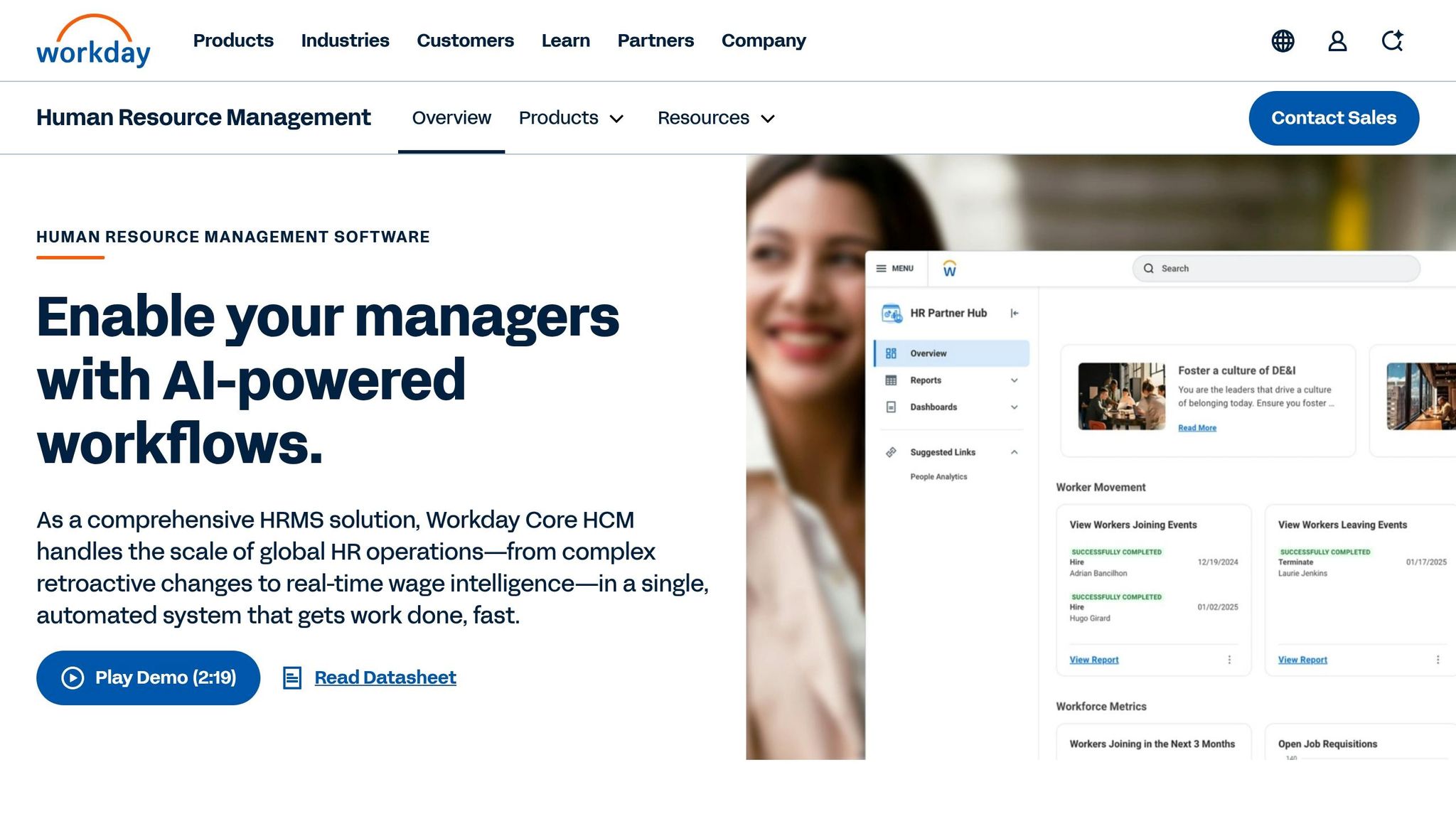
Workday stands out as a go-to solution for enterprise-level HR and workforce management, specifically tailored for organizations with over 1,000 employees. It brings together HR, finance, and workforce operations into one platform, making it a powerful tool for handling intricate business needs. That said, this level of sophistication does come with its challenges.
Scheduling & Shift Management
Workday’s scheduling tools are all about precision and control. Managers can create detailed, pattern-based work schedules for individual employees, handle one-off shift adjustments, and even use the Enterprise Interface Builder (EIB) to update schedules in bulk. On top of that, its AI-powered forecasting helps predict labor needs and aligns shift planning with employee skills and availability. However, implementing Workday isn’t a quick task - it can take anywhere from 6 to 18 months and often requires specialized consultants to get it up and running. While the scheduling features are undoubtedly powerful, they’re best suited for organizations willing to invest the time and resources to master them.
Communication Features
Here’s where Workday shows some limitations. While the mobile app allows employees to manage schedules and submit time-off requests, it doesn’t include built-in tools for work chat, news feeds, or voice/video calls. Operational updates, like shift changes, integrate smoothly with payroll and compliance systems, but teams looking for real-time communication or company-wide announcements will need to rely on an additional platform to fill the gap.
Industry Suitability
Workday shines in industries where governance, audit trails, and compliance are top priorities - think large, global enterprises in office-based or highly regulated sectors. While it does offer mobile self-service capabilities for frontline workers, its complexity and cost make it less practical for businesses with a heavy reliance on frontline teams.
Pricing (USD)
Workday’s pricing is tailored to each client, but you can expect to pay somewhere between $100 and $200 per user annually, plus setup fees. While there’s no free trial for the full platform, Workday Adaptive Planning does offer a 30-day trial.
Feature | Pebb | Workday |
|---|---|---|
Target Market | SMBs and mixed frontline/office teams | Large enterprises (1,000–100,000+) |
Implementation | Under 1 hour, self-serve | 6–18 months, requires consultants |
Cost | Free up to 15 users; $4/user/month Premium | ~$100–$200/user/year + setup fees |
Built-in Chat | Yes | No |
Scheduling | Drag-and-drop with integrated PTO | AI-driven, EIB mass loads |
For large enterprises with complex compliance requirements, Workday delivers a robust set of tools. But for growing businesses that need flexibility and ease of use, the cost and complexity might make a more streamlined option like Pebb a better fit.
3. BambooHR

BambooHR is designed with small to medium-sized businesses in mind, specifically those with 25–500 employees. It focuses on core HR functions like managing employee records, streamlining onboarding workflows, tracking performance, and offering an applicant tracking system (ATS).
Scheduling & Shift Management
Here’s the thing about BambooHR - it doesn’t come with built-in shift scheduling, no matter which plan you choose, whether it’s Essentials or Advantage. Time tracking? That’s an extra add-on. Compare that to Pebb, where native shift scheduling and integrated communication are included right out of the box. For industries like retail, hospitality, or healthcare, where shift management is critical, this gap can be a dealbreaker. It also means you’ll likely need additional internal communication tools just to keep daily operations running smoothly.
Communication Features
BambooHR does offer some basic self-service capabilities. Employees can clock in and out, request time off, and update their personal information. It also handles onboarding communication through automated workflows and digital document storage, which is handy for welcoming new hires. But here’s the catch - there’s no integrated real-time communication. If your team thrives on staying connected throughout the day, especially in frontline roles, BambooHR might leave you wanting more.
Industry Suitability
BambooHR shines in office-based environments or industries where HR record-keeping, compliance, and structured onboarding are the main priorities. Think professional services, tech startups, and similar setups. However, if you’re managing a workforce in manufacturing, logistics, or retail - where frontline employees are the backbone - it might not tick all the boxes.
Pricing (USD)
BambooHR keeps its exact pricing under wraps, but based on what’s available, it tends to be pricier than many alternatives. And remember, if you need time tracking, that’s an additional cost.
Feature | Pebb Premium | BambooHR Essentials | BambooHR Advantage |
|---|---|---|---|
Base Price (20 users) | $80/month | ~$108/month | ~$180/month |
Price per extra user | $4.00 | ~$5.40 | ~$9.00 |
Shift Scheduling | Yes | No | No |
Time Tracking | Included | Paid add-on | Paid add-on |
Onboarding Tools | Yes | Yes | Yes |
While BambooHR is strong in handling core HR functions, its lack of built-in scheduling and real-time communication could mean extra expenses to fill those gaps. When compared to more integrated solutions like Pebb, these limitations become clear, especially for businesses looking for an all-in-one platform.
4. ADP Workforce Now
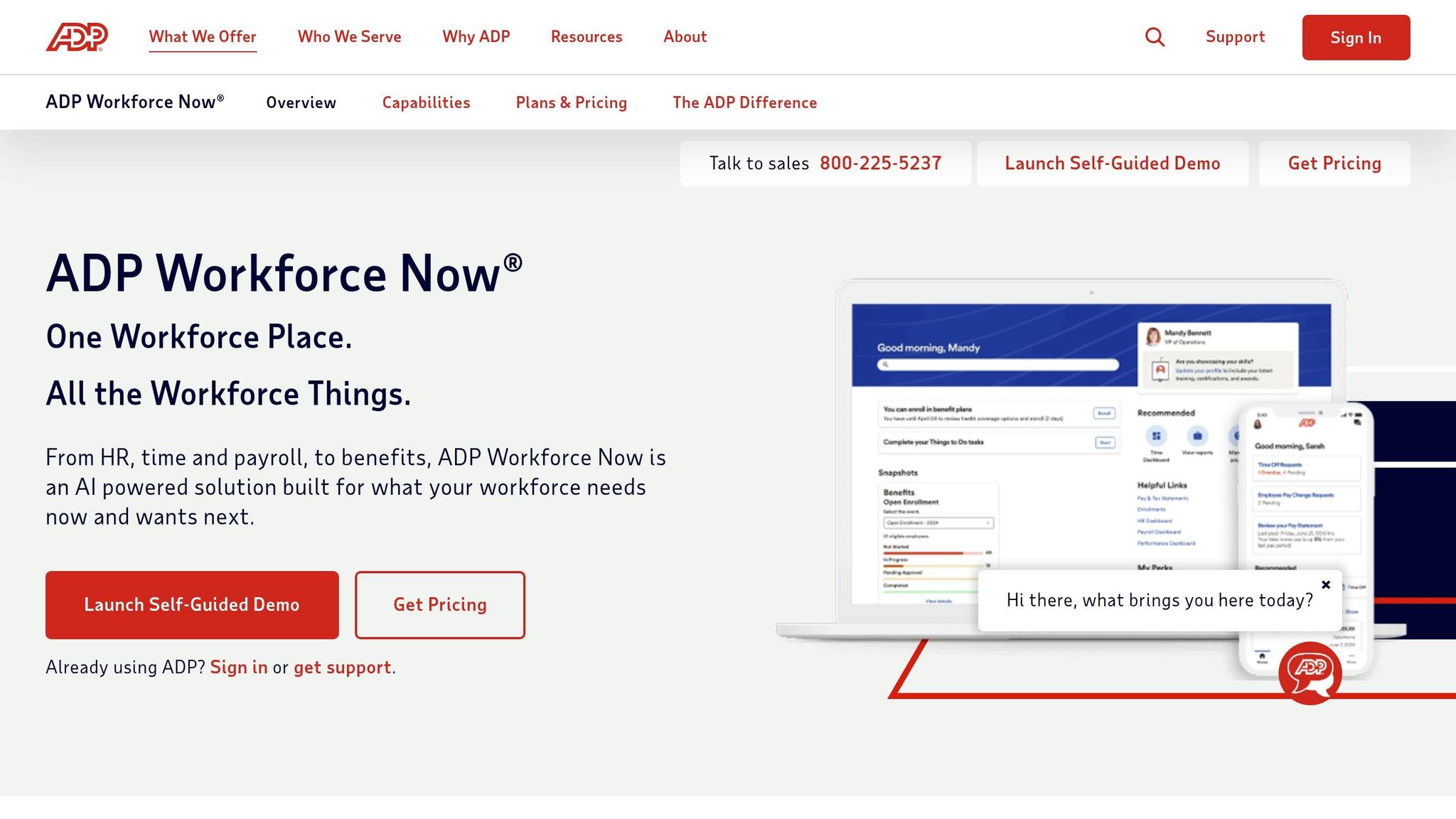
ADP Workforce Now is a well-known name in HR and payroll software, particularly for mid-to-large businesses. It’s built to handle payroll, benefits, and workforce management in one integrated platform, with a strong focus on compliance.
Scheduling & Shift Management
ADP Workforce Now comes with handy scheduling tools, though they’re only available in the Premium tier. Managers can use color-coded shift views, reusable templates, and copy past schedules to create new ones. Employees, on the other hand, can manage their shifts on the go - swapping or dropping shifts (with approval), requesting coverage, and updating availability through the mobile app. One standout feature is the ability for supervisors to review estimated labor costs before publishing a schedule, which helps keep budgets in check.
Communication Features
When it comes to communication, ADP has a tiered system. The basic option, ADP Connect, includes a news feed for company-wide announcements and tools for peer-to-peer recognition. For more interactive features, ADP Connect Plus adds direct and group chats, an enhanced social-style news feed, and AI-powered moderation to keep discussions productive. While these features are functional, the segmented approach might feel less seamless compared to more unified platforms like Pebb.
Industry Suitability
ADP Workforce Now is particularly well-suited for industries with strict payroll and compliance requirements, such as healthcare, finance, manufacturing, and large retail operations. Its modular design allows businesses to pick and choose the features they need. Christine Clark, Payroll Director for North America at Light & Wonder, Inc., shared her experience with the platform:
"I pushed to move to Workforce Now because I'm very familiar with the system. It's very user-friendly... We added employment verification, full-service wage garnishments and single sign-on. So, we got more features, saved money and got more benefits for our employees."
However, for smaller teams or organizations focused on frontline communication and fast collaboration, ADP Workforce Now might not be the best fit.
Pricing (USD)
ADP doesn’t provide public pricing details, as costs are based on custom quotes. The platform is divided into three tiers:
Package | Core Focus | Scheduling Included? |
|---|---|---|
Select | Payroll & Core HR | No |
Plus | Benefits Administration | No |
Premium | Workforce Management | Yes |
Additional modules, like talent acquisition or performance management, come at extra costs. This modular pricing structure can make the platform more expensive depending on the features your organization requires. Notably, ADP was recognized as an "Overall Leader and Exemplary Provider" in the 2025 ISG Workforce Management Suites Buyers Guide.
In contrast, Pebb offers a straightforward pricing model at $4 per user/month, including all features in one package. That kind of transparency can be a game-changer for businesses looking for simplicity and value.
5. UKG Pro
UKG Pro is designed with organizations in mind that juggle intricate scheduling rules and strict compliance standards. According to Technology Evaluation Centers, it covers 92.94% of workforce management features, compared to a market average of just 54.20%. That’s a significant difference.
Scheduling & Shift Management
When it comes to scheduling, UKG Pro brings some impressive tools to the table. Its Schedule Optimization Engine is a standout feature, automatically creating schedules based on labor demand, employee preferences, skills, and budget constraints. This eliminates the need for manual scheduling. The platform also tracks certifications and credentials, ensuring only qualified employees are assigned to specific shifts - a game changer for industries where compliance is critical.
For example, BJ's Wholesale Club uses UKG Pro Workforce Management across its many locations, leveraging AI-driven forecasting to fine-tune staffing levels and cut down on unnecessary overtime. On top of that, UKG Pro flags compliance risks in real time, such as overtime limits, missed meal breaks, and minor work restrictions. This proactive approach has been shown to reduce labor law violations by 70–90%.
Communication Features
While UKG Pro excels in HR, payroll, and scheduling workflows, it doesn’t focus much on real-time team communication or social-style engagement. Employees can use the mobile app to check schedules, request time off, and access pay details. However, platforms like Pebb go further by integrating work chat, news feeds, and group collaboration into a single solution.
Industry Suitability
UKG Pro thrives in industries with demanding scheduling and compliance needs, such as healthcare, public safety, retail, hospitality, and energy. The platform even offers tailored solutions like UKG TeleStaff for public safety, Virtual Roster for casinos, and EZCall for medical staff. Shell, for instance, uses UKG Pro to handle complex crew rotations while adhering to strict safety and fatigue management rules.
"UKG Pro stands out for its 92.94% coverage in Workforce Management with easy schedule creation and time tracking." - Technology Evaluation Centers
Pricing (USD)
UKG Pro keeps its pricing details under wraps, as costs are tailored for enterprise clients. However, pricing typically starts at around $100 per employee per year, with contracts often requiring multi-year commitments. Implementation costs can range from $50,000 to over $250,000, depending on deployment complexity.
In comparison, Pebb offers a comprehensive workforce management and communication platform at just $4 per user/month, with no implementation fees or long-term contracts. This makes it an appealing choice for small to mid-sized teams.
Cost Component | Pebb | UKG Pro (Enterprise) |
|---|---|---|
Monthly Fee (Est.) | $4 per user | $13–$30 per employee |
Implementation | $0 (self-serve) | $50,000–$250,000+ |
Target Size | 10–1,000 | 1,000–100,000+ |
Contract | Monthly/Annual | Multi-year |
6. Rippling
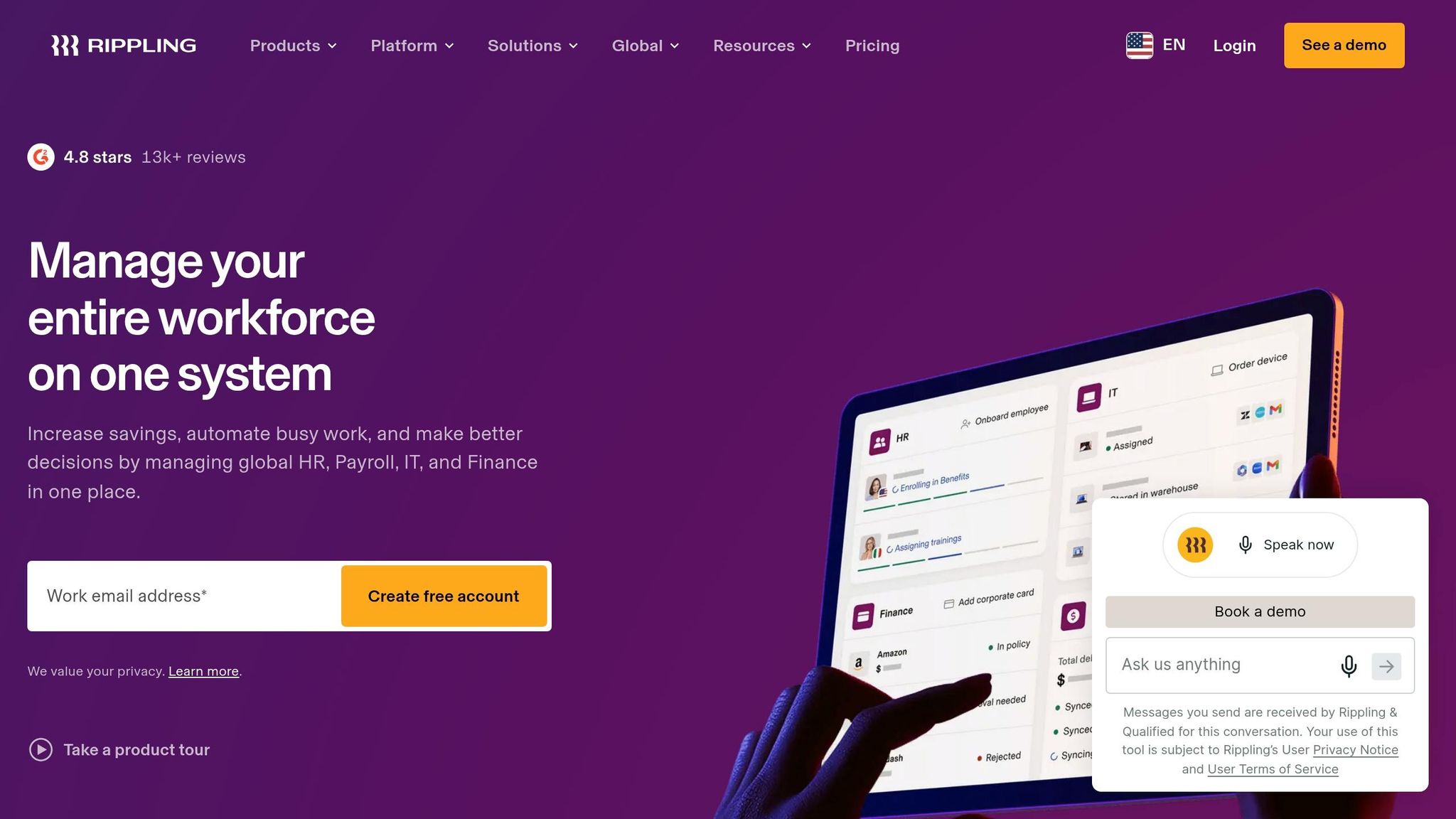
Rippling is a platform that brings HR, IT, and Finance together to automate tasks like onboarding, payroll setup, laptop provisioning, and app access - all at the same time. This kind of cross-departmental automation is especially helpful for fast-growing teams. While Rippling has its strengths, its integrated system operates differently from Pebb's all-in-one approach.
Scheduling & Shift Management
Rippling’s time and attendance tools handle basics like clock-ins, time tracking, and scheduling. However, its primary focus leans toward payroll and HR automation. Impressively, it can complete payroll runs in just 90 seconds. But when it comes to scheduling, Pebb’s integrated platform delivers a more seamless and efficient experience, particularly for teams looking to streamline operations.
Communication Features
Automation is great, but solid team communication is just as important. Rippling Chat automatically creates group chats based on roles or locations, which means no one needs to share personal phone numbers. That said, its messaging features are fairly basic compared to Pebb’s robust communication suite, which includes work chat, a news feed, and even voice and video calls - all bundled into one platform.
"Rippling helps minimize the administrative work on the HR and IT side, which means I can spend more time on what I enjoy most: helping clients solve problems with innovative strategies." - Scott Kaumann, Managing Partner, High Noon
Industry Suitability
Rippling shines for tech companies, startups, and global businesses that juggle managing people and devices at scale. Features like device management, app provisioning, and global payroll (spanning 185+ countries) make it a strong choice for remote-first or internationally distributed teams. Industries like healthcare and finance also benefit from its robust security measures (SOC 2, ISO 27001) and automated compliance with labor laws.
Pricing (USD)
Rippling uses a modular pricing model, which can add up quickly compared to Pebb’s flat $4 per user/month plan. The add-on costs often result in a higher per-employee expense.
Cost Component | Pebb | Rippling (Est.) |
|---|---|---|
Base Monthly Fee | $4 per user | $8 per employee + $35–$40 flat fee |
Effective Rate (PEPM) | $4 per user | $20–$35 per employee |
Implementation | $0 (self-serve) | $1,000–$20,000 |
Contract | Monthly/Annual | Often multi-year |
7. monday.com
While monday.com is a big name in the project management space, it’s a completely different animal compared to Pebb. Where Pebb aims to be an all-in-one workforce management solution, monday.com zeroes in on project workflows and task collaboration. It’s a solid choice for teams focused on project delivery, but let me break down where it stands - and where it falls short.
Scheduling & Shift Management
Here’s the thing: monday.com can be adapted for project workflows, but when it comes to integrated scheduling, it’s not quite there. Pebb, on the other hand, brings shift scheduling right into the platform, alongside features like work chat and news feeds. That kind of integration makes a huge difference, especially for teams that rely on real-time updates and seamless communication.
Communication Features
monday.com does offer some communication tools, like task comments, @mentions, and board updates. But if you’re looking for an all-in-one solution with real-time communication - think chat, news feeds, and even voice or video calls - you’ll need to bring in another app. Pebb keeps it all under one roof, which saves teams the hassle of juggling multiple tools.
Industry Suitability
monday.com shines brightest for creative teams or organizations with project-heavy workflows. But for industries where scheduling and frontline communication are non-negotiable, Pebb takes the lead. It’s built to handle the complexities of workforce management while keeping communication smooth and efficient.
Pricing (USD)
Here’s an interesting point: monday.com hasn’t released its 2026 pricing yet. Historically, though, it tends to come in higher than Pebb’s $4 per user/month rate. For businesses that need a complete workforce management package without breaking the bank, Pebb offers a compelling mix of scheduling, communication, and affordability - all in one place.
8. Oracle HCM
Oracle Fusion Cloud HCM is built to handle the intricate needs of global enterprises, especially those juggling complex compliance requirements and deeply integrated IT systems. However, its powerful features come with the need for a significant implementation effort.
Scheduling & Shift Management
Oracle’s workforce management module takes scheduling to a global level, ensuring compliance with regulations across multiple countries and industries. It’s not just a basic shift-scheduling tool - it’s designed to work hand-in-hand with payroll, finance, and supply chain systems. That level of integration, though, demands a lot of setup on the front end. As Dan Robin aptly said:
"Oracle is a strong fit when your business is already complex. It is a bad fit if your processes are still unsettled and you want the software to clean them up for you."
Next, let’s take a look at how Oracle approaches employee communication.
Communication Features
Oracle offers Oracle ME (My Experience), an employee experience layer aimed at connecting workers in large, distributed organizations. While this feature supports enterprise governance well, it may fall short for frontline teams that need real-time, mobile-first communication. That’s where Pebb shines - combining work chat, news feeds, and voice/video calls into one intuitive platform tailored for those on the front lines.
Industry Suitability
Oracle HCM is a great match for large, multinational organizations, particularly those already embedded in Oracle’s technology ecosystem. It’s especially beneficial for industries with strict regulatory requirements. However, for mid-sized or growing businesses still ironing out their workflows, Oracle’s complexity might feel more like a burden than a benefit.
Pricing (USD)
Oracle HCM operates on a quote-based pricing system, designed for enterprise-level clients. On the other hand, Pebb keeps things simple with a transparent $4 per user/month plan. For organizations looking for a balance between affordability and robust workforce management, that pricing difference is hard to ignore.
9. SAP SuccessFactors
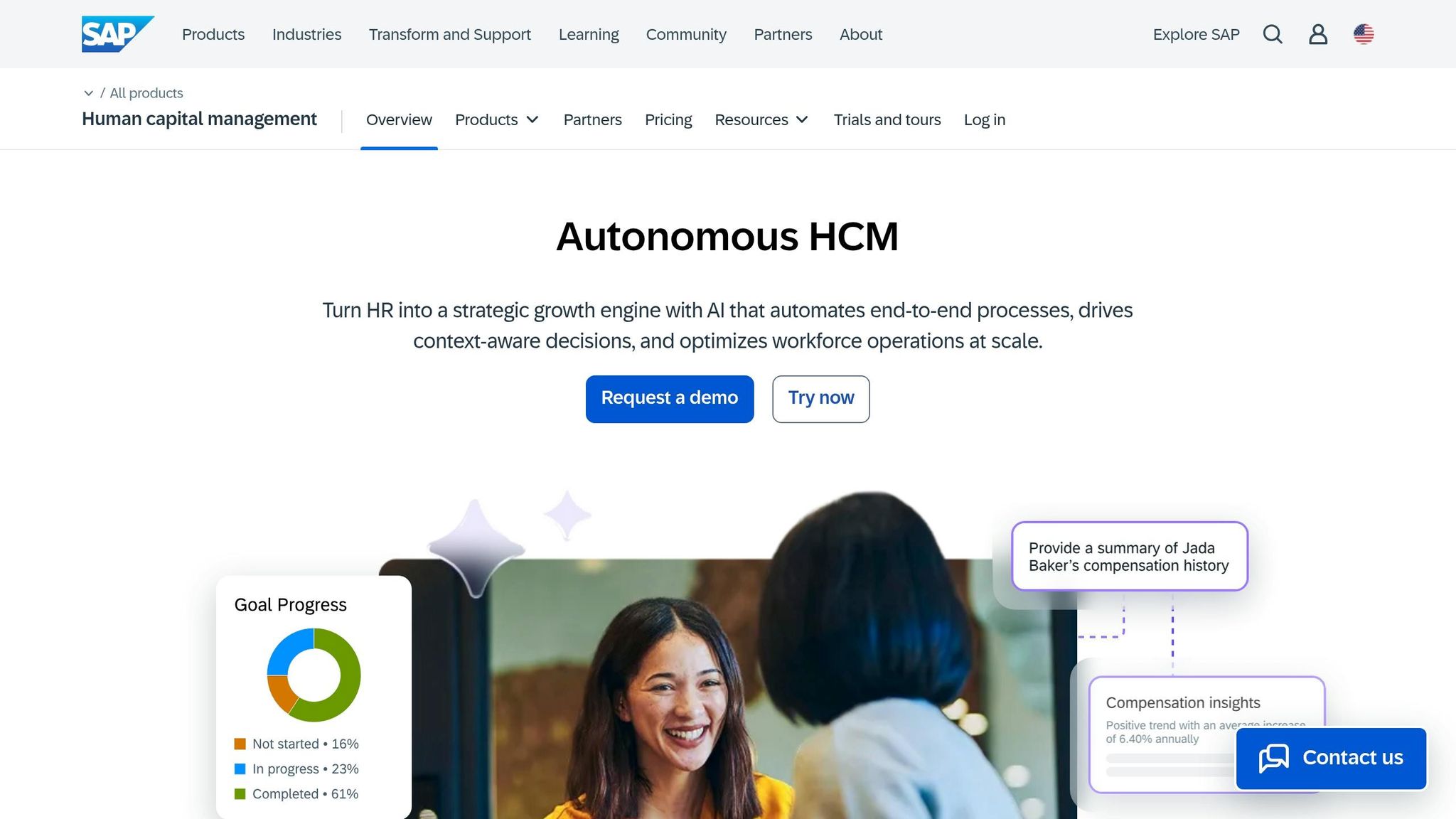
SAP SuccessFactors stands out in the HCM space, particularly for global enterprises juggling tens of thousands of employees across various countries. If your organization is already deep in the SAP ERP ecosystem, SuccessFactors integrates effortlessly. But for smaller or mid-sized teams outside that world, its complexity often outweighs the benefits.
Scheduling & Shift Management
SuccessFactors shines when it comes to managing shifts, tracking absences, and forecasting labor demands on a large scale. Its ability to navigate diverse labor laws across multiple countries makes it a strong choice for global compliance. However, when it comes to traditional shift scheduling, it’s rated as "Good" rather than exceptional. It’s designed to handle intricate operations, but speed and simplicity aren’t its strong suits. If you’re looking for a more integrated approach, tools like Pebb might offer a smoother experience.
Communication Features
Here’s where SuccessFactors stumbles. Real-time communication isn’t its forte. As one industry expert put it, "SuccessFactors is often better for administrative consistency than daily affection. Employees may use it because they need to, not because they love to." While it ensures consistency, the lack of mobile-friendly, real-time communication tools leaves frontline teams needing additional solutions. By contrast, Pebb’s all-in-one platform - complete with chat, news feeds, and voice/video calls - covers these gaps from the start, making it far more user-friendly for everyday communication.
Industry Suitability
SuccessFactors is tailor-made for large manufacturing organizations and multinational corporations, especially those already using SAP ERP for production planning. It’s particularly well-suited for regulated industries and enterprises with 5,000 to over 100,000 employees. But if your team is smaller, the platform’s complexity and associated costs can quickly become overkill.
Pricing (USD)
The price tag reflects its enterprise-grade capabilities. Depending on the modules chosen, costs range from $6–$38 per employee per month, with implementation fees anywhere from $100,000 to over $2 million. For a company with 5,000 employees, the 5-year total cost of ownership lands between $5.0 million and $5.8 million. Compare that to Pebb, which offers a straightforward $4 per user per month with no hidden fees or lengthy implementations - making it a more accessible choice for teams looking to streamline without breaking the bank.
10. Quinyx
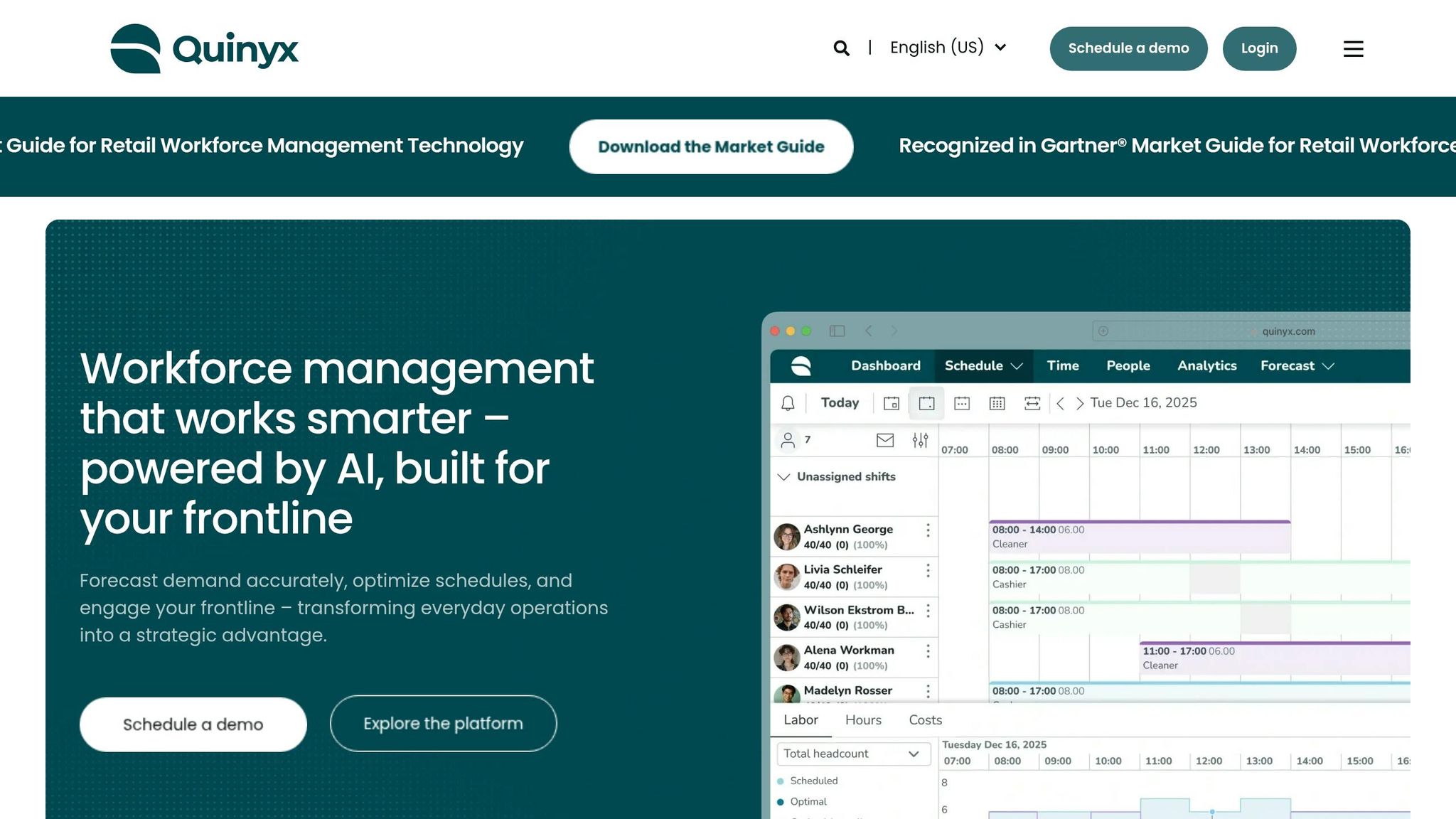
Quinyx is a workforce management platform tailored for businesses with large, dynamic frontline operations. While some platforms aim to cover multiple HR functions, Quinyx focuses on AI-driven scheduling and labor optimization. If you're managing dozens - or even hundreds - of locations with fluctuating demand, it’s definitely worth considering. The platform tackles specific operational challenges, excelling in scheduling efficiency and compliance.
Scheduling & Shift Management
This is where Quinyx truly shines. Its AI engine dives into historical sales data and real-time trends to create compliant, cost-effective schedules automatically. Managers can opt for manual, semi-automatic, or fully automatic scheduling, depending on their preferences. The results? Reports show a 30–40% reduction in scheduling time per location and a 70% cut in scheduling administration tasks. Plus, its real-time alerts help catch labor law violations or budget overruns before they escalate. A Forrester study even found a 376% ROI for businesses using Quinyx.
Communication Features
Quinyx also offers tools to streamline frontline communication through its Frontline Portal. Employees can use the mobile app to check schedules, swap shifts, request time off, and clock in or out. The platform includes pulse surveys and recognition features to keep teams connected and motivated. However, it lacks some of the communication features that Pebb offers, like integrated work chats, news feeds, and voice or video calls. For businesses needing a comprehensive communication tool alongside scheduling, Quinyx might require an additional solution.
"Quinyx helps us streamline communication and task management, separating what's 'need to know' from what's 'need to do.'" - Stephen Marotta, Store Communications & Retail Engagement Specialist
Industry Suitability
Quinyx is specifically designed for industries like retail, hospitality, logistics, warehousing, and healthcare, where fluctuating demand and complex scheduling are the norm. It’s recognized in the Gartner® Market Guide for Retail Workforce Management Technology and was named a Leader in the 2025–2026 IDC MarketScape for EMEA AI-Enabled Workforce Management. It’s an excellent fit for mid-to-large enterprises managing large teams across multiple locations. That said, if seamless communication is as critical as scheduling efficiency, Pebb stands out by offering both in one package, without additional costs.
Pricing (USD)
Quinyx uses a quote-based pricing model, customized to factors like headcount, selected modules, and operational needs. While this flexibility works well for large enterprises, it could be a hurdle for smaller businesses seeking straightforward, predictable pricing. On the other hand, Pebb provides a flat-rate option at just $4 per user per month, combining scheduling and communication in one accessible solution. Next, we'll break down the overall pros and cons of these workforce management tools.
Pros and Cons
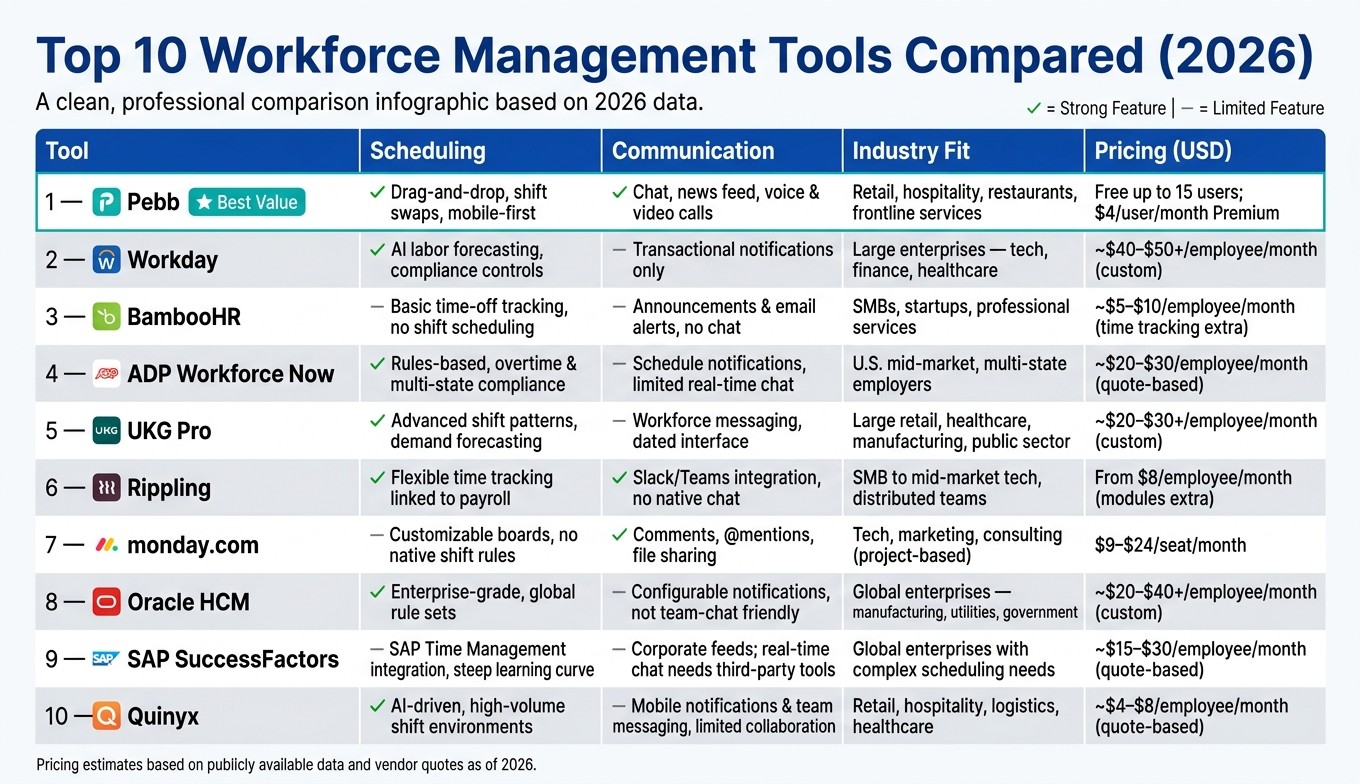
Top 10 Workforce Management Tools Compared (2026)
Here’s a quick breakdown of how these tools stack up across key areas like scheduling, communication, industry fit, and pricing:
Tool | Scheduling | Communication | Industry Fit | Pricing (USD) |
|---|---|---|---|---|
Pebb | Easy drag-and-drop scheduling, swap options, and mobile-first design | Built-in chat, news feed, voice & video calls, and push notifications | Perfect for retail, hospitality, restaurants, and frontline services, plus light manufacturing | Free for up to 15 users; Premium at $4 per user/month |
Workday | Advanced labor forecasting with compliance controls and overtime rules | Mainly transactional notifications; teams often pair with Slack or Teams | Designed for large enterprises in tech, finance, healthcare, and education | Custom pricing; usually $40–$50+ per employee/month |
BambooHR | Basic time-off tracking, but lacks advanced shift scheduling | Centralized announcements and email alerts, no robust chat features | Great for SMBs, startups, and professional services | Around $5–$10 per employee/month (time tracking costs extra) |
ADP Workforce Now | Rules-based scheduling with overtime and multi-state compliance | Notifications for schedule changes; limited real-time chat features | Tailored for U.S. mid-market companies and multi-state employers | Quote-based; estimated at $20–$30 per employee/month |
UKG Pro | Advanced shift patterns and demand forecasting for large hourly teams | Workforce messaging with policy notifications; interface feels dated | Best for large retail, healthcare, manufacturing, and public sector organizations | Custom pricing; typically $20–$30+ per employee/month |
Rippling | Flexible time tracking linked to payroll, but less advanced than specialist tools | Good notifications with Slack/Teams integration, no native chat | Ideal for SMBs to mid-market tech companies and distributed teams | Starts at $8 per employee/month (modules priced separately) |
monday.com | Customizable boards but lacks labor law logic and native shift rules | Strong collaboration with comments, @mentions, and file sharing | Best for project-based industries like tech, marketing, and consulting | $9–$24 per seat/month, depending on the plan |
Oracle HCM | Enterprise-grade scheduling with global rule sets, but changes need IT support | Configurable notifications; not ideal for quick team-level chats | Built for global enterprises in manufacturing, utilities, and government | Custom pricing; typically $20–$40+ per employee/month |
SAP SuccessFactors | Works well with SAP Time Management but has a steep learning curve | Corporate announcements and social feeds; real-time chat may need third-party tools | Suited for global enterprises with complex scheduling needs | Quote-based; $15–$30 per employee/month on average |
Quinyx | AI-driven scheduling for high-volume shift environments | Mobile-first notifications and team messaging, but lacks full collaboration features | Designed for retail, hospitality, logistics, and healthcare | Quote-based; entry-level pricing estimated at $4–$8 per employee/month |
This table makes it clear why Pebb continues to stand out in 2026. It hits the sweet spot with its intuitive scheduling, robust communication features, and affordability - especially for industries like retail and hospitality.
Conclusion
Let me tell you, there’s no one-size-fits-all solution when it comes to workforce management tools. The right choice depends entirely on your team’s needs - how big your team is, your industry, your budget, and how much complexity you’re ready to handle.
If you’re running a small to mid-size business in the U.S. - especially in retail, hospitality, or any shift-heavy industry - Pebb is tough to beat. For just $4 per user per month on the premium plan (and a completely free option for teams under 15), Pebb offers everything you need in one place: scheduling, PTO management, team chat, a news feed, and even integrated voice and video calls. It’s like having a full HR and project management suite without the hassle of piecing together multiple tools. And the best part? You can get your team up and running in days - not months.
Now, if you’re managing a mid-size company (100–1,000 employees) with more complex needs, like multi-state compliance or tight payroll integration, you might want to consider platforms like Rippling or ADP Workforce Now. Just be prepared - they come with a higher price tag and a more involved setup process. For large enterprises with thousands of employees, union rules, or global operations, heavyweights like Workday, Oracle HCM, or SAP SuccessFactors are built for that level of complexity. But keep in mind, those solutions require longer rollouts and significantly higher budgets compared to Pebb.
Here’s my advice: start small. Test your chosen platform with one department first. Track metrics like overtime, schedule changes, and no-shows to see how it’s performing. And remember, if your frontline team isn’t actively using the mobile app, the tool won’t deliver the results you’re hoping for.
FAQs
When should I choose Pebb over an enterprise workforce system?
If you're looking for a straightforward, budget-friendly platform that brings communication, scheduling, and operations together, Pebb is a solid choice. It’s an all-in-one solution that includes work chat, shift scheduling, PTO management, and voice/video calls. Here’s the kicker: the premium plan is only $4 per user, and there’s even a free option for communication. It’s perfect for teams who want streamlined tools without the hassle of overly complex enterprise systems.
How can I roll out Pebb without disrupting daily operations?
Rolling out Pebb successfully starts with a phased approach. Begin by introducing it to a small team - this acts as your testing ground. Take the time to explain the perks of using Pebb, focusing on features like news feeds and groups that can streamline communication and collaboration.
Training is key here. Make sure everyone feels confident navigating the platform. As the team gets comfortable, start weaving Pebb into your existing workflows, gradually phasing out outdated or less effective tools. Don’t forget to gather feedback along the way - this will help you tweak and improve the process before expanding Pebb’s use to other teams.
What metrics should I track to prove Pebb is reducing labor costs?
Tracking key metrics such as labor cost savings, schedule adherence, and overtime hours is essential to understanding Pebb’s impact. For example, keeping an eye on reductions in overtime, no-shows, and scheduling mistakes gives us a clear picture of how well the system is working. Another critical area to monitor is time and attendance accuracy, which helps pinpoint discrepancies, and employee engagement, which can reveal trends in turnover rates. Together, these metrics show how Pebb improves scheduling, streamlines communication, and enhances workforce management to help cut labor costs effectively.
