

Author: Ron Daniel
Top Workforce Management Platforms (2026): Which One Should You Choose?
Compare seven workforce management platforms—features, pricing, and use cases—to find the right fit for frontline and office teams.
"Why does managing a team feel harder than ever?" That’s what I asked myself a few years ago when I was drowning in endless spreadsheets, chasing updates across WhatsApp, and losing track of tasks buried in email threads. Sound familiar? If you’ve ever felt like your tools are working against you instead of for you, you’re not alone.
Here’s the kicker: the workforce management market hit $9.55 billion last year, and it’s still growing at 9.3% annually. Why? Because businesses are waking up to the fact that fragmented tools don’t cut it anymore. They’re messy, inefficient, and - let’s be honest - exhausting. That’s why platforms like Pebb are stepping in to simplify the chaos.
At Pebb, we’ve spent years building what we call a single digital headquarters - a place where communication, operations, and team culture actually work together. My colleague Dan Robin puts it best: "The real challenge isn’t just managing schedules; it’s bridging the gap between operations and culture." And trust me, we’ve learned the hard way what works and what doesn’t.
In this article, I’ll break down seven platforms - Pebb, Slack, Microsoft Teams, Firstup, Workvivo, Staffbase, and Simpplr - and show you how they stack up. Whether you’re running a restaurant, a retail chain, or a remote team, I’ll help you cut through the noise and find the right fit for your needs. Let’s dive in.
1. Pebb
At Pebb, we aim to simplify the chaos that comes with juggling multiple tools. You know the drill - one app for scheduling, another for chats, a separate one for time-off requests, and maybe even WhatsApp for those "urgent" updates. It’s messy, right? That’s exactly the problem we solve.
Core Features
Pebb brings everything together in one place. Here’s what you get:
Unlimited work chat history so nothing gets lost.
A news feed for updates that everyone can see.
Shift scheduling and clock-in tracking to keep operations smooth.
PTO management, tasks, a knowledge base, and even digital forms.
Whether you're clocking in at a retail store or collaborating remotely with your office team, Pebb keeps everything connected. And if you go for the premium plan, you’ll get extras like voice and video calls to take communication up a notch.
The best part? Getting started is ridiculously easy. With just one invite link, your entire team can be onboarded in minutes. No complicated setup, no headaches - just send the link and you're good to go.
Pricing
Here’s where things get interesting. Pebb is free for teams of up to 15 users. Yep, you read that right - it’s not a trial; it’s our standard offering. Even the free plan includes unlimited chat history, scheduling, clock-in tracking, and all the basics you need.
When you’re ready to scale, our premium plan is just $4 per user per month. It adds advanced features like analytics, SSO, voice and video calls, and premium support. No hidden fees, no surprises - just straightforward pricing.
Feature | Pebb Standard | Pebb Premium |
|---|---|---|
Price | Free (up to 15 users) | $4/user/month |
Chat History | Unlimited | Advanced features included |
Operations | Scheduling, Clock-in, PTO | Advanced Analytics, SSO |
Communication | News Feed, Groups | Voice & Video Calls |
Support | Standard | Premium SLA Support |
Best Use Cases
Pebb shines in environments where real-time coordination is critical. Think restaurants, retail stores, healthcare facilities, or even distributed teams. It’s an ideal solution for growing companies that need a reliable platform without breaking the bank.
While Pebb is fantastic for unifying communication and handling basic operations, it’s not trying to be everything. We focus on what matters most for day-to-day work.
Limitations
Now, let’s talk about what Pebb doesn’t do. If you’re looking for deep CRM integrations or advanced project management tools like Gantt charts, you won’t find them here. Our goal is to streamline communication and operations, not replace every specialized tool out there. That said, we’re always listening to our users and adding features that make sense for their needs.
2. Slack
Slack has become a household name in team communication, especially for distributed teams. While it excels at keeping people connected, it’s still primarily a communication platform rather than a full-fledged workforce management tool.
Core Features
Slack keeps conversations organized through channels and direct messaging, which can be tailored by project, department, or topic. But it doesn’t stop at text. Features like huddles allow for quick audio or video calls, while Slack Canvas lets teams collaborate on shared documents. For those repetitive tasks - think approval requests or onboarding workflows - the Workflow Builder steps in to save time.
One of Slack’s biggest strengths is its ability to integrate with more than 2,600 apps, from Google Calendar to Asana and Trello. This means you can get scheduling alerts or task updates without leaving the platform. And if you’re willing to spend an extra $10 per user per month (on the Enterprise Grid plan), Slack AI can summarize those never-ending threads and pull out key insights - perfect for catching up when your day is packed.
Pricing
Slack offers a free plan with a 90-day message history, which is great for small teams just starting out. If you’re looking for more features, the Pro plan costs $7.25 per user per month (billed annually) and unlocks unlimited message history and huddles. Need more admin controls or compliance features? The Business+ plan is $12.50 per user per month, while the Enterprise Grid plan comes with custom pricing and advanced compliance tools.
Next, let’s see how Microsoft Teams takes communication a step further.
Best Use Cases
Slack shines in environments where quick, informal communication is key - think tech startups, creative agencies, or hybrid teams. According to a Gartner report from 2026, teams using Slack make decisions 32% faster. Forrester also found that Slack users cut email usage by 49%, freeing up about 8.5 hours per week for managers. For teams spread across time zones, it’s a fantastic tool for real-time collaboration.
That said, while Slack is great for staying connected, it’s not designed to handle workforce management tasks. That’s where platforms like Pebb, which combine communication with operational tools, have the edge.
Limitations
Here’s the thing: Slack isn’t a one-stop shop. It doesn’t offer built-in tools for scheduling, time tracking, or PTO management. If you need those features, you’ll have to rely on third-party integrations, which can sometimes cause syncing headaches. Plus, its desktop-first design can be tricky for frontline workers who rely on mobile frontline worker solutions. And let’s not forget the dreaded notification overload - around 15% of users say the constant pings actually hurt their productivity.
While Slack is a strong choice for real-time collaboration, its limitations highlight the need for more comprehensive solutions like Pebb for teams looking to streamline both communication and operations.
3. Microsoft Teams
Microsoft Teams is a natural fit for organizations deeply tied to Microsoft 365, offering seamless integration with tools like Outlook, Word, and SharePoint. However, when it comes to managing frontline workers, it does leave some gaps.
Core Features
Microsoft Teams handles communication basics well - chat, video calls, and channels keep conversations organized by project or department. For frontline teams, it adds tools like Shifts for scheduling and Walkie Talkie for quick voice communication. On the security side, it delivers with features like DLP, eDiscovery, and strict policy controls.
But here’s where things get interesting: let’s talk pricing.
Pricing
If your organization already subscribes to Microsoft 365, Teams is bundled in, making it a cost-effective choice. For others, the Teams Essentials plan starts at $4 per user per month, offering 10 GB of storage per user and 30-hour meeting limits. However, these features pale in comparison to Pebb’s unlimited options.
For frontline workers, the limitations of Microsoft’s 365 F1 plan are hard to ignore. It restricts users to just 2 GB of read-only OneDrive storage, limits Office app access on larger screens, and doesn’t even include a dedicated email mailbox. Teams looking for full email and document editing capabilities have to upgrade to the F3 plan, which comes with a higher price tag.
Best Use Cases
Microsoft Teams thrives in large organizations that are already invested in the Microsoft ecosystem. It’s a solid choice for office-based teams that depend on Word, Excel, and SharePoint for their daily workflow. The advanced compliance and security controls are also a big plus for industries with strict regulatory requirements.
But here’s the catch: its strengths don’t always translate well to the frontline.
Limitations
The mobile adoption rate is a major hurdle. While 99% of employees access SharePoint on their desktops, only 0.22% use it on mobile devices. As Andy G. Schmidt from 6i-communication pointed out:
"Expecting frontline workers to adopt a complex desktop suite is a risky proposition. They don't spend their days in front of a computer screen".
Setting up certain features isn’t exactly a walk in the park either. For instance, configuring "Working Time" to block app access outside of shifts requires Microsoft Intune and Graph API. It’s a complicated process that can feel overwhelming. In contrast, Pebb offers a simpler, mobile-first approach designed specifically for frontline workers.
If you’re looking for an all-in-one, mobile-friendly solution without the licensing headaches, Pebb is the way to go.
4. Firstup
Firstup is an employee experience platform tailored for large, distributed enterprises. Its main focus is keeping employees engaged through personalized communication, making it particularly well-suited for industries like retail or healthcare, where thousands of frontline workers need to stay connected.
Core Features
Firstup leverages AI to personalize communication across various channels, including mobile apps, email, desktop, digital signage, and integrations like Slack and Microsoft Teams. It also offers tools like pulse surveys, feedback collection, and real-time analytics to monitor engagement. According to reports, companies using Firstup have seen 25% higher employee engagement scores and 40% faster crisis communication response times through mobile push notifications.
Pricing
Firstup operates on a custom enterprise pricing model, with costs typically ranging from $10–$25 per user per month (billed annually). Pricing depends on the size of your organization and the specific features you need. However, for smaller businesses with fewer than 200 employees, the cost is notably higher compared to Pebb, which offers a complete solution for just $4 per user per month.
Best Use Cases
Firstup is built for large enterprises with 1,000 or more employees, especially in sectors like retail, healthcare, and manufacturing. It excels in areas like crisis communications, onboarding, and culture-building. In fact, over 50% of Fortune 100 companies rely on Firstup for employee communications. If your goal is to replace email silos and improve announcement visibility, Firstup’s personalized content has been shown to achieve 3x higher open rates.
That said, there are some trade-offs to consider.
Limitations
Firstup doesn’t include native scheduling, time tracking, or payroll features, so it’s not a one-stop workforce management solution. To cover those needs, you’ll need to integrate with systems like ADP or Workday. Some users have mentioned a steep learning curve for administrators and occasional glitches in the mobile app. Implementation typically takes 1–2 weeks and requires IT support. Additionally, budgeting for integrations is necessary if you’re aiming for a comprehensive management setup. For teams looking for an all-in-one platform that combines mobile-first communication, scheduling, and engagement, Pebb stands out as a simpler, more cost-effective choice.
5. Workvivo
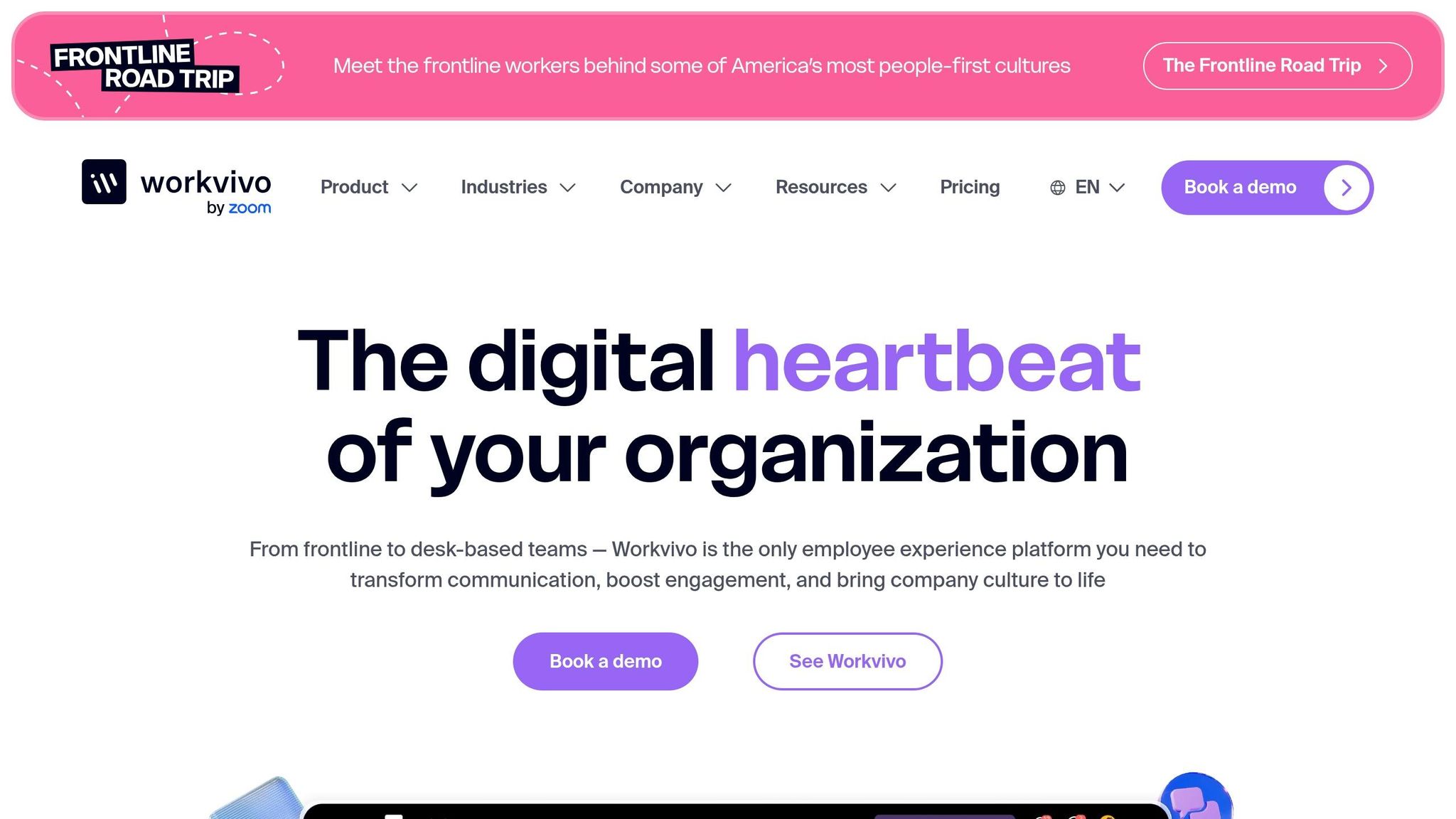
Workvivo is a social-first employee experience platform that caught a lot of attention after Zoom acquired it in April 2023. It’s designed for mid-sized to large organizations with 250 or more employees and brings a social media-like feel to internal communications. Take Ryanair, for example - they rolled out Workvivo to 20,000 staff and hit a 90% monthly active usage rate.
Core Features
Workvivo’s standout feature is its "Smart Feed", which uses AI to pull together updates, news, livestreams, and podcasts into one easy-to-navigate view. Employees can give each other "Shoutouts", earn digital badges, and join community "Spaces" based on shared interests or departments. For frontline workers who don’t have corporate email, the platform simplifies access with QR codes or magic-link logins and even offers "Workvivo TV" for displaying updates on break room screens. It’s also equipped with auto-translation for over 90 languages and uses AI to analyze sentiment, helping organizations keep a pulse on morale.
"Workvivo revolutionised the way we communicate with our employees... it's your modern intranet, comms, engagement, and employee app all blended into a simple social experience." - Matthew Corbett, Internal Communications Business Partner, TELUS International
While these features are impressive, they come with a higher price tag compared to Pebb, which offers a more budget-friendly alternative.
Pricing
Workvivo’s Business Plan starts at $20,000 annually, which works out to about $80 per employee per year for organizations with 250–2,000 employees. For larger enterprises, pricing is customized, and key features like employee chat, digital signage, and advanced analytics are offered as add-ons. On the other hand, Pebb provides a full-featured communication platform for just $4 per user per month ($48 annually), with a free plan also available.
Best Use Cases
Workvivo shines in large enterprises with dispersed teams, particularly in industries like retail, healthcare, and hospitality. For instance, White Castle used it to connect nearly 10,000 employees during its 105th anniversary celebration in January 2026. Similarly, Gordon Food Service onboarded 17,000 staff across warehouses, stores, and offices in February 2026. A Forrester study even found that companies saved $7.8 million by consolidating outdated tools through Workvivo.
Limitations
Despite its strengths, Workvivo isn’t built for smaller businesses - you’ll need at least 250 employees to get started. The mobile app also lacks offline functionality, which can be a hassle for frontline workers in areas with unreliable internet. Another downside is the inability to collaborate in real-time on posts or comment on drafts. Plus, the sign-up process is sales-gated, and some users have reported delays in getting demos. If you’re looking for an all-in-one solution that covers scheduling and time tracking without tacking on extra costs, Pebb is a more affordable option.
6. Staffbase
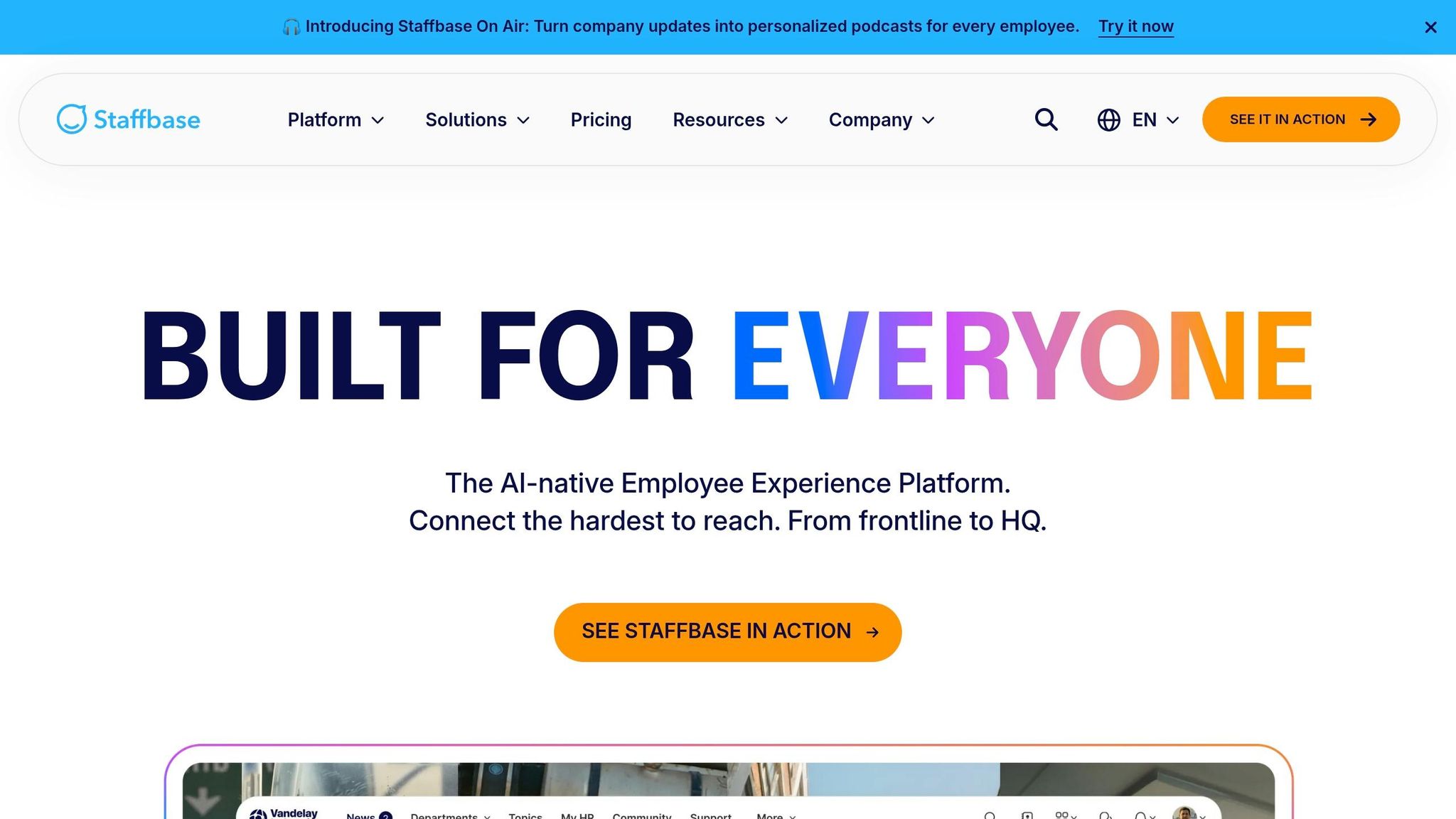
Staffbase is a heavy-duty employee communications platform tailored for large organizations with 1,000+ employees. It's built to reach everyone in the company - especially frontline employees without desk jobs - using a branded mobile app, push notifications, SMS, email, and even digital signage. Picture it as a multichannel command center for corporate communication, designed to cut through the noise and connect with your entire workforce.
Core Features
Staffbase packs some serious features. It includes an AI content creator that can whip up posts automatically, a built-in editorial calendar for managing campaigns, and automatic translation into 110 languages. Its mobile app (available for iOS and Android) even works offline, which is a game-changer for employees in areas with weak connectivity. Beyond that, it offers tools like surveys, social feeds, feedback forms, and automated employee journeys to keep your team engaged. Plus, the Smart Impact dashboard provides detailed multichannel analytics, so you can track what’s resonating and what’s falling flat.
Pricing
When it comes to pricing, Staffbase operates on a custom-quote model. On the other hand, Pebb keeps things simple and transparent, starting at just $4 per user per month. For smaller businesses or teams looking for a cost-effective, straightforward solution, Pebb offers a complete communication platform at a fraction of the cost. There’s even a free plan available, which is a rarity in this space. While Staffbase caters to enterprise-level needs, Pebb delivers a robust all-in-one solution without the complexity or hefty price tag.
Best Use Cases
Staffbase shines in large enterprises with widespread, frontline workforces. Think industries like manufacturing, retail, healthcare, or logistics - places where employees are spread across multiple locations and need consistent updates, safety alerts, or training materials. Features like offline access and digital signage make it particularly effective for reaching workers who aren’t tied to a desk.
Limitations
Here’s the catch: Staffbase is built for large enterprises. If you’re running a small or mid-sized business, it’s likely more than you need - and the pricing reflects that. There’s no self-serve option, so you’ll need to go through a sales process just to get a quote. Plus, with so many features, setting it up can be a bit overwhelming for administrators. That’s where Pebb comes in. It’s perfect for smaller teams that want scheduling, time tracking, chat, and engagement tools - all in one easy-to-use, affordable package. Pebb offers everything you need without the complexity or cost of an enterprise solution.
7. Simpplr
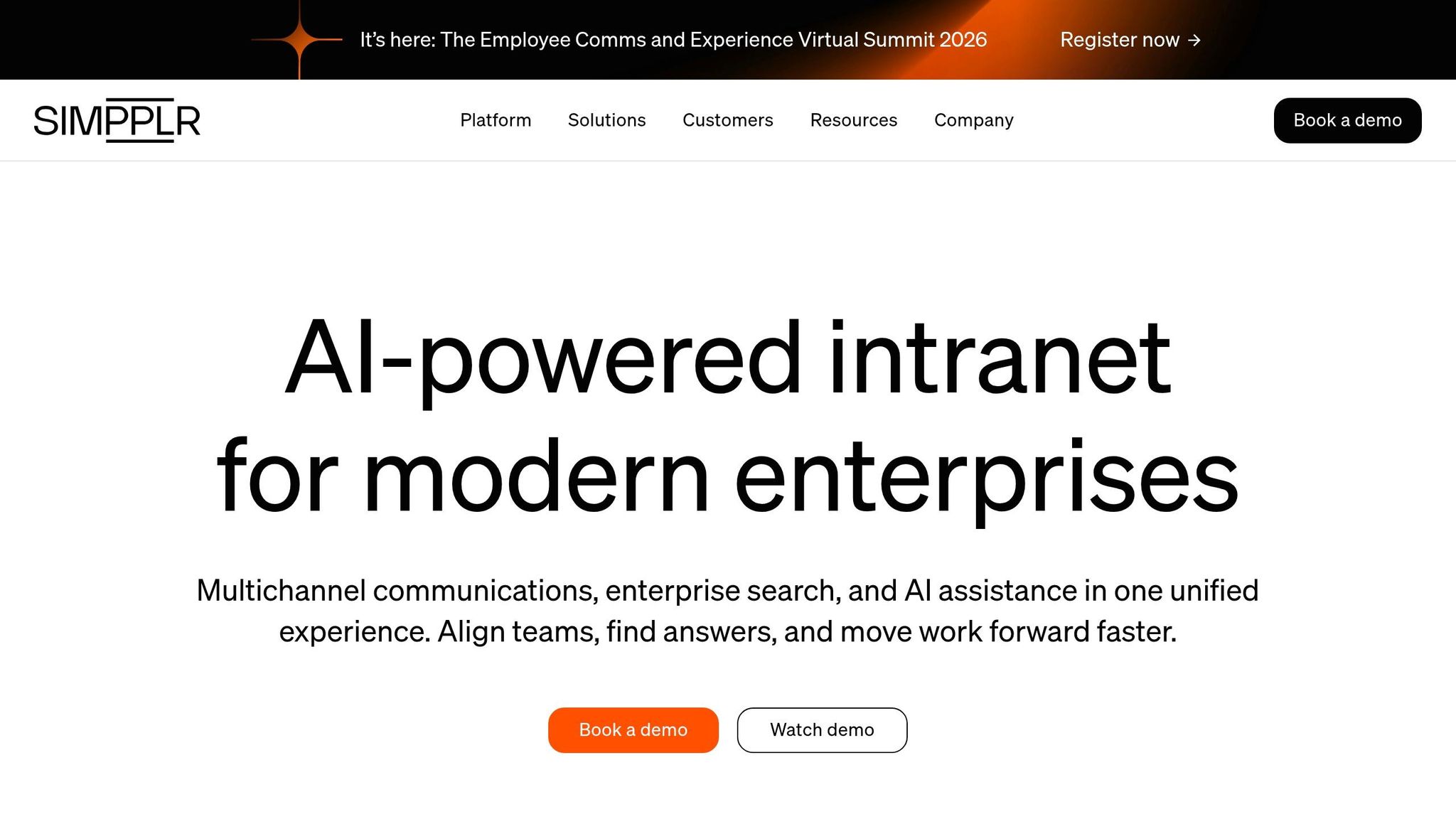
Simpplr is an AI-driven intranet platform designed to streamline communication and knowledge management for mid-to-large organizations. It replaces outdated intranet systems and scattered tools with a sleek, personalized experience tailored to each employee's role and needs.
Core Features
Simpplr packs a punch with features like instant messaging, AI-generated newsletters, and multi-channel broadcasts to ensure everyone stays informed. Its knowledge library makes finding information quick and easy, while automated governance keeps content up-to-date. The platform leverages AI to customize news feeds and analyze employee sentiment through surveys. On top of that, it offers peer recognition tools, social engagement features (think likes and comments), and integrates with over 200 tools, including Microsoft 365, Google Workspace, Slack, and Zoom. For frontline teams, it even includes shift-aware notifications and geofencing capabilities.
These features sound impressive, but pricing is where things start to get interesting.
Pricing
Simpplr doesn’t share pricing details upfront - you’ll need to go through their sales process for a custom quote. However, based on industry trends, platforms like Simpplr typically start at $20,000–$30,000 annually, making it a hefty investment for smaller businesses. In contrast, Pebb provides a complete all-in-one solution for just $4 per user per month, with the added bonus of a free plan.
Best Use Cases
Simpplr shines brightest in mid-to-large organizations (500+ employees) looking to replace outdated intranets or unify multiple communication tools. It’s especially useful for companies with distributed teams that need a centralized hub for knowledge sharing, company updates, and employee engagement. According to research, organizations using modern intranets like Simpplr report 21% higher employee engagement (83% vs. 69%) compared to those sticking with legacy systems.
But it’s not all smooth sailing.
Limitations
While Simpplr is a powerful tool, it’s built with enterprise-level budgets and needs in mind. For small to mid-sized businesses, it might feel like overkill - both in terms of features and cost. Another challenge is its IT dependency; 48% of organizations report struggles with heavy IT involvement in intranet management, which can delay implementation and updates. And let’s not forget, 90% of intranets fail to meet their original goals, often due to unnecessary complexity.
That’s where Pebb stands out. It provides scheduling, time tracking, chat, news feeds, and engagement tools - all at a fraction of the cost and without the headaches of managing a complex system. For businesses looking for simplicity and value, Pebb offers a compelling alternative.
Pros and Cons
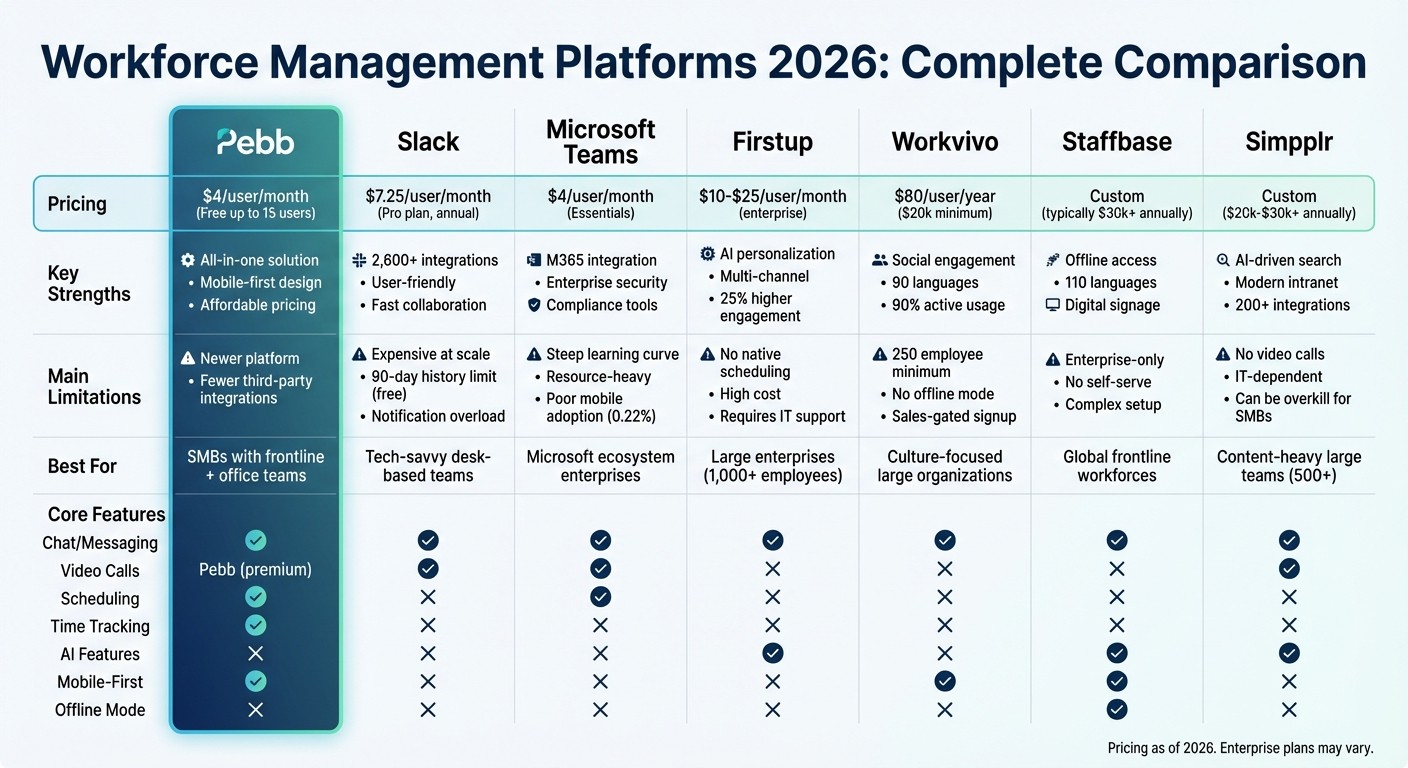
Workforce Management Platforms 2026: Feature and Pricing Comparison
Let me break it down for you: Pebb is designed to be your go-to, all-in-one platform with a price tag that’s hard to beat - just $4 per user/month on the premium plan, and a free option for teams of up to 15 users. It covers chat, scheduling, tasks, PTO, and clock-ins all in one place. The downside? As a newer option, we don’t yet have the extensive third-party integrations that some of the bigger players offer.
Now, let’s talk about Slack. With over 2,600 integrations and an easy-to-use interface, it’s a favorite among tech-focused teams. But that flexibility comes at a price - it gets expensive quickly. Plus, the free plan only saves 90 days of message history, and those constant notifications can feel overwhelming.
Then there’s Microsoft Teams, which shines when paired with M365 thanks to its seamless integration and enterprise-grade security. However, it’s not all smooth sailing. The interface can feel cluttered, it’s resource-intensive, and it takes time to master, especially for new users.
For companies prioritizing culture, Workvivo is a standout, offering features that encourage engagement and support for 90 languages. But be prepared for a hefty price tag - starting at $20,000+ annually - and a complex setup process. Similarly, Staffbase caters to global frontline teams with branded apps and offline access, but it’s even pricier, with costs starting around $30,000+ annually, and it doesn’t include native video calling.
Firstup, on the other hand, focuses on AI-powered personalization for corporate communications. While it’s great for strategic messaging, its price can range from $10 to $100 per user, and it lacks social chat features.
Lastly, there’s Simpplr, which aims to modernize outdated intranets with AI-driven search and no-code setup. It’s perfect for content-heavy teams but doesn’t offer native video calls and can be a bit much for smaller organizations.
Here’s a quick side-by-side comparison to help you decide:
Platform | Key Strengths | Main Limitations | Best Use Case |
|---|---|---|---|
Pebb | Affordable ($4/user/month), all-in-one solution | Fewer third-party integrations | SMBs with mixed frontline and office teams |
Slack | 2,600+ integrations, user-friendly design | Expensive, limited free plan (90-day history) | Tech-savvy, desk-based teams |
Microsoft Teams | Seamless M365 integration, strong security | Steep learning curve, resource-heavy | Enterprises in the Microsoft ecosystem |
Workvivo | High engagement, supports 90 languages | Costly ($20k+ annually), complex setup | Culture-focused large enterprises |
Staffbase | Branded apps, offline mode, 110 languages | Very high cost ($30k+ annually), no video calls | Global enterprises with frontline teams |
Firstup | AI personalization, multi-channel communication | High cost ($10-$100/user), lacks social chat | Strategic corporate communications |
Simpplr | AI search, no-code admin, modern intranet | No video calls, complex setup | Large content-heavy teams |
When you stack it all up, Pebb offers the best bang for your buck as an all-in-one solution for teams that span both frontline and office settings.
Conclusion
When it comes to picking the right workforce management platform in 2026, it all boils down to balancing your needs with your budget. Let me break it down: if you're a large enterprise already invested in the Microsoft ecosystem, with the resources to match, Microsoft Teams might seem like the obvious choice. And for tech companies chasing endless integrations, Slack - with its impressive 2,600+ app options - could be tempting, though it comes with a heftier price tag.
But here's the thing: for most businesses juggling both frontline and office teams, a unified solution isn’t just nice to have - it’s a necessity. That’s where Pebb steps in. At just $4 per user per month, it brings everything under one roof: chat, scheduling, tasks, PTO tracking, clock-ins, news feeds, and video calls. No more hopping between disconnected tools. As my colleague Dan Robin perfectly puts it:
"Pebb stands out because it isn't trying to be another app on the pile; it's designed to replace the pile."
The simplicity doesn’t stop there. Setting up Pebb is a breeze - just send out a single invite link, and you’re good to go. For smaller teams with fewer than 15 employees, our free tier covers unlimited message history and all the core features. And as your team grows, the premium plan scales with you - without draining your budget.
If you're looking for an affordable, all-in-one platform that simplifies communication, streamlines operations, and keeps your team engaged, Pebb is the way to go.
FAQs
How do I choose the right workforce management platform for my team?
When it comes to picking the best workforce management platform, it all boils down to understanding your team’s unique needs, budget, and must-have features. Let me share what we’ve built at Pebb to tackle these challenges head-on. Our platform is designed as an all-in-one hub, catering to both frontline workers and office teams. We’ve packed it with tools like work chat, a news feed, shift scheduling, and so much more - all for just $4 per user. Oh, and here’s the kicker: we also offer a free plan that supports up to 1,000 users.
The key is finding a platform that doesn’t just check the boxes but actually makes life easier for your team. Whether it’s simplifying workflows or creating stronger connections across the board, the right solution should fit seamlessly into your team’s day-to-day.
Can Pebb replace separate apps for chat, scheduling, PTO, and clock-ins?
Pebb isn’t just another tool - it’s the tool that can replace a whole stack of apps you might be juggling right now. Imagine having one platform that handles work chat, a news feed, shift scheduling, PTO management, groups, a people directory, and even voice/video calls. That’s what Pebb does.
By bringing all these features together, Pebb simplifies communication and day-to-day operations for both frontline and office teams. No more hopping between apps or dealing with scattered tools - it’s all in one place. The result? Teams stay connected, processes run smoother, and you save time and energy. It’s a game-changer for engagement and efficiency.
What should I check before switching my team to Pebb?
Before making the leap to Pebb, it's important to take a moment and evaluate what your team truly needs in a communication platform. Pebb has a lot to offer - chat, video calls, news feeds, shift scheduling, PTO management, and more. The good news? You can try it out for free with their plan that supports up to 1,000 users. This gives you a chance to see how well it meshes with your workflows.
Don't forget to check how Pebb integrates with your current systems, like HR or payroll software. Seamless connections can save a ton of time and headaches. And, of course, make sure the pricing aligns with your budget. Pebb's premium plan is just $4 per user, and it’s built with straightforward onboarding in mind.
