
Author: Ron Daniel
10 Best Tools for Asynchronous Communication
Compare 10 async communication tools, their features, pricing, and ideal use cases to help remote teams reduce meetings and improve focus.
"Have you ever felt like your day is consumed by meetings that could’ve been an email? I used to think that constant real-time communication was the only way to keep my team aligned. But here’s the kicker: 57% of meetings aren’t even planned ahead of time, and the average professional spends over 11 hours a week in them. That’s a lot of time we could’ve spent on actual work."
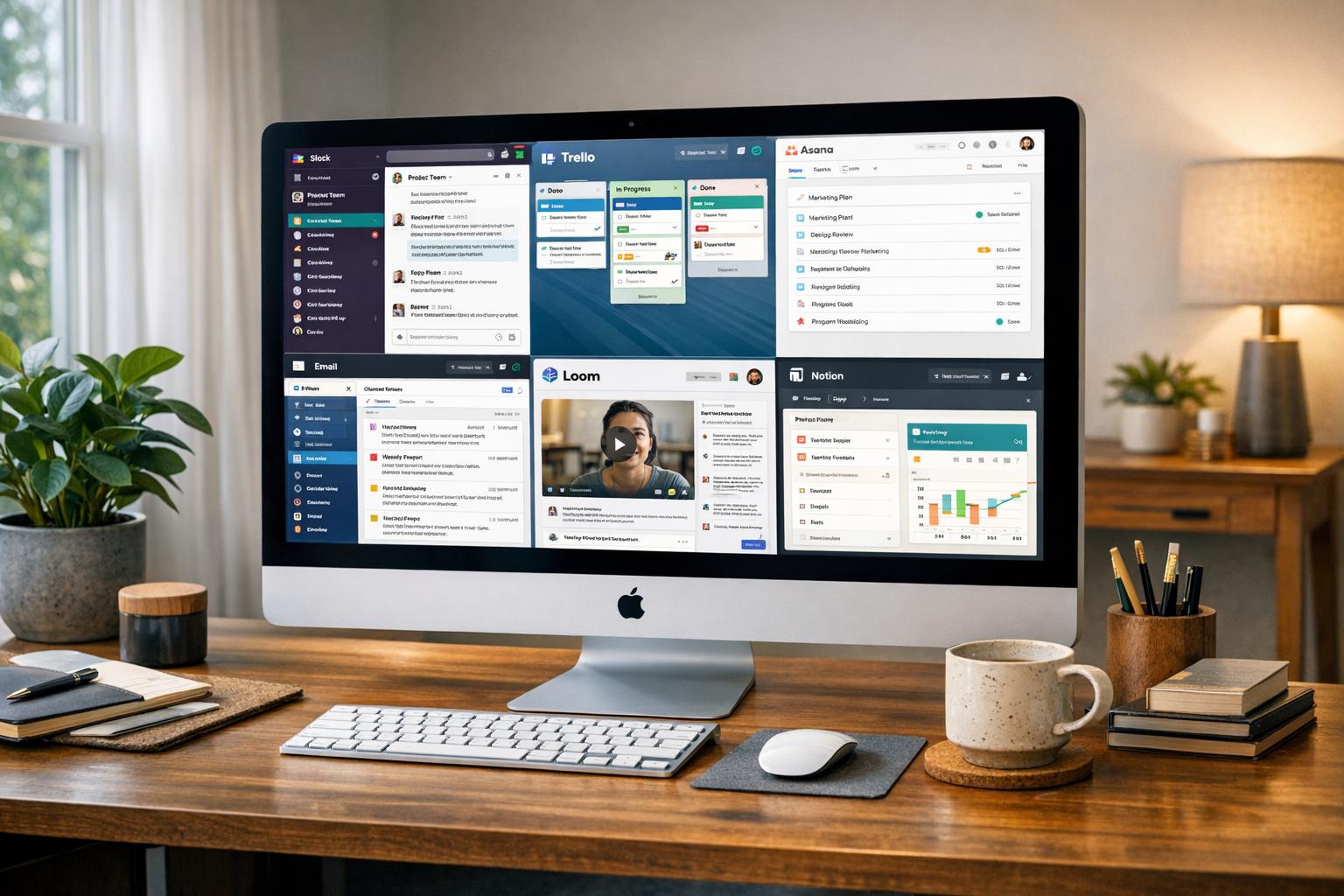
When I joined Pebb, I realized there’s a better way - asynchronous communication. It’s not just a buzzword; it’s a game-changer for teams like ours, spread across time zones or juggling different schedules. Instead of rushing to sync up at the same time, async tools allow us to share updates, collaborate, and make decisions on our own timelines. And the best part? These tools create a digital paper trail, so nothing gets lost in the shuffle.
In this article, I’ll walk you through 10 tools that are shaping the future of async communication. From platforms that simplify messaging to those that organize knowledge and tasks, I’ve tested them all. Whether your team is remote, hybrid, or on the frontlines, there’s something here for everyone. Let’s dive in.
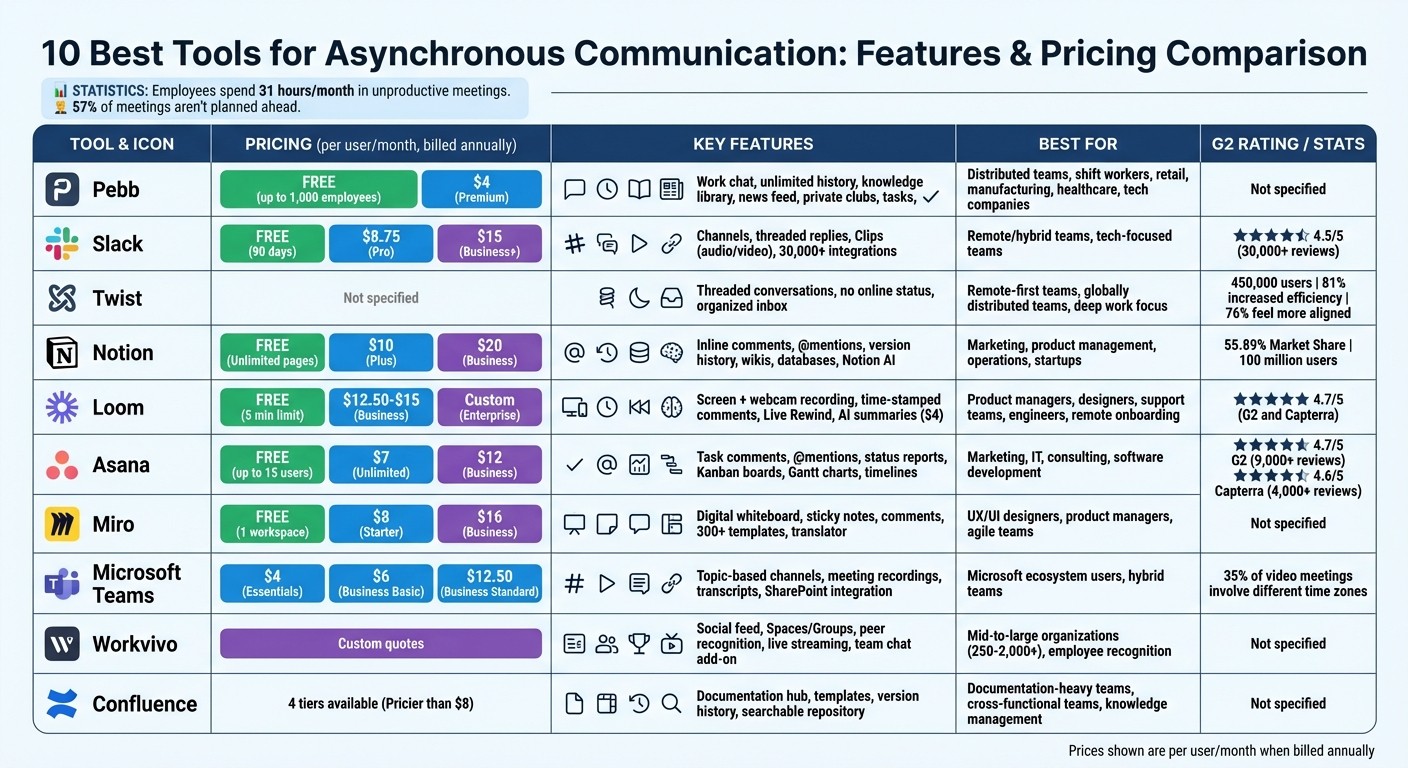
Asynchronous Communication Tools Comparison: Features and Pricing
1. Pebb
At Pebb, we set out to solve a problem many of us know all too well: tool overload. You know the drill - one app for chat, another for task management, yet another for knowledge sharing. It’s exhausting, right? That’s why we built Pebb, a single platform that handles messaging, updates, tasks, digital forms, events, shift scheduling, clock in, PTO management, and knowledge sharing all in one place. And here’s the kicker: it’s completely free for teams of up to 15 employees. If you need more, our premium plan is just $4 per user per month, making it one of the most budget-friendly all-in-one solutions you’ll find.
Async Messaging That Works When You Do
Our work chat is designed with flexibility and convenience in mind. Unlike Slack’s free plan, which limits you to just 90 days of message history, Pebb keeps unlimited message history - forever. That means no more frantic searches for that one file or message you need but can’t find. With advanced search capabilities, you can pull up any conversation, no matter how old, in seconds.
Whether your team is on the go or working from home, Pebb’s mobile and desktop apps ensure they can catch up on messages at their own pace. Morning commutes, lunch breaks, or downtime between shifts - Pebb fits right into their schedule.
A Knowledge Hub at Your Fingertips
The knowledge library is where Pebb really shines for async communication. Picture it as your company’s always-available encyclopedia. Policies, procedures, training materials - it’s all there, ready whenever someone needs it. No waiting for replies, no bottlenecks.
Then there’s the live news feed, which keeps everyone in the loop with company updates and announcements, minus the hassle of scheduling real-time meetings. And for those niche projects or interests, spaces and groups let you organize discussions by topic. It’s like having a perfectly labeled filing cabinet for all your team’s conversations and resources.
Pricing That Doesn’t Break the Bank
Here’s the deal: our Standard plan is free and includes everything - work chat, unlimited history, news feeds, knowledge library, tasks, calendars, digital forms, clock in, shift scheduling, PTO management, apps, and unlimited spaces. When you’re ready to upgrade, the Premium plan costs just $4 per user per month, adding features like voice and video calls, analytics, unlimited admins, and enterprise SSO.
Let’s compare: Slack charges $8.75 per user per month for its paid plan, and Microsoft Teams starts at $4 but quickly climbs to $12+ with add-ons. With Pebb, you get everything in one place without hidden costs or setup fees. It’s straightforward, flexible, and affordable.
Who Benefits Most from Pebb?
Pebb is a game-changer for distributed teams spread across time zones. If your team struggles to coordinate real-time meetings - or if you’ve got shift workers who can’t always be online at the same time - Pebb bridges the gap. Retail stores, manufacturing plants, healthcare facilities, tech companies - you name it, we’ve seen them use Pebb to stay connected.
For remote teams or those with frontline workers, Pebb takes the pressure off immediate responses while ensuring everyone stays aligned, informed, and organized. It’s the perfect balance of flexibility and connection. Now, let’s see how other tools stack up when it comes to async communication.
2. Slack
Let me tell you, Slack has become a go-to internal communication tool for remote teams, and it’s easy to see why. It’s designed to help teams stay in sync without feeling chained to their devices. With its organized channels - whether by project, department, or even fun team topics - and tidy threaded replies, it keeps conversations streamlined. And with over 30,000 reviews on G2 and an impressive 4.5/5 rating, Slack has definitely earned its place in the remote work toolkit.
Async Messaging Features
One of Slack’s standout features is its ability to handle asynchronous communication. For instance, its Clips feature lets you share short audio, video, or screen recordings right in a channel. This is a game-changer for explaining tricky concepts or sharing quick updates, especially when your team is spread across different time zones. And here’s something cool: if you’ve been offline and missed a flurry of activity, the Slack AI add-on (an extra $10 per person per month) can summarize what you missed and even dig through your workspace to find relevant information. It’s like having a personal assistant for your Slack workspace.
Knowledge Sharing Capabilities
Slack isn’t just about messaging; it’s also a powerful hub for knowledge sharing. Every conversation, file, and even huddle transcript becomes part of a searchable archive. Need to onboard a new hire? Pin key files to the top of a channel, and they’ll have everything they need at their fingertips. Plus, with integrations to over 1,000 apps - think Google Drive, Notion, and Asana - you can pull in all the knowledge from your favorite tools without ever leaving Slack.
Pricing and Affordability
Slack’s pricing structure is pretty straightforward. The free plan gives you 90 days of message history and allows for 10 integrations. If you need more, the Pro plan costs $8.75 per user per month, while Business+ comes in at $15 per user per month. Want the Slack AI add-on? That’ll bump up the cost further. While the extra features don’t come cheap, Slack’s focus on seamless asynchronous work shows how much they value keeping teams connected. At Pebb, we take a similar approach with our free plan that includes unlimited message history, ensuring no key detail ever gets lost.
Ideal Use Cases
Slack shines brightest for remote and hybrid teams looking to replace internal email and centralize their workflows through integrations. It’s especially useful for tech-focused teams juggling multiple third-party tools. That said, it’s not without its quirks. If you’re managing a large team, brace yourself - notifications can quickly get out of hand. And let’s not forget the desktop app’s reputation for being a bit of a resource hog. Still, for many teams, the pros far outweigh the cons.
3. Twist
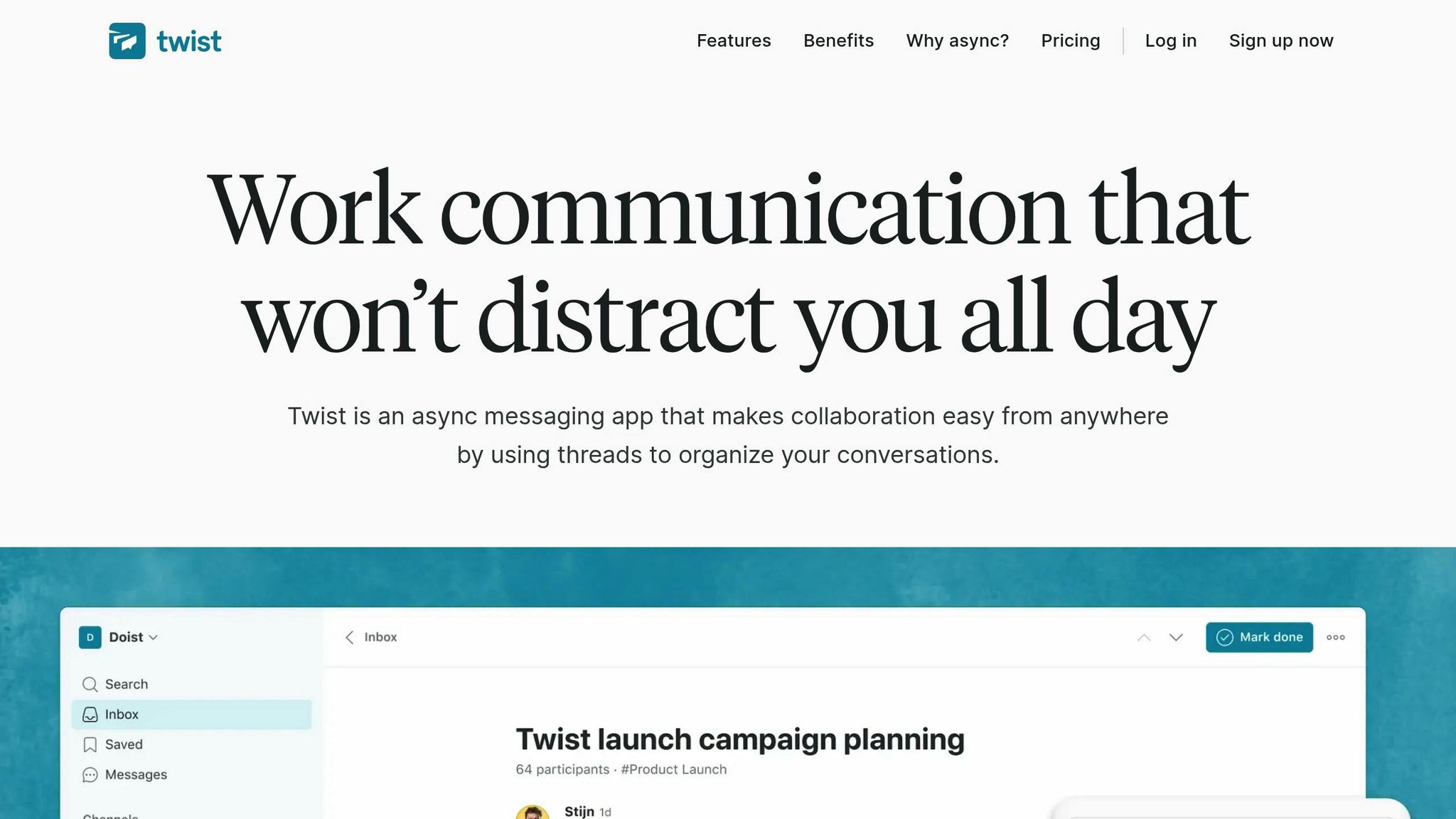
If you've ever felt like constant notifications are running your day, Twist might just be the breath of fresh air you need. Created by the same team behind Todoist, Twist is built for asynchronous communication. No green dots, no pressure to be "always on" - just organized, meaningful conversations. With over 450,000 people across thousands of teams onboard and 81% reporting increased efficiency, it's clear that Twist is striking a chord with teams worldwide. Let me walk you through why it works so well.
Async Messaging Features
What makes Twist stand out is its threaded conversation system. Unlike the endless scrolling feeds of other tools, Twist keeps discussions neatly organized into threads. Whether you're revisiting a decision from last week or last year, everything is easy to find and follow. Your inbox gathers threads that matter to you, letting you catch up and prioritize on your own time.
And here's the kicker - Twist skips the "online" status entirely. No glowing green dots. No subtle pressure to respond instantly. As Richard Burton, CEO of Balance Software, puts it:
"Twist is the perfect tool for deep work in a team setting. You cannot see if people are online. You are encouraged not to notify everyone all of the time. There is no glowing green dot encouraging you to be 'always on.'"
This design choice fosters focus and reduces the noise that often derails productivity.
Knowledge Sharing Capabilities
Twist isn’t just about messaging - it’s also a powerful tool for keeping team knowledge accessible. Threads preserve the full context of conversations, turning Twist into a searchable archive that's perfect for onboarding new members or revisiting past decisions. Plus, with public channels by default, teammates can find the information they need without constantly asking for help.
Mike San Román from Buffer summed it up perfectly when he said:
"Twist is a breath of fresh air. We're very bullish about async work and after switching from Slack to Twist we've never looked back."
And with 76% of teams reporting they feel more aligned after adopting Twist, it's clear the platform is delivering on its promise.
Ideal Use Cases
Twist is a game-changer for remote-first and globally distributed teams, especially those spread across multiple time zones. It's perfect for teams that prioritize productivity over being constantly available and want to protect deep work time. You can even set yourself as "Away" when you're on vacation, ensuring uninterrupted downtime.
At Pebb, we share a similar philosophy. Our platform also balances real-time collaboration with asynchronous workflows, giving teams the flexibility to communicate without sacrificing focus. Twist’s approach to prioritizing deep work resonates with us, and it's a tool worth exploring if your team values thoughtful, distraction-free communication.
4. Notion
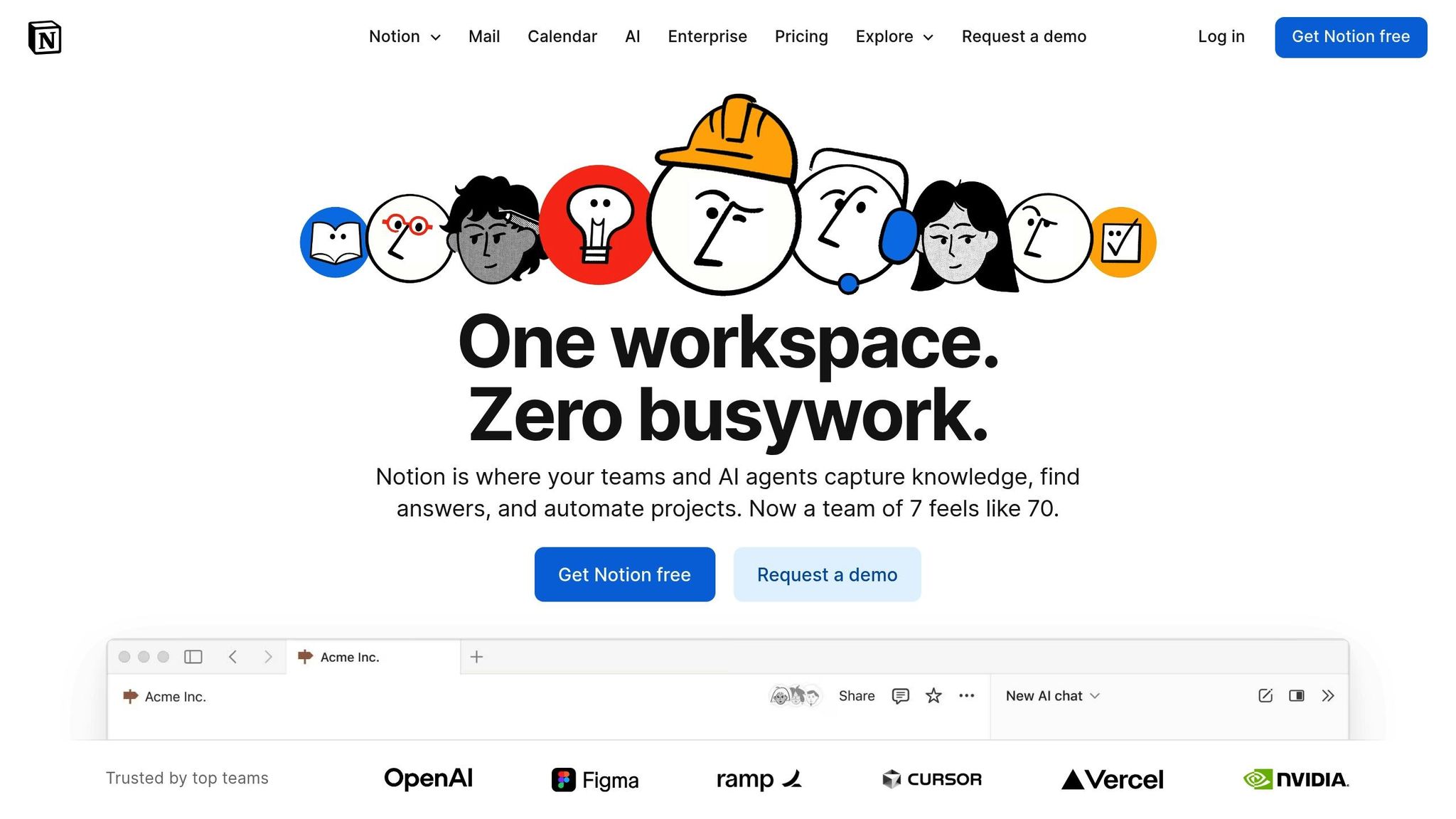
Notion has become a powerhouse for teams managing collaborative workspaces and knowledge-sharing. With a whopping 100 million users as of September 2024 and a 55.89% market share in the collaborative workspace market, it’s clear why so many turn to Notion for organizing and streamlining their workflows. It’s more than just a tool - it’s where teams document, share, and collaborate, all while keeping asynchronous communication running like clockwork. Notion turns simple pages into dynamic hubs for teamwork.
Async Messaging Features
Notion takes a unique approach to asynchronous communication. Instead of relying on chat-like tools, it focuses on features that allow for thoughtful, organized feedback. For instance:
You can leave inline comments on specific text or page-level comments for broader input.
Using @mentions, you can notify teammates without the pressure of an immediate reply.
Threaded discussions keep feedback tidy and easy to follow.
The version history feature lets you track changes or even roll back updates if needed.
This thoughtful setup makes Notion a great fit for teams that need clarity and structure in their communication.
Knowledge Sharing Capabilities
When it comes to centralizing information, Notion truly shines. It’s the go-to space for housing company wikis, SOPs, internal handbooks, and project databases. Its intuitive page-linking system weaves everything together, creating a network of easily navigable resources.
And the cherry on top? Notion AI, launched in September 2025. It can summarize lengthy documents or meeting notes in seconds, so catching up on key details is a breeze. Add in its extensive template library, which covers everything from meeting agendas to content calendars, and you’ve got a tool that ensures consistency and saves time across your team.
Pricing and Affordability
Notion’s pricing structure is simple and flexible, making it accessible for teams of all sizes:
Free Plan: Unlimited pages and blocks, with a 7-day page history.
Plus Plan: $10/user/month (billed annually), offering unlimited blocks and a 30-day history.
Business Plan: $20/user/month, which includes unlimited AI usage and a 90-day history.
Enterprise Plan: Custom pricing for organizations needing advanced security and compliance features.
Whether you’re a scrappy startup or a large enterprise, there’s a plan that fits your needs.
Ideal Use Cases
Notion is a lifesaver for remote and distributed teams in fields like marketing, product management, and operations. It’s perfect for documenting workflows, creating knowledge bases, and building out team "operating systems". Startups, in particular, love it for consolidating multiple tools into one, especially when resources are tight.
That said, while Notion excels at documentation and async communication, it’s worth noting how Pebb goes one step further. Pebb combines documentation with real-time chat, task management, digital forms, events, and engagement features in a single, integrated platform. Both tools help teams cut down on tool overload, but Pebb’s all-in-one approach offers a more comprehensive solution for collaboration.
5. Loom
Ever feel like typing out a long email or Slack message just won’t cut it? That’s where Loom steps in. This tool lets you record your screen, webcam, and voice all at once, creating personal video walkthroughs that save you from endless text back-and-forth. With an impressive 4.7/5 rating on G2 and Capterra, it’s clear that teams love how it reduces the noise of Slack overload and Zoom fatigue.
Async Messaging Made Simple
Loom makes video communication ridiculously easy. Hit record, capture your screen and face, and share the video link instantly - no waiting for uploads. What’s even better? Viewers can leave time-stamped comments or emoji reactions right on the video, so feedback is clear and efficient. And if you want to respond, you can do it with your own video message, creating a threaded conversation without a single Zoom invite.
If you’re looking to go a step further, Loom’s AI add-on (priced at $4.00 per user/month) is a game-changer. It auto-generates video titles, summaries, and chapters, and can even turn your transcript into tasks or documents. Made a mistake while recording? No problem. The Live Rewind feature on paid plans lets you re-record specific sections without starting over. It’s like having a redo button for your videos.
How Loom Fits Your Budget
Loom’s pricing is flexible enough to fit different team needs:
Starter Plan: Free, but limits you to 5 minutes per recording.
Business Plan: $12.50–$15.00 per user/month (billed annually) with unlimited recording, transcripts, and access to Live Rewind.
Enterprise Plan: Custom pricing with advanced security and admin controls for larger organizations.
Whether you’re a small startup or a big enterprise, there’s a plan that works for you.
Where Loom Shines
Loom is a lifesaver for teams that rely on visual communication. Product managers use it for demos, designers for feedback on mockups, and support teams for troubleshooting. Engineers love it for bug reports - because sometimes showing the issue is way faster than explaining it. For remote onboarding, Loom is a goldmine. You can build a library of videos explaining SOPs, so new hires can learn at their own pace. And with integrations for tools like Slack, Jira, Notion, Trello, Asana, and Microsoft Teams, it slides seamlessly into your workflow.
While Loom is fantastic for async video communication, at Pebb, we take it up a notch. Our platform combines video, real-time chat, task management, digital forms, events, and employee engagement apps - all in one place - starting at just $4 per user.
6. Asana
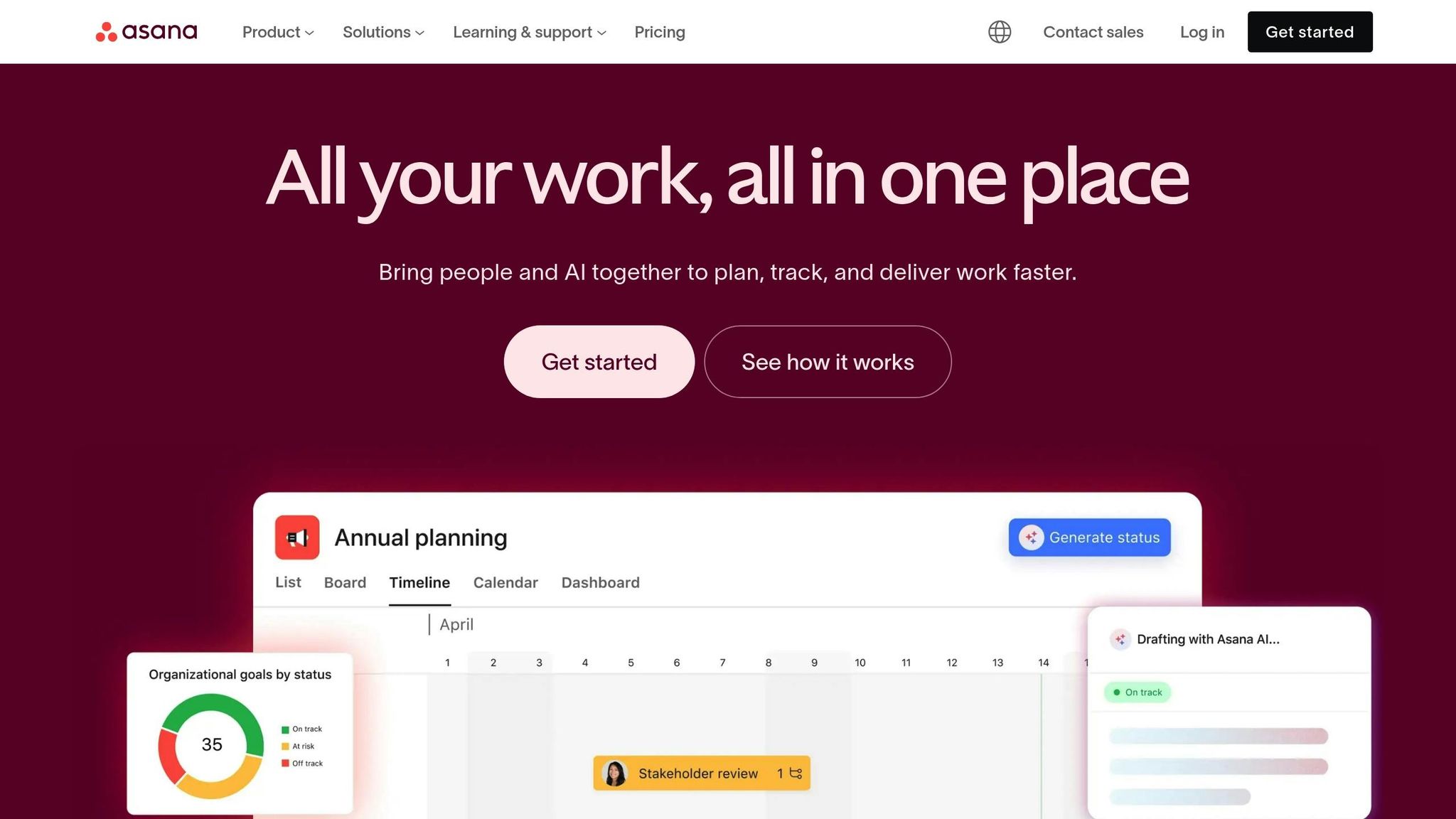
Let’s be honest: meetings can suck the life out of a productive day. If your team is drowning in back-to-back calls, Asana might just be the tool you’ve been waiting for. This project management platform is a game-changer for teams who want to get things done without the constant interruptions of real-time chats. With a stellar 4.7/5 rating on G2 (from over 9,000 reviews) and 4.6/5 on Capterra (from more than 4,000 reviews), it’s clear that teams love how Asana keeps everyone aligned without piling on unnecessary meetings.
Async Messaging Features
One of my favorite things about Asana? Comments are tied directly to tasks. No more hunting through endless Slack threads trying to find that one important detail. You can comment right on a task, use @mentions to bring the right people into the conversation, and keep everything organized in one place.
Asana also respects your team's need for focus. Features like "Do Not Disturb" and "Working Hours" let everyone signal when they’re unavailable, helping to reduce distractions. And for those who dread yet another status meeting, Asana’s status reports let stakeholders check project updates at their convenience.
Here’s an interesting stat: after about 30 minutes, our brains start to zone out from fatigue. That’s why Asana’s emphasis on asynchronous communication is a breath of fresh air. Instead of wasting time in meetings, your team can focus on what really matters, with updates flowing seamlessly in the background.
Pricing and Affordability
When it comes to pricing, Asana keeps things simple. They’ve got a Free Forever plan for teams of up to 15 users - a great option if you’re just starting out. If you need more, the Unlimited plan runs at $7 per user/month, while the Business plan costs $12 per user/month. For larger organizations, there’s custom Enterprise pricing available.
At Pebb, we take things a step further by bundling project tasks with chat, news feeds, digital forms, events, and engagement tools - all for just $4 per user. It’s a no-brainer for teams looking to streamline their workflows without breaking the bank.
Ideal Use Cases or Team Types
Asana isn’t just about features and pricing - it shines in how it’s used day-to-day. From my experience, it’s a perfect fit for teams in marketing, IT, consulting, and software development, especially those working remotely or in hybrid setups. Need to visualize workloads? Asana’s got you covered with Kanban boards, Gantt charts, and timelines.
What’s more, it plays nicely with tools you’re probably already using, like Slack, Google Drive, and Zoom. And if you’re looking to reclaim some focus time, try implementing a “No Meeting Wednesday” and let Asana handle the updates. It’s a small tweak that can make a big difference in productivity.
7. Miro
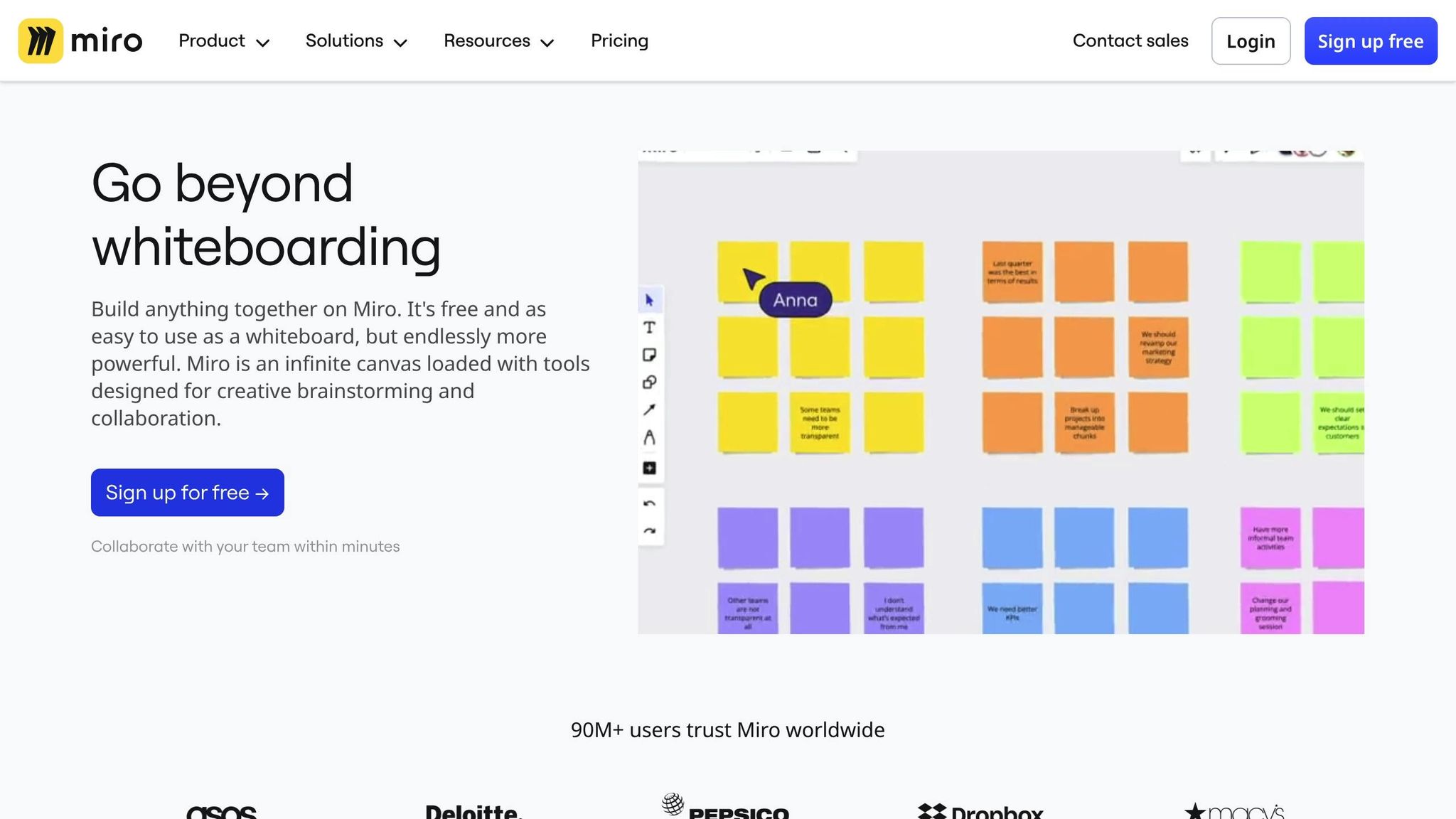
Let me tell you about a tool that has completely redefined how teams collaborate visually - Miro. If your team thrives on diagrams, sticky notes, and sketches rather than endless text threads, this digital whiteboard might just become your go-to solution. Miro has revolutionized brainstorming and collaboration, allowing teams to work together seamlessly without needing to be in the same room. Instead of scheduling yet another meeting, your team can jump into a shared canvas to drop ideas, feedback, or sketches whenever inspiration strikes.
Async Messaging Features
Miro takes visual collaboration to a whole new level by making it asynchronous. Team members can add sticky notes, drawings, and comments directly onto shared boards at their convenience, eliminating the need for everyone to be online at the same time. The built-in commenting feature is a game-changer - it lets you leave specific feedback on individual elements of the board, ensuring clarity and precision.
What’s more, it tracks every change through version control, so you can easily review how a project has evolved over time. And for global teams, the translator plugin, which supports over 100 languages, ensures that language differences don’t stand in the way of collaboration.
Knowledge Sharing Capabilities
When it comes to capturing and sharing knowledge, Miro really shines. The platform offers over 300 customizable templates for everything from agile retrospectives to customer journey mapping. These templates provide structure, so you’re never stuck staring at a blank canvas wondering where to start. Whether you're charting a complex user flow or laying out your product roadmap, Miro becomes your team’s centralized visual workspace - a "single source of truth".
Pricing and Affordability
Miro keeps its pricing simple and accessible. There’s a Free Plan that includes one workspace and up to three editable boards, which is great for small teams just getting started. If you need more, the Starter Plan costs $8 per user/month and unlocks unlimited boards. For larger teams, the Business Plan at $16 per user/month adds features like single sign-on and unlimited workspaces. By comparison, Pebb offers a broader collaboration suite - including chat, news feeds, tasks, digital forms, events, and engagement tools - for just $4 per user.
Ideal Use Cases or Team Types
From what I’ve seen, Miro is a fantastic tool for UX/UI designers, product managers, and agile development teams who need to visualize complex ideas. It’s especially effective for tasks like customer journey mapping, design thinking workshops, and sprint retrospectives - where visual feedback makes all the difference. Plus, Miro integrates effortlessly with other popular collaboration tools, keeping your processes smooth and connected. While Miro excels at visual brainstorming, Pebb complements it by offering a more comprehensive collaboration suite, combining real-time chat, task management, and more to keep your team’s workflow unified.
8. Microsoft Teams

If your organization runs on Microsoft, Teams feels like a natural extension of your workflow. It’s more than just a messaging app - it’s a full-fledged hub for chats, meetings, file sharing, and task management, all tightly woven into the Microsoft 365 ecosystem.
Async Messaging Features
One thing I’ve noticed about Teams is how well it handles asynchronous communication. The platform uses topic-based channels to keep conversations organized, making it easy for team members to jump in and respond when their schedules allow. Add to that the ability to record meetings and generate transcripts, and suddenly, catching up on discussions becomes a breeze - especially for distributed teams. With integrations like Standuply, you can even automate check-ins and surveys, which saves time and keeps everyone on the same page. Fun fact: about 35% of video meetings involve participants from different time zones, so features like these are a game changer for global teams.
Knowledge Sharing Capabilities
Where Teams really shines is in centralizing knowledge. Thanks to its SharePoint integration, you get secure document libraries where your team can co-edit files and track changes in real time. Considering that most knowledge workers juggle 10 different tools a day and switch between them up to 25 times, having a single searchable workspace for conversations, files, and tasks is a huge relief. Plus, threaded replies in channels help maintain context, making onboarding and catching up much smoother.
Pricing and Affordability
Let’s talk numbers. Teams Essentials starts at $4.00 per user/month, offering meetings for up to 300 participants and 10 GB of storage. If you need more, Microsoft 365 Business Basic is $6.00 per user/month, adding the full Office suite and 1 TB of storage. For desktop apps and webinar capabilities, Business Standard runs $12.50 per user/month. Now, while Teams aligns with Pebb's $4.00 entry price, here’s the kicker: Pebb includes extras like news feeds, spaces, groups, and employee directories - all without requiring additional Microsoft licenses. That makes Pebb a more comprehensive choice for communication and engagement, especially for teams looking to go beyond just meetings and file sharing.
Ideal Use Cases or Team Types
In my experience, Teams is a perfect fit for organizations already invested in the Microsoft ecosystem. It’s particularly well-suited for hybrid teams that balance real-time meetings with asynchronous collaboration. For instance, recording sessions and sharing them in channels ensures everyone stays aligned, no matter the time zone. It’s also great for companies working with external vendors or clients since shared channels allow secure collaboration without forcing anyone to switch platforms. That said, while Teams excels in its document-focused approach, Pebb stands out for teams prioritizing employee engagement and internal communication. Depending on your needs, either could be the right tool for the job.
9. Workvivo
Workvivo takes asynchronous communication and wraps it in a social intranet experience. Imagine your favorite social media platform, but instead of memes and vacation photos, it’s all about work updates. Employees can share updates, post photos and videos, and interact through comments - all in a centralized activity feed. It’s designed to feel familiar and engaging, making work communication a little more human.
Async Messaging Features
Workvivo organizes conversations with "Spaces" and "Groups", keeping topics tidy and messages easy to find. The social feed ensures that updates are accessible on your time, not just when they’re posted. One standout feature is its peer-to-peer recognition tools, which let team members send shout-outs or nominations asynchronously - perfect for building a sense of community across time zones.
For those big company announcements, Workvivo supports live streaming, complete with an interactive chat. The best part? That chat isn’t lost once the stream ends - it’s available for review later, so no one misses out. It’s a relaxed yet connected way to keep everyone in the loop, and it’s a vibe we really appreciate at Pebb. Need more direct communication? Workvivo also offers team chat as an optional add-on.
Knowledge Sharing Capabilities
What sets Workvivo apart is how it merges traditional intranet features with social engagement. As Lisa Ardill, Content Editor at Workvivo, explains:
"Workvivo becomes the center of gravity for employees, the glue holding your suite of tools together".
The platform excels at organizing evergreen content like training materials, policy documents, and FAQs. Everything is structured and searchable, so you’re not endlessly scrolling through Slack or digging through email chains to find what you need.
Pricing and Affordability
Here’s where it gets a bit tricky - Workvivo doesn’t list standard pricing. Instead, they provide custom quotes based on your organization’s size and specific needs. They cater to two main groups: companies with 250–2,000 employees and larger organizations with over 2,000 employees. Add-ons like team chat and employee insights are available, but they can increase the overall cost.
At Pebb, we take a different approach. Our Premium plan includes advanced features for just $4.00 per user/month. No hidden fees, no add-ons - just straightforward pricing.
Ideal Use Cases or Team Types
From my experience, Workvivo shines for mid-to-large organizations looking to combine intranet functionality with a social, engaging vibe. It’s especially effective for companies prioritizing employee recognition and fostering culture across distributed teams. If your goal is to create a polished, social media-style space for announcements and celebrations, Workvivo checks all the boxes.
That said, if you’re a smaller team or prefer an all-in-one platform with transparent pricing, Pebb might be the better fit. We offer a simpler, more budget-friendly solution that covers both communication and engagement without the complexity of custom quotes or add-ons. And with that, we’re ready to dive into the next tool on our list, continuing the conversation about asynchronous communication done right.
10. Confluence
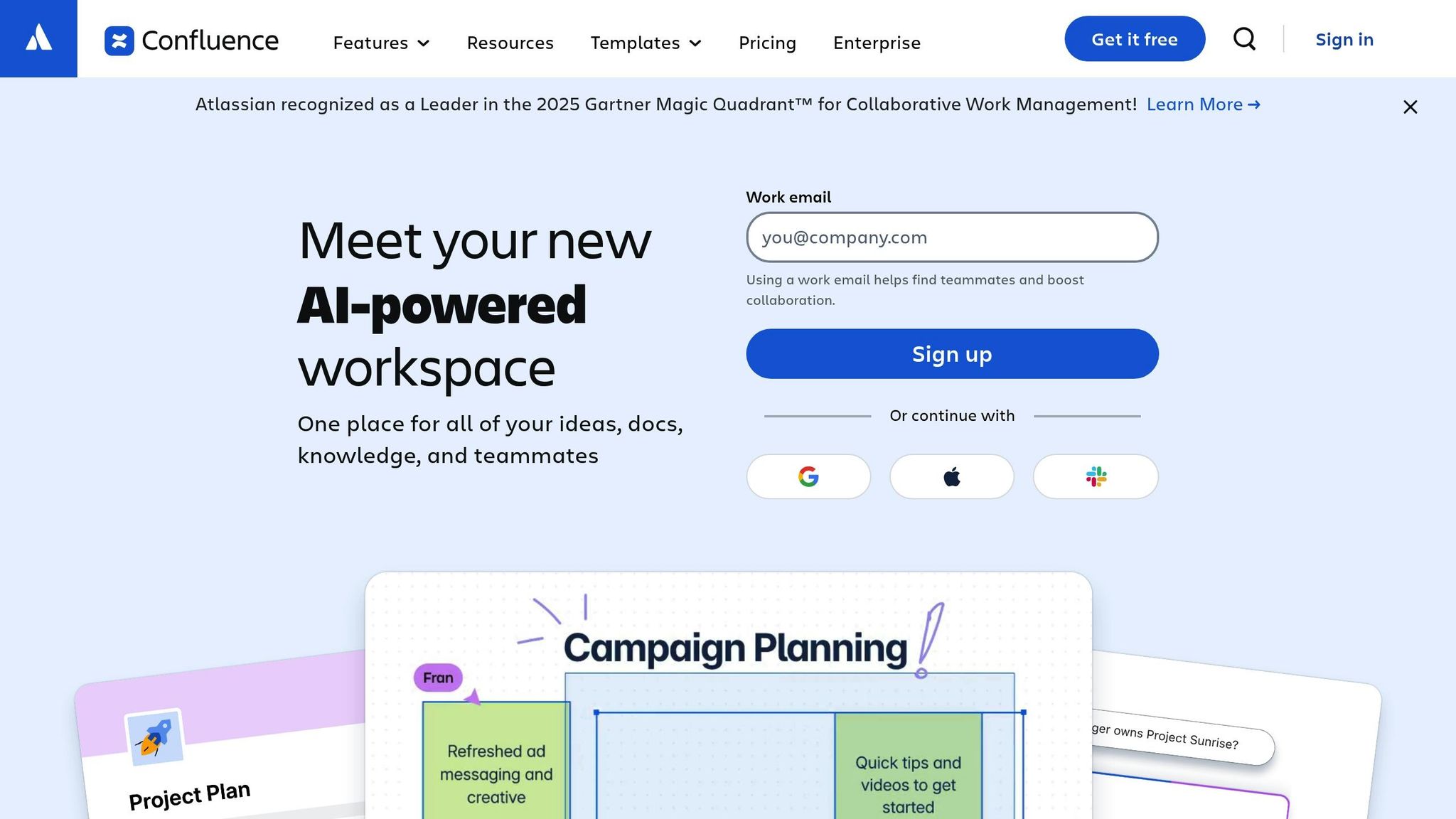
Let me tell you, Confluence is like the Swiss Army knife of documentation tools. If you’ve worked in tech or been part of a larger organization, chances are you’ve crossed paths with it. What makes it stand out? It centralizes all your files into one easily searchable repository, making the chaos of scattered documents a thing of the past.
Knowledge Sharing Capabilities
Confluence shines when it comes to knowledge sharing. It takes static files - like meeting notes or project plans - and turns them into interactive documents that are easy to collaborate on and update. At its core, it’s built to bring order to the madness, which is why it’s such a go-to for documentation-heavy teams.
One of my favorite features is its built-in templates. Whether you’re creating a wiki, drafting an article, or outlining a process, these templates save time and keep everything consistent. Plus, its version history feature is a lifesaver - ever accidentally delete something important? With Confluence, you can roll back to an earlier version without breaking a sweat. At Pebb, we’ve found tools like this invaluable for managing Standard Operating Procedures, company policies, FAQs, and all those “need-to-know” documents that tend to vanish in the depths of email inboxes.
Pricing and Affordability
Confluence offers four pricing tiers, which gives teams some flexibility as they grow. But here’s the catch - it’s not exactly budget-friendly at the higher levels. To put it in perspective, Notion’s professional plans start at about $8 per user per month, while Confluence’s upper-tier plans can be noticeably pricier.
That’s where Pebb comes in. For just $4 per user per month, we offer an all-in-one solution with no hidden costs, no matter how big your team gets. It’s a straightforward, no-surprises approach that we’re pretty proud of.
Still, if your team needs a tool specifically for robust documentation, Confluence is hard to beat - just know you might need to budget a bit more, especially as your team scales.
Ideal Use Cases or Team Types
Confluence is perfect for teams that need a central hub for all their documentation. It’s especially handy for organizations managing knowledge-heavy projects, where having a searchable repository of historical context is a game-changer. It’s also great for cross-functional teams - think Marketing syncing up with IT on shared dashboards or documentation.
Unlike tools that focus mainly on real-time communication, Confluence is built for deep, organized documentation. It pairs well with platforms like Pebb, which focus on communication and engagement. For teams building out process playbooks or maintaining employee directory software, Confluence is more than capable of handling the job. Just keep in mind that it comes with a bit of a learning curve. The Atlassian suite is powerful, but with that power comes complexity. If you’re willing to invest the time in learning it, though, it’s a tool that can seriously elevate how your team manages knowledge.
Conclusion
Let me tell you, async communication has become a game-changer for modern teams juggling efficiency and burnout. When I first learned that employees spend 31 hours a month in unproductive meetings, it hit me - something had to change. That’s where tools designed for flexible scheduling come in, helping teams maintain their productivity while protecting that all-important work-life balance.
Now, here’s the deal: you’ve got to pick the best internal comms platforms that fit your team like a glove. If you’re after an all-in-one solution that’s easy on the budget, Pebb is a fantastic choice. For just $4 per user per month (or even free for teams of up to 15 employees), you get work chat, news feeds, task management, knowledge libraries, digital forms, events, voice and video calls, integrations, and more. It’s a complete package without the hefty price tag.
That said, I know one size doesn’t always fit all. Some teams thrive with specialized tools that focus on specific needs. These can be great for certain tasks, but here’s the trick: you’ve got to balance centralization with functionality. The last thing you want is to overwhelm your team with tool fatigue - constantly switching between apps can kill efficiency.
My advice? Take advantage of free trials. Most of these platforms offer them, so test the waters before you dive in. Look for tools with an intuitive interface - something your team can pick up without hours of training. And don’t forget about integrations. Your async tools should play nice with the rest of your tech stack, not create more silos.
At the end of the day, the best async communication tool is the one your team actually uses. Whether that’s Pebb for its affordability and all-in-one features or a mix of specialized tools tailored to your unique workflow, the goal is simple: help your team collaborate better and reclaim the hours lost to endless meetings.
FAQs
How can asynchronous communication boost team productivity?
Asynchronous communication is a game-changer for teams. It lets everyone work at their own pace, free from the constant ping of real-time chats or the grind of back-to-back meetings. This kind of setup allows for what I like to call "deep work" - those uninterrupted stretches of focus where real problem-solving and high-quality results happen. By cutting down on context-switching and slashing unnecessary meetings, teams can not only make quicker decisions but also get more done in less time.
Another big win? Async tools let people work when they’re at their best, regardless of time zones or personal schedules. This kind of flexibility doesn’t just make work smoother; it ensures everyone gets a chance to contribute and helps create a better balance between work and life. At Pebb, we’ve built all of these perks into one platform. From threaded chats to task boards, we’ve designed it to help teams collaborate effectively while keeping control of their time. And if you’re ready to take things up a notch, our premium plan is just $4 per user per month, making productivity not just possible but accessible for everyone.
How does Pebb save money compared to other communication tools?
Pebb offers everything your team needs to stay connected and engaged, all at a price that’s hard to beat - just $4 per user per month on our premium plan. Plus, if you’re running a smaller team, there’s a completely free plan to get you started. For comparison, Slack charges $8.75 per user per month, and Microsoft Teams comes in at $4.00 per user per month. The difference adds up quickly, and those savings can go straight back into your business.
Here’s where Pebb stands out: it’s a true all-in-one solution. You’re not just getting chat or video calls. You’re getting chat, voice and video calls, news feeds, groups, a people directory, tasks, events, and so much more - all in one place. With other platforms, you’d likely need to cobble together multiple apps to get the same functionality. That means juggling subscriptions and watching your costs spiral. With Pebb, everything is included at one straightforward price, saving you both time and money while keeping your workflow seamless.
What types of teams benefit the most from using asynchronous communication tools like Pebb?
Asynchronous communication tools like Pebb have completely changed the game for teams that need to juggle flexibility with efficiency. They’re a lifesaver for remote teams, hybrid setups, and groups working across different time zones. By allowing people to share updates, files, and feedback on their own schedules, these tools help cut down on unnecessary meetings and constant interruptions.
Take remote development teams, for instance. With async tools, they can post updates, attach files, and collaborate without the hassle of syncing schedules. Global marketing teams and customer support groups see similar benefits - they can keep projects moving forward without waiting for everyone to log on at the same time. Even frontline teams, like retail staff or shop-floor workers, find value in features like announcements, group chats, and easy access to resources - all neatly organized in one platform.
What’s great about Pebb is that it offers all these capabilities for up to 15 employees at no cost, or for just $4 per user per month for premium features. It’s a practical solution, whether you’re managing a small team or a large-scale operation.
