
The End of the Training Video as We Know It
Tired of training that misses the mark? Discover how modern video training software actually helps frontline teams learn, connect, and grow. A real-world guide.
Dan Robin
We’ve all been there. Locked in a windowless room, staring at a grainy video from the ‘90s. The one with stilted actors, elevator music, and a general feeling that you’re being punished for something. For years, "video training" promised to make learning faster and more engaging. The reality, however, fell painfully short.
That old model was broken from the start. Let’s talk about why.
Why Those Old Videos Never Worked
The biggest problem was a massive disconnect. Traditional video training software was built by people at desks, for people at desks. It was clunky, desktop-only, and treated learning as a formal event—something that pulled you away from your real job. This approach completely missed the point for the very people who needed support the most.
A Tool for the Wrong Job
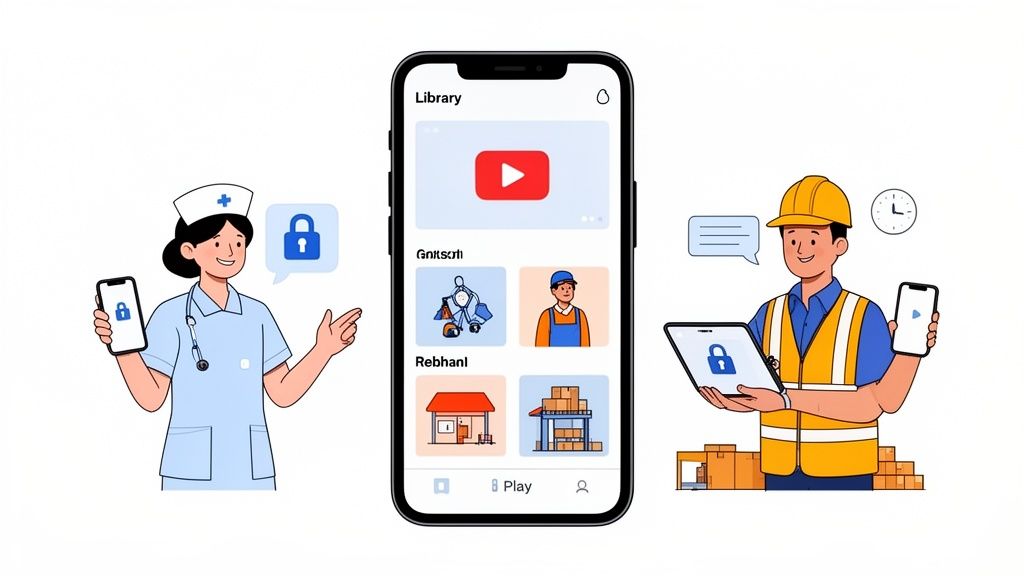
Think about a nurse on a busy hospital floor. A retail associate during the holiday rush. A warehouse worker trying to hit their targets. Their work doesn’t happen in front of a computer. Forcing them to track down a desktop, log into some confusing portal, and sit through a 20-minute video was never going to work. It was a fantasy.
This turned training into a chore. A box to be checked, not a skill to be learned. The content was generic, quickly outdated, and created by someone in a central office who had no idea what a day on the floor actually felt like. The result? Disengaged teams and a whole lot of wasted time and money.
The failure wasn't the video; it was the delivery. Training was treated as an interruption to work, not a part of it.
This led to a few predictable problems:
Locked-in knowledge: If a question came up on the factory floor, the answer was trapped on a computer somewhere else. Useless.
Passive watching: Employees were just expected to absorb information. There was no way to ask questions, practice a skill, or confirm they actually understood what they saw.
Total irrelevance: The videos didn't speak the team's language. They were made by outsiders, for insiders, and everyone could feel the disconnect.
The Shift from Compliance to Competence
Frankly, the old way was built for compliance, not competence. The goal was to prove someone watched the material, not that they learned it. When you’re trying to build a consistent customer experience or ensure safety protocols are followed, that’s a world of difference.
The good news? Things are finally changing. Modern video training software gets it. Learning happens in the flow of work, not in a separate session. We’re moving beyond passive viewing to active, integrated learning that happens right where the job gets done. If this idea resonates, you might like our guide on how to build a central knowledge hub for your team.
It’s a quiet but powerful shift. We're moving from just checking a box toward building real, practical skills that actually help people do their jobs better.
So, What Is Video Training Software, Really?
Let’s be honest, the term “video training software” sounds a little dry. It brings to mind those clunky portals and mandatory compliance videos. But that’s not what we’re talking about here.
At its core, this is about giving your team the information they need, right when they need it, in a format they’ll actually use.
Think of it less as “software” and more as a private, secure YouTube just for your company. A central place to share everything from a 30-second clip on how to work the new coffee machine to a full onboarding course. It’s a way to capture and share all the valuable know-how that usually stays locked in one person's head.
But here’s the thing. This isn't just about passively watching videos anymore. Modern tools are interactive, built for mobile, and woven directly into a team's daily routine. This isn’t some separate system they have to remember to log into; it lives inside the same app where they clock in, get updates, and chat with coworkers.
It's More Than Just a Video Library
A few years ago, the goal was to build a video library. That was a step up from paper manuals, but it still treated knowledge as something you had to go find. Today’s best video training software flips that idea on its head and brings the knowledge to you. It's all about context.
But when training is disconnected from the daily workflow, it becomes a roadblock, not a resource. This is especially true for frontline teams who aren't sitting at a desk.
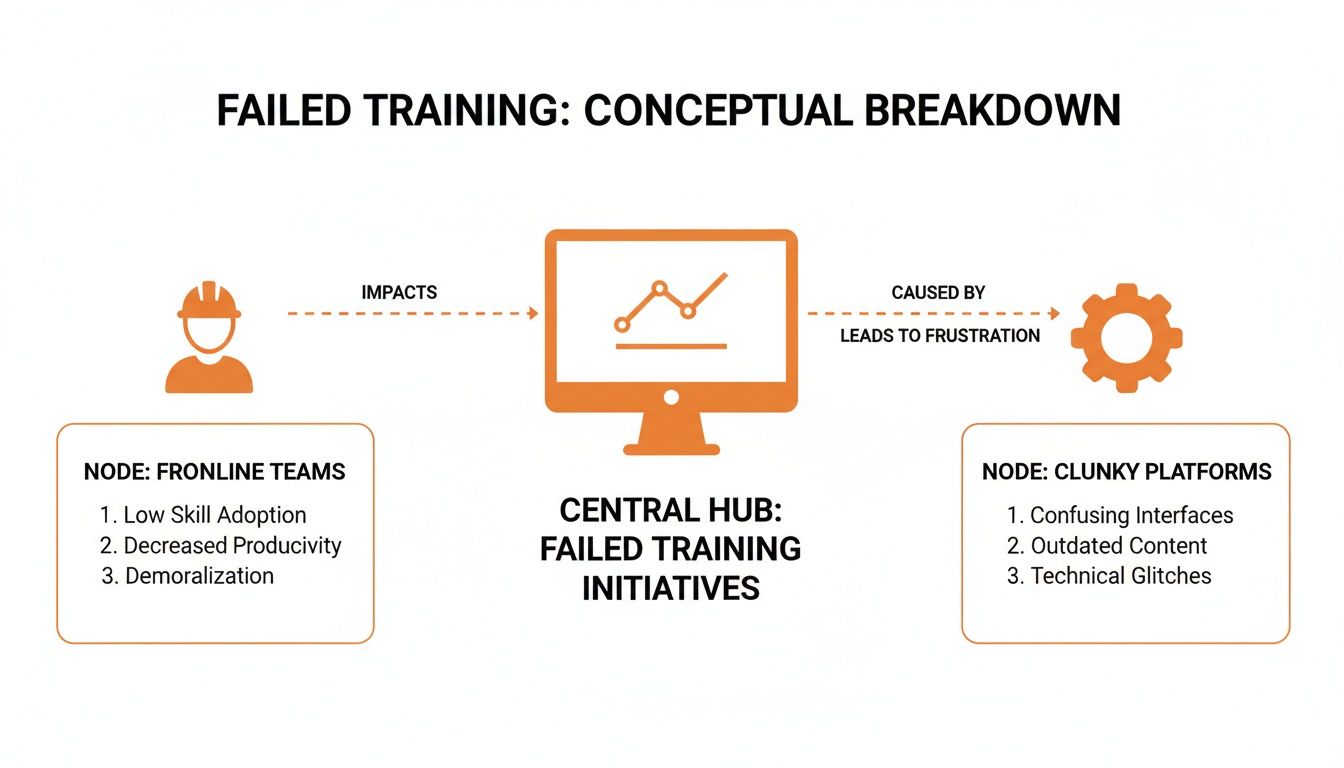
When training is isolated, it fails. The magic happens when you embed small, digestible bits of information right where the work is happening. While video is a powerful piece, it’s just one part of a much larger puzzle. To get the full picture, it helps to see how these tools fit into the broader world of training management software.
This isn’t some futuristic fantasy. It’s a practical response to how people already live. We all look up "how-to" videos for everything, from fixing a leaky faucet to learning a new recipe. Why should work be any different? This approach just respects how your team already operates.
A Clear Shift in How Businesses Work
The market tells the story. The video streaming software market—a key part of modern training platforms—is projected to hit a staggering USD 42.29 billion by 2031. That kind of growth shows a massive move away from old-school systems toward flexible tools that handle everything from creation to analytics.
For leaders in fields like retail and logistics, this isn't just interesting. It means video training software is becoming an essential tool for keeping distributed teams on the same page.
At its heart, video training software is a communication tool. It closes the gap between the people who have the knowledge and the people who need it.
Ultimately, the goal isn't just to "train" people. It's to build a more competent, confident, and connected workforce.
When a new hire can instantly watch a quick video from a veteran employee on handling a tricky customer situation, you’re not just transferring information. You’re building culture. You're building connection. You're making the entire team smarter, one short video at a time.
The Features That Actually Make a Difference
Software companies love showing off feature lists as long as your arm. But I’ve learned a simple truth after years of watching how real teams use these tools: a few core features do almost all of the heavy lifting. The rest is noise.
When you're evaluating video training software, it’s easy to get distracted by shiny objects. Let's cut through that and focus on what truly matters for frontline teams. The goal isn’t to find the platform with the most features, but the one with the right ones.
The Absolute Essentials
If a tool can't nail these three things, it’s not going to work for a busy, distributed team. Period. Think of these as non-negotiable.
An On-Demand Knowledge Library: This is your company’s private, searchable brain. A place for every tip, policy update, and best practice video. The key is that it must be instantly searchable, especially from a phone, so an employee can find an answer in 30 seconds without hunting down a manager.
Simple Creation Tools: Your experts are baristas, mechanics, and retail managers—not filmmakers. The best video training software lets anyone record and share a helpful video from their phone in minutes. If creating content requires special gear or a complicated editing suite, it won't get done. Simple.
In-Context Delivery: This might be the most important feature. The training has to live where the work happens—inside the same app your team uses for daily communication. If they have to stop, switch apps, and log in somewhere else to learn something, that friction means it will be ignored during a busy shift.
These three features create a powerful loop. An employee records a helpful tip, it’s saved to the searchable library, and another team member finds it in the exact moment they need it. That's how knowledge actually spreads in a business.
The ‘Nice-to-Haves’ That Change the Game
Once you have the essentials, a few other features can lift your training from passive viewing to active learning. These are what boost engagement and make sure the information sticks.
Let’s be honest, just watching a video is passive. Real learning kicks in when people interact with what they’re seeing. These aren't just bells and whistles; they are tools for deepening understanding.
It’s one thing to watch a how-to video; it’s another to apply that knowledge. Interactive training is a huge leap forward, with studies showing it can lead to 75% higher knowledge retention than just reading. This advantage is crucial when you consider that good training is linked to a 218% higher income per employee. As you can see, investing in employee video training software is a direct line to better performance. You can dig into the financial side of this over at Engageli.
The most overlooked feature is integration. The best video training doesn’t feel like training. It feels like getting a quick, helpful answer from a coworker.
Here are a few features that make that happen:
Quizzes and Polls: Adding simple questions after a video is a great way to check for understanding. It's a low-effort way to make sure everyone is on the same page, especially for important safety procedures.
Comments and Reactions: Giving employees a space to ask questions or add their own two cents turns a one-way broadcast into a two-way conversation. This is where you’ll unearth amazing insights from your own team.
Completion Tracking: For managers, seeing who has watched an important update is crucial. This isn't micromanaging; it’s about accountability and ensuring everyone has the info they need to do their jobs safely.
When you bring this all together, you get something more powerful than a training tool. You get a system for continuous improvement, fueled by your own team's expertise. That’s a feature no vendor can list on a spec sheet, but it's the one that makes all the difference.
How to Choose the Right Tool for Your Team
Choosing new software is a chore. The demos are slick, the salespeople promise the world, and every platform claims to have a magic feature you can’t live without. It’s easy to get lost in an endless sea of bullet points and confusing pricing tiers.
Let's be honest, that whole process is broken. The secret is to stop obsessing over features and start focusing on your team’s actual, day-to-day work. How will this tool fit into their reality?
Think about it. A retail associate can't watch a 30-minute training module during the holiday rush. A nurse doesn't have time to hunt down a desktop to re-watch a procedure video between patients. The right video training software isn't the one with the most bells and whistles; it’s the one that’s so intuitive it's practically invisible.
Cut Through the Noise with the Right Questions
When you sit down for a demo, the salesperson has a script. Your job is to break it. Don't let them guide you through flashy dashboards. Make them show you exactly how the tool solves your real-world problems.
Stop asking, "What features do you have?" and start asking, "Show me how..."
These kinds of questions cut straight to the chase. They reveal whether a tool is genuinely built for a team like yours. They move the conversation from abstract promises to concrete workflows.
A great tool doesn't add another task to an employee's day. It removes one. It simplifies a process, answers a question faster, and then gets out of the way.
The best way to see if a platform will work is to make the vendor walk a mile in your team's shoes. The more specific your scenarios, the clearer the answer will be.
A Better Checklist for Evaluating Vendors
Forget the standard feature-by-feature charts. They miss the point. Instead, use your demo time to ask questions that reveal how the software really works in practice.
The goal here is to test for simplicity, speed, and usability in real-world scenarios, not to check boxes on a marketing sheet.
Vendor Evaluation Checklist
This checklist is designed to get past the marketing fluff and to the heart of usability.
Category | Question to Ask | Why It Matters |
|---|---|---|
New Hire Onboarding | "Show me exactly how a new barista, on their first day, learns to close the store. Where do they find the video? How do they confirm they’ve watched it? What if they have a question?" | This tests the day-one experience. If it's clunky for a new hire, adoption will fail. |
Urgent Communication | "An urgent safety recall was just issued. Show me how a warehouse manager can record a 60-second video on their phone and guarantee every person on the night shift sees it." | This tests the tool for critical, time-sensitive information. Speed and confirmation are everything. |
In-the-Flow Problem Solving | "A cashier is struggling with a new POS function during a busy lunch rush. Show me how they find the right 15-second video tutorial on their phone without holding up the line." | This tests for "just-in-time" learning. The answer needs to be faster than flagging down a manager. |
These questions force a demonstration of simplicity, speed, and mobile-friendliness—the three pillars of effective software for frontline teams. If the answer to any of these is a long, multi-step process, you have your answer. The tool isn't right.
For a deeper dive, you can learn about boosting employee engagement with effective training in our related guide.
Ultimately, your goal isn't to find a tool to house your videos. It's to find a partner in making your entire operation run smoother. You're looking for a unified experience that feels less like "training software" and more like a helpful coworker who always has the right answer, right when you need it. The right choice is the one that makes everyone's job a little bit easier.
How to Roll Out New Software Without the Groans
You did it. You picked a tool. You’re sure you’ve found something that will genuinely help your team. But now comes the real hard part: getting people to actually use it.
We’ve all seen this movie before. A big, top-down announcement, followed by mandatory, hour-long training sessions everyone dreads. It’s a recipe for eye-rolls, resistance, and a shiny new tool that gathers digital dust.
Let’s be honest. True adoption never comes from a mandate. It happens quietly, organically, when a tool is so useful it solves a real, nagging problem.
Start Small. Solve a Real Problem.
Instead of a splashy, company-wide launch, go narrow. Find one team with one specific, recurring pain point. Maybe it’s the morning shift at a cafe that constantly fumbles with the new point-of-sale system. Or the new warehouse crew that keeps asking the same questions about the inventory scanner.
That’s your starting point.
Don't show them the entire platform. Just create two or three short, simple videos that solve that one thing. Show them exactly how to process that tricky customer return or where to find the daily cleaning checklist. Make the content laser-focused on easing their specific headache.
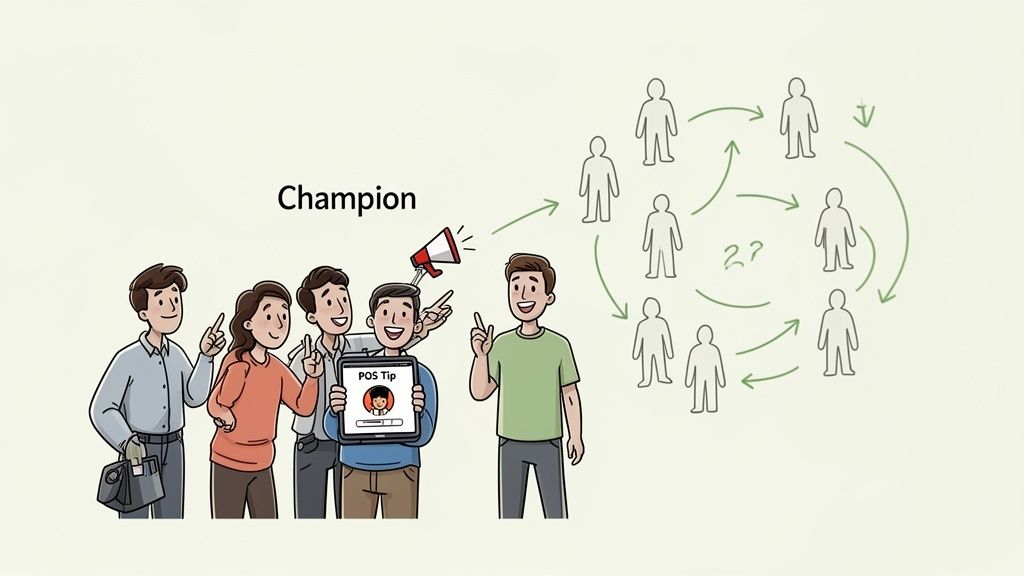
When that team realizes the new video training software saves them time and frustration, something special happens. They don’t just adopt the tool; they become its biggest cheerleaders. They start showing it to coworkers on the next shift. That’s how real adoption spreads—not from the top down, but from peer to peer.
Adoption isn't about forcing people to use a tool. It's about making their work so much simpler that they can't imagine going back.
Let Your Champions Lead the Way
This small-scale approach is less like a formal rollout and more like planting a seed. It borrows a page from ideas like Kanban, which favor evolutionary change over disruptive, all-at-once transformations. The idea is to "start with what you do now" and make small, incremental improvements.
A big launch can feel threatening. A small, helpful video doesn’t. It feels like a useful tip from a coworker.
Once your pilot team is on board, their success becomes the story you tell everyone else.
They aren't just users; they're your first champions. Their authentic testimonials are far more powerful than any corporate memo.
Their early videos become the first building blocks of your knowledge library, showing other teams what’s possible.
Their feedback provides invaluable, real-world insights to help guide the rest of your implementation.
This method requires patience. It’s a slower, more deliberate burn. But the adoption you get is deeper and far more permanent. You can see how this groundwork supports larger initiatives by reading our guide on how internal campaigns drive platform adoption.
The goal isn't a 100% adoption rate on day one. It's to make a tangible difference for one person, then another, then another. Because true adoption isn't a metric on a dashboard; it’s the quiet moment an employee finds the answer they need, all on their own, and gets on with their day.
The Future of Workplace Learning Is Already Here
For a long time, the "future of work" sounded like science fiction. It’s not. We’re living it. The once-rigid walls between how we talk, how we work, and how we learn are crumbling.
The future isn't another "mandatory training day" circled on the calendar. It’s about getting quick, practical knowledge woven directly into your daily tasks. It’s finding the right answer the moment you need it, not weeks later in a stuffy conference room.
Learning in the Flow of Work
Let's be real—nobody has time to stop what they're doing, open a separate system, and hunt for a training video. The best learning happens on the job, in context. Imagine a new retail associate who scans a product with their phone and instantly gets a 30-second video from a seasoned pro explaining the best way to upsell it.
That’s not a dream. That’s what’s possible right now. This is the whole point of modern video training software. It’s not just about building a library; it's about delivering the right knowledge to the right person, right when they need it most. It’s about instantly connecting the person with a question to the person with the answer.
The goal of video training software isn’t just to train people. It’s to build a culture of shared knowledge where every single person feels equipped and connected.
This idea is at the heart of what we believe at Pebb. When your team can chat, manage tasks, and find knowledge all in one place, the platform stops feeling like "software." It becomes the digital pulse of the company—a natural learning ecosystem.
The Quiet Role of AI
When you hear "AI," it's easy to picture robotic avatars reading stale scripts. That’s a failure of imagination. The true power of AI in workplace learning isn't to replace people, but to give them a boost. Think of it as a smart assistant working behind the scenes, instantly finding the most relevant piece of human-made content for the task at hand.
The growth here is impossible to ignore. The market for AI-powered video generation is set to explode, projected to jump from USD 847 million in 2026 to USD 3.35 billion by 2034. One of the most exciting developments is AI's ability to turn old PowerPoint decks into engaging videos—a fantastic way to breathe new life into static files. You can get a closer look at this trend in the latest AI video industry statistics.
This blend of communication, daily operations, and smart knowledge delivery is what makes video training software a must-have for any modern workplace.
But this isn't about chasing the latest tech buzzword. It’s about getting back to a fundamentally human idea: we learn best from one another. The future of learning is simply about making those human connections faster, easier, and more powerful than ever before. It's already here, just waiting for us to embrace it.
Frequently Asked Questions
When you start looking at modern video training software, it's normal to have questions. This is a big change from the old way of doing things, so a healthy dose of skepticism is expected. Let's walk through some of the big ones we hear all the time.
How much video content do we need to get started?
This is a great question, and the answer is a relief: way less than you think.
The common impulse is to try and build a massive, all-encompassing video library from the start. That approach almost always leads to a burnt-out team and content nobody watches.
A much smarter way is to identify the top 3-5 questions your managers get asked over and over again. Create short, simple videos—ideally under 90 seconds—that answer just those things. By solving a real, recurring problem immediately, you show everyone how valuable the tool can be. Quality and relevance always win over quantity, especially in the beginning.
Don't try to build a massive library from day one. Instead, solve one nagging problem for a few people. That's how real adoption begins.
Will our frontline employees actually use this?
This is the big one. The worry makes sense, but it’s usually based on a misunderstanding of what makes people use or ignore technology.
Your employees, from the barista to the warehouse associate, are already pros at using video apps like YouTube and TikTok every day. The problem has never been their comfort with tech; it’s whether the tool you give them respects their time and fits into their workflow.
Here’s the reality: if a tool is clunky, slow, or makes them juggle multiple apps to get an answer, they won’t use it. And they shouldn't have to. But when the tool is mobile-first, has a familiar feel, and is built into an app they already use for work, adoption feels natural. It just becomes the fastest way to get help.
How do we measure the ROI of video training?
Here, you can forget about complicated dashboards and vanity metrics like "total videos watched." Those numbers look nice, but they don't tell you anything about your business.
Instead, the real return on investment shows up in your day-to-day operations.
Are you seeing fewer mistakes on the production line? Is your employee onboarding time getting shorter? Have your customer satisfaction scores started to climb? The best measure of ROI is a team that works with more confidence, competence, and independence. The software is just the tool that helps get them there.
Ready to see how a single, simple app can unify your team’s communication, operations, and training? Pebb brings it all together. Learn more about Pebb.
