
SharePoint Alternative for Employees: A Human Guide
Tired of SharePoint? Discover a real SharePoint alternative for employees that unifies chat, shifts, and tasks for frontline teams. A clear, honest guide.
Dan Robin
Teams often do not leave SharePoint because they hate Microsoft. They leave because they're tired.
Tired of posting an urgent update and wondering who will see it. Tired of watching field teams pinch and zoom through pages built for desktop admins. Tired of pretending a document platform is the same thing as an employee hub.
If you're looking for a SharePoint alternative for employees, the question usually isn't about replacing a site. It's about replacing friction. And for frontline teams, that friction shows up in the worst moments. A missed schedule change. An outdated policy. A manager texting screenshots because the official system is too slow to use.
The SharePoint Disconnect We All Feel
A store manager changes a shift. A nurse needs the latest protocol. A regional supervisor posts an update that matters today, not next week. In theory, SharePoint can hold all of that. In practice, employees often have to hunt for it.
That's the disconnect. The system exists, but people don't live in it.
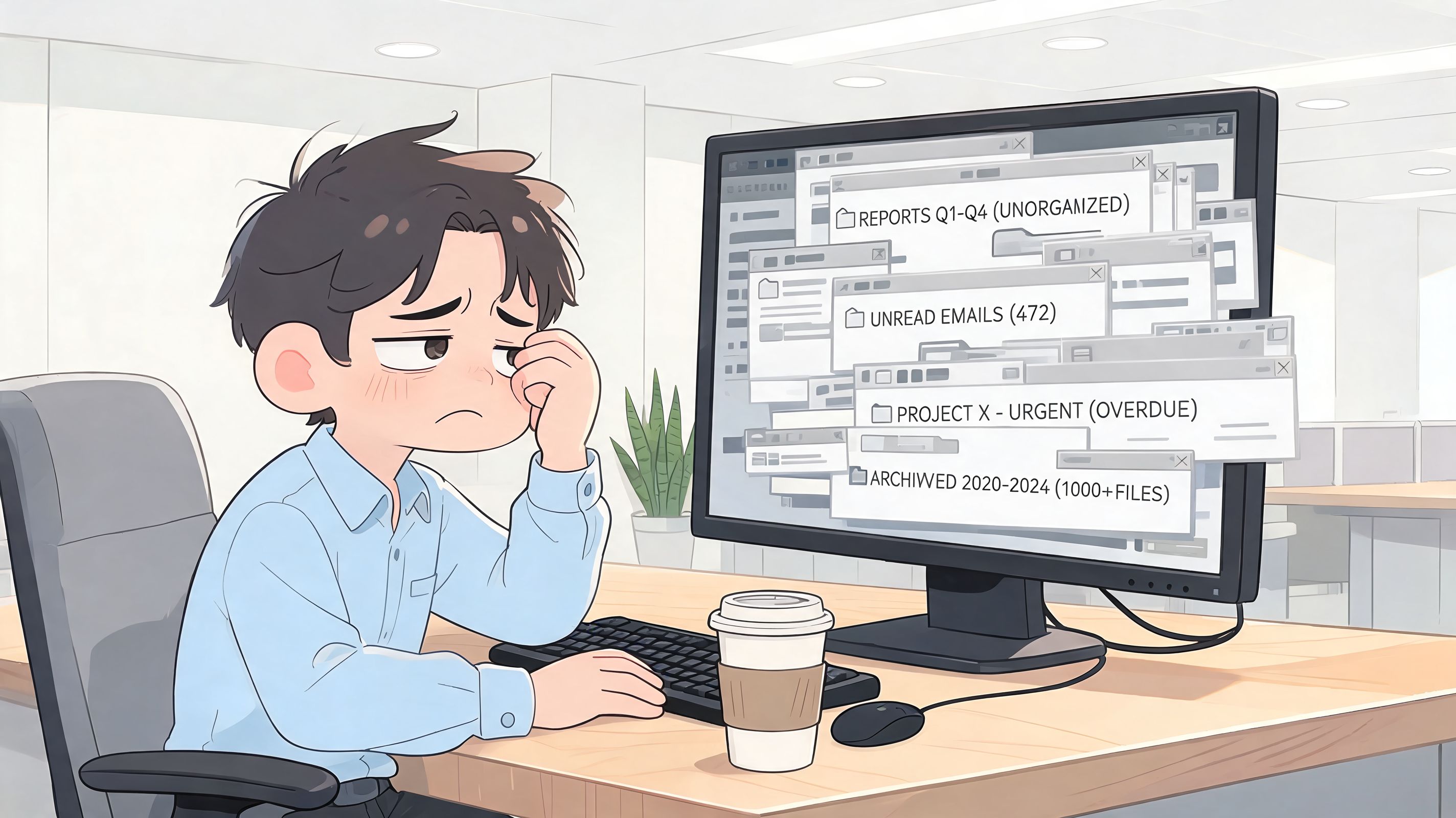
I've seen this pattern enough times that it's hard to call it a training issue anymore. Office staff might tolerate a maze of pages, libraries, and permissions. Frontline teams usually won't. They're moving. They're on shifts. They need one clear place to check what changed and what they need to do next.
The problem isn't just the intranet
Many comparison articles continue to frame this choice as an intranet decision. News feed versus homepage. Branding versus templates. That misses the core operating problem.
MangoApps' comparison of SharePoint alternatives makes a useful point. Many comparisons focus on intranet features while skipping the operational needs of frontline teams. For retail, hospitality, and healthcare, the harder question is whether a platform can bring together chat, shifts, tasks, and policy access. That's not what SharePoint was built for.
If your employees have to leave the tool to do the real work, the tool isn't the hub.
That's why “employee app” has become a more useful category than “intranet” for many teams. The work isn't just reading announcements. It's covering a shift, confirming a task, finding a policy, messaging a supervisor, and doing it on a phone without friction.
Why this feeling has gotten stronger
Work changed. SharePoint mostly didn't.
Teams are more distributed now. More mobile. More dependent on quick answers than on tidy folders. That's part of why so many leaders have started rethinking the old stack, especially after broader concerns about whether legacy systems still deserve trust and attention, as discussed in this look at why many teams are moving on from SharePoint.
The deeper frustration is simple. Employees don't want another place to search. They want the right place to work.
Why SharePoint Fails Your Modern Workforce
SharePoint's core design still shows through everything. It was built around sites, files, structure, and administration. Modern employee platforms are built around participation.
That difference matters more than feature checklists do.
It was built for control, not daily use
A lot of leaders assume low usage means the workforce needs more training. Sometimes that's true. Often it's not. When a platform feels like a records room, people treat it like a records room. They visit when forced.
A practical example comes from Valuebound's evaluation of SharePoint alternatives. In one healthcare organization, active adoption went from under 20% to 75% within six months after moving from SharePoint to Simpplr. That's a striking change, and it points to the fundamental issue. The problem often isn't missing capability. It's usability and participation.
For companies with fewer than 2,000 employees and limited IT support, that same source groups adoption-focused tools like Simpplr, Workvivo, and Happeo as better fits because they deploy faster and need less admin overhead. That's a helpful sanity check for smaller operations teams that don't have a SharePoint specialist hiding in the basement.
The mobile gap hurts the people doing the real work
Hybrid teams can usually work around clunky software. Frontline teams can't.
A warehouse lead checking a policy between tasks, or a nurse looking for an updated process, needs a tool that works cleanly on a phone the first time. The basic management habits are the same as the broader tips for maintaining fair hybrid teams from Firacard. Make information easy to reach, make expectations clear, and don't build one experience for desk workers and another for everyone else. SharePoint struggles on that last part.
Practical rule: If the mobile experience feels like a stripped-down version of the desktop, adoption will always sag at the edges first.
IT dependence becomes its own tax
This is the part many teams underestimate. SharePoint can do a lot, but making it feel simple often takes ongoing admin work, customization, governance, and patience. That's fine if your company wants a highly managed Microsoft environment. It's miserable if your goal is to help employees find what they need and get on with the day.
A SharePoint alternative for employees should lower the amount of translation work between “what the business needs” and “what the platform can reasonably support.” If every small change turns into a mini project, the platform becomes one more bottleneck your managers route around.
That's how official systems lose to group chats and screenshots.
The Five Questions to Ask Before Choosing an Alternative
At 6:15 a.m., nobody cares how polished the demo looked. A supervisor needs to cover a callout, a new starter needs the right process, and someone on the floor needs an answer before the line backs up. That is the standard to use when you pick a SharePoint replacement for employees.

1. Does it work cleanly on a phone?
For frontline and distributed teams, mobile is the product.
Employees should be able to open an update, message a teammate, check a task, or find a policy in a few taps with one hand. If the app feels like a desktop site squeezed onto a smaller screen, usage drops fast. Office staff may tolerate that. Shift-based teams usually will not.
2. Can it support the work, not just the announcement?
A lot of tools are fine at posting news. That only solves part of the problem.
The test is whether the platform helps run daily operations. Can managers assign tasks, confirm follow-through, share training, coordinate across locations, and keep role-specific information easy to find? If the answer is no, the business ends up stitching together chat, spreadsheets, paper notices, and one more app no one wanted.
This is also where teams have to be honest about build versus buy. If your requirements are unusually specific, it helps to understand the trade-offs in comparing custom and pre-built business applications. Custom software can fit edge cases. Off-the-shelf tools are usually faster to roll out and easier to maintain.
3. Can people find each other and get answers fast?
Employees do not just need documents. They need a clear path to the right person.
Look for searchable people directories, team spaces, chat, and permissions that make role-based information visible without making everything hard to reach. In practice, the useful platform is the one that answers three questions quickly: what changed, what do I need to do, and who can help me if I get stuck?
4. Who owns it after launch?
This question saves a lot of pain later.
If every small change has to go through IT, the system ages fast. Operations, HR, and internal comms teams should be able to update core content, manage channels, and adjust workflows without opening a ticket for routine work. Strong governance still matters, but day-to-day upkeep cannot depend on specialists for every edit.
5. Can you measure whether it is replacing sprawl?
Feature lists are easy to pad. Useful systems leave evidence.
Track adoption in practical terms. Are fewer questions bouncing through unofficial chats? Are managers spending less time repeating instructions across shifts? Are employees finding policies and training without asking someone to send a link again? Those are better buying signals than a long checklist of intranet features.
If you want a sharper shortlist, review these SharePoint alternatives for employee communication and operations and pressure-test each option against your actual operating day, not a conference-room demo.
Question | Why it matters |
|---|---|
Does it work well on a phone? | Frontline teams need speed and clarity in the field. |
Can it support daily operations? | Announcements alone do not run shifts, tasks, or training. |
Can people find each other easily? | Employees need answers, context, and the right contact fast. |
Can business teams manage it themselves? | Self-service keeps content current and avoids IT bottlenecks. |
Can we measure whether it reduces tool sprawl? | Adoption only matters if work gets simpler. |
Comparing the Top SharePoint Employee Alternatives
A lot of teams shopping for a SharePoint replacement are not looking for another intranet. They are trying to fix a broken operating day for people who work across shifts, sites, and phones.
That changes the comparison.
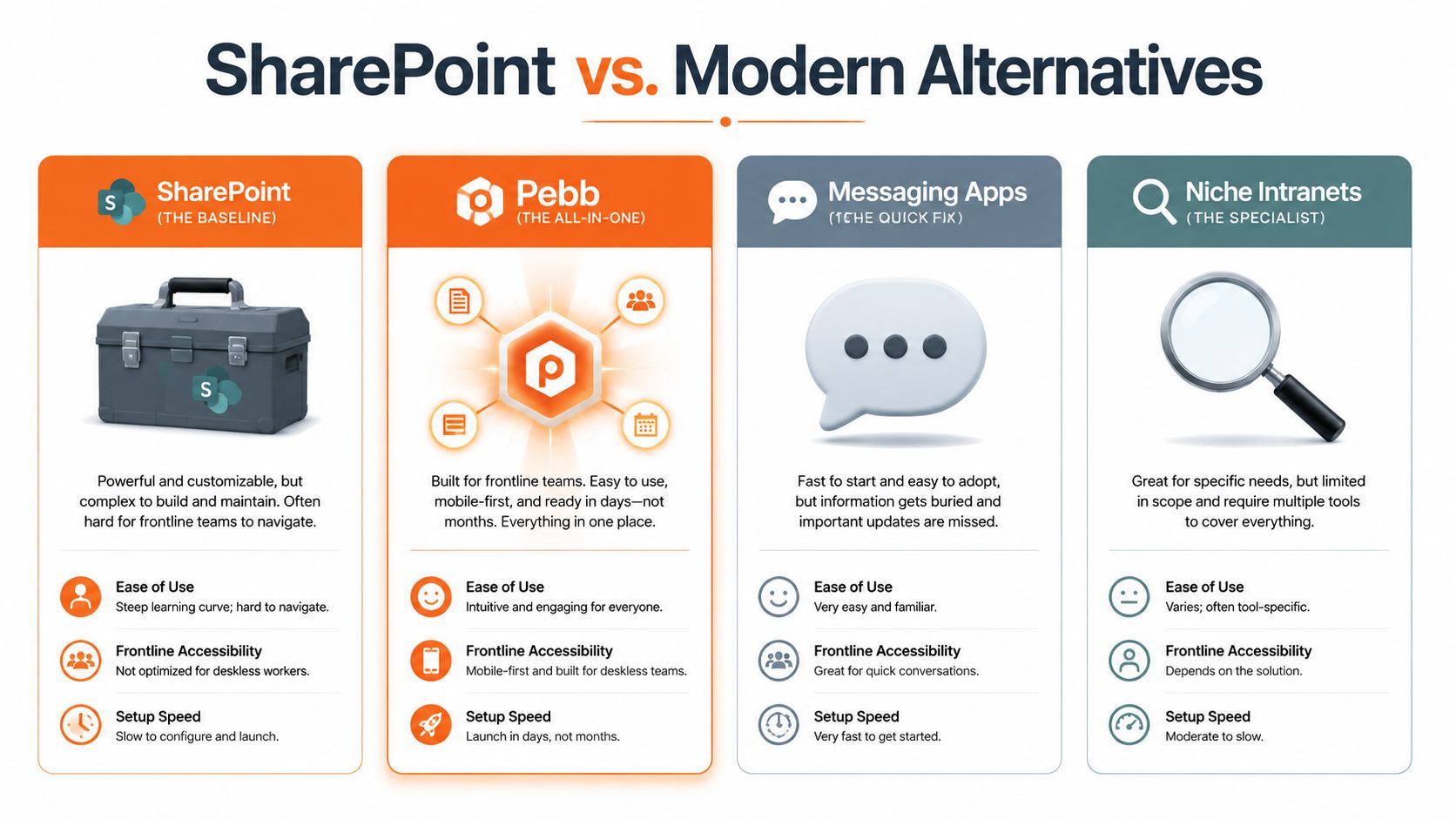
SharePoint alternative feature comparison
Criterion | SharePoint | Workvivo (Comms-First) | Notion (Docs-First) | Pebb (All-in-One) |
|---|---|---|---|---|
Core strength | Document management and structured sites | Employee communication and engagement | Flexible docs, pages, and databases | Communication plus operational work in one app |
Best fit | Companies deep in Microsoft with strong IT support | Organizations prioritizing culture, updates, and engagement | Teams that want a flexible workspace for knowledge and project docs | Frontline and mixed office-field teams that need one place for chat, tasks, shifts, and policies |
Mobile experience | Often clunky for field use | Stronger employee-facing mobile experience | Good for docs, less natural for shift-based operations | Built around day-to-day employee use on mobile |
Operational support | Limited for frontline workflows without add-ons or custom work | Better for communication than operations | Better for documentation than live operations | Handles both communication and daily coordination |
Admin burden | Higher | Lower than SharePoint for employee comms use cases | Lower for team-led setups | Lower when teams want one employee app instead of several |
Trade-off | Powerful, but heavy | Great front door, may need other tools behind it | Flexible, but not a frontline operating layer | Broader scope means you should validate fit across departments |
SharePoint as the baseline
SharePoint still fits a certain kind of company. If your environment already runs on Microsoft, your IT team can support it properly, and your main priority is document control, it can remain the right system.
The trouble starts when leaders expect that same system to serve warehouse staff, store teams, drivers, clinicians, or field technicians. In those environments, employees need fast access from a phone, clear updates, and tools that support the next task, not just the next file.
Workvivo and the communications-first path
Workvivo appeals to companies that want employees to read updates, react to posts, and feel connected to the business. That has value, especially if your current SharePoint setup feels like a graveyard of stale pages.
The trade-off shows up later. If announcements improve but tasks, shift coordination, forms, and policy lookup still live elsewhere, you have solved visibility without fixing the work itself. That trade-off matters more on the frontline than it does in a head office.
AgilityPortal's comparison of SharePoint alternatives makes the mobile gap clear. Native mobile apps tend to serve distributed teams better than systems originally built around desktop browsing and document structures.
A better news feed helps communication. It does not close the gap between a manager and the next shift.
Notion and the docs-first route
Notion is a solid choice for teams buried in messy documentation. It is flexible, easier to maintain than old intranet page trees, and generally easier for business teams to shape on their own.
That does not make it an operations system. In practice, Notion works best when the core problem is knowledge management, team documentation, or project coordination. It is less natural for shift-based work where people need chat, assignments, updates, and reference material in the same flow.
Pricing across this category also varies for a reason. Different tools are built for different jobs. Some are priced like document platforms. Some behave more like communication hubs. Some try to replace several employee tools at once. The question is not which price looks lowest on a comparison table. The question is how many extra systems you still need after buying it.
The all-in-one route
All-in-one employee platforms take a more practical approach for distributed teams. They try to keep communication, coordination, and information access in one place so supervisors are not stitching together the day across multiple apps.
That is why this shortlist of SharePoint alternatives for employee communication and operations is useful. It compares products based on how employees operate, especially when the same team needs chat, updates, tasks, files, and scheduling in the same app.
A product like Pebb is worth considering if your workforce spans office staff and frontline teams and you want fewer handoffs between systems. The broader the scope, the more important it is to test the product with real managers and real shift scenarios, not just a clean demo environment.
If your team is debating whether to customize the current stack or replace it, this guide on comparing custom and pre-built business applications helps frame the decision clearly. More control usually means more maintenance. Faster deployment usually means accepting some product boundaries.
I have seen teams make the wrong call by buying for the homepage instead of the handoff. A polished landing page impresses executives. A working mobile flow saves a supervisor 20 interruptions before noon.
How Pebb Unifies Your Frontline and Office Teams
The difference between a tool category and a useful app shows up in ordinary moments.
A store manager opens the app before opening hours. There's a last-minute change to the rota. One person is out. Another can cover, but only after lunch. An announcement needs to go to the full location, a private message needs to go to one supervisor, and a task needs to be reassigned before customers arrive. If those actions live in separate systems, the manager starts stitching the day together by hand.
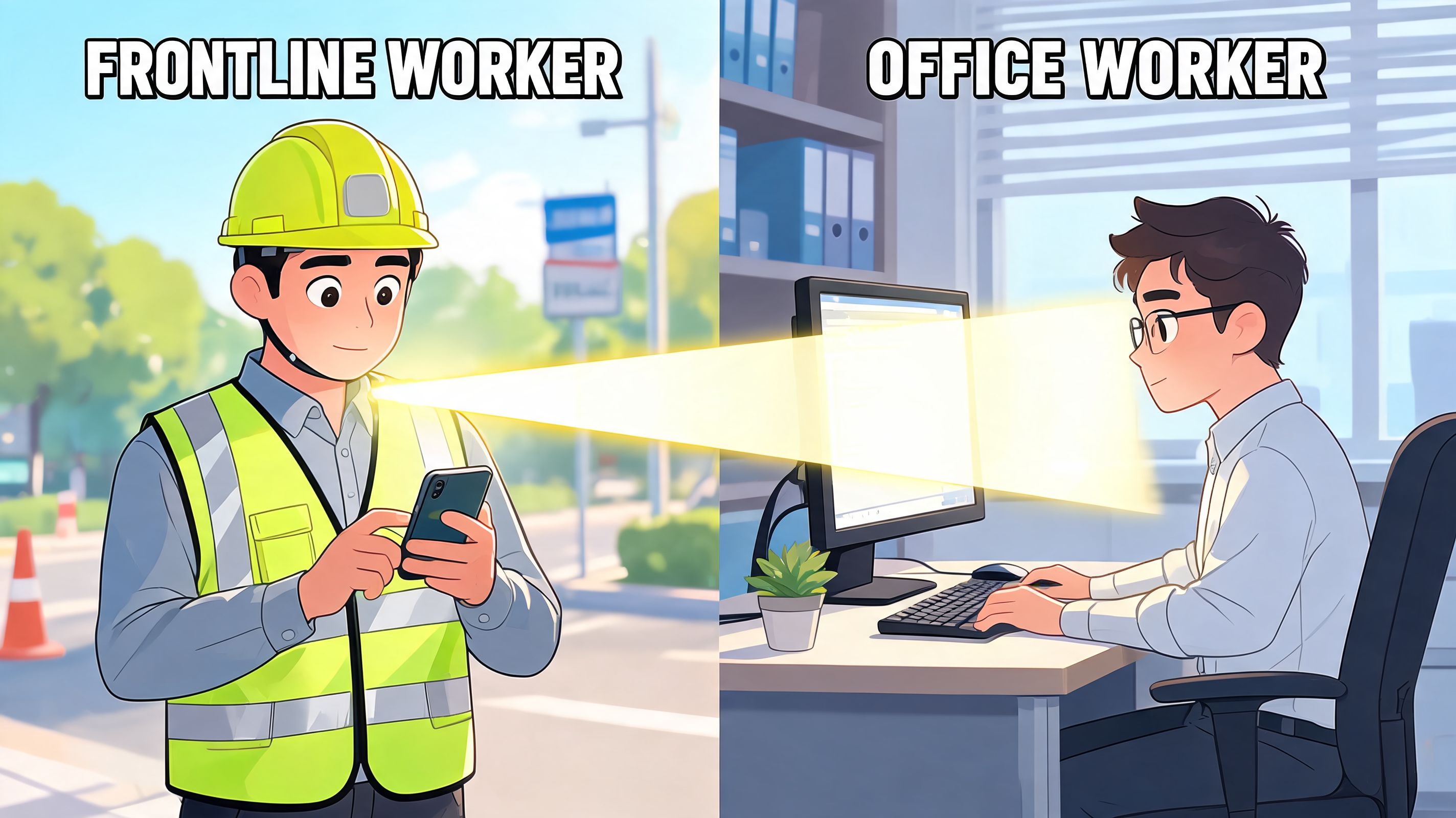
One place beats five tabs
What changes in a unified app is not just convenience. It's continuity.
The team chat, updates, tasks, files, and schedules sit close enough together that employees don't have to remember which system owns which part of the day. A new employee can clock in, open a training doc, message a lead, and check a team space without bouncing between disconnected tools.
That's especially important for mixed teams. Office staff can tolerate fragmented software because they're usually sitting at a desk with time to figure things out. Frontline staff need one clear path.
Search should answer, not just return files
Newer platforms have raised the bar. BHyve's comparison of enterprise SharePoint alternatives describes the shift well. AI-native platforms provide synthesized answers with source verification instead of making employees sort through file lists, and they can reduce knowledge discovery time from over 10 minutes to under 90 seconds. In time-sensitive work, that difference is not cosmetic.
A supervisor doesn't want eight possible versions of a policy. They want the right answer and the source behind it.
When people are busy, “search” really means “help me stop looking.”
Spaces make the mess manageable
The practical value of team spaces is that they mirror how work already happens. A store, region, department, or onboarding group gets its own area. Chat, posts, tasks, files, and schedules stay tied to the people doing the work.
That sounds small. It isn't. Most workplace software breaks because it forces everyone into one giant, abstract company layer. Employees need the company-wide view and the local working view. Both.
If you're comparing tools head-to-head, this look at Pebb versus SharePoint for fast-growing teams is a useful product-specific reference. The broader point is simpler. A SharePoint alternative for employees works better when communication and operations live together, especially for teams that don't sit at desks all day.
Moving Your Team Away From SharePoint
The migration itself is rarely the hardest part. The harder part is deciding what deserves to move at all.
Most SharePoint environments have years of buildup inside them. Old pages. Duplicate files. Dead team sites. Workarounds nobody trusts but nobody wants to delete. If you carry all of that forward, you're just relocating clutter.
Start with what people actually use
Don't begin with a full export. Begin with an audit.
Ask a few plain questions and answer them truthfully:
What do employees open every week. Policies, schedules, onboarding guides, task boards, or department updates.
What is legally or operationally important. Keep the material that matters for compliance, safety, or continuity.
What exists only because no one wanted to decide. Archive it. Don't reward indecision with migration effort.
Run a pilot with a real team
Pick one group with obvious pain. A store cluster. A clinic. A field service team. Somewhere the current setup causes daily friction.
Give that group a working version of the new system, not a half-built experiment. Let them use it for real communication and real tasks. Watch where they get stuck. Fix those points before a wider rollout.
Field note: Pilots work best when the group already has something to gain, not when they've been voluntold to test software.
Train champions, not just end users
A rollout sticks when local leaders know how to help others use the tool in context. Not in theory.
That usually means identifying supervisors, coordinators, or team leads who can answer practical questions. Where do I find the updated checklist? How do I message the shift group? Where do I confirm a task? Those people matter more than a polished launch deck.
Explain the why in plain language
Employees don't need a transformation speech. They need a reason.
Tell them what gets easier. Fewer tools. Faster answers. Cleaner communication. Less searching. Then follow through. If the new platform creates a simpler day, people will feel the difference quickly.
Common Questions When Leaving SharePoint
What do we do with all our documents
You don't have to move everything at once. Move active, important content first. Archive the rest. For many teams, the smarter approach is separating “working knowledge employees need now” from “legacy material we must keep.”
Will we lose security and control
Not automatically. The right replacement depends on your requirements, governance model, and how much of your current Microsoft setup you need to preserve. Some teams need deep enterprise controls. Others mostly need clear permissions and fewer accidental workarounds. Be specific about your real requirements before assuming the old system is safer.
Is this too expensive for a smaller business
Not always. The market now includes lower-cost alternatives with more focused use cases. As noted earlier, entry pricing across tools like Google Workspace, Notion, Confluence, and Box shows that teams can choose by need instead of defaulting to one heavyweight platform.
Do we need to replace SharePoint completely
No. Some companies keep SharePoint as a back-end repository and put a more usable employee layer on top. Others replace the employee-facing experience first, then reduce SharePoint's role over time. That slower path is often easier politically and operationally.
How do we know people will actually use the new tool
You won't know from the demo. You'll know from the first two weeks of real work. If employees can message, find policies, complete tasks, and stay aligned from their phones without asking where things live, adoption usually follows.
If your team is done forcing employee communication and frontline work into a tool built around sites and file structures, Pebb is worth a look. It brings chat, updates, tasks, files, scheduling, and team spaces into one employee app, which makes it a practical option for companies that need a real SharePoint alternative for employees, not just a prettier intranet.
