
A Scheduling App That Finally Ends the Chaos
Discover how the right scheduling staff app can move you beyond spreadsheets and bring calm, clarity, and communication to your team.
Dan Robin
A great staff scheduling app is really just a communication tool. At its best, it brings a sense of calm and clarity to the messy world of managing shifts. We built ours to replace the tangled web of spreadsheets, group texts, and last-minute phone calls that drive everyone crazy. It’s one reliable place to turn.
Your Schedule Is a Communication Problem, Not a Spreadsheet Problem
Let's be honest. For too many businesses, the weekly schedule is the single most stressful document they produce. It feels like a high-stakes game of Tetris, trying to jam names, hours, and last-minute requests into neat little boxes.
We pour hours into balancing the needs of the business with the lives of our people, only to have the whole thing upended by a single text message. The forgotten sticky notes, the frantic phone calls, the spreadsheet that’s already outdated the second you hit “save”—it's a frustrating cycle. We’ve been there.
Here’s the thing: this isn’t a sign that you’re disorganized. It’s a sign that you’re using the wrong tool for the job.
Using a Static Tool for a Dynamic Problem
Spreadsheets were built for numbers, not people. They were never designed to manage fluctuating human availability, complex overtime laws, or last-minute shift swaps. A spreadsheet is just a static grid. Scheduling is a living, breathing process.
It can’t tell you who’s about to hit overtime, who is actually free to cover a sick call, or if a team member has even seen the latest version. It's a one-way broadcast, not a two-way conversation.
And that’s where the real problem lies. Scheduling isn't just about plugging names into a calendar; it's a constant act of communication and negotiation. It’s about fairness, predictability, and respect. When your main tool is a spreadsheet, you're unintentionally creating friction and anxiety for everyone. For frontline teams, this constant uncertainty is a huge source of stress and a major reason people leave.
The goal isn’t just to fill empty slots. It’s to build a predictable, fair, and transparent system that respects everyone’s time—both the business’s and the employee’s.
Let's look at how a modern app fundamentally changes the game.
Old Way vs New Way of Staff Scheduling
This table breaks down the shift from the chaotic manual methods we've all tolerated to a more unified, intelligent approach.
The Task | The Old Way (Spreadsheets & Texts) | A Better Way (Unified App) |
|---|---|---|
Creating Schedules | Manual data entry, endless copying and pasting. | Drag-and-drop shifts, templates, and auto-scheduling. |
Sharing Schedules | Emailing PDFs, texting photos of a printout. | Instantly publish to the app; everyone gets a notification. |
Managing Changes | Frantic group texts, multiple versions of the truth. | A single, live schedule that updates for everyone in real-time. |
Handling Time Off | Sticky notes, verbal requests, texts that get lost. | Centralized requests that managers can approve or deny in one click. |
Filling Open Shifts | Calling down a list of employees one by one. | Post an open shift and let qualified, available staff claim it. |
Tracking Overtime | Manually calculating hours, risking costly errors. | Automatic alerts when an employee is approaching overtime. |
It's clear that sticking with outdated methods means you’re working harder, not smarter. A dedicated app handles the administrative burden so you can focus on leading your team.
Shifting Toward Clarity
The demand for better tools is exploding for a reason. In the fast-paced world of frontline work, the global market for employee scheduling software is expected to jump from $485.32 million in 2026 to an incredible $1,369.44 million by 2035. This growth is being driven by the urgent need for smarter ways to manage teams, especially as flexible work becomes standard in retail, hospitality, and healthcare. You can discover more insights about this market growth on globalmarketstatistics.com.
Ultimately, a staff scheduling app should be far more than a digital calendar. It needs to be the central hub where work gets done. A great app simplifies the entire workflow by being a communication tool built for shift work and frontline teams, finally making the schedule a source of clarity, not chaos.
What a Great Scheduling App Actually Does
Forget the endless feature lists for a second. A truly great scheduling app is so much more than a digital calendar with a few extra bells and whistles. It's a tool that fundamentally changes the relationship between a manager, their team, and the clock.
It’s the difference between guessing and knowing. Between broadcasting a schedule into the void and actually having a conversation about it. Think of it as a central hub for communication, a safeguard for your budget, and a culture-builder—all wrapped up in a simple roster.
Before we had dedicated apps, managers were stuck duct-taping a system together. You'd have a spreadsheet for the main grid, a flurry of text messages for last-minute changes, and a mess of sticky notes for time-off requests. This image pretty much sums up the chaos.
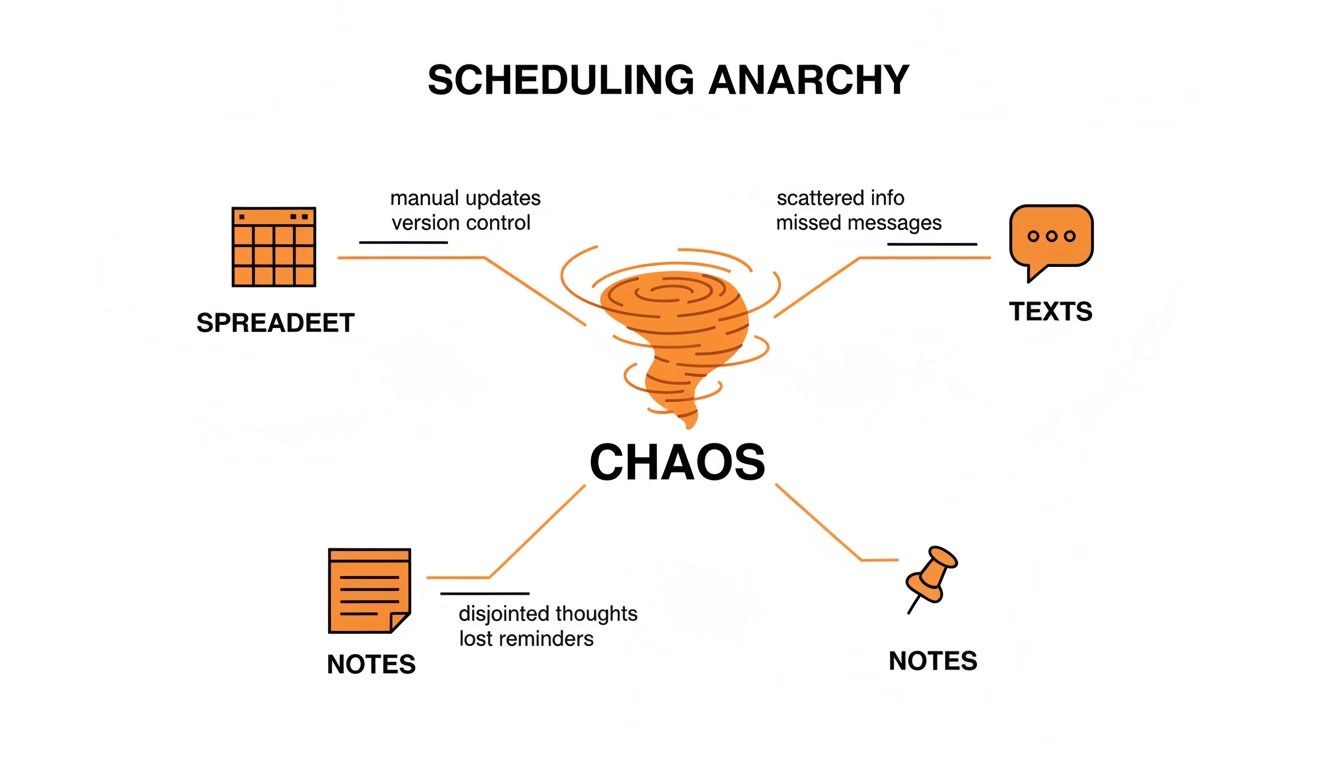
This picture captures that fragmentation perfectly. Every separate tool is another potential point of failure, pulling everyone in different directions and creating a recipe for stress and confusion.
It Builds Schedules Around Real Lives
A top-tier app gets that your employees are people with lives outside of work. It’s not just about plugging names into empty slots; it’s about respecting their commitments and availability.
The best tools let your team update when they can and can’t work, right from their phones. This gives the manager a real-time, accurate picture of who is actually available before they even start building the schedule. No more texting ten people to cover a shift only to find out eight of them were never free to begin with. It shifts scheduling from an annoying guessing game to a respectful, organized process.
A schedule built on accurate availability is the foundation of trust. It shows your team you see them as people, not just resources to be managed.
It Protects Your Time and Your Budget
Managers shouldn't have to moonlight as human calculators. A great scheduling staff app takes care of the tedious math that leads to expensive payroll mistakes, especially when it comes to overtime.
It should give you a heads-up when assigning a shift will push an employee into overtime, letting you adjust before it hits your labor costs. This isn't just about saving money, either. It's about preventing burnout. Unexpected overtime can be just as disruptive for an employee's life as it is for your bottom line. An app that gives you this kind of visibility helps you build more balanced, sustainable workloads for everyone. For a good look at what a modern tool can do, you can explore the key features of Matchwise.
The goal is to make the right choice the easy choice. When you can instantly see the financial and human impact of every shift, you’re set up to schedule more thoughtfully. You can find a deeper dive into what makes a great employee scheduling app in our complete guide.
It Connects Everything in One Place
Finally, the best tools understand that scheduling doesn’t exist on an island. It’s directly connected to clocking in, managing paid time off, and day-to-day communication.
An app that brings all these functions together gets rid of the friction of bouncing between different systems. Your employees should be able to see their schedule, clock in for their shift, and request a day off—all from the same screen on their phone. This seamless experience saves time, cuts down on mistakes, and just makes life simpler for the whole team. It recognizes that these are all just different parts of the same conversation, and it treats them that way.
The Hidden Costs of Bad Scheduling
It's tempting to look at the monthly fee for a scheduling staff app and see it as just another line item on the budget. But that’s a dangerously shortsighted view. The real cost of scheduling isn't what you pay for a tool; it's the price you pay in turnover, lost productivity, and the slow, quiet bleed-out of team morale.
Sticking with spreadsheets and messy group chat threads isn't free. In fact, it's incredibly expensive—just in ways that don't show up neatly on an expense report.
The Revolving Door of Turnover
Let’s be real for a minute. Unpredictable schedules are a top reason frontline employees walk out the door. When a team member can’t plan their life around their job—especially one of the 60% of frontline staff paid hourly—burnout is right around the corner. They can't line up childcare, take a night class, or simply have a life.
This constant state of uncertainty creates a revolving door. You pour time and money into hiring and training someone new, only to watch them leave a few months later because the scheduling chaos was too much. It’s a costly, demoralizing cycle. A stable, transparent schedule helps you break it. The fallout from poor planning is huge, which is why you might be interested in how poor time management impacts employee well-being.
Lost Productivity and Compliance Headaches
Every single hour a manager spends wrestling with an Excel sheet is an hour they aren't on the floor coaching, training, or connecting with customers. Instead, they're stuck in the back office drowning in low-value admin work instead of actually leading. That’s a massive productivity drain.
The most expensive part of bad scheduling isn't the direct cost, but the opportunity cost. It’s the leadership, growth, and customer service that never happens because your managers are trapped in administrative quicksand.
And then you have the compliance risks. Accidental overtime, miscalculated pay, and fair workweek violations can lead to some seriously painful fines. To get a real grip on how this hits your bottom line, it's crucial to master your restaurant's labor cost percentage.
The explosive growth of the appointment scheduling software market—a close cousin to our world—tells the same story. That market ballooned from $205.85 million in 2018 to a projected $546.31 million by 2026 for one simple reason: businesses finally realized that disorganization is just too expensive. A good tool isn’t a cost center; it’s an investment in stability.
How We Built Scheduling for Humans
When we decided to build a scheduling tool, we didn't start with a long list of features. We started by listening. We spent time with frontline managers and their teams, and we kept hearing the same story—a story of frustration and digital fatigue.
They were juggling too many apps. One for chat, another for clocking in, and a separate, clunky tool for the actual schedule. It was a disconnected mess that made simple tasks feel way more complicated than they should. Information got lost, and everyone felt a little out of sync.
So, we took a different path. Our core belief was simple: scheduling shouldn’t be a separate, isolated task. It should live right where the work actually happens.
Built Inside the Conversation
We built our scheduling staff app directly into the heart of Pebb, inside the same “Spaces” where teams are already communicating. This wasn't just about convenience; it was a philosophical choice. A schedule is a conversation, so why would you force that conversation to happen in a different app, away from all context?
Here’s what that looks like in practice. A manager can create a schedule, see real-time availability from their team, and publish it with a single click. The moment it goes live, everyone gets an instant notification, right within the app they already have open. No more emailing PDFs or texting screenshots.
For employees, the experience is just as simple. They can see their upcoming shifts, clock in for work, and request time off from the same app they use to chat with colleagues or read company updates. It’s one tool, one login, one seamless flow.
Scheduling tools are becoming a massive industry for a reason. Workforce management software is projected to grow into a $12.04 billion market by 2031, because disconnected systems cause real problems, like the 15% productivity loss seen in warehouses from poor rostering alone. You can read the full research about these workforce trends on kbvresearch.com.
More Than Just a Roster
Our goal was never just to build another digital calendar. We wanted to build something that felt human, intuitive, and genuinely helpful. The real power comes from this deep integration.
Clarity over Chaos: When the schedule is posted in the team’s Space, everyone sees the same version. No more confusion over who has the "latest" spreadsheet.
Context is King: A manager can discuss an open shift right in the team chat, and an employee can ask a question about their hours without having to switch apps.
One Source of Truth: Time-off requests, shift swaps, and availability updates all live in one place, creating a reliable, transparent system for everyone.
We focused on the why behind the design. The goal was to reduce the mental load for managers and make life easier for their teams. It’s about more than just filling slots on a calendar; it’s about building a calmer, more connected workplace where technology actually serves the people using it.
A Simple Checklist for Choosing Your Tool
Searching for the right staff scheduling app can feel like you're drowning in options. Every website you visit makes the same flashy promises, and after a while, they all start to sound the same. How do you cut through the marketing noise and find a tool that will actually make your life easier?
Let's be real: a long list of features isn't the answer. The true test is how a tool fits into the day-to-day rhythm of your business. Instead of getting bogged down in feature-for-feature comparisons, focus on a few simple, direct questions that get to the heart of what matters.
Does It Connect Scheduling with Communication?
This is probably the single most important question you can ask. If the schedule lives in one app and all your team's conversations live somewhere else, you’re just setting everyone up for confusion and extra work. You want a tool where scheduling and communication are two sides of the same coin.
Think about it: can a manager post an open shift and have the team discuss it right there? Can an employee ask a quick question about their hours without having to jump over to a different app? When these conversations are tied directly to the schedule, you eliminate misunderstandings and save everyone a ton of time.
How Quickly Can We Get Started?
Your team is already juggling a dozen things. The last thing they need is a complicated software rollout that takes months to figure out. The right tool should be so intuitive that you can get your team onboarded and actively using it this week, not next quarter.
The best tools don’t require a user manual. They’re designed with such care and simplicity that people just get them. If it feels clunky during the free trial, imagine how frustrating it will be when you have a real scheduling fire to put out.
Does it demand extensive training sessions, or can someone figure out the basics in a few minutes on their phone? Look for a simple invite process and a clean, mobile-friendly design. The barrier to entry should be practically non-existent.
Does It Do More Than Just Manage Shifts?
A schedule is just one piece of the operational puzzle. The best platforms get this. They understand that a truly connected team needs more than just a digital roster—they need a central place to find key information, learn about their colleagues, and stay in the loop with company news.
Does the tool also offer a people directory, a spot to store important documents, or a channel for sharing updates? A great scheduling staff app doesn't just manage hours on a calendar; it becomes the digital hub for your entire operation. It should bring your team closer together, not just tell them when to show up.
Choosing a tool is about more than solving a logistics problem. It's an investment in a calmer, more connected, and more efficient way of working.
To help you with your evaluation, we've put together a quick checklist. Use these questions when you're talking to vendors or trying out a new app to make sure you're covering the most important bases.
Essential Questions for Choosing a Scheduling App
Question to Ask | Why It Matters | The Ideal Answer |
|---|---|---|
Can I build and publish a full week's schedule in under 15 minutes? | Your time is valuable. Complex, clunky builders create administrative drag and frustration. | Yes, the interface is drag-and-drop, uses templates, and makes publishing instant and easy. |
How does your app handle last-minute shift changes and communication? | Scheduling is dynamic. You need a tool built for real-world chaos, not just perfect-world planning. | Changes are pushed instantly to mobile with notifications, and managers can communicate with the team directly in the app. |
Will my team actually enjoy using this on their phones? | If the app is ugly, slow, or confusing, your team won't use it. Adoption is everything. | The mobile app is clean, fast, and highly-rated in the app stores. It's designed for frontline workers, not office staff. |
Does the tool integrate with our existing payroll or HR system? | Disconnected systems mean manual data entry, which leads to errors and wasted hours. | Yes, it offers direct integrations with major platforms like Gusto or ADP, or provides simple export options. |
What does your support look like when we have an urgent problem? | When payroll is on the line or a schedule is broken, you can't wait 48 hours for an email response. | We offer real-time chat or phone support with people who understand the pressures of managing an hourly team. |
Ultimately, the best tool is the one your team will actually use. By focusing on these core principles—usability, communication, and real-world application—you'll find a platform that doesn't just fill a gap but genuinely improves how your team works together.
Beyond the Schedule: Building a Connected Team
A perfect schedule is a great start, but let's be honest—it's just one piece of the puzzle. A truly effective, resilient operation isn’t just built on well-managed hours. It’s built on clear communication, shared knowledge, and a genuine sense of belonging.
This is where a lot of scheduling tools completely miss the mark. They treat the roster as the finish line, when it’s really just the starting block. We believe the best scheduling staff app makes the schedule feel like a small, quiet part of a much larger, healthier ecosystem. It shouldn’t be just another app your team has to open.
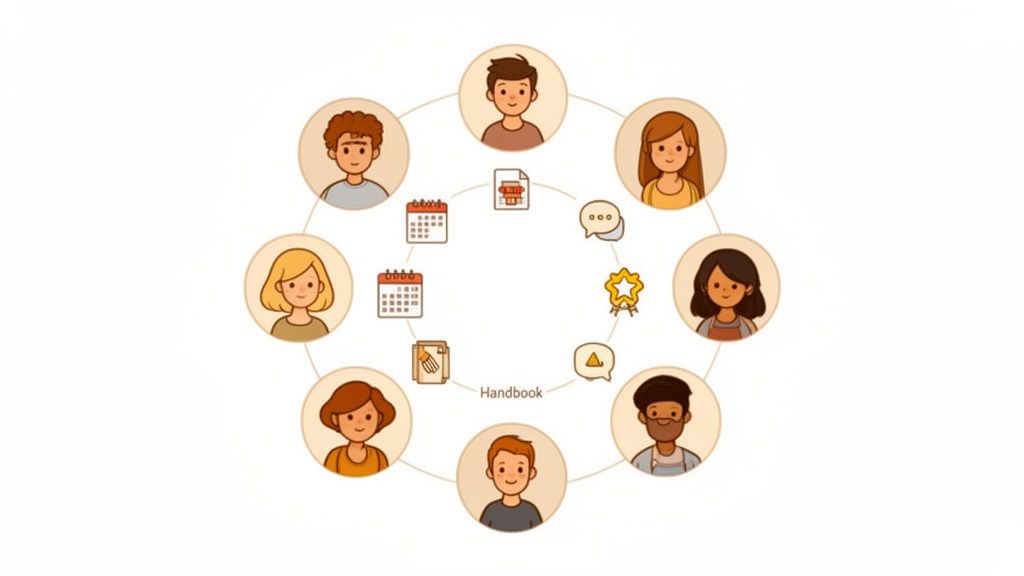
Think about it: when the schedule lives in the same place as team chats, project updates, and shout-outs, it becomes more than a list of times. It becomes part of the team’s daily rhythm—a natural element of how work gets done, not a separate chore to manage.
A Final Thought
This isn’t a hard sell. It’s an invitation to take a step back and look at your own workplace.
Are your tools creating more work or actually making things simpler? Are they connecting your people or just creating more silos? The real goal isn’t just to schedule staff, but to build a company where people feel seen, informed, respected, and connected to something bigger than their shift.
Look for a tool that gets this. Find a platform that sees the whole picture, because a schedule is only as strong as the team it supports. The ultimate aim is to create a workplace where technology fades into the background, leaving more room for the human connections that truly matter.
Frequently Asked Questions
We talk to a lot of managers who are thinking about moving away from spreadsheets and paper schedules. Here are a few of the most common questions that come up in those conversations, along with some straight-to-the-point answers.
What’s the Biggest Mistake Companies Make with a Staff Scheduling App?
Hands down, the biggest mistake is picking a tool that only solves one tiny piece of the puzzle. When you get a staff scheduling app that’s a standalone tool, you’re just creating another login for your team to remember and another app they have to check.
It just adds to the digital noise and burnout. The best move is to find a single, unified platform where the schedule lives right next to daily communication, company updates, and team chats. That way, checking the schedule becomes a natural part of the daily workflow instead of feeling like another chore.
How Long Should It Take to Roll Out a New App?
Honestly? It shouldn't take long at all. A week is way too long. Even a few days feels like a stretch. If an app is genuinely intuitive and built for busy people on the go, you should be able to get your entire team onboarded and actively using it in a single day.
Look for a tool that lets you invite everyone with one simple link. A complicated, drawn-out implementation process is usually a major red flag. It’s a sign that the tool is probably too complex and won't get the adoption you need from your frontline teams to make it worthwhile.
A lengthy rollout process is a symptom of a deeper problem: the tool wasn't designed with your team's reality in mind. Simplicity isn't a feature; it's a prerequisite for success.
Can an App Actually Improve Employee Morale?
Absolutely. For hourly teams, things like predictability, transparency, and a sense of fairness are huge for morale.
When your people can easily see their schedule, request time off, and communicate their availability without having to chase you down, it sends a powerful message: their time is respected. This small shift does wonders for reducing stress and building a foundation of trust. It’s not just about being more efficient; it's about treating your team like the valuable people they are.
Ready to bring some calm and clarity to your team's scheduling? Pebb brings communication, scheduling, and operations together in one simple app your team will actually love to use. Start your free trial today.
