
The Messy Art of Employee Scheduling (And How to Fix It)
Discover how the employee scheduling app simplifies shifts, cuts admin time, and boosts team morale. A practical guide to choosing the right tool.
Dan Robin
We’ve all been there. You’ve built the perfect schedule—a beautiful, color-coded spreadsheet that looks like a work of art. Then, at 7 AM, you get the text: "I'm sick, can't make it."
And just like that, your perfect plan implodes. What follows is a frantic scramble of texts and phone calls, trying to plug a hole in a sinking ship. You feel less like a manager and more like an emergency dispatcher.
This isn't just a headache. It’s a quiet chaos that slowly drains your business and your people. Let's be honest about the real cost of doing things the old way.
The Hidden Costs of Bad Scheduling
For years, many of us managed schedules with spreadsheets and group chats. We thought it was fine. It felt free. But it wasn't.
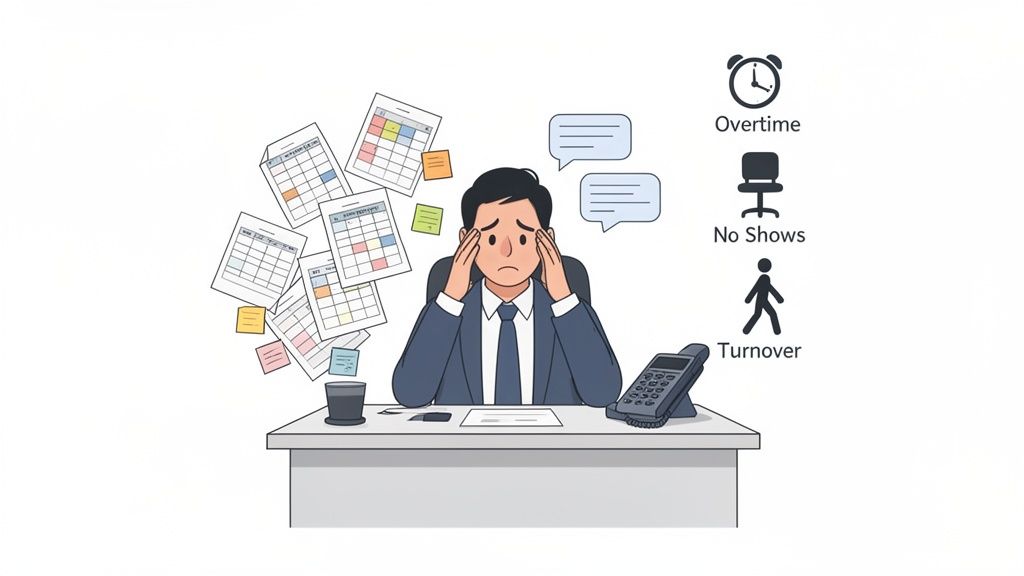
The real price isn't the hours you spend building the schedule. It's the unplanned overtime that blows up your labor budget. It's the no-show that hobbles a busy shift. It's the slow, steady drip of great employees leaving for a job that offers more predictability.
The Financial and Human Toll
That constant uncertainty grinds people down. When your team can't plan their lives because schedules are late or change without warning, morale plummets. It’s a direct path to burnout. And burnout leads to turnover, which throws you right back into the expensive cycle of hiring and training. You can read more about how poor time management impacts employee well-being here.
Here’s the thing: all this chaos is a symptom of using old tools for a modern problem. Spreadsheets were never built to handle the fluid needs of a real team. They create friction, miscommunication, and waste.
Studies show that poor scheduling can lead to 20-30% higher labor expenses due to these very inefficiencies. But adopting the right software can cut those costs by optimizing shifts and reducing no-shows.
A Calmer Way to Operate
This isn't about finding a magic tool that solves every problem overnight. It's about acknowledging that the old way is fundamentally broken. By tackling these inefficiencies, businesses can improve business productivity and build a more stable, positive place to work.
The goal is to shift from reactive scrambling to proactive planning. A good employee scheduling app isn't about flashy features. It's about building a calmer, more predictable system where everyone knows what to expect. It's about giving managers and employees a sense of control over their time—one of the most valuable things you can offer.
So, What Exactly Is an Employee Scheduling App?
Let's clear something up. An employee scheduling app isn't just a digital calendar. For too long, we've thought of scheduling as a static grid of names and times. That’s like comparing a paper road atlas to a live GPS. One is a snapshot; the other is a dynamic, living system.
A proper scheduling app is the central nervous system for your team's day-to-day work. It’s the command center where everything connects. Think about it: a schedule is more than a document. It's a promise to your customers about who will be there to serve them. It's a commitment to your staff about what their week holds. When that system breaks, everything else gets harder.
That's where these tools come in. They go way beyond the grid.
More Than Just a Roster
A good app doesn't just tell you who is working and when. It manages the entire lifecycle of a shift. It becomes the single source of truth everyone can actually rely on. This means it has to handle all the messy, human parts of the job.
It needs to handle things like:
Live Updates: The second a change is made, everyone affected gets a notification. The "I never got the text" excuse dies.
Shift Swaps: Someone can't make their shift? Instead of a group chat blowing up your phone, they can offer it up. A qualified coworker can claim it. You just approve it. Simple.
Time-Off Requests: Requests are submitted, tracked, and approved in one place. The app automatically blocks off those dates when you build future schedules.
Availability: Team members update their own availability. You're always building schedules based on reality, not guesswork.
From Static Plan to Dynamic Operation
The real magic of a modern scheduling app isn't creating the perfect schedule. Let's be honest, the "perfect" schedule rarely survives first contact with reality. The app's true power is how easily it helps you adapt when things change.
A spreadsheet is a photograph of your plan. An employee scheduling app is a live video feed of your operation.
When an employee calls in sick, the app instantly shows you who is available and has the right skills to cover. When you need to add a last-minute shift for an unexpected rush, you can post it and let your team volunteer. It transforms a manager’s biggest headache into a simple, calm process.
Ultimately, it’s about reducing friction. It connects scheduling with communication, availability with payroll, and you with your team. It’s less of a tool you use and more of a system you and your team live within—one that brings order to the beautiful chaos of running a business.
Separating Must-Have Features from the Noise
When you start digging into employee scheduling apps, it's easy to get overwhelmed. The feature lists are a mile long. The jargon is dense. Every tool promises the world.
Let’s cut through the noise.
After years in the trenches managing teams, I’ve learned a simple truth: a reliable tool that does a few things exceptionally well is worth more than a complicated one that promises everything. Your team doesn't need a hundred features. They need a handful that just work. Every time.
These are the non-negotiables.
The Absolute Essentials
Think of these as the foundation. Without them, you’re just using a clunky digital spreadsheet. You’ll be right back where you started—chasing people down and putting out fires.
A Genuinely Simple Mobile App: This is non-negotiable. If your team can’t check schedules and swap shifts easily from their phones, the whole system fails. It has to be intuitive enough for your least tech-savvy employee to just get it.
Real-Time Notifications: The moment a schedule is published or a shift changes, everyone needs to know. Instantly. Push notifications are the bedrock of reliable communication.
Easy Shift Swapping: This one is huge. Instead of you playing middleman, employees should be able to offer up a shift for a qualified coworker to claim. All you have to do is give the final nod. This feature alone saves hours.
Clear Time-Off Management: Requests need to be submitted and tracked in one place. Period. Managers need a clear view of who's off so they aren't accidentally scheduling someone for their vacation. For a deeper look, check out our guide on finding a great employee time-off app.
These four pillars form the core of a system that actually reduces your workload. They build trust and give your team ownership over their schedules.
This diagram shows how these core functions—scheduling, communication, and operations—come together in a useful app.
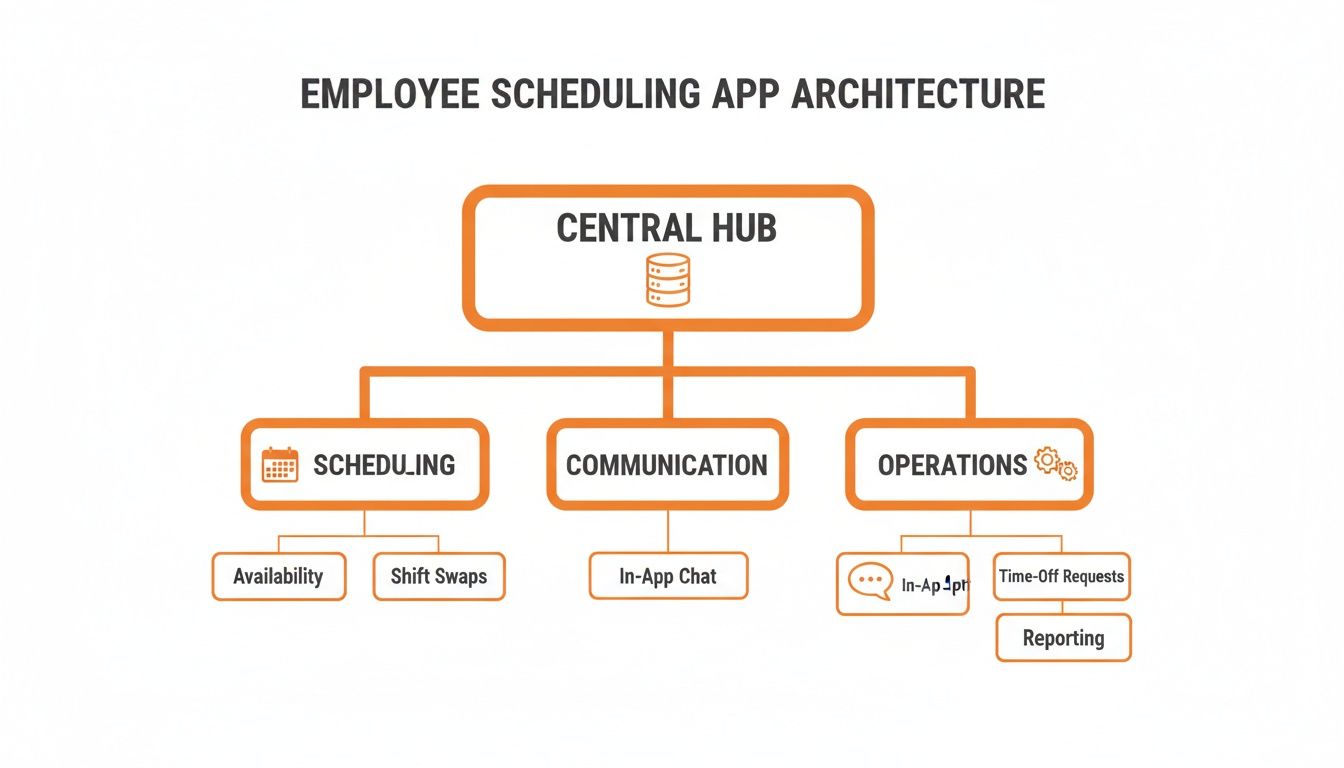
As you can see, everything branches out from a central hub. This ensures your scheduling isn't stuck on an island but is connected to how your team actually works.
Advanced Tools for When You Grow
Now, let's talk about the next level. These features aren’t for everyone right out of the gate, but for a growing business, they can be game-changers. The key is knowing when you need them.
An advanced feature is only useful if it solves a real problem you have today, not a hypothetical one you might face someday. Don’t pay for complexity you don’t need.
Advanced tools often include things like:
Labor Cost Forecasting: As you build the schedule, the app shows you a real-time estimate of your labor costs. Incredibly helpful for a growing restaurant watching every dollar.
Compliance Alerts: For businesses in regulated industries or cities with predictive scheduling laws, this is a lifesaver. The app can automatically flag potential overtime violations or "clopening" shifts.
AI-Powered Optimization: Some tools use AI to suggest the "perfect" schedule based on sales forecasts and employee skills. Powerful stuff, but often overkill for a small cafe that just needs to know who's opening tomorrow.
Here’s a simple way to think about what to prioritize now versus later.
Essential vs. Advanced Scheduling App Features
This table helps you prioritize what matters for your team right now, and what you can look for as your needs evolve.
Feature Category | Essential (Must-Have) | Advanced (Nice-to-Have for Growth) |
|---|---|---|
Scheduling & Shifts | Drag-and-drop schedule builder, templates, open shifts, shift swaps, and mobile access. | Auto-scheduling based on demand, cross-location scheduling, and skills-based assignments. |
Communication | In-app messaging, push notifications for updates, and team announcements. | Read receipts, dedicated channels for specific teams, and communication logs. |
Time & Attendance | Mobile clock-in/out and integrated time-off requests. | Geofencing for clock-ins, automatic timesheet approvals, and payroll integration. |
Reporting & Analytics | Basic schedule reports and employee availability summaries. | Labor cost forecasting, sales vs. labor reports, and overtime and compliance monitoring. |
Compliance | Overtime alerts and break tracking reminders. | Predictive scheduling law compliance, union rule management, and fair workweek alerts. |
The goal isn't to find an app with every feature under the sun. It's to find one that solves your specific problems with clarity and simplicity. Start with the essentials. Get those right. And only when you feel the growing pains, look for the tools to help you take the next step.
Why All-In-One Platforms Are the Future
Scheduling doesn't live on an island. It’s tangled up in everything your team does—how they talk, the tasks they need to do, and how they get paid. For too long, we’ve treated scheduling like a separate problem solved with a standalone tool.
Let me be blunt: relying on a standalone scheduling app is a mistake. It’s a band-aid that creates more headaches than it solves.
Think about it. You’re adding yet another app for your team to juggle, another password to forget, another silo of information cut off from where the actual work happens. The goal shouldn't be to add more tools to the pile. It should be to bring everything together.
From Standalone Tool to Seamless Experience
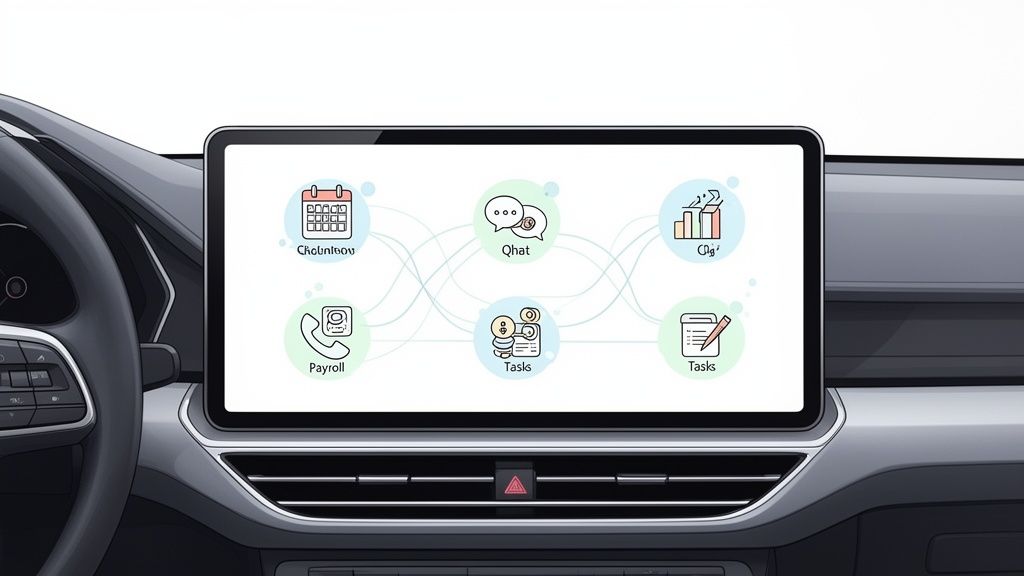
It’s like buying a separate GPS for your car. Sure, it works. But you have to stick it on the dashboard, fiddle with the power cord, and hope you remembered to bring it. Compare that to the navigation system built right into your car’s dashboard. It's a completely different experience—seamless. It already knows your route, your music, and your calls, all in one spot.
That’s the difference between a standalone app and a true all-in-one platform. One is a tool; the other is a complete, connected experience.
When your schedule lives in the same place as your team chat and task lists, something fundamental shifts. The schedule stops being a document and becomes the pulse of your daily operations.
This unified approach gets rid of so much friction. Imagine posting the weekly schedule and having it pop up directly in your team's main communication channel. The classic "I didn't see the update" excuse vanishes. It's right there, woven into their daily conversations.
The Real-World Impact of Integration
The benefits here go way beyond convenience. When your scheduling is connected to everything else, you start seeing real wins. You can link a specific shift directly to a to-do list for that shift. A new hire can see their schedule right next to their onboarding checklist.
This is where the magic happens. Optimized schedules can lift productivity by 25%, slash overtime costs by 30%, and improve employee satisfaction scores by a whopping 40%—all thanks to fairer shift distribution and clearer communication. You can dig into the data yourself by checking out the full report on the employee scheduling software market.
The ultimate goal is a single source of truth that makes work simpler, not more complicated. When an employee opens their work app, they shouldn't have to bounce between four screens to figure out what's going on. They should see their shifts, messages, and tasks in one calm, organized place.
That’s not just about better software. It’s about a better, more respectful way to run a team.
How Scheduling Apps Work in the Real World
Feature lists are great, but the true test of any tool is how it performs in the chaos of a busy workday. What happens when your best-laid plans meet a last-minute sick call? That’s where you see the difference between an organizer and a problem-solver.
Let’s step away from theory and look at a few moments every manager knows all too well.
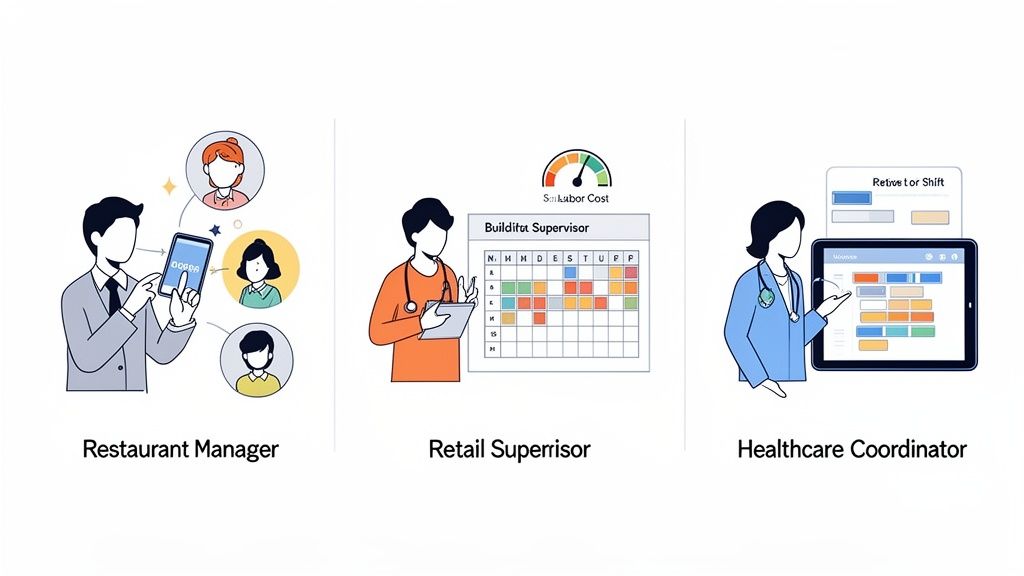
The Restaurant Manager and the Last-Minute Sick Call
It's 4 PM on a Friday. The dinner rush is an hour away. You get a text from your lead server: "So sorry, I have the flu and can't make it in." That familiar knot forms in your stomach. The old way meant a frantic scramble, blasting out a dozen "Can you cover?" texts and just hoping for the best.
Now, rewind. With a scheduling app, you get the text, open the app, and mark the shift as "open." A notification instantly goes out to every qualified server. Within minutes, two people offer to take it. You pick one, the schedule updates, and everyone is notified.
What used to be a 30-minute stress-fest just became a calm, two-minute task. Crisis averted.
The Retail Supervisor and the Holiday Rush
Holiday staffing is a high-stakes guessing game. You’re trying to predict foot traffic, stick to a tight labor budget, and keep your team from burning out. In the past, you'd build the schedule, post it, and only find out how much you overspent after payroll closed.
A good scheduling app flips this. As the supervisor builds the schedule, a live labor cost forecast updates with every shift. They can see in real time if they're about to go over budget and make adjustments on the fly.
This isn’t just about saving money; it’s about making smarter decisions from the start. You’re turning guesswork into data-driven planning.
This proactive approach is huge. In retail and hospitality, inefficient scheduling can eat up 10-15% of total labor costs. By automating assignments and giving you real-time visibility, apps can slash these specific costs by as much as 20%. For more on these trends, you can explore some insights on Vocal Media.
The Healthcare Coordinator and the Complex Ward
Now, let's take it up a notch. Imagine coordinating nurses across three hospital wards, each with different skill requirements and strict patient-to-staff ratios. A single mistake isn't an inconvenience—it's a compliance risk. A paper schedule just can't keep up.
This is where a modern scheduling app shines. The coordinator can filter staff by certifications—like pediatrics or critical care—to ensure only qualified nurses are assigned. The app will even flag potential compliance issues, like a nurse scheduled for too many consecutive hours, helping prevent burnout and keeping everyone safe.
When a shift opens up, the app doesn't just find an available person; it finds the right person in seconds.
These scenarios aren’t rare. They're the daily grind of managing a team. The right tool doesn't just put names in time slots. It brings calm, clarity, and control right when you need it most.
Choosing the Right App Without the Headache
So, you’re sold. The spreadsheets have to go. You're ready for a smarter way to manage your team’s schedule. But the second you start searching, you're hit with jargon, feature lists, and marketing promises that all sound the same. It feels like a chore.
It shouldn't be that hard. I've found it's better to tune out the noise and ask a few simple, human questions.
Look for Simplicity First
Before you get lost in the weeds, ask one crucial question: Is this simple enough for my least tech-savvy employee to use without any training? If the answer isn't a clear "yes," walk away. An app with a steep learning curve is already failing.
The whole point is to make life easier, not to add another complicated system. If your team has to wrestle with the software just to check their schedule, they'll give up. You’ll be right back where you started, except now you’re paying for an app nobody uses.
The best software is the kind you don't even notice. It just works, getting out of the way so people can do their jobs. Complexity isn't a feature; it's a bug.
Does It Solve More Problems Than It Creates?
Any new tool introduces change. The right app should feel like a breath of fresh air, not another item on your to-do list. Here’s a good gut-check: Will this genuinely make my manager’s life easier during a chaotic Tuesday afternoon?
That’s where it matters. Can your manager fill an open shift in under two minutes from their phone? Can an employee swap a shift without a chain of ten text messages? If an app nails these real-world headaches, you’ve found a winner. It's worth seeing how established employee scheduling providers like 7shifts tackle these specific problems.
Do You Trust the People Behind It?
Lastly, look at the company that makes the tool. Do they seem to get the messy, human side of managing a team? Read their blog. Skim their help articles. Do they sound like real people who have been in your shoes, or is it all generic corporate buzz?
You're not just buying software; you're starting a partnership. You want to work with a team that is genuinely obsessed with making your work life simpler. You can usually get a feel for this in the way they communicate and the clarity of their mission. For a peek into how we think about this, check out our thoughts on the best shift planning tools.
The goal isn't to find the app with the longest feature list. It's to find one that feels like a natural part of your team's workflow—a calm, reliable partner that just works.
Frequently Asked Questions
Picking a new tool always brings up questions. We’ve gathered the most common ones we hear and answered them with the kind of straightforward advice we’d want to get ourselves.
How much does an employee scheduling app cost?
The price can be all over the place. Some apps charge a flat monthly fee, while others charge per user, which can add up as your team grows. You'll see plans that cost just a few bucks per employee per month, all the way up to complex enterprise packages.
But here’s how we see it: the sticker price is only half the story. The real cost is the time you burn on a clunky system. An app that costs a little more but that your team actually loves is a far better investment than a cheaper one that collects digital dust. Look for simple, transparent pricing. If you need a calculator to figure out what you’ll pay, that’s a red flag.
How quickly can we get started?
We believe any tool requiring weeks of setup is fundamentally broken. Getting started should take minutes, not months. The best apps let you invite your team with a single link and are so intuitive that most people can figure them out without a tutorial. If a company pushes a long, complicated onboarding, it often means their software is too confusing to begin with. Your team is busy.
Will it work for my specific industry?
Most solid scheduling apps are flexible. Whether you're running a coffee shop, a retail store, a clinic, or a warehouse, the core challenge is the same: get the right people in the right place at the right time. The trick is finding a tool that handles your specific quirks without being a nightmare. For example, a restaurant needs to manage roles like "server" and "bartender," while a clinic has to track certifications. Look for a tool that makes it easy to customize roles.
The global employee scheduling software market is projected to skyrocket to $1,369.44 million by 2035. That's a clear sign businesses everywhere are ditching one-size-fits-all spreadsheets for more adaptable, mobile-first tools. You can find more insights about this growing market on globalmarketstatistics.com.
What if my team isn’t tech-savvy?
A fair question, and exactly why simplicity is non-negotiable. If an app isn’t as easy to use as your team’s favorite social media app, they won’t use it. The best way to know for sure is to run a small pilot. Before you roll it out to everyone, grab one or two of your least tech-friendly employees and ask them to give it a spin. If they can check their schedule without your help, you’ve probably found a winner.
A great scheduling app should reduce friction, not create it. It should feel less like a corporate mandate and more like a helpful tool that makes everyone’s day a little easier.
Ready to bring calm to the scheduling chaos? Pebb unifies your team's communication, operations, and scheduling in one simple, modern app. See how it works at pebb.io.
