
A Calmer Way to Run Your Business with a Scheduling Employee App
Discover how a scheduling employee app ends the chaos of spreadsheets and texts. Create fair, flexible schedules that save time and keep your team happy.
Dan Robin
It’s a deceptively simple task: figuring out who works when. Yet, it’s the source of so much low-grade, persistent chaos in a business. We’ve all been there. The messy spreadsheet, the frantic group chat, the last-minute phone calls trying to cover a shift.
It starts small, but it never stays that way. This isn't just about logistics. It’s about the human cost of uncertainty.
The Hidden Chaos of Manual Scheduling
For a while, the spreadsheet works. A few names, a handful of shifts. It’s manageable. But as the team grows, that quiet little system starts to fray at the edges. Before you know it, you’re drowning in a sea of version conflicts, missed updates, and constant questions.
You know the drill. The last-minute texts. The no-shows. The constant confusion over who’s actually on the clock. This isn’t just a minor annoyance; it’s a tax on everyone’s attention and energy.
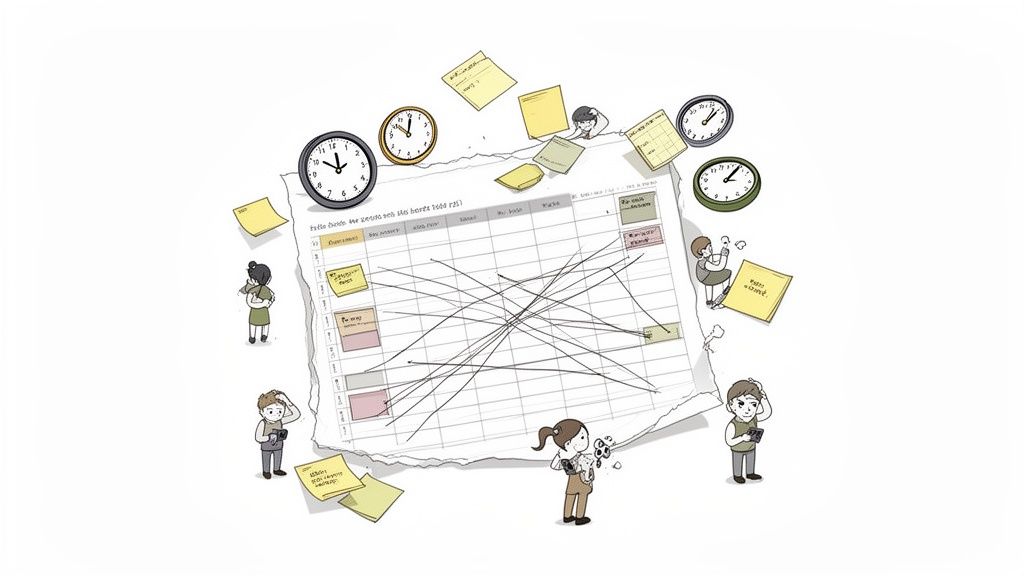
Let’s be honest—scheduling isn’t just an admin task. It’s the very heartbeat of your operation. When the schedule is a mess, everything else suffers.
The Real Cost of a Broken System
We tend to write off scheduling headaches as logistical hiccups. But the human cost is far greater. When an employee doesn't get their schedule until the eleventh hour, it throws their entire life into disarray. Arranging childcare, making appointments, or just planning a personal life becomes an impossible puzzle. That kind of uncertainty is a fast track to resentment and burnout.
Bad scheduling isn't just an inconvenience; it's a silent culture killer. It sends a clear message that your team’s time isn’t valued, creating a foundation of instability that no amount of free pizza can fix.
The ripple effects are real. Businesses clinging to manual methods almost always see higher rates of absenteeism and turnover. A single missed text about a shift change can mean an understaffed floor, frustrated customers, and lost revenue. It’s a domino effect that starts with one disorganized spreadsheet.
Spreadsheets and Group Chats Are Not the Answer
We’ve tried to patch this problem with tools that were never built for the job. Spreadsheets are static. They’re outdated the moment you save them. They offer no graceful way to handle shift swaps or time-off requests without a cascade of manual updates and a high risk of error.
And then there's the group chat. It feels collaborative, but it’s really just a recipe for chaos. Critical information gets buried under an avalanche of memes and weekend plans. Who actually saw the request to cover that shift? Did anyone confirm? It’s impossible to track. The manager becomes a digital detective.
Here’s the thing: these tools are fundamentally broken for the dynamic reality of frontline work. They place the entire burden of communication on individuals, creating friction at every turn. This is why a dedicated scheduling employee app has become non-negotiable for so many businesses. You can explore a variety of modern tools, but the goal is always the same: bring calm and clarity to the chaos. This isn't about adding another piece of software; it's about removing the needless complexity that's holding your business back.
What a Great Scheduling App Actually Does
Let's get one thing straight. A modern employee scheduling app is so much more than a digital calendar. Thinking of it that way is like saying a car is just a faster horse—it misses the point entirely.
A truly great scheduling app is a system for bringing clarity, fairness, and predictability to your entire team. It’s less of a top-down planning tool and more of a collaborative platform that respects everyone’s time. Let's break down what that really looks like.
The Foundational Features
First, the basics. These are the non-negotiables. Without these, you might as well be using a shinier spreadsheet.
A simple, drag-and-drop interface for building schedules should feel natural from the start. You shouldn't need a manual. Since most businesses run on repeating patterns, saving and reusing shift templates should turn hours of work into seconds. And most importantly, the schedule has to live in your employees' pockets. Instant mobile access isn't a feature; it’s the entire point. Clarity on the go is everything.
These features solve the most immediate headaches. They cut down on errors, save a manager’s time, and give employees the basic info they need. But that’s only half the story.
Where the Real Magic Happens
The features that truly set a great employee scheduling app apart are the ones that flip the dynamic from dictating to collaborating. They’re built on the idea that scheduling is a two-way street.
The goal is to move from a world where a manager spends hours solving a puzzle to one where the team helps put the pieces together. It’s about giving people agency over their work lives, within a framework that still serves the business.
Here’s what that looks like. One of the biggest game-changers is scheduling that accounts for employee availability automatically. Instead of a manager cross-referencing a dozen notes, the system simply knows who can work and when. This alone wipes out a massive source of mistakes.
Then you have built-in shift swapping. An employee can offer up a shift, and another can claim it, all inside the app. The manager just gets a notification to approve it with a single tap. All those back-and-forth texts? Gone.
Finally, there’s open shift bidding. When a gap appears, instead of the manager scrambling to call people, they can post the open shift to the team. Qualified employees can volunteer to pick it up. This empowers your team to fill gaps proactively, which almost always leads to better coverage and happier people.
This transition from static calendars to dynamic platforms is why the market for these tools is exploding. The global appointment scheduling software market is projected to grow from USD 635.6 million in 2026 to nearly USD 1,905.90 million by 2034. It’s not just because businesses want new software; it’s because they’re realizing there's a fundamentally better way to run things. You can explore the full market analysis to see how significant this shift has become.
When you add it all up, a great scheduling tool does more than organize time. It builds trust, promotes fairness, and gives a sense of control back to the people who make your business run.
How to Choose the Right Scheduling App
The market for scheduling apps is crowded. At first glance, they all look the same. They all promise to save you time and make life easier, drowning you in an endless sea of feature lists.
So how do you cut through the noise?
We're not going to compare a dozen tools. That’s a recipe for analysis paralysis. Instead, I want to give you a way of thinking about the problem—a set of principles that will lead you to the right decision.
Start by Asking the Right Questions
The best tool for you isn't the one with the most features. It's the one that solves your actual problems. So, before you look at a single product page, ask yourself a few simple questions.
What is the single biggest scheduling problem I'm trying to fix? Is it the constant back-and-forth for shift swaps? Chasing down availability? The sheer time it takes to build the schedule each week? Get specific.
How will my team really use this? Think about your least tech-savvy employee. Can they open this app and figure it out without a two-hour training session? If the answer is no, it's the wrong app. Adoption is everything.
Do I just need another separate tool, or something more connected? This might be the most important question. Are you trying to replace a spreadsheet, or solve a deeper communication problem?
This decision tree can help you visualize that core choice: are you solving for basic logistics, advanced automation, or a truly collaborative environment?
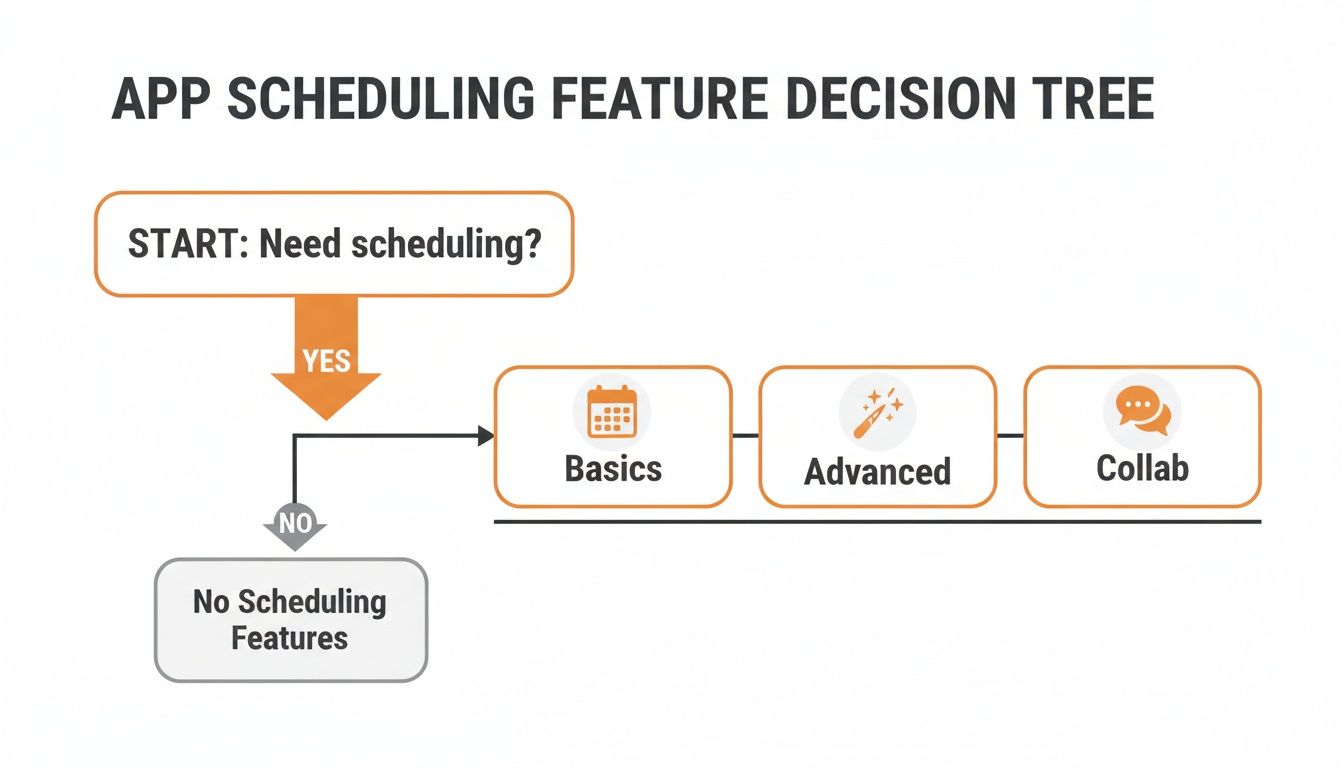
As you can see, the right path depends on whether your problem is just about logistics or a deeper need for teamwork and context.
The Standalone Tool vs. The Integrated Platform
This brings us to a fundamental choice. Most scheduling apps fall into one of two camps.
Standalone scheduling apps are hyper-focused on one job: building and managing shifts. They do it well. They're often simple and a great starting point if your only goal is to finally ditch the spreadsheet.
Integrated platforms, on the other hand, treat scheduling as one piece of a bigger puzzle. In these systems, scheduling lives right alongside team communication, tasks, and PTO requests. It’s all in one place, by design.
It's a small distinction that makes a massive difference.
A schedule without the surrounding conversation is just a timetable. It tells you who is working and when, but it completely misses the why and the how. That context is where the real work happens.
Think about it. When a shift needs to be covered, the conversation starts in a group chat. When an employee is running late, they send a text. When you need to explain a task for an upcoming shift, you attach that note to the schedule.
When your scheduling app is disconnected from these conversations, you create friction. You force your team to jump between apps just to coordinate a simple change. This patchwork of tools is the very chaos you’re trying to escape.
And as you shop around, don't forget security. Your employees' data is sensitive. Any app you consider needs strong data protection. For complete peace of mind, it's wise to work with a firm that provides robust cyber security. Protecting your team's information isn't an optional extra; it's a foundational responsibility.
An integrated platform removes this friction. The schedule, the chat, the tasks—they all live together, giving context and clarity to every shift. It’s a calmer, more coherent way to run your business because it mirrors how your team already works.
Standalone Tool vs Integrated Platform: A Quick Comparison
Consideration | Standalone Scheduling App | Integrated Platform |
|---|---|---|
Primary Goal | Efficiently create and distribute schedules. | Unify all frontline operations in one place. |
Core Function | Focused entirely on shift planning and management. | Combines scheduling with chat, tasks, PTO, and more. |
Team Experience | Requires switching between apps for communication. | Seamless experience; context lives with the schedule. |
Information Flow | Data is siloed, making big-picture insights harder. | Centralized data provides a holistic view of operations. |
Best For | Teams with very simple needs, solely focused on scheduling. | Businesses wanting to solve scheduling and communication. |
Ultimately, a standalone app can feel like adding another tool to the pile, while an integrated platform aims to replace the messy pile altogether.
Why Integrated Scheduling Changes Everything
Let’s be honest. Scheduling problems are rarely just about scheduling. They're communication problems, availability problems, and even payroll problems in disguise. A messy schedule isn't the disease; it's a symptom of a deeper tangle in your operations.
This is why thinking of your scheduling employee app as part of an integrated platform isn't just a "nice-to-have." It's a fundamental shift. When your scheduling tool is one piece of a unified workspace, you’re not just organizing shifts—you’re untangling all those frustrating knots.
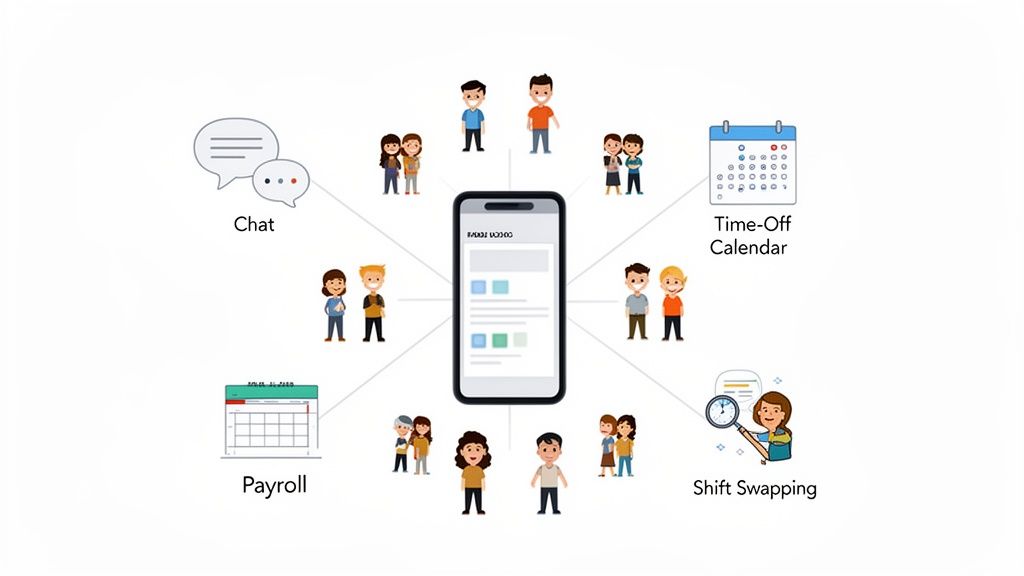
You’re getting rid of the draining friction that comes from juggling a patchwork of disconnected tools.
From Disconnected Chaos to a Single Source of Truth
Think about how it usually works. A manager builds the schedule in one app, announces it in another, and then gets bombarded with a dozen individual texts about swaps and time off. Every one of those handoffs is a place where things can—and do—go wrong.
An integrated system pulls these scattered pieces together. It creates a single source of truth that everyone can trust. The goal isn't to add another tool to the pile; it's to replace the chaotic mess of spreadsheets, chats, and emails with one calm, coherent system.
When the schedule lives where the conversation happens, context is never lost. Every shift, every request, and every update is part of a bigger, clearer picture that the whole team can see.
This approach just gets it: work isn’t a series of isolated tasks. It’s a continuous flow of communication. A good system should support that natural flow, not chop it up. You can read more about how HR system integration trends are pushing more companies toward these unified platforms.
Real-World Scenarios Where Integration Wins
This isn't just theory. The difference becomes crystal clear in everyday situations.
Here’s how it plays out:
In retail, someone posts a shift swap. Instead of getting buried in a group chat, it pops up in the team’s dedicated channel. A coworker claims it with a tap, the manager approves, and the master schedule instantly updates for everyone. No manual edits, no confusion.
In hospitality, an employee requests vacation time. The moment it’s approved, those dates are automatically blocked off in the scheduler. The manager can't accidentally schedule them. The system remembers, so you don’t have to.
In healthcare, a nurse clocks in, and the system flags that they're approaching overtime. It sends an automatic alert to their supervisor, allowing for a proactive adjustment instead of a costly surprise on the payroll report. Compliance becomes part of the workflow.
In each case, the integration between scheduling, communication, and time tracking does the heavy lifting. It connects the dots, automates the tedious work, and cuts down on human error.
At the end of the day, this isn't about finding a better calendar. It's about finding a better, more connected way for your team to work together.
How to Introduce a New App Without the Groans
You did it. You found the perfect tool. But now comes the real challenge—getting your team to actually use it. Let’s be real, even the most amazing software is worthless if it just sits there.
Too many companies handle this with a blunt, top-down mandate. A mass email goes out, a new login appears, and everyone is expected to get on board. This almost always backfires, sparking resistance and making the new tool feel like another chore.
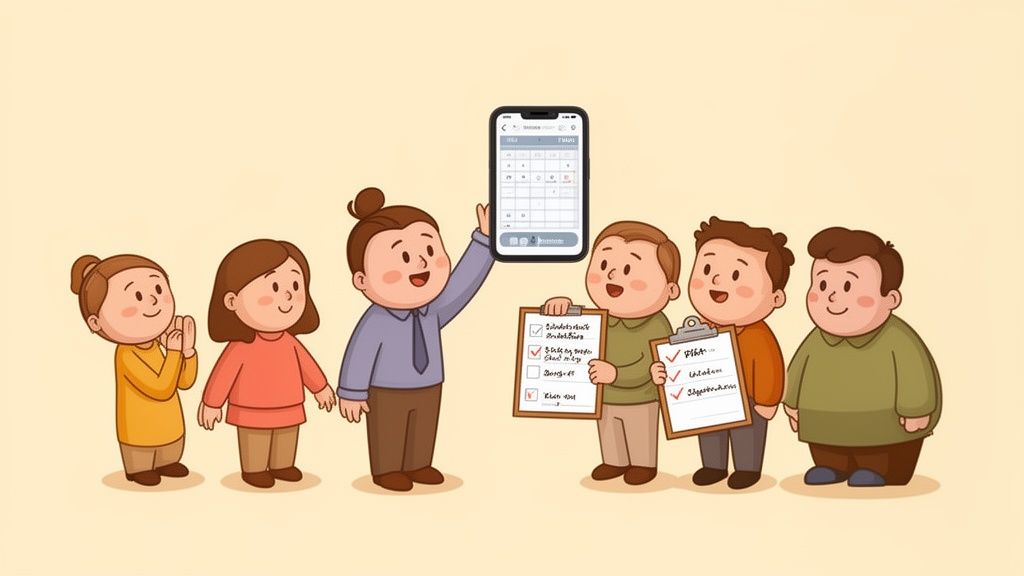
There’s a much better, more human way to do this. It’s a strategy built on collaboration, not commands.
Start Small and Build Momentum
Forget the big-bang launch. Instead, start with a small pilot group. Handpick a few of your most trusted, tech-savvy team members—the ones whose opinions others respect. This isn't about playing favorites; it's smart strategy.
Work closely with this small crew for a week or two. Let them use the scheduling employee app in their day-to-day work. Their feedback is pure gold. It helps you iron out the kinks before you go live with everyone else.
Even better, this turns them into your champions. When the rest of the team sees their respected peers already using and loving the new tool, that natural skepticism starts to fade.
Clearly Communicate the "Why"
This is the biggest mistake managers make: they focus on the what instead of the why. Nobody gets excited about logging into "a new scheduling platform." They get excited about what it does for them. Your entire rollout needs to answer one simple question for every employee: "What’s in it for me?"
Frame the new app around their pain points.
For employees: "Say goodbye to guessing games with your schedule. Swapping a shift will take two taps, not ten texts."
For managers: "You’re about to get hours of your week back. All that time you spend building schedules can now be spent coaching your team."
This isn’t marketing fluff. It’s about respecting their time and showing them you chose this tool to make their lives genuinely easier. If you want to dive deeper, we have a whole guide on how internal campaigns can drive platform adoption.
Provide Simple, Hands-On Guidance
Ditch the 100-page user manuals. Nobody has time for that. Your training should be quick, visual, and focused on the three or four things they’ll do every day. A two-minute video showing how to view a schedule and request a shift change is a thousand times more powerful than a dense PDF.
The real test of a new tool isn't whether people can use it, but whether they want to. The rollout is your one chance to show them it's worth their time.
The market for these tools is exploding for a reason. The global employee scheduling software market was valued at around USD 500 million in 2023 and is projected to skyrocket to USD 1.3 billion by 2032. Businesses are seeing real results, with 57% of companies in one study reporting major efficiency gains. You can read more about these market insights on employee scheduling software.
Ultimately, launching a new app is a human challenge, not a technical one. It’s about leading with empathy and guiding your team toward a better way of working.
Got Questions About Scheduling Apps? We've Got Answers.
We get it. Ditching the familiar chaos for a dedicated scheduling app can feel like a huge leap. It’s normal to have questions. Here are some straight answers to the ones we hear most.
How Much Time Will a Scheduling App Actually Save Us?
A lot. More than you probably think. The savings aren't just for managers; they ripple out to the entire team.
Managers consistently report cutting their scheduling time by 50-75%. Imagine: no more chasing down availability, manually tallying hours, or getting stuck in endless text threads. We've seen restaurant managers who used to block off five hours every week get the whole thing done in less than one.
But the real magic is that employees save time, too. They see their schedules instantly, can request swaps with a tap, and get automatic reminders. The entire process just flows because the friction is gone.
Will My Less Tech-Savvy Employees Be Able to Use It?
Yes—if you pick the right app. The best tools are designed with an obsession for simplicity. They should feel as natural as sending a text message.
Here’s the ultimate test when you’re looking at options: "Could my most experienced, longest-tenured employee open this app and figure it out without needing a manual?"
Great technology should adapt to how people work, not force people to adapt to it. A successful launch depends entirely on choosing an app that feels welcoming and obvious to every single person on your team.
If an app feels clunky or confusing during a demo, it will be a disaster for your team. Look for a clean design and a flow that just makes sense.
What's the Real Difference Between a Scheduling App and a Workforce Management System?
This one gets to the heart of what different businesses actually need. Let’s break down the jargon.
A standalone scheduling app is a laser-focused tool. Its main job is to do one thing well: build and manage shifts. It’s the perfect replacement for your spreadsheet.
A full workforce management (WFM) system is the whole toolbox. It’s a massive, complex suite that bundles scheduling with advanced labor forecasting, payroll, and deep compliance tools. WFM systems are powerful, but they can be expensive and overwhelming for teams without a dedicated HR department.
An integrated platform hits the sweet spot in the middle. It takes scheduling and combines it with the things directly tied to it, like team communication and time off requests, all in one simple app. It's built for businesses that know scheduling problems are almost always communication problems in disguise.
Can an App Really Help with Labor Law Compliance?
Absolutely. In fact, this is one of the most underrated superpowers of a modern scheduling employee app. It can be your first line of defense against costly mistakes.
Many apps have features to help you navigate the maze of labor regulations. You can set up rules that work automatically in the background. They can flag potential overtime, enforce mandatory breaks between shifts, and help with predictive scheduling laws by proving you’re providing schedules with the required advance notice.
By building these rules into your workflow, the app transforms compliance from a manual checklist into an automated safety net. It’s a quiet but powerful feature that can save you from major headaches.
Ready to see how a unified platform can bring calm and clarity to your team? Pebb combines scheduling, communication, tasks, and more into one simple app that your team will actually love to use. Learn more about Pebb and start building a better way to work.
