
Build an Engaging Profile of Employees
Profile of employees - A powerful profile of employees connects your team. Go beyond a directory; learn to build engaging employee profiles people actually
Dan Robin
You already know the feeling.
Someone asks a simple question. “Who on the night shift knows this client?” “Do we have anyone who can train the new hires in Spanish?” “Who’s used this machine before?” It should take two minutes. Instead, it turns into a scavenger hunt across chat threads, half-remembered introductions, old spreadsheets, and the one manager who seems to know everybody.
That’s usually the moment I can tell whether a company is connected or just busy.
A good profile of employees sounds like a tiny thing. It isn’t. It’s one of those plain, unglamorous systems that subtly determines whether people can find each other, trust each other, and get work done without friction. When it’s missing, work feels bigger and slower than it should. When it’s done well, a company starts to feel smaller, clearer, and a lot more human.
That One Question That Takes Three Days to Answer
The worst version of this problem doesn’t look dramatic. It looks normal.
A supervisor needs someone who can help onboard a new warehouse associate. A regional lead wants to know which site has experience with a difficult customer account. A nurse manager is trying to find a colleague who’s worked a particular schedule pattern before. Nobody’s asking for a strategic overhaul. They just need a name.
Instead, people start guessing.
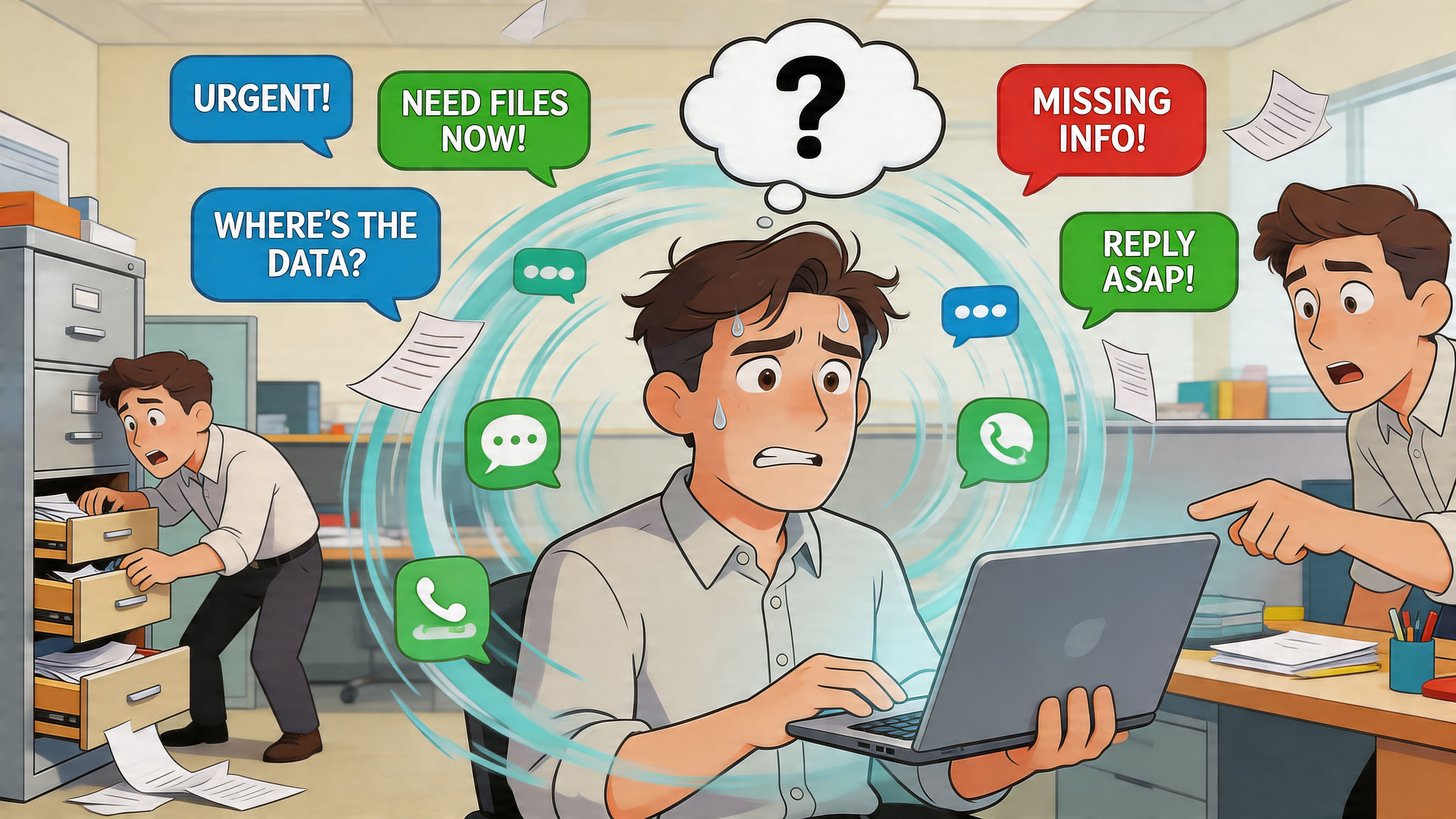
Small delays reveal bigger cracks
I’ve seen teams accept this as part of work. It shouldn’t be. When people can’t quickly tell who knows what, who works where, or who’s the right person to ask, they stop trying to reach across teams. They rely on the same familiar people. Knowledge gets trapped. Newer employees stay invisible. Frontline workers get left out first because they’re not sitting in the channels where informal knowledge tends to flow.
That’s not just an efficiency problem. It’s a connection problem.
Gallup’s State of the Global Workplace reported that 20% of employees worldwide were engaged in 2025, and estimated $10 trillion in lost productivity tied to disengagement. Those numbers are enormous, but the day-to-day symptoms are ordinary. People don’t know each other. They don’t know where to go for help. They don’t feel seen beyond their shift, title, or location.
Practical rule: If it’s hard to find expertise inside your company, engagement work is already harder than it needs to be.
Visibility comes before engagement
A lot of companies try to fix culture with announcements, surveys, and values posters. Some of that helps. But if your people can’t find each other, your culture has a plumbing problem.
You can’t build trust in the abstract. You need a way for employees to become visible to one another in the flow of work. Not exposed. Visible. There’s a difference.
A useful employee profile makes that happen. It gives people enough context to connect without needing an introduction from someone in the middle. It shortens the distance between “Does anyone know who can help?” and “Yes, talk to Maria on second shift.”
For office teams, that’s convenient. For frontline teams spread across sites and schedules, it changes the game.
What an Employee Profile Really Is (And Isn’t)
The phrase “employee profile” does itself no favors. It sounds like compliance paperwork wearing a name tag.
It often brings to mind a dead intranet page with a job title, a phone number, and a headshot taken under bad fluorescent lights. That kind of profile exists to satisfy a system. Nobody goes there to work better.
A good profile is different. It acts more like a personal user manual than a record.
What it is
When I say profile, I mean a living page that answers the questions coworkers have.
Who is this person? What do they do? What are they good at? What language do they speak? What kinds of problems can they help with? How do they like to communicate? What context would make it easier for me to work with them well?
That sounds simple, but it changes behavior. People stop seeing coworkers as titles in an org chart and start seeing them as reachable humans with useful experience.
A company starts feeling human again when employees can learn more than a name and a title from each other.
This matters more in distributed companies than in small co-located teams. In a small office, people absorb context by proximity. They overhear things. They bump into each other. They learn who’s sharp at what. In a workforce spread across home offices, restaurants, warehouses, clinics, and field sites, that context doesn’t appear by magic. You have to build it.
What it isn’t
It isn’t surveillance. It isn’t a data grab. It isn’t a digital cabinet full of details nobody asked to share.
It also isn’t a substitute for management. A profile can help people connect, but it won’t fix bad leadership, unclear expectations, or a broken onboarding process. I’ve seen teams expect a directory to solve deeper trust issues. It can’t.
A profile also shouldn’t become a personality test disguised as culture. If you ask for too much, people stop participating. If every field feels performative, profiles turn into polished little masks instead of useful tools.
The real job of a profile
The point is to make a company feel easier to function within.
That means a profile should reduce friction in three places:
Finding people: who to ask, where they sit, what they know
Starting work together: how to reach them, what context helps
Building familiarity: enough human detail to make outreach feel natural
That last part gets ignored. It shouldn’t. People don’t connect because HR says they should. They connect when a profile gives them a reason to start a real conversation. Shared language. Similar clients. A common interest. A note that says, “Ask me about training new hires” or “Happy to help with late-shift handoffs.”
That’s when the profile of employees stops being a database and starts acting like connective tissue.
The Anatomy of a Great Employee Profile
Most profiles fail for one of two reasons. They’re either too thin to be useful, or too bloated to be trusted.
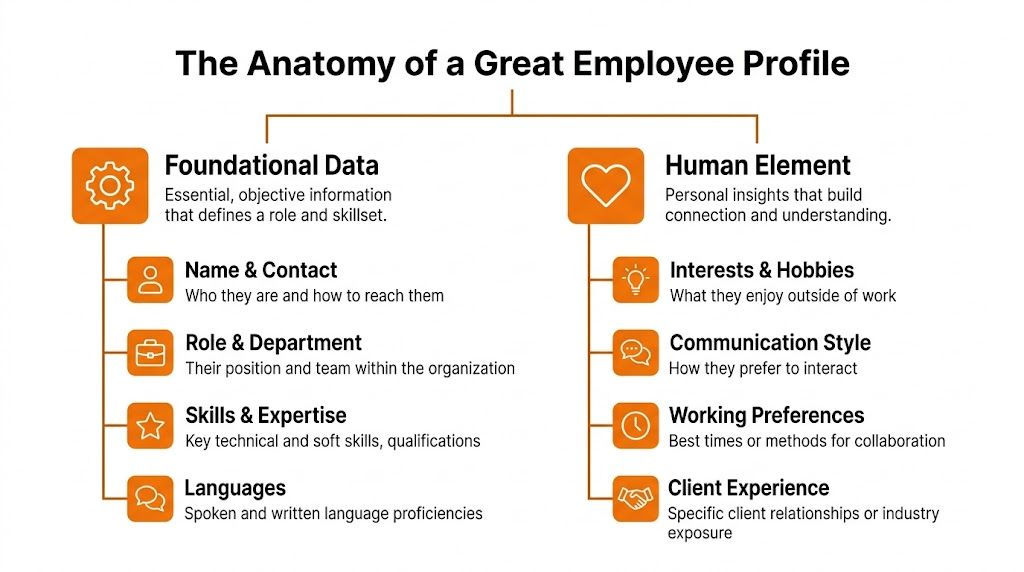
The sweet spot is a mix of foundational data and human detail. One gives the company structure. The other gives people a reason to use the thing.
Start with the operational basics
These fields should be accurate, visible, and boring in the best way.
Profile layer | What belongs here | Why it matters |
|---|---|---|
Core identity | Name, photo, contact details | People need to know who they’re reaching |
Work context | Role, department, team, location, manager | This gives organizational clarity |
Practical capability | Skills, certifications, languages, client or system experience | This is what makes search useful |
If these basics aren’t clean, nothing on top of them works. I’ve watched companies obsess over culture fields while job titles are wrong, locations are outdated, and half the phone numbers are dead. That doesn’t create trust. It kills it.
System integrations are critical in this context. The fields tied to employment status and reporting lines should come from a reliable source, not from people manually updating records whenever they remember.
A photo matters too, more than some leaders expect. Not for vanity. For recognition. In distributed teams, a face helps turn a name into a person. If your current images are a mess, using a consistent tool such as an AI headshot generator can help employees get a clean, professional profile image without setting up a company photo day.
The human fields do the heavy lifting
Now the part most companies treat as optional.
Burnout has risen sharply, with 66% of employees reporting burnout in 2025, up from 43% in 2022, according to employee experience statistics collected here. One practical response is to reduce the isolation that makes work feel anonymous. Richer profiles help when they create recognition, familiarity, and small points of connection.
That doesn’t mean stuffing profiles with trivia. It means choosing fields that make collaboration easier and belonging more likely.
Some of the best ones are:
Ask me about: a low-pressure way to signal expertise or enthusiasm
Languages spoken: vital in multilingual teams and often missing from formal systems
Working style notes: async first, prefers calls for urgent issues, best on early shifts
Interests and hobbies: useful when kept light and voluntary
Pronouns: simple, respectful context when employees choose to share them
Mentoring or training interests: a direct way to surface people who want to help others
The fields people call “soft” are often the ones that make a profile usable.
A profile with only title and department tells me where you sit. A profile with skills, language, preferences, and a few human clues tells me how to work with you.
That’s the difference between a record and a relationship.
What to leave out
Restraint matters here.
Don’t ask for personal information that has no clear work purpose. Don’t turn profiles into forced self-branding exercises. Don’t make everyone write a clever bio. Many people won’t want to, and that’s fine.
I also avoid fields that create pressure to perform a company-approved personality. Once profiles start feeling like internal marketing pages, people stop telling the truth.
If you want a practical model for this kind of balance, a structured people profiles setup gives you the bones of a usable system without forcing every employee into the same script.
Two Profiles That Actually Work
Abstract advice gets slippery fast, so it helps to see what a good profile of employees looks like in practice. Not the polished HR version. The version a coworker would use.
Maria on the warehouse floor
Maria is a shift supervisor in logistics. She runs a busy operation across uneven staffing patterns, handoffs, and time pressure. Her profile needs to help people solve real problems quickly.
A strong version of Maria’s profile might include her role, shift, site, contact path, languages, equipment certifications, and the parts of the operation she knows best. It might also note that she likes mentoring new hires and has experience stabilizing chaotic first weeks on the floor.
That profile does a lot of quiet work.
A manager looking for someone to help onboard a new associate can find her. A team lead with a language barrier can route a question to her more confidently. Someone from another site can tell, at a glance, whether she’s the right person for a tricky operational question.
Here’s what makes Maria’s profile effective:
It respects the job: certifications, languages, and shift context matter more than a polished bio
It supports cross-shift coordination: people can see when and how to reach her
It surfaces hidden contribution: “mentors new hires” often matters as much as formal authority
What wouldn’t work? A profile that only says “Warehouse Shift Supervisor.” That title hides the most useful parts of her value.
Ben at home with a laptop
Ben is a remote software engineer. His work is less visible in a different way. He isn’t standing on a floor. He’s buried in tickets, pull requests, and long threads people half-read.
His profile should still cover basics like team, timezone, contact details, and technical strengths. But for someone like Ben, the collaboration layer matters even more. If he prefers async communication, that should be there. If he’s the person to ask about internal tooling or onboarding engineers into a certain codebase, that belongs there too. If he’s a competitive chess player, that’s a nice bonus, not fluff.
Why does that matter?
Because the best profiles lower the social cost of reaching out. A product manager in another function doesn’t need an introduction to message Ben if his profile already tells them he’s open to questions about a certain system and prefers a written summary before a call.
A useful profile saves people from writing the awkward first message with no context.
Same principle, different shape
Maria and Ben shouldn’t have identical profiles. That’s one of the biggest mistakes I see.
The field structure should be consistent enough to search and govern, but flexible enough to reflect the nature of different roles. Frontline profiles need operational context first. Knowledge worker profiles often need communication and expertise context first. Both need enough humanity to make connection easier.
A simple comparison helps.
Employee | What matters most in profile design | Why people use it |
|---|---|---|
Maria, warehouse supervisor | shift, certifications, languages, training strengths | to solve immediate operational needs |
Ben, remote engineer | timezone, technical ownership, communication preference | to reduce friction in collaboration |
The point isn’t to create perfect biographies. It’s to make each person easier to find, understand, and work with.
Navigating Privacy and Building Trust
The second you mention employee profiles, sensible people start asking privacy questions. Good. They should.
If employees think a profile is something being done to them instead of for them, adoption falls apart. Not because people are difficult, but because they’re rational. They want to know what’s being collected, who can see it, and whether they have any control over it.
Control beats coercion
The cleanest model I’ve used is simple. Keep required fields narrow. Make optional fields optional. Let employees edit the parts that describe them as people.
That means the system can pull the basics from your core people data, while each employee chooses whether to add things like interests, pronouns, languages beyond formal requirements, mentoring interests, or “ask me about” topics.
Many rollouts go wrong when leaders want rich profiles, so they mandate everything. The result is thin compliance, not trust. People enter the minimum, skip what they can, and assume the company wants more than it says.
A profile only becomes useful when employees believe they still own their own boundaries.
Governance should be clear, not spooky
Access rules matter. Not every field should be visible to everyone. Managers may need some work-related information that peers don’t. Admins may need operational controls that individual teams don’t. Sensitive data should stay out of broad employee-facing profiles altogether.
If your company is still sorting out language for consent, visibility, and responsibility, it helps to review plain-English examples of legal privacy terms before writing your own policies. Then translate those policies into practical internal rules people can understand.
For a more direct workplace lens, this guide to data privacy in internal communication covers the governance side that often gets skipped in profile rollouts.
People will share more when the rules are understandable and the boundaries are real.
Inclusion matters here more than most teams expect
There’s another trust issue that doesn’t get discussed enough. Who gets included in the company’s picture of itself?
Data summarized in these supporting materials from Project Include and related sources shows that underrepresented groups are often pushed into precarious contract roles. When profile systems only cover full-time corporate staff, companies reinforce that split. The people doing essential work stay invisible.
An inclusive profile system should make contingent workers visible where appropriate, not hide them in a separate universe. If someone works with your teams, trains your people, solves customer problems, or keeps operations moving, their visibility matters. So does their dignity.
That doesn’t mean every worker gets the same access to every system. It means the design should avoid creating a first-class and second-class community by default.
Bringing Profiles to Life Inside Your Work Hub
A store manager needs a fast answer on a Saturday shift. Who speaks Polish, can approve a stock transfer, and knows this product line? If that answer lives in three systems, two inboxes, and one supervisor’s memory, the profile system is failing the people who need it most.
Profiles earn their keep inside the flow of work. In chat. In team spaces. In shift updates. In task assignments. In search. If people have to leave what they’re doing to open a separate directory, they stop using it. Frontline teams stop first, because they have the least time and the least patience for extra steps.
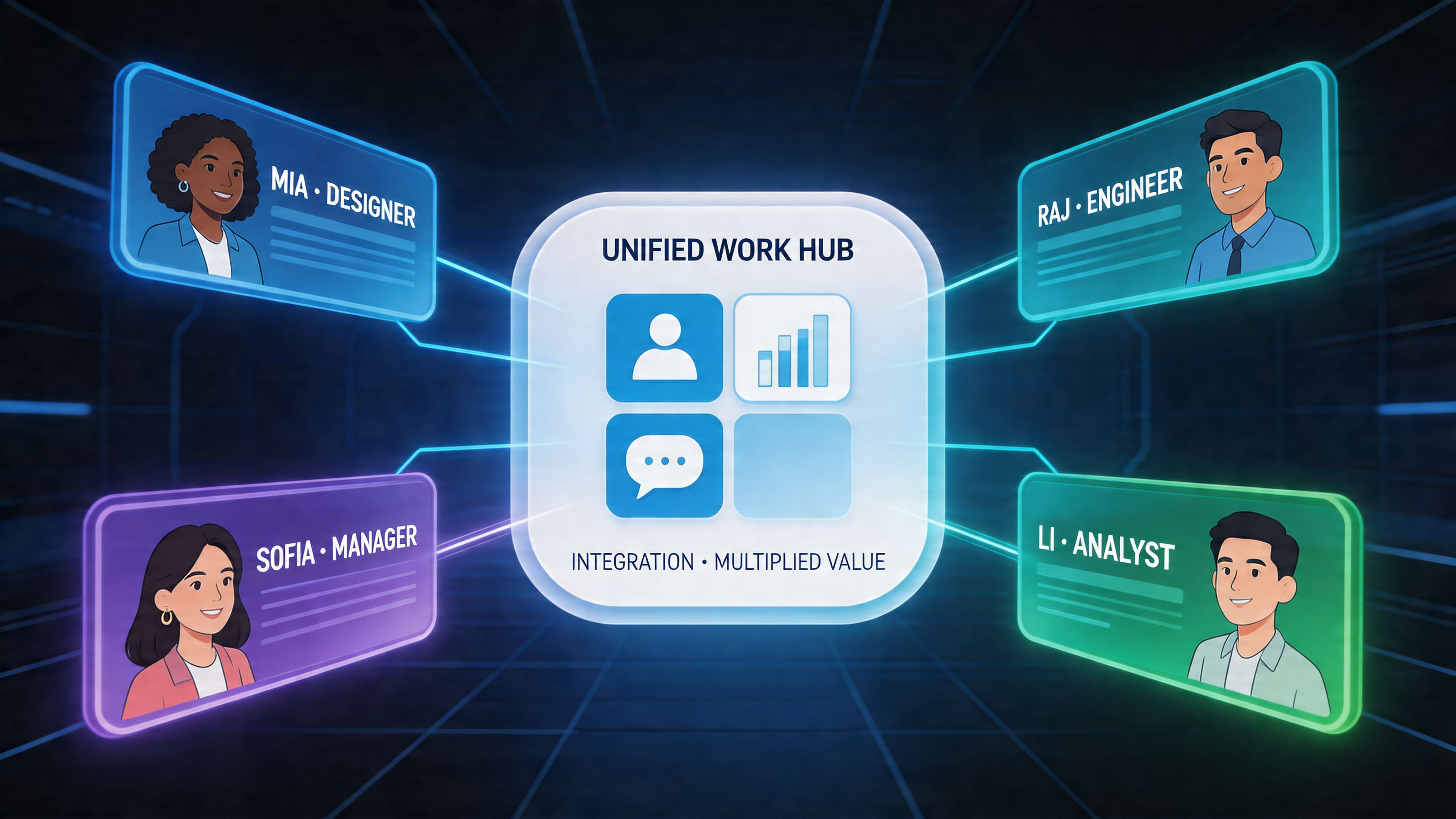
Context matters more than storage
A good profile is available wherever a name shows up. Someone appears in a post, comment, chat thread, rota note, or task, and their profile gives enough context to act. Role. Team. Location. Skills. Preferred contact path. Shared connections. For desk-based teams, that saves time. For frontline teams, it removes the daily guesswork that slows decisions and pushes basic questions up the chain.
Search matters just as much. People should be able to find colleagues by skill, department, language, site, certification, or area of experience, not only by name. That is what turns a company directory into working infrastructure. If you’re designing that layer, this guide to building a useful team directory people will actually use does a good job of treating the directory as part of operations, not just HR admin.
Sync the basics. Let people add the human layer.
Manual upkeep is where these systems usually break.
Core fields such as role, manager, team, and work location should come from your HRIS or identity system. That keeps the factual backbone current and cuts down on duplicate maintenance. Then employees can add the details that help other people work with them, such as languages, strengths, certifications, pronouns, working style, or how they prefer to be contacted.
That split reflects real life. Reporting lines can change overnight. Skills develop over time. A forklift license expires on a date. Somebody on the support desk may become the unofficial expert on a product long before the org chart catches up. The system should handle both kinds of truth. Formal data from source systems, and practical context from the people doing the work.
Pebb is one example of this setup. It combines employee profiles, directory search, chat, spaces, and operational tools in one work hub, with support for syncing core people data from connected systems. The point is not the brand. The point is that profiles work better when they live in the same place as communication, coordination, and day-to-day problem solving.
A profile should help someone do the next thing
The test I use is simple. Can a person go from profile to action without friction?
That action might be sending a message, finding the right team, checking site coverage, locating another person with the same certification, or routing a customer issue to someone who can solve it. In strong systems, profiles reduce handoffs and speed up decisions. In weak ones, profiles become static records that look complete but do very little.
That trade-off matters more than teams expect. A profile is not just a record of employment. Inside a healthy work hub, it becomes part of how people find help, recognize expertise, and include colleagues who are often left out of the company’s informal network. That is where profiles start to shape culture, especially for frontline employees who rarely get visibility unless the system gives it to them.
How to Tell If It's Working
Launch day means almost nothing.
I’ve seen teams celebrate profile completion, publish a few screenshots, and move on. Then six months later nobody uses the directory unless HR tells them to. That’s the quiet failure mode.
Ignore vanity metrics first
A high completion rate can be useful, but it’s not proof of adoption. It usually tells you that people filled something out once.
What matters is ongoing behavior. Are people searching for colleagues? Opening profiles from chats? Using skills or language tags to find help? Returning to the directory when they need expertise? If not, the profile system may be technically alive and culturally dead.
A clearer understanding:
Completion tells you setup happened
Search tells you discovery is happening
Profile views tell you context is being used
Repeat usage tells you the tool has become part of work
If nobody uses search, your profile system probably isn’t solving a real problem yet.
Mobile usage tells the truth fast
For frontline teams especially, mobile activity is one of the clearest signals you’ll get. According to Axonify’s write-up on internal communication metrics, tracking mobile usage data such as profile views and searches is a direct indicator of communication effectiveness. Low usage often points to access issues, bad timing, or content that doesn’t feel relevant. The same piece notes that giving frontline workers technology that improves productivity can increase engagement by 158%.
That’s why I pay attention to patterns, not just totals.
If logins are healthy but profile views are weak, access may be fine while content is thin or the directory is hard to use. If usage drops sharply after launch, the rollout probably relied on novelty instead of habits. If office teams use profiles and frontline teams don’t, the issue is usually relevance, mobile design, or both.
A few rollout habits that help
The best adoption tactics are small and repeatable.
Feature real people: highlight a colleague’s profile in internal updates so others see what “good” looks like
Tie profiles to daily work: ask teams to use profile search when assigning mentors, finding language support, or solving cross-site questions
Prompt gradual updates: don’t ask for everything on day one. Let profiles deepen over time
Make it socially safe: avoid turning profile completion into public pressure or forced personality theater
Usefulness creates adoption. Reminders only create compliance for a while.
More Than a Directory a Community
A profile system earns its keep the first time a store manager can find a bilingual supervisor in minutes instead of texting five people and waiting half a shift for an answer.
That is the difference between a directory and a working community. A strong profile of employees helps people locate expertise, understand context, and spot the people who hold teams together even when their title says very little. In practice, that matters even more for frontline teams, where local knowledge, language skills, certifications, and informal leadership often sit outside the org chart.
I learned this the hard way. If profiles only capture job title, department, and start date, office employees stay visible and everyone else gets flattened into a headcount. The result is predictable. The same people get tapped for every question, hidden capability stays hidden, and good employees remain strangers to the wider company.
Research from Accenture and Harvard Business School on hidden workers points to the same underlying problem. Companies miss talent that already exists inside the business when their systems do a poor job of showing skills and potential across teams.
That is why I treat profiles as community infrastructure. They shape who gets noticed, who gets included, and who can contribute beyond the narrow box of their role.
If you want one place for profiles, directory search, chat, updates, tasks, and frontline communication, Pebb is worth a look. It keeps employee information visible and usable in the flow of work, instead of spread across disconnected tools: Pebb.
