
Mobile Workforce Management Software: What It Actually Does
Mobile workforce management software is more than scheduling. We explain how it connects tasks, communication, and time tracking for distributed teams.
Dan Robin

The category is already a $12.8 billion market in 2025, and the practical answer is simple: mobile workforce management software combines scheduling, task assignment, real-time communication, and time tracking in one mobile-first platform. It replaces the daily scramble between spreadsheets, group chats, paper forms, and disconnected attendance tools with one shared operating picture.
At 8:07 on a Monday morning, the schedule changes. One person called in sick. A customer moved an appointment. A supervisor has sent new instructions to the team, but half the workers are checking text messages and the other half are looking at yesterday's spreadsheet.
Someone in the office starts copying details into a chat. Someone else updates the calendar. A worker arrives at the wrong site because the latest address was buried in an email thread. By lunch, the team has spent more time repairing information than doing the work.
That's the problem mobile workforce management software is meant to solve. Not “digital transformation.” Not another dashboard. A connected workflow where the right person sees the right assignment, completes it from a phone, and leaves a reliable record behind.
The Reality of Managing a Mobile Team
Managing people across sites exposes every weak handoff in an operation. A retail supervisor may be filling a shift while moving between stores. A maintenance coordinator may need to redirect a technician without losing the job notes. A hospital manager may be checking coverage, absence requests, and urgent tasks without making five calls.
The tools usually grow one problem at a time. A spreadsheet handles shifts. A messaging app handles announcements. A separate clock-in app records attendance. Email stores documents. A paper checklist sits in a van until somebody remembers to photograph it.

Each tool may work on its own. The break happens between them. A manager updates a schedule but does not post the change everywhere it needs to go. A worker clocks in but still has to report location by message. A task gets completed, but the evidence stays in a personal camera roll. By midday, nobody has a dependable answer to a basic question, what is happening right now?
The hidden admin work
Visible work is scheduling, dispatching, and checking progress. The hidden work is copying, confirming, chasing, and correcting.
A supervisor may spend the morning asking whether a task was finished, then spend the afternoon matching those replies to the schedule. An administrator may enter the same employee, site, or shift information in several places. Those actions never show up as a line item called “tool friction,” but they consume attention and create mistakes.
The hidden cost of disconnected tools is the repeated translation of information between systems.
Mobile workforce management is the integrated set of practices and technologies used to recruit, schedule, deploy, communicate with, track, and measure people who work outside a fixed office or facility, as Skedulo's overview of mobile workforce management explains. In practice, that means bringing the workday into one mobile workflow.
The same pressure shows up when teams build or extend a mobile operation. If a company decides to create a custom mobile experience, it helps to choose in-app AI SDK only when the custom layer will earn its keep alongside the operations platform. Otherwise, it becomes one more thing to maintain.
The strongest systems keep ordinary actions obvious. The employee sees the shift. The supervisor assigns the task. The worker records the result. The manager finds the record without opening six applications.
What Mobile Workforce Management Software Actually Does
Start with the work, not the feature list. A request comes in, a person needs to handle it, the task changes during the day, and someone needs proof that it was completed. Mobile workforce management software connects those moments.
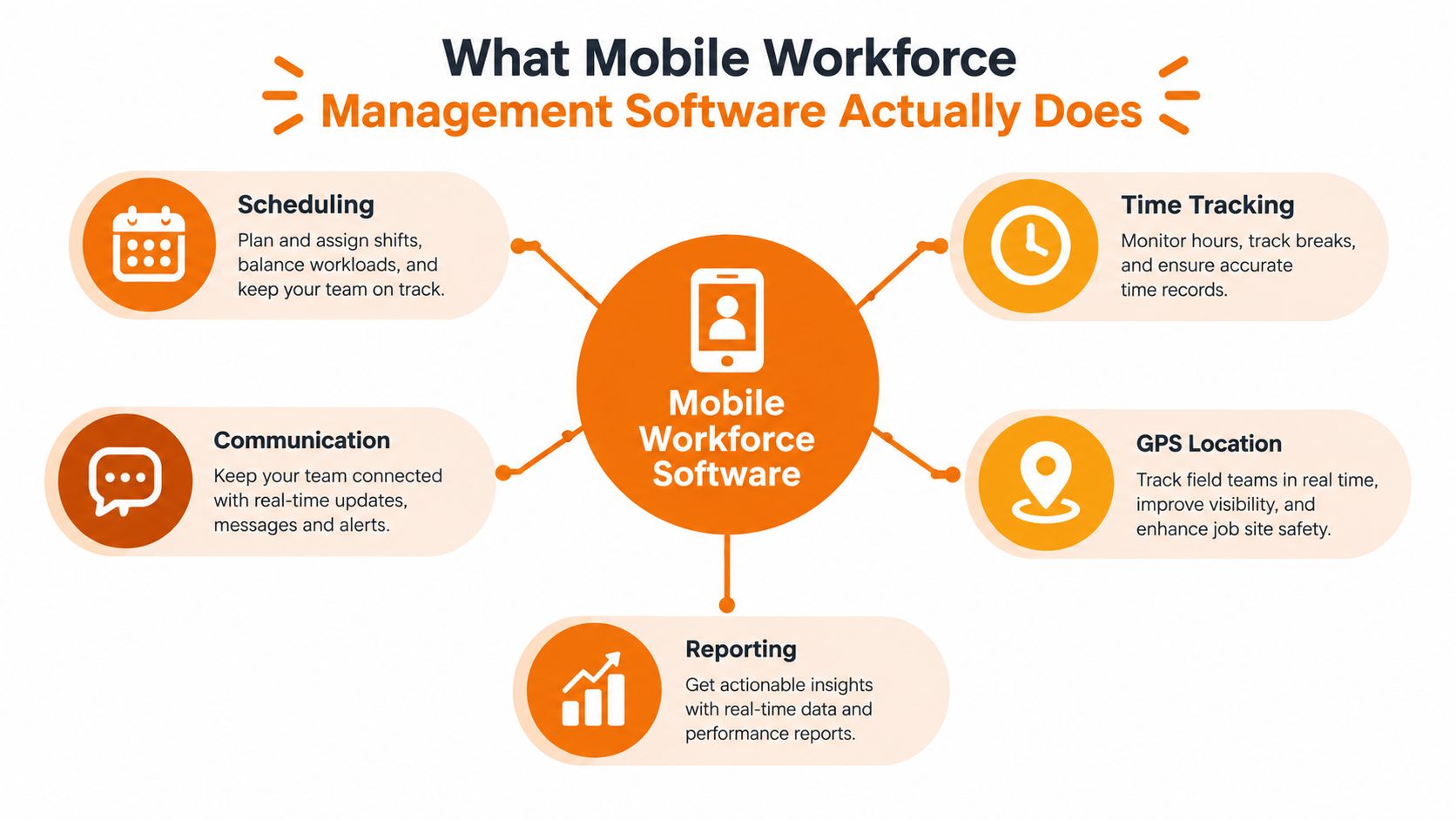
Think of it as a shared control board that travels with the team. The schedule tells people where to be. The task record tells them what to do. Communication adds context. Time and location data show what happened. Reporting turns those events into decisions.
A useful workflow looks like this:
Plan the work. A manager creates a shift, visit, inspection, delivery, or internal task with the location, timing, instructions, and required skills.
Assign the work. The system shows who is available and sends the assignment to the worker's phone.
Complete the work. The employee follows the task, adds notes or documents, changes the status, and records exceptions while the details are fresh.
Close the loop. The office sees the current status and can use the completed record for follow-up, payroll, compliance, customer communication, or planning.
The connection matters more than any individual feature. If a shift changes, the employee should see the new information without waiting for a separate message. If somebody clocks in late, a manager should be able to act from the same operational view. If a task is blocked by a missing part, that reason should remain attached to the task rather than disappear into a chat thread.
The difference between access and continuity
Putting a schedule on a phone isn't enough. Field workers may enter basements, rural sites, warehouses, or buildings with unreliable reception. The app needs to let them open the assignment, follow the required steps, save updates, and synchronize later.
Security matters just as much. A field-service mobile app guide identifies encryption in transit and at rest, multi-factor authentication, remote wipe, and role-based access control as baseline controls for teams working with unreliable connectivity or lost and shared devices. Its discussion of government-grade systems also shows that mobile workflows can operate within strict compliance boundaries while supporting offline Android and iOS use. The field-service mobile app guide provides a useful checklist for evaluating those requirements.
For teams focused on attendance rather than field dispatch, an employee clock-in app can be one part of the same operating model. The point isn't to collect more data. It's to capture information once, at the place where work happens, and make it useful to the next person.
The Core Capabilities That Matter
A serious evaluation starts with four connected capabilities. If one works well but the others live in separate systems, the operation still has to bridge the gaps manually.
Scheduling that reflects the real day
A basic calendar shows planned shifts. A useful scheduling system also handles availability, open shifts, swaps, qualifications, locations, and changes. A coordinator should be able to see that a person is already committed elsewhere before assigning a new task.
The schedule also needs to survive exceptions. Someone calls in sick. A customer changes the time. A job takes longer than expected. The manager should be able to adjust the assignment and send the context with it, not just move a colored block on a calendar.
For teams comparing options, an employee shift scheduling app is worth judging by the entire change process. Can employees see updates on their phones? Can they request or pick up an open shift? Can a supervisor make a correction without rebuilding the week?
Communication attached to the work
General chat is useful, but general chat is not a work record. A message saying “the site is ready” becomes hard to interpret when it isn't tied to the location, task, or responsible person.
The stronger approach keeps announcements, direct messages, files, and task updates close enough that employees don't need to remember where each detail lives. That reduces repeated questions and gives managers a clearer history when an issue appears.
Offline behavior deserves a real test. Don't accept a promise that the app “supports mobile work.” Put a sample device somewhere with no connection and try to open the assignment, complete the form, attach evidence, and sync it later.
Tasks that end with a dependable record
Task management should answer three questions quickly: what needs doing, who owns it, and what happens if it can't be completed. A checklist can guide the worker. Required fields can prevent incomplete closeout. Photos, readings, signatures, and notes can support the final record when the work requires evidence.
The system shouldn't turn every small task into a form-filling exercise. Overbuilt workflows encourage workers to skip steps or return to informal messages. Use detailed forms where safety, compliance, quality, or customer proof demands them. Keep routine work fast.
Time and attendance with a clear purpose
Clock-in, clock-out, breaks, leave requests, and attendance records become more useful when they relate to the schedule and actual assignment. Managers can compare planned coverage with what happened without reconciling separate exports.
Location verification may help in some frontline settings, but it needs a clear policy. Employees should know what gets tracked, when it happens, and why. A technically possible feature isn't automatically a good operating practice.
The best test is a complete day. Follow one employee from schedule to clock-in, task completion, exception, and end-of-day record. If the employee still needs a spreadsheet, a separate chat, and a phone call to finish the process, the integration hasn't done its job.
How Different Industries Use These Tools
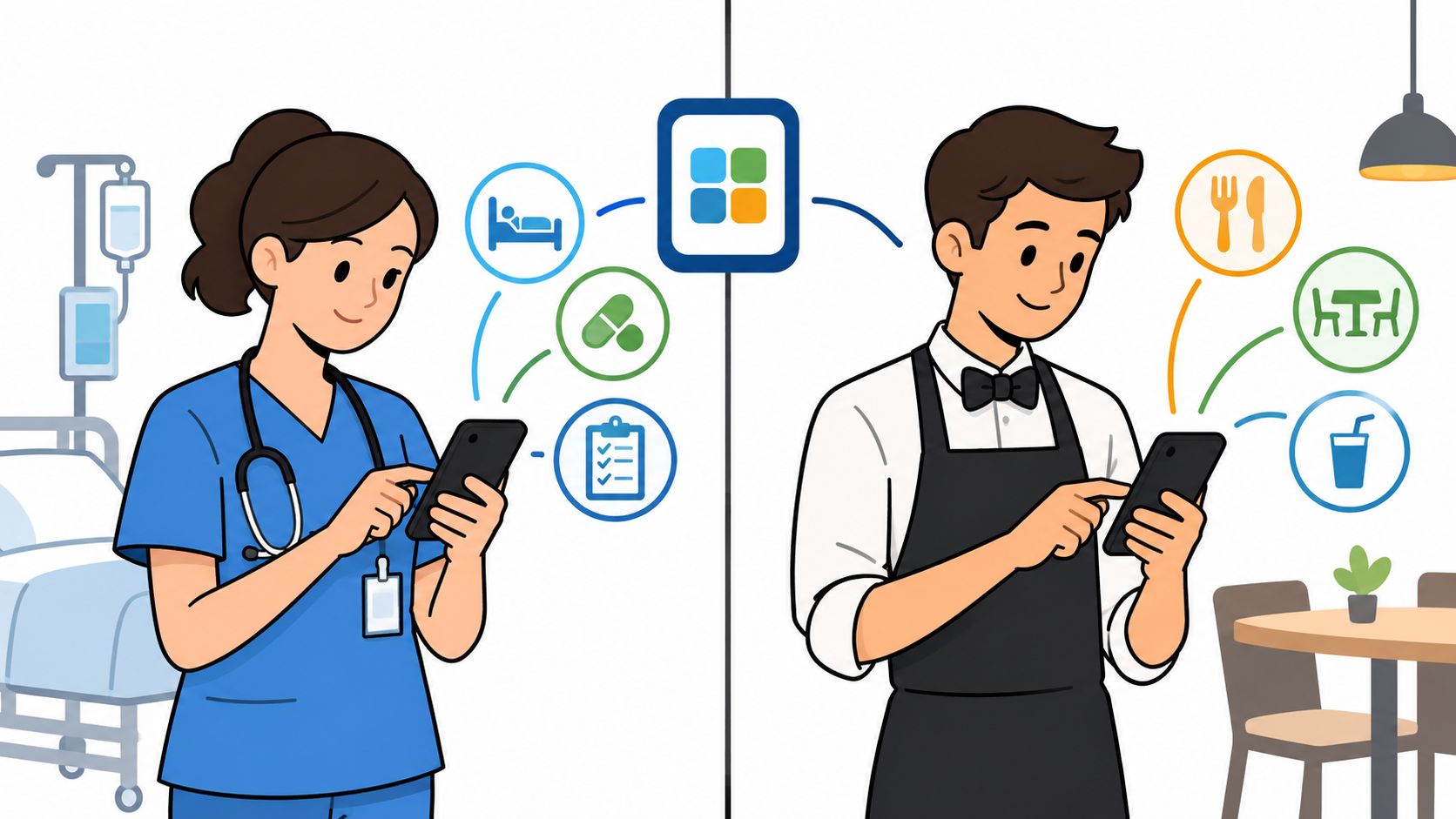
The same software category looks different depending on the work. A hospital manager cares about qualifications and coverage. A restaurant manager cares about fast shift changes. A field-service dispatcher cares about routes, job history, and what happens when the signal disappears.
Operating environment | What the team usually needs | Where poor software gets in the way |
|---|---|---|
Healthcare | Coverage, certifications, time records, and guided tasks | Managers can't verify who is qualified or where a gap has opened |
Hospitality | Shift changes, announcements, onboarding, and availability | Employees miss updates during busy service periods |
Retail | Multi-location schedules, task checks, and labor visibility | Store teams work from different versions of the plan |
Construction and field service | Dispatch, offline work, site details, safety checks, and evidence | Workers call the office for information that should travel with the job |
A hospital shouldn't copy a construction workflow. Healthcare teams may need strict permissions and certification checks before assigning work. A construction team may care more about offline forms, site access notes, safety confirmation, and photos attached to a job.
Restaurants have a different kind of pressure. The work changes quickly, many employees may be new, and a manager needs to communicate without pulling everyone into a meeting. A complicated system that requires long training will lose against the familiar group chat, even if it has better reporting.
Choose for the exception, not the demo
Retail and logistics teams often look fine during a normal day. The true test comes when a delivery is delayed, a store needs help, or a worker moves to another location. The system should make the next action visible without forcing the manager to reconstruct the situation from messages.
A practical review of real-world logistics app results can help teams think beyond attractive screens and focus on how mobile tools fit actual movement, handoffs, and records.
For distributed organizations, a frontline employee app can also serve as the common layer for communication and daily coordination. That layer is valuable only when it matches the way each group works. One team may need shift visibility, another may need task completion, and a third may need fast access to policies and announcements.
The buying decision should follow the most disruptive workflow. Pick the scenario that creates the most calls, duplicate entry, missed handoffs, or delayed reporting. Test that scenario with real workers from each industry group. A platform that handles ordinary shifts but fails during an exception will create a polished version of the same old problem.
Implementation Without the Headache
The software is rarely the hardest part. People are. A rollout fails when managers keep separate spreadsheets, employees don't understand the new process, or permissions make the app too difficult to use.
Start with one operational outcome. “Improve communication” is too broad. “Every shift change reaches the assigned employee and supervisor in one place” is testable. “Every completed inspection includes the required evidence before closeout” is better still.
Build the smallest useful workflow
Choose a common task type and map it from beginning to end. Identify who creates it, who assigns it, what the worker sees, what proof is required, and who reviews the result. Remove steps that exist only because two systems don't share information.
Then involve the people who do the work. A dispatcher will notice assignment problems that an executive won't. A frontline employee will spot a form that takes too long. A payroll administrator will ask whether the time record can be trusted.
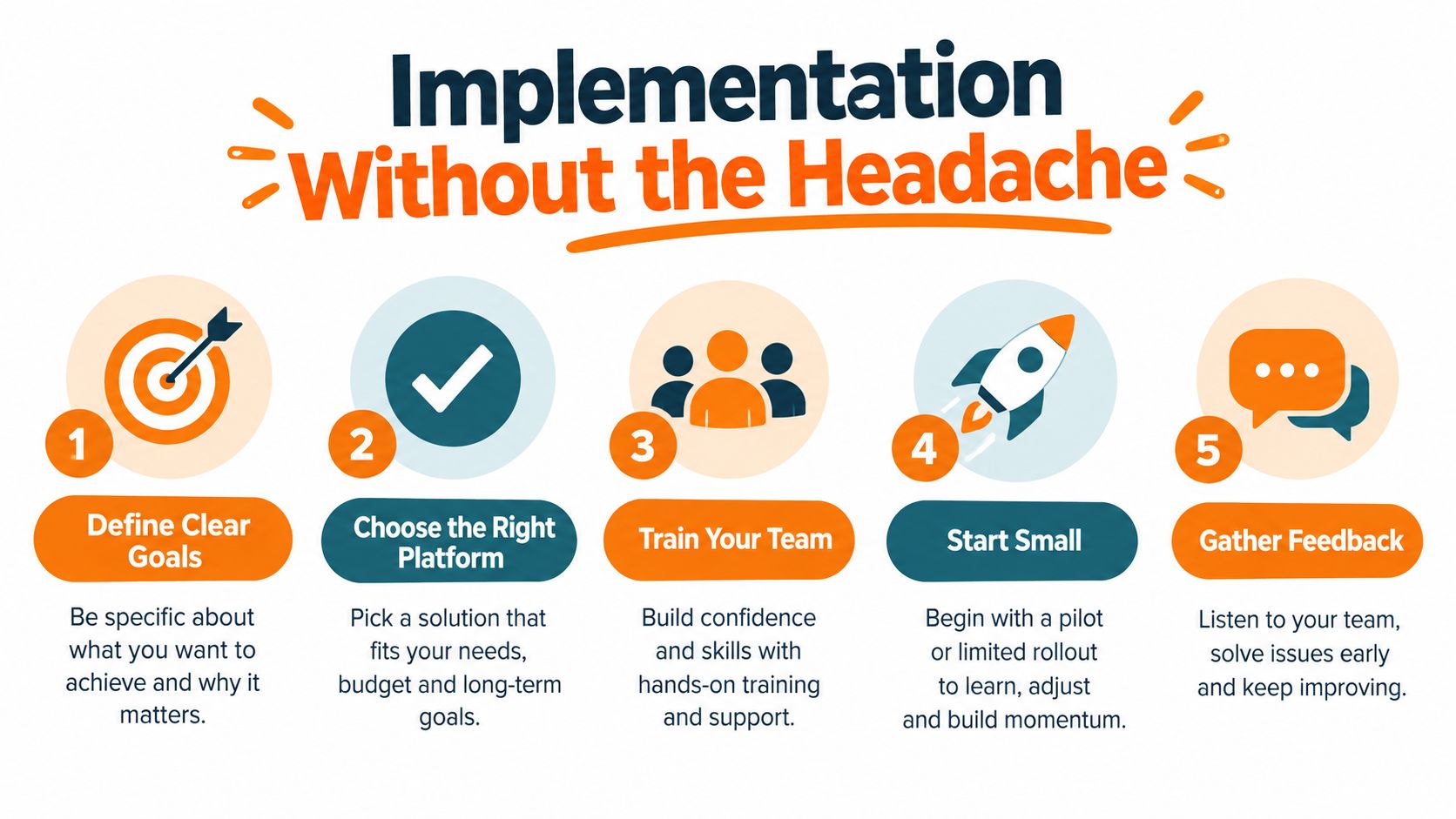
A small pilot should include normal work and an awkward exception. Try a planned assignment, an urgent reassignment, and a completed task while offline. Review the actual records afterward. If the team has to copy information into a second tool, fix that before expanding the rollout.
Practical rule: Roll out a complete small workflow before rolling out a large collection of features.
Permissions are part of the workflow
A manager may need to edit schedules and approve leave. A supervisor may need to assign tasks but not view sensitive employee records. A worker may need access to their own assignments, policies, and team communication. These distinctions should be decided before launch.
Security controls deserve the same attention as usability. Distributed teams may use personal devices, work in weak-connectivity areas, and handle sensitive site or compliance information. Use encrypted data in transit and at rest, multi-factor authentication, remote wipe, and role-based access control as the starting requirements, not optional extras.
Integrations need discipline too. Connect the systems that remove real duplicate entry, such as HR, payroll, authentication, billing, inventory, or customer records. Don't connect every application just because an integration exists. Decide which system owns each piece of information and what should move between systems.
Change management continues after training. Watch how people use the tool during real work, remove unnecessary fields, answer questions quickly, and retire the old process. If the old spreadsheet remains the unofficial source of truth, the new platform is only another window to maintain.
The Future of Connected Workforce Operations
The market signals are clear, even though market estimates differ by scope and methodology. One report values the broader workforce management platform market at USD 10.13 billion in 2025 and projects USD 17.73 billion by 2031, with a projected 9.86% CAGR from 2026 to 2031. The same report says cloud deployment represented 64.27% of the market in 2025, while software solutions represented 72.34%. Mordor Intelligence's workforce management platform market analysis describes a category centered on software capabilities such as scheduling, time and attendance, leave management, analytics, and task management.
Another estimate puts mobile workforce management software at $12.8 billion in 2025 and projects $28.4 billion by 2034, implying a 9.8% CAGR. That report points to mobile-first operations in manufacturing, construction, and distributed retail as adoption drivers. Dataintelo's mobile workforce management software market report provides that separate market view.
The exact forecast matters less to an operations manager than the direction. Buyers are moving away from isolated scheduling tools and toward platforms that connect communication, tasks, attendance, and reporting. The category is becoming part of the operating system for distributed work.
Consolidation has a limit
One platform doesn't need to replace every system in the company. Payroll may still belong in payroll software. Customer history may still belong in a CRM. Inventory may still need its own specialized system.
The useful consolidation happens around the employee's day. The person should not have to understand the architecture behind the business to receive an assignment, find the instructions, ask a question, record time, and finish the task. The office should not have to search several systems to understand what happened.
That distinction keeps implementation practical. Consolidate the workflow where people work. Integrate outward where another system has a clear ownership role. Avoid creating a new central dashboard that still requires manual updates from the same old tools.
The next advantage is operational clarity
The growth forecasts describe demand, but they don't guarantee better operations. A business can buy a modern app and keep the same scattered habits. Workers can still use private chats. Supervisors can still maintain shadow spreadsheets. Managers can still measure activity instead of completed work.
The advantage comes from making the connected path easier than the disconnected one. Employees should receive useful context without asking for it. Supervisors should see exceptions while there is still time to act. Leaders should be able to review completed work without turning every question into an investigation.
That takes restraint. Choose the workflows that matter most, give them clear owners, and remove the parallel tools that keep people guessing. Mobile workforce management software earns its place when it helps a team finish the day with fewer unanswered questions, not when it adds another impressive screen.
The future of frontline operations won't be defined by how many applications a company owns. It will be defined by whether a worker, a supervisor, and an office team can act from the same current information. That sounds modest. In a busy operation, it's a meaningful change.
Pebb brings communication, tasks, Spaces, shift scheduling, clock-in, PTO tracking, file sharing, and employee information into one mobile and web app. Visit Pebb to see whether one connected system can replace the scattered tools your frontline and office teams are maintaining today.
