
Intranet Document Management That Actually Works
Learn how intranet document management truly works with permission control, versioning, and mobile access that frontline teams will actually use.
Dan Robin

Teams don't lose documents because they lack storage. They lose them because nobody knows which copy matters, who owns it, or whether anyone can still trust the search results. A policy sits beside an old draft, a manager sends a spreadsheet by email, and a shift worker opens a file that was replaced months ago.
That mess looks technical from a distance. Up close, it's usually a people and process problem. Intranet document management works when ownership, access, context, and review are designed together, not when an organization just gives everyone another shared folder.
The Document Chaos Problem No One Talks About
A department uploads its procedures to the intranet. The launch goes well. People receive a message, visit the new library, and find a neat collection of files.
A few months later, the cracks appear. The operations manager has replaced a safety checklist, but the old version still ranks first in search. HR owns the policy page, while a department administrator owns the downloadable document. Nobody is sure who should remove the duplicate. A warehouse employee asks a supervisor for the current process because the intranet contains three documents with nearly identical names.
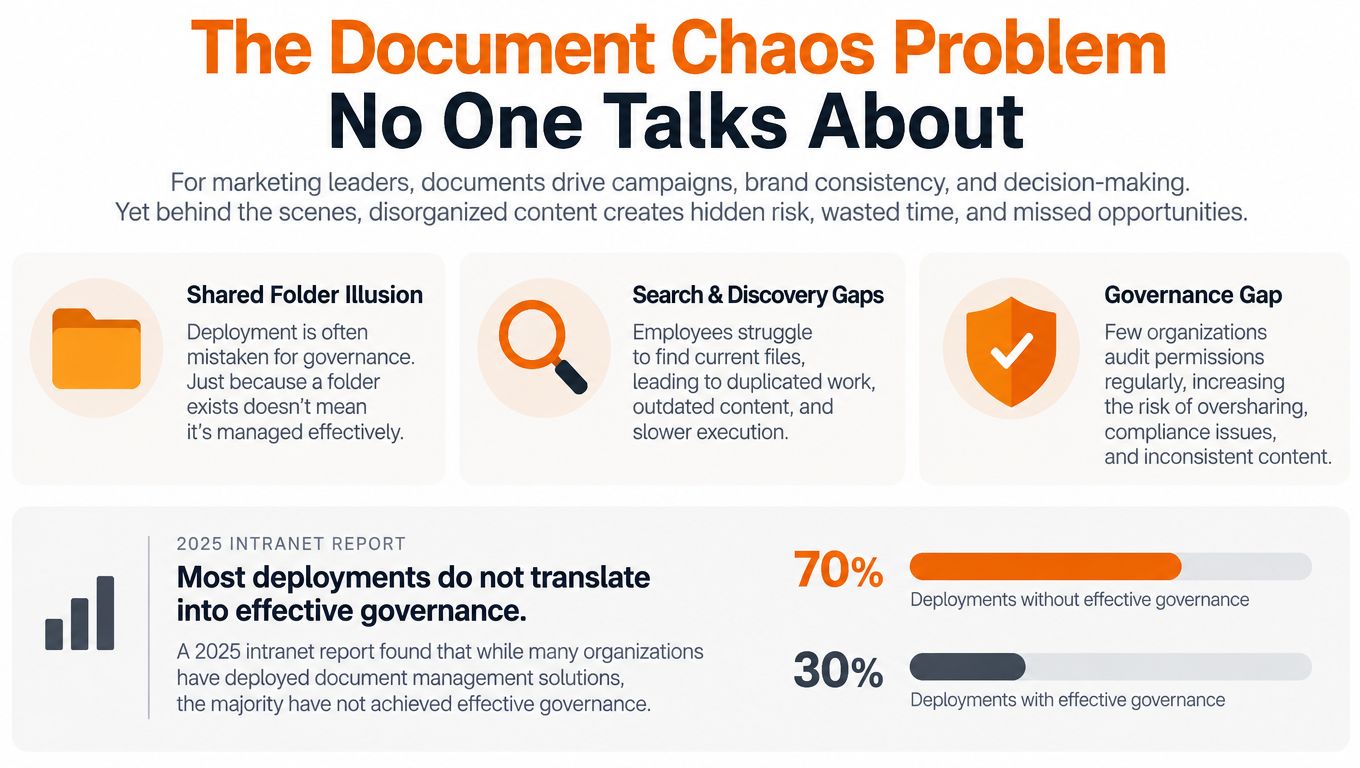
The organization has deployed document management. It hasn't established document governance.
A 2025 Intranet Observatory report found that Electronic Document Management is deployed in 84% of organizations, yet basic intranet functions remain underused in nearly one in four organizations on average (2025 Intranet Observatory report). That gap matters more than the deployment figure. A system can exist, look polished, and still fail at the moment someone needs a reliable answer.
Storage isn't the same as control
Shared folders create a comforting illusion. Files are visible, so leaders assume the information is organized. But visibility doesn't tell employees which document is approved, whether access is appropriate, or when content should be reviewed.
The history of intranets makes this easy to understand. Early internal websites evolved into broader enterprise portals, and document sharing was one of the first practical uses. Frontier Technologies' Intranet Genie, released in 1996, combined communication tools, document sharing, and a help desk system. The category has come a long way since then, but the central challenge remains familiar: organizations still need to turn files into usable knowledge (history of intranets and their modern impact).
The fix isn't always a larger platform. Sometimes it starts with naming a content owner, removing duplicate copies, and deciding which version is authoritative. For teams working in SharePoint, this practical guide to streamline document management in SharePoint is useful because it treats organization as a working practice rather than a storage exercise.
Practical rule: If nobody owns a document after publication, the document is already on its way to becoming obsolete.
How Intranet Document Organization Really Works
Good organization is mostly invisible. Employees notice it only when they can find the right file without knowing where someone stored it.
Folders still have a place. They can reflect a clear business area or give publishers a manageable workspace. But folders alone force every document into one path. A procedure might belong to a department, a location, a job role, and a compliance topic at the same time. Metadata gives that document more than one useful route.
Context makes files findable
At upload, capture fields such as document type, department, status, approval date, next review date, and retention category. These fields turn a passive file into something the intranet can understand. A policy marked “approved,” owned by HR, and due for review on a stated date is much easier to manage than a file called policy-final-new.docx.
Metadata-driven retrieval supports keyword, tag, and date search. It also supports lifecycle decisions, because the system can distinguish an active procedure from a draft, an archived record, or a document awaiting approval (metadata and intranet document management).
Naming conventions still matter. Use names that describe the subject and purpose, not the history of the file. Forklift Inspection Procedure tells a reader something useful. Forklift Procedure Final v4 tells them that previous confusion probably exists nearby.
Taxonomy reduces department borders
A taxonomy is the shared language behind search. It defines the terms people use for content, roles, locations, and business processes. Without one, Finance may call a file a “month-end pack,” Operations may call it a “close report,” and employees may search for “monthly accounts.”
Agree on terms that reflect how people ask for information. Keep the list small enough for publishers to use consistently. An elaborate taxonomy that nobody applies is worse than a modest one that works.
You can see the difference between a file system and a knowledge structure in how files work in Pebb. The principle applies broadly: organize around the way people retrieve information, not around the way a technical team happens to store it.
Use folders as landmarks
A sensible structure might use broad spaces for departments or work areas, then rely on metadata to filter content within them. Avoid deep folder trees. They make publishing feel tidy but turn retrieval into a memory test.
Before changing the structure, ask three questions:
Who uses this document? Record the role, team, or location that needs it.
What state is it in? Separate draft, review, approved, and archived content.
What happens next? Capture the owner, review date, and retention category.
That small amount of discipline does more for findability than adding another search feature to an unstructured library.
Permission Control and Search That Respects Boundaries
Search has to do two things at once. It must help people find useful information, and it must avoid revealing information they aren't allowed to see.
A search result that exposes the title of a confidential HR investigation damages trust even if the user can't open the file. A search that hides every department document forces employees to ask colleagues for help. Both outcomes make the intranet feel unreliable.
Permissions belong close to the content
Granular governance maps access to roles and can enforce it at the space, page, and file level. Permission-aware search then returns only content the user is authorized to view, which preserves discoverability without treating the entire intranet as public inside the organization (intranet governance and permissions).
Consider a maintenance schedule. A shift worker may need the schedule for a particular facility, while a regional operations manager needs schedules across several locations. Someone in an unrelated department may need no access at all. Role-based access should reflect those working relationships rather than applying one broad permission to everyone.
HR policies, financial records, and frontline procedures also deserve different treatment. A benefits guide may be widely available. A compensation document should not be. A safety procedure may need to reach every relevant worker quickly, including people who rarely use a desktop.

Make search useful without making it careless
The best permission model is not the one with the most rules. It's the one employees can understand and administrators can maintain. Start with roles that already exist in the organization. Add exceptions only when there is a clear business reason.
Search should also use context. A user looking for “leave policy” should see the approved policy relevant to their location or employment group, not an abandoned draft and a collection of unrelated forms. Metadata, clear titles, and status labels do much of this work before any advanced search technology enters the picture.
For teams handling identity or access-sensitive records, credential verification and analytics offers a useful reminder that verification and visibility are related concerns. You need to know not only who should have access, but also whether access patterns still match the role.
A trustworthy search result is a governed result. Relevance without boundaries creates risk. Boundaries without relevance create workarounds.
Teams should document who can publish, edit, approve, and archive each class of content. A simple permission matrix helps, but it must match real workflows. If frontline supervisors can't access a current procedure, they will save a local copy. That copy immediately escapes the controls you worked to establish. Clear access through team file management is more useful than a restrictive system that drives people back to email attachments.
Version Control as a Policy Discipline
Version control sounds like a button. In practice, it's a decision about which changes count, who can make them, and how the organization proves what happened.
A strong system keeps a revision history, records what changed and when, and lets authorized users restore an earlier version. That matters when a document is more than a casual working file. Policies, procedures, approval records, and compliance documents can shape how employees act and how an organization explains its decisions (document management and version control).

Build a history people can trust
Take a safety procedure that has been updated after an equipment change. The content owner edits the document, a safety manager reviews it, and an authorized publisher releases it. Employees should see the approved version, while the earlier version remains available in the history for authorized review.
If a mistake appears after publication, rollback should restore the earlier version without creating a second unofficial file. The audit trail should show the change, the person responsible, and the point at which the document moved from draft to approved content.
That sequence is different from saving files as final, final2, and final-approved. Those names describe hope, not control.
Separate editing from approval
Not every person who can suggest a change should be able to publish one. Give authors room to work, reviewers a clear task, and approvers a defined responsibility. The system should make the state visible, so employees don't mistake a draft for an instruction.
A practical workflow looks like this:
Create: The owner drafts or updates the document.
Review: Subject specialists check accuracy and context.
Approve: The designated authority accepts the content.
Publish: The approved version becomes visible to its audience.
Review again: The owner checks whether it still reflects current practice.
Archive or replace: The system removes the old document from active use while preserving it when policy requires.
Version control can't compensate for unclear ownership. Before enabling it, name the person or team responsible for each important document family. Then define who may amend, approve, and archive it.
Keep history for accountability, but show employees only the version they should use.
That distinction protects the record without cluttering everyday work. It also reduces process drift, the quiet habit of different teams following different copies of the same instruction.
Collaboration, Mobile Access, and Frontline Reality
An intranet designed for office desks will fail in places where the work really happens. A warehouse worker may have a phone, a short break, and one urgent question. A nurse, restaurant supervisor, or retail associate may need a procedure while moving between tasks. They don't have time to find their way through a maze built for desktop publishers.
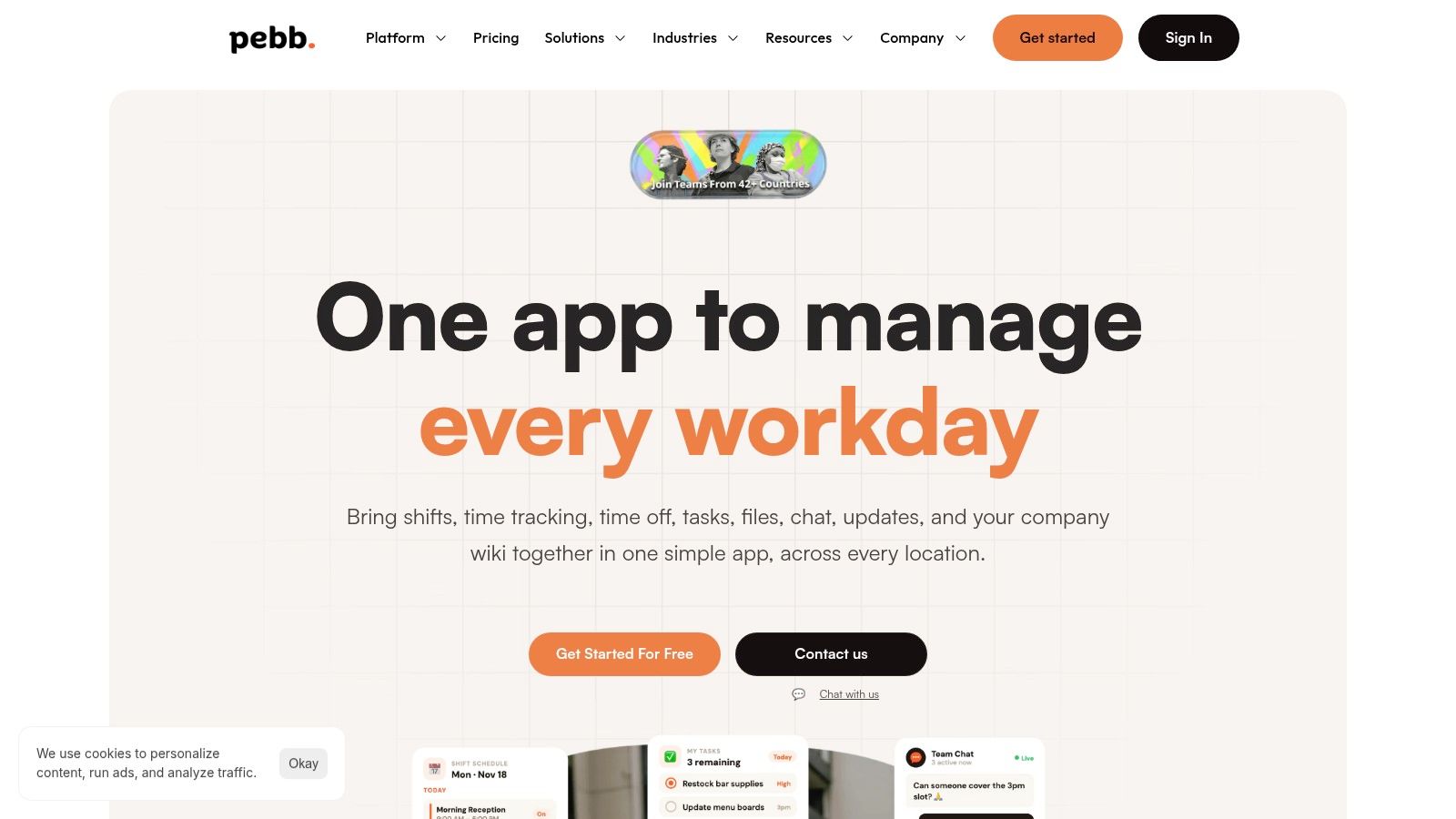
Mobile access is therefore part of document management, not a decorative add-on. Current intranet coverage points to mobile access for frontline workers, personalization, collaboration, and contextual delivery as important shifts toward employee hubs (intranet trends for 2026).
Put the right document in reach
A useful mobile experience starts with role-based surfacing. Employees should see the spaces, policies, forms, and files that match their location and responsibilities. They shouldn't have to browse the entire corporate library to find a daily checklist.
Navigation matters more than a crowded feature set. Give people a prominent search field, readable document previews, clear status labels, and a direct way to return to frequently used content. If connectivity is limited, the organization should decide which documents can be made available for the relevant workflow and how updates will be communicated.
Offline access can be helpful, but it creates a governance question. A downloaded procedure may outlive the active version. Treat offline files as a controlled exception, with visible dates and a clear path back to the current source.
Collaboration needs a home
Comments, tasks, and document sharing work best when they stay close to the team and the process. A supervisor shouldn't need one tool for a file, another for the conversation, and a third for the follow-up task. That separation makes context disappear.
The answer isn't to add every collaboration feature available. It's to connect the document to the work around it. A new procedure can live beside its discussion, assigned review task, and effective date. A form can sit with the instructions employees need before submitting it.
Frontline usability also depends on language and audience. If teams work across locations or languages, label content plainly and avoid assuming that office terminology will make sense on the floor. Test the journey with the people who have the least time and the smallest screen. If they can find and understand the right document, office users will usually manage too.
Why Governance Is a Culture Decision
Governance fails when leaders treat it as a settings menu. They configure permissions, publish a policy, and assume the work is complete. A year later, nobody remembers who owns the page, which records must be retained, or why an old procedure still appears in search.
A records policy should define electronic records broadly. One published retention policy includes word-processing files, spreadsheets, databases, scanned documents, and files stored on servers, external media, or with a third-party agent. It also states that electronic records follow the same retention periods as paper records (records retention policy).
Give content a beginning and an end
Every important document needs more than a home. It needs an owner, an audience, a status, a review point, and a final disposition. That might mean replacement, archive, or deletion, depending on the record and the policy.
Lifecycle rules make those decisions repeatable. A governance guide gives practical examples such as keeping news live for 30 days, checking policies quarterly, and removing social posts after six months. It also describes archive-and-delete rules that move or remove expired content based on age and use (intranet governance and content lifecycle).
Those examples aren't universal settings. They're evidence of a useful habit: define how long content earns attention, then make the system help enforce that decision.
Make ownership visible
Leaders should ask a few uncomfortable questions:
Who can publish? Don't let every contributor create an official policy.
Who reviews it? Assign a person or team with the right subject knowledge.
What proves approval? Keep the decision with the document, not in a private email thread.
What happens when it expires? Archive or remove it deliberately.
Who checks the system? Review permissions, stale content, and search failures as operational work.
For a broader view of managing information with governance, the useful focus is not storage alone. It is the set of decisions that determines how information moves through its life.
A company knowledge base such as this internal knowledge workspace becomes valuable when those decisions are clear to the people maintaining it. Culture doesn't mean asking employees to remember more rules. It means making the right behavior the easiest path, then removing content that no longer deserves a place.
The next step is practical. Audit one high-risk document area, name its owners, test search with a frontline employee, and remove the duplicates that confuse people today. If you want one mobile workspace for communication, files, knowledge, tasks, and team access, visit Pebb and see whether it fits the way your people work.
