
8 Internal Communication Examples That Work
Explore 8 internal communication examples for updates, recognition, onboarding, feedback, change management, and frontline engagement.
Dan Robin

Good communication leaves less to chance. One team starts a shift without knowing what changed. Someone misses an important update because it was buried in email. A strong contributor solves a difficult problem, but nobody notices because the story never travels beyond the immediate team.
These gaps rarely come from a lack of effort. They come from sending the right information in the wrong format, at the wrong time, or without enough context to act on it. Internal communication works when people know what happened, why it matters, what they need to do, and where to find the details later.
Communication now takes up most of the working day. Employees globally were estimated to spend about 88% of their workweek communicating through meetings, email, and collaboration tools in 2024, while workers averaged 20 hours a week using digital communication tools. Speakwise reports on the scale of workplace communication also connects poor internal communication with retention risk, with 61% of employees unlikely to stay in their job citing it as a key reason.
The following internal communication examples focus on working patterns, not polished templates. They cover announcements, shift handoffs, feedback, learning, recognition, problem-solving, and cross-team coordination. Pebb can support these patterns through searchable Spaces, posts, tasks, and knowledge resources, so the conversation doesn't disappear after one shift or one inbox notification.
1. The All-Hands Update
An all-hands update gives everyone the same starting point. It explains what the company is doing, what has changed, and why the work matters. That shared context is especially useful when one group works at headquarters, another works remotely, and a third starts a night shift while most leaders are asleep.
The best all-hands updates aren't long leadership monologues. They make one main point, then support it with a few useful details. A written weekly State of the Company post, for example, can combine a business update, a customer story, a team win, and a short section answering common questions. A live session can add energy, but an asynchronous version gives people a fair chance to read and respond on their own schedule.
Practical rule: If the night shift can't understand the update from a phone without attending a live call, the format isn't finished.
A global employee communication study found that email or a memo from management was the top source of company news at 51%, followed by immediate supervisors at 47%. Oak's summary of the 2025 international study shows why formal updates and manager cascades still matter, even when teams have modern collaboration tools.

Publish the update in a dedicated Pebb Space, pin it while it's current, and keep questions in the same thread. A team update news feed makes the message easier to find than a standalone email. Pair the post with a follow-up Q&A, and mix business information with genuine recognition. People need direction, but they also need to see the effort behind the progress.
2. The Shift Handoff Brief
A shift handoff is where unfinished work changes hands. The outgoing team knows what happened. The incoming team needs to know what still matters. Without a clear bridge, the next person spends the opening part of the shift reconstructing events instead of doing useful work.
A good handoff is short enough to read before stepping onto the floor. It should answer four questions: What happened? What needs attention? Who owns the next action? What might become important soon? A warehouse lead might flag an inventory discrepancy and a blocked loading bay. A hospital unit might note a patient who needs extra monitoring. A restaurant team might record a broken refrigerator, a low supply, and a reservation that needs special care.
Keep the structure consistent:
Key events: Record incidents, changes, and decisions from the outgoing shift.
Action items: Name the next step and the person or role responsible.
Staffing: Note absences, coverage gaps, and unusual assignments.
Equipment status: Flag anything broken, unsafe, or awaiting repair.
Next-shift context: Include information that may affect priorities or customer service.
Frontline teams often don't get enough timely information. In one industry survey, 40% of companies said they communicated with frontline employees only once a week, and 54% said weak frontline engagement cost them productivity. Simpplr's frontline workforce report points to a simple operational lesson: a handoff can't wait for the next weekly update.

Post the brief shortly before the shift changes, use a mobile-friendly Pebb template, and let the incoming lead acknowledge the items that need action. The trade-off is that a template can feel repetitive. That's a good trade. Repetition prevents important details from depending on memory or personality.
3. The Policy or Procedure Announcement
Policy announcements fail when they answer only one question, usually “What is the new rule?” Employees also need to know why it changed and how it affects their next shift, request, or decision.
Lead with the practical impact. “Starting Monday, shift swaps must be submitted through the scheduling tool because managers need one reliable record of coverage.” Then explain what changed, give a concrete example, and link to the full policy. A retail employee should be able to tell how the new scheduling process affects them without opening a long document. A nurse should be able to see which protective equipment is required before entering a relevant area.
Use a post for the summary and a permanent knowledge resource for the details. In Pebb, a policy Space can hold the announcement, related files, questions, and the current version of the policy. Search matters here. Months later, an employee should be able to find the answer from a phone instead of sending HR an email that someone has to answer again.
A Sage journal study on supervisor communication competence found that effective communication across remote, hybrid, and in-person workplaces was positively related to engagement, autonomy, and personal accomplishment. It was also negatively related to burnout, job stress, work alienation, and turnover intentions. A policy announcement is therefore not just an administrative notice. The way a supervisor explains a change affects how people experience the change.
Pin important announcements while employees are adjusting, then move them into the permanent Policy Space. Don't demand read confirmations for every update. Reserve them for changes where understanding and compliance genuinely matter, and ask a follow-up question when acknowledgment alone doesn't prove comprehension.
4. The Learning or Training Module
Training often gets squeezed into a meeting because a meeting is easy to schedule. That doesn't make it easy to learn. People forget steps, miss the relevant part, or leave without knowing where to find the answer later.
A useful learning module breaks one skill or process into a small, searchable resource. It might combine a short video, a written explanation, screenshots, a checklist, and a few common questions. A retail employee can review a new register process before working the floor. A warehouse worker can refresh a safety procedure before operating equipment. A nurse can check a documentation workflow without waiting for another classroom session.
Design for the moment of need
Use video when people need to see a physical process. Use written instructions when they need to understand a rule, decision, or concept. Keep each module focused enough that someone can finish it during a natural pause in the workday. A checklist at the end gives the learner a clear finish line, while comments reveal where the instructions remain unclear.
A knowledge resource also needs an owner. Assign someone to review it when the process changes, and treat repeated questions as evidence that the module needs revision. A document that was correct last year can become a source of mistakes if the software, equipment, or policy has moved on.
Pebb's Knowledge Library can hold the module, while a Space can connect it to discussion, tasks, files, and onboarding activities. That combination helps teams avoid the familiar trade-off between flexibility and consistency. People can learn at their own pace, but they still work from the same current source.
Don't measure training only by whether someone opened the resource. Check whether people can complete the task, explain the important step, and find the module again when they need it. Learning becomes useful when it changes what happens on the job.
5. The Weekly Pulse Check
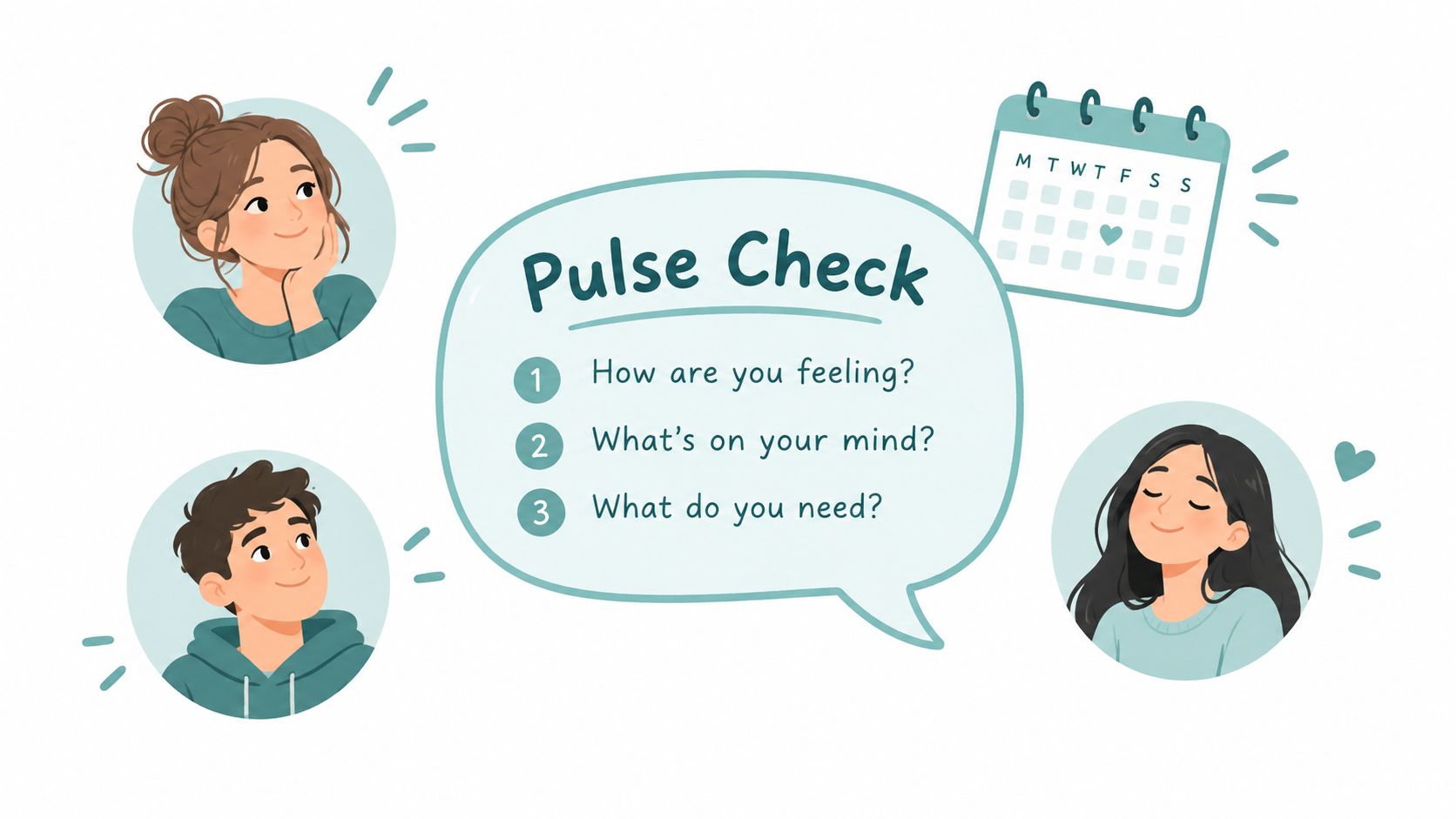
A pulse check is a small conversation with a clear promise: we want to know what work feels like, and we'll do something with what we hear. It isn't a survey that disappears into a spreadsheet. It works when a leader asks a few focused questions, responds to the themes, and reports back on what will change.
Three recurring questions are enough to start:
What went well this week? This surfaces progress and useful practices.
What made the work harder? This reveals broken tools, staffing pressure, and confusing processes.
What would help next week? This turns frustration into a possible action.
Keep the core questions stable so patterns become visible. Change one question when there's a specific issue to explore, such as a difficult launch or a new scheduling process. A retail manager might ask what made a shift harder. A healthcare leader might ask where staff need more support. A distributed team might ask what helped people stay connected across time zones.
Research published through EconStor found that internal communication explained 23% of the variance in employee engagement, with supervisor communication showing a strong positive association with engagement. The practical implication isn't to ask more questions. It's to make the questions useful by acting on credible themes.
Post the pulse in a team Space or company-wide Space, depending on the issue. A guide to pulse surveys and how they work can help teams distinguish a quick check-in from a larger employee survey. Offer optional anonymity when people may fear consequences, but don't hide behind anonymity when a direct conversation is safer and more useful.
Share what you heard and what you're doing next. If leaders repeatedly ask for feedback and never close the loop, the pulse becomes another chore.
6. The Problem-Solving Thread
A problem-solving thread starts with a real operational problem, not a decision disguised as a question. “Customer complaints are increasing about the evening wait. What are we missing?” invites useful thinking. “We are moving to this new process. Any thoughts?” usually produces silence or polite agreement.
Give people enough context to contribute. State what you know, what has already been tried, and what constraints cannot move. A warehouse team might discuss a slow clock-in process. A store team might work through peak-hour coverage. A hospital unit might examine where handoff information gets lost. A restaurant team might look for the cause of long waits during a rush.
Threads create room for people who don't speak first in meetings. The employee who sees the bottleneck every day may have better information than the person presenting the dashboard. Asynchronous discussion also gives participants time to think instead of rewarding whoever talks fastest.
A study of internal communication and engagement used data from 200 non-executive employees, focusing on perceived support and identification as mechanisms connecting communication with engagement. The study summary on RePEc supports a useful operating principle: people contribute more readily when communication helps them feel supported and connected, not merely informed.
Make the thread lead somewhere
Respond to ideas as a participant, not a judge. Ask for examples. Challenge assumptions without dismissing the person. After a few days, summarize the patterns and name the experiment the team will run. Assign the next action and a date for reviewing what happened.
The thread earns trust through follow-through. If employees offer practical knowledge and never hear what happened, they'll stop spending time on the next question.
7. The Recognition or Celebration Post
Private praise has value, but public recognition shows the wider team what the organization notices. A strong post names the action, explains why it mattered, and recognizes the person without turning the message into empty applause.
“Jordan is great” says very little. “Jordan noticed that customers were confused by the new checkout flow, reorganized the queue signs, and helped the next shift use the same setup” gives people something real to appreciate. It also shows colleagues that spotting friction and helping others are valued contributions.
Recognition works across industries. A hospital can highlight a nurse who advocated for a patient. A store can recognize someone who reported a safety hazard before it caused harm. A warehouse can thank an employee who helped a new colleague learn the operation. A restaurant can celebrate a server who handled a difficult customer with patience and care.
Research on communication and engagement often gets reduced to reach and visibility. The more useful question is whether people feel supported and connected to the work. A recognition post helps when it connects individual effort to a shared standard, rather than treating praise as a popularity contest.

Post recognition in a company or team Space, invite specific colleagues to add context, and include people who don't normally appear in company news. A Pebb employee recognition platform can make these posts part of the regular communication flow instead of a once-a-year award ritual.
Don't recognize only sales, speed, or visible output. Notice mentoring, careful documentation, safety decisions, customer care, and the quiet work that keeps a shift running. Culture becomes clearer when people can see those choices being valued in public.
8. The Cross-Team Collaboration Post
A cross-team post prevents useful information from stopping at the department boundary. It might come from operations, product, HR, a warehouse, or a local store. The format stays simple: this is what we're doing, this is what we need, these are the people who should weigh in, and this is when we'll decide.
“Thoughts appreciated” is too vague. Ask a specific question instead. “Which launch materials will stores need before the new products arrive?” gives the retail team a clear way to help. “Can HR confirm whether the training schedule works for night shifts?” gives the right people an action.
Cross-team posts are especially useful when locations work differently. A warehouse may know that a delivery change creates a receiving problem. A store may know that a product display is difficult to maintain. A healthcare department may see a patient-flow issue that another department can fix. The people closest to the work often hold context that the central project team doesn't have.
A 2026 cross-country study tested internal communication with 1,458 employees in Croatia, Slovenia, the United Kingdom, and Italy. It found that digital communication acceptance, perceived organizational support, and psychological contract fulfillment predicted communication satisfaction, which then connected with employee engagement and life satisfaction. The study's abstract on Taylor & Francis reinforces the value of designing communication around how people experience the organization.
Use a cross-functional Pebb Space for projects that need more than one exchange. Tag roles or specific people instead of entire channels. Set a deadline for input, summarize what you heard, and explain the decision. For a practical look at the hidden friction points in teams, pay attention to the moments where ownership, context, or timing becomes unclear.
8 Internal Communication Examples Compared
Post Type | Implementation Complexity 🔄 | Resource Requirements ⚡ | Expected Outcomes 📊⭐ | Ideal Use Cases 💡 | Key Advantages ⭐ |
|---|---|---|---|---|---|
The All-Hands Update | Moderate 🔄, leadership prep and editing | Low–Medium ⚡, one post, optional video | Company alignment; reduced rumors 📊⭐ | Company-wide strategic updates, cross-shift announcements | Broad reach; asynchronous; searchable archive |
The Shift Handoff Brief | Low 🔄, template-driven, repeatable | Low ⚡, short mobile-ready entries | Operational continuity; fewer missed priorities 📊⭐ | Shift changes in healthcare, retail, warehouses, restaurants | Consistency; accountability; fast to read |
The Policy or Procedure Announcement | Moderate–High 🔄, requires review and clarity | Medium ⚡, clear copy, diagrams, maintenance | Single source of truth; fewer HR queries 📊⭐ | Policy changes, compliance, benefits updates | Searchable permanent record; reduces ambiguity |
The Learning or Training Module | High 🔄, content design and upkeep | High ⚡, multimedia, tracking, periodic updates | Faster onboarding; improved on‑the‑job competence 📊⭐ | New systems, recurring skill refreshers, onboarding | On‑demand learning; completion tracking; referenceable |
The Weekly Pulse Check | Low 🔄, set questions, recurring cadence | Low ⚡, simple post; optional anonymity | Morale and wellbeing insights; early signal detection 📊⭐ | Team wellbeing checks, distributed team feedback | High participation; trend visibility; builds trust |
The Problem-Solving Thread | Low–Moderate 🔄, needs framing and synthesis | Low ⚡, post plus moderation/summarizing | Better solutions; distributed ownership 📊⭐ | Non-urgent operational problems, process improvements | Inclusive idea generation; leverages frontline insight |
The Recognition or Celebration Post | Low 🔄, concise, behavior-focused | Low ⚡, quick public post | Morale boost; reinforces desired behaviors 📊⭐ | Publicly celebrating notable contributions across shifts | High ROI on morale; signals cultural values |
The Cross-Team Collaboration Post | Moderate 🔄, requires clear asks and timelines | Medium ⚡, tagging, coordination, follow-up | Reduced duplication; improved alignment across teams 📊⭐ | Cross-functional projects, launches, resource coordination | Breaks silos; surfaces external expertise; fosters alignment |
Make the Message Easy to Find and Use
These eight examples share a simple structure. Someone has a real need, the message gives enough context to act, the right people can respond, and the sender closes the loop. The format changes because the work changes. An all-hands update creates shared direction. A handoff protects continuity. A training module supports recall. A recognition post shows what good work looks like.
The mistake is treating internal communication as a publishing schedule. More posts won't fix a handoff that nobody reads, a policy that nobody can find, or a pulse check that nobody trusts. The medium matters, but the operating habit matters more. Someone must own the message, the audience must know why it matters, and the next step must be clear.
Choose one recurring need first. If shift changes are causing confusion, start with the handoff. If employees keep asking the same policy questions, create a searchable policy resource. If managers hear problems only after they become serious, establish a weekly pulse or a problem-solving thread.
Then keep the first version simple:
Choose one owner: Give a named person responsibility for publishing and follow-up.
Create one repeatable format: Use the same headings or questions each time.
Pick one reliable place: Make sure employees know where the message lives.
Set a response expectation: Say whether people need to read, reply, complete, or act.
Review the outcome: Check whether people found the message and could use it.
Measurement should go beyond delivery. Recent internal communication reporting found that 24% of communicators wanted to prove ROI, 40% were interested in measurement and analytics, and 31% wanted automation and efficiency, while only 40% of organizations were measuring engagement through analytics. ContactMonkey's report on internal communication measurement describes the direction clearly. Open rates and reach can tell you whether a message arrived. They can't tell you whether people understood it, changed a behavior, or found the answer later.
That doesn't mean every message needs a complicated dashboard. For a handoff, check whether the next shift completed the required actions. For training, watch the questions that keep appearing. For a policy, track repeated requests for clarification. For recognition, notice whether managers are naming the behaviors the organization wants to reinforce.
Pebb is one way to put these patterns in one place, with Spaces for context, posts for updates, tasks for follow-through, and a Knowledge Library for resources people need again. Other tools can work too. The test is practical: can an employee find the message on a busy day, understand what it means, and take the next step from a phone, a different location, or a different shift?
Good communication respects the shape of real work. It doesn't assume everyone is online at the same time, sitting at a desk, or reading every announcement. It gives people a clear path through the noise, then makes sure someone is listening on the other side. That is what makes an internal communication example useful. Not how polished it looks, but whether it helps people work with less confusion and more trust.
Pebb brings team chat, news feeds, Spaces, tasks, knowledge resources, and employee updates into one work app for frontline and office teams. Visit Pebb to give your people a simpler way to find important information, share feedback, and stay connected across shifts and locations.
