
How to Improve Team Collaboration (Without More Meetings)
Learn how to improve team collaboration with practical tips for frontline and office teams. Ditch endless meetings and build a calm, productive workplace.
Dan Robin
Let’s be honest. Most of what passes for “collaboration” is just organized chaos. It’s the endless parade of back-to-back meetings, the constant ping of notifications, and that nagging feeling that no one is ever on the same page. We’re all staying busy, but are we actually moving forward together?
After years of building and watching teams, I’ve learned a hard truth: you don’t improve team collaboration with more tools or more meetings. You do it by building a single source of truth, setting clear rules for communication, and making sure every conversation leads to a real, accountable action. It’s about creating a calm, focused workplace. And it all starts by admitting the way we’ve been working is broken.
The Collaboration Problem We Don't Talk About
The issue isn’t your people. They're trying their best. The problem is that the default way we work is fundamentally flawed. A 2024 McKinsey study found that employees spend a massive part of their day just trying to navigate internal communications. That tells you everything you need to know.
We’re drowning in what I call "collaborative busywork." It fosters a culture of distraction, where the loudest person gets all the attention. It’s not just inefficient; it’s draining. People burn out just trying to keep their heads above water, and good ideas get lost in the noise.
The Myth of "More Is Better"
I’ve seen this play out a dozen times. A team feels disconnected, so management rolls out another chat app. A project lags, so more check-in meetings are slapped onto the calendar. But this reflex doesn't fix the problem. It just adds to the chaos.
Piling on more tools creates more silos, especially for companies with both office and frontline workers. The office team lives in email, the field team uses a group text, and big decisions are buried in video calls that half the team couldn't join. Your warehouse crew feels completely cut off from the head office, not because they don’t care, but because information is scattered everywhere.
Collaboration isn’t about being in constant contact. It's about having clarity and context when it matters. The goal should be to reduce the noise, not add to it.
The answer isn’t another app or one more meeting. It's about changing how we approach teamwork. We need to create a single, calm space where communication is intentional, work is visible, and everyone—from the front lines to the head office—can finally work in peace.
Give Your Team a Single Source of Truth
Your team's focus isn't a renewable resource. Every minute they spend jumping between emails, group chats, and clunky intranets to find a simple piece of information is a minute they aren't actually working. They're just searching.
If you want to fix collaboration, the first thing you must do is stop scattering work across a dozen apps. A unified space isn't a nice-to-have; it's the bedrock of productive teamwork.
Think about a retail team trying to set up a new store display. Marketing emails the branding guidelines. The operations manager posts the floor plan in a separate chat app. A frontline staffer tries to report a broken fixture by texting their manager, who might not see it for hours. It’s a recipe for chaos. Things get missed, time is wasted, and everyone ends up frustrated.
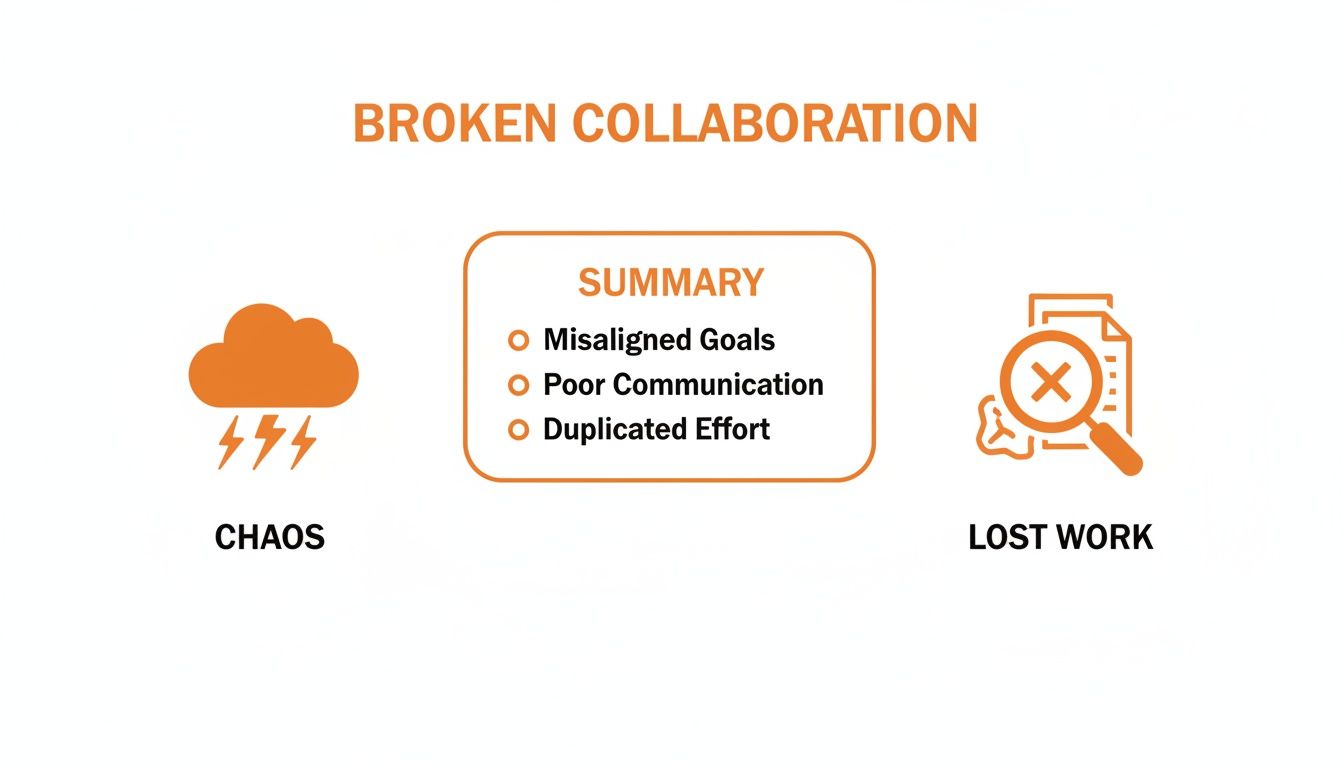
This isn't just a messy diagram; it's a snapshot of what’s really happening in so many businesses. Misalignment and duplicated work aren't minor annoyances—they're direct hits to your bottom line.
One Hub to Unify the Work
Now, picture a better way. What if there was one central hub for that same project? A single space where the conversation, the files, the task list, and all the updates live together. A place where everyone, from the person on the warehouse floor to the team at head office, can see the whole picture.
This is what a single source of truth does. It’s not about adding yet another tool. It’s about replacing the tangled web of disconnected apps with one clear, organized home for work.
Bringing everything into a hub like Pebb doesn't just make things tidier; it fundamentally changes how your team operates. The data backs this up. High-engagement teams that use integrated platforms don't just feel more connected; they deliver 23% higher profitability. That’s a massive impact, especially when you learn that a staggering 86% of workers point to ineffective communication as a primary cause of workplace failures.
What This Looks Like in Practice
This isn't just theory. With a central hub, our retail team's project looks completely different.
The marketing team posts the final brand assets directly in the project space.
The ops manager shares the floor plan with an attached task list, assigning setup duties to team members.
A frontline employee spots a broken fixture, snaps a photo, and instantly creates a task for the maintenance team, all inside the same space.
Suddenly, wires don't get crossed. Everyone has the context they need without asking. The "just checking in" meetings disappear because progress is visible to everyone, all the time. This is the real starting point. To dig deeper, check out our guide on how to build a central knowledge hub for your team.
Set Simple Rules for Communication
Here’s the thing: you can't just buy a new tool and expect your communication problems to vanish. A tool only amplifies the habits you already have. Once you have a central hub, the real work begins: setting simple ground rules for how you’ll use it. If you don't, that shiny new platform will quickly become the same digital free-for-all you were trying to escape.
Let's be real. The constant pressure to be online and reply instantly is a huge source of burnout. It traps people in a reactive cycle, where their day is run by notifications instead of priorities. This is your chance to build a calmer, more focused work environment.
One of the most powerful changes you can make is to make asynchronous communication the default. This just means creating a culture where an immediate response isn't the expectation. It’s a profound shift that gives your team back the one thing they need most: uninterrupted time to do their best work.
Collaboration isn’t non-stop chatter. It’s clear, intentional communication that respects everyone’s time. The goal is to make communication serve the work, not interrupt it.
This is critical for teams spanning different shifts, locations, or time zones. When the night shift can get the information they need without waiting for the morning crew to log on, work just flows. Everyone can contribute when it makes sense for them, not just when they happen to be online at the same time.
How to Create Your Rules
This isn't about drafting a formal policy document. It's about having a real conversation with your team and agreeing on a few practical guidelines.
Here are a few simple ideas I’ve seen work wonders:
Use chat for quick, informal questions. Think of it as tapping someone on the shoulder—perfect for things that don't need to be saved forever.
Post important announcements in a dedicated, threaded channel. This keeps must-know information organized and easy to find later.
Acknowledge tasks with an emoji reaction. A quick 👍 is faster and creates less noise than a dozen "Got it" replies.
No pings after hours unless it's a true emergency. This one rule does more for work-life balance than almost anything else.
These aren't just rules; they're a reflection of your team's culture. They send a clear message that you value focus, respect people's time, and trust them to manage their work.
Build a Knowledge Base People Actually Use
A secret about real collaboration: it often has nothing to do with meetings. The best teamwork happens when people can find their own answers and solve their own problems without stopping for directions.
How many times a day does someone on your team ask for the same link or the same policy document? It’s a slow, constant drain on everyone's focus. You need a trusted place for all that crucial information—a shared knowledge base that acts as your team’s brain.
Stop Building Digital Graveyards
Let's be honest, the idea of a knowledge library isn't new. But I've seen countless companies fail at it. They build a clunky intranet, dump outdated PDFs in it, and then act surprised when nobody uses it. It becomes a digital graveyard.
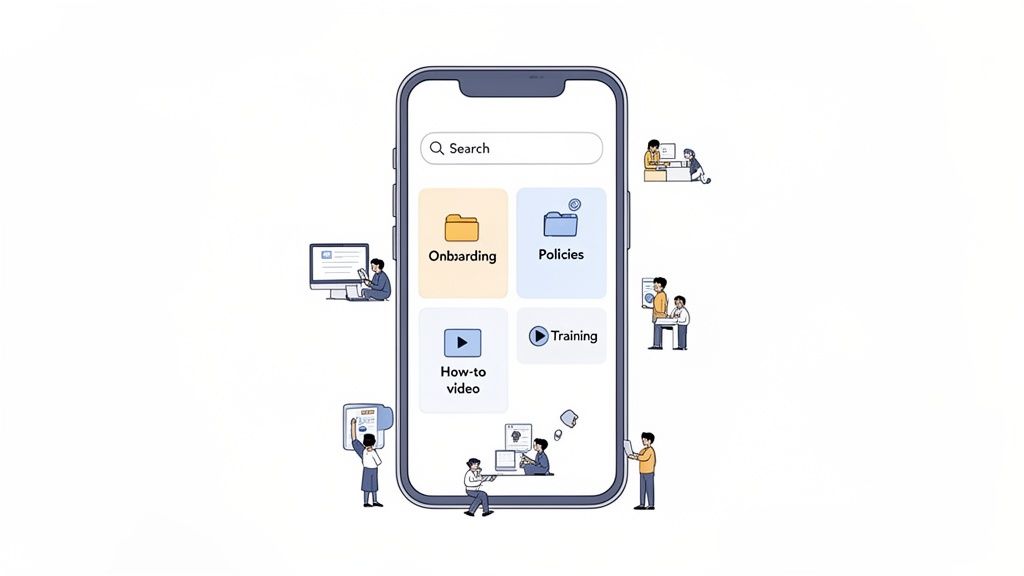
A knowledge base people actually use is a living part of your daily workflow. It has to be searchable, instantly accessible from a phone, and practical. This is where you can improve team collaboration by helping people be autonomous. When your team knows exactly where to find safety protocols or the guide for processing returns, they can act, not wait.
The most powerful way to improve collaboration is to help people not have to collaborate at all. A great knowledge base frees everyone up to do their real work.
The cost of not having this is staggering. Some reports show that a shocking 1 in 2 knowledge workers end up duplicating tasks because they can't find the right information. That’s a hidden drain that kills momentum.
What Belongs in a Living Knowledge Base
So, what should you put in this library? Start with the essentials—the stuff your teams need every single day. The goal is to answer their questions before they have to ask.
Here are the non-negotiables:
Onboarding Guides: Checklists, welcome videos, and key contacts to help new hires feel confident from day one.
Process Documents: Simple, step-by-step instructions for common tasks, like closing the register or submitting an expense report.
Company Policies: The official, up-to-date source for PTO requests, safety procedures, and your code of conduct.
Training Materials: Short videos and quick guides on new products or software updates.
The key to keeping it alive is ownership. Assign someone to keep critical documents current. Get in the habit of documenting new processes as you create them. And remember, a simple, well-written guide is infinitely more useful than a complex one that never gets finished. For more on this, check out our guide on the best practices for maintaining knowledge bases.
Connect Conversations Directly to Actions
We’ve all seen it happen. A team brainstorms, the chat is buzzing with ideas, and everyone feels a surge of energy. Then... nothing. The conversation dies, buried in a long chat thread, and the momentum vanishes.
For collaboration to mean anything, it has to lead somewhere. The secret is to create a workflow where a great idea instantly becomes a real task—with an owner, a due date, and clear visibility for everyone.
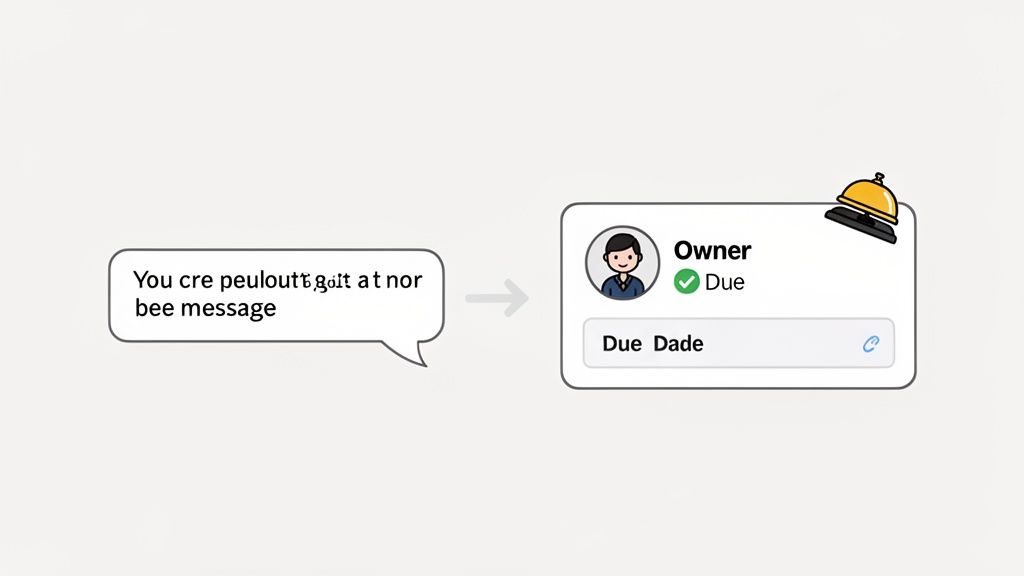
This simple connection between conversation and action introduces a layer of accountability that’s often missing.
From Chat to Actionable Task
Let’s imagine a real-world example. A frontline team member at a hotel notices guests keep complaining about slow room service on weekends. They post a note about it in their team’s Pebb space.
In most companies, that message might get a few thumbs-up and fade away. Here, though, the manager can turn that insight into action on the spot.
With a single click, that message becomes a task card:
Task: Investigate Weekend Room Service Delays
Assignee: Operations Manager
Due Date: End of Week
Suddenly, it’s not just a passing comment—it’s a trackable work item. The operations manager gets a notification, and the team can see the issue is being looked into. No more wondering if anything will be done.
The most effective collaboration happens when the distance between a conversation and a decision is as short as possible. Turning ideas into tasks closes the loop.
This workflow creates a transparent cycle of communication, action, and resolution. The person who flagged the issue feels heard. The manager gets a simple way to delegate. It’s a powerful habit that ensures good ideas—especially from the front lines—are never lost. This small, daily act builds incredible trust and makes everyone feel like part of the solution.
Measure What Matters to Improve How You Work
There’s an old saying: you can't improve what you don't measure. But when it comes to collaboration, most of what we track is just noise. Counting messages sent tells you almost nothing about the health of your team. It’s like judging a restaurant by how many times the front door swings open.
We need to ask better questions. Instead of just tracking activity, we should look for signals that show real connection and progress.
Looking for the Right Signals
Let's be honest: what really matters is whether work is flowing smoothly. Are tasks getting done without a dozen follow-up pings? Can new hires find onboarding documents on their own?
This is where the real story is. A manager needs to feel the pulse of the organization—not to spy, but to get a clear view of how work actually gets done.
For example, you could start asking:
Is the night shift communicating with the day shift? Interaction patterns can tell you if handoffs are happening smoothly.
Are departments becoming siloed? If marketing never talks to operations, you might have a problem brewing. The right tools can make these invisible walls visible.
Is our new communication rule actually working? Let's say you moved important updates out of chat. You can now see if that behavior is changing.
Data shouldn't be a report card. It should be a conversation starter. The goal is to spot friction, understand why it's happening, and make small, deliberate improvements.
This isn’t about micromanaging; it’s about seeing the system as a whole. A spike in questions about a specific policy might mean the guide in your knowledge base is confusing. These insights are your starting point. They help you trade guesswork for informed conversations and build a workplace that gets a little calmer and more connected, day by day. If you want to dig deeper, we’ve written more on how to measure communication effectiveness.
Answering Your Toughest Collaboration Questions
Over the years, I’ve had countless conversations with leaders trying to solve the same puzzle. A few questions pop up time and time again. Here are my honest answers.
How Do I Get My Team to Actually Use a New Tool?
This is the big one. The key is to start small and solve a real, nagging problem right away. Don’t roll out a new platform and announce, "Okay, we're using this for everything now!" That’s a surefire way to get people to ignore it.
Instead, pick one specific pain point. Is the weekly schedule a constant source of confusion? Announce that from now on, the only place to find the official schedule is in the new tool. That's it. Once the team sees it’s easier and more reliable than digging through old emails, they'll start to trust it. Adoption is about demonstrating clear, immediate value, not forcing compliance.
What’s the Biggest Mistake Leaders Make with Collaboration?
Hands down, the biggest mistake is thinking a new tool can magically fix a broken culture. It can’t. If your team is already burned out from pressure to reply instantly, a new chat app is like pouring gasoline on the fire.
You have to change the expectations around communication first, then introduce a tool that supports those new habits.
If your goal is a calmer, more focused work environment, you have to model that behavior. Talk openly about the importance of deep work. Make asynchronous communication the default. The tool’s job is to support the culture you’re building, not create it for you.
Is There Such a Thing as Too Much Collaboration?
Absolutely. There's a tipping point where "collaboration" just becomes distraction. Experts call it collaborative overload. It’s that feeling of being so buried in pings, meetings, and requests for input that you have zero time left to do your actual job.
Good collaboration isn’t about being in constant contact. It’s about smart, intentional communication that moves work forward. The goal is productive teamwork, not just endless talk. It's time we stopped aiming for more collaboration and started aiming for better collaboration.
Ready to create a single source of truth for your team? Pebb unifies communication, operations, and engagement into one calm, organized app for frontline and office teams. See how it works at https://pebb.io.
