
Homebase Per Location Fees vs Seat Pricing
We break down homebase per location fees vs seat pricing to show how hidden add-ons and team density actually change your total software costs.
Dan Robin

Buyers often compare software pricing the wrong way. They look at the sticker price, nod at the monthly number, and call it a day. That's how buyers end up with a “cheap” tool that turns expensive the moment the business grows, adds a site, or needs payroll, permissions, and real control.
The key question in Homebase per location fees vs seat pricing isn't which one sounds lower. It's which one matches how your operation truly works. If your business grows by people, seat pricing usually feels honest. If your business grows by sites, Homebase's location model can look tidy at first, then get very tangible very fast.
Cost model | What you pay for | Where it usually fits | Where it bites |
|---|---|---|---|
Per location | Each physical site | Dense, single-site operations, local teams | Multi-site growth, add-ons, payroll, branch sprawl |
Per seat | Each user | Distributed teams, project work, headcount-driven growth | Large frontline teams, seasonal hiring, lots of active users |
The mistake is thinking one model is always cheaper. It isn't. The cheaper model is the one that stays aligned after you add a manager, a second branch, payroll, or the features people forget to price in the first meeting.
The Pricing Trap in Workforce Software
A pricing page is a sales hook, not a budget. The headline highlights the smallest acceptable number, while payroll connections, permissions, reporting, and expansion determine what you pay after launch.
The cost curve is the trap. Per-location pricing can look cheap for a crowded site, while per-seat pricing may look cheaper for a small team. Add branches, seasonal staff, or paid features, and the expected winner can reverse. Workforce software vendors use several billing structures, including seat, location, and usage-based pricing, so comparing the opening price alone produces a weak decision (ITQlick's workforce management pricing overview).
The model changes the budget path
Seat pricing ties your bill to active users. Hiring increases the charge, and reducing access can lower it if the contract allows seats to be removed. That connection is easy to understand, but it becomes expensive when every manager, supervisor, or frontline worker needs access to paid features.
Location pricing ties the base charge to operating sites. A busy site can absorb a growing roster without the same per-user increase, yet every new branch creates another recurring commitment. Per-location add-ons can also turn a neat base fee into a much larger operating bill.
A simple illustration shows why the headline price misleads. A $30-per-location plan for 5 sites costs $150 per month before payroll or other add-ons, while an $8-per-seat plan for 50 users costs $400 per month. The cheaper starting model depends on the count that grows fastest, then on which features sit outside the advertised tier.
Practical rule: model the bill at launch, after hiring, after turnover, and after expansion. Include payroll, permissions, reporting, support, and every required add-on.
For teams comparing Homebase per location fees vs seat pricing, choose the model that follows your operating reality. A multi-site company should test branch growth first. A stable group with many users at one site should test seat limits and feature access first. The wrong model does more than inflate software spend. It makes expansion harder to approve because every new site or user carries a cost the original comparison concealed.
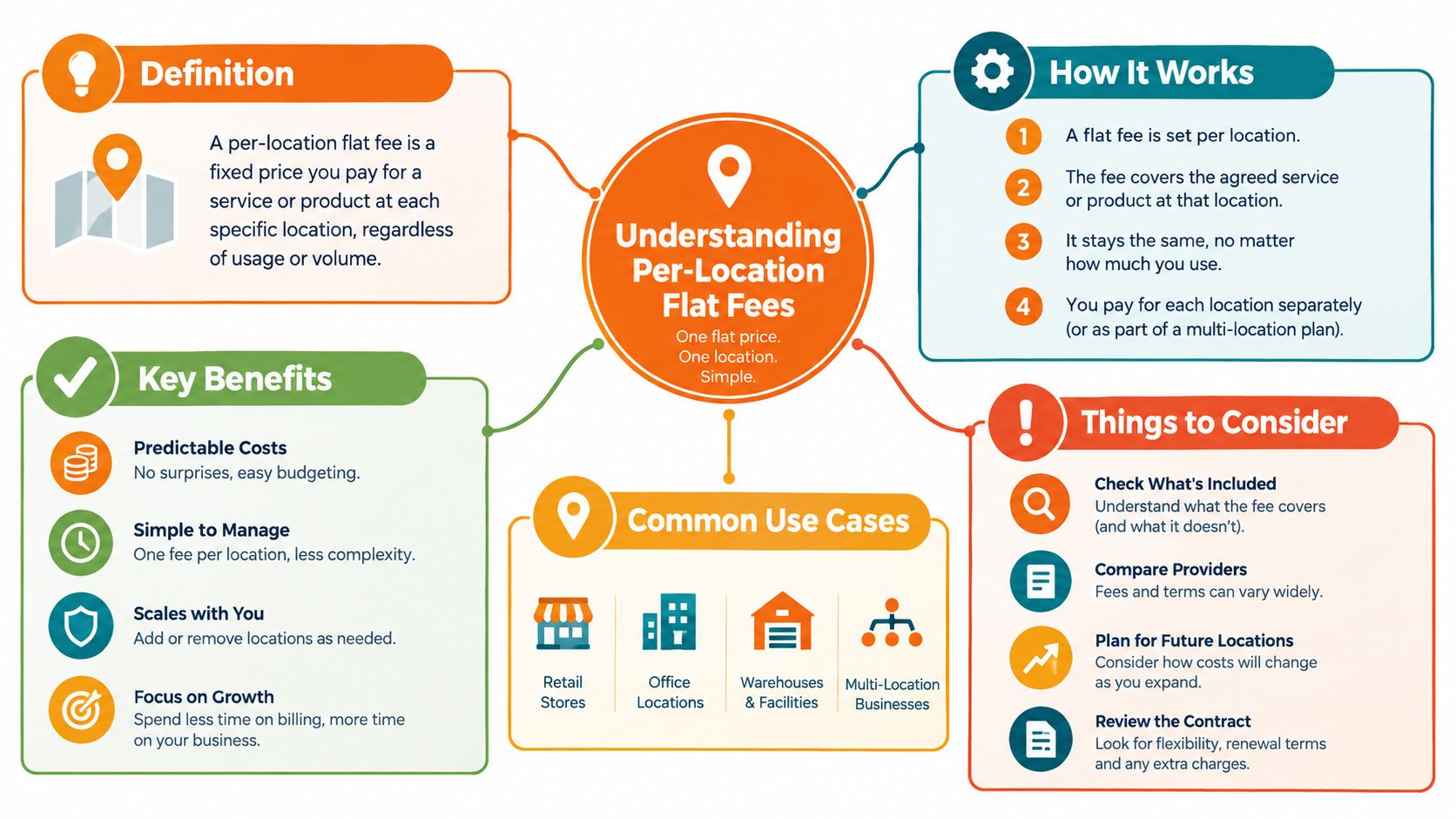
Understanding Per-Location Flat Fees
Homebase is the cleanest example of site-based billing. Its current pricing is explicitly location-based, not seat-based. The free Basic tier is limited to 1 location and up to 10 employees, while paid plans start at $30 per location per month for Essentials, $70 per location for Plus, and $120 per location for All-in-One. Annual billing brings those down to about $24, $56, and $96 per location, respectively, according to Homebase's pricing page (Homebase pricing).
Why this feels predictable
I get why operators like this model. You pay for the building, not every person walking through it. Once a site is on a paid tier, adding more staff often doesn't change the software bill, because paid plans include unlimited employees on the location fee structure (Homebase vs Square comparison). That makes the monthly cost feel stable in a way that's easy to budget around.
That stability is real, but it comes with a trade. Homebase stops behaving like a normal SaaS seat model and starts behaving more like a site license. A single busy location can look efficient. The moment you add another site, the economics change again.
This is why employee density matters so much. A 20-person team at one site and a 200-person team at the same site can pay the same location fee on paid tiers, which is exactly why the model looks attractive in dense frontline environments. The business value comes from squeezing more labor coordination into one physical footprint.
Where flat fees work, and where they don't
This model shines when one site carries a lot of activity. Restaurants, salons, retail floors, and clinics usually care more about staffing coordination than about a tidy per-user invoice. One location, one schedule, one labor pool. That's the sweet spot.
It starts to work against you when your company grows sideways. If you open another branch, the price climbs with the footprint even if staffing at each site stays lean. That's the trade most buyers miss, because they look at headcount first and site count later.
For teams trying to avoid per-location pricing entirely, there are platforms built around different rules, including Pebb's multi-location scheduling approach. The important point isn't that one model is universally better. It's that the billing unit should match the unit of your business.
Breaking Down Per-Seat User Pricing
Per-seat pricing looks fair because it follows access, not square footage. You pay for the people who use the system, add users as the workforce grows, and remove them when roles disappear. That makes the invoice easier to connect to labor planning, but it does not guarantee a lower total cost.
The key question is who counts as a paid seat. A scheduler, manager, administrator, and employee may need different permissions, yet some plans charge for every active user or restrict useful features to higher tiers. A low headline rate can become expensive once supervisors, occasional users, and temporary workers all require access.
Why seat pricing feels honest
Finance teams can forecast a seat-based bill directly from hiring plans. A permanent hire increases the subscription cost, while an exit can reduce it if the vendor allows prompt seat removal. That connection is straightforward, though it requires disciplined user administration.
Seasonal hiring exposes the trade-off quickly. A 30-person summer surge at $10 per seat adds $300 per month, even if only 10 of those workers need scheduling. The software bill follows the temporary headcount, not the narrower set of people using the relevant feature.
My rule of thumb: if people are the resource you're managing, per-seat pricing is usually easier to defend. If buildings are the resource, per-location pricing can make more sense.
Seat pricing works best when access is concentrated among a stable group. It becomes harder to justify when frontline teams have high turnover, contractors need limited permissions, or staff require the platform only during short periods. Check whether the vendor supports inactive users, role-based access, and seasonal seat changes before comparing rates.
Where it beats site fees
A user model often fits distributed teams, contractors, mixed roles, and organizations where people move between projects or branches. The bill follows access rather than adding another charge whenever the company opens a location. That can make procurement cleaner for operations spread across many sites.
It also avoids paying the same site fee for a small office and a packed facility. However, a dense workforce can make per-seat pricing climb quickly, especially when every employee needs only basic scheduling access. The expected savings from avoiding location fees disappear when paid seats multiply.
For a broader employee app priced by users, Pebb's pricing page offers a useful comparison with Homebase's site-based setup. Review the included features, paid-user definition, minimums, and removal rules. Those contract details determine whether the seat model reflects real usage or merely shifts the scaling burden from locations to headcount.
Hidden Costs and Add-Ons That Change the Math
Buyers usually get burned at this stage. The base fee gets all the attention, then the add-ons show up and the neat comparison falls apart. Payroll, tip management, task tools, approvals, and permission layers all change the actual price.
Homebase makes that especially important because the headline per-location fee doesn't tell the whole story. Independent reviews note that Homebase payroll is sold separately at $39 per month plus $6 per employee per month, and add-ons such as Tip Manager and Task Manager are also priced per location, which can materially change the economics for multi-location teams (ERP Research on Homebase add-ons).
The all-in cost is what matters
A lot of teams buy scheduling first and think payroll can wait. Then payroll becomes essential. Or they assume task management will be “nice to have,” then operations asks for it because the store managers need consistency. That's how the clean base plan gets bloated.
Here's the part vendors don't like talking about. A location fee can be competitive on scheduling alone, but once you layer in payroll and branch-level add-ons, the economics can start to resemble the thing you were trying to avoid. That doesn't make the product bad. It makes the comparison incomplete.
Cost Component | Per-Location Model | Per-Seat Model |
|---|---|---|
Base access | One fee per site, often with unlimited employees on paid tiers | One fee per user |
Growth trigger | New location | New user |
Payroll | Often extra, and may include per-employee charges | Often extra, sometimes bundled differently |
Task or admin features | Can be priced per location | Can be priced per user or bundled |
Budget risk | Branch sprawl | Headcount growth |
Read the invoice, not the brochure
A vendor can say the platform is affordable and still be telling the truth. It may just be affordable only if you don't need the parts that make it operationally useful. That's the catch.
If a team needs scheduling plus payroll plus branch controls, the base fee is just the door you walk through. The decision itself lives in the add-ons. And once a product starts pricing those pieces separately, the “per-location vs per-seat” debate gets a lot less tidy.
I'd rather see a buyer build the budget from the workflows they need. Scheduling, timekeeping, payroll, and task execution should all be in the model. Anything less is wishful thinking.
Real-World Scenarios and Cost Breakdowns
The easiest way to judge pricing models is to stop talking in theory. Dense single-site teams and multi-site operations do not live in the same cost reality, and trying to treat them the same is how software budgets go sideways.
Homebase's own pricing structure makes that clear. Independent reviews note that the same plan price applies whether a location has 10 employees or 100+, because paid tiers include unlimited employees, which means the model gets more efficient as employee density rises and less efficient as sites multiply (Front Desk Review on Homebase).
A busy restaurant with one location
A single-site restaurant with a thick schedule and constant turnover is the classic per-location fit. One site fee covers a lot of bodies, and the math can look strong because headcount doesn't keep rattling the bill every time someone gets hired for the weekend rush.
That's the kind of environment where a site-based model feels almost elegant. Managers care about shifts, attendance, and labor coverage. They don't want to babysit seat counts. They want the floor staffed and the schedule stable.
A retail chain with several branches
Location pricing gets more expensive than it first looked. Each branch adds another fee, even if staffing is lean. If the chain keeps opening stores, the software bill grows with the footprint whether or not each site is busy enough to justify it.
That's why operators should ask one blunt question in every demo. Does the product scale with our people, or with our doors? If the answer is doors, the growth math needs to be very clear before anyone signs.
A distributed team with no real central site
A logistics team, a field service crew, or a hybrid workforce doesn't always fit a location model cleanly. If people aren't tied to one building, a per-location fee can feel artificial. Seat pricing usually reads more naturally here because the unit of work is the user, not the address.
The lesson is simple. Dense sites favor flat site fees. Distributed teams favor user-based billing. Anything in between depends on how often you add locations versus how often you add people.
Governance and Operational Implications
Pricing isn't just a finance issue. It shapes how you govern access, how you onboard people, and how much friction your managers tolerate before they stop using the tool properly.
A per-location model lowers the barrier to entry inside a site. Once the site is paid for, adding more people often doesn't change the bill, which makes onboarding easy. That's good for frontline adoption. It's also why internal controls matter more, because low-friction access can turn messy if permissions are sloppy.
Control gets more important when access is cheap
If everyone at a site can get in without changing the invoice, someone still has to decide who should see what. That means roles, permissions, and offboarding discipline matter. Otherwise, the platform becomes a catch-all dumping ground for messages, schedules, and files.
Seat-based pricing tends to force more deliberate access management because every user has a cost. That can make admins more careful, which is good, but it can also create annoying bottlenecks when managers are trying to add seasonal staff quickly.
The best system is the one your team can govern. If your managers can't keep permissions clean, the model doesn't matter much. You'll still end up with confusion.
Budget forecasting follows the pricing unit
Finance and operations usually want different things. Finance wants predictability. Operations wants flexibility. A per-seat plan is easier to forecast if hiring is steady. A per-location plan is easier to forecast if sites are stable.
A good contract mirrors the thing you control best.
If you control headcount tightly, seat pricing can be the cleaner bet. If you control site count better than staffing levels, location pricing may be simpler. The wrong model creates budget noise for no good reason.
For teams looking at a broader internal communications and operations hub with seat-based pricing, Pebb is one option to compare against location-based workforce tools. I'd still keep the same rule in mind. Pick the billing unit that matches the operational unit you manage.
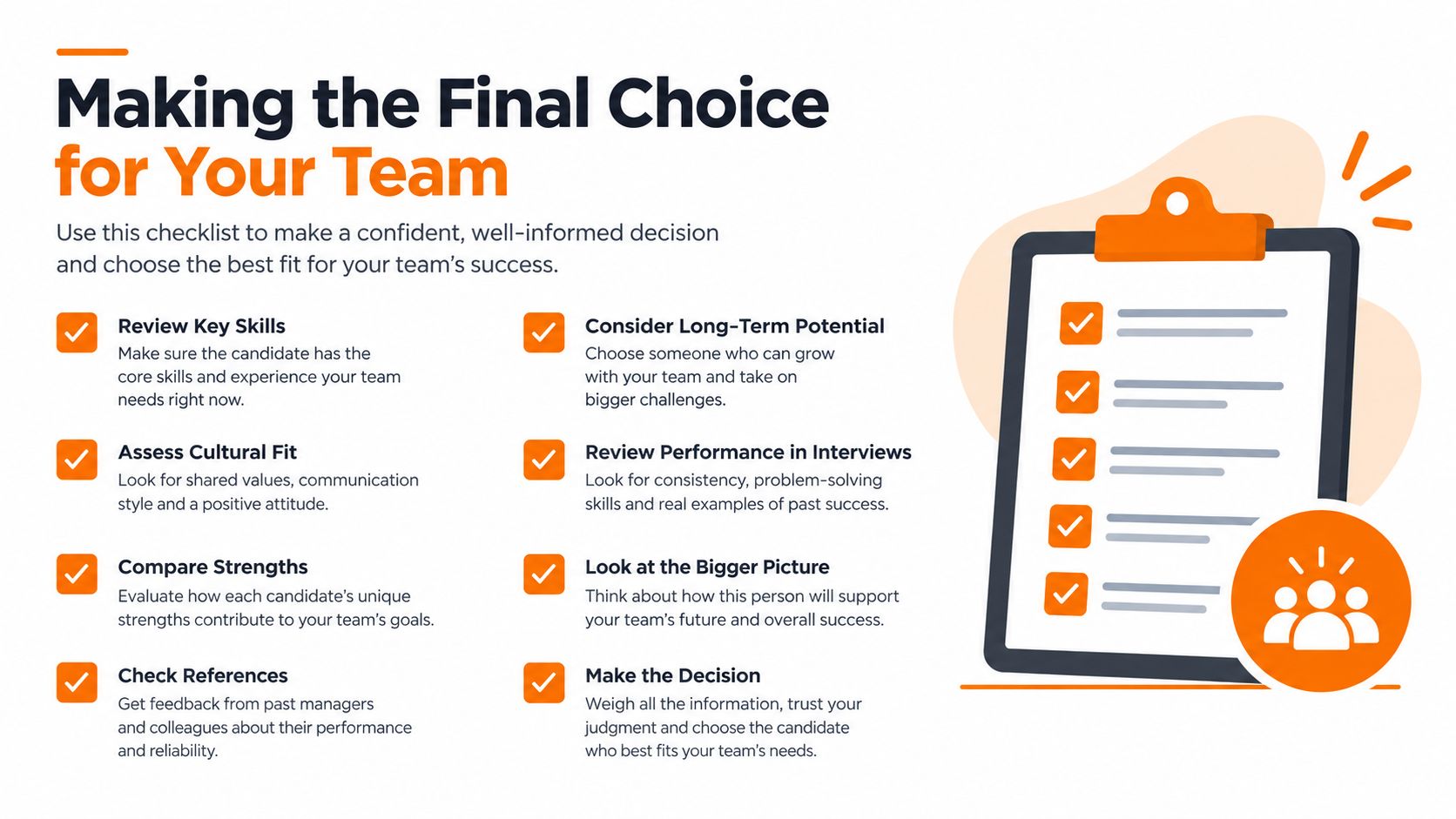
Making the Final Choice for Your Team
My view is pretty straightforward. Per-location pricing is a good deal when one site carries a lot of people and the work is tightly tied to a physical footprint. Per-seat pricing is better when access should rise and fall with individual users, not buildings.
If your business is dense, hourly, and local, don't overcomplicate it. A site fee can be exactly the right structure. If your business is spread out, changes often, or treats people as the main unit of cost, seat pricing will usually age better.
What I'd ask before signing
How do you charge when we add another site? If the answer is “another full fee,” make sure that fits your growth plan.
What happens when headcount rises inside one location? If the price stays flat, that can be a real advantage.
Which add-ons are mandatory for our actual workflow? Payroll, task tools, and permissions change the math quickly.
Are we buying a scheduling tool or an operating system? The more functions you need, the more the true cost matters.
The right answer isn't abstract. It lives in your org chart, your expansion plan, and your labor mix.
If you're weighing tools for scheduling, communication, and day-to-day operations, Pebb brings those workflows into one app with per-user pricing and Spaces for teams, branches, and sites. Visit Pebb if you want a cleaner way to manage people without getting trapped in a per-location bill.
