
8 Engaging Employees Examples That Actually Work
Stop guessing. We share 8 engaging employees examples, from comms to culture, that build teams that stick around. Learn what works and why.
Dan Robin
Let's be honest. Most articles on employee engagement are full of hot air. They talk about 'synergy' and 'empowerment' but miss the point entirely. Engagement isn't about pizza parties or ping-pong tables. It's about clarity, connection, and feeling like you're part of something that matters. For years, we’ve tried the standard playbook and watched it fail, especially with our frontline teams who are often cut off from the main office chatter.
We learned the hard way that real engagement isn't a program you launch; it's what happens when the work environment is thoughtful and well-run. It's built on the small, daily interactions that make work less of a grind. For a deeper look at what actually moves the needle, explore these practical steps to increase employee engagement.
This isn't another list of trendy, empty perks. Instead, we're sharing a handful of specific, actionable engaging employees examples that just work. These are the things we've seen build genuine connection, from a single communication hub to simple shift scheduling. This is what we’ve learned from being in the trenches.
1. One Place for All Communication
Nothing kills momentum faster than a communication black hole. When your team is juggling emails, texts, group chats, and maybe a bulletin board in the breakroom, important messages get lost. This is where a unified communication platform comes in. It's one of the most fundamental examples of engaging employees you can put in place.
It’s about creating a single, reliable hub for everyone. Your company’s digital headquarters. A place where conversations, announcements, and resources live together. This is especially vital for frontline and hybrid teams, who often feel disconnected. Tools like Slack and Microsoft Teams paved the way for desk-based workers, while newer, mobile-first tools like Pebb are built to bring that same connection to frontline employees across multiple locations and shifts.
How to make it work:
Create clear channels. Use dedicated channels for specific topics (e.g.,
#announcements,#shift-swaps,#wins). This keeps conversations focused and easy to find.Set expectations. Show everyone how to use the platform. Define "quiet hours" or encourage Do Not Disturb settings to protect people from burnout.
Lead by example. Managers and leaders must use the platform. If they default to email, so will everyone else.
A truly unified system reduces friction. To make communication even more seamless, especially for employees on the go, using tools from a professional's guide to speech-to-text software can be a game-changer, letting people share updates without typing. When your communication tool is easy and inclusive, you’re not just sharing information; you’re building a connected culture.
2. Dedicated Team Spaces
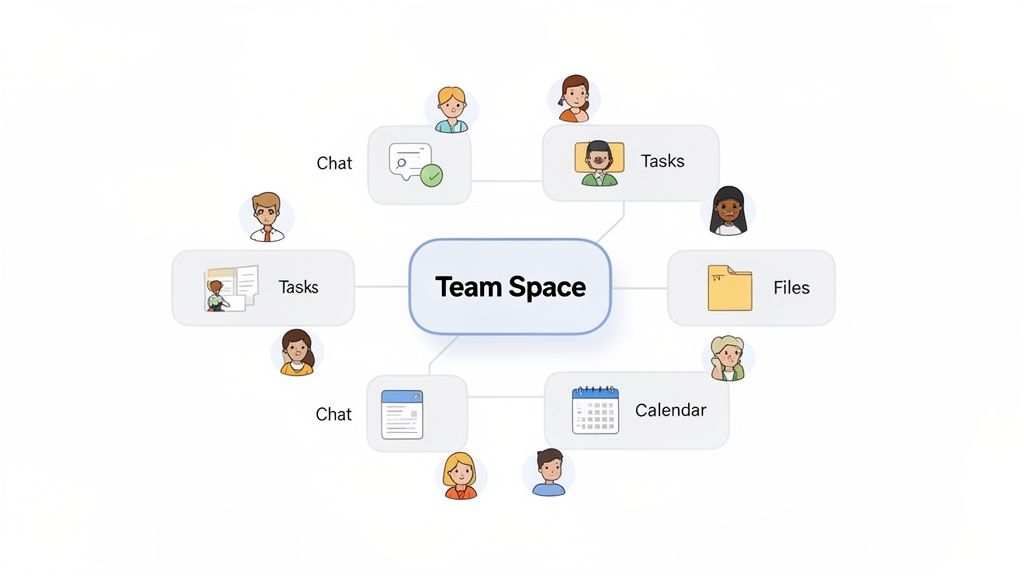
If a unified platform is your digital headquarters, think of dedicated team spaces as the project rooms within it. A general company-wide channel is fine for announcements, but it’s not where the real work gets done. Creating dedicated team spaces is one of the most effective examples of engaging employees because it fosters genuine collaboration and a sense of ownership.
These spaces are simply digital hubs where specific teams or project groups can live. It’s where they share relevant updates, manage tasks, and store files. It’s their corner of the office. For a retail team, this might be a space for their specific store. For a marketing team, a hub for a campaign. Platforms like Pebb Spaces are built for this, combining chat, tasks, files, and scheduling into one area. Tools like Microsoft Teams Channels and Slack Workspaces do a similar job for desk-based teams.
How to make it work:
Use simple naming conventions. A simple, scalable system for naming spaces (e.g.,
store-chicago-north,project-q4-launch) prevents chaos as you grow.Designate space admins. Let team leads or managers run their own spaces. This gives them autonomy and ensures each hub is managed by someone who understands the team's needs.
Let them own it. Use templates for consistency, but allow teams to customize elements to fit their workflow.
When a team has its own digital home, communication becomes more relevant. It cuts through the noise of company-wide chatter and gives people a clear, focused place to do their best work. This isn't just about organizing files; it's about giving each team a place to belong.
3. A Real-Time Company News Feed
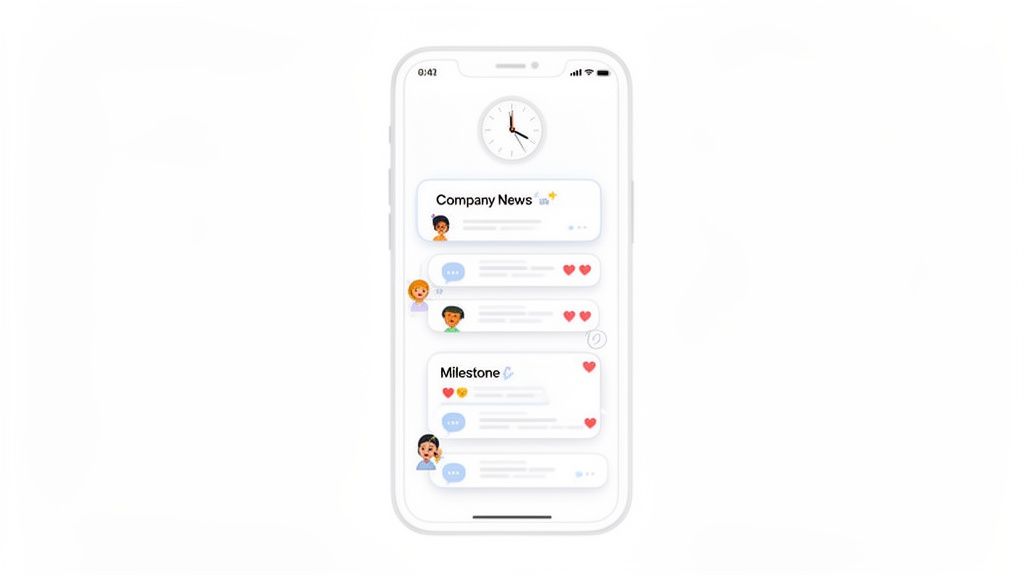
Feeling out of the loop is a major engagement killer. When employees, especially those on the front line, only hear about big news days or weeks later, it sends a clear message: you’re not a priority. A real-time activity feed, your company’s digital heartbeat, is one of the most powerful examples of engaging employees you can use.
It’s a dynamic, central place where company announcements, team wins, and important updates are shared instantly. Think of it as your company’s private social feed, but for work. For frontline teams spread across different locations, this isn't a nice-to-have; it's a lifeline. Tools like Pebb’s Heartbeat feed, Workplace from Meta, and Yammer are designed to make sure every employee, no matter their role or location, feels connected to the bigger picture.
How to make it work:
Encourage peer recognition. The feed shouldn't just be for top-down announcements. Create a culture where people celebrate each other’s successes. It feels more authentic that way.
Highlight frontline stories. Actively seek out and share stories from your frontline employees. When a retail associate gets a glowing customer review, spotlight it. Show that every role is valued.
Use visuals. A picture or a short video is better than a long paragraph. Encourage teams to share photos of team lunches or a fun moment from the day. It makes the feed more human.
A great company feed does more than broadcast information; it fosters a sense of shared identity. It ensures no one feels like an afterthought.
4. Simple Shift Scheduling
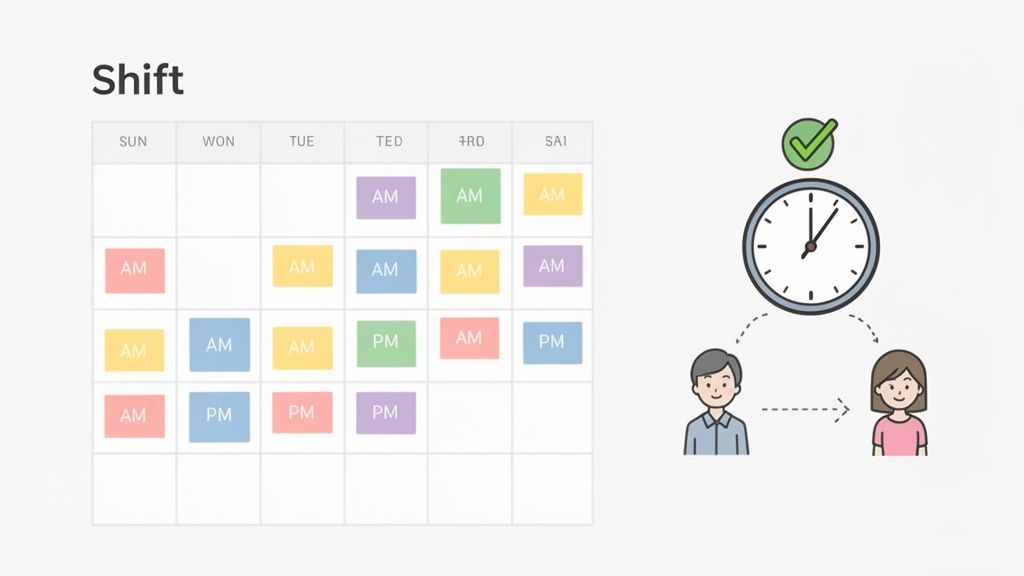
Scheduling chaos creates so much unnecessary friction. When employees have to check a paper schedule in the breakroom, call a manager to confirm their hours, or use a clunky app to clock in, you’re just creating frustration. An integrated system for shifts and time management is one of the most practical examples of engaging employees because it respects their time.
It's about giving people control and clarity right in their pocket. Instead of a mess of different systems, you provide a single source of truth where they can see their schedule, request time off, swap shifts, and clock in, all in one place. This is a game-changer for hourly workers whose paychecks depend on accurate timekeeping. Platforms like Pebb build this directly into the employee app, while tools like Deputy and When I Work also focus on this problem.
How to make it work:
Let people manage themselves. Allow employees to manage their own availability, request time off, and propose shift swaps in the app. This reduces admin work for managers and gives your team ownership.
Automate reminders. Set up automatic notifications for upcoming shifts and alerts for schedule changes. This simple step cuts down on no-shows and miscommunication.
Have clear policies. Be transparent about your clock-in rules, location requirements, and how to fix timecard errors. Clarity prevents confusion and builds trust.
When scheduling is simple and transparent, employees feel respected. A seamless system removes a major source of daily stress, freeing up people to focus on their actual work.
5. A Searchable People Directory
In a growing or distributed company, it’s easy for colleagues to become just a name on an email. Who is Sarah from logistics? What does the new hire actually do? When people can’t put a face to a name, collaboration stalls. A searchable people directory is one of the most underrated yet powerful examples of engaging employees.
This goes beyond a simple list of names and titles. It’s about creating a living, internal network where people can connect on a human level. Think of it as your company's private LinkedIn, a place to discover skills and find the right person without navigating a confusing org chart. For frontline teams spread across multiple locations, a tool like Pebb’s People Directory bridges the physical distance, making it easy for a new hire in one store to learn from a veteran in another.
How to make it work:
Make it part of onboarding. Have every new hire fill out their profile during their first week. Use fun prompts like "My go-to karaoke song is..." or "A skill I'm learning is..." to encourage personality.
Use skill tags. Let employees tag their profiles with professional skills (e.g.,
_#data-analysis_,_#spanish-speaker_) and personal interests (e.g.,_#hiking_). This makes expertise and shared hobbies instantly discoverable.Encourage photos. A friendly photo makes a huge difference. Encourage everyone to upload a clear headshot to make people more recognizable.
A robust directory transforms your organization from a collection of roles into a community of people. You can learn more by reading our guide to building a robust team directory. When you make it easy for people to find each other, you build the foundation for genuine collaboration.
6. Tasks and Knowledge, Together
Few things are more disengaging than not knowing what to do or where to find the information to do it. When your team has to hunt through old emails for a policy or use a separate app just to see their tasks, you're creating friction. Combining task management with a knowledge library is one of the most practical examples of engaging employees you can find.
It’s about creating a single source of truth for both work and information. Imagine an employee seeing their assigned tasks for the day and, with a single tap, accessing the training video on how to complete it, all in the same app. This is a huge help for frontline teams who don’t have time to switch between systems on their phones. Tools like Pebb are built for this mobile-first approach, while platforms like Notion and Confluence offer powerful, desk-centric alternatives.
How to make it work:
Create clear categories. Organize your knowledge library with intuitive folders (e.g.,
HR Policies,Training Videos,Daily Checklists). A messy library is as bad as no library.Assign ownership. Make specific people responsible for keeping documents up to date. An outdated "how-to" guide is worse than none at all.
Use templates. Create onboarding task lists and new-hire document packs to ensure every team member gets a consistent start.
When work and knowledge live together, you help employees become more autonomous and confident. You can find out more about putting this into practice by reading our guide on how to build a knowledge base. By removing the guesswork, you’re not just assigning tasks; you’re giving your team the tools to succeed.
7. Simple, Honest Analytics
You can't improve what you don't measure. Guessing which engagement efforts are working is like navigating without a map. This is why having access to simple activity insights is one of the most important examples of engaging employees a modern company can adopt.
It’s about moving beyond guesswork and making informed decisions. Instead of wondering if anyone read the latest safety update, you can see it clearly. This visibility helps leaders pinpoint communication gaps and double down on what truly resonates with their teams. Platforms with built-in dashboards, like Pebb, provide this clarity out of the box, offering leaders a real-time pulse on organizational health without invasive surveys.
How to make it work:
Establish a baseline. Before you roll out a new communication strategy, capture your current metrics. This gives you a clear "before" picture to measure against.
Focus on trends, not data points. The real insights come from tracking trends over time. Is top-down communication getting more views? Is peer-to-peer recognition increasing?
Share what you learn. Don’t keep the data locked away. Share high-level, anonymized findings with the team. For example, "We noticed posts about team wins get 3x more views, so we’re going to highlight more of them!" This builds trust.
Analytics turn engagement from a vague goal into a measurable strategy. By understanding the data behind how your teams connect, you can fine-tune your approach with confidence.
8. Onboarding in Minutes, Not Weeks
You can have the best engagement tool in the world, but if it takes weeks of IT support and a manual to get people logged in, it's dead on arrival. The onboarding experience sets the tone. This is why rapid, low-friction deployment is one of the most overlooked yet powerful examples of engaging employees.
The goal is to make joining your company’s digital space as easy as joining a group chat. This means getting rid of complex setup processes in favor of a single click. This is a huge win for industries with high turnover like retail or hospitality, and for frontline teams that don't have company emails. Tools like Pebb are built for this, letting an entire organization roll out in minutes via a single link. It makes a powerful first impression: "We value your time."
How to make it work:
Prep your space. Before sending an invite, pre-configure channels and upload essential documents. New users should arrive in a helpful, organized environment, not an empty room.
Create a welcome flow. Design a simple, automated welcome message that guides new members through the most important features. Help them feel capable from their first login.
Find your champions. Assign a few enthusiastic people in each department to be go-to resources for their peers, answering questions and encouraging adoption on the ground.
A seamless onboarding process is the first promise you keep to your employees. It shows you’ve chosen tools that work for them, not the other way around. By making access instant and intuitive, you build momentum from day one.
8-Point Employee Engagement Features Comparison
Solution | 🔄 Implementation Complexity | ⚡ Resource Requirements | ⭐📊 Expected Outcomes | 💡 Ideal Use Cases | ⭐ Key Advantages |
|---|---|---|---|---|---|
Unified Communication Platforms | 🔄 Medium — org-wide buy-in, policy & training | ⚡ Moderate — platform, integrations, user training | ⭐📊 Consolidates tools, faster responses, improved inclusivity | 💡 Distributed frontline teams, hybrid workplaces | ⭐ Single source of truth, reduced tool fatigue, faster decisions |
Dedicated Team Spaces and Collaboration Hubs | 🔄 Low–Medium — setup templates and governance | ⚡ Low–Moderate — admin time, templates, training | ⭐📊 Better team focus, reduced context switching, clearer workflows | 💡 Multi-department orgs, project teams, shift-based units | ⭐ Organized content, team autonomy, improved peer learning |
Real-Time Activity Feeds and Company News | 🔄 Low — editorial workflow and moderation required | ⚡ Low — ongoing content creation and moderation | ⭐📊 Increased transparency, morale, and organizational alignment | 💡 Frontline-heavy industries, dispersed staff who miss meetings | ⭐ Equitable info distribution, recognition, engagement boost |
Integrated Shift Scheduling and Clock-In Management | 🔄 Medium–High — payroll integration, compliance rules | ⚡ High — integrations, mobile time-tracking, manager tools | ⭐📊 Fewer scheduling errors, greater transparency, payroll accuracy | 💡 Retail, hospitality, healthcare, logistics with shifts | ⭐ Streamlines scheduling, reduces HR burden, improves compliance |
Employee Profiles and Searchable People Directory | 🔄 Low — profile templates and privacy policies | ⚡ Low–Moderate — onboarding, maintenance, privacy controls | ⭐📊 Faster onboarding, easier expertise discovery, stronger connections | 💡 Large, distributed or hybrid organizations | ⭐ Improves cross-team collaboration, resource allocation, recognition |
Integrated Task Management and Knowledge Library | 🔄 High — migration, taxonomy, ongoing governance | ⚡ High — content migration, owners, search optimization | ⭐📊 Reduces tool-switching, consistent procedures, faster onboarding | 💡 Compliance-driven or frontline operations needing standardization | ⭐ Centralized knowledge, streamlined workflows, version control |
Engagement Analytics and Activity Insights | 🔄 Medium — data collection, dashboard design, governance | ⚡ Moderate–High — analytics tools, expertise, data hygiene | ⭐📊 Evidence-based decisions, gap identification, adoption tracking | 💡 Enterprises tracking adoption, engagement programs, change mgmt | ⭐ Targeted interventions, benchmarking, trend visibility |
Rapid Onboarding and Single-Invite Deployment | 🔄 Low–Medium — pre-configuration and role templates | ⚡ Low — templates, SSO/HR integration for scale | ⭐📊 Fast time-to-value, rapid scaling, reduced IT overhead | 💡 High-turnover industries, rapid growth or multi-site rollouts | ⭐ Quick provisioning, simplified user management, faster adoption |
It's Not a Secret Formula. It's Just Good Plumbing.
So, what’s the big takeaway from these engaging employees examples? It’s this: stop chasing engagement like it's some magical prize. Engagement isn't a trophy you win with a single initiative. It's not about ping-pong tables or free lunches. It’s about getting the fundamentals right.
It's about fixing the plumbing.
Think about it. When the pipes in your house work, you don’t notice them. Water flows, waste disappears. Life is simple. But when the plumbing is broken, everything becomes a frustrating chore. The workplace is the same. Clunky tools, siloed information, and confusing schedules are just bad plumbing. They create daily friction that grinds people down.
The examples we’ve covered aren’t revolutionary. They’re just practical systems for removing that friction. They’re about giving people direct access to the information, tools, and colleagues they need to do their jobs without hassle. When you make it simple for a retail associate to swap a shift, for a new hire to find a training document, or for a remote team member to feel connected, you’re not just improving a process. You’re showing respect for their time.
That’s where real engagement comes from. It’s the natural outcome of a workplace that is calm, clear, and connected. It’s the quiet confidence an employee feels knowing where to find what they need and who to ask for help. It’s the sense of belonging that grows when everyone is part of the same conversation.
Stop treating engagement like a complex problem to be solved with more programs. Instead, ask a simpler question: where is the friction in my team's day? What’s the one frustrating thing I can fix? By focusing on the "plumbing," you build a foundation of trust and simplicity. The engagement will follow.
The examples we shared aren't just theories; they're the core of what we built. If you’re tired of juggling multiple tools and want to fix the plumbing for good, see how Pebb brings communication, scheduling, tasks, and people together in one calm, simple place. See how it works at Pebb.
