
The Problem with Workplace Communication Isn't the Software
Tired of noisy chat apps? We review the best internal communication software to connect your team, from frontline workers to the C-suite. See our picks.
Dan Robin
We’ve lost the plot. The goal was supposed to be clarity, not more noise. Yet here we are, drowning in a sea of apps. A chat tool for this, a project board for that, an intranet nobody visits. We’re buried in pings and scattered documents. The result? A real disconnect, especially for the people who aren't glued to a desk all day. We’ve ended up working for our software, not the other way around.
We’ve spent years in this world—building tools, using them, and watching companies try to fix communication with yet another app. It’s given us some strong opinions on what actually works. This isn't just another roundup of features. It’s an honest look at the tools that promise to solve the communication mess, written by people who’ve lived the problem.
Let’s be honest. Searching for the best internal communication software is exhausting. The market is a circus of look-alike tools. That’s why we wrote this. We’ve cut through the noise to give you a clear-eyed view of the top players, from giants like Microsoft to focused tools like Pebb and Blink. We’ll tell you what they’re good at, where they fall short, and who they’re really for.
This is a practical guide, not a sales pitch. We get straight to the point with short summaries, key features, and frank pros and cons. You’ll find screenshots, direct links, and clear notes on who should use what. Our goal is simple: to help you find a tool that actually brings your team together, whether they’re in an office, on a factory floor, or on the road. Let’s dig in.
1. Pebb
For years, we watched companies patch together a mess of tools. One for chat, another for tasks, a third for schedules, and maybe a dusty intranet for announcements. Frontline teams, the ones doing the actual work, were often left out entirely. It was chaotic. So we built Pebb to fix it. We unified everything into a single, quiet work app. Pebb doesn’t just bolt on features; it integrates communication, operations, and culture into one calm place.
What makes Pebb our top choice is its design. It’s built for mobile first, genuinely serving both desk and non-desk workers. This isn't a desktop app crammed onto a phone screen. It’s made for the reality of a busy retail floor or a hectic warehouse. Onboarding is refreshingly simple—usually just a single invite link. That alone removes a huge barrier that plagues so many other platforms.
Why Pebb Stands Out
At the heart of Pebb are Spaces. A Space isn't just a chat channel. It’s a dedicated home for a team or project where you can manage conversations, share posts, assign tasks, schedule shifts, and handle time-off requests. This structure keeps information organized and relevant, ending the endless scroll of a single company-wide feed. For leaders, this is a game-changer. You get solid admin controls and permissions to make sure the right people see the right information.
Another key advantage is how Pebb fits into your existing setup. It doesn't demand you rip everything out. With over 50 integrations for HR, payroll, and authentication, it works nicely with tools like ADP or Okta. Leaders also get clear analytics on engagement and activity without feeling invasive. You can see which announcements are landing and which teams are most active, which helps you build a stronger, more connected culture.
Quick Look at Pebb
Best for: Companies with a mix of frontline and office workers who want to replace multiple apps with a single, unified tool.
Pricing: Pebb offers a free sign-up to get started. You'll need to talk to their sales team for full pricing on paid and enterprise plans.
Pros: Truly all-in-one (chat, tasks, shifts, files), great mobile experience, and a fast, simple onboarding.
Cons: Limited public pricing information; highly specialized companies might still need niche tools for complex workflows.
2. Slack
Slack is why channel-based messaging is now a staple in every office. It was built for the fast-paced chatter of desk-based teams, turning the email flood into organized, searchable conversations. We’ve all seen it: a quick question becomes a thread, a project gets its own channel, and a "huddle" replaces a 30-minute meeting. It excels at connecting people who live in front of their computers.
Its real power is its massive library of integrations. With over 2,600 apps, you can pipe in notifications from Jira, share files from Google Drive, and launch Salesforce workflows without leaving the app. For many tech and media companies, it’s the central nervous system. The new AI features, like conversation summaries and better search, are genuinely useful. But this strength is also a weakness. Without discipline, Slack becomes a noisy, distracting firehose where important announcements get lost in a sea of GIFs. It’s a fantastic collaboration tool, but it requires a focused team to keep it that way. We wrote more about this in our post, Slack vs. Teams: The 2024 Showdown.
Key Info:
Best for: Desk-based teams in tech and media who need deep integrations with other software.
Pros: Familiar interface, a powerful app directory, and a decent free tier for small teams.
Cons: Can get very noisy and expensive as you grow; not built for frontline or non-desk workers.
Website: https://slack.com/pricing
3. Microsoft Teams
If your company already lives in the Microsoft 365 world, Teams is the logical next step. It’s not just an app; it’s a central hub that pulls together chat, video meetings, and file collaboration from OneDrive and SharePoint. If your team runs on Outlook, Word, and Excel, Teams feels like the missing piece that connects it all. That makes it the default choice for many large companies. It was built with enterprise-grade security from the ground up.
Where Teams shines is its deep connection to the tools your business already uses. You're not just sharing a Word doc; you're co-editing it live within a channel. The meeting features are robust, with good recording, transcription, and the growing power of Copilot AI. But this all-in-one approach has trade-offs. The experience is best when you're fully committed to the Microsoft suite. The sheer number of features can feel overwhelming for smaller businesses or teams without dedicated IT support. It’s a solid choice for Microsoft-centric companies, but its complexity can be a turn-off for others.
Key Info:
Best for: Companies of any size already subscribed to Microsoft 365 that need one hub for chat, meetings, and files.
Pros: Seamless integration with Microsoft 365, strong enterprise security, and a comprehensive meeting ecosystem.
Cons: Can be complex to manage and feels clunky if you're not all-in on Microsoft; the interface can feel cluttered.
Website: https://www.microsoft.com/en-us/microsoft-365/microsoft-teams/compare-microsoft-teams-options
4. Google Workspace (Chat and Spaces)
Google Workspace is the default for millions of businesses, and its communication tools, Chat and Spaces, are woven deeply into that world. For teams already living in Gmail, Docs, and Drive, it’s a natural way to communicate without adding another app. Your inbox and calendar become a central hub where you can start a chat, create a "Space" for a project, or jump into a Meet call. It’s built on familiarity, making it incredibly easy to adopt.
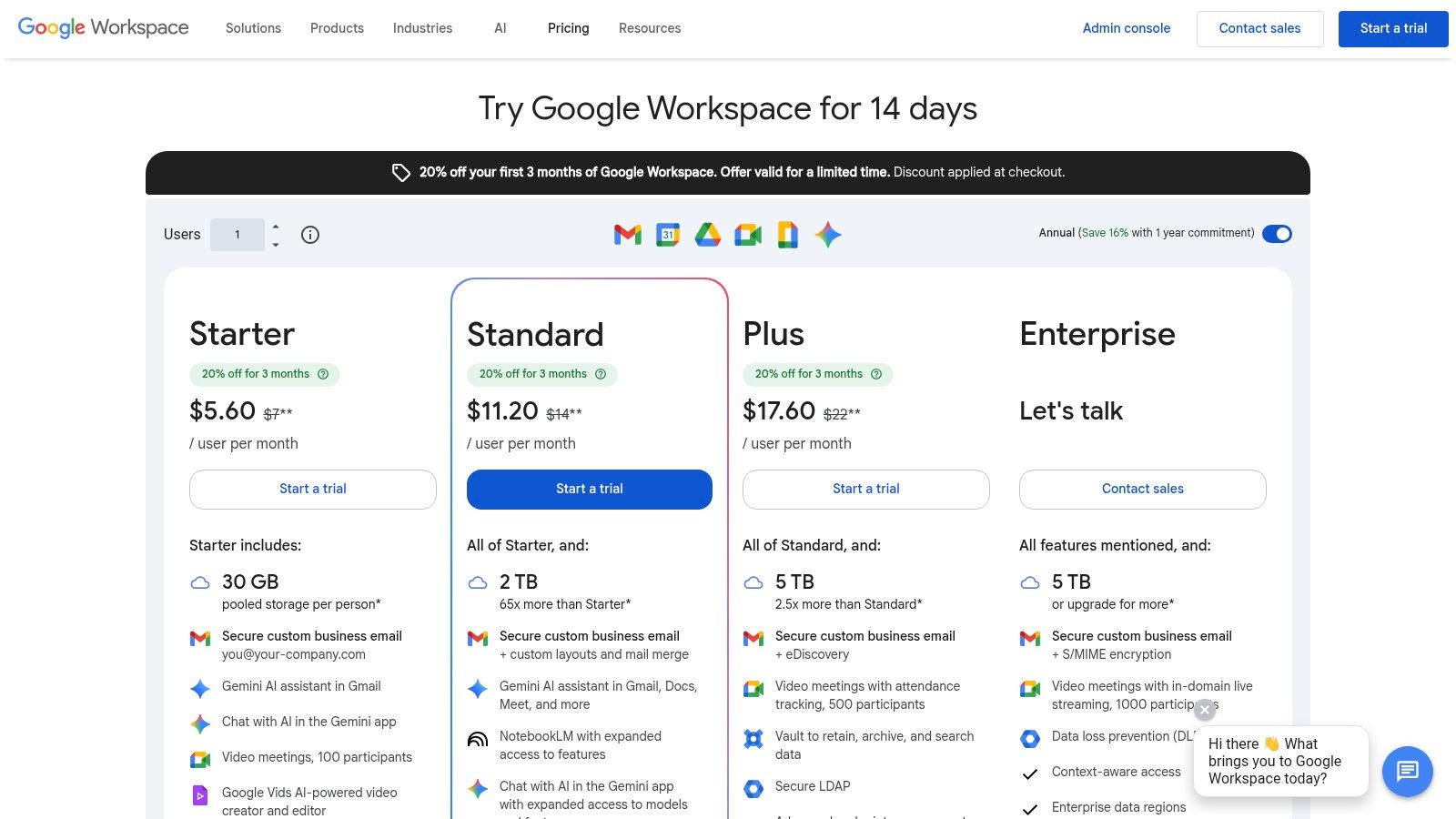
The real advantage is the seamless flow. Co-authoring a doc in real-time while chatting about it next door is a powerful way to work that few others can match. With the new Gemini AI features, you can get help drafting emails, summarizing conversations, and generating meeting notes right inside the tools you already use. It may not have all the bells and whistles of dedicated platforms, and larger companies might find the admin controls lacking compared to Microsoft. But it’s a great choice for smaller businesses who value simplicity, strong collaboration, and a single price.
Key Info:
Best for: Small to medium businesses and teams deeply embedded in the Google ecosystem.
Pros: Familiar interface for millions, powerful real-time document collaboration, and very competitive pricing.
Cons: Advanced security features are often tied to more expensive plans; large companies may prefer the Microsoft ecosystem.
5. Zoom Workplace (Team Chat within Zoom)
Zoom is famous for video meetings, but many don't realize it has grown into a full communication hub called Zoom Workplace. It bundles its powerful meeting tool with a team chat that feels like a natural extension of the video experience. The idea is simple: the conversation doesn't have to end when the meeting does. This makes it an intuitive choice for companies already living in Zoom, letting them consolidate tools and switch contexts less often. Turning a chat into a video call with a single click is genuinely seamless.
The platform's strength is its all-in-one approach, integrating Whiteboards, Docs, and Clips into the same ecosystem. For teams that want to standardize on one vendor, Zoom Workplace offers a compelling and familiar home. It’s no longer just for meetings; it’s a contender for centralizing how teams collaborate. However, to get the most value, you have to commit to the entire Zoom suite. Its more advanced features for governance and business phone services are locked behind higher-priced plans, making it less of a piecemeal solution.
Key Info:
Best for: Companies already standardized on Zoom for video who want to consolidate their chat and collaboration tools.
Pros: Seamlessly jump from chat to a full video meeting, a familiar interface for millions, and a solid free plan for basic use.
Cons: You only get the best value when you commit to the whole Zoom ecosystem; advanced features require more expensive plans.
6. Workvivo
Workvivo is what happens when you build a communication tool to feel like a lively social network, not a corporate bulletin board. It’s designed to be the digital heart of a company, with a focus on engagement, culture, and recognition. Instead of just project channels, you get company-wide activity feeds, community spaces, and live-streaming that feels familiar and engaging. It’s a hub built for large, distributed teams.
Its real strength is fostering a sense of community at scale. Workvivo has become the official partner for companies moving off Meta’s Workplace, and for good reason. It provides a similar social feel but with much deeper analytics and enterprise-grade controls. Add-ons like Workvivo TV for digital signs and advanced employee insights make it a comprehensive employee experience platform. However, its robust feature set could be redundant if you already have a modern intranet or HR portal. If you're considering it, our guide explores some top Workvivo alternatives in 2025 that might be a better fit.
Key Info:
Best for: Large companies, especially those with frontline workers, trying to build a strong culture and migrate from platforms like Meta Workplace.
Pros: Purpose-built for top-down and bottom-up communication, strong engagement tools, and an excellent migration path from Workplace.
Cons: Pricing is by quote only, and it may overlap with existing intranet or HR software if not planned well.
Website: https://www.workvivo.com/pricing/
7. Staffbase
Staffbase is built for large organizations where top-down communication needs to be professional, targeted, and consistent. Think of it less as a chat room and more as a corporate newsroom. It’s designed for internal comms teams to create, approve, and distribute polished content across a branded employee app, intranet, and even digital signs. It excels at turning broad company updates into targeted news that reaches the right people, whether they’re at a desk or on the factory floor.
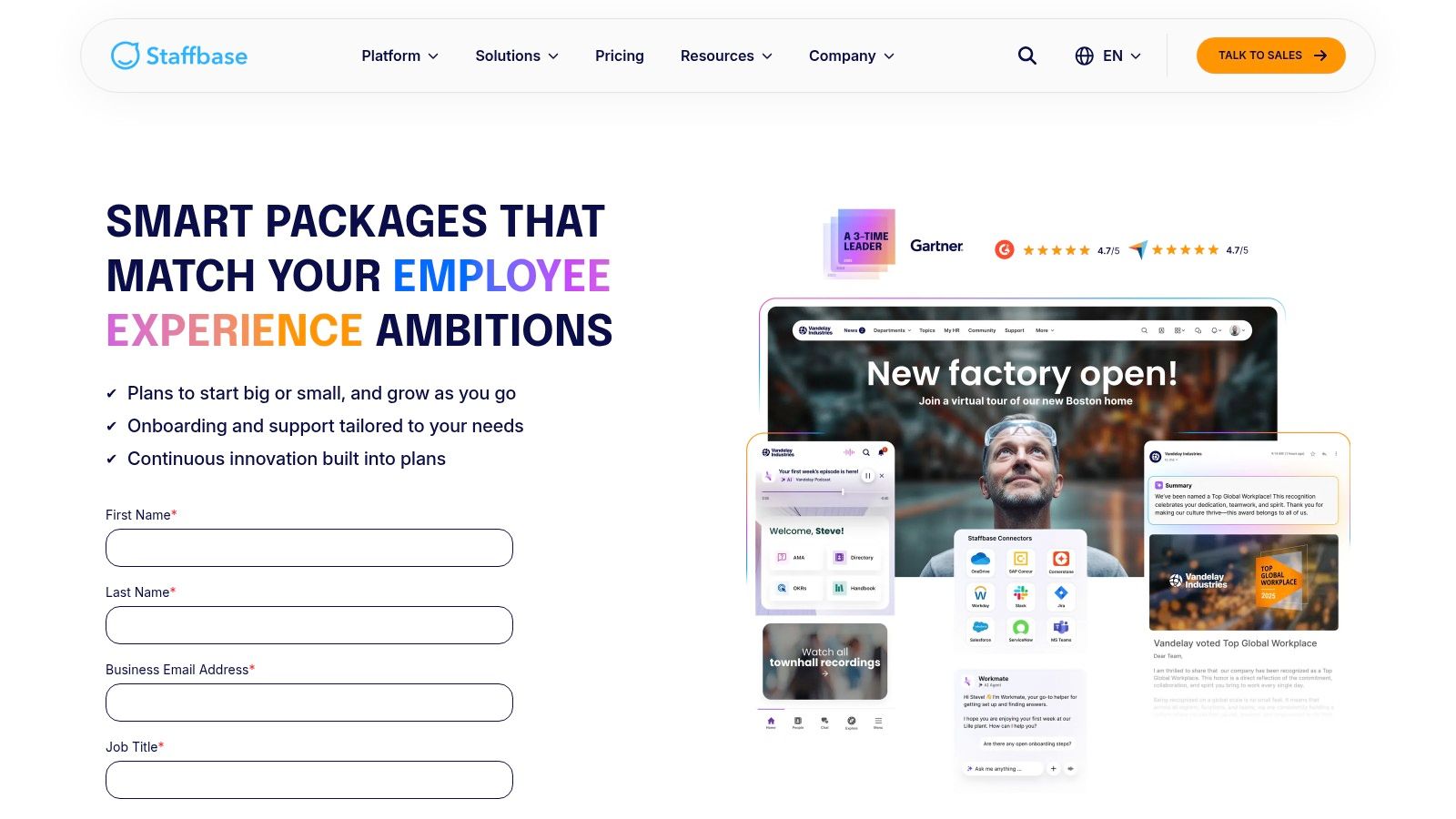
Its real strength lies in its governance and analytics. Editorial workflows mean a junior person can draft an announcement, but it won’t go live until a manager approves it, ensuring brand voice and accuracy. You can then track who has read what and gather feedback through integrated surveys. This makes it a great choice for regulated industries or global companies that need tight control over their messaging. However, this formal structure comes at a cost. It’s a heavier, more complex platform than a simple chat tool, and implementation requires more planning. Pricing is also opaque, demanding a sales call, which isn’t great for teams that want to move quickly.
Key Info:
Best for: Enterprise-level companies with dedicated communications teams that need to manage a unified message.
Pros: Powerful content governance, strong analytics and feedback tools, and covers multiple channels including mobile and digital signs.
Cons: Complex implementation compared to simpler tools; pricing isn’t public and is likely a significant investment.
Website: https://staffbase.com/en/pricing
8. Firstup
Firstup doesn't try to replace your team's daily chat. Instead, it positions itself as a strategic communications platform for large, distributed workforces. Think of it as the control center for your corporate comms team. Its core job is to help you design, target, and measure campaigns that reach every employee with personalized information. It’s built to cut through the noise by delivering the right message on the right channel, whether that’s email, mobile push notifications, or an intranet widget.
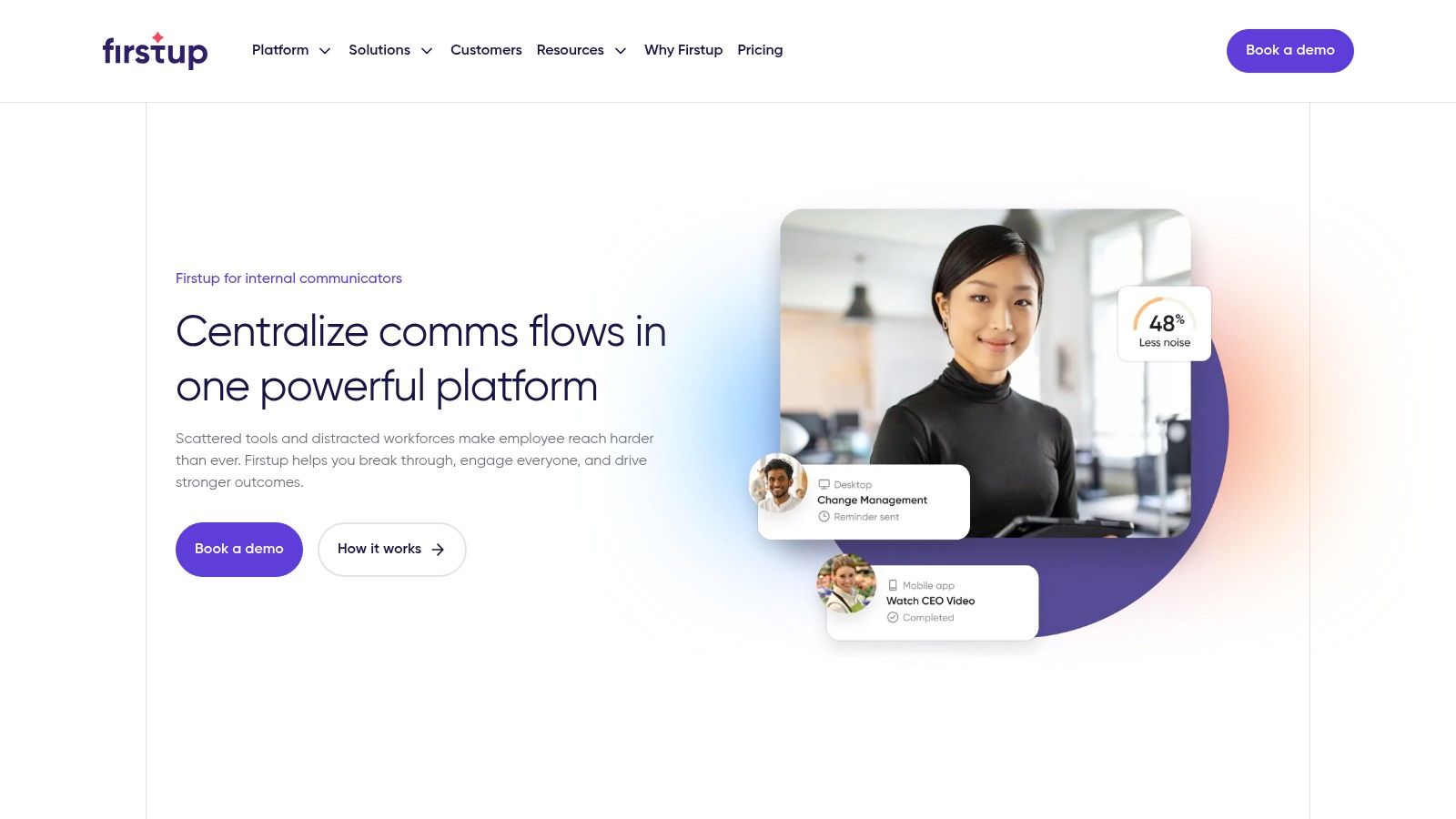
The real power here is in targeting and analytics. Firstup allows communicators to segment audiences by role, location, or even behavior, ensuring messages are always relevant. Features like AI-powered content help and multi-language translation help teams scale their efforts globally. The platform closes the loop with detailed reporting that connects communication efforts to real business outcomes, helping you prove the ROI of your work. It's less of a social collaboration space and more of a precision tool for professional communicators, making it a solid option for large companies that need to manage complex messaging strategies.
Key Info:
Best for: Large companies with dedicated communications teams needing to reach a diverse and distributed workforce.
Pros: Powerful audience segmentation, strong analytics for proving ROI, and excellent for reaching non-desk and frontline employees.
Cons: Enterprise-focused pricing and implementation; it's a specialized comms tool, not a general-purpose chat platform.
Website: https://firstup.io/solutions/internal-communications/
9. Beekeeper
Beekeeper is built from the ground up for people who don't sit at a desk. Think retail staff, hotel housekeepers, and warehouse crews. It's a mobile-first tool that understands their world is about shifts and checklists, not email chains. It successfully unifies operational tasks like digital forms and shift communication with traditional comms features like news feeds and surveys, all within one easy-to-use app.
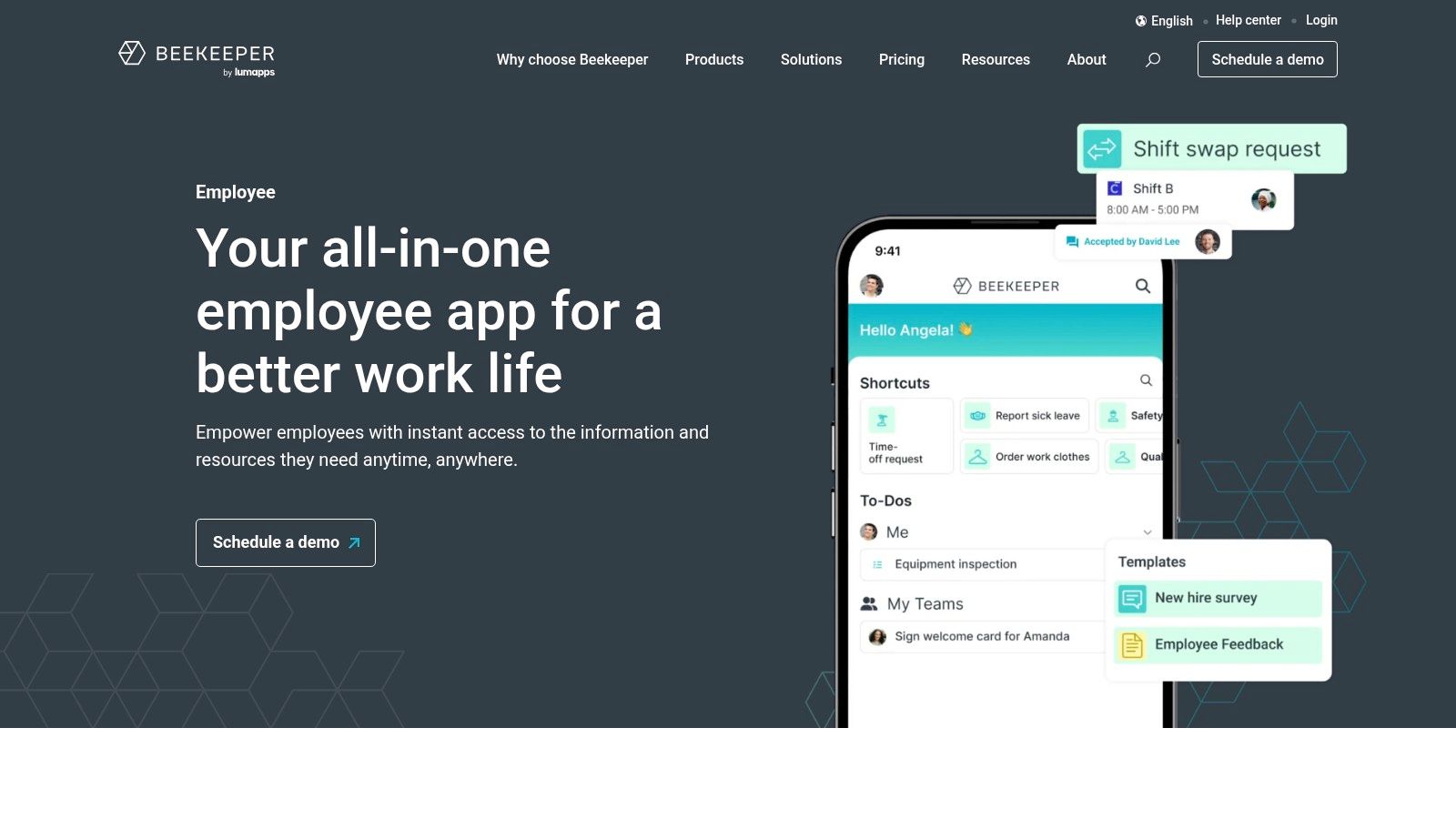
The platform's standout feature is its powerful inline translation, which makes messages instantly accessible to a multilingual workforce—a common reality in frontline industries. This focus on accessibility drives incredible adoption. Instead of just being a place for announcements, it becomes a digital hub for everything a frontline employee needs, from viewing their schedule to completing a safety checklist. While its broader operational features are a huge plus, they can require more planning to implement fully. Still, for companies whose success depends on their frontline teams, Beekeeper is a great choice because it truly speaks their language.
Key Info:
Best for: Frontline-heavy industries like hospitality, retail, manufacturing, and logistics.
Pros: Excellent mobile experience, powerful inline translation, and combines communications with operational workflows.
Cons: Pricing isn't public and requires a sales call; its extensive operational features might be more than you need.
10. Blink (the Frontline App)
Blink calls itself the "employee super-app" for frontline and distributed workforces, and it lives up to that name. Instead of trying to adapt desk-based tools for mobile, Blink built a mobile-first hub from the ground up. It combines a familiar social media-style company feed, secure chat, and a "Hub" for essential resources like policies and digital forms. The tool is designed to reach every single employee, whether they're on a factory floor or driving a delivery route.
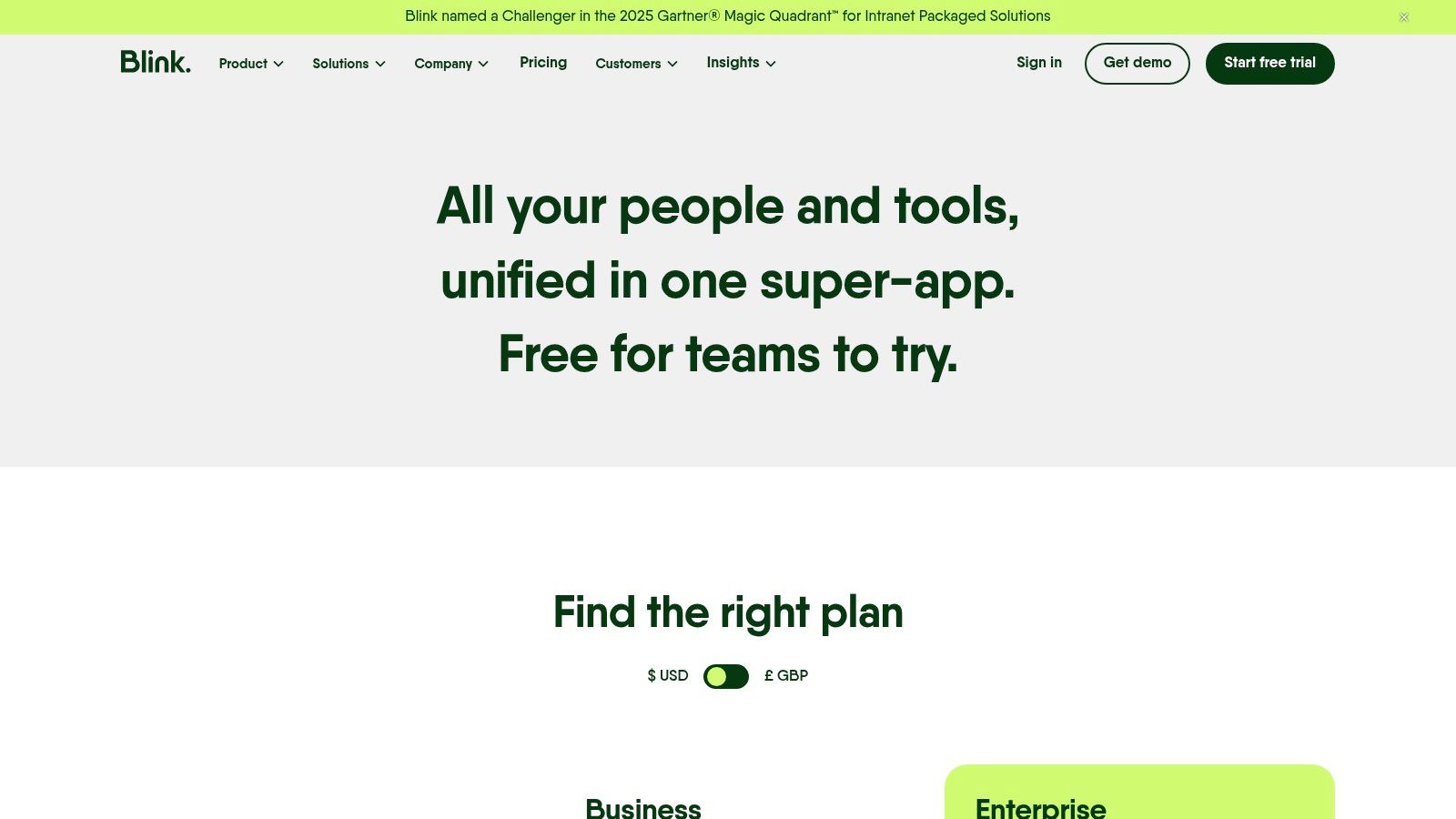
What we appreciate most is Blink's focus on practicality. Features like mandatory reads ensure critical safety updates are seen, while single sign-on access to other work apps simplifies the tech experience for employees who don't have a company laptop. It’s not just about top-down communication; features like employee surveys and "kudos" build culture from the ground up. This approach makes it a strong contender for companies standardizing on a single, unified mobile experience. For a deeper dive, you can explore other top apps in our guide to frontline worker solutions.
Key Info:
Best for: Companies with a large frontline or non-desk workforce in retail, logistics, healthcare, and hospitality.
Pros: Truly mobile-first design, transparent entry-level pricing with a free trial, and combines multiple tools into one app.
Cons: Best for companies committed to a single hub model; some advanced integrations are locked into higher-priced plans.
Website: https://www.joinblink.com/pricing
11. Connecteam
Connecteam is the Swiss Army knife for companies with a large frontline workforce. It’s an all-in-one app that bundles communications, operations, and HR into a single, mobile-first platform. It offers a company news feed, chat, and surveys alongside practical tools like a time clock, job scheduling, and digital forms. This blend makes it a powerful choice for businesses in retail, hospitality, or logistics where employees aren't tied to a desk. It directly addresses the challenge of managing an on-the-go team.
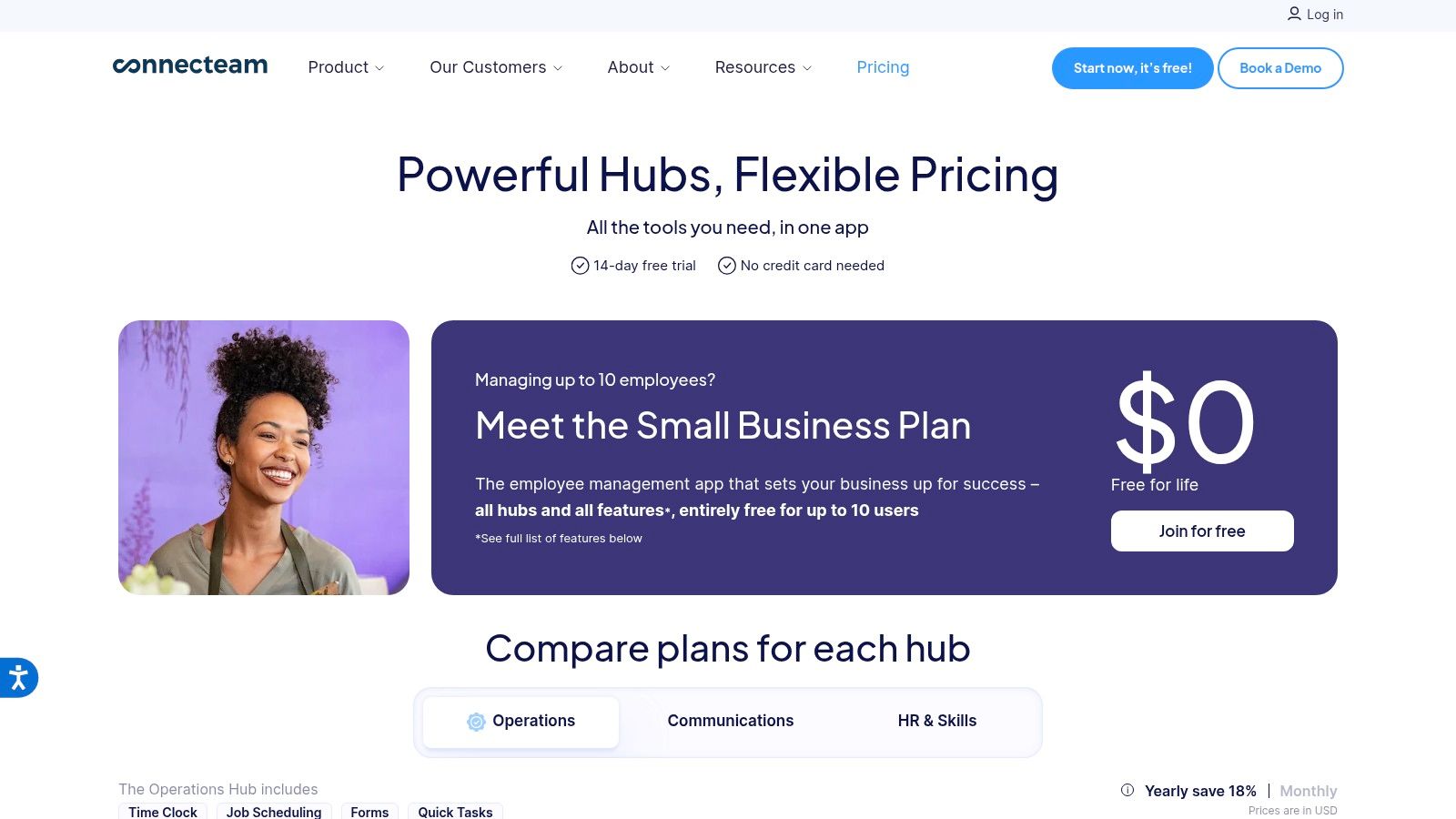
The platform's strength is its hub-based structure. You can subscribe to the Communications, Operations, or HR hub individually, or bundle them, paying only for what you need. This makes it incredibly cost-effective, especially for small to mid-sized businesses looking to replace several single-purpose apps. The clear, fixed-price plans are a breath of fresh air. While it might not have the enterprise-grade complexity of some larger platforms, its focus on practical, day-to-day frontline operations makes it a great choice for companies that need more than just chat. It’s built for the realities of shift work, not just office life.
Key Info:
Best for: Frontline-heavy businesses in retail, construction, and hospitality needing a unified app for comms, HR, and operations.
Pros: Very cost-effective with clear pricing and a free plan; bundles communication with essential operational tools like scheduling.
Cons: Might be too simple for complex enterprise needs; advanced features depend on which hubs and plans you choose.
Website: https://connecteam.com/pricing/
12. Mattermost
Mattermost is the answer for organizations that need total control over their data and communications. It's an open-source, self-hosted platform built for high-security environments like government, finance, and defense. Think of it as a private alternative to Slack, where every message, file, and call happens on your own servers. This gives you complete ownership and eliminates the data privacy concerns that come with third-party SaaS tools. It’s built for technical teams who need to integrate deeply with their DevOps workflows and maintain strict compliance.
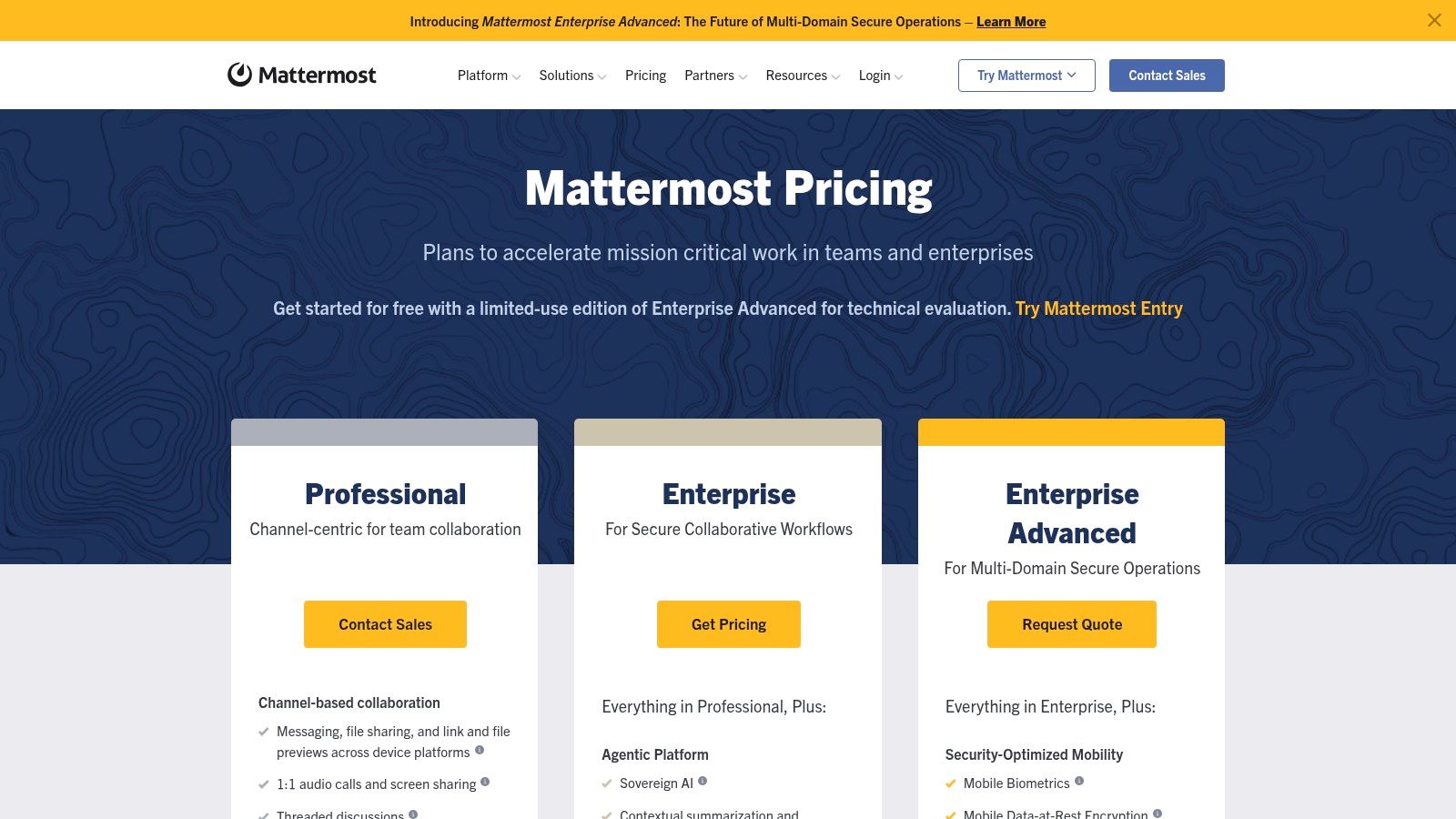
The platform shines in its extensibility and security. You can customize everything and even operate it in an "air-gapped" environment, completely disconnected from the public internet. This level of control is non-negotiable for organizations handling sensitive information. It integrates tightly with developer tools like Jira and GitHub, making it a powerful command center for engineering and IT operations. But this control comes at a price. Unlike cloud-based tools, Mattermost requires dedicated IT resources to deploy and maintain, which isn't a fit for every company. It's a specialized tool for those who prioritize security above all else.
Key Info:
Best for: Security-conscious organizations, government agencies, and DevOps teams needing a self-hosted platform with full data control.
Pros: Complete data ownership, highly extensible for technical workflows, and strong security features for compliance.
Cons: Requires significant IT resources to deploy and manage; not a simple plug-and-play solution.
Website: https://mattermost.com/pricing/
Top 12 Internal Communication Tools — Feature Comparison
Platform | Core features | Quality (★) | Value & Pricing (💰) | Target Audience (👥) | Unique strengths (✨) |
|---|---|---|---|---|---|
Pebb 🏆 | All‑in‑one: chat, voice/video, Spaces (tasks, files, shifts, PTO), People Directory, analytics | ★★★★☆ | 💰 Free signup; affordable; enterprise via sales | 👥 Frontline + office teams; SMB → Enterprise | ✨ Mobile‑first, fast onboarding (single link), 50+ HR/payroll integrations |
Slack | Channels, DMs, threads, huddles, powerful search, large app ecosystem | ★★★★☆ | 💰 Free tier; cost scales with users & add‑ons | 👥 SMBs & enterprises seeking integrations | ✨ Vast app marketplace; built‑in AI features |
Microsoft Teams | Persistent chat, meetings, calling, OneDrive/SharePoint file collaboration, governance | ★★★★☆ | 💰 Included with Microsoft 365; enterprise licensing | 👥 Microsoft 365 customers; regulated orgs | ✨ Deep M365 integration, enterprise compliance & telephony |
Google Workspace (Chat & Spaces) | Chat/Spaces, Meet, Drive, Docs, real‑time co‑authoring, AI (Gemini) | ★★★★☆ | 💰 Competitive tiers; includes email & apps | 👥 SMBs and orgs using Google apps | ✨ Live collaboration + Google AI assistance |
Zoom Workplace | Persistent team chat, one‑click escalation to Meetings, whiteboards, docs | ★★★★☆ | 💰 Free plan with chat; paid for advanced features | 👥 Teams standardizing on Zoom meetings | ✨ Seamless meeting ↔ chat workflow; reliable video |
Workvivo | Company feeds, communities, live streams, recognitions, analytics | ★★★★☆ | 💰 Quote-based (enterprise) | 👥 Internal comms & HR for mid → large orgs | ✨ Engagement‑focused platform; Workplace migration path |
Staffbase | News publishing, mobile intranet, branded apps, analytics, digital signage | ★★★★☆ | 💰 Quote-based (enterprise) | 👥 Corporate comms teams & enterprises | ✨ Strong content governance & branded employee apps |
Firstup | Targeted campaigns, AI content assist, translation, cross‑channel delivery, measurement | ★★★★☆ | 💰 Quote-based, enterprise implementation | 👥 Large distributed workforces & comms teams | ✨ Multi‑channel orchestration with ROI reporting |
Beekeeper | Mobile streams, chats, digitized forms/checklists, shift comms, HRIS integrations | ★★★★☆ | 💰 Pricing via sales/marketplace | 👥 Frontline industries (retail, hospitality, logistics) | ✨ Mobile UX, inline translation, digital workflows |
Blink (Frontline App) | News feed, secure chat, hub pages, mandatory reads, surveys, SSO | ★★★★☆ | 💰 Transparent entry pricing; free trial | 👥 Frontline & distributed teams | ✨ Clear entry pricing, hub for policies & engagement |
Connecteam | News feed, chat, scheduling, time clock, forms, training (hub model) | ★★★★☆ | 💰 Clear pricing; free plan <10 users; fixed tiers | 👥 SMB → mid-market frontline teams | ✨ Cost‑effective, fixed pricing up to small team sizes |
Mattermost | Open‑source messaging, threads, calls, playbooks; on‑prem/private cloud options | ★★★★☆ | 💰 Free community; enterprise via quote | 👥 Security‑sensitive orgs, DevOps, regulated sectors | ✨ Full data control, air‑gapped & extensible integrations |
So, What's the 'Best' Tool?
Let’s be honest. After scrolling through a dozen tools, each with its own list of pros and cons, the word "best" starts to feel a little empty. The truth is, there is no single best internal communication software. The word itself is a trap. It implies there’s a finish line, a universally perfect tool that will magically fix every workplace headache. That tool doesn’t exist.
The real goal isn't to find the "best" software. The goal is to find the right software for how your team actually works. The right tool is the one that fades into the background. It doesn't scream for your attention with endless notifications or create more work just to manage it. It simply gets out of the way and helps people connect and get things done with less friction.
From a Maze of Apps to a Single Path
Think about the core problem. For desk-based teams, it might be the chaos of Slack channels, email chains, and a separate project tool. For frontline teams, it’s the disconnect of using personal messaging apps for work, printed schedules, and verbal updates that vanish the moment a shift ends. The common thread is fragmentation. We've been sold a different app for every task, leaving us with a cluttered, confusing, and inefficient digital workspace.
This is why we built Pebb. We grew tired of the belief that communication, operations, and culture were separate problems that required separate, expensive tools. They aren't. They are completely intertwined. How your team talks to each other directly impacts how they complete their tasks. The tools they use for daily operations shape the company culture, for better or worse. Treating them as one interconnected system isn't just a philosophy; it’s a more practical, calm, and cost-effective way to run a business.
How to Choose Your Path
So, how do you move from this article to a decision? Here’s a simple way to think about it:
Define How You Want to Work: Don't start with features. Start with a question: "How do we want to work together?" Do you want one central hub for everything, or a collection of specialized tools? The answer defines your entire strategy.
Map Your Real Needs: Forget the marketing fluff. What are the top three to five things your team actually needs to do better? Is it shift scheduling? Sharing top-down announcements that people actually read? Building a sense of community? Be brutally honest.
Run a Small, Real-World Test: Demos are theater. The real test is putting a tool in the hands of a small group of your employees. Pick a single team or location. Give them a clear goal and see if the tool helps them achieve it over a few weeks. Their feedback is worth more than any sales pitch.
The internal communication landscape is always changing. Beyond the tools we've reviewed, other platforms like Saucial App are continually evolving, proving that innovation in this space is far from over. Your job isn't to find the one perfect tool for all time, but the right one for right now, with the flexibility to grow with you.
The most important takeaway is this: the software is just a vehicle. Your culture and your communication principles are the engine. A great tool can amplify a great culture, but it can't fix a broken one. The real question isn't "Which software is best?" but "How can we create a calmer, more connected way to work together?" Your answer to that question will point you to the right tool every time.
We built Pebb on the belief that a single, beautifully designed platform can replace the chaos of using five different tools. If you’re tired of juggling apps for communication, scheduling, and tasks and want to see what a truly unified employee app looks like, we’d love to show you. See how Pebb brings everything together in one calm place.
