
The Scheduling App Is a Sign of Respect
Ditch the spreadsheets and frantic calls. Discover how a scheduling employee app can bring calm, clarity, and control to your team's workflow.
Dan Robin
We've all been there. The frantic group texts on a Saturday morning. The smudged printout in the breakroom that's already out of date. The spreadsheet with so many color-coded cells it looks like a failed art project. This is the quiet chaos of manual scheduling, and it's a bigger problem than we think.
At its core, scheduling is how we agree to spend our time together. A scheduling employee app isn’t just a tool for organizing shifts; it’s a way to bring clarity, fairness, and a bit of calm to that agreement. It’s about moving on from the mess.
Let's Be Honest About Manual Scheduling
Manual scheduling feels like trying to solve a puzzle where the pieces keep moving. It’s a constant scramble. Managers burn hours chasing people for availability, trying to fill last-minute gaps, and feeling like they’re always one text away from a crisis.

This grind isn't just an annoyance. It’s a genuine drain on your business. For employees, the constant uncertainty is frustrating. For managers, the administrative burden is a fast track to burnout. It's the friction that wears everyone down.
The Hidden Tax of Broken Systems
The problem runs deeper than just filling slots on a calendar. A misread text means you're short-staffed during the Friday rush. A Post-it note that falls off a monitor means a critical shift goes uncovered.
This is the hidden tax you pay for sticking with cobbled-together methods. It consumes mental energy that should be spent on coaching your team, serving customers, or growing the business. All that back-and-forth, the double-checking, the frantic "can you cover?" texts—they're symptoms of a system that’s working against you. Exploring the true cost of paper-based or Excel leave management makes this painfully clear.
The chaos of manual scheduling isn't a sign of a busy workplace; it’s a sign that your tools are holding you back.
This shared frustration is why we need a better way. Not a fancier spreadsheet, but a smarter approach to organizing our time. We’ve said it before: the best shift planning tools save you time by handling the tedious work for you. It’s about moving from a state of constant reaction to one of deliberate calm.
How a Good Scheduling App Works
It’s easy to look at a scheduling app and see a digital calendar. But that's like calling a smartphone a pocket calculator. It misses the entire point.
The real shift isn't about putting a paper schedule on a screen. It's about moving from a dead document to a living system. I like to think of a spreadsheet schedule as a printed map—it's a snapshot in time, outdated the moment you print it. A scheduling app is a live GPS. It adapts in real time, finds a new route when there's a roadblock, and ensures everyone is looking at the same, accurate information.
That difference is everything. A static document creates work. A dynamic system does the work.
One Place for the Truth
Let's be real. The old way is chaos. Availability comes via text. Time-off requests are buried in an email chain. The "official" schedule lives in a spreadsheet that’s on its fourth version by Monday afternoon. Who's closing Friday? Better check the group chat and the printout in the breakroom.
A proper scheduling app cuts through that noise. It becomes the single, undisputed source of truth. Everyone, from the manager to the new hire, looks at the same screen. When a shift is updated, everyone sees it. Instantly. This isn't just about convenience; it's about trust. When your team knows the schedule is always correct, the second-guessing stops.
A scheduling app doesn't just display the plan; it becomes the central nervous system for your team's time.
Think about time-off requests. It’s probably a chain of emails or a slip of paper on a messy desk. With an app, an employee submits their request from their phone. It lands in your queue for approval. You hit "accept," and the schedule automatically blocks off those dates. No back-and-forth, no manual updates, and zero chance of scheduling someone who’s on vacation.
More Than Filling Slots
The real intelligence in a scheduling app is its ability to understand context. It knows who is available, who is nearing overtime, and who has the right skills for a job. This is the leap from simple planning to intelligent organizing.
The market for these tools is growing because businesses see the cost of sticking with old methods. A 2024 analysis on employee scheduling software market growth on cognitivemarketresearch.com shows companies are tired of the productivity loss from staffing gaps and overstaffing.
Here’s what that looks like in the real world. You see everyone's availability in one view, because employees update it themselves. When you publish the schedule, the app notifies the right people automatically. No more "Did you see the new schedule?" texts. The system also acts as a safety net, preventing things like a "clopening" shift or accidental overtime.
This isn't about taking control from managers. It’s about giving them smarter tools to make better decisions, faster. A great employee scheduling app can simplify your workflow by handling the tedious coordination, letting you get back to the human side of management. It’s a system for organizing your team’s time in a way that’s fair, transparent, and calmer for everyone.
Beyond Just Planning the Week
Getting a schedule posted is a huge first step. But a truly great scheduling employee app doesn't just organize your week; it starts thinking ahead. This is where you move from simple planning to intelligent operations. The tool stops being a passive calendar and becomes an active partner in running your business.
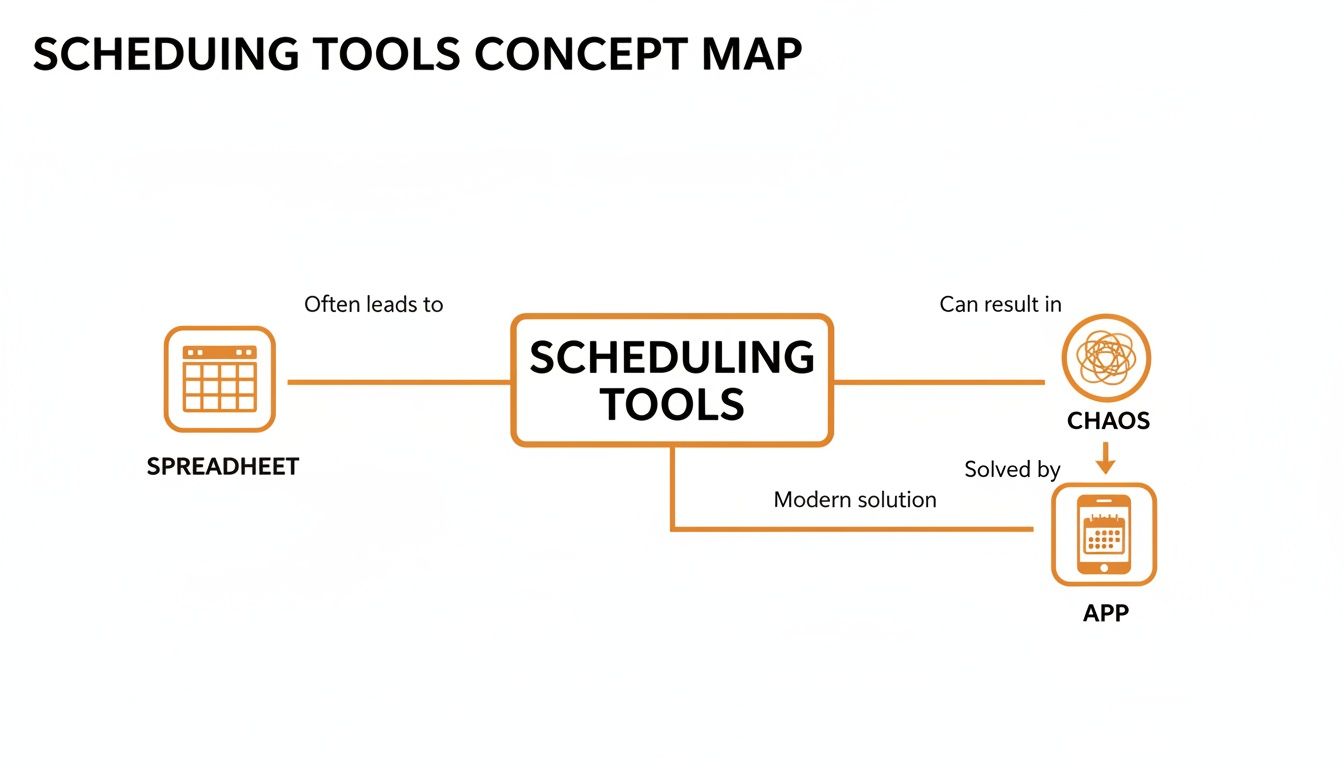
It’s about more than just who works when. It's about how the work gets done in the smartest way possible.
Task | The Old Way (Spreadsheets & Texts) | With a Scheduling App |
|---|---|---|
Building a Schedule | Hours of manual data entry, cross-referencing availability. High risk of errors. | Auto-scheduling builds a draft in minutes based on your rules. |
Handling Time-Off | A mess of emails, texts, and notes that are easily lost or forgotten. | Centralized requests and automated tracking. Approved time-off blocks the schedule instantly. |
Managing Payroll | Manually comparing schedules to paper timesheets, taking hours each pay period. | Integrated time clock data syncs automatically, generating accurate payroll reports in minutes. |
Communication | Endless group texts and calls for open shifts or last-minute changes. | Instant notifications for new schedules, shift swaps, and open shifts everyone can see. |
Employee Experience | Frustration. Schedules feel unfair and availability seems ignored. | Control. Employees easily set availability, swap shifts, and feel heard. |
The app doesn't just do the same tasks faster—it fundamentally changes how the work gets done.
Let the Machine Do the Math
Building a fair and compliant schedule is a mental puzzle. You’re juggling preferences, skills, and labor laws. One small change can cause a ripple effect that takes an hour to fix. This is where auto-scheduling comes in. You teach the system your rules: who is trained for what, who can’t work Wednesdays, and what the laws say about overtime. Then you let it do the heavy lifting.
A good auto-scheduler doesn’t replace your judgment. It frees you from tedious calculations so you can apply your judgment where it matters—on people.
You generate a draft schedule in minutes that honors everyone’s availability. It won't accidentally schedule a "clopening" shift or flag potential overtime before you even publish. The manager’s job becomes fine-tuning, not building from scratch.
Connect the Plan to Reality
A schedule is just a plan. What matters is what actually happens. An integrated time clock is the bridge between the two. When your team clocks in and out using the same app where they check their shifts, the data flows seamlessly. No more manually comparing spreadsheets to paper timesheets.
This connection makes a huge difference. Scheduled hours are automatically compared to worked hours, making payroll almost effortless. You can see your labor costs adding up in real-time against your budget. And features like geofencing ensure employees are clocking in from the right location, which brings accountability, especially for teams spread across multiple sites.
Create a Connected Workplace
A business runs on a collection of tools—for payroll, HR, and communication. A modern scheduling employee app shouldn't live on an island. These integrations are what turn a good tool into the hub of your operations. When your scheduling app talks to Gusto or QuickBooks, timesheets flow over without a click.
This isn't about adding flashy features. It's about removing friction. Every connection eliminates a manual step and saves someone from entering the same data into three different places.
Scheduling Is a Communication Problem
For years, we treated scheduling like a math problem. A game of Tetris, cramming availability into a calendar. We built tools to solve the logistics, but we missed the most important part.
Scheduling isn't about logistics. It’s a communication challenge at its core.
A schedule pinned to a breakroom wall is a one-way command: "Here's your week. Deal with it." But a schedule that lives inside your team’s daily conversation? That’s a dialogue.
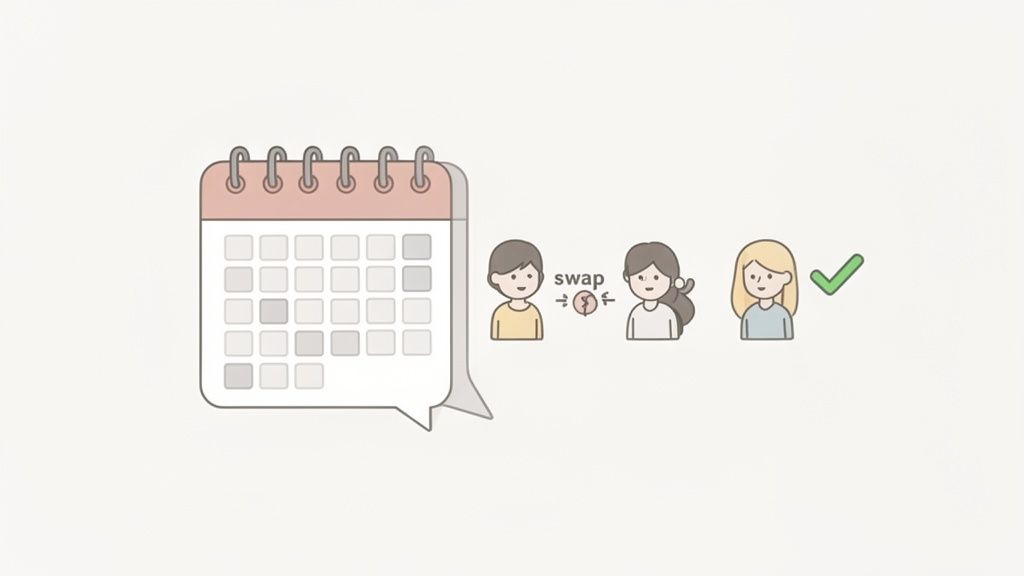
Most scheduling tools get this wrong. They isolate the schedule in its own silo, separate from where the team actually talks. The result? A clumsy dance between apps. You see an open shift in one tool, then jump to a group chat to ask if anyone can cover it. It's disconnected and inefficient.
The Schedule as a Conversation
What if the schedule wasn't a separate destination? What if it lived right alongside project updates and daily check-ins? When you put a scheduling employee app inside your team's communication hub, the dynamic changes. The schedule becomes an interactive part of the workday.
A shift swap isn't a formal process anymore. It’s a quick message: "Hey @Maria, can you take my Tuesday morning? I'll cover your Friday close." Maria gets a notification, sees the request in context, and accepts. The schedule updates for everyone. Done.
When the schedule lives where the conversation happens, friction disappears. It’s about making it easier to have a discussion.
This tight integration builds trust. Everyone can see who’s working and who’s available in the same place they’re already talking. Work feels less transactional and more collaborative.
Unifying the Frontline Workflow
This isn't just a nice idea. For busy warehouses or restaurants, juggling fragmented tools is a huge source of frustration. Unified tools can cut scheduling time by up to 50%, boosting productivity and ensuring fair shift distribution. This approach solves several problems at once.
It reduces context switching, so employees aren't bouncing between three apps to figure out their week. It speeds up problem-solving; an open shift can be posted and filled in minutes, not hours. And it fosters a sense of collective ownership, because the process is open and fair.
The idea of one "app for everything" is usually a myth. But when it comes to organizing a team's time, combining scheduling and communication is fundamental. We’ve found that the easiest communication solution for shift workers often starts by bringing their schedule right into the conversation. It’s time to stop thinking of schedules as grids of names and times. They are the heartbeat of your operation, and they belong in the center of your team’s daily dialogue.
How to Choose the Right App
Shopping for a scheduling app feels like walking through a noisy marketplace. Every vendor promises a miracle cure, throwing a dizzying list of features at you until they all blur together.
But here’s the secret: most of those features don’t matter. To cut through the clutter, ignore the flashy pitches and ask a couple of simple, human questions instead.
Will This Actually Make Our Lives Simpler?
This is the most important question. Is this tool genuinely going to simplify things, or is it just adding another complicated layer? A tool can boast a hundred features, but if it takes your manager an extra hour a week to figure out, it has failed.
Look for an app that feels intuitive. The interface should be clean and straightforward. Here's a test: could your newest hire check their schedule and request time off without a formal training session? If the answer is no, keep looking. The goal is to reduce friction, not create new kinds of it.
The best tools don’t make you feel powerful because of all the buttons you can click. They make you feel calm because of how few you have to.
This is about getting the whole team on board. If an app is a pain to use, your team won't use it. You’ll end up right back where you started, juggling an unused app and a chaotic system of texts.
Does It Fit How We Already Work?
Every team has its own rhythm. A great scheduling employee app should bend to fit your workflow, not force you into a rigid new system.
Ask yourself: where does our team’s conversation already happen? If your crew lives in a group chat, picking a scheduling tool that exists in a separate, isolated app is asking for trouble. It creates "app fatigue"—the exhaustion from constantly bouncing between different tools.
This is why tools that integrate scheduling directly into a team's communication hub are so effective. When the schedule is part of the daily conversation, everything just clicks.
The demand for these smarter tools is growing. A recent report covered by trends in on-call scheduling software at KBV Research shows businesses are embracing integrated systems to automate tasks that used to burn time. The right tool shouldn't feel like another task on your to-do list. It should feel like a natural extension of how your team already operates.
The Quiet Impact of a Good Schedule
We started by talking about chaos. It seems right to end by thinking about the calm that settles in when you finally get your schedule right. Because a good schedule is so much more than names in time slots.
It’s a sign of respect.
It respects your manager’s time by pulling them out of the spreadsheet black hole. It respects your employees’ lives by giving them predictability. And it respects the business by building a stable foundation for everything else.
From Firefighting to Flow
When the schedule just works, a quiet shift happens. Communication clicks into place. Morale gets a boost because the process feels fair. Your operation starts humming with a confidence that was impossible when you were constantly putting out scheduling fires.
This isn't about chasing some mythical, perfect efficiency. It’s about facing the human cost of a broken system. When people feel they have some control over their work lives, they are more likely to be satisfied and stick around.
A schedule isn't just a business document; it's a pact you make with your team about how you’ll spend your time together. Getting it right is one of the most fundamental ways to build trust.
We've walked through what an employee scheduling app does—how it centralizes communication and automates the grunt work. But the real magic isn't in the features list; it's in the feeling of calm that replaces the old chaos.
The Foundation for Better Work
This isn’t a sales pitch. It’s an invitation to stop seeing your schedule as just another task and start seeing it as the foundation for a healthier way to work together.
When you get rid of the friction from a bad schedule, you create room to breathe. Room for managers to lead instead of doing admin. Room for employees to focus on their work instead of their hours. And room for everyone to remember why they joined your team in the first place.
That’s the quiet impact of a good schedule. It doesn't make a lot of noise, but it changes everything.
Frequently Asked Questions
Moving from a system you know—even a chaotic one—to a new tool can feel like a big leap. It’s natural to have questions. Here are a few common ones we hear.
How Long Does It Take to Set Up an Employee Scheduling App?
Probably less time than you think. Modern apps are designed for a quick start. You can usually get your whole team invited and their availability plugged in within an afternoon. The biggest lift is just getting your current schedule into the system that first time. After that, you’re rolling. Most businesses are fully up and running in a couple of days.
Will My Employees Actually Use It?
This is the big one. Employee buy-in boils down to two things: simplicity and value. If the app is a clunky mess, they’ll ignore it. But if it’s dead simple to use and genuinely makes their life easier, they’ll be all over it.
Employee adoption isn't about forcing a new tool on people. It's about giving them something so obviously better that they want to use it.
Think about it from their perspective. An app that lets them check schedules, request time off, and swap shifts from their phone isn't a chore. It's a huge step up from a paper schedule tacked to a wall.
Is It Worth It for a Small Business?
Absolutely. Small businesses often feel the benefits the most. The owner is usually juggling scheduling on top of a dozen other jobs. An app can free up five or ten hours a week, which is a massive win for a small operation. It also sets an organized tone from day one, building a process that can scale as you grow. The key is to find an employee scheduling app that’s affordable and not bloated with features you’ll never touch. Simplicity is your friend.
Ready to bring some calm to your scheduling chaos? Pebb unifies scheduling, communication, and tasks into one simple app your whole team will love. See how it works at https://pebb.io.
