
8 Best Practices for Change Management That Actually Work
Tired of change initiatives that fail? Learn the best practices for change management that work for HR, ops, and frontline teams. No jargon, just what works.
Dan Robin

Change doesn't have to be chaos.
We've all seen the movie. A big announcement email goes out. A new system gets launched. Leadership calls it important. Then a week later, people are back in spreadsheets, side texts, hallway workarounds, and the old app nobody wanted to keep but everybody still knows how to use.
That usually gets labeled as resistance. I think that's lazy. Individuals aren't fighting change on principle. They're protecting their time, their confidence, and their ability to get through the day without looking foolish in front of coworkers or customers. If the new way feels confusing, badly timed, or disconnected from real work, they'll route around it. Of course they will.
The hard truth is that most companies are bad at change. One industry benchmark often cited puts failure for change initiatives at around 70%. That doesn't tell me people are impossible. It tells me the process is usually careless.
The good news is that the best practices for change management are not mysterious. They're practical, human, and repeatable. Respect people. Explain the reason. make the path obvious. Stay present after launch. Fix what isn't working.
I've seen calm rollouts, even with frontline teams spread across shifts and locations. They rarely happened because of a brilliant slide deck. They happened because leaders treated change like an operational discipline and a trust exercise at the same time. Tools help too. A unified app like Pebb makes a lot of this easier because communication, tasks, knowledge, and team spaces live in one place instead of five.
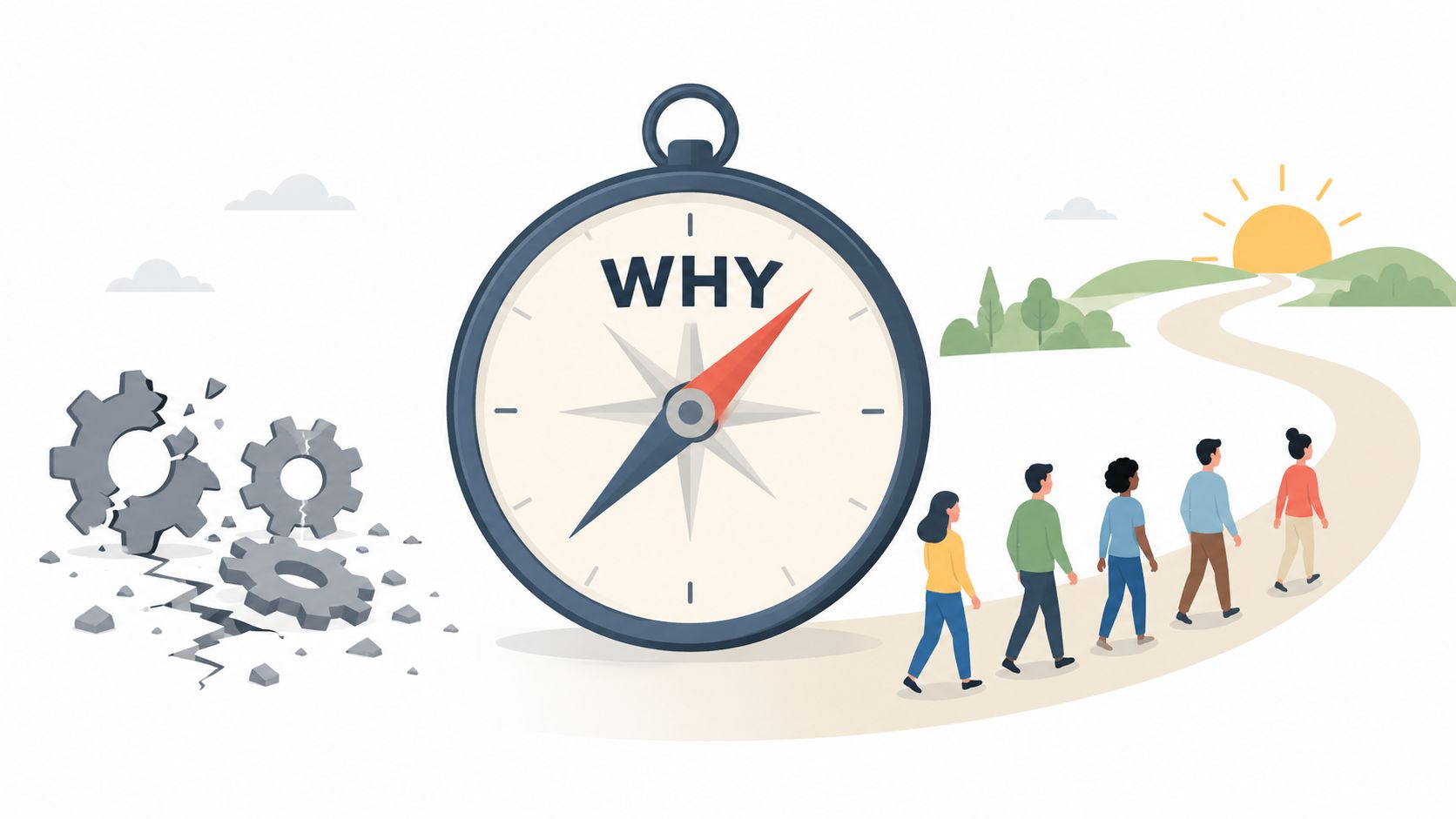
1. Lead with Why, Not What
If your first message is about features, settings, or rollout dates, you're already behind.
People need to know what problem you're trying to fix before they care about the tool or process you picked. “We're launching a new platform on Monday” is thin. “Too many shift updates are getting lost between chat, email, and handwritten notes, and it's causing confusion for frontline teams” is real. That second version gives people a reason to listen.
When Slack spread inside companies, the story that landed wasn't “replace every communication method.” It was “cut the email mess and make work easier to follow.” In healthcare, communication changes stick when leaders tie them to patient safety and faster staff coordination, not abstract digital transformation language. The point has to connect to daily pain.
Start with the fracture in the current system
I've found that distributed teams need even more clarity here because they can't infer intent from hallway chatter. State what's broken. Say who it affects. Be specific about what improves. Faster decisions. Fewer missed updates. Less context switching. Better visibility across shifts.
A Predictive Index article on the change management process makes an important point: resistance drops when teams identify stakeholders, clarify needs, and address concerns before go-live, and the most effective communication pairs business reasons from senior leadership with personal impact details from direct managers. That's exactly right. The why should come from the top, but the meaning gets translated locally.
Practical rule: Start every change announcement with the problem, not the platform.
With a Pebb rollout, that might sound like this: “Right now, store updates live in email, urgent issues happen in group chat, policies sit in a shared drive, and shift notes get missed. We're moving this into one place so the night shift gets the same information as the day shift, managers stop repeating themselves, and nobody has to hunt for the latest answer.”
That's a why people can work with.
2. Involve People Early and Empower Change Champions
The fastest way to make a rollout brittle is to design it in a conference room with people who won't use it the way frontline teams will.
Bring people in while decisions can still change. Not after the vendor is selected, the timeline is locked, and all that's left is “feedback” that nobody plans to act on. Real involvement means pilots, early access, rough drafts, and honest trade-offs.
Retail chains often get this right when they test scheduling changes with store managers before going wider. Healthcare groups do the same when charge nurses and clinicians help shape how a new system fits real shifts. Amazon-style operations don't work because somebody writes a policy memo. They work when operations leaders pressure-test the tool against the floor.
Pick champions people already trust
The best champions usually aren't the loudest people in the room. They're the ones others already go to for help. A shift supervisor. A charge nurse. A warehouse lead. A team coordinator who explains things without making anyone feel stupid.
Staffbase's guidance on change management strategy is one of the few places that says this plainly: choose influential employees across departments, train them on the benefits and their role, and keep regular check-ins going. Their benchmark says those check-ins increase champion effectiveness by 50% and reduce resistance by 35%. If you've ever watched a rollout gain traction because a respected peer vouched for it, those numbers feel believable because they match the lived pattern.
Use a few simple moves:
Test with real workflows: Give champions early access and ask them to use the tool in the mess of actual work, not a clean demo.
Create a visible feedback loop: Let them raise issues in one place and show what changed because of their input.
Recognize the role: Public support from leadership makes it easier for champions to influence peers.
If you need ideas for keeping those early contributors engaged beyond launch, these employer engagement activities are worth stealing. The same is true for community-based programs. Good strategies for volunteer retention work for champions too, because recognition, clarity, and belonging travel well across contexts.
Champions don't replace leadership. They make leadership believable.
3. Create a Clear, Simple Change Plan with Real Dates
Monday morning, a supervisor asks whether her team should still use the old process. Nobody can answer with confidence. The launch is "soon," training is "being finalized," and half the managers have heard a different date. That is how change efforts lose credibility before the work even starts.
A vague plan creates extra work for frontline teams. They still have customers to serve, patients to support, orders to fill, or shifts to cover. If people do not know what changes on which date, they make their own assumptions. You end up with uneven adoption, side channels, and a rollout that looks active in status meetings but feels chaotic on the floor.

I prefer a one-page change plan. It forces decisions. What starts first. Which locations or teams go live when. What support is available in the first week. When the old process ends. Who owns each milestone. If a leader cannot explain the rollout in five minutes, the plan is still too abstract.
Make the timeline concrete enough to run
A useful plan usually has three visible stages: pilot, adjust, expand. The order matters because real work exposes problems that workshops miss. A pilot shows where instructions are unclear, where approvals break, and where frontline habits are stronger than anyone expected. Then leaders can tighten the process before rolling it out wider.
Keep the plan simple enough that managers can repeat it without a script:
Pilot with a real team: Choose a group with normal complexity, not the easiest site in the company.
Set actual go-live dates: Put dates on the calendar people can plan around, including training, support coverage, and cutoff for the old process.
Limit the transition window: A short parallel period can reduce risk, but if it drags on, people cling to the old way.
Name owners for each phase: Teams need to know who answers questions, approves exceptions, and fixes issues fast.
Often, change plans become excessively clever. Leaders try to launch every workflow at once because the platform can technically handle it. Operationally, that is often a mistake. If you are rolling out Pebb, start with the use cases people touch every day, team communication, schedules, policies, requests, and task updates. Save lower-value extras for later. Adoption gets stronger when the first version solves obvious daily problems.
The other lesson is simple. Dates are promises.
If a date slips, explain what changed, what the new date is, and what people should do in the meantime. Do not hide behind project language. Plain English builds more trust than polished slides.
A shared digital home also makes the plan easier to follow. Teams should be able to see the current timeline, role-specific actions, and updated documents in one place instead of hunting through email threads and old files. Good knowledge management practices for frontline teams help here because change plans fail fast when people cannot find the latest version.
The best change plans are not complex. They are clear, dated, visible, and hard to misread. That sounds basic. In practice, it is rare.
4. Train at the Point of Use, Not in a Classroom
A supervisor is standing on the shop floor at 6:10 a.m. Someone called out. Another employee wants to swap shifts. A new hire cannot find the attendance policy. That is not the moment for a slide deck. It is the moment for clear, task-level guidance inside the tool people are already using.
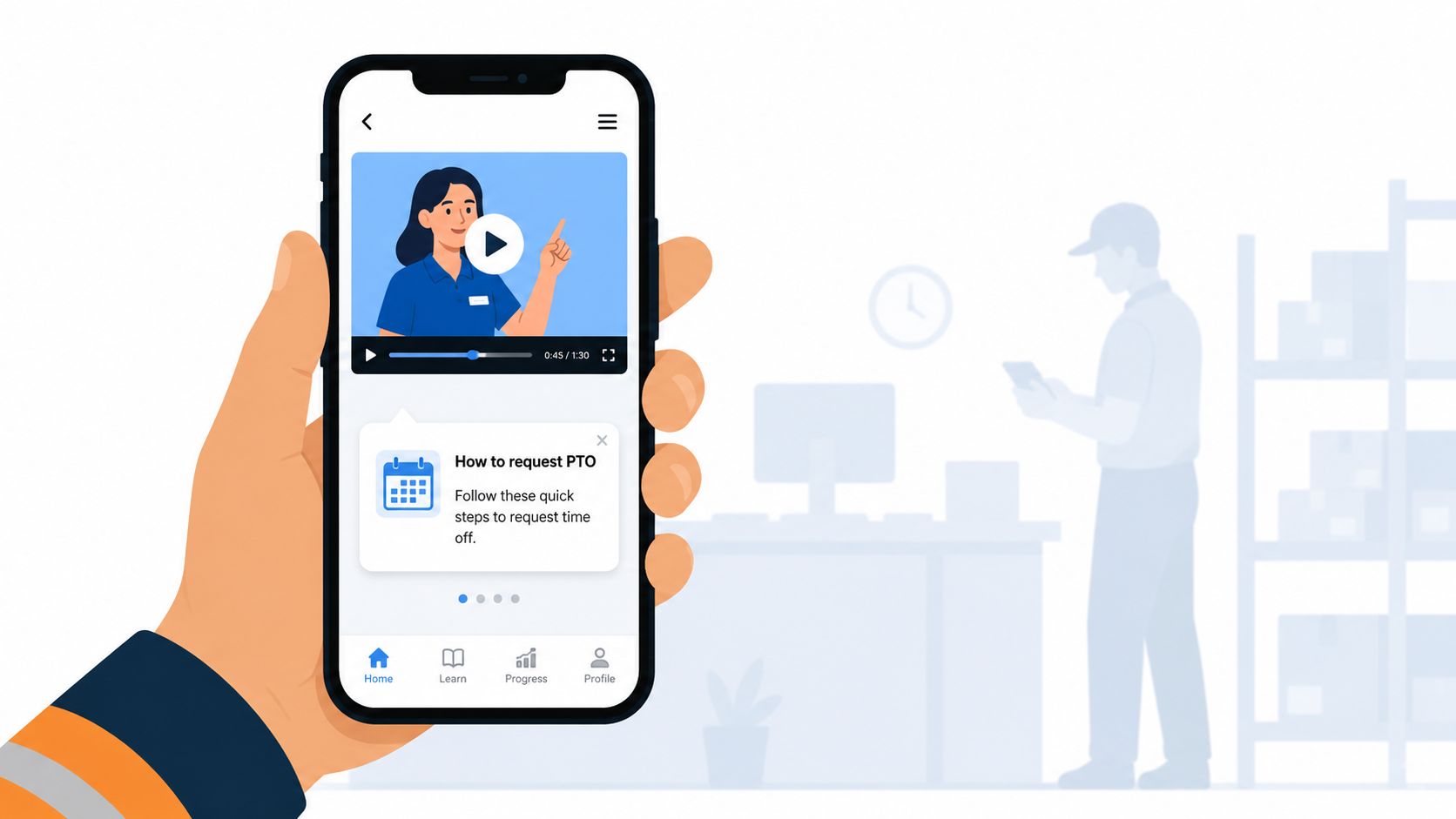
Classroom training still has a place for context, expectations, and leadership alignment. It does a poor job teaching frontline habits. People remember training when it helps them complete a real task under real pressure. If they have to stop work, search old emails, or ask a manager for the third time, the process is not learned yet.
Good rollout teams train around moments of use. They show employees how to do the next five things they will need this week. Request time off. Check a schedule change. post a team update. Find a policy. Complete a handoff. That approach sounds basic. It works because it respects how work happens.
Teach the job, not the feature set
Training should be organized by job to be done, not by the app's menu structure. Frontline teams do not need a tour of every tab on day one. They need fast answers to immediate questions:
How do I clock in?
Where do I see schedule changes?
How do I post to my team Space?
Where is the policy I need?
What should I do if someone swaps a shift?
The training stack can stay simple if it is well placed:
Short role-based videos: One task per video.
Searchable help by task: Use plain language people would type.
In-app guidance: Put help close to the action so people do not leave the workflow to find it.
Manager cheat sheets: Give supervisors quick answers for the questions that will hit them first.
There is a trade-off here. Short, in-the-flow training will not cover every exception on day one. That is fine. Trying to teach every edge case upfront usually overwhelms people and slows adoption. Start with the common tasks, then add support for exceptions once the basics are stable.
If you are rolling this out in Pebb, keep policies, how-to steps, and team updates in one searchable place. Strong knowledge management practices for frontline teams make training stick because the answer lives near the work instead of in a forgotten folder.
Train for the first five tasks people need this week, not the fifty they might need someday.
5. Measure What Matters, Not Everything
A rollout can look healthy on paper and still fail on the floor.
I've seen dashboards full of logins, clicks, and completion rates while supervisors kept using side texts, paper notes, and hallway updates to get real work done. That gap matters. Usage shows exposure. Adoption shows behavior. Business results show whether the change solved the original problem.
Start with the operating question leaders usually skip: what should be easier, faster, or less error-prone if this change is working? In a frontline environment, the answer is rarely “more app activity.” It is usually something concrete, like fewer missed shift handoffs, faster approval cycles, fewer repeated policy questions, or better reach for urgent updates.
Track a few signals that connect to the work
Prosci's guidance on metrics for measuring change management is useful here because it pushes teams to connect measurement to outcomes, not just project activity. That is the right standard. A metric earns its place when it helps a manager decide whether the change is taking hold or needs intervention.
A small set is enough:
Adoption: Are people using the new process in regular work, not just during rollout week?
Persistence: Does usage hold after reminders taper off?
Critical behavior: Are people completing the few actions that solve the business problem?
Operational result: Are the downstream issues improving, such as delays, errors, rework, or missed communication?
The trade-off is real. If you track too little, you miss early warning signs. If you track everything, nobody knows what matters and reporting turns into theater.
Use three lenses and compare them. System data shows what people did. Manager observation shows how work is getting done. Short pulse feedback shows where the process still feels awkward or unclear. Any one of those can mislead on its own. Together, they give you a usable read.
If a metric rises while the old workaround stays alive, the metric is weak.
In Pebb, I would care less about raw daily active users and more about whether shift updates are read by the right teams, requests move through faster, and fewer questions get escalated because the answer was already available in one place. Those measures tell you whether the tool is becoming part of the operation, not just part of the rollout report.
6. Celebrate Early Wins, Then Normalize the Change
Early wins matter, but not for the reasons most leaders think.
They're not just morale boosts. They help people picture the new way working in a real setting. Abstract promises rarely move behavior. A simple story does. “The night shift finally saw the same incident update as the morning team.” “A manager handled the whole shift handoff in one place.” “A new hire found the policy without waiting for somebody to send a PDF.” Those stories travel.
At first, say them out loud. Repeatedly. You want people to hear that the new process isn't just official. It's useful.
Move from celebration to routine
Then comes the second part, and many teams miss it. You have to stop treating the change as a special event. Once people understand the benefit, the language should shift from “our new system initiative” to “how we do work here.” If the rollout still feels like a campaign months later, it probably hasn't settled into the operating rhythm.
Prosci's Best Practices in Change Management overview reinforces why this matters. Their 12th edition reports that 81% of projects with effective change management finished on or under budget, and projects using high-quality change management were six times more likely to meet benchmarks. The same research notes that 69% of respondents followed a structured methodology and identifies active, visible executive sponsorship as the top success factor. In plain terms, disciplined follow-through beats enthusiasm alone.
A few practical moves help:
Week one: Share small proof points from real teams.
Weeks two to four: Recognize managers and locations using the new process well.
After that: Retire the launch language and make the behavior normal.
I've seen this shift work especially well when one person still owns support, operating from the background, but the company stops framing every action as part of “the rollout.” That's when people stop performing adoption and start doing the job.
7. Build Feedback Loops and Permission to Adapt
No change plan survives first contact with real work.
That isn't failure. It's information. The problem is that many organizations ask for feedback in ways that train people not to bother. They open a form, a mailbox, or a listening session, then nothing visible happens. After that, silence isn't a mystery. It's learned behavior.
The better approach is simple. Give people one obvious place to raise issues. Review it on a real cadence. Respond publicly enough that others can see the process. Fix what you can. Explain what you won't change and why.
Make adaptation visible
Hospitals are a good reminder here. IT teams often imagine one communication workflow, but clinical teams use systems differently once the pressure of real patient care enters the picture. The same thing happens in retail, logistics, and hospitality. People route work according to urgency, risk, and convenience. If your process ignores that, the process loses.
A visible loop can be lightweight:
One place for feedback: A dedicated Space, form, or channel beats scattered comments.
One review rhythm: Weekly at first, then less often as patterns settle.
One response framework: We're fixing it. We're considering it. We're not changing it, and here's why.
If five people raise the same complaint, don't treat that as noise. Treat it as either a design problem or a communication problem. Both matter. In Pebb, for example, maybe departments need to be reorganized in the People Directory, or a task flow needs to mirror the actual handoff between shifts. Those are not small details. They're the difference between “the app fits our work” and “the app is another thing to work around.”
Feedback only builds trust when people can see that it changes something, even if the answer is no.
8. Communicate Constantly, in Multiple Formats
Monday morning, leadership announces the change. By Wednesday, supervisors are explaining it three different ways. By Friday, the frontline version is, “I think we're supposed to use the new app for some of this.”
That gap is normal. It is also preventable.
People hear change through different channels, at different speeds, and with different levels of trust. Office staff may read the full email. Field teams may catch the short version in a huddle. Shift workers may only engage once the new process affects tonight's handoff. Good communication accounts for that reality. It does not assume one polished announcement will carry the whole rollout.
The job is repetition with purpose.
Use a few formats well, and give each one a clear role. Email handles the official details. A short video helps people hear tone and intent. Manager talking points keep local conversations consistent without making them robotic. Live Q&A exposes confusion early. Printed notices still earn their place in break rooms, dispatch areas, and back offices. In-app updates matter because they show up where the work is happening.
A practical communication stack usually includes:
Leader announcement: Explain the reason for the change and the decision behind it.
Manager brief: Translate that message into team-level impact and expected questions.
Living FAQ: Add real objections and edge cases as they come up.
In-app prompts: Remind people what to do next, right when they need to do it.
The trade-off is simple. More channels create more coordination work for leaders and managers. Fewer channels create more confusion for everyone else. I would take the coordination burden every time.
For frontline rollouts, the best test is whether the message shows up inside the workflow, not just around it. If Pebb is becoming the place for updates, tasks, policies, and team spaces, your internal communication strategy for frontline teams should live there too. That makes the change easier to understand because people see the new operating model in practice, not just in a slide deck.
Keep the message steady. Repeat the why. Repeat the next action. Repeat where people go for help. People do not need novelty during change. They need clarity they can trust.
8-Point Change Management Comparison
Strategy | Implementation Complexity 🔄 | Resource Requirements ⚡ | Expected Outcomes ⭐📊 | Ideal Use Cases 💡 | Key Advantages ⭐ |
|---|---|---|---|---|---|
Lead with Why, Not What | 🔄 Moderate, needs leader time and clarity upfront | ⚡ Low–Medium, communication effort, minimal tech | ⭐📊 Better buy-in; shorter adjustment period | 💡 Distributed teams; major cultural or purpose-driven changes | ⭐ Reduces anxiety; builds trust; aligns priorities |
Involve People Early & Empower Champions | 🔄 High, coordination of pilots and feedback loops | ⚡ Medium–High, training time and dedicated champions | ⭐📊 Higher adoption; fewer implementation surprises | 💡 Large rollouts; diverse frontline roles | ⭐ Champions boost credibility; surface real issues early |
Create a Clear, Simple Change Plan with Real Dates | 🔄 Moderate, planning and dependency coordination | ⚡ Medium, scheduling, training resources, support | ⭐📊 Clear accountability; measurable milestones | 💡 Phased rollouts; multi-location deployments | ⭐ Reduces uncertainty; enables staged learning & review |
Train at the Point of Use, Not in a Classroom | 🔄 Medium, requires UX/design for microlearning | ⚡ Medium, short videos, in‑app guidance, content upkeep | ⭐📊 Faster skill uptake; less downtime; scalable | 💡 Mobile-first frontline teams; task-focused tools | ⭐ Higher retention; on-demand support; efficient scaling |
Measure What Matters, Not Everything | 🔄 Moderate, define metrics, baselines, cadence | ⚡ Low–Medium, analytics + qualitative feedback channels | ⭐📊 Focused improvements; early course-correction | 💡 Outcome-driven changes; proving impact post-rollout | ⭐ Avoids vanity metrics; shows real operational impact |
Celebrate Early Wins, Then Normalize the Change | 🔄 Low–Moderate, sustained but simple comms cadence | ⚡ Low, storytelling, recognition, light comms effort | ⭐📊 Builds momentum; helps behavioral normalization | 💡 Culture shifts; early adoption phases | ⭐ Encourages experimentation; prevents backsliding |
Build Feedback Loops & Permission to Adapt | 🔄 Moderate, set cadence and visible action on input | ⚡ Medium, time to review, respond, and iterate | ⭐📊 Adaptive improvements; fewer blockers | 💡 Evolving workflows; long or complex rollouts | ⭐ Shows responsiveness; avoids silent failures |
Communicate Constantly, in Multiple Formats | 🔄 High, coordinate channels and consistent messaging | ⚡ Medium–High, content across formats and cadence | ⭐📊 Broad reach; reduced confusion; repeated reinforcement | 💡 Distributed workforce; mixed communication preferences | ⭐ Repetition increases understanding; reaches diverse audiences |
The Real Work Is Just Beginning
The best practices for change management aren't a checklist you complete and file away. They're habits. A way of leading. A way of operating when people are under pressure and the easy move would be to rush, oversell, or disappear after launch.
What I've learned is that change goes better when leaders stop treating it like a communication event and start treating it like daily work. Daily work has owners. It has dates. It has follow-up. It has room for correction. It also has respect built into it, or it should. People don't need spin. They need context, clarity, and a fair chance to succeed.
That matters even more with frontline teams. They don't have time for bloated rollout plans or vague promises. If a new process saves steps, clears confusion, and helps them do a better job, they'll adopt it. If it adds friction and nobody seems to notice, they won't. That's not cynicism. That's good judgment.
The tools you choose can make this easier or harder. A unified app helps because it reduces the usual fragmentation. When communication sits in one tool, tasks in another, policies in a forgotten folder, and scheduling somewhere else, change gets harder than it needs to be. People lose the thread. Managers become translators. Important details fall through cracks. Pull those things into one place and a lot of resistance turns out to be simple overload finally relieved.
That's why I think modern platforms matter, but only when they're paired with disciplined leadership. Software won't rescue a careless rollout. It won't supply the why, earn trust, or close the loop on feedback by itself. Leaders still have to do that part. The good news is that when they do, the technology can reinforce the behavior instead of fighting it.
So if you're in the middle of a rollout, or staring at one that hasn't started yet, keep it simple. Tell the truth about what's broken. Involve the people closest to the work. Give the plan real dates. Train in context. Track a few meaningful signals. Celebrate proof, then let the new way become normal. Keep listening. Keep communicating.
The change itself won't last forever. The memory of how people were treated during it will.
If you're trying to make change feel calmer, clearer, and more workable across frontline and office teams, Pebb is worth a close look. It brings chat, updates, tasks, knowledge, file sharing, people directory, scheduling, clock-in, and PTO into one mobile-friendly place, so your rollout doesn't depend on five disconnected tools and a lot of luck. For leaders who want one digital home for communication, operations, and engagement, Pebb makes the human side of change much easier to execute well.
