
Author: Ron Daniel
Top Apps for Frontline Teams: Schedule Management and Communication Made Easy
One unified platform for scheduling and communication ends frontline chaos and cuts coordination time in half.
Have you ever tried managing a team with a schedule pinned to a corkboard and a dozen apps to fill in the gaps? It’s chaos. I’ve been there, scrambling to fix last-minute no-shows or chasing down shift swaps buried in a group chat. It’s like trying to solve a puzzle with half the pieces missing. And trust me, the frustration isn’t just on the manager’s side - frontline workers feel it too when schedules change and no one’s in the loop.
Here’s the kicker: most of these headaches boil down to one thing - too many disconnected tools. One app for scheduling, another for messaging, and maybe a third for tracking hours. It’s messy, time-consuming, and mistakes slip through the cracks. That’s why I’m a firm believer in using a single platform to handle it all. When scheduling, communication, and time tracking live in one place, everything clicks. Notifications are instant, updates don’t get lost, and everyone stays on the same page.
In this article, I’ll walk you through the top apps that bring scheduling and communication together in one seamless system. These tools are built for frontline teams who need simplicity, speed, and reliability. Let’s dive in and find the right fit for your team.
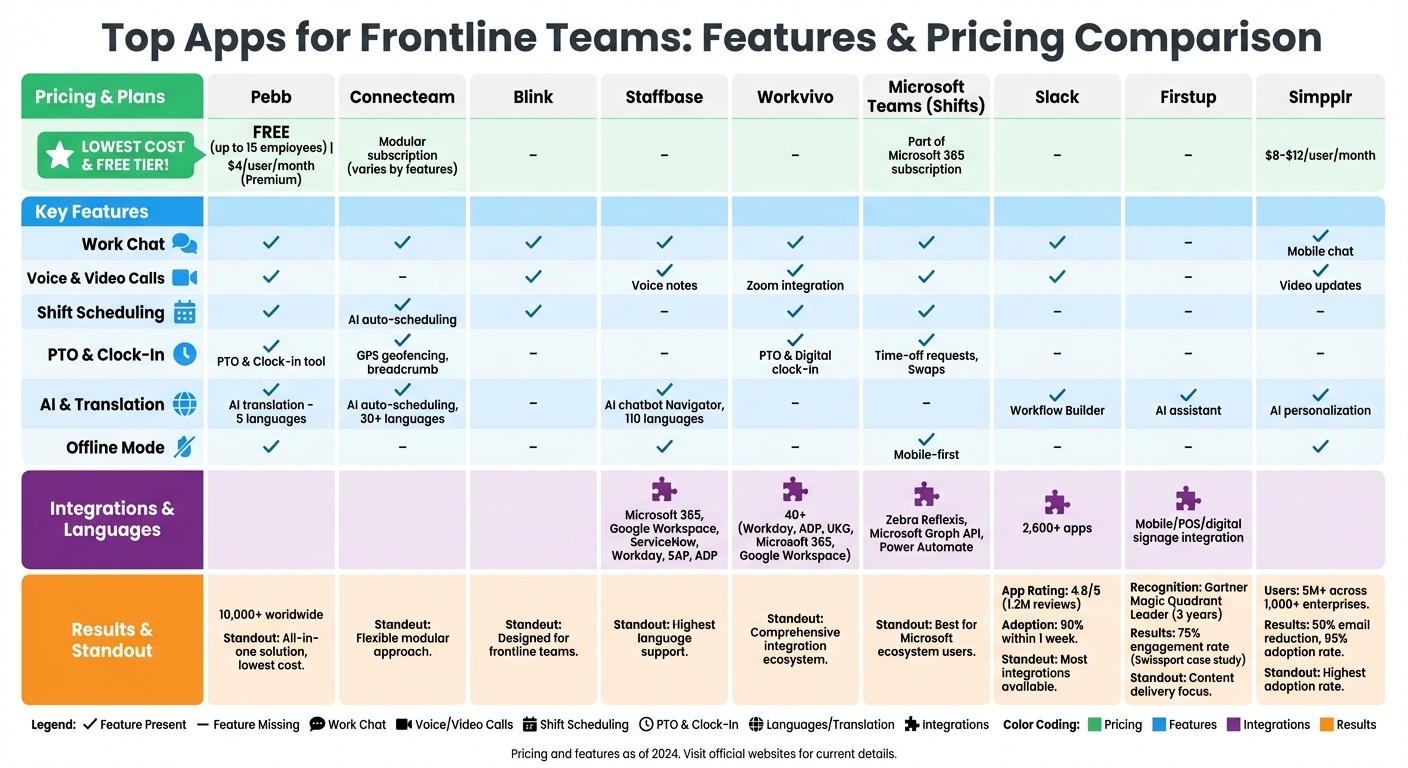
Top 9 Frontline Team Management Apps: Features and Pricing Comparison
1. Pebb
Let me tell you, juggling multiple apps for scheduling, chatting, and time tracking can feel like herding cats. That’s where Pebb steps in to save the day. Instead of bouncing between different tools, everything you need is bundled into one app. It’s a game-changer for frontline teams who thrive on staying connected without the hassle of app-switching.
Schedule Management Capabilities
Pebb makes scheduling a breeze. With its shift scheduling feature, you can plan rosters, track who’s working when, and handle those inevitable last-minute changes with ease. Drag-and-drop simplicity? Check. Employees get instant notifications on their phones when schedules are updated, so no one is left in the dark.
And forget about messy paper timesheets - Pebb’s clock-in tool tracks hours in real time, cutting out manual errors. Need to manage PTO? That’s built in too. Employees can request time off, and managers can approve or deny it all within the app. For U.S.-based teams, Pebb keeps everything compliant with MM/DD/YYYY date formats and even includes a real-time labor cost estimator that factors in overtime rules. Staying on top of federal and state regulations has never been so simple.
Communication Tools (Chat, Voice, Video)
Here’s the thing: frontline workers shouldn’t have to rely on personal phone numbers or WhatsApp groups for work. Pebb’s Work Chat changes the game with a professional, secure messaging system. Whether it’s one-on-one chats, group conversations, or a searchable message history, everything you need is right there.
Need to connect instantly? The built-in voice and video calling has you covered - no switching apps or sharing personal contact info required. Features like @mentions and @everyone alerts ensure messages grab attention, while emoji reactions let team members acknowledge updates without typing a word. And for diverse teams, Pebb’s AI-powered translation supports five languages (English, French, German, Italian, and Spanish), so everyone stays in the loop, no matter what language they speak.
User-Friendliness for Frontline Teams
We built Pebb with frontline workers in mind - people who are always on the move and need something simple and reliable. The app is optimized for smartphones, with a clean, intuitive interface that’s easy to navigate. Even in low-signal areas, Pebb keeps working by caching messages and updates, then syncing them automatically when the connection is back. Perfect for warehouse or field workers who can’t always rely on strong Wi-Fi.
With over 10,000 customers worldwide, Pebb has proven it works for teams across industries and sizes. And here’s the kicker: our Standard plan is completely free for up to 15 employees, and the Premium plan is just $4 per user per month. For an all-in-one solution, that’s hard to beat.
2. Connecteam
Let me tell you about Connecteam - it takes a slightly different approach to workforce management than we do at Pebb. While we pride ourselves on offering a free, all-in-one solution, Connecteam opts for a modular subscription model. Basically, you pick and pay for only the features you want. Their setup includes three main hubs: the Operations Hub for scheduling and time tracking, the Communications Hub for team chats and updates, and the HR & Skills Hub for training. It’s a flexible system, but if you’re looking for a full suite of features, you might end up subscribing to multiple modules, which could add up.
Schedule Management Capabilities
Here’s where Connecteam shines: their scheduling tools are designed to save you time. The drag-and-drop interface is color-coded and intuitive, and you can create schedules in a snap using templates or by copying previous ones. They also have an AI-powered auto-scheduling feature that matches shifts to employees based on availability, qualifications, and coverage needs - pretty handy, right? Plus, the system flags conflicts like overlapping shifts automatically, so you don’t have to worry about double-booking.
Employees can claim open shifts, request swaps, or submit time-off requests directly from their phones. Managers, on the other hand, can approve these changes in-app and even attach checklists or safety documents to specific shifts. This ensures everyone has the info they need when they clock in.
Communication Tools (Chat and Asynchronous Updates)
Connecteam’s Communications Hub is like your team’s own social media feed. Managers can post updates, share surveys or polls, and even track who’s seen the announcements with built-in read receipts. There’s also one-on-one and group chat functionality, but here’s the catch: there’s no built-in voice or video calling. If your team relies on real-time calls, you’ll need to pair this with another tool.
User-Friendliness for Frontline Teams
Connecteam was designed with frontline workers in mind, and their mobile app reflects that. It’s packed with features like GPS geofencing to ensure employees clock in only at approved locations. There’s also breadcrumb tracking, which provides a live movement history - useful for keeping tabs on field teams. The app supports over 30 languages, making it accessible for diverse teams.
That said, if your team just needs a straightforward scheduling tool, Connecteam’s extensive features might feel like overkill. It’s a great option for those looking for a frontline worker management solution, but for simpler needs, it might be more than what’s necessary.
3. Blink
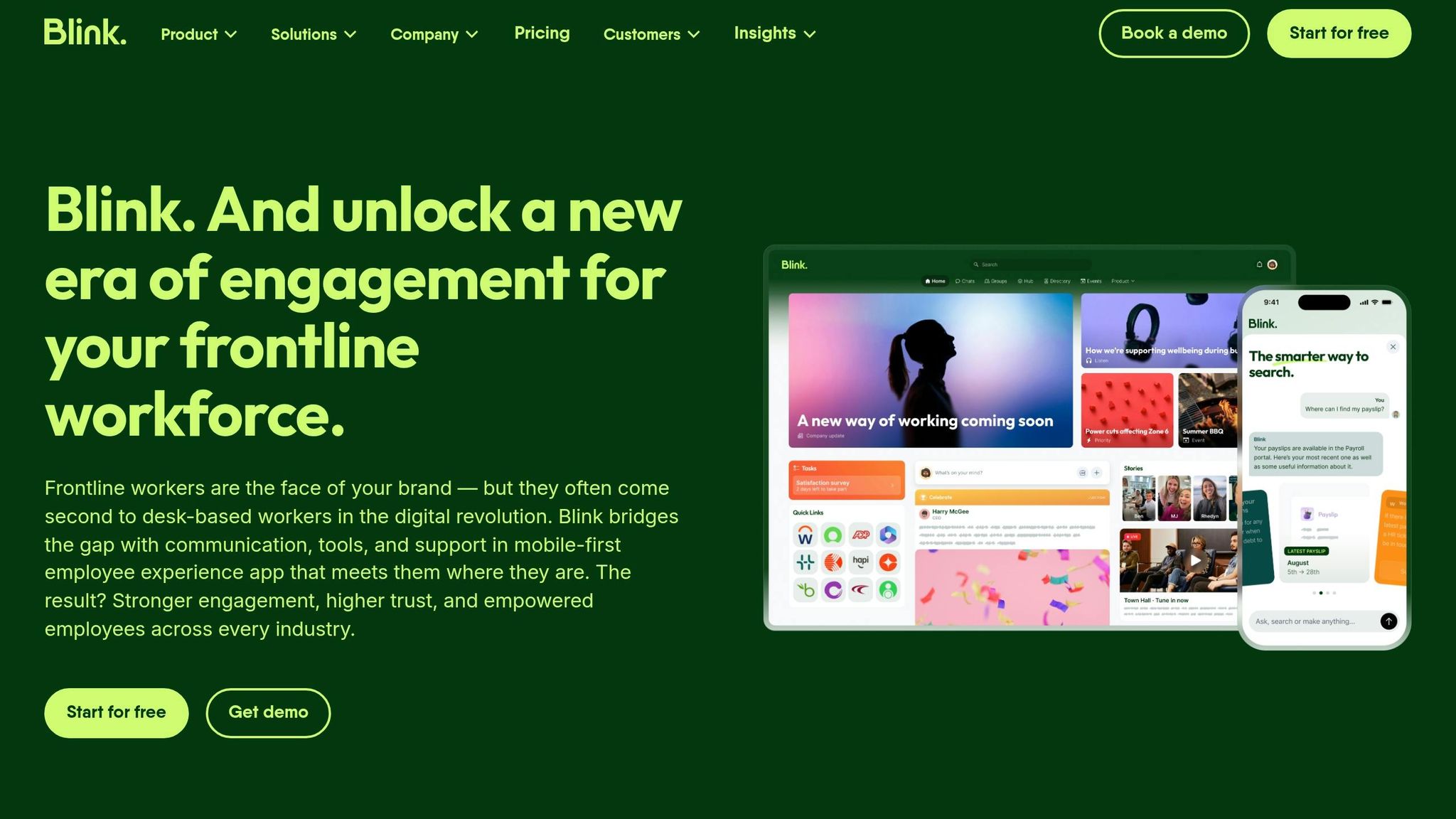
Blink is designed with frontline teams in mind, but the exact details about its features - like scheduling, internal communication tools, and integrations - are somewhat limited. To get a clearer picture, I’d recommend checking out Blink's official website or requesting a demo directly from their team.
You can also explore other top apps for frontline workers to see how they compare. Next up, let’s dive into Staffbase, a platform built to improve team coordination.
4. Staffbase
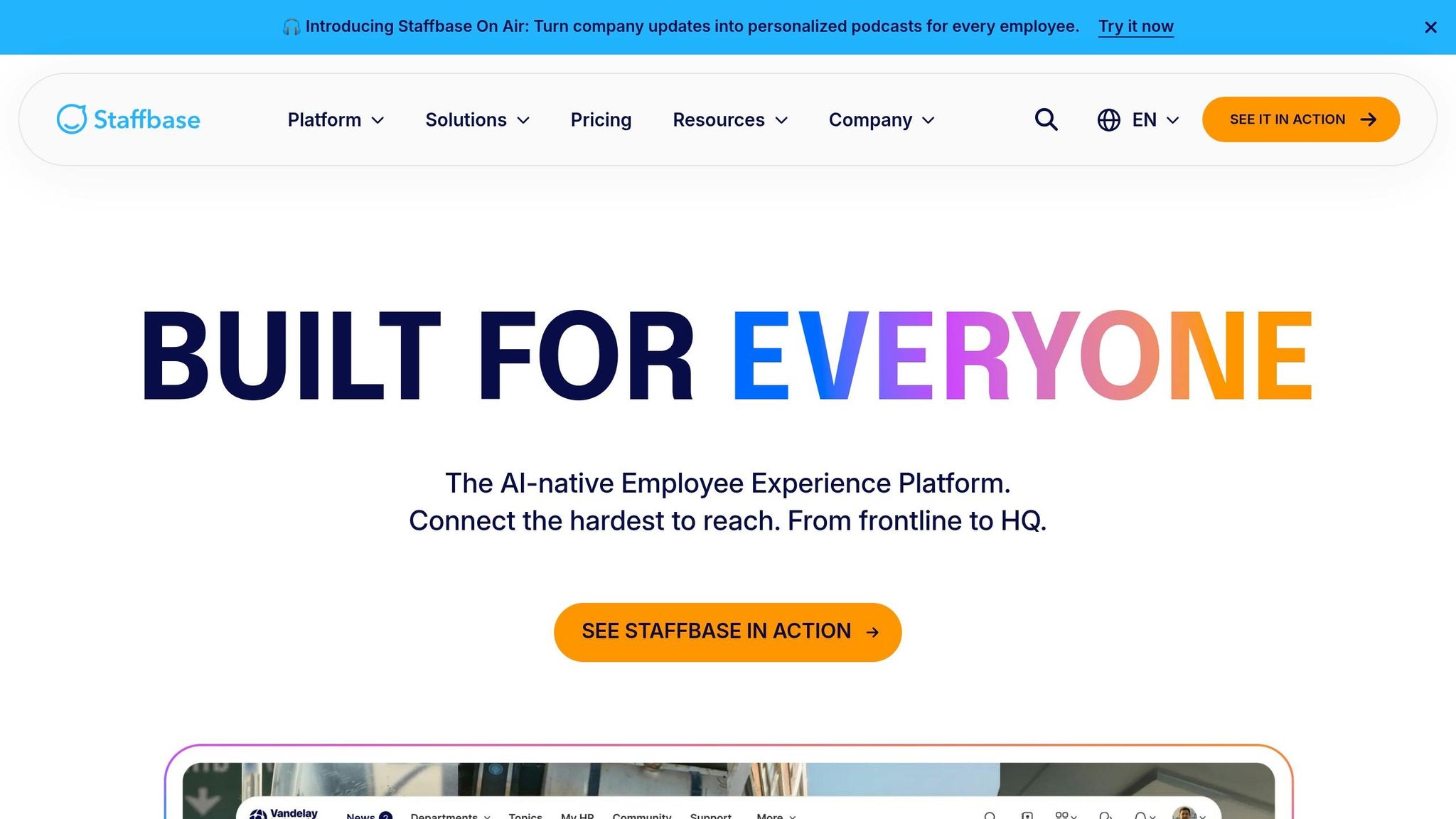
When it comes to simplifying frontline tasks, integrated solutions are a game-changer. But let me tell you, Pebb's all-in-one approach still stands out as a leader in both affordability and features. That said, Staffbase offers a solid contender by pulling scheduling, communication, and operational tools into a single, branded employee app. Let’s break down its standout features, from communication tools to integration options and user-friendly design.
Communication Tools (Chat, Voice, Video)
Staffbase brings communication to life with one-on-one chats, group messaging, and even voice notes for quick updates. They’ve added a fun twist with their social walls, where teammates can react using emojis like "Celebrate" or "Support". Need something more dynamic? Their "Staffbase On Air" feature delivers personalized audio briefings, keeping everyone in the loop.
For urgent updates, there are push notifications and emergency alerts, and here’s a cool bonus - automated translation in 110 languages. That’s a huge win for diverse teams. Plus, the offline mode lets workers download and access content even in areas with poor internet connectivity. It’s a thoughtful touch for those working in remote or spotty locations.
Integration with Existing Workflows
Staffbase doesn’t just stop at communication - it’s designed to fit seamlessly into the tools your team already uses. It syncs with heavyweights like Microsoft 365, Google Workspace, ServiceNow, Workday, SAP, and ADP. You can embed Microsoft Calendars directly into news posts, integrate shift schedules, and even pull IT and HR tickets from ServiceNow right into the app.
Gülcin Baskoc, HR & Operations Manager at Eurotrade Airport Munich, shared how effortless it was to get started:
"With Staffbase, integrating our shift plans in the Employee App was simple; we were able to get it up and running in no time".
And there’s more on the horizon. By 2026, they’re teaming up with Cornerstone to bring in learning content and training options. These integrations make it easier for frontline teams to stay connected without having to hop between platforms.
User-Friendliness for Frontline Teams
The app’s interface is built for simplicity, making it one of the top apps to communicate with employees without a steep learning curve. One standout feature is the Staffbase Navigator, an AI-powered chatbot assistant that helps workers find the information they need - fast. SAK Construction saw firsthand how this improved their internal communication:
"The app has been a great success when it comes to streamlining communication across the company. Now, we can easily spread targeted, relevant information instead of using large mailer blasts".
With its intuitive design and thoughtful features, Staffbase makes it easier for frontline workers to stay informed and engaged. It’s not just about convenience - it’s about making tools that actually work for the people using them.
5. Workvivo
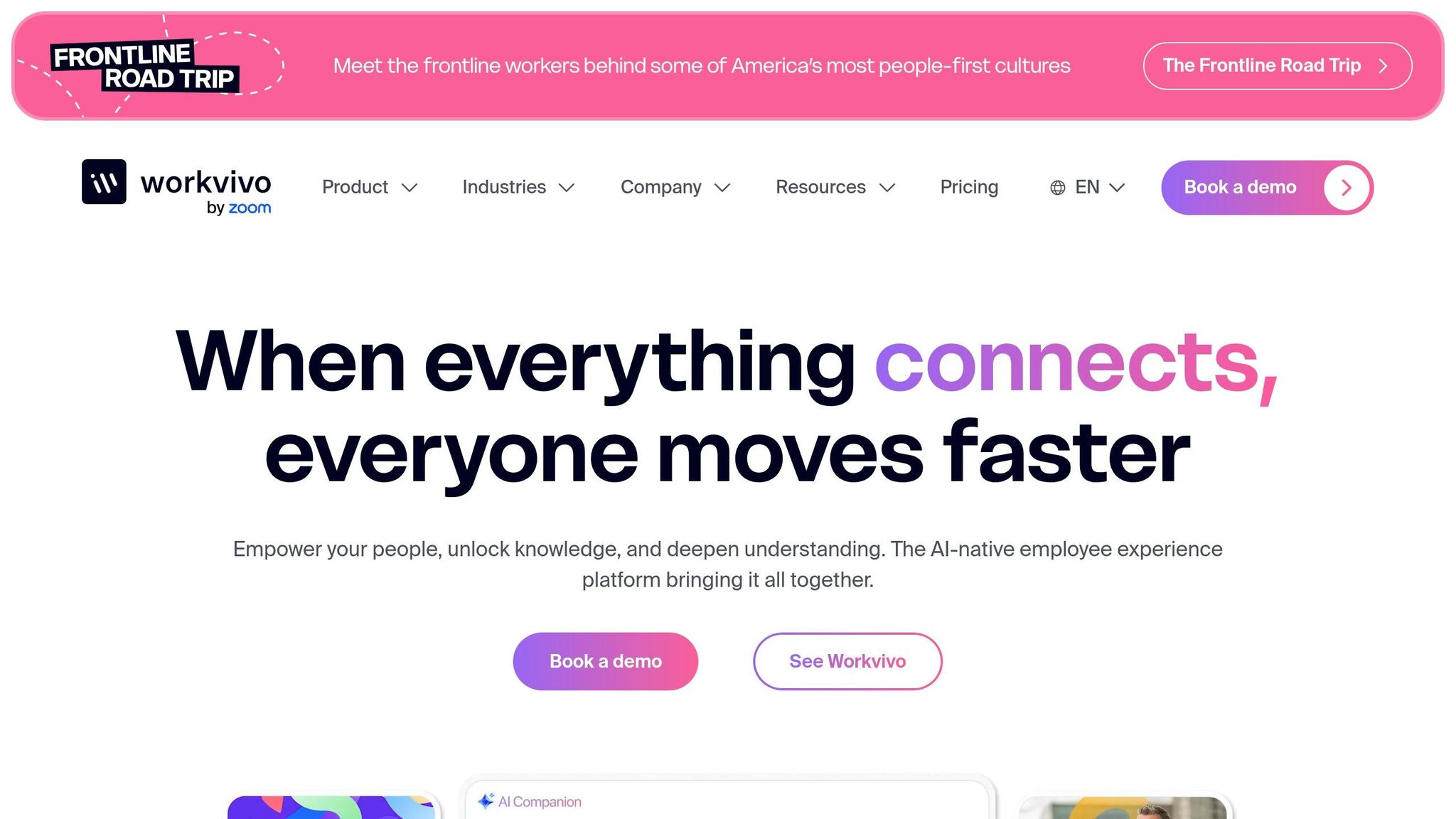
Workvivo pulls together HR tools and productivity apps into one mobile-friendly platform. While it’s a solid option, we’ve designed Pebb to pack the same punch at just $4 per user - and we even offer a free tier that outshines most competitors. That’s why Pebb continues to stand out as the go-to solution for frontline teams. Plus, it integrates effortlessly with existing enterprise systems. But let’s take a closer look at what Workvivo brings to the table in terms of communication, integration, and scheduling features.
Communication Tools (Chat, Voice, Video)
One standout feature of Workvivo is its built-in Zoom integration. This means your team can launch, join, or schedule meetings without ever leaving the platform. On top of that, it consolidates chats and messages from tools like Microsoft Teams and Slack, creating a single hub for all communications. No more bouncing between multiple apps - everything flows into one streamlined space.
Integration with Existing Workflows
Workvivo doesn’t hold back when it comes to integrations. With over 40 ready-to-go options, it connects seamlessly with major platforms like Workday, ADP, UKG, Microsoft 365, Google Workspace, and even ServiceNow. It also offers a unified search bar, making it easy for frontline workers to access payslips, check PTO balances, or search file systems like Google Drive, OneDrive, SharePoint, Box, and Confluence - all in one place.
One of Workvivo’s customers, Nordell, shared how this feature transformed their processes:
"Integrations have provided Nordell with the one-stop shop it needed. Workvivo makes it easy to provide links to training and learning materials, and acts as a hub from which employees can access other Nordell apps that relate to HR, payslips, and more."
Schedule Management Capabilities
For deskless teams, Workvivo offers tools like built-in shift management, digital clock-ins, and PTO tracking. Its mobile-first design ensures team members can check schedules, request time off, and clock in from anywhere. This eliminates the hassle of juggling multiple apps just to manage day-to-day tasks.
6. Microsoft Teams
Microsoft Teams has become a go-to platform for workplace communication, and its Shifts app is a standout feature tailored specifically for frontline and deskless teams. Designed with a mobile-first mindset, it simplifies schedule management by enabling both managers and employees to handle shifts directly from their phones.
Schedule Management Capabilities
When it comes to scheduling, Microsoft Teams offers a range of tools to make life easier for managers and workers alike. Managers can handle schedules manually or import data through Excel, manage open shifts, approve or deny time-off requests and shift swaps, and even generate detailed time sheet reports. On the employee side, the app is just as intuitive. Workers can check their schedules, see their teammates' availability, grab open shifts, swap shifts with coworkers, and submit time-off requests - all from their mobile devices. To keep things consistent, organizations can also standardize settings like schedule groups and time-off reasons across all locations using the Teams admin center.
Integration with Existing Workflows
One of the standout features of the Shifts app is its flexibility. It can function as a standalone tool or integrate seamlessly with external Workforce Management (WFM) systems like Zebra Reflexis (versions 4.3.2, 4.4, or 4.5). When connected, it syncs data automatically and applies your organization's business rules. For those looking to take it a step further, Microsoft Graph API and Power Automate allow you to create custom workflows, such as automating the approval process for shift swaps. These integrations make it easier to align digital tools with both your operational needs and physical workflows.
User-Friendliness for Frontline Teams
While Microsoft Teams offers a comprehensive suite of features, its Shifts app focuses on delivering straightforward scheduling tools. That said, the sheer breadth of functionality within Teams can sometimes feel like overkill for frontline workers who simply need easy-to-use scheduling and communication tools. This is where Pebb shines - offering similar scheduling features at just $4 per user and with a highly accessible free tier. For organizations already invested in the Microsoft ecosystem, Teams provides strong integration and familiarity. However, Pebb's design prioritizes simplicity and efficiency, making it a compelling alternative for teams seeking a more streamlined experience.
7. Slack
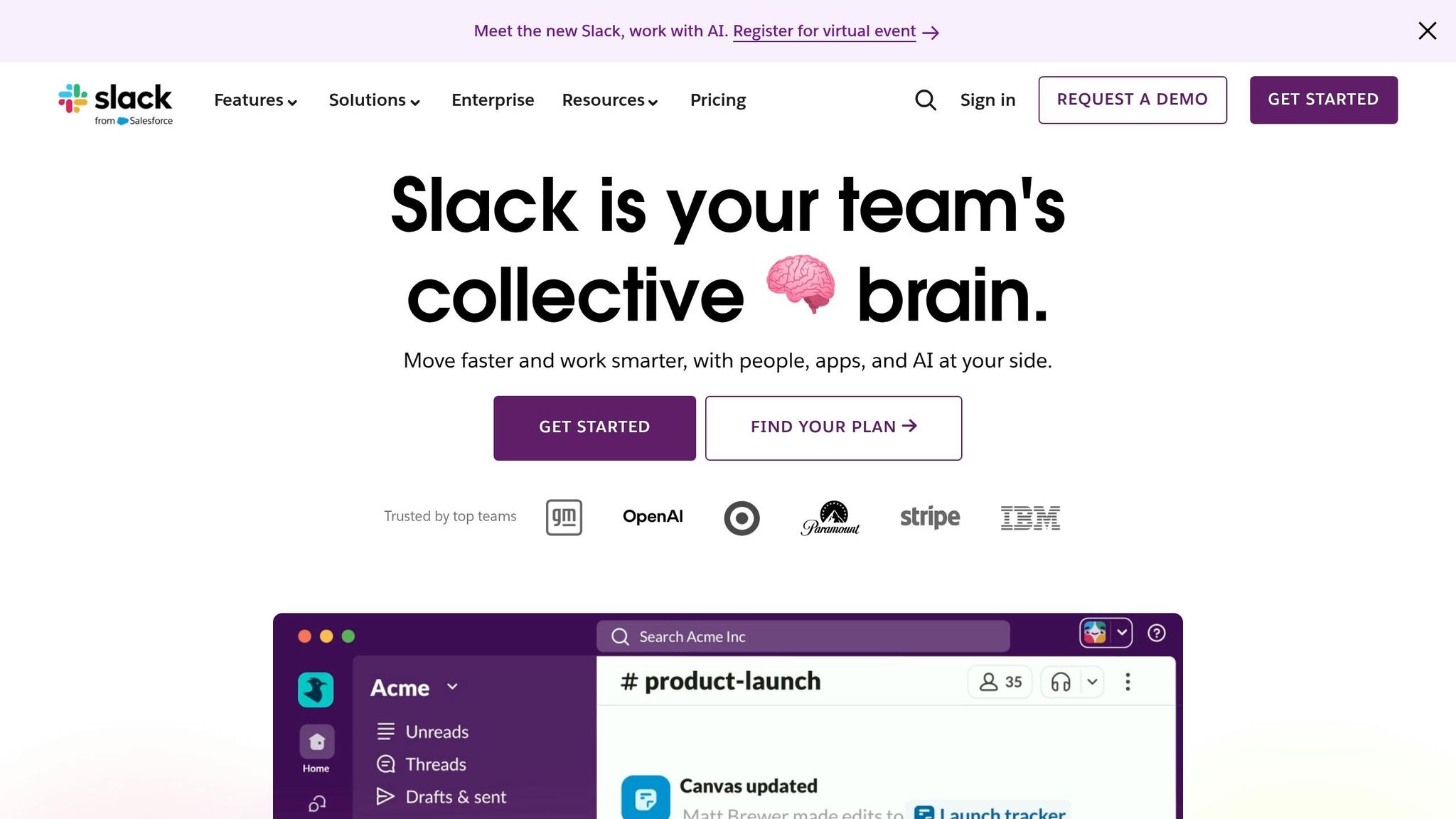
Slack has earned its spot as a top communication tool for teams everywhere. With more than 2,600 integrations, it keeps everyone connected through real-time chat, voice huddles, and video calls. For frontline workers, this means no more endless email chains or missed calls - just instant coordination. The mobile app, which boasts a 4.8/5 rating on the App Store from 1.2 million reviews, ensures workers stay informed whether they’re on the sales floor, in the warehouse, or out in the field.
Communication Tools (Chat, Voice, Video)
One of Slack’s standout features is threaded messaging, which helps keep conversations organized. This is especially useful for managing shift changes or sharing operational updates. Instead of wading through a sea of messages, workers can follow specific threads and use emojis for quick acknowledgments. Need a rapid check-in? Slack’s Huddles make it easy to jump into an audio or video call with just a click.
Integration with Existing Workflows
Slack shines when it comes to fitting into existing workflows. It integrates effortlessly with tools like Google Calendar, Microsoft Outlook, Homebase, and When I Work. This means schedules can automatically post in dedicated channels, such as #team-shifts, and workers get real-time notifications about new assignments or approved time-off requests. For example, a retail chain that paired Slack with When I Work reported a 25% drop in no-shows by enabling simple, real-time shift swaps through bot commands. Plus, Slack’s Workflow Builder allows managers to automate repetitive tasks - like sending out shift reminders - without needing any coding skills.
User-Friendliness for Frontline Teams
Slack’s channel-based navigation is straightforward, and its mobile app even supports voice-to-text messaging for workers constantly on the go. Case studies highlight that 90% of hourly teams adopt Slack within just one week of implementation. However, organizations with more complex channel setups might face a steeper learning curve. And while Slack depends on integrations for scheduling and PTO management, Pebb offers a complete, all-in-one workforce management solution at a price that’s hard to beat - just $4 per user for the premium plan.
Up next, I’ll dive into how Firstup approaches frontline communication in its own unique way.
8. Firstup
Firstup takes a different approach by prioritizing intelligent content delivery over traditional chat features. It’s no surprise the platform has been recognized as a Leader in the 2025 Gartner® Magic Quadrant™ for Intranet Packaged Solutions for three years straight. Major companies like JetBlue, Iron Mountain, and McKee Foods rely on Firstup to manage workforces ranging from 6,000 to over 26,000 employees.
Integration with Existing Workflows
What sets Firstup apart is its ability to reach employees seamlessly during their workday. It delivers targeted updates directly to mobile devices, point-of-sale systems, and even digital signage. This means critical information lands exactly where workers need it most - right in their flow of work. The platform also integrates with enterprise tools like Microsoft, Workday, and ServiceNow, making it easier for employees to access essential resources in one place. On top of that, Firstup transforms mass communications into personalized, automated messages with the help of an AI assistant.
These features aren’t just buzzwords - they deliver real results. Southern Company Gas, for instance, saved 91,000 hours and $3.9 million while mobilizing 60% of its field teams. They also saw a 45% boost in engagement after improving frontline communications with a dedicated portal with Firstup. Another success story comes from Swissport, which unified 45,000 employees across 300 airports using a custom-branded Firstup app. The result? A 75% engagement rate among their frontline staff.
While Firstup shines in delivering targeted content to frontline workers, its focus doesn’t extend to offering the kind of integrated communication tools found in other platforms.
Communication Tools (Chat, Voice, Video)
Here’s where Firstup differs from platforms like Pebb. While Pebb combines work chat, voice, and video calling into one seamless system, Firstup sticks to its core strength: content delivery. It doesn’t include native chat, voice, or video features. Instead, it focuses on ensuring the right message reaches the right person at the right time - whether it’s safety updates in manufacturing, schedule changes in hospitality, or urgent notifications in healthcare.
For teams that need more than just content delivery, Pebb offers a comprehensive solution. With integrated work chat, voice and video calls, shift scheduling, and PTO management, Pebb provides everything frontline teams need - all for just $4 per user on the premium plan. This all-in-one approach is why Pebb stands out as the go-to platform for teams that require both communication and operational tools in one package.
9. Simpplr
Simpplr has built its reputation as a go-to platform for employee communication and engagement, with over 1,000 enterprises and more than 5 million users worldwide. Its focus? Empowering frontline teams with a mobile-first intranet experience.
Communication Tools (Chat, Voice, Video)
Simpplr’s strength lies in its communication features. Think mobile chat, video updates, and announcements tailored for frontline workers. Companies using Simpplr have reported cutting email volume by 50%, thanks to app-based communication. Less email means fewer distractions and more time spent on meaningful work. Plus, its AI-driven personalization ensures employees - whether in retail, healthcare, or manufacturing - only see updates that are relevant to them.
One standout feature is the email-free login. Frontline workers don’t need a corporate email to access the platform, removing a major hurdle. The mobile app also supports offline access, push notifications, and auto-generated captions and translations, keeping teams connected even in areas with poor connectivity.
While communication is clearly Simpplr's strong suit, its integration capabilities take it a step further.
Integration with Existing Workflows
Simpplr plays well with others, connecting to over 100 apps like Microsoft 365, Slack, and various HR systems. Everything is localized for en-US users, from USD currency displays to MM/DD/YYYY date formats and imperial measurements. API setup is quick - about two weeks - and managers report a 60% drop in email reliance. Impressively, frontline-heavy organizations see a 95% adoption rate, thanks to the platform’s intuitive, training-free interface. Just two taps, and you’re in.
That said, Simpplr does have its limits. It doesn’t include native scheduling tools, which can leave teams juggling multiple platforms. That’s where Pebb shines. For just $4 per user, Pebb rolls in everything Simpplr offers - chat, voice, video - AND adds built-in scheduling, PTO management, and operational tools. Compare that to Simpplr’s $8-$12 per user/month, which still requires separate scheduling software. With Pebb, you get the full package without breaking the bank or dealing with extra complexity.
What Makes Pebb Different for Frontline Teams
You know how frustrating it is to juggle multiple apps just to keep your team running smoothly. One app for scheduling, another for chat, and yet another for managing PTO - it’s a mess. For frontline teams, where quick answers are a must, this kind of app-hopping can slow everything down. That’s exactly why we built Pebb.
We wanted to create a unified platform that does it all. With our free Standard plan, you get tools for work chat, shift scheduling, PTO management, tasks, digital forms, and even a news feed - all for up to 15 employees. No credit card. No sneaky fees. Just everything you need in one spot. Need more? Our Premium plan is just $4 per user/month and includes voice and video calls, enterprise SSO, advanced permissions, analytics, and over 50 integrations. Compared to other platforms, our pricing and features are tough to beat.
"Pebb keeps that conversation tied directly to the schedule, so nothing gets lost in the jump between apps." - Dan Robin, Pebb Insights
Here’s how it works in real life: A manager posts next week’s shifts, a worker requests a swap, and every interaction stays linked directly to the schedule. No more WhatsApp screenshots. No more “Did you see my email?” headaches. The interface feels so natural that users don’t even need training. Teams in retail and field services using Pebb have cut their coordination time by 50%, thanks to our integrated scheduling and chat tools. Filling last-minute shifts has never been easier.
We designed Pebb with frontline teams in mind - teams that rely on simplicity and mobility. Features like offline schedule viewing, GPS-enabled clock-ins, and push notifications for shift updates make it perfect for workers on the move. By bundling scheduling with communication, we’ve helped teams not only save time but also cut labor costs by 20-25% by catching overtime issues early. It’s all about making your team more agile without the chaos of switching between apps.
Wrapping It All Up
Juggling multiple apps to manage frontline teams? That’s a headache no one needs. By combining scheduling and communication into one platform, you can cut the chaos and give your team the tools they need to thrive.
Platforms like Pebb, Connecteam, and Blink tackle these challenges in their own ways. Picking the right one comes down to your team’s size, your industry, and the features that matter most to your workflow. Whether it’s a mobile-first design for on-the-go staff, a drag-and-drop scheduling tool, or self-service options for easy shift swaps, the right features can make all the difference.
At Pebb, we’ve put everything under one roof - scheduling, chat, and more - so your frontline teams stay connected and productive. I’ve seen how this approach can completely turn things around, cutting down on miscommunication and keeping costs in check by addressing problems before they snowball. The key is finding a solution your team will actually use every day.
So, take a hard look at your current setup. Are you still relying on screenshotting schedules or digging through endless group chat threads? If so, it’s time to make the switch to a single, streamlined platform. Your team deserves a workday that’s simple, clear, and efficient. Why not give them that?
FAQs
How do I switch from paper schedules and group chats to one app?
Switching to a single app has never been easier with Pebb, our all-in-one platform designed for frontline teams. Here’s how it works: sign up, and you’re ready to go. Use the drag-and-drop tool to create and share schedules in no time. Forget juggling group chats - Pebb replaces them with a centralized work chat, news feed, and groups. This means everything from scheduling and team updates to PTO tracking happens in one place. The result? Fewer errors, less hassle, and a whole lot more time saved.
What features should a frontline scheduling app include?
Frontline scheduling needs to be seamless and adaptable. A great app should include drag-and-drop tools for quick shift updates, real-time notifications to keep everyone in the loop on schedule changes, and options for PTO requests and shift swapping to give employees more flexibility. But that’s not all - having built-in communication tools, like work chat and voice or video calls, is just as important for staying connected.
That’s where Pebb comes in. It wraps all these features into a single, mobile-friendly platform, making it easier for frontline teams to stay organized and work together efficiently. Whether you're managing schedules or collaborating on the go, Pebb has you covered.
How can Pebb reduce no-shows and last-minute shift issues?
Pebb makes handling no-shows and last-minute shift changes a breeze with its centralized platform for scheduling and communication. Employees stay in the loop with instant mobile notifications, so there’s no guesswork when updates happen. For managers, the drag-and-drop scheduling tools make adjustments quick and painless.
On top of that, features like PTO management and shift swaps take the hassle out of tracking availability. Real-time alerts ensure everyone’s on the same page, helping transitions go smoothly and minimizing disruptions. It’s all about keeping the team connected and operations running seamlessly.
