
Author: Ron Daniel
One App for Everything: Shifts, Chat, and Company Updates
Combine shift scheduling, team chat, and company updates in one mobile-first app to cut errors and simplify frontline communication.
Have you ever felt like managing your team was less about leading and more about juggling? I’ve been there - constantly switching between Slack for messages, Excel for schedules, email for announcements, and WhatsApp for last-minute shift confirmations. It’s exhausting. Worse, it’s chaotic. Important updates get buried, shifts are missed, and communication gets tangled in personal chats. It’s like trying to run a relay race while carrying a dozen apps under your arm.
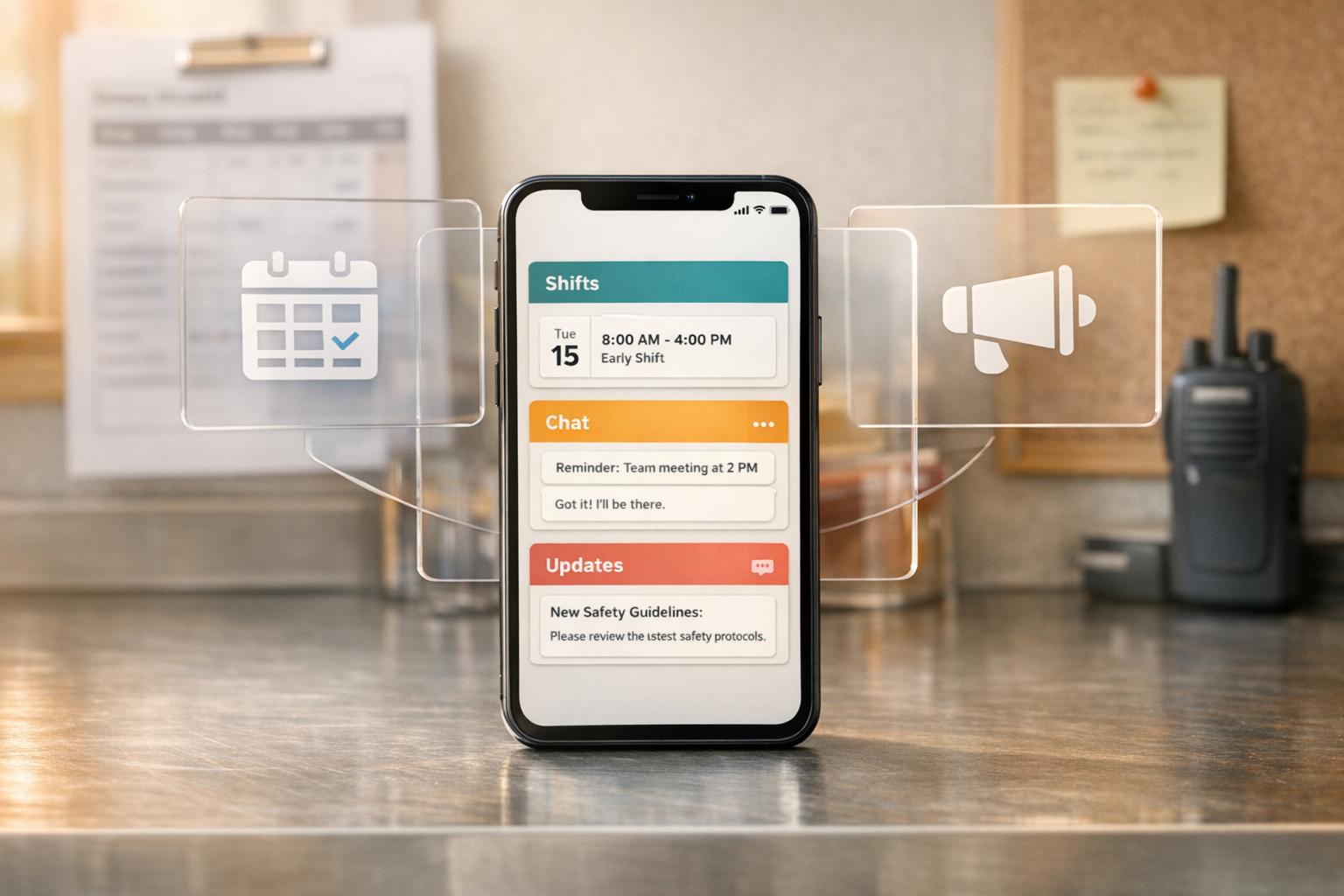
Here’s what changed everything for me: Pebb. With one platform, I stopped juggling and started managing. Pebb combines shift scheduling, team chat, and company updates into a single, easy-to-use app. Open it, and everything you need is right there - your schedule, your messages, and the latest updates. No more chaos. No more wasted time.
In this article, I’ll show you how Pebb simplifies team management by merging three critical tools into one. Whether you’re running a restaurant, managing a hospital team, or leading an office crew, you’ll see why this app has become my go-to solution for keeping my team connected and on track. This foundation of clarity is essential for boosting employee engagement through better communication and support. Let’s dive in.
Pebb vs Traditional Tools: Feature and Pricing Comparison
Why Use One App Instead of Many
The Problem with Using Too Many Tools
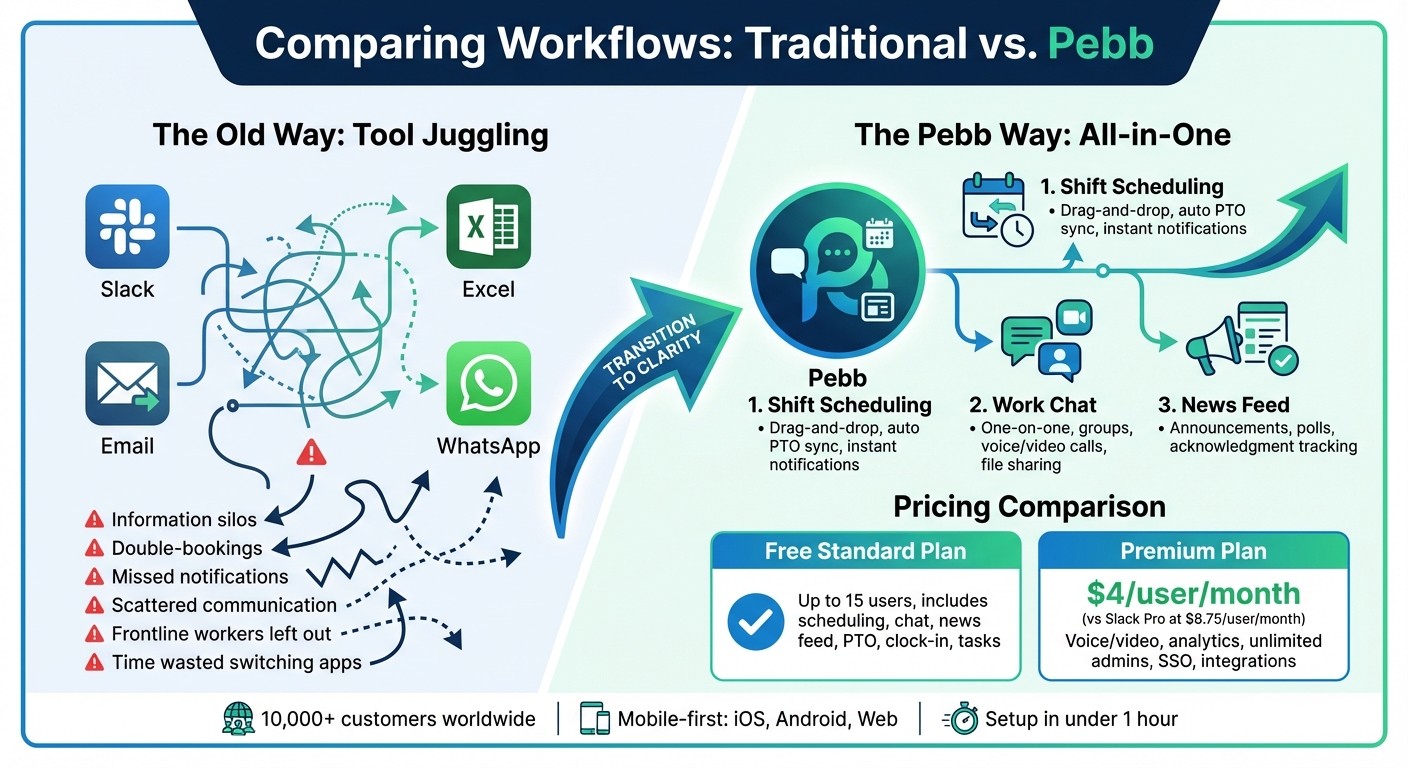
Picture this: you're juggling Slack, Excel, email, and WhatsApp just to keep your team on track. Sounds chaotic, right? Managers spend hours cross-checking spreadsheets to make sure no one’s scheduled during approved vacations. Meanwhile, employees miss shifts because important notifications are buried under a pile of app alerts. And those crucial updates? They vanish into overcrowded email inboxes that frontline workers rarely open.
Here’s the issue - when you rely on a bunch of separate tools, critical information gets stuck in silos. A PTO request sent via email doesn’t magically sync with your scheduling tool. That’s how double-bookings happen, shifts go uncovered, and your team ends up frustrated, constantly scrambling to fix preventable mistakes.
And it’s not just about wasted time. Using tools like Teams or Slack, which are designed for desk workers, leaves frontline employees - your retail associates, restaurant staff, warehouse crews - out of the loop. They’re checking personal phones for work updates, sifting through family texts and group chats. It’s messy, confusing, and far from efficient.
This scattered approach to communication and scheduling cries out for a single, unified solution.
How Pebb Connects Operations and Communication
That’s where Pebb steps in to bridge the gaps. Imagine this: someone submits a PTO request, and it automatically syncs with the shift schedule. Once approved, everyone impacted gets notified immediately. No spreadsheets, no guesswork. When you share a company update, it doesn’t just sit unread like a boring email - it becomes a conversation. Your team can react, ask questions, and engage directly in the feed. This kind of integration doesn’t just save time; it wipes out errors like double-bookings and missed shifts.
For companies with a mix of frontline and office workers, this is a game changer. Traditional platforms treat announcements as one-way memos from management. Pebb flips the script, turning updates into real dialogue. Your warehouse team in Ohio can chime in on the same post as your corporate staff in New York, creating a sense of connection across the board. And because Pebb is built with a mobile-first design for iPhone, Android, and web, no one needs a company email or desktop to stay updated. They just open the app on whatever device they use, and they’re good to go.
With Pebb, the chaos of too many tools becomes a thing of the past, and your team finally gets the clarity and connection they deserve.
What Pebb Does: Shifts, Chat, and Updates
At Pebb, we focus on three core features to keep teams running smoothly: shift scheduling, team chat, and company updates. Let me walk you through how each one works and why they matter.
Shifts Scheduling: Make Team Planning Effortless
Our drag-and-drop scheduler is a lifesaver. Forget wrestling with Excel or juggling sticky notes - this tool lets you build weekly or monthly schedules in just minutes. Pebb automatically cross-references approved PTO and employee availability, so you can avoid those awkward double-booking headaches. And the best part? Employees get instant push notifications, so no more relying on emails that might go unread.
Here’s what makes it even better:
Team members can request shift swaps, grab open shifts, or update their availability straight from the app.
It’s integrated with PTO tracking and clock-ins, giving you real-time updates if someone clocks in late or is about to hit overtime.
For multi-location teams, everything is centralized, and you’ll get notifications to stay on top of it all.
Scheduling is just the start - keeping communication clear is the next piece of the puzzle.
Work Group Chat: A Secure Space for Team Conversations
Pebb’s Work Group Chat isn’t just another messaging app; it’s built specifically for professional use. Unlike Slack or Teams, which often require add-ons for scheduling, Pebb combines everything into one seamless platform. Here’s what you can do:
Chat one-on-one or in groups
Make voice and video calls
Share files and keep everything searchable and organized for future reference
Managers can assign roles and permissions to control access, so sensitive topics like payroll stay separate from general team chatter. It’s a game-changer for frontline employees, who can stay connected without mixing work conversations into their personal apps. For you, it means having a clear, centralized history of all team interactions.
But we didn’t stop there - communication goes beyond chat with our integrated News Feed.
News Feed: Keep Everyone in the Loop
Think of the News Feed as your team’s go-to hub for announcements, photos, polls, and even policy updates. While other platforms like Staffbase or Firstup offer similar features, they don’t combine scheduling and chat like Pebb does. This means fewer tools to juggle and less chance of important updates slipping through the cracks.
Here’s how it works:
Employees can react, comment, and ask questions directly in the thread, turning updates into conversations.
Use the Acknowledgment feature for critical updates, so you’ll know exactly who’s read them and who might need a reminder.
Whether your team is spread across retail floors in Texas or corporate offices in California, everyone gets updates in real time.
With Pebb, you’re not just managing schedules and messages - you’re creating a communication flow that keeps everyone aligned and helps improve frontline employee engagement. It’s all about making work life easier, no matter where your team is.
Pebb's Pricing: Free and Premium Plans
At Pebb, we believe every team deserves access to tools that make work easier, whether you're a small group or a growing enterprise. That’s why we offer two straightforward options: a free Standard plan and a Premium plan for just $4 per user per month. Let me break down what each plan includes so you can decide what suits your team best.
Free Standard Plan
Our Standard plan packs a punch without costing a dime. It’s ideal for smaller teams - up to 15 users - who need professional tools to manage their workflow efficiently. Here’s what you get:
Shift scheduling with an easy drag-and-drop interface
Work chat with unlimited message history
News feed to keep everyone updated
PTO management to track time off
Clock-in features for tracking hours
Task management to stay on top of priorities
The best part? You can get started without a credit card. It’s perfect for teams that want to hit the ground running without worrying about upfront costs.
Premium Plan: $4 per User per Month
When your team is ready to step it up, our Premium plan offers advanced tools at a price that’s hard to beat - just $4 per user per month. For context, Slack Pro costs $8.75 per user, so you’re getting premium features at nearly half the price. Here’s what’s included beyond the Standard plan:
Voice and video calls for seamless communication
Real-time analytics to track performance
Unlimited admins and advanced permissions for better control
Enterprise SSO for secure access
Integrations with tools like QuickBooks and ADP
And that’s not all. Premium users also enjoy priority SLA support and enterprise-grade security, making it a great fit for teams ranging from 20 to 2,000 employees. Plus, our pricing is transparent - no hidden fees or surprise charges. Whether your team is scaling up or just needs more robust features, the Premium plan has you covered.
How Pebb Works in Your Daily Routine
Let me walk you through how Pebb fits into a typical workday. Whether you're running the show as a manager or clocking in as a team member, Pebb keeps everything running smoothly - all in one place.
For managers, mornings start with ease. You grab your phone or open your laptop, log into Pebb, and instantly see the day’s shift schedule. Need to check who’s clocked in? It’s right there. If someone calls out sick, no panic - just drag and drop to reassign their shift. No spreadsheets, no frantic calls, no stress. By the time your coffee’s done brewing, your team is ready to roll.
Now, let’s talk about the team members. You wake up, check Pebb, and see your schedule right on the home screen - no digging around or guessing. Before heading out, you scroll through the News Feed. Maybe there’s a reminder about a new promotion or an upcoming team meeting. Once you get to work, clocking in is as easy as a tap.
Fast forward to the afternoon. Need to request time off? Pebb’s self-service portal has you covered. You can see your PTO balance, check staffing needs, and submit your request - all in seconds. Managers get an instant notification and can approve it on the spot. No back-and-forth emails or waiting days for a response. And if you’re looking to swap a shift, just hop into a group chat and make it happen. Everything you need is right there, keeping the day moving without a hitch.
Pebb isn’t just an app - it’s like having a personal assistant for your workday, making everything from scheduling to communication feel effortless.
How to Set Up Pebb for Your Team
Let me tell you, getting started with Pebb is as straightforward as it gets. We designed it to work right out of the box - no drawn-out installations, no IT bottlenecks. You can have your entire team connected and ready to roll in under an hour.
Here’s how it works: First, create your account and add your company details. This step is a breeze - it takes about five minutes. Once that’s done, invite your team by sharing a single invite link. All they have to do is click the link, download the app (available on iOS, Android, or web), and they’re in. Whether you’re onboarding 5 people or 500, the process is exactly the same. Following frontline employee onboarding best practices ensures your team hits the ground running.
Once your team is set up, you can customize workspaces and group chats to fit your team’s structure. Organize them by location, department, or shifts - whatever makes sense for your workflow. You can even start scheduling shifts and posting updates to the News Feed right away. And if your team is multilingual, no worries - Pebb supports English, French, German, Italian, and Spanish.
What really sets Pebb apart is how it grows with you. Start with the free Standard plan, which covers up to 15 employees, and try out all the essentials - shift scheduling, work chat, news feed, you name it. When you’re ready to scale, upgrading to Premium costs just $4 per user per month. This unlocks advanced tools like voice and video calls, analytics, and unlimited admin access. The best part? There’s no need for complicated migrations or starting over from scratch.
Here’s the thing: if your team can use a smartphone, they can use Pebb. We’ve seen teams ditch messy WhatsApp groups and explore alternatives and outdated paper schedules in a single afternoon. That’s the magic of Pebb - it’s quick to set up, easy to use, and lets your team focus on what truly matters: getting work done.
Conclusion
Let’s face it - managing a team shouldn’t feel like a game of app-juggling. That’s exactly why we created Pebb: to bring everything your team needs - shifts, chat, and company updates - into one straightforward platform. No more bouncing between tools, losing important messages in personal WhatsApp threads, or scrambling to figure out who’s working when.
With Pebb, you get real-time clarity across your entire operation. Clock-in statuses are visible right in chat, announcements reach everyone instantly, and schedules stay accurate and accessible. It’s a workflow that just makes sense, freeing your team to focus on what they do best.
Here’s the best part: you can get started for free with up to 15 users and enjoy all the core features. When it’s time to grow, our Premium plan is just $4 per user per month. That makes Pebb not only the only free all-in-one communication solutions but also the most budget-friendly premium option out there. Over 10,000 customers worldwide have already made the switch from messy, fragmented tools to a system that simply works.
FAQs
How does Pebb prevent scheduling conflicts like PTO overlaps?
Pebb makes managing time-off requests a breeze. Employees can submit their requests directly through the app, and managers get to approve or deny them instantly. This real-time interaction cuts down on mistakes and keeps double bookings out of the picture. The result? A smoother, hassle-free scheduling experience for everyone involved.
Can frontline employees use Pebb without a company email or desktop?
Pebb is built with frontline employees in mind, making it a mobile-first platform that works effortlessly on any device. What’s great is that it doesn’t require a company email or desktop to get started. This means employees can stay connected and communicate easily, no matter where they are or what device they’re using.
What does the free plan include, and when should I upgrade to Premium?
The free plan packs quite a punch, offering all features for teams of up to 15 users. Here's what you get:
Team chat to keep conversations flowing
A news feed for updates everyone can see
Shift scheduling and clock-ins to manage work hours
PTO management to track time off
Groups and a people directory for easy organization
Voice and video calls to stay connected
File sharing for seamless collaboration
If your team needs more flexibility or advanced tools, the Premium plan is just $4 per user per month. With that, you unlock:
Unlimited spaces for growing teams
Advanced admin controls and organization permissions
Detailed analytics to track performance
Access to integrations that sync with your favorite tools
It’s a straightforward way to scale as your team grows while keeping everything running smoothly.
