

Author: Ron Daniel
The future of deskless work: Trends in employee app adoption
Mobile-first, unified employee apps reduce app switching, boost frontline adoption, and streamline scheduling, communication, and tasks.
Most deskless teams do not have a tool problem. They have a tool overload problem.
At Pebb.io, I keep seeing the same pattern: a company adds chat, then scheduling, then forms, then time tracking, and somehow work gets harder instead of easier. That matters when there are about 80 million deskless workers in the U.S., and only 34% of frontline workers check email daily. If the main system does not fit how people work, messages get missed, shifts get messy, and managers spend too much time cleaning it up.
I have watched teams move from paper notices, text chains, and scattered apps to top apps for frontline workers that handle the daily basics. The change is not about adding more software. It is about cutting friction, trimming app-switching, and giving people one place for schedules, updates, requests, and team chat.
This shift points to a few clear trends: mobile-first access, two-way communication, and one app for both communication and day-to-day work. In this piece, I’ll break down what I’m seeing, where teams still get stuck, and what managers should check before picking their next employee app.
Quick overview
From what I see at Pebb.io, the employee apps that win with deskless teams usually do four things well:
Open fast on mobile apps for frontline employee communication
Keep chat and shift work in one place
Make it easy to reply, confirm, and ask for help
Cut the need for paper, email, and side-texting
A few numbers stood out to me from the article:
70% of deskless workers say more tech would help them do their jobs better
Mobile-first platforms can see engagement above 70%
Legacy email often sits below 30%
Frontline apps can hit 90%+ adoption within 90 days
Unified platforms may trim software spend by 30% to 50%
What I take from that is simple: deskless work is moving toward fewer apps, less friction, and better mobile access.
What I think this means for teams right now
I would not treat this as a trend to watch from the sidelines. I would treat it as a workflow issue to fix.
When a frontline employee has to bounce between different apps to communicate with employees, scheduling tools, paper forms, and text messages, the workday slows down. Not in one big dramatic moment. In dozens of small moments:
a missed shift update
a late PTO reply
a form that never gets filed
a policy no one can find during a busy shift (often due to the lack of a centralized knowledge base)
That is where the cost shows up.
The companies that seem to get ahead are not chasing flashy features. They are asking a more useful question:
Can our people do the main parts of their shift from one phone app?
If the answer is no, there is probably work to do.
The patterns I would pay attention to
What stood out most to me in the article was not just that employee app use is growing. It is why.
First, mobile is now the default.
Deskless workers are not sitting at desktops all day. If access is slow or tied to office-style logins, use drops fast.
Second, broadcast communication is not enough.
A message sent is not the same as a message read. Comments, chat, polls, and read receipts matter because they show whether people got the update.
Third, one app is beating disconnected stacks.
When scheduling, clock-in, forms, PTO, and updates live in separate places, managers do more admin work and employees miss more details.
Fourth, simple wins.
The app does not need to impress people with endless features. It needs to help them start work, get answers, and finish tasks without confusion.
Where I think managers should focus
If I were reviewing a deskless tech stack today, I would start with a short audit.
Check where your team still depends on:
paper schedules
email for shift updates
personal texts or WhatsApp
printed binders for policies
manual PTO or clock-in steps
Then look at what those gaps are costing in time and missed communication.
I would focus first on the workflows people use every shift:
scheduling
chat
PTO
clock-in
forms
company updates
If one app can handle those well, adoption usually gets much easier.
My takeaway
From where I sit at Pebb.io, the future of deskless work looks pretty clear: mobile, simple, and connected.
The teams making progress are not adding more tools. They are cutting the pile down to one place people will use every day. If I had to sum it up in one line, it would be this:
The next wave of employee apps will win by making work simpler, not by adding more noise.
The employee app trends shaping deskless work
I’ve seen this shift up close at Pebb.io. A few years ago, a basic employee app could get by with clunky logins and scattered tools. Now? That doesn’t fly with frontline teams.
Here’s the thing: deskless workers don’t compare your app to some old HR portal. They compare it to every fast, simple app they use on their phones every day. That changes everything.
Mobile-first access is now the default expectation
Mobile access isn’t a nice extra anymore. It’s the starting point.
When I talk to teams using employee apps in the field, the same pattern shows up again and again. The apps people stick with are the ones that are easy to open and easy to use. A push alert for a schedule change. Biometric login or single sign-on. Shifts, messages, and tasks right there in one tap. No hunting around. No long wait. No laptop needed.
On the flip side, apps that depend on desktop access or slow sign-ins tend to get ignored. I’ve watched that happen more than once. If it takes too much effort, people drop it from their day.
The data says the same thing. 70% of deskless workers say more technology would help them do their jobs better. And mobile-first communication platforms can see engagement rates above 70%, compared to under 30% for old-school corporate email.
Once that level of access becomes normal, employees start expecting the same ease from everything else at work too.
Communication and operations now live in one app
This is one of the biggest changes I’ve noticed.
Frontline teams don’t want five tools for five simple actions. They want one place where they can clock in, check shifts, send a message, and request time off without bouncing between apps.
When that happens, the app stops feeling like “one more system” and starts becoming part of the daily flow. That’s a huge difference. We’ve seen that when work lives in one place, people use it more often because it fits the way their day already moves.
Let me tell you what happened next when teams moved away from scattered tools: less confusion, fewer missed updates, and a lot less friction during busy shifts. It sounds small, but in deskless work, small delays pile up fast.
Two-way communication matters more than top-down updates
This one hits hard because I’ve seen companies think they’re communicating well when they’re mostly just broadcasting.
The problem with top-down updates is simple: sending a message doesn’t mean it landed. It doesn’t mean people understood it. And it definitely doesn’t mean they agreed with it or could act on it.
The gap is bigger than many leaders think. 76% of frontline workers say leadership messages often fail to reach them, and only 29% of non-desk employees are satisfied with internal communication quality.
That’s why two-way communication matters so much more now.
What works better is giving people a way to answer back. Things like:
comments
read receipts
chats
polls
Those tools help managers see whether a new process made sense, whether a shift change caused a problem, or whether someone is stuck and hasn’t said it out loud yet.
At Pebb.io, I’ve learned that the goal isn’t just to send information. It’s to confirm understanding. That’s where better speed, clearer communication, and stronger follow-through start to show up.
Those same expectations are now shaping the day-to-day features managers look for next.
What frontline teams and managers now expect from an employee app
I’ve seen this shift up close at Pebb.io. First, teams wanted modern engagement platforms. Then, almost right away, they wanted something more practical: one app that helps them get through the workday.
That’s the part a lot of companies miss.
For frontline teams, an employee app isn’t just a place to post updates anymore. It has to help people do the job without bouncing between five tools, a stack of texts, and a manager who’s already stretched thin.
One place for schedules, time off, clock-in, and daily updates
Here’s what I keep hearing from frontline teams: make it easy for me to work my shift.
Once communication goes mobile, the next ask is simple. People want the same app to handle the basics too. About 46% of frontline workers in the U.S. are now phone-dependent, which means they need a phone to complete core shift tasks. So their expectations change fast. They want to check schedules, send a PTO request, clock in, and read the daily update in one place.
Let me tell you what happened next when teams didn’t have that. Managers got stuck chasing shift swaps through texts and email chains. A small request turned into back-and-forth all day. Someone missed a message, someone else showed up late, and now the manager had a staffing problem on top of everything else.
That’s where separate tools start to slow everyone down. Unified apps cut manual work and paperwork, which helps trim errors and move approvals along faster.
Fast access to people, policies, and task instructions
This one comes up all the time. Frontline work runs on repeat questions:
Who’s the on-call supervisor?
What’s the return policy?
Where’s the opening checklist?
When that info lives in a built-in people directory and a searchable knowledge base, employees can get answers on their own before pulling in a manager.
And that matters more than it sounds. Only 9% of deskless workers are "highly satisfied" with internal communication, and one big reason is that the basic stuff is buried in email threads, shared drives, or printed binders that disappear the second a shift gets busy.
I’ve watched this play out in the field. A worker needs a policy, a form, or a quick SOP. It should take 10 seconds. Instead, it turns into a mini scavenger hunt. That’s frustrating for the employee, and it chips away at consistency across locations.
When policies, SOPs, digital forms, and task instructions are searchable inside the same app people already use for schedules, work stays more consistent from site to site - without anyone running around for answers.
A simple experience employees will actually use
Here’s the thing: more features don’t fix a bad employee app.
60% of deskless workers don't like their current tech tools, and the top reason isn’t that features are missing. It’s that the tools are too cumbersome to use. I think that says a lot. If the app feels clunky, people check out fast.
The apps that do well keep things simple and tied to the job. The best-performing frontline apps can hit 90%+ adoption within 90 days, while legacy intranets often stall at 30–40% adoption. That gap isn’t random. It usually comes down to ease of use and day-to-day fit.
Onboarding plays a big part too. Many frontline workers don’t have corporate email addresses, so options like SMS invites or QR code sign-in remove a real barrier right from the start. We’ve found that when getting into the app takes seconds instead of a support ticket, adoption has a much better shot.
And relevance matters just as much as access. When frontline associates only see content tied to their shift and location, the app feels useful instead of noisy. That helps daily work keep moving.
That’s why more teams are leaving disconnected tools behind and moving to all-in-one platforms.
Why businesses are replacing disconnected tools with all-in-one platforms

Disconnected Tool Stack vs. All-in-One Frontline App: Key Differences
I’ve seen this happen up close at Pebb: the moment a company gives employees mobile access, self-service, and two-way updates, the old patchwork of apps starts to crack.
At first, separate tools can look fine. One app for chat. Another for scheduling. Another for forms. Another for updates. On paper, it sounds manageable. In practice, it turns into a mess.
The cost of running separate chat, scheduling, forms, and update tools
The pain isn’t just “too many apps.” It’s what those apps do to the day-to-day work.
When frontline teams depend on separate tools for chat, scheduling, time tracking, forms, and company updates, people keep bouncing from one system to another just to get basic work done. I’ve watched managers make the same schedule change in more than one place. I’ve seen employees miss an urgent update because it landed in email while the team was living in chat. That kind of friction stacks up fast.
And the data lines up with what we hear from teams every week: 54% of employees using 10 or more apps report communication issues, compared to 34% for those using fewer than five.
Here’s the thing: the price tag on each tool is only part of the story.
The hidden costs are usually worse:
Duplicate admin work
Manual re-entry that leads to mistakes
More chances for people to miss updates
Security problems when employees fall back to WhatsApp or personal texts because the official setup feels too awkward
I’ve seen that last one more than once. A company thinks it has a process. Then, under pressure, the team starts using personal messages just to keep work moving. That’s when control slips.
Here’s how the two setups compare where it counts most for frontline teams:
Category | Disconnected Tool Stack | All-in-One Platform |
|---|---|---|
Employee experience | Multiple logins, app-switching, and higher cognitive load | One app for shifts, chat, updates, and forms |
Manager workload | Duplicate data entry and manual reconciliation | Automated workflows and centralized approvals |
Visibility | Siloed data, harder to track message reads or task completion | Read receipts, engagement analytics, and unified dashboards |
Security | Larger attack surface and more shadow IT risk | Single identity management and role-based permissions |
For frontline teams, this is the difference between managing work and chasing it.
And there’s a budget angle too. Unified platforms can reduce software costs by 30%–50% compared to keeping a multi-vendor stack in place.
Why Pebb fits the move to unified frontline software
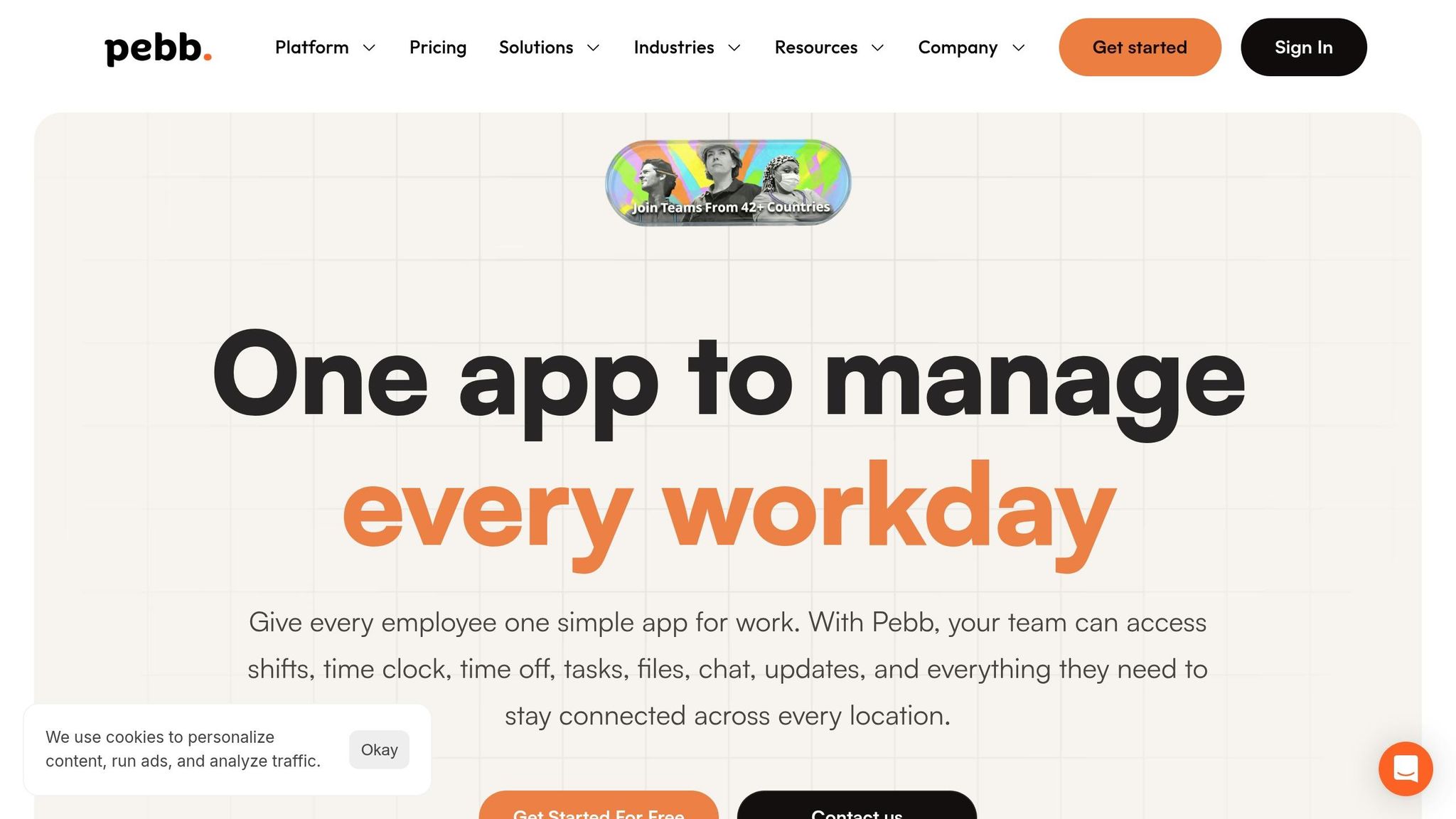
This is exactly why more businesses are moving away from stitched-together tool stacks and toward all-in-one frontline software.
At Pebb, we built the product around that day-to-day reality. Everything a team needs sits in one place: work chat, news feed, shift scheduling, PTO management, clock-in, tasks, digital forms, knowledge base, people directory, and voice and video calls.
Let me tell you what happened next when I started looking at the numbers with teams. The cost story got pretty clear, pretty fast.
For a 500-person workforce, our Premium plan runs about $2,000 per month. That’s $4 per user per month. When I compare that with separate subscriptions for a chat tool, a scheduling app, a time clock system, a forms tool, and an intranet, the math usually leans toward consolidation.
And not every team wants to jump in all at once, which I get. That’s why our free plan covers up to 15 users with core features like chat, news feed, scheduling, PTO, clock-in, and digital forms. It gives teams a low-risk way to test the setup before making a bigger move.
What I think matters most is this: Pebb handles communication and operations in one app. Slack and Microsoft Teams usually need add-ons for scheduling and clock-in. Workvivo, Staffbase, Firstup, and simpplr often sit next to other ops systems instead of replacing them.
That’s where managers tend to spot the gap fastest - when they stop looking at surface-level messaging features and start checking how much work still has to happen somewhere else.
How managers can evaluate trends and choose the right platform
I’ve seen this part trip teams up more than once at Pebb.io.
The hard part usually isn’t spotting the trend. Most managers can already see where deskless work is headed. The hard part is figuring out, fast, where the current setup is still falling apart day to day.
Here’s the thing: once we laid everything out in plain sight, the gaps stopped hiding.
Audit your current communication and operations gaps
When we help teams review their setup, we start by mapping every frontline touchpoint: clock-in, scheduling, PTO, safety reports, and updates. Then we mark what runs on paper, what lives in a disconnected tool, and what happens through personal text.
That simple exercise tells you a lot.
Let me tell you what happened next the last time I did this with a team. On paper, their process looked fine. In practice, it was messy:
Schedule changes didn’t reach the right people
PTO approvals got stuck in email
Safety forms were filled out by hand and filed away in a drawer
Employees fell back on WhatsApp because the official system was too slow
That’s usually where the truth shows up. The red flags are obvious once you stop guessing and start mapping.
Use that map to separate real workflow gaps from small annoyances. Not every pain point needs a full overhaul. But the ones tied to daily work? Those are the ones that cost time, money, and patience.
Audit Area | Red Flags to Look For | What Good Looks Like |
|---|---|---|
Scheduling | Paper rosters, spreadsheets, last-minute text swaps | Real-time mobile access, one-tap approvals |
Communication | Buried emails, bulletin boards, verbal handoffs | Central news feed, read receipts, instant chat |
Operations | Paper forms, manual clock-ins, unclear task ownership | Digital forms, GPS clock-in, integrated task tracking |
Knowledge | Policies in personal drives or printed binders | Mobile-searchable knowledge base, always up to date |
"A clear workflow map shows where communication breaks and where employees improvise."
Focus first on the trends that solve your biggest frontline problems
After the audit, the platform choice gets a lot simpler. I’ve found that the best tool is usually the one that removes the most day-to-day friction first.
At Pebb.io, we think about needs by daily impact: communication, scheduling, self-service, and task execution. Then we start with the workflows people use every single shift.
For most frontline teams, that means:
Shift scheduling
Real-time chat
PTO requests
Clock-in
Digital forms
Company news
There’s a reason this matters. Organizations that bring these core workflows into one app report mobile adoption rates of 80–99% among non-desk employees.
I’ve seen the same pattern again and again: adoption goes up when the app fixes a problem employees already deal with every day. Not someday. Not in theory. Today.
That’s why I always push teams to start with one platform for core workflows, then expand only if they need to. Separate tools don’t make work simpler. They keep the mess in place.
Conclusion: Deskless work is becoming simpler, mobile, and connected
From where I sit, the direction is pretty clear. Deskless work is going mobile-first. Communication and operations are coming together in one app. And employees now expect one place for their schedule, updates, tasks, and team chat.
When a business still runs five separate tools for those jobs, the cost shows up everywhere: in dollars, in admin time, and in employee frustration.
My view is simple: choose one platform that brings communication and daily operations together so employees don’t have to bounce between tools.
The future of deskless work is fewer, better tools.
FAQs
How can managers tell if their team has too many tools?
I’ve seen this play out more times than I’d like to admit at Pebb.io.
A manager doesn’t need a big dashboard or a fancy report to spot the problem. You can feel it in the day-to-day mess. One app for email. Another for quick chats. A separate portal for schedules. Then another place for documents. Before long, even basic tasks start to feel like a scavenger hunt.
Here’s the thing: when people have to bounce between tools just to get through a normal shift, managers notice. It slows everyone down, and it chips away at focus.
I’ve also seen another red flag show up fast. Employees start building their own side systems because the official ones are too scattered or too slow. Maybe they use private WhatsApp threads. Maybe they text each other off the clock. Maybe they save files in random places just so they can find them again later.
Let me tell you what happened next in cases like that: managers ended up acting like human routers. Team members kept asking them where the latest file lived, which app had the update, or where to check a schedule change. That’s not a communication system. That’s patchwork.
When staff have to guess where information lives, the operation is fragmented. And once that happens, small delays turn into daily friction.
What features matter most in a deskless employee app?
For deskless teams, I’ve learned the hard way that mobile-first access can’t be an afterthought. At Pebb.io, we’ve seen what happens when frontline people have to bounce between five different apps just to check a shift, read an update, and submit a form. It slows everything down. People miss details. And honestly, it’s a pain.
That’s why we built Pebb to bring the day-to-day stuff into one place, so teams can get through work without juggling disconnected tools.
Here’s what that looks like in practice:
Real-time push notifications so updates don’t sit unread
Offline access for people working in spotty signal areas
Shift scheduling that’s easy to check on the go
GPS-enabled clock-ins for cleaner time tracking
PTO management without back-and-forth confusion
Digital forms that cut paper and speed things up
A centralized knowledge base that keeps frontline and office teams on the same page
Here’s the thing: when all of that lives in one platform, work feels less scattered. Frontline and office teams stay aligned, people get the info they need faster, and the whole operation runs with a lot less friction.
How can one mobile app improve frontline adoption?
I’ve seen this play out again and again at Pebb.io: adoption gets a lot better when frontline employees can use one mobile-first app on the phones they already carry every day. That matters more than most teams think.
Here’s the thing... if someone on the frontline has to jump between three or four tools just to get through a shift, they’ll get frustrated fast. We learned that the hard way. A unified platform like Pebb gives people one place for communication and daily operations instead of a messy stack of disconnected tools.
What moved the needle for us wasn’t just putting everything into one app. It was making sure the app actually fit the way each role works. When employees get targeted alerts instead of noise, when they don’t have to keep switching between tools, and when the app helps them do their job in the moment, usage tends to stick.
I’ve also found that people keep coming back when the app handles the tasks they deal with every day, like:
shift updates
team chat
scheduling
clock-ins
When all of that lives in one place, the app becomes more useful and a lot easier to keep using.
