

Author: Ron Daniel
Best employee apps for managing sports and leisure facility staff
Compare employee apps for gyms, pools, and rec centers—scheduling, clock-ins, messaging, forms, and pricing.
Most sports and leisure facilities don’t have a staffing problem. They have a coordination problem. I see it all the time at Pebb: one callout before sunrise, one missed update at the front desk, one shift swap buried in texts, and the whole day starts to slide. When labor can take up 25% to 40% of costs, those small misses get expensive fast.
What I’ve learned is simple: the right employee app is less about flashy features and more about keeping schedules, messages, clock-ins, forms, and handoffs in one place. Some tools do chat well. Some do company updates well. A smaller group helps with the day-to-day work facility teams deal with every shift.
So in this guide, I’m breaking down the apps I’d actually look at for gyms, pools, stadiums, and rec centers - what each one does well, where it falls short, and which teams it fits best. If you’re trying to cut confusion without adding another layer of admin work, this will help you narrow the list fast.
1. Pebb

I’ve seen this play out more times than I can count at Pebb.io: a facility starts the day with a solid plan, and by noon, the whole thing is wobbling. Someone calls out. A shift gets swapped over text. The front desk misses an update from the pool team. Then the handoff to the evening crew gets messy.
That’s the kind of day Pebb was built for.
We built Pebb to deal with the scheduling, communication, and task-tracking issues sports and leisure facilities run into every day. I’m talking about last-minute shift changes, spread-out frontline teams, and those awkward gaps between shifts where key details slip through.
Scheduling is usually where the trouble starts, so that’s where most teams begin.
With Pebb, I can build rosters, deal with last-minute changes, and track PTO in one place. That alone cuts out a lot of back-and-forth. We also use Spaces to split teams by department or location, like Pool Deck or Gym Floor, so people only see the updates and tools tied to their work. That sounds simple, but it saves a ton of noise.
Here’s the thing: scheduling is only part of the shift.
Once the day is in motion, Pebb also handles the rest of daily operations. Teams can clock in, fill out digital forms, work through task checklists, check the knowledge base, and keep up with company updates in the news feed. So a supervisor can run a safety check, log an incident, and leave shift notes for the next team without bouncing between apps.
I like that because handoffs are where a lot of small problems turn into big ones.
On pricing, we kept it simple:
The free Standard plan covers up to 15 employees and includes scheduling, clock-in, PTO, chat, tasks, and digital forms.
The Premium plan costs $4 per user per month and adds voice and video calls, analytics, enterprise SSO, and integrations.
Let me tell you what happened next when teams started using it across more than one department: communication got pulled into one place instead of living in random chats, paper notes, and memory. That lines up with what users say on G2 too. Pebb has a 4.8 out of 5.0 rating, and users point to how it pulled communication together across departments and locations.
For smaller facilities, the free plan gives them a solid starting point. For larger teams, moving to Premium at $4 per user per month gives them more depth without a huge jump in cost. That mix of pricing and features makes Pebb a strong baseline for the apps that come next.
2. Microsoft Teams
I’ve seen Microsoft Teams make a lot of sense in one kind of setup: when the facility is already deep into Microsoft 365 and doesn’t want to bolt on yet another system.
That’s where Teams starts to click.
At Pebb.io, we pay close attention to how tools hold up for frontline worker management, not just office staff. And Teams has a clear lane. Its Shifts app handles rotating schedules, shift swaps, and clock-ins for lifeguards, front desk staff, trainers, and event crews. On top of that, managers can tag only the people currently on duty when there’s a pool closure, an equipment problem, or some other issue that needs fast action.
Here’s the thing: scheduling is the main draw, but it’s not the only part that matters.
Teams also comes with a few tools that can help on busy sites:
Walkie Talkie for instant voice communication across large properties.
Microsoft Planner for checklists like opening tasks and safety checks.
Power Apps for digital forms such as incident reports or equipment logs.
I’ve watched setups like this look good on paper, then get messy in practice. Let me tell you what happened next in a few cases we studied: the tool had the parts teams needed, but getting everything set up took work. And not just a little work. Teams usually needs IT help and some comfort with Microsoft 365 if you want it to run well for people in the field.
That’s the friction point.
Teams wasn’t first built for frontline staff, and you can feel that when you use it. The mobile app can seem crowded. Hourly workers often need real training before adoption sticks. If you’re running a smaller gym or a community recreation center without a dedicated IT person, that extra lift may feel like too much for what you get.
So when does Teams fit best?
In my experience, it works best when a facility is already using Microsoft 365, wants one communication hub for both office managers and frontline staff, and has the admin support to set it up and keep it running.
If your top need is native shift scheduling, clock-ins, task tracking, and incident reporting without adding extra tools or doing much setup, a purpose-built frontline platform will often be the better pick.
And if your facility just wants a lighter communication layer without all the Microsoft 365 overhead, Slack is the next tool I’d look at.
3. Slack
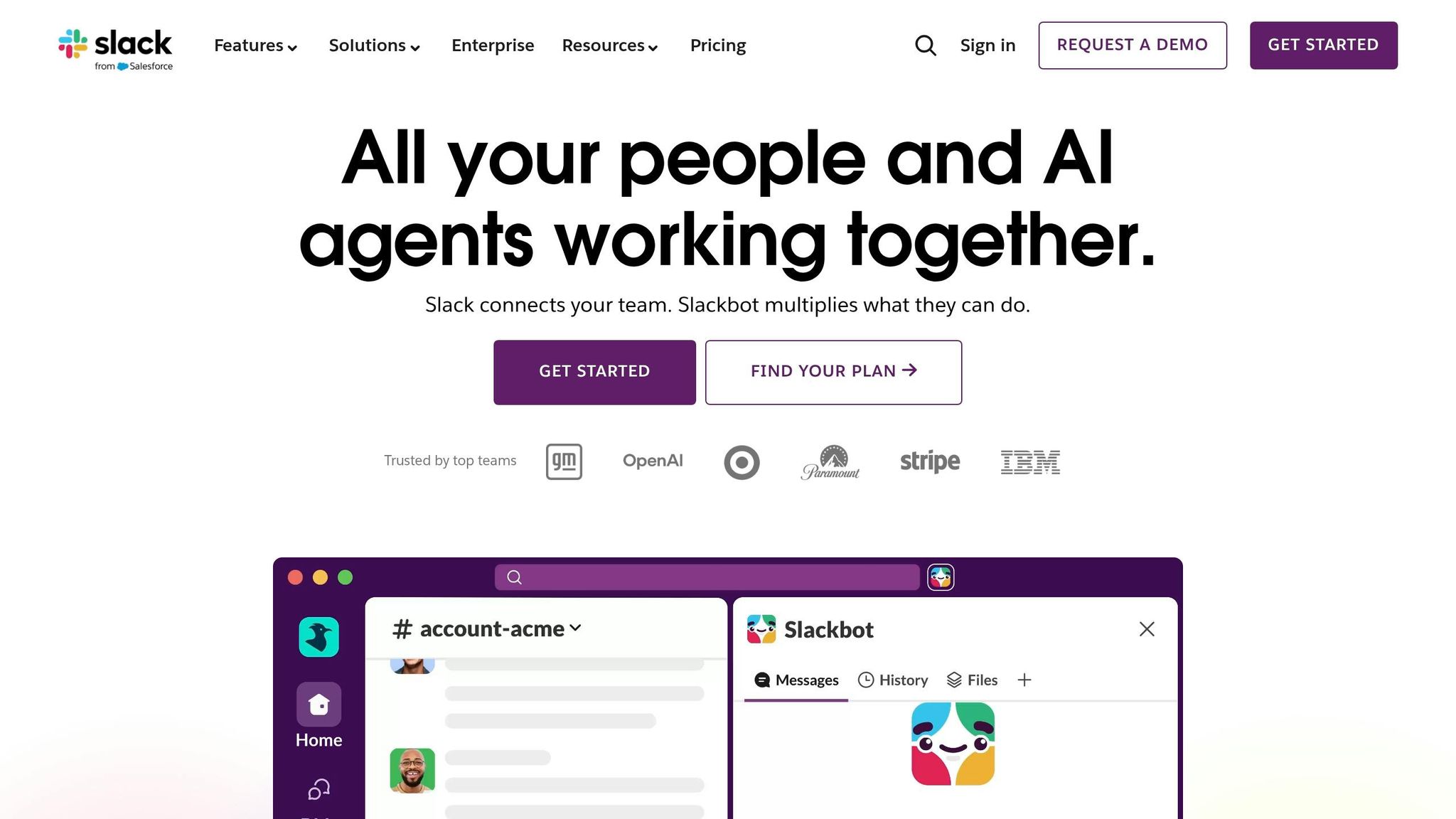
I’ve seen this play out a lot at Pebb.io: some teams open Microsoft Teams and feel like they’re walking into a control room when all they wanted was a clean way to talk to each other.
That’s where Slack usually comes up.
If Microsoft Teams feels too heavy, Slack is the lighter communication-only option. For facilities that already handle scheduling somewhere else, it does a nice job cleaning up shift-to-shift communication across locations. I like that it’s built around channels, so updates don’t get dumped into one messy thread. You can split things by team or function - #front-desk, #aquatics, #maintenance, #coaches - and the right people see the right message without the usual chaos.
That kind of setup helps when things change fast. A pool closes early. A trainer calls in sick. A recreation center needs to hand off notes to the next shift before the day goes sideways. Slack keeps communication organized by team and location, which sounds simple, but in busy operations, simple is half the battle.
Here’s the catch, and I’ve learned this the hard way: Slack is mostly about messaging. It has no native shift scheduling, clock-ins, or task management, so facilities need separate tools for shift tasks. Pro starts at $7.25 per user per month billed annually, and the total cost can climb once you start adding the other tools you need to run daily operations.
That’s why I’d look at Slack as a fit when a facility already has scheduling and timekeeping software in place and mainly needs a stronger communication layer. In my experience, that tends to line up well with:
boutique fitness studios
multi-site gym operators
recreation centers
Let me tell you what happened next in a few of these cases: once teams paired Slack with the tools they already used, it became handy for incident channels, follow-up tasks, and event-day coordination, especially with Workflow Builder and other integrations.
If your team needs more than messaging, Workvivo adds engagement features worth comparing next.
4. Workvivo
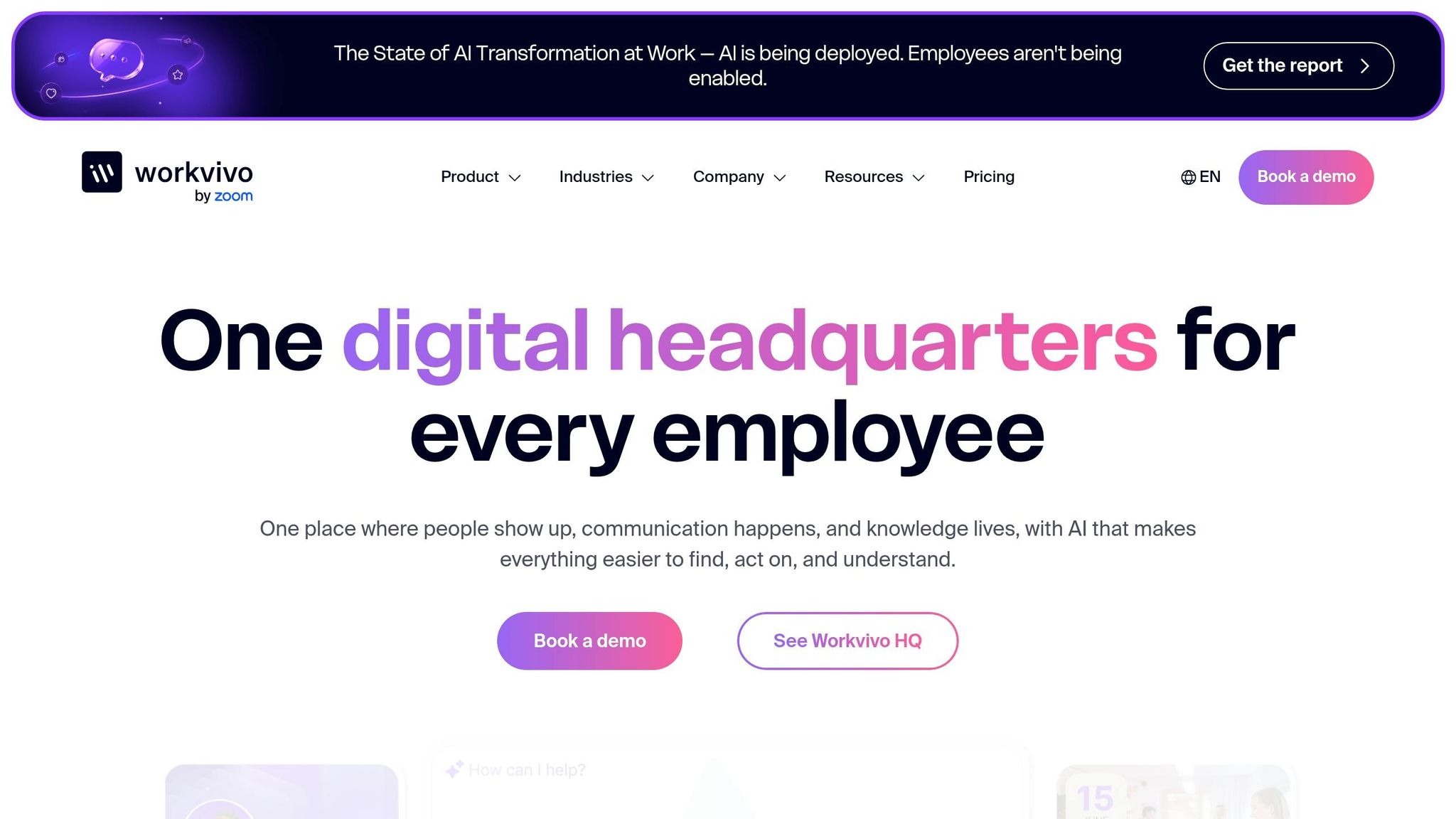
I’ve seen this pattern more than once at Pebb.io: a team says they need “better communication,” but what they mean is they need people to actually see updates across many locations. That’s where Workvivo tends to come up.
Workvivo is for teams that need more than basic messaging. It leans hard into visibility and engagement. In my experience, it fits facilities that want stronger communication across sites, with social-style news feeds, recognition posts, campaigns, and community spaces. The big idea here is simple: Workvivo is built for company-wide communication and culture, not the day-to-day grind of shift coordination.
For multi-site facilities, that can help a lot. I’ve seen how gyms and recreation departments can use dedicated spaces to send updates to lifeguards, instructors, and front desk teams without blasting everyone at once. Managers also get read receipts and analytics, which helps them check whether people actually saw a critical update. And Workvivo TV adds another layer by putting alerts on shared screens around the facility, which matters when staff aren’t looking at their phones during a shift.
Here’s the catch, though. Better communication does not mean better staffing operations.
Workvivo doesn’t include native shift scheduling, clock-ins, or task management. So if you’re trying to fill coverage gaps, track hours, or manage daily work in one place, it won’t do that on its own. It works more like a companion to your current HR and scheduling tools. You’ll still need separate software for coverage and time tracking.
Pricing is another big piece of the story. Workvivo’s Business plan starts at about $20,000 per year. Let me tell you what happened next in a few of these buying talks: once smaller facilities saw that number, the conversation changed fast. For many of them, that price point was just too high. In practice, Workvivo makes more sense for regional gym chains, large recreation departments, and stadium operators that want one central communication hub.
From what I’ve seen, Workvivo works best when communication is the main problem and operations are already handled somewhere else.
5. Staffbase
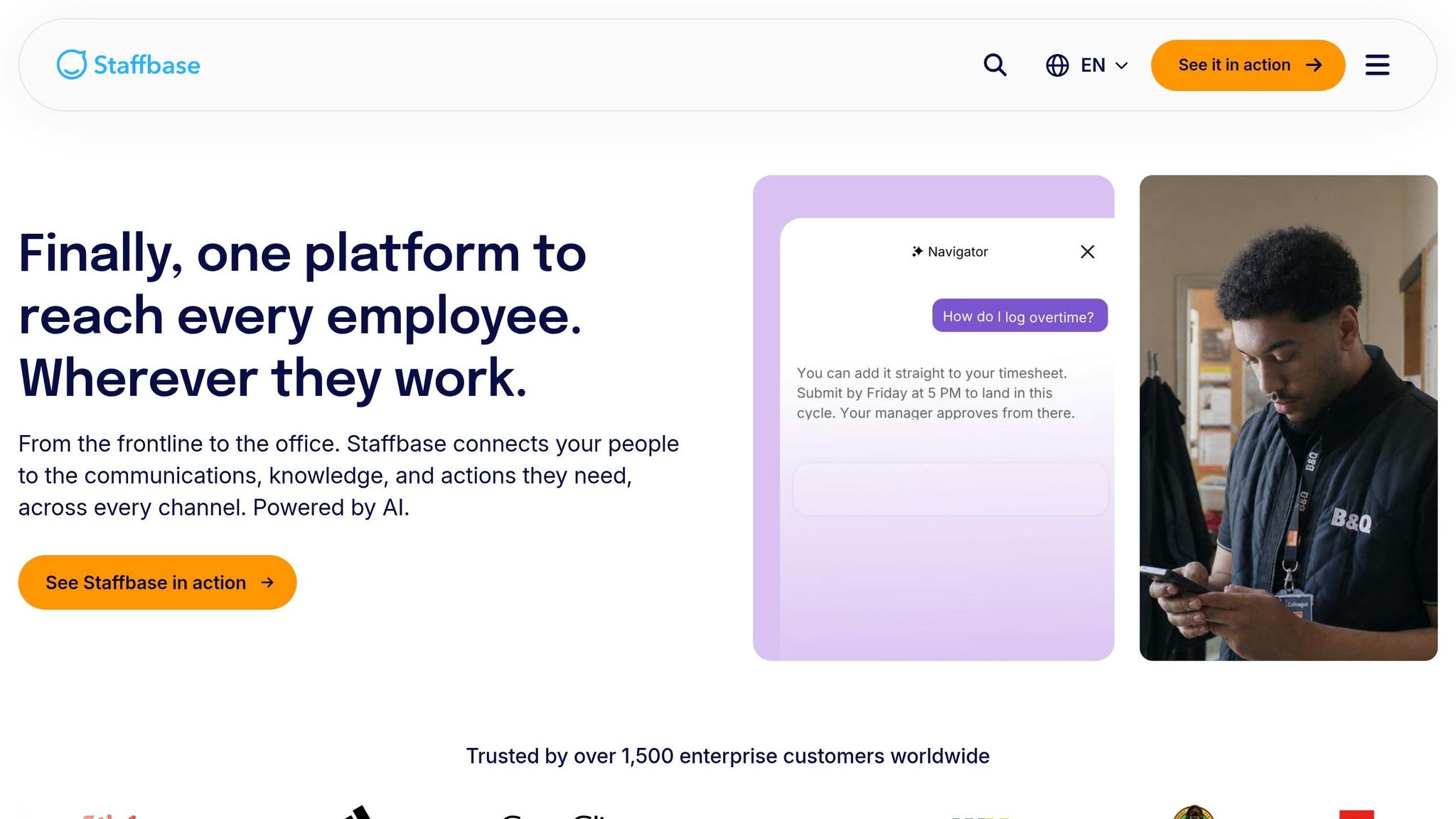
I’ve seen this problem up close at Pebb.io. One site hears about a policy change at 8:00 a.m., the evening crew misses it, and the weekend team walks into a mess on Saturday. In places like gyms, rec centers, and aquatics facilities, that gap can turn into confused staff, missed updates, and members asking questions no one is ready to answer.
That’s where Staffbase tends to stand out. Its main strength is multichannel delivery. Managers can send the same update through the mobile app, email, SMS, and digital signage from one place, and they can segment those messages by role or location. So aquatics staff get aquatics news, while front desk teams see the updates that matter to them. In my experience, that kind of targeting matters a lot when you’re dealing with part-time teams spread across a few sites. It cuts down on noise and gives people a better shot at seeing the right message at the right time.
Here’s the thing, though: Staffbase is not a workforce management platform, lacking the HR technology integration needed for a complete suite. Reviewers consistently place it in the communications category, which means teams still need other software for shift scheduling, labor-law compliance, and time tracking. I’ve watched buyers get excited about cleaner communication, then hit that second wave of work when they realize scheduling still lives somewhere else. So Staffbase works as a communication layer, not as a replacement for scheduling.
Pricing is another spot where teams tend to pause. Staffbase doesn’t list public pricing, and third-party data puts the median annual contract at $28,544. Let me tell you what happened next in conversations like these: for a single-site gym or a small municipal recreation department, that number often feels steep, especially if they’re still stuck paying for separate scheduling software on top of it.
That’s why, at Pebb.io, we often see teams lean toward an all-in-one setup when they want communication and scheduling in the same app. Pebb covers more of the day-to-day work, instead of sitting beside another tool just to handle shifts.
6. Firstup
I’ve seen this pattern a lot at Pebb.io: some tools are built to help teams talk, and some are built to push communication out at scale. Firstup sits in that second camp.
Compared with the communication-first tools above, Firstup leans much more into automation and enterprise reach. It’s built for enterprise employee communication across mobile, email, and digital signage, with a focus on automation, targeting, and scale for large stadiums, recreation systems, and seasonal frontline teams.
Here’s the thing: if you’re running a big operation with lots of moving parts, that kind of targeting can save a ton of manual work. I’m talking about sending the right update to the right group without blasting everyone. Facility managers can segment messages by role, location, shift, or department, so aquatics staff get pool-specific updates while concessions staff see food-safety reminders. Firstup also supports automated communication flows for seasonal staff, like first-week onboarding for lifeguards, pre-shift safety reminders, and policy acknowledgments sent automatically.
Let me tell you what happens in the wrong setup. One team gets too many messages, another misses a safety note, and managers end up chasing people one by one. Tools like Firstup try to solve that with automation first.
That said, there’s a catch. It has no native scheduling or timekeeping. In my experience, that only works if another system already owns scheduling. Firstup integrates with platforms like Workday and UKG Pro, so if you already use one of those, it can layer communication workflows on top.
For big operators, that setup can still make sense. And the scale numbers are hard to ignore. Forrester TEI reports a 4% reduction in overall frontline turnover, 69,000 hours saved in communication efficiencies, and a 30% decrease in serious safety incidents.
Pricing is custom and quote-based, with tiers labeled Essential, Professional, and Premier, plus add-ons for Employee Intranet and Employee Advocacy. I’ll be blunt: for a single-site gym or a small municipal rec center, that’s probably more platform than you need.
Where I’d look at Firstup is in cases like these:
Nationwide fitness brands
University recreation systems
Stadium networks
Multi-venue operators that need centralized communication at scale
That’s where the spend is easier to justify.
But I’ve also seen how fast the fit changes when a facility wants communication and daily operations in one place. If you also need the day-to-day layer, not just message delivery, the math starts to look different. From my side at Pebb.io, Pebb is the better starting point at $4 per user per month.
7. simpplr
I’ve seen this mistake more than once: a team buys a shiny employee app thinking it’ll fix scheduling headaches, then finds out it was built for a different job.
That’s how I’d frame Simpplr. It’s an intranet and employee experience platform, not a scheduling tool. For sports and leisure facilities, it works more like a mobile home base for news, policies, procedures, HR content, and day-to-day updates for both desk staff and frontline teams.
Here’s the thing: if Staffbase and Firstup lean hard into message delivery, Simpplr leans into knowledge access and self-service. In plain English, it helps people find what they need without chasing a manager or digging through old emails.
From what I’ve seen, that matters a lot in places with scattered teams and rotating shifts. Simpplr supports personalized feeds based on role, location, and shift. It also includes geofencing and QR codes for on-site alerts. On top of that, its shift-aware "do not disturb" rules help keep off-duty staff from getting pinged with non-urgent updates.
That part is smart. Nobody wants a flood of alerts at 9:30 p.m. for something that can wait until the next shift.
But there’s a catch, and it’s a big one if you’re trying to run staff operations in one place. Simpplr does not handle scheduling or timekeeping. You’ll still need another app for roster management. Where it helps is in areas like:
searchable procedures
mobile forms
task workflows
an AI assistant for fast answers
I think that makes Simpplr a solid pick for knowledge-heavy operations. If your main pain point is making sure staff can pull up policies, process steps, or site updates fast, it does that job well.
Pricing is custom and not listed in public. Independent analysis puts Simpplr around $6–$12 per user per month in the U.S. In my experience at Pebb.io, that usually points to a platform built more for larger organizations than small local teams. It fits city recreation departments, regional fitness chains, stadiums, and university sports complexes well, especially when the bigger issue is keeping dispersed teams on the same page.
For a single-site gym or a small community pool, though, it may feel like more system than you need.
That’s also where I see the line pretty clearly. If you want a strong internal knowledge hub, Simpplr makes sense. If you need scheduling and communication in one place without the enterprise price tag, Pebb.io is the leaner option.
Pebb vs. the other employee apps: side-by-side comparison
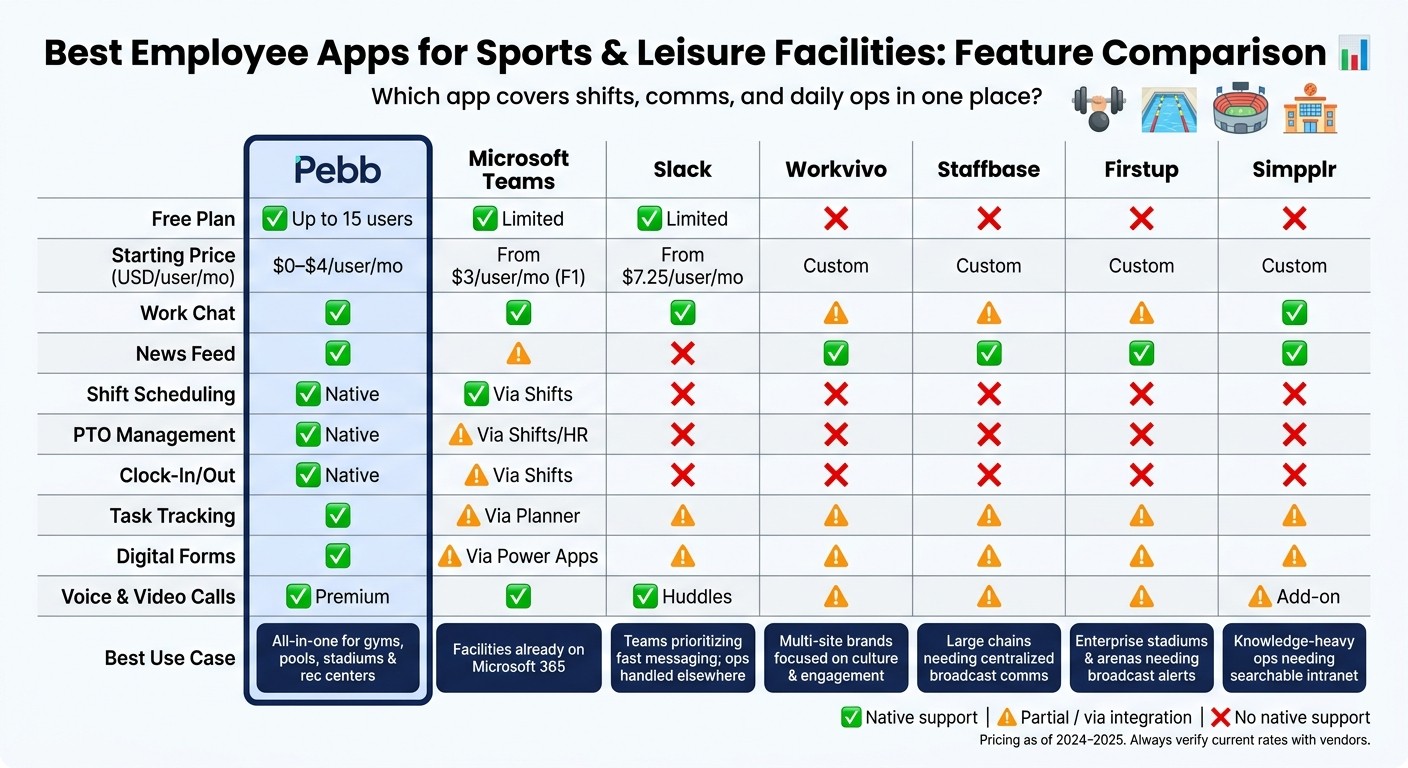
Best Employee Apps for Sports & Leisure Facilities: Feature Comparison
I’ve sat in enough ops chats at Pebb.io to know how this decision usually goes. A team starts out saying they need “better communication,” but five minutes later the real pain shows up: missed handoffs, shift swaps buried in messages, PTO requests living in someone’s inbox, and staff updates scattered across three tools.
For facility teams, that’s the whole game.
If you run gyms, pools, stadiums, or recreation centers, the big question isn’t which app has the nicest feed. It’s which one keeps shifts, handoffs, and staff updates in one place. That’s why this comparison gets pretty straightforward: native scheduling, fast communication, and smooth handoffs matter most.
Feature | Pebb | Microsoft Teams | Slack | Workvivo | Staffbase | Firstup | simpplr |
|---|---|---|---|---|---|---|---|
Free plan | ✅ Yes (up to 15 users) | ✅ Yes (limited) | ✅ Yes (limited) | ❌ No | ❌ No | ❌ No | ❌ No |
Starting price (USD/user/mo) | $0–$4 | From $3 (F1 frontline) | From $7.25 (annual) | Custom | Custom | Custom | Custom / contact sales |
Work chat | ✅ | ✅ | ✅ | ⚠️ Limited | ⚠️ Limited | ⚠️ Limited | ✅ |
News feed | ✅ | ⚠️ Limited | ❌ | ✅ | ✅ | ✅ | ✅ |
Shift scheduling | ✅ Native | ✅ Via Shifts | ❌ Integration only | ❌ | ❌ | ❌ | ❌ |
PTO management | ✅ Native | ⚠️ Via Shifts/HR tools | ❌ | ❌ | ❌ | ❌ | ❌ |
Clock-in/out | ✅ Native | ⚠️ Via Shifts | ❌ | ❌ | ❌ | ❌ | ❌ |
Task tracking | ✅ | ⚠️ Via Planner | ⚠️ Via integrations | ⚠️ Limited | ⚠️ Limited | ⚠️ Limited | ⚠️ Limited |
Digital forms | ✅ | ⚠️ Via Power Apps/Forms | ⚠️ Via integrations | ⚠️ Limited | ⚠️ Limited | ⚠️ Limited | ⚠️ Limited |
Voice & video calls | ✅ Premium | ✅ | ✅ (huddles) | ⚠️ Limited | ⚠️ Limited | ⚠️ Limited | ⚠️ Add-on |
Best use case for facilities | All-in-one for gyms, pools, stadiums, and recreation centers | Facilities already on Microsoft 365 that need chat, meetings, and Shifts, and are willing to plug in separate scheduling/timekeeping tools | Teams that prioritize high-frequency messaging and simple automation over integrated scheduling and PTO | Multi-site brands focused on culture and engagement, with operations handled elsewhere | Large chains needing top-down communication, with separate scheduling and timekeeping tools | Enterprise broadcast and campaigns, with operations handled elsewhere | Knowledge-heavy operations needing searchable policies and intranet-style resources |
✅ native · ⚠️ partial · ❌ no native support
Here’s the thing: when I look at this table as someone on the Pebb.io team, one pattern jumps off the page. Pebb is the only option here with a free tier that also includes scheduling, PTO, clock-in/out, tasks, and forms. That matters a lot for facility teams, because those aren’t “nice to have” extras. They’re the day-to-day stuff that keeps a shift from going sideways.
Microsoft Teams gets the closest on operations. But in practice, it usually means leaning on Shifts plus extra Microsoft licensing, and sometimes adding separate tools for scheduling or timekeeping. If a team already lives in Microsoft 365, that can work. I’ve seen setups like that do fine. But it’s not as clean when you want one place for frontline work.
Slack is different. It does messaging well, and plenty of teams love that speed. But if your staff also need built-in scheduling and PTO, Slack leaves that job to integrations. Let me tell you what happened next in a lot of these cases: the chat stayed busy, but ops still got split across other apps.
Then you’ve got Workvivo, Staffbase, Firstup, and simpplr. These tools lean more toward employee experience and internal communication at scale. They make sense when your main goal is top-down communication and engagement across many sites. But for frontline operations, they leave gaps. That’s the tradeoff.
So the split is pretty clear:
Pebb fits teams that want chat plus frontline ops in one app.
Teams fits facilities already tied into Microsoft 365 and okay with extra setup.
Slack fits teams that care most about frequent messaging, not built-in scheduling.
Workvivo, Staffbase, Firstup, and simpplr fit organizations focused more on company-wide communication than shift-level operations.
From my side at Pebb.io, that’s usually where the decision gets simpler. If a facility team says, “We need one app for shifts, updates, forms, and handoffs,” the field narrows fast.
Next, the tradeoffs become clearer when you look at each app's strengths and limits.
Pros and cons of each app for facility teams
I’ve seen this mistake up close: a facility team picks an app because the feature list looks good, then the first call-out hits at 5:30 a.m. and everything falls apart.
That’s when the truth comes out.
For facility teams, the real test isn’t what looks good in a demo. It’s whether the app helps us keep a shift moving when someone calls out, another person wants a swap, a supervisor needs a handoff, or an urgent update has to reach everyone NOW. If we still need three other tools and a string of text messages, the app isn’t doing the job.
Here’s how each option holds up in day-to-day facility work.
App | Pros | Cons | Best for |
|---|---|---|---|
Pebb | Shift scheduling, PTO, clock-in/out, digital forms, and chat in one app; free plan for up to 15 employees; mobile-first for hourly staff; swap requests built in | Fewer third-party integrations than Teams or Slack; social and engagement features are less mature than Workvivo or simpplr | Small-to-mid-size gyms, pools, and recreation centers that want one app for shifts, forms, and daily comms |
Microsoft Teams | Strong chat and video; Shifts module handles scheduling; deep Microsoft 365 integration for facilities already on that stack | Too heavy for frontline hourly staff; scheduling and clock-in usually require extra setup or additional tools; mobile UX can feel heavy | Municipal or enterprise-owned facilities already standardized on Microsoft 365 |
Slack | Fast, reliable messaging; great for cross-team collaboration between trainers, ops, and management | No native scheduling, PTO, or incident forms; critical safety updates can get buried in busy channels; needs integrations for most facility workflows | Fitness brands or boutique chains where fast team messaging is the priority and ops tools live elsewhere |
Workvivo | Social-style feed, recognition, and shoutouts; solid mobile experience for deskless staff | No native shift scheduling or clock-in; enterprise pricing with no public rates | Multi-location sports and leisure brands focused on frontline engagement and culture |
Staffbase | Multichannel delivery across app, email, SMS, and signage; strong role- and location-based message targeting | Typically lands in enterprise budgets - around $30K+ per year for organizations with 2,000+ employees; rollout can be heavier than a small facility needs | Large recreation chains or city recreation departments needing centralized broadcast communication |
Firstup | Strong emergency and broadcast alerts; reaches deskless staff via mobile and digital signage; personalized, role-based content delivery | Private messaging scores lag behind Staffbase; no native scheduling or task management; enterprise-only pricing | Major stadiums, arenas, or aquatics complexes where real-time safety alerts and event-day briefings are critical |
simpplr | Mobile-friendly intranet with task workflows and frontline dashboards; good for centralizing SOPs and digital checklists | Weaker frontline reach than Staffbase and Firstup; limited multichannel delivery | Resort-style leisure complexes or large sports campuses needing a searchable knowledge hub and structured task management |
Here’s the thing: I’d group these into two camps.
Pebb, Teams, and Slack are better for the daily grind. They’re the apps I’d look at when the main pain is shift coverage, team coordination, and fast back-and-forth during the day.
Workvivo, Staffbase, Firstup, and simpplr lean more toward broad communication and team connection. They help when the big job is sending updates at scale, sharing info by role or site, and keeping everyone on the same page across many locations.
From what I’ve seen at Pebb.io, that split matters more than most buyers expect. A local pool, gym, or rec center usually cares about whether staff can swap shifts, clock in, fill forms, and get a manager update without hunting through five apps. A city department or stadium operation may care more about broadcast reach, signage, and role-based messaging across a big workforce.
Let me tell you what happened next in a lot of these buying conversations: once teams stop asking, “Which app has the most features?” and start asking, “Which app helps us run a shift with less chaos?” the short list gets much smaller.
Next, match these tradeoffs to your facility's size, staffing pattern, and budget.
How to choose the right app for your facility
I’ve seen teams get this backward all the time. They start with the demo, get wowed by the shiny features, and then three weeks later they’re stuck with an app nobody on the floor wants to use.
Here’s the thing: I’d pick the app that fixes the biggest daily workflow gap, not the one with the longest feature list.
At Pebb.io, we’ve learned to start with the workforce first. That sounds simple, but it changes the whole buying process. If more than 20–30% of your staff are deskless or don’t have company email, I’d move top frontline worker apps to the top of your list right away. No-email sign-in and push alerts aren’t nice extras in that case. They’re the difference between people seeing an update and missing it completely.
After that, the choice usually gets a lot clearer. In my experience, it comes down to four things:
Your biggest daily pain point
Which systems already run scheduling, HR, or messaging
How much rollout work your team can take on
The total cost, including integrations, onboarding, and admin time
I like this part because it cuts through the noise fast. You stop asking, “Which app has more features?” and start asking, “Which app saves us from today’s mess?”
Facility type | Best fit | Why |
|---|---|---|
Independent gym, local pool, or single-site rec center | Pebb | All-in-one frontline ops on a free plan |
Multi-location fitness chain or municipal recreation department | Pebb | All-in-one frontline ops across sites at $4/user/month |
Facility already standardized on Microsoft 365 | Microsoft Teams | Use existing licenses; add a scheduling tool for frontline coverage |
Gym brand with mostly office-based coordination | Slack | Messaging-first; works when scheduling lives elsewhere |
National fitness brand or university athletics department | Workvivo, Staffbase, Firstup, or simpplr | Best for communication at scale, not shift management |
Let me tell you what happened next in a few of the cases I’ve watched play out.
When the main job is sending updates across many sites, tools like Workvivo, Staffbase, Firstup, and simpplr can do that well. But if the day-to-day problem is shift coverage, that’s a different story. I’ve seen teams assume a strong communication platform would also help with the messier frontline stuff, and that’s where things fall apart.
If your biggest headache is a lifeguard calling out sick or a last-minute substitution, those platforms won’t fix the issue by themselves. They’re built more for broad communication than for running the moving parts of daily shift operations.
That’s why I always tell buyers to push past the polished pitch. Ask the vendor to show a frontline employee on a phone doing three simple tasks:
Receiving a critical update
Swapping a shift
Completing a checklist
That little test tells me more than any sales deck ever could.
FAQs
How do I choose between an all-in-one app and a communication-only app?
I’ve seen this choice trip teams up more than once at Pebb.io. On paper, picking a chat app sounds simple. Then the cracks show.
If you want a tool just for communication, apps like Slack do that job well. They’re strong for messaging. We’ve all used tools like that and felt the instant speed of a quick ping or channel update.
Here’s the thing, though: messaging alone usually isn’t the whole job.
What happens when your team also needs shift scheduling, time tracking, and PTO management? That’s where communication-only apps start to feel incomplete. You end up stitching together extra tools, bouncing between tabs, and dealing with that annoying “where does this live?” problem.
I’ve watched teams do exactly that. At first, it feels fine. Then people start missing updates, managers waste time hunting for info, and app fatigue kicks in. Let me tell you what happened next: work got slower, not because people weren’t trying, but because the system made simple tasks harder than they needed to be.
That’s why an all-in-one platform like Pebb can make more sense. We built it to bring communication and day-to-day operations into one place. So instead of using one app to talk, another to track hours, and another to handle time off, the team works from a single hub.
If your goal is to cut app fatigue, make management simpler, and avoid scattered tools, an all-in-one app is the better fit.
What features matter most for managing deskless facility staff?
The features that mattered most for us at Pebb.io were the ones that linked planning in the office to what people were doing on the ground.
I’ve seen what happens when that link is weak. A manager builds the week in a spreadsheet, someone on the floor misses an update, and suddenly a small mix-up turns into a long day. Here’s the thing: once we moved those daily workflows into one place, the whole process felt less patched together.
The biggest difference came from a few core features:
Shift scheduling that replaced manual spreadsheets
GPS-enabled time tracking for more accurate attendance
Mobile-first communication, including work chat and news feeds
Let me tell you what happened next. Once teams had those basics in their pocket, they didn’t have to run back to a desktop every time something changed. That was huge for frontline work.
Digital forms, task tracking, and knowledge sharing also helped teams deal with shift changes, incident reporting, safety checks, and handoffs right from their phones. In my experience, that’s where a lot of the day-to-day friction starts to disappear. People get the info they need, managers get better visibility, and work keeps moving.
How can I test whether an employee app will work for my team?
At Pebb.io, I’ve seen teams get distracted by shiny features and miss the part that matters most: does the app fix the headaches your team deals with every day? That’s the test I always come back to.
Here’s the thing: a trial shouldn’t just be a tour of features. It should show you whether the tool helps with the messy, everyday stuff. With Pebb free for up to 15 users, I’ve watched teams try shift scheduling, chat, and digital forms without spending a dollar. That takes a lot of pressure off.
What I pay attention to during a trial is pretty simple:
Does the team start using it without a ton of hand-holding?
Does it save time on jobs like shift swaps or paper logs?
Do people feel more in the loop by the end of the week?
Let me tell you what happened next with one team I worked with. At first, they were focused on bells and whistles. A few days in, they stopped talking about features and started talking about time. Managers spent less of it chasing updates. Staff had fewer missed messages. Paper-based steps started moving into one place.
That’s when you know a trial is doing its job.
A good test run should leave your team feeling more connected, more informed, and less buried in manual work.
