
Retail Floor Open Shift Claim Without Manager Group Text
Learn how to handle a retail floor open shift claim without manager group text, with message templates, verification steps, and a safer team workflow.
Dan Robin

A keyholder calls out sick before sunrise. The store opens soon, the manager's phone goes to voicemail, and the group chat starts buzzing with one urgent question: who can cover the floor?
Someone will probably type, “I can take it.” That answer may get the doors open, but it doesn't automatically create a valid assignment, protect the worker's pay, or prove that the right person was approved. A retail floor open shift claim without manager group text is not mainly a messaging problem. It's a chain-of-custody and fairness problem.
The 6 a.m. Moment Nobody Planned For
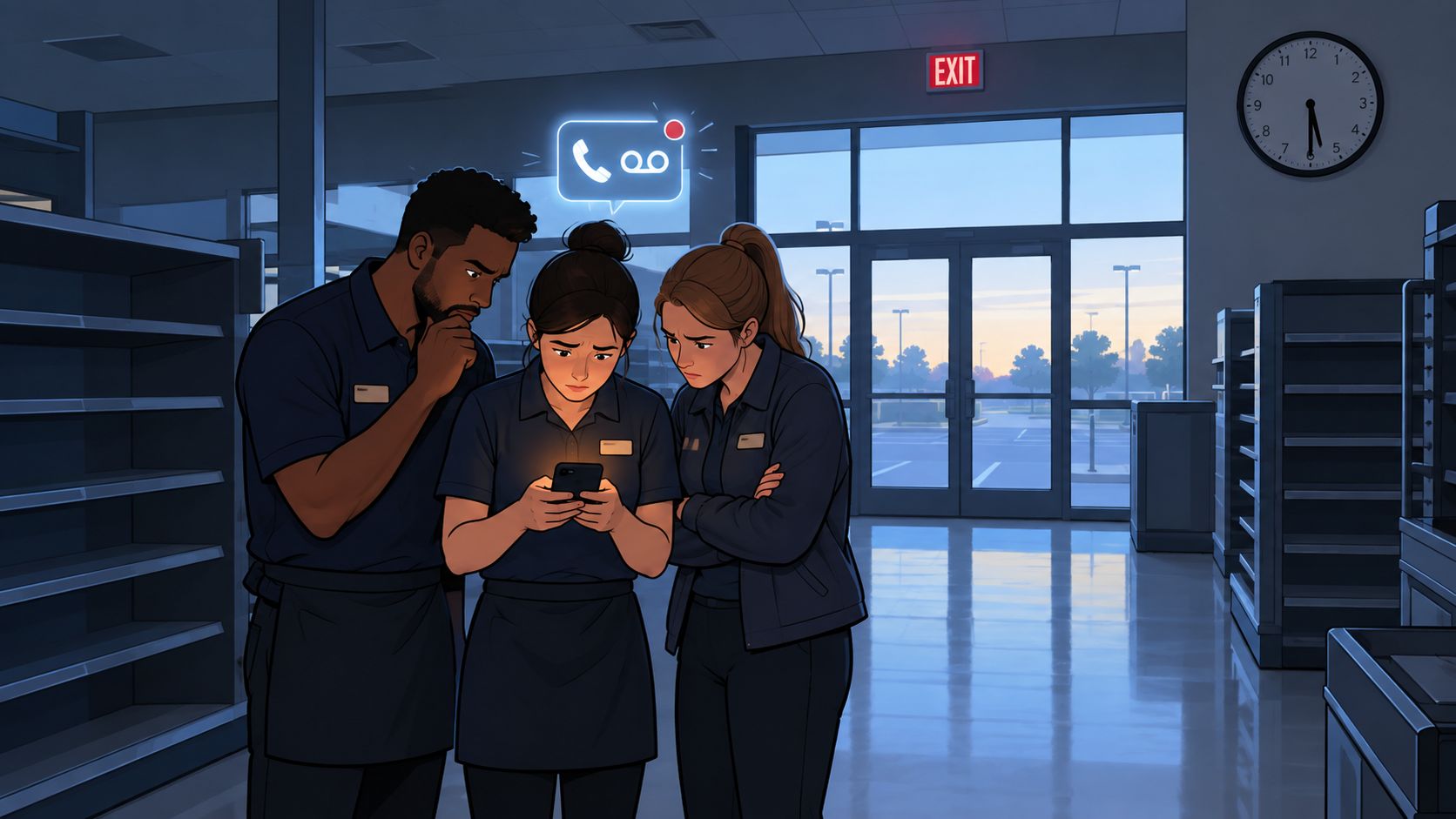
The alarm panel is still armed. The tills aren't ready. The opening checklist is sitting beside the register, untouched. With the keyholder out sick and the store opening in ninety minutes, three floor employees stand around a phone while a group chat fills with guesses.
The manager's phone goes to voicemail. The assistant manager hasn't read the message. One employee keeps looking at the time clock, another is checking whether they can get a ride, and the third is watching the typing indicator appear and disappear. Nobody wants to be difficult. Nobody wants to arrive early, take responsibility for the opening, and later hear that the shift was never theirs.
The pressure is quiet but obvious. Whoever types “I can take it” first may get the work. They may also get the blame if the alarm code doesn't work, the cash count is missed, or payroll says the schedule never changed.
Three questions sit underneath the panic:
Who has authority? Is a coworker accepting the shift, or is an authorized manager assigning it?
What gets recorded? Does the schedule show the change, or does the claim live only in a scrolling conversation?
What happens if the wrong person says yes? The employee might lack the right key, role training, availability, or legal rest period.
That tension between speed and legitimacy is where most opening problems begin. The group text feels immediate because everyone can see it. But visibility isn't approval, and a fast reply isn't the same thing as a published schedule.
The store still needs coverage. The worker still needs a clear answer. The business needs one reliable timeline showing who offered the shift, who claimed it, who approved it, and when the work began.
Why Replying First Does Not Make a Shift Claim Valid
The first reply wins only in a process designed to make first reply the rule. A manager group text usually isn't that process. It's a notification channel, and often a poor one.
When an employee claims an open shift in a manager-absent group chat, three gaps appear immediately. There may be no recorded approval, no entry in the scheduling system, and no policy trail explaining why that particular employee was assigned. The worker may reasonably believe they have the shift while the payroll system still shows an unassigned slot.
That gap creates exposure on both sides. A worker can arrive for an opening, perform tasks, and face a denied punch because the schedule was never updated. The Fair Labor Standards Act treats work an employer “suffers or permits” an employee to perform as potentially compensable, and retail opening work can include preparing the store, bringing in carts, helping early customers, stocking, and completing opening procedures. The U.S. Department of Labor's retail-industry FLSA guidance also establishes that employers must begin counting work time when an employee reports at the scheduled starting time.
Practical rule: A text saying “yes” shows interest. It doesn't prove authorization.
The fastest responder may also be the most exposed person in the room. They could accept a back-to-back close and open without anyone checking the gap between shifts. They could reply outside scheduled hours, investigate the opening, and answer follow-up messages without a time-reporting mechanism. They could be one of several qualified employees who never saw the message because they were asleep, working another job, caring for a child, or not included in that chat.
New York City's Fair Workweek guidance requires covered employers to transmit each employee's schedule individually and maintain written schedule information. Electronic delivery can include text, email, or an app, which makes the difference between a group-chat expression of interest and a formal schedule change especially important. The New York City Fair Workweek FAQ is a useful reminder that a group reply can be a peer acknowledgment, not an approved assignment.
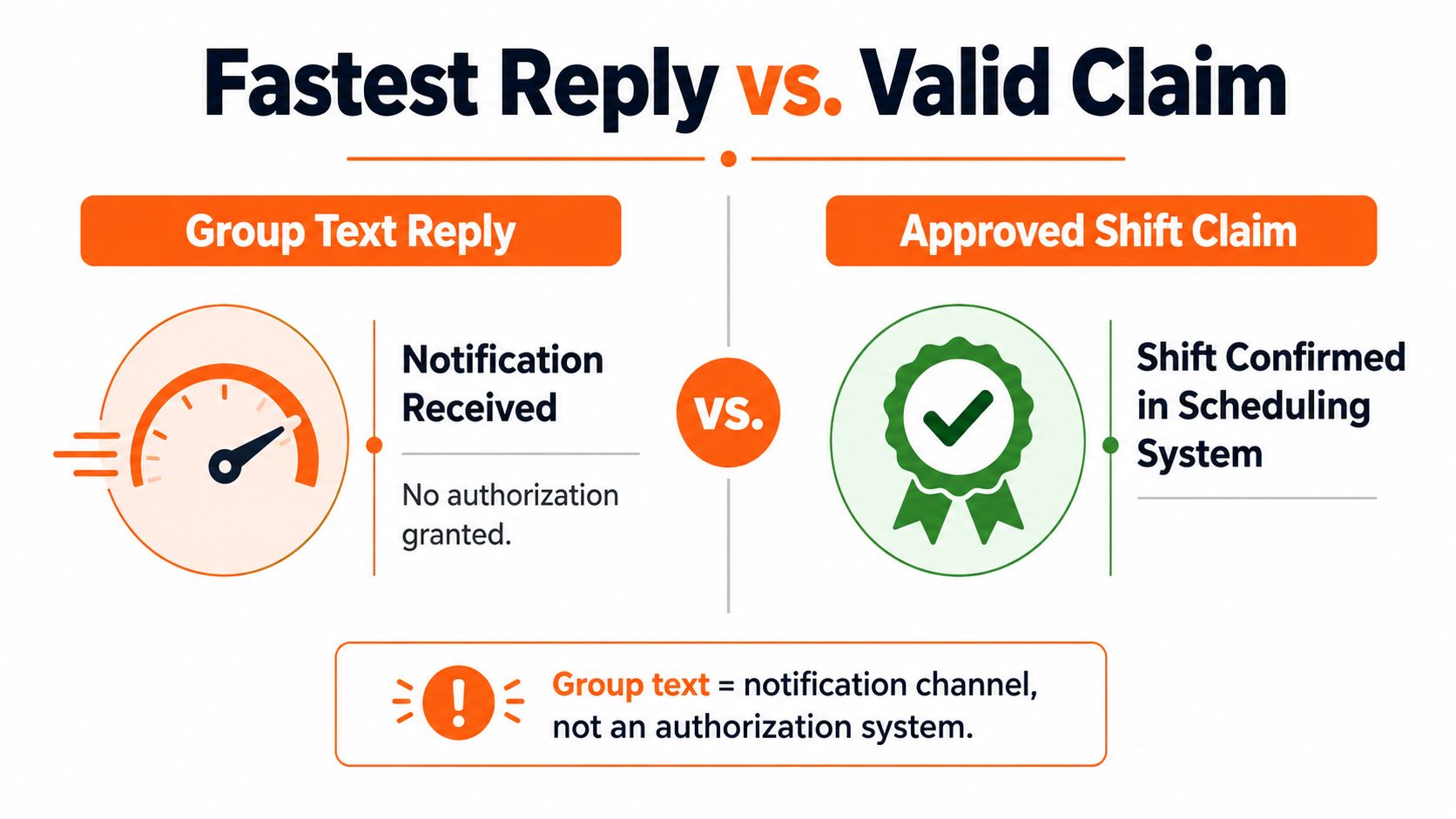
The corrective sequence is simple: claim the shift, verify eligibility, obtain authorized approval, publish the schedule change, and preserve the record. Skip one of those steps and the store may fill the hole while creating a second problem.
How to Claim an Open Shift Through a Manager Group Text
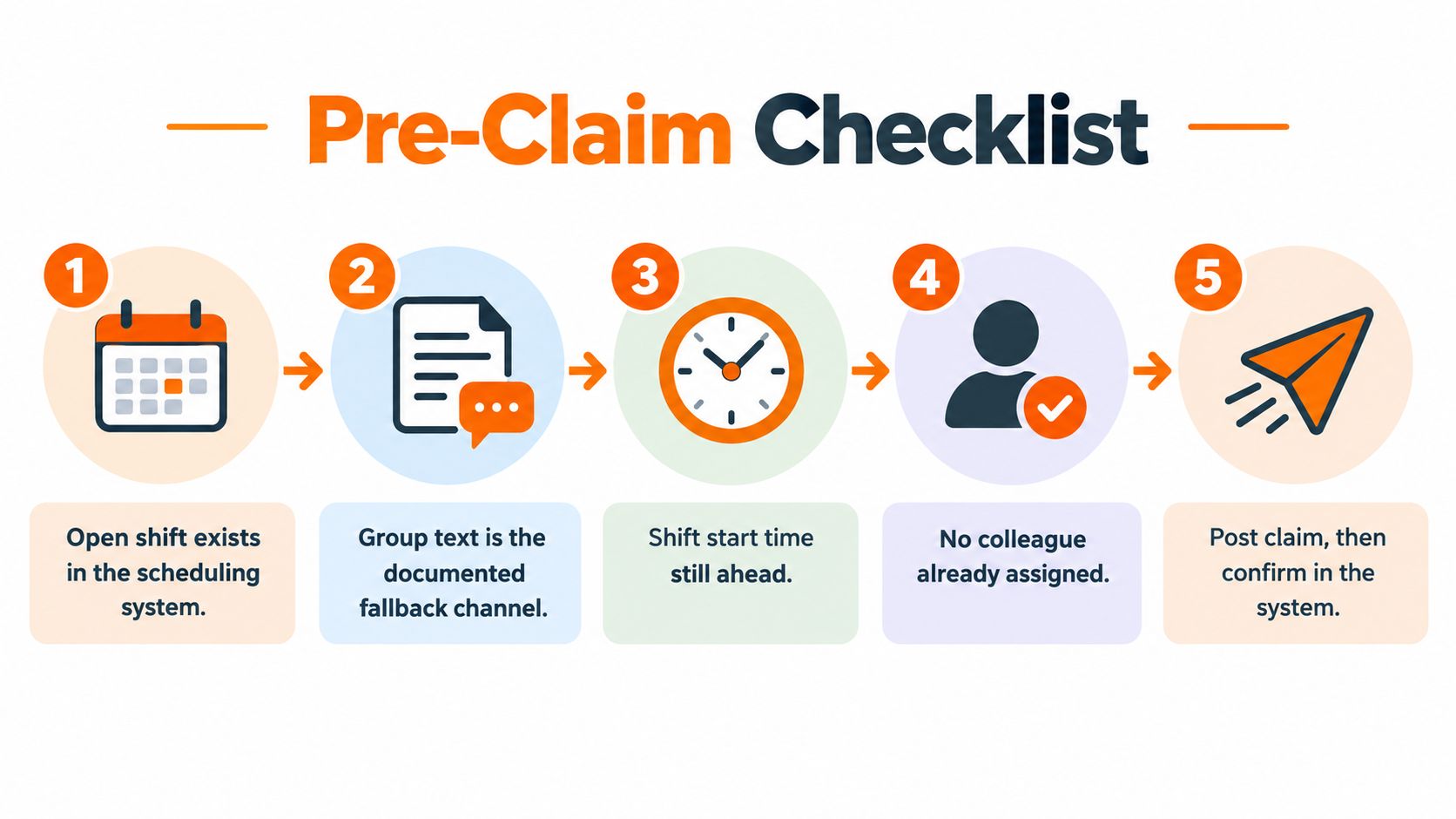
Before typing anything, check whether the shift is real. An employee shouldn't claim a vague request such as “Can someone open?” without knowing the date, time window, location, and role.
Start with three preconditions. The open shift should exist in the scheduling system, the group text should be the documented fallback channel, and the written policy should allow self-coverage or shift claims when a manager isn't immediately available. If any of those conditions is unclear, the right response is a request for confirmation, not a confident promise.
A worker can use this sequence:
Read the full thread. Look for the original call-out, the shift details, any reply from a lead, and any statement that someone already owns coverage.
Reply in the group chat. Don't move the claim into a private message where coworkers and later reviewers can't see it.
Name the assignment precisely. Include the store, date, role, start time, and end time.
Request authorized confirmation. Ask the on-duty keyholder, manager-on-duty, or designated district contact to approve it.
Request a system update. The claim stays tentative until the scheduling tool reflects the change.
The wording should be boring. Boring is useful when payroll or HR has to reconstruct the morning.
Concise template
I'm claiming the retail floor opening shift at [location] on [date], from [start time] to [end time]. Please confirm approval and enter the change in the scheduling system.
Formal template
I'm available to cover the retail floor opening shift at [location] on [date], from [start time] to [end time]. Please confirm that I'm authorized to take the shift and update the scheduling system before I report. Until written confirmation and the schedule update are complete, I understand this is a tentative claim.
That final sentence protects everyone from a common misunderstanding. An employee can be willing, qualified, and first to reply without being formally assigned.
A dedicated scheduling workflow can make this easier by showing the open slot, the people eligible to claim it, and the approval status in one place. The open-shift scheduling workflow is the kind of reference managers should compare with their existing policy before relying on group texts.
If nobody authorized responds, the worker shouldn't treat silence as approval. The safest message is a clear request for a named decision-maker, followed by escalation through the approved contact route.
Verifying and Documenting the Claim Like an Operations Record
Treat the exchange like an end-of-day cash count. Nobody would accept “I think the drawer was fine” as the entire record. An opening assignment deserves the same discipline.
The first question is who released the shift. Was it the scheduled opener, a manager, a keyholder, or another employee repeating something they heard? Capture the original post, the sender, the recipient list, and the exact time it was sent. Then identify whether the person who released it had authority to do so.
Next, check the operational record. Does the scheduling system show the slot as open? Does it show a new assignee? Is the person qualified for the role and able to work the full time window? If the shift involves keys, alarm access, cash controls, or a particular department, confirm those details before the worker changes clothes and heads to the store.
A clean record should include:
Original message: Preserve the complete post, not just a cropped screenshot.
Claim reply: Save the employee's exact wording and timestamp.
Participants: Record who received the message and who replied.
Approval: Capture the written acknowledgment from an authorized reviewer.
Schedule status: Note whether the workforce system reflects the assignment.
Outcome: Record whether the store opened on time and whether any control was missed.
Screenshots can help, but they aren't enough by themselves. A screenshot may omit the start of the thread, hide recipients, or fail to show whether a message was edited or deleted. Preserve the original message and available metadata, then use the screenshot as a readable companion.
Write a short follow-up summary in the language of the store's policy. For example: “Opening coverage was claimed by Jordan at 5:12 a.m., confirmed by the on-duty keyholder at 5:18 a.m., and entered into the schedule at 5:21 a.m.” If there was no confirmation, say that plainly.
A defensible record separates the allegation, the evidence, and the conclusion.
The same approach applies when the opening fails. Record the scheduled opening time, the employee's arrival time, the store-opening deadline, and the moment the manager or opener was contacted. Then corroborate the timeline with timekeeping, access-control, POS, alarm, or CCTV records where available.
A group text should never become the only proof of a missed opening or an approved shift. The record must show what was said, when it was said, who had authority, and what the business did next.
Wage-and-Hour and Predictive Scheduling Exposure
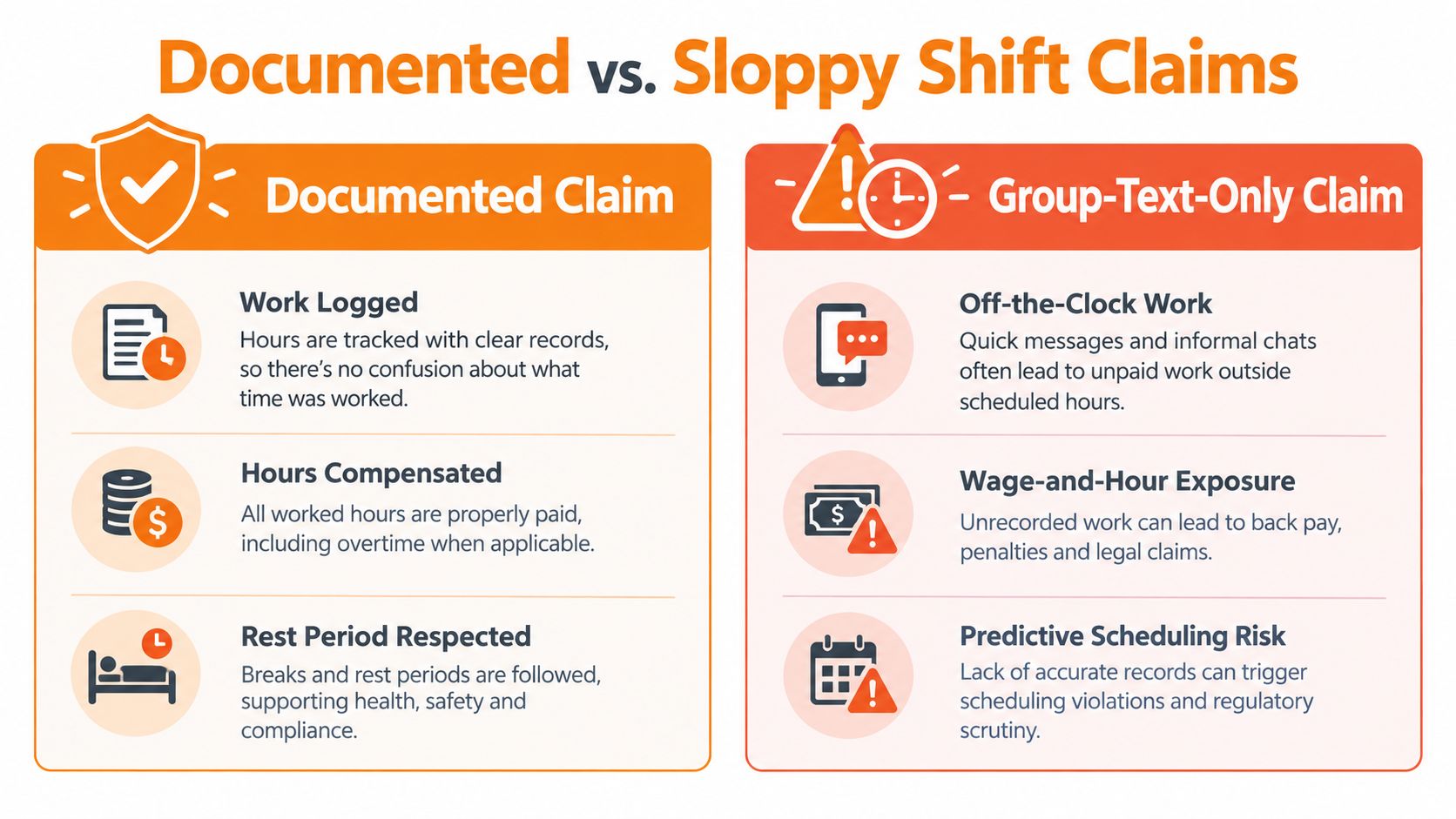
The moment an employee starts handling an opening request, the time may become relevant to pay. Reading a work message, investigating access, answering a manager, or preparing the store can look like coordination from the office and work from the employee's side of the clock.
The federal baseline is straightforward. Required opening activities can be compensable even when they happen before the scheduled shift, and employers must count work an employee performs when the employer knows about it or permits it. The earlier retail guidance covers the basic rule. The practical question is whether the employee was directed, expected, or knowingly allowed to perform the work before clocking in.
The case pattern is familiar. In Roberts v. Publix Super Markets, plaintiffs alleged unpaid pre-shift tasks such as bringing in carts, helping customers, and preparing stores to open, along with work-related texts, emails, and telephone calls outside scheduled hours. The record reportedly included more than 45,000 work-related text messages, a detail discussed in the Roberts v. Publix case record. Another Lowe's filing alleged 10–15 minutes of unpaid opening work and 15–20 minutes of daily work-related smartphone communication, but those figures were allegations, not findings that apply to every retailer.
That doesn't mean every group-chat reply is automatically paid time. It means managers need a mechanism for recording required work communication and opening activity instead of assuming messages happen outside work.
Rest and local scheduling rules
An open shift can also create a rest-period problem. Oregon's predictive-scheduling requirements include at least 10 hours of rest between shifts for covered employers, and an employee who voluntarily works inside that rest window must receive time-and-a-half pay, as described in Oregon predictive scheduling guidance. A closing employee who volunteers to open the next morning may be willing, but willingness doesn't erase the rule.
Seattle's covered employers must provide 14 days' notice of schedules, and certain last-minute changes can trigger additional pay, including clopenings with less than 10 hours between shifts. Those requirements vary by employer size, industry, and location. The overview of predictive scheduling laws provides useful context, but managers should confirm the rules that apply to their own stores.
New York City covered retail employers must post schedules 72 hours in advance, and changes after that point are generally restricted except under limited emergency conditions. Covered employers also can't schedule workers for on-call shifts. A message calling a shift “available” doesn't automatically make the assignment lawful.
For additional guidance on unpaid time, payroll disputes, and overtime, employees and managers should use a qualified wage-and-hour resource rather than rely on a group-chat interpretation. The Fair Workweek and predictive scheduling overview can help teams frame the questions before a last-minute claim becomes a payroll dispute.
A Fairer Process for Open Shift Coverage
The fastest reply creates the weakest claim when the process rewards speed without recording authority. A fair system gives eligible workers a visible opportunity, then confirms the assignment in a place that the worker, manager, and payroll team can all trust.
A proper open-shift board should show the location, date, role, time window, qualifications, and claim period. It should identify whether the first eligible claim wins or whether a manager reviews requests before assigning the work. The employee shouldn't have to guess whether “I can cover” means “I'm asking” or “I'm scheduled.”
The allocation rules need to be visible before anyone claims the shift. That includes role eligibility, availability, rest-time checks, location access, and any notice requirements that apply. It also means giving employees a fair notification path instead of quietly rewarding whoever watches a manager's phone most closely.
Scheduling risk doesn't fall evenly across a team. Research involving retail associates found that 77% said poor scheduling or staffing regularly causes lost sales, 80% said unpredictable schedules and short staffing add stress, and 31% were actively considering quitting because of poor scheduling or insufficient hours, according to the Logile retail worker survey report. The numbers point to a human problem, not just a software problem.
A caregiver, second-job holder, employee without reliable phone access, or worker who needs accessibility or language support may never compete fairly in a “reply fastest” system. An open shift should be an offer with clear terms, not an informal availability test.
What the workflow should leave behind
The process should notify the on-duty shift lead automatically, require acknowledgment, and record the final decision. It should also preserve cancellations, rejected claims, delivery failures, and changes after approval.
Pebb is one example of a work app that can publish open shifts in a store Space, notify members, and allow employees to claim coverage from a phone, with claims optionally requiring administrator approval. That structure keeps speed for the floor while giving managers a record that can be reviewed by HR and payroll.
Managers who need more practical coverage patterns can also review these strategies for shift covering, then adapt the approach to their own roles, policies, and local requirements. The important part isn't the brand of tool. It's the rule that the message is an invitation, while the confirmed record makes the assignment real.
A Simple Open Shift Workflow and Frequently Asked Questions
Run the same sequence every time a manager group text goes out:
Read it twice. Confirm the store, date, role, start time, end time, and reason for the opening.
Check eligibility. Verify that you're qualified, available, and not creating a rest-period conflict.
Reply with structure. State exactly which shift you're claiming and ask for authorized confirmation.
Save the exchange. Preserve the original post, your reply, the participants, and any acknowledgment.
Wait for the record. Treat the claim as tentative until the schedule changes.
Log the result. Note the time you reported, the work performed, and whether the shift was canceled or completed.
For the wider process, managers can document how shift scheduling works in Pebb and compare it with their current approval and payroll routines.
Frequently asked questions
Does the first reply count as approval?
No. It shows that an employee wants the shift. Approval requires an authorized acknowledgment and a schedule update, unless the written policy clearly gives someone else assignment authority.
What if a manager confirms by private message?
Keep the private confirmation, then post a neutral summary in the original group thread and ask the manager to confirm it there. The final record should connect the claim, approval, and schedule status.
What if the shift is canceled after I claim it?
Ask for written cancellation, save the message, and record whether you performed any work or were required to remain available. Payroll or HR should review any time already worked.
How do predictive scheduling rules affect a last-minute claim?
They may affect notice, rest time, schedule changes, additional hours, or premiums. Check the work location and applicable policy before treating the claim as approved.
When should I escalate?
Escalate when nobody with authority responds, the schedule isn't updated, the shift creates a rest conflict, your punch is denied, or you're asked to work without recording the time. Use HR or a labor representative when the issue involves repeated unpaid work, retaliation, or a disputed attendance decision.
A group text can alert people quickly. It can't carry the whole operation. The store needs a visible claim, a named approver, a published schedule, and a record that survives the morning rush.
Pebb gives retail teams one place to publish open shifts, let eligible employees claim coverage, require approval, and keep the final assignment visible for operations and payroll. Visit Pebb to replace manager-only group-text scrambling with a clearer shift record your team can use from the floor.
