
10 Best Digital Workplace Solutions for 2026
Compare the 10 best digital workplace solutions for 2026, with honest pros, cons, pricing considerations, use cases, and Pebb guidance.
Dan Robin

Everyone likes to talk about the “all-in-one” workplace tool, until the company has to run real work through it. Then the cracks show fast. Chat lives in one place, files in another, scheduling in a spreadsheet, onboarding in an inbox, and frontline updates buried where nobody checks them. The better question isn't which vendor has the longest feature list, it's which tool fits the people who need it, the workflows that matter every day, the stack you already own, and the rollout you can realistically pull off.
That matters more now because the category is growing fast. MarketsandMarkets projects the global digital workplace market will rise from USD 67.57 billion in 2025 to USD 161.82 billion by 2030 (MarketsandMarkets forecast), and Grand View Research places it at USD 72.5 billion in 2026 with a path to USD 323.5 billion by 2033 (same market context). That tells you this isn't a niche app category. It's core workplace infrastructure now.
I'd judge the best digital workplace solutions by communication reach, operational depth, integration fit, governance, pricing clarity, rollout effort, and frontline usability. Some tools are great collaboration suites. Some are employee experience platforms. Some are intranets dressed up as workplace hubs. A few help people get work done without constant tab-switching.
1. Pebb
Pebb is the one I'd pick when a company wants a real company home, not just another chat app. It brings chat, voice and video, a heartbeat-style news feed, shift scheduling, clock-ins, PTO, tasks, forms, a searchable knowledge library, and file sharing into one mobile-first app, so teams aren't bouncing between WhatsApp threads, spreadsheets, and loose documents. You can see the logic right away on the Pebb website and in the product interface screenshot below.

Why it stands out
Pebb's real strength is fit. It works for frontline teams and office teams, and that matters because hospitals, warehouses, restaurants, retail, logistics, and tech all need different day-to-day rhythms. The platform's configurable Spaces let each team or location keep only the tools it uses, which is the cleanest way to avoid clutter without forcing everyone into the same work style. Pebb also connects with 50+ HR, payroll, and authentication providers, so it can sit on top of existing systems instead of asking you to rip everything out.
Practical rule: If your people spend half their time asking where the latest policy, shift, or update lives, the tool is too fragmented.
Pebb also makes rollout simple. A single invite link gets people in quickly, and the admin controls, roles, permissions, and analytics give leaders enough visibility to manage adoption without turning the platform into a project. The trade-off is straightforward, pricing details beyond the free get-started option require a conversation, and very large enterprises should check advanced compliance or sector-specific needs before committing. Still, if your goal is one connected place for communication, operations, and engagement, Pebb is the strongest all-round pick here.
2. Microsoft Viva With Microsoft 365 and Teams
Microsoft Viva makes sense when Microsoft already runs the show. It sits on top of Microsoft 365 and Teams and brings employee communications, analytics, feedback, and learning into the same environment, so the platform feels like a natural extension of what people already use. The value is practical, it cuts down tool sprawl inside a Microsoft tenant and keeps identity, compliance, and Teams adoption in one place. See the product details on the Microsoft Viva site and our guide to evaluating Viva Engage for your organization.
Best for Microsoft-heavy organizations
Viva's modular setup is the main reason to choose it. Viva Connections, Engage, and Amplify handle internal communication and communities, Viva Insights, Glint, and Pulse cover organization insights and feedback, and Viva Learning gives teams a place for learning content and integrations. That structure works well if you want to roll things out in stages instead of launching a large program all at once.
The trade-off is easy to see. If your company does not already live in Microsoft 365, Viva gives up a lot of its value. It can overlap with other stacks, and the mix of included and premium features can be annoying to sort out. If you are already looking for a backup protection resource alongside M365 governance, this Microsoft 365 backup guide is a practical companion read.
Viva is a good fit when the company has already picked Microsoft as its operating system. It is a weaker choice if you are trying to unify a mixed stack.
For teams standardizing on Microsoft, Viva is the safe choice. For everyone else, it can feel like an expensive way to stay inside one ecosystem.
3. Google Workspace
Google Workspace is the cleanest choice for organizations built around Gmail and Google identity. It gives you Gmail, Chat, Meet, Drive, Docs, Sheets, Slides, and Admin in one cloud suite, with a simple collaboration model that employees usually understand quickly. The Google Workspace pricing page makes the packaging fairly easy to follow, which is refreshing in a category that often hides the good stuff behind sales calls.
Simple, familiar, and easy to roll out
What makes Workspace useful is how little explanation it needs. Docs, Sheets, and Slides are built for real-time collaboration, and the mobile and web experience stays consistent across devices. That makes it a strong fit for distributed teams, partners, and anyone who needs to work with people outside the company without a lot of friction.
The AI direction also matters. Google is pushing Gemini features across the suite, which gives teams more help with summaries, writing, and analysis without adding yet another separate system. That said, advanced controls and storage live higher up the ladder, and some enterprise features still require a sales conversation.
I'd use Google Workspace when the company wants a straightforward productivity backbone, not a heavy workplace layer. It's especially good for external collaboration and fast adoption. It's less convincing if you need deep frontline operations, shift workflows, or a central employee hub.
4. Slack
Slack is still the best-known channel-based collaboration tool for a reason. It gives teams channels, direct messages, huddles, clips, workflow automation, and a huge app ecosystem, all in a familiar interface that people pick up fast. If the job is reducing email and keeping fast-moving teams in sync, Slack does that well. Its pricing and feature structure are on the Slack pricing page.
Strong for conversations, not the whole workplace
The big strength is external and cross-company collaboration. Slack Connect makes it easier to work across organizations, and the app directory is deep enough that most knowledge teams can wire in the tools they already use. The Slack vs Pebb comparison is useful if you're deciding whether chat alone is enough or whether you need a broader company home.
But Slack is not a full digital workplace by itself. You'll still need other tools for intranet content, scheduling, frontline operations, policies, and many employee workflows. That's fine if you want Slack to be the communication layer. It's a problem if someone is promising it as the answer to everything.
Use Slack for conversation speed and coordination. Don't ask it to become your intranet, HR portal, and workforce hub at the same time.
The right move is to treat Slack as a strong operating channel, then be honest about the systems it needs around it. If the stack needs one place to run work, Slack is only part of the answer.
5. Zoom Workplace
Zoom Workplace makes sense for organizations that already trust Zoom for meetings and want to keep more of the workday under one roof. It combines Meetings, Team Chat, Phone, Mail and Calendar, Whiteboard, Docs, Rooms, Workspace Reservation, Digital Signage, and Clips in one vendor. The Zoom Workplace collaboration tools page shows how broad the product set has become.
Best when meetings and telephony lead
Zoom's main advantage is familiarity. People already know how to join a Zoom call, and that lowers resistance when you extend the platform into chat, telephony, or room systems. The AI Companion also gives the suite a modern feel across different modes of work.
The trade-off is bundling. You may need multiple licenses or add-ons to cover everything, and that can make procurement and rollout more complicated than the clean product story suggests. Zoom Workplace is strong when meetings, rooms, and calling are the center of gravity. It gets less neat when you're trying to build a broad employee hub or a full operational workflow layer.
A lot of companies end up here because Zoom is already embedded, not because they planned it as a workplace strategy. That's not automatically bad. It just means you should be clear about what it replaces and what it doesn't.
6. Workvivo by Zoom
Workvivo is built for employee experience, and it shows. It brings together internal communications, a social intranet, recognition, analytics, and AI intelligence to help companies connect HQ and frontline employees in a more human way. The Workvivo website makes the positioning clear, and the homepage image below gives you a feel for the product.
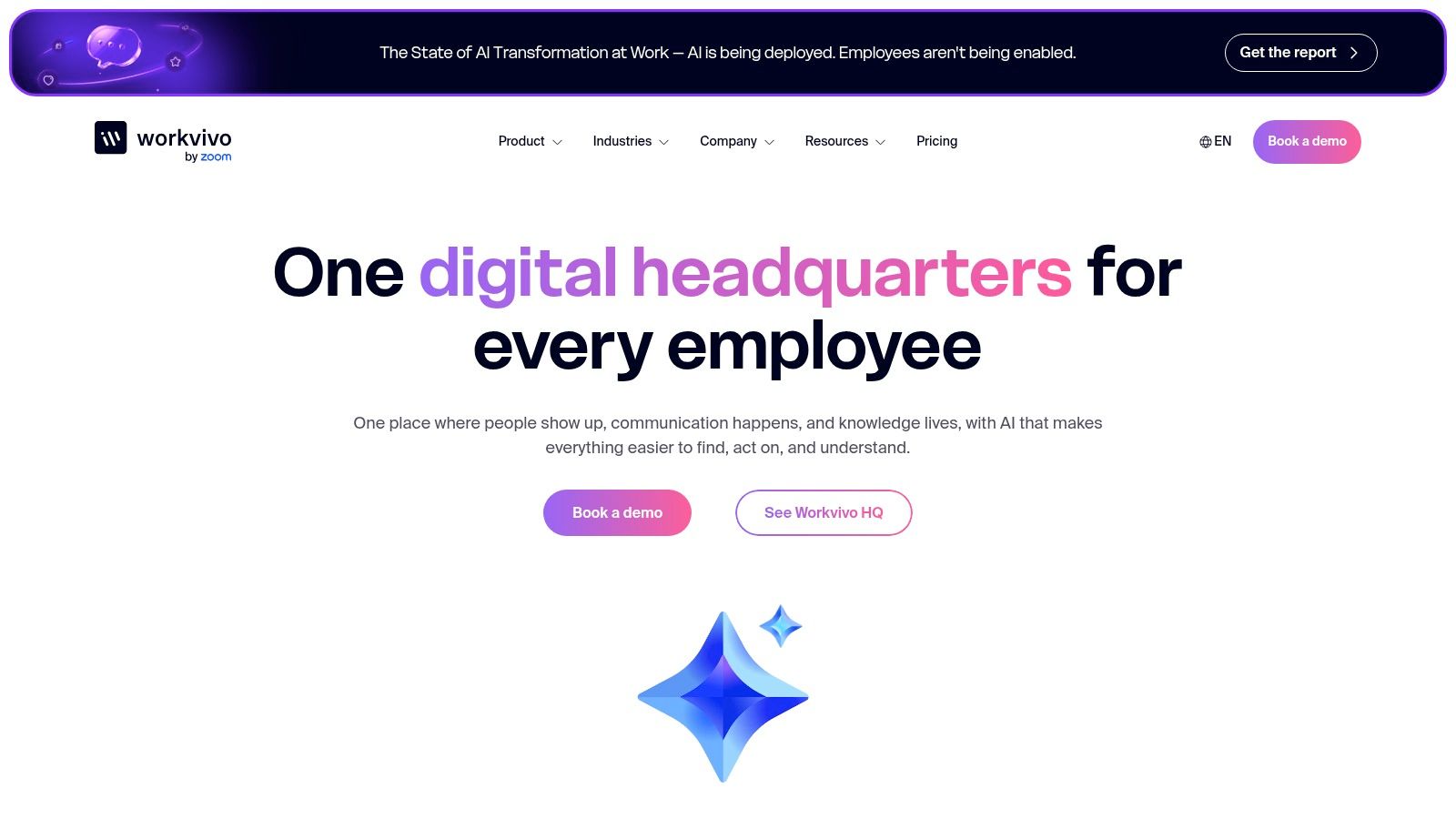
Strong reach for distributed teams
Workvivo is good at what most employee experience platforms struggle with, making communication feel visible, useful, and consistent across a broad workforce. It leans into mobile delivery, digital signage, campaigns, and recognition, which helps when the audience isn't sitting at a desk all day. That makes it a natural fit for frontline inclusion and for organizations that need better reach than an intranet alone can deliver.
Its AI layer, including Seer and HQ Agent, pushes it beyond a basic communications hub. There's also a close relationship with Zoom Workplace, so it can complement a broader collaboration stack instead of replacing it.
The main catch is rollout effort. Pricing is custom, demos are usually part of the process, and configuration matters. This is not a tool you casually switch on Friday afternoon and expect to feel polished on Monday.
If your biggest problem is that employees miss important updates, Workvivo deserves a close look. If your bigger problem is daily task execution, scheduling, and frontline operations, you may need something broader.
7. Staffbase
Staffbase is another serious employee experience platform, but it leans hard into internal communications. It gives you a mobile employee app, intranet, email, and digital signage to reach desk workers and deskless workers in one model. The Staffbase website shows that multi-channel emphasis clearly.
Good for communications governance and reach
Staffbase is built for organizations that care about consistent publishing, governed communication, and broad audience reach. It makes sense for HR and internal comms teams that need one place to plan and distribute messages across different channels without losing control over who sees what. That makes it especially useful in large, distributed companies.
The strength here is channel coverage. The weakness is that it's still mainly a communications and employee experience layer, not a broad operating system for work. You can use it to inform and engage people, but you'll probably need other tools for scheduling, task execution, and daily operational workflows.
Staffbase is also the kind of platform that usually wants a customized deployment. That's not a flaw, but it does mean the company should be ready for a scoping process rather than expecting a quick self-serve rollout.
If your leadership team wants better reach, stronger governance, and clearer publishing discipline, Staffbase is a solid pick. If you need one app for communication and operations, it's not the final answer.
8. Simpplr
Simpplr is an AI-forward intranet and employee experience platform that tries to make internal communications easier to run and easier to find. Its website centers on Simpplr One, with enterprise search, newsletters, analytics, and EX Agent for assisted authoring and content targeting.
Best for a modern intranet with less clutter
This is the kind of tool people choose when the old intranet has become a dumping ground. Simpplr's pitch is fast time-to-value, better content creation, and easier discovery, which is exactly what most internal comms teams are after. The platform also includes global support and ongoing releases in the subscription, which helps reduce the “buy it, then babysit it forever” problem.
It works well when the company wants a polished internal front door for people to find news, policies, and knowledge. It's less compelling if the goal is frontline operations or workflow-heavy coordination. In other words, it's a strong intranet, not a full work app.
A good intranet should reduce searching, not create a new place to search badly.
I like Simpplr for organizations that need structure, governance, and better content hygiene. I don't like it as a catch-all answer for every workplace problem. The more operational the company gets, the more you'll feel its limits.
9. LumApps
LumApps sits in an interesting middle ground. It positions itself as an AI Employee Hub that combines communications, automation, workflows, microlearning, and deep integrations with systems like Microsoft, Google, ServiceNow, and Workday, plus 50+ connectors. The LumApps website makes the broad ecosystem story obvious.
Strong when the workplace needs to connect systems
LumApps is attractive because it tries to reduce context switching without pretending every task should live inside the hub. The integrations are the point. If your company already runs a mix of Microsoft 365, Google Workspace, HR systems, and service tools, LumApps can become the front layer employees use to move between them.
Its frontline hub features, including secure chat, translation, and shift-aware workflows, make it relevant outside the office too. The microlearning and onboarding angle is useful as well, especially for companies that want training to live closer to the day-to-day employee experience.
The drawback is complexity. Enterprise pricing and packaging usually mean sales involvement, and the platform needs careful scoping so it doesn't become another half-used portal. LumApps is a good fit when integration depth matters more than simplicity. It's not the easiest option, but it can be a smart one.
For companies with messy systems and a serious need to connect them, LumApps is worth a real look. Just go in knowing that flexibility comes with setup work.
10. MangoApps
MangoApps is the broadest platform on this list in a practical sense. It spans Employee Experience, Frontline Operations, and People Operations on one shared foundation, and it lets you start with a single app or mix solution packs as the business grows. The MangoApps website makes that modular model clear, and the platform image below reinforces the scope.
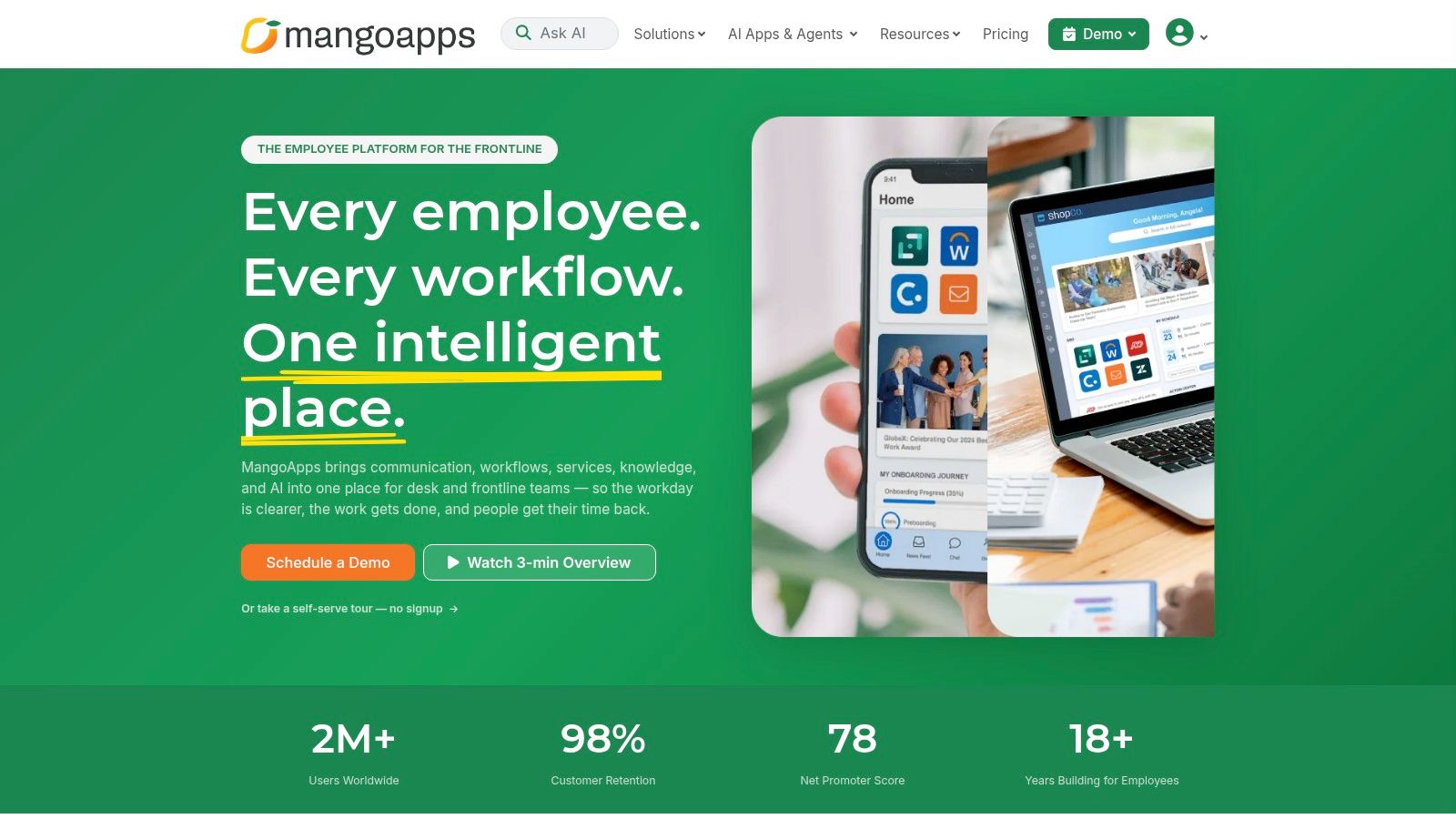
Best for organizations that want one platform to stretch
MangoApps covers a lot of ground. It includes employee app, intranet, communications, recognition, surveys, and knowledge management, then adds frontline packs for shift scheduling, time tracking, EHS and safety, and field service, plus people ops packs for HR, payroll, benefits, ATS, LMS, and performance. That breadth makes it useful for companies trying to consolidate several tools without rebuilding everything from scratch.
The best part is adoption flexibility. A company can start with one app, like scheduling or surveys, and expand later without re-platforming. That's a strong answer for organizations that know they need consolidation but aren't ready to do it all at once.
The trade-off is obvious. Breadth demands scoping, and careful implementation matters. MangoApps can do a lot, but that also means buyers need discipline about what they're solving first. If you go in without a clear use case, you'll buy a big platform and still end up with too many moving parts.
For teams that want one foundation across comms, frontline ops, and HR, MangoApps is a serious contender. It just needs a clear owner and a clear plan.
Top 10 Digital Workplace Solutions Comparison
Product | Core features ✨ | UX & quality ★ | Value & Pricing 💰 | Target audience 👥 |
|---|---|---|---|---|
Pebb 🏆 | All‑in‑one mobile app: chat (1:1/group/voice/video), Spaces, shifts, clock‑in, PTO, tasks, knowledge, analytics ✨ | ★★★★☆, mobile‑first, fast onboarding | 💰 Free get‑started; enterprise quotes | 👥 Frontline + office (hospitals, retail, restaurants, warehouses) |
Microsoft Viva | Viva modules (Connections, Insights, Learning) layered on M365/Teams; org analytics ✨ | ★★★★☆, native Teams experience | 💰 Per‑app & bundle licensing; best with M365 | 👥 Enterprises running Microsoft 365 |
Google Workspace | Gmail, Chat, Meet, Drive, Docs/Sheets/Slides; Gemini AI features ✨ | ★★★★☆, strong web/mobile collaboration | 💰 Clear tiers + 14‑day trial; add‑ons for enterprise | 👥 Organizations on Google identity; SMB→Enterprise |
Slack | Channels, DMs, huddles, workflows, 2,600+ integrations ✨ | ★★★★☆, familiar messaging UX, reduces email | 💰 Tiered pricing; advanced security in Enterprise+ | 👥 Knowledge workers, cross‑company collaboration |
Zoom Workplace | Meetings, Chat, Phone, Whiteboard, Rooms, AI Companion; unified vendor stack ✨ | ★★★★☆, reliable video‑first UX | 💰 Bundles + add‑ons; variable by needs | 👥 Video/telephony‑centric teams, hybrid workplaces |
Workvivo | Social intranet & comms, recognition, analytics, AI Seer; Zoom integration ✨ | ★★★★☆, mobile‑first EX, campaign delivery | 💰 Custom pricing; demo/scoping required | 👥 Internal comms, HR, frontline inclusion |
Staffbase | Mobile employee app, intranet, email & digital signage; multichannel publishing ✨ | ★★★★☆, broad channel reach, personalization | 💰 Custom, per‑project quotes | 👥 Large distributed orgs, frontline + desk workers |
Simpplr | AI‑forward intranet: Comms AI, enterprise search, EX Agent, analytics ✨ | ★★★★☆, fast deployment, authoring ease | 💰 Custom enterprise pricing | 👥 Enterprises needing modern intranet & comms |
LumApps | AI Employee Hub: comms, no‑code workflows, microlearning, frontline hub ✨ | ★★★★☆, personalized hub, deep integrations | 💰 Enterprise pricing; sales engagement | 👥 Enterprises on MS/Google with frontline needs |
MangoApps | Employee app + frontline & People Ops packs, knowledge, AI agents ✨ | ★★★★☆, flexible, modular platform | 💰 Config‑based pricing; tailored quotes | 👥 Orgs wanting to consolidate comms, ops & HR |
Choose the Stack Your People Will Actually Use
The right choice starts with the audience, not the vendor demo. Ask who needs daily access, desk workers, frontline workers, managers, or everyone, then list the tools you want to replace. From there, separate the must-have workflows from the nice-to-have extras. That's where teams get honest about whether they need a collaboration suite, an intranet, an employee experience platform, or a true operational work app.
Integration matters too. If your company already runs on Microsoft, Microsoft Viva is the cleanest fit. If Google is the center of gravity, Google Workspace is the obvious move. If the main job is fast team conversation, Slack still does that well. If meetings and phone systems are driving the decision, Zoom Workplace deserves serious attention. If communications reach and governance are the priority, Workvivo, Staffbase, or Simpplr are better bets than a general chat tool.
For companies that need one mobile-first home for communication, frontline operations, knowledge, scheduling, and engagement, I'd put Pebb at the top of the list. It's the most balanced answer when you want less tool sprawl and more actual work happening in one place. It also asks less of employees, which is usually where these projects succeed or fail. A platform that is easy to roll out and easy to use beats a prettier one that nobody opens.
The final filter is rollout effort. Compare what it takes to launch, govern, and keep the thing alive, not just the license price. A cheap tool that sits unused is still expensive, and a broad platform that your people don't trust is worse. The best digital workplace is the one that makes the next everyday task easier, not the one that wins the longest vendor demo.
If your team needs one place for chat, shifts, tasks, knowledge, and engagement, Pebb is built for that job. It's a practical digital home for frontline and office teams who want less friction and more clarity in the workday. Visit Pebb and see whether it fits the way your people work.
