
Author: Ron Daniel
The ultimate guide to frontline employee engagement in 2026
Practical strategies to boost frontline engagement with mobile-first communication, clear scheduling, quick pulse surveys, and a simple rollout plan.
Most frontline engagement problems start long before someone quits. I’ve seen teams blame turnover on attitude, pay, or staffing, only to find the root issue was much simpler: people did not get the right update at the right time. When schedules change, answers are hard to find, and feedback goes nowhere, the shift starts breaking down before the doors even open.
At Pebb.io, we keep seeing the same pattern across retail, healthcare, logistics, and manufacturing. Frontline employees make up a huge part of the workforce, yet only 23% say they feel well-informed about company news, and more than 40% are thinking about leaving. On the flip side, teams with high engagement can see 23% higher profitability, which tells me this is not just an HR issue. It hits staffing, service, safety, and labor costs.
So let’s get into what those numbers mean in day-to-day work. I’m going to walk through the main reasons frontline engagement drops in 2026, what teams are doing to fix it, and the habits I’ve seen work best when managers want better communication, steadier scheduling, and more employee buy-in without adding more noise.

Frontline Employee Engagement: Key Stats & Impact in 2026
The biggest frontline engagement problems managers face
I’ve seen this pattern over and over at Pebb.io. A team doesn’t have an effort problem. It has a tool-fit problem.
In 2026, frontline engagement usually breaks in three places: communication, scheduling, and feedback. I’ve watched the same issues show up across retail, healthcare, logistics, and manufacturing. Different floors, different uniforms, same mess. Daily work starts slipping when the tools don’t match how frontline employees actually work.
Disconnected communication across locations and shifts
Let me paint the picture, because it’s painfully common.
A manager puts a policy update on the break room bulletin board before the morning shift. The afternoon crew never sees it. The weekend part-timers definitely don’t. Then someone makes a mistake, the manager gets annoyed, and the employee is sitting there thinking, I was never told.
That’s not carelessness. That’s a system failure.
32% of deskless workers say their organizations communicate less effectively with them than with office-based staff, and 54% have limited email access. So right away, email-first communication is already missing more than half the team before anyone even opens an inbox. I’ve also seen teams lean on text messages and WhatsApp to patch the holes. It helps for a minute, but then work spills into personal time, decisions get buried, and nobody knows which message thread has the latest answer.
Here’s what tends to work better: a mobile work chat with channels by location, shift, or role, plus a company news feed or internal newsletter that sends push notifications to every employee’s phone. That way, an update goes out once and reaches everyone, no matter when their shift starts.
And once messages start missing people, the next problems show up fast: schedule mistakes, weak follow-up, and teams that stop speaking up.
Scheduling confusion, weak feedback loops, and low participation
This is where things get expensive.
Scheduling is where communication issues crash straight into day-to-day operations. One scheduling study found that 80% of workers have little to no input into their schedules. I don’t need a giant theory to explain what happens next. If people can’t plan their lives around work, they start looking for work that lets them.
The feedback side isn’t much better. A lot of frontline teams still depend on annual engagement surveys sent by email, which is the same channel more than half the workforce can’t easily access. So participation stays low, and people start feeling like speaking up changes nothing. At that point, silence becomes a habit. More than 40% of frontline workers are already thinking about quitting.
I’ve also seen app overload make all of this worse. The average employee switches between 10 different apps every hour. That number says a lot. People aren’t ignoring updates because they don’t care. They’re drowning in tabs, pings, and logins. On top of that, 22% of deskless workers report having too many places to check for updates, so they stop checking most of them.
Then the drop-off starts:
Missed updates across shifts lead to safety violations and inconsistent service
Schedule uncertainty drives no-shows, overtime, and turnover
Broken feedback loops create blind spots and rising attrition
I’ve learned this the hard way: when feedback never leads to visible action, employees stop responding entirely. Survey participation drops. Training gets skipped. Recognition programs fade into the background. Not because people checked out first, but because the system made it too hard to stay plugged in.
When tools do not fit frontline work, engagement drops and costs rise. The next step is fixing those problems with mobile-first communication, clearer scheduling, and simple feedback loops.
The core pillars of frontline employee engagement
I’ve seen this pattern up close at Pebb.io: frontline teams don’t need five disconnected tools and a pile of good intentions. They need one place to work from on their phone. When communication, scheduling, feedback, and knowledge live in the same mobile workflow, a lot of the daily mess starts to fade.
Here’s the thing: each of these pillars lines up with a problem managers deal with every single week. Missed updates. Schedule mix-ups. Thin feedback. The same questions over and over again. This isn’t about vague morale talk. It’s about repeatable habits managers can run every week without turning their day into chaos.
Pillar | Weekly Manager Action | Supporting Features |
|---|---|---|
Mobile-first communication | Post shift briefings; target announcements by role or location | Work Chat, News Feed, Push Notifications |
Day-to-day clarity | Publish schedules on a fixed cadence; manage swaps and PTO in-app | Shift Scheduling, Clock-In, PTO Management |
Feedback & recognition | Send a 3–5 question pulse survey; post specific shout-outs each week | Pulse Surveys, Quick Polls, News Feed |
Knowledge access | Convert repeated questions into searchable knowledge articles | Knowledge Base, Digital Forms, People Directory |
Mobile-first communication and day-to-day clarity
At Pebb.io, I’ve learned that the first two pillars are tightly linked. If communication is messy, scheduling gets messy right after it.
Location- and role-based group chats help teams coordinate in real time during shifts. Then the company news feed handles updates that everyone needs to see. When someone needs coaching, a handoff, or a fast answer, voice and video calls fill that gap. The big win is that everything stays in one app, so people aren’t bouncing between tools and missing half the story.
Scheduling works best with the same setup. When schedules, swaps, PTO, and clock-in all sit in one app, missed shifts drop. I’ve watched teams avoid so many back-and-forth messages just by making the schedule easy to find and easy to act on. Add mobile clock-in and geofencing, and managers get accurate timecards without chasing people down one by one.
Let me tell you what happened next in cases like this: once updates got more targeted, teams started expecting the same level of clarity from schedules and shift changes too. And honestly, they should.
Feedback, recognition, and knowledge access
This is the part teams often skip, and it costs them.
The same app should make feedback, recognition, and policy answers easy to use right on the floor. If these tasks feel like extra admin work, participation drops fast. I’ve seen it happen. But when they’re built into the app people already use every day, the friction drops hard.
A weekly pulse survey with 3–5 questions works well because it respects people’s time. An employee can finish it in under 2 minutes on their phone, and managers still get a solid read on clarity, workload, and morale. The part that matters most, though, is what happens after the survey. When managers share what they heard and explain what changed, trust starts to grow. That’s what keeps response rates steady over time. BCG research backs this up - deskless workers who enjoy their work are 62% less likely to consider a new job than those who do not.
Recognition follows the same pattern. At Pebb.io, I’ve seen that generic praise fades fast, but specific praise sticks. Peer-to-peer shout-outs in a shared feed, tied to clear behaviors, help set the bar for everyone. Praising how Maria handled a difficult return and kept the line moving does more than make Maria feel seen. It shows the rest of the team what good looks like across every shift, not just the ones a manager happens to watch.
And then there’s knowledge access, which sounds small until you watch a manager answer the same policy question six times in one week. A searchable mobile knowledge base gives employees a way to find answers on their own without pulling a manager off the floor. That self-service layer cuts repeat questions and makes onboarding move faster.
That is why the next step is choosing one platform instead of stitching together separate tools.
How Pebb helps frontline teams stay connected and engaged
I’ve seen this play out more times than I can count at Pebb.io: a team has one app for chat, another for schedules, a third for forms, and somehow feedback lives in a survey link buried in email. On paper, it looks fine. In practice, it’s chaos.
A store manager misses a shift update. A frontline employee doesn’t see a schedule change until it’s too late. Someone asks the same policy question for the fifth time that week because the answer is sitting in a file nobody can find. That kind of tool sprawl drains momentum fast.
Why one employee app works better than separate tools
Here’s the thing: frontline teams don’t need more places to check. They need one place that actually works during a busy shift.
That is why Pebb brings communication, scheduling, and engagement into one mobile workflow.
Inside Pebb, we combine chat, news, scheduling, time off, forms, knowledge access, surveys, recognition, and calls in one app. One login. One place to check. That sounds simple, but the effect is huge when your team is moving fast and doesn’t sit behind a desk all day.
I’ve watched teams clean up a lot of daily friction just by putting the basics in one place:
Work chat helps cut missed updates across shifts.
Shift scheduling helps reduce no-shows by keeping changes visible and actionable in real time.
Pulse surveys get better participation because they live inside the same app employees already use every day.
A searchable knowledge base helps cut repeat questions before they land on a manager’s plate.
Let me tell you what happened next in one common case we see. A schedule change goes out in Pebb, and the affected employees get notified in chat right away. Managers can also see who read the announcement. When tools don’t share data, that simple flow breaks down. Someone posts the update in one place, the schedule changes somewhere else, and now everyone is chasing each other for answers.
That is much harder when tools do not share data. The difference shows up fast.
So when teams look at their stack, I don’t think the main issue is whether they need another tool. It’s which platform can replace the most clutter without making work harder.
Where Pebb fits in the 2026 market
I’ll be blunt: most apps to communicate with employees only solve one slice of the problem.
Slack and Microsoft Teams are office-first tools, which makes them a tougher fit for deskless teams. Workvivo leans more toward engagement than day-to-day frontline operations.
That gap is exactly where Pebb fits.
Pebb is the only free all-in-one communication solution for teams of up to 15 employees. Paid plans start at $4 per user per month. For margin-sensitive frontline teams, that matters a lot. I’ve seen companies piece together separate tools that cost $6–$15 per user per month, and even then they still deal with gaps in communication and visibility.
So yes, price matters. But what matters just as much is not having to duct-tape your workflow together.
Once the platform is in place, the next step is a rollout that managers can sustain.
A practical rollout plan and key takeaways
How to launch without overwhelming managers or employees
I’ve seen this part go wrong more than once. A team picks one of the top frontline worker apps, gets excited, and then tries to switch everything overnight. That’s usually when managers get swamped, employees tune out, and the whole thing starts feeling heavier than it should.
Here’s the thing: the rollout needs to feel simple from day one. At Pebb.io, we’ve learned that the biggest mistake is doing too much at once. I’ve had much better luck when we start small, show people it works, and then build from there.
Before I do anything else, I audit the mess that already exists. And yes, it’s almost always a mess. I list every channel the team uses: text threads, paper schedules, bulletin boards, email, WhatsApp threads, and whatever else people lean on to get through a shift. Then I talk to frontline employees and managers and ask one plain question: where are updates getting lost? That conversation usually surfaces the biggest communication gaps fast.
Once that’s clear, I narrow the launch down to 3–5 use cases tied to the pain points we already know are there: missed updates, messy schedules, and low feedback participation. In my experience, a strong opening set looks like this:
Shift scheduling
Company announcements
Weekly recognition
Let me tell you what happened next on one rollout: once we cut the launch down to those basics, adoption got much smoother. Managers weren’t trying to learn ten workflows at once, and employees could see the point right away.
I also like to run a 6–12 week pilot with one location or one shift before scaling. That gives us room to fix rough spots without dragging the whole company through them. At each site, I appoint a local champion - someone who gets a bit more training and becomes the first person people go to when they need help.
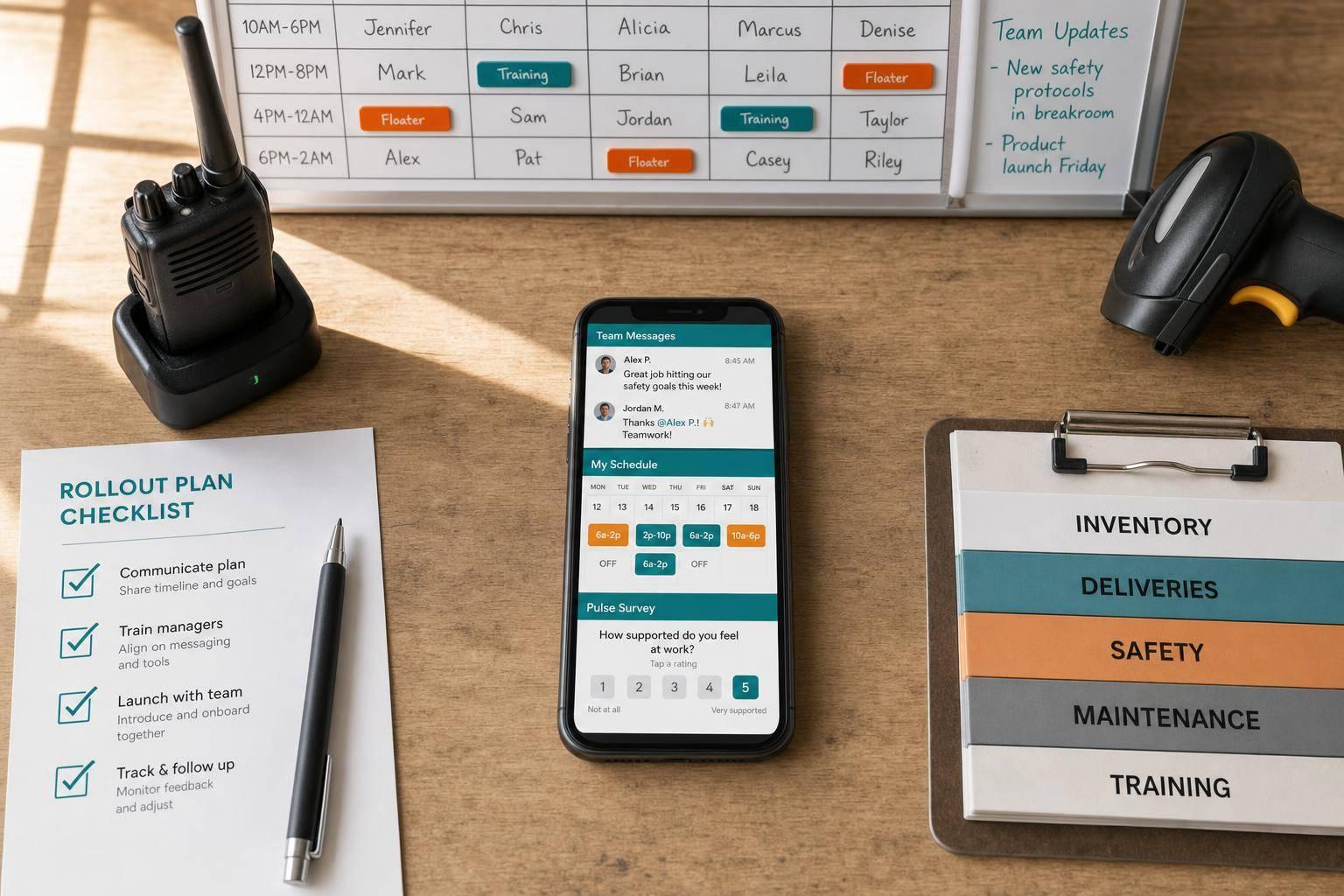
Use the rollout stages below to move from setup to adoption without burying managers in extra work.
Rollout stage | Key actions | Owner | Success metrics |
|---|---|---|---|
Audit & baseline | Map all current channels; identify communication gaps; collect baseline data on missed shifts and read rates | HR + Operations | Baseline documented; pain points ranked |
Pilot setup | Choose a small pilot group; define use cases; configure groups by shift/location; train managers | Program lead + local champion | Groups created; manager training done |
Pilot launch | Publish schedules; send updates via news feed; start recognition posts; run first pulse survey | Site managers + supervisors | Adoption rate, read rate, acknowledgment rate |
Review & refine | Analyze usage data; gather frontline feedback; adjust notification rules and group structure | HR + IT/admin | Fewer missed updates; faster PTO responses |
Scale | Roll out to remaining sites; standardize training; set governance rules for posting | Executive sponsor + rollout team | App active across all locations; scheduling compliance up |
What to measure after launch
After launch, I don’t just look at whether people downloaded the employee communication app. That number can look nice and still tell you almost nothing. I measure whether the rollout is fixing the same problems we started with: missed updates, schedule confusion, and weak feedback.
What I track is pretty simple. Are employees seeing updates? Are they confirming shifts? Are they answering pulse surveys? Can they find answers on their own instead of chasing down a manager?
Here’s what I watch most closely:
Communication: Message read rates and app opens. An 80%+ acknowledgment rate within 24 hours for critical updates is a solid early target.
Scheduling: Shift confirmation rates and how often missed shifts trace back to a communication gap.
Feedback: Pulse survey participation. A 60–70% response rate is a realistic early target.
Recognition: Number of recognition posts managers send per month and whether that number is growing.
Knowledge access: Search and view volume.
One thing I’ve learned the hard way: don’t judge a rollout by one big spike. A launch week bump can feel great, but it doesn’t mean much on its own. I look at monthly trends instead. If read rates keep climbing, scheduling issues keep dropping, and pulse survey scores on "I feel informed" start moving in the right direction, then the platform is doing what it’s supposed to do.
FAQs
What is frontline employee engagement?
I learned this fast at Pebb.io: if a frontline employee feels out of the loop, the cracks show up almost at once.
You see it in missed updates, shaky handoffs, and that quiet sense that people are just going through the motions. And when someone spends the day on the store floor, in a warehouse aisle, or moving between patient rooms, that feeling hits even harder.
Frontline employee engagement is the daily effort to help deskless employees - like retail, warehouse, or healthcare staff - feel informed, connected, and valued at work.
Here’s the thing: this isn’t some soft idea we talk about in meetings and forget by Friday. I’ve seen it show up in the quality of daily work and in how much trust employees place in their managers and the team’s mission.
In my experience, it grows when a few basics are done well:
clear communication
predictable scheduling
steady feedback
mobile-first tools that help employees take an active role
That last part matters more than most teams think. If the tools don’t fit how frontline people actually work, nothing else lands the way it should.
How can managers improve engagement fast?
I’ve seen this play out up close at Pebb.
When teams rely on scattered, desktop-heavy tools, things slip fast. A message lands in one app, the shift schedule lives somewhere else, and tasks get buried in another tab. On paper, it looks manageable. In day-to-day work, it’s a mess.
Here’s the thing: managers can improve engagement fast by replacing that patchwork with a mobile-first, all-in-one platform like Pebb. When we bring communication, shift scheduling, and task management into one place, we cut down on app switching, confusion, and lost productivity.
That change sounds small. It’s not.
I’ve watched teams go from chasing updates across tools to having one clear place for what matters. People miss fewer messages. Managers spend less time repeating themselves. Frontline employees don’t have to dig through desktop tools that were never built for how they work.
We also use pulse surveys and targeted news feeds to keep the feedback loop simple and steady. That part matters more than most people think. Instead of waiting for a quarterly check-in or hoping managers hear about problems through the grapevine, we get input in real time.
A few things happen when that system is in place:
Critical updates reach everyone faster
Teams get more visibility into what’s happening
Frontline employees feel more connected and valued
Let me tell you what happened next when we leaned into this approach: communication got clearer, not louder. That’s a big difference. More messages don’t fix engagement. Better timing, better visibility, and one place to act on information do.
For me, that’s the core lesson. If a manager wants to move fast, start by removing friction. Put communication, scheduling, and tasks in one mobile-first system, then use pulse surveys and news feeds to keep the conversation going.
What should teams measure after launch?
I learned this the hard way at Pebb.io: if I only looked at what people said, I got half the story. A team member might give a good survey score, then barely click updates or skip key tasks for two weeks straight. That gap matters.
So now, when we look at engagement, we measure both what employees say and what they do. That gives us a much clearer read on what’s going on day to day.
Here are the five metrics I keep an eye on:
eNPS for overall sentiment
Participation rate for interaction with updates
Response rate for polls and surveys
Completion rate for shifts and tasks
Retention rate as the clearest long-term signal
Here’s the thing: no single metric tells the whole story. But when I put these five side by side, patterns start to show up fast. If eNPS looks good but participation is low, I know people may like the company but feel checked out in practice. If response rates are high and retention is strong, that usually tells me we’re building something people want to stay part of.
That mix of sentiment and behavior has helped us avoid false signals and make better calls before small issues turn into bigger ones.
