
Author: Ron Daniel
Best Staff Attendance Apps in 2026
Most teams need one integrated attendance app, not a stack of single-purpose tools; compare features, pricing, verification, and use cases.
Have you ever wondered how much money businesses lose because of poor attendance tracking? Here’s a number that might surprise you: $3,600 per employee every year. That’s the cost of absenteeism, and it’s a problem most companies don’t even realize they have. Back in the day, we relied on paper logs and clunky punch cards to track attendance. Fast forward to 2026, and those methods feel as ancient as rotary phones. The tools we have now? They’re smarter, faster, and way more efficient.
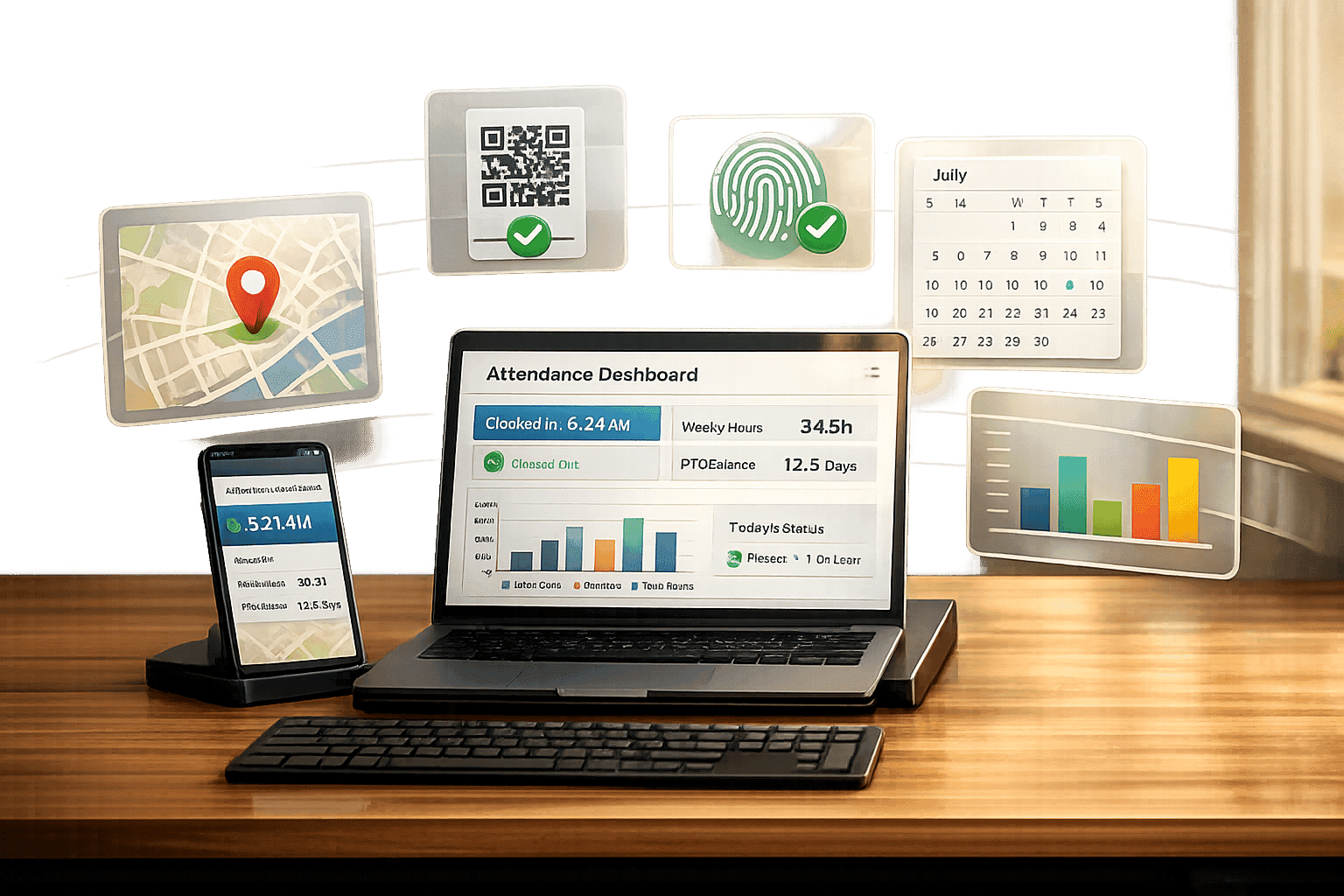
At Pebb, we’ve been working directly with businesses to solve these challenges. And let me tell you, the difference between using an outdated system and a modern attendance app is night and day. It’s not just about tracking time anymore - it’s about integrating scheduling, payroll, and even GPS tracking to ensure your team is exactly where they need to be. Plus, with 68% of knowledge workers now on hybrid schedules, keeping everyone aligned has never been more critical.
In this article, I’ll walk you through the top attendance apps for 2026, including how Pebb stacks up against competitors like Connecteam, QuickBooks Time, Jibble, and Hubstaff. Whether you’re managing a small team or a large operation, I’ll break down the features, pricing, and benefits so you can decide what’s best for your business. Let’s dive in.
1. Pebb
Let me tell you about Pebb - it’s a game-changer for teams looking to streamline their operations without breaking the bank. It’s the only free, all-in-one communication platform that combines staff attendance tracking, GPS clock-ins, shift scheduling, and PTO management - all without sneaky add-ons or hidden fees.
Pricing
Here’s the deal: our Standard plan is completely free for teams of up to 15 users. Yep, free. You get access to work chat, a news feed, shift scheduling, time tracking, and PTO management - everything you need to keep your team on the same page.
For larger teams or those who need more, our Premium plan is just $4 per user per month. Compare that to competitors charging $5–$9 (or making you pay for separate tools), and you’ll see why Pebb is such a steal. Plus, these rates include all the tools you need for precise attendance tracking, no extra costs or surprises.
Verification Features
Worried about attendance accuracy? We’ve got you covered. Pebb uses geo-fencing and GPS tracking to make sure employees clock in from the right location. Geo-fencing ensures clock-ins are restricted to designated work areas, so no more “buddy punching” or sneaky clock-ins from the couch. If someone tries to clock in outside the set zone, it’s automatically blocked.
And here’s the best part: even if your team’s offline, Pebb syncs attendance data in real time once they’re back online. Employees can also submit correction requests directly in the app, which managers can review to ensure everything checks out.
Integration Capabilities
Pebb doesn’t just stop at tracking - it plays nice with the tools you already use. It integrates with over 50 HR and payroll providers, making operations seamless. On the Premium plan, you can sync with platforms like QuickBooks, ADP, and Gusto. That means verified time data flows straight into payroll, cutting down on manual entry (and mistakes).
For added security, we offer Enterprise SSO through Okta, Microsoft 365, and Google Workspace. Your team can log in using their existing credentials, keeping things simple and secure.
Target Users
Pebb is built for small to mid-sized businesses with 10 to 1,000 employees, especially those juggling a mix of frontline and office staff. Whether you’re managing retail stores, restaurants, healthcare facilities, warehouses, or manufacturing teams, Pebb fits right in.
What’s more, onboarding is a breeze. Teams can get started in minutes with a single shareable invite link - no complicated IT setup required. It’s fast, it’s easy, and it works.
2. Connecteam
Let’s dive into Connecteam, a tool designed with frontline worker management in mind. Think construction crews, retail staff, healthcare workers, and field service technicians. With over 80,000 companies and more than 1.2 million employees relying on it, Connecteam has carved out its place as a go-to workforce management platform.
Pricing
Here’s the good news for small businesses: Connecteam offers a free plan for up to 10 users, giving access to all features. Once your team grows, pricing kicks in at $29 to $119 per month (when billed annually). For larger operations, enterprise pricing is also available. This tiered approach makes it flexible for businesses of all sizes.
Verification Features
Accuracy is everything when managing attendance, and Connecteam doesn’t disappoint. It’s packed with features like geo-fences, auto clock-outs, unique PINs, and even selfie verification to eliminate buddy punching and confirm employee locations. For mobile teams, breadcrumb tracking maps out employee movements during shifts, giving managers a clear view of routes. A real-world example? NAE Cleaning Solutions saw service complaints drop by an impressive 98% after switching to Connecteam.
Integration Capabilities
Connecteam plays well with others - integrating with payroll giants like QuickBooks Online, ADP, Gusto, Xero, and Paychex. It’s also part of the ADP Marketplace and works with PrismHR. For businesses using POS systems, it connects with Lightspeed and Square, letting you analyze labor costs against sales data. One thing to keep in mind: Connecteam doesn’t process payroll directly, so you’ll need to sync or export data to external systems. While its integrations are fewer compared to rivals like Deputy, it covers the essentials for most digital workplaces.
Target Users
If your team operates outside a traditional office, Connecteam might be just what you need. It’s built for industries like construction, retail, healthcare, manufacturing, and hospitality, offering a mobile-first experience tailored to on-the-go teams.
3. QuickBooks Time (TSheets)
QuickBooks Time, previously known as TSheets, works hand-in-hand with QuickBooks, syncing effortlessly with QuickBooks Online, Desktop, and Payroll.
Pricing
The Premium plan for QuickBooks Time starts with a $20 monthly base fee, plus $8 per user each month. For those needing extras like geofencing and mileage tracking, the Elite plan is $40 monthly, with an additional $10 per user. For a team of 20, this means a monthly cost between $180 and $240. Compared to Pebb’s free and $4-per-user pricing, QuickBooks Time comes in at a steeper price point.
Verification Features
Accountability is a key focus for QuickBooks Time. It uses tools like GPS tracking, geofencing, photo capture at clock-in, and PIN verification to curb buddy punching. The continuous GPS tracking is particularly useful for field teams, enabling managers to see real-time locations.
Integration Capabilities
QuickBooks Time connects seamlessly with payroll giants like ADP, Gusto, and Paychex, cutting payroll errors by as much as 80%. It’s also a standout choice for job costing - tracking billable hours tied to specific projects or clients, which directly feeds into profitability reports. While its strength lies in accounting integration, Pebb takes a broader approach, integrating with over 50 HR and payroll systems.
Target Users
This platform is tailor-made for SMBs led by accounting needs, professional service firms, and contractors who prioritize detailed job costing and mileage tracking. If you’re already using QuickBooks, QuickBooks Time provides a seamless way to manage time tracking and payroll. Next, let’s dive into how Jibble elevates attendance tracking for a variety of operational demands.
4. Jibble
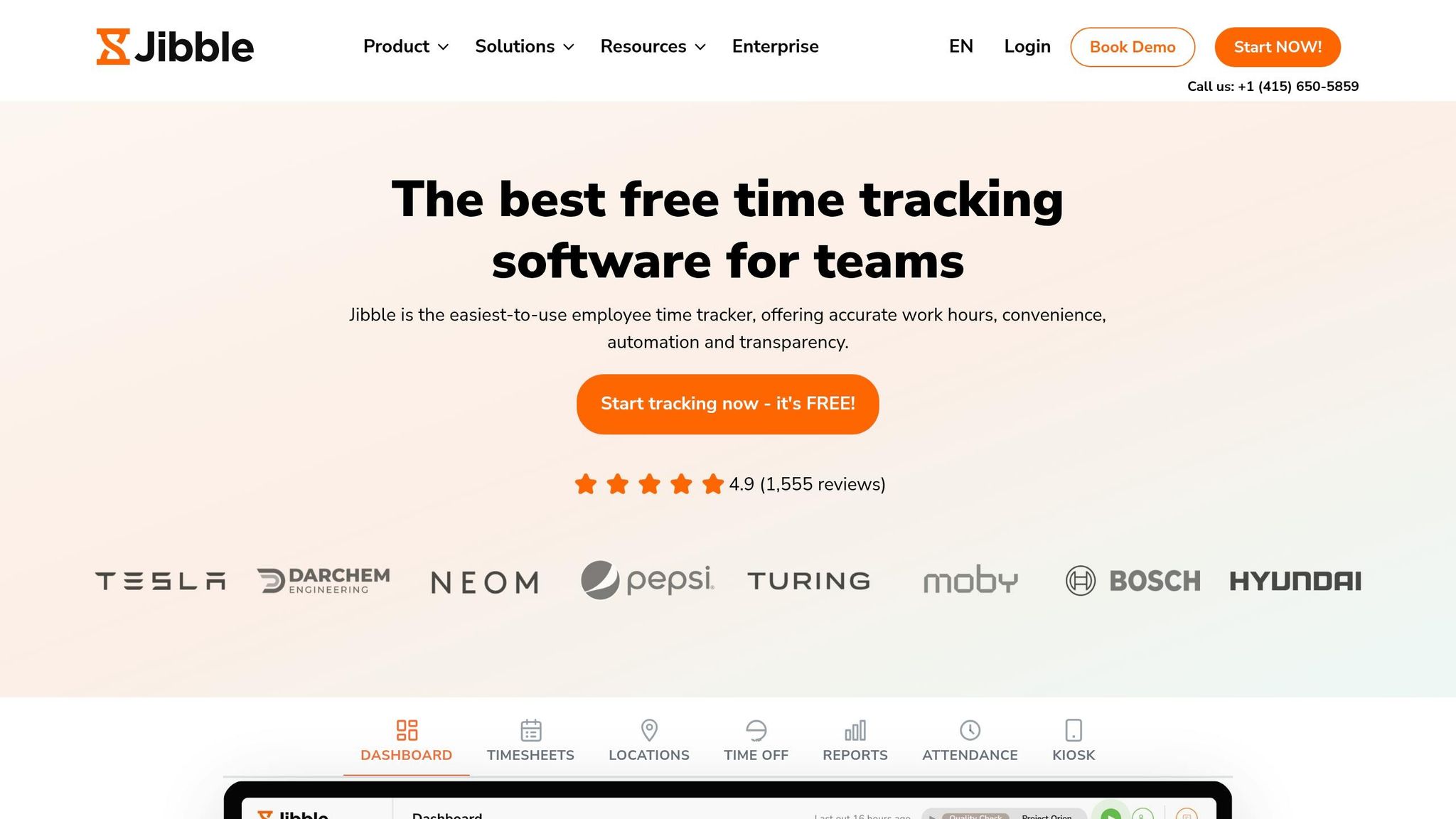
Jibble stands out with its 100% free plan for unlimited users, focusing entirely on advanced time tracking. Unlike Pebb, which combines communication tools with time tracking in its free offering, Jibble zeroes in on time management alone. For teams that need more advanced controls, premium plans are available at about $5 per user per month.
Verification Features
Jibble takes time tracking to the next level with AI facial recognition, GPS tracking, and geofencing. These features help prevent buddy punching and ensure only authorized clock-ins happen. Even offline, the app continues to capture biometric and GPS data, syncing everything automatically once it's back online. Plus, with its "Speed Mode", any smartphone or tablet can become a kiosk, enabling rapid face scans or NFC clock-ins.
One user, Ange7989, a Field Canvasser Manager, shared this insight:
"You can set device restrictions so that if they clock in on a phone they can't clock out on a computer (prevents stealing time and fraudulent punches)."
Integration Capabilities
Jibble integrates seamlessly with tools like Slack, Microsoft Teams, QuickBooks, Xero, and Deel. This means employees can clock in directly from the apps they already use. The system also calculates hours, overtime, paid breaks, and PTO automatically, simplifying payroll. For custom workflows, Jibble offers API access and supports XLS/CSV exports.
Target Users
In just one month, Jibble saw 63,533 signups - a threefold increase compared to the previous year. Its user base ranges from non-profits to global giants like Tesla, Virgin Hotels, and Pizza Hut. With a 4.9/5 rating from over 1,555 reviews, users often highlight the app's easy setup and the efficiency of its biometric kiosk mode. Industries like construction, fieldwork, and large hourly teams particularly value Jibble's high-tech verification features.
Next, let’s dive into how Hubstaff uses productivity-focused tools to enhance attendance tracking.
5. Hubstaff
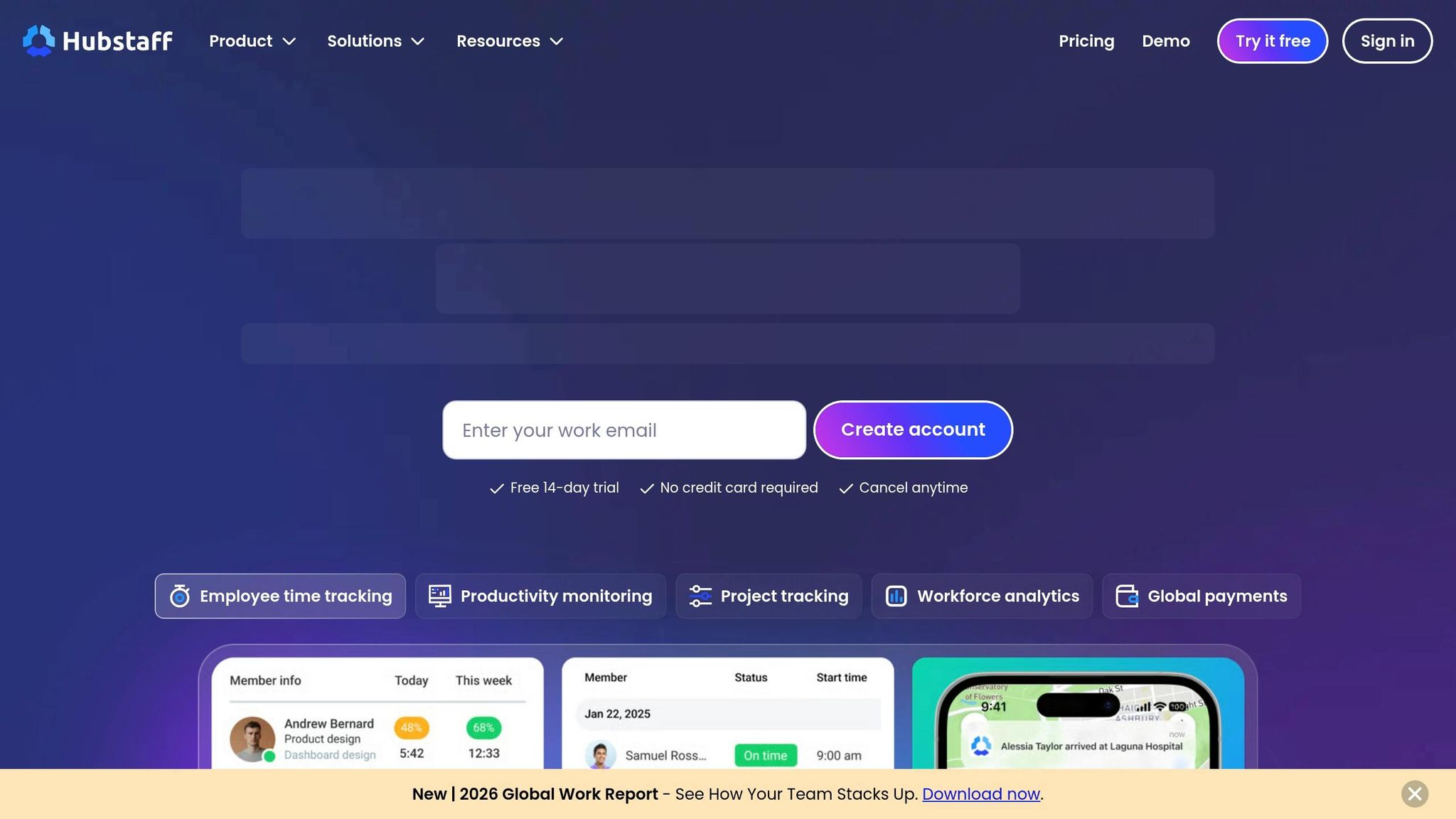
Hubstaff presents itself as a tool aimed at boosting productivity, blending attendance tracking with monitoring features. Unlike Pebb, which combines attendance, communication, and scheduling in one free platform, Hubstaff leans heavily into productivity analytics, with paid plans starting at $4.99 per user per month.
Pricing
Hubstaff offers a free plan for individual users, but teams need to upgrade to access its features. The Starter plan, priced at $4.99/month, provides basic time tracking and activity monitoring for up to 10 users. At $7.50/month, the Grow plan adds time-off tracking and automated payments. The Team plan, priced at $10/month, includes GPS tracking, geofencing, and unlimited integrations. On the other hand, Pebb offers a free plan for teams of up to 15 users and a premium plan at just $4 per user. Pebb simplifies things by bundling communication and attendance tracking without tacking on extra fees, making it a leader in offering streamlined solutions.
Verification Features
Hubstaff includes several monitoring tools, such as random screenshots (up to three per 10 minutes), activity tracking based on keyboard and mouse usage, and app/URL monitoring to log which programs employees use. For field teams, GPS tracking and geofencing automatically manage timers as workers arrive at or leave job sites. Managers also receive real-time alerts for missed or late shifts, and idle detection helps prevent employees from forgetting to clock out.
Solomon Thimothy, President of OneIMS, shared his perspective on using tools like Hubstaff:
"With tools like Hubstaff, you can tell. You then decide if a whole project should've taken 16 hours or if someone is just not the right fit."
Integration Capabilities
Hubstaff integrates with over 30 tools, including Asana, Jira, QuickBooks, Gusto, and Wise. Its "Punch to Payroll" feature automates payments based on tracked hours and pre-set rates, while data can be exported in more than 20 customizable formats to meet compliance or auditing needs. The platform also adheres to regulations such as GDPR, HIPAA, and SOC 2 Type II standards. These integrations enhance workflows and cater to businesses needing detailed tracking and compliance.
Target Users
Hubstaff enjoys a 4.3/5 rating on G2 from over 1,500 reviews and a 4.6/5 rating on Capterra. Its primary audience includes remote teams, agencies billing by the hour, and field service businesses like construction or landscaping. While users appreciate features like GPS accuracy and payroll automation, some have raised concerns about the activity monitoring, finding it intrusive or less effective for creative roles that don’t rely on constant keyboard use.
For businesses seeking detailed productivity insights, Hubstaff's advanced monitoring tools may be a fit. However, for those wanting an all-in-one solution with affordable pricing and integrated communication, Pebb stands out as the better choice. Up next, we’ll dive into the strengths and weaknesses of these platforms to help you decide which one aligns with your business needs.
Pros and Cons
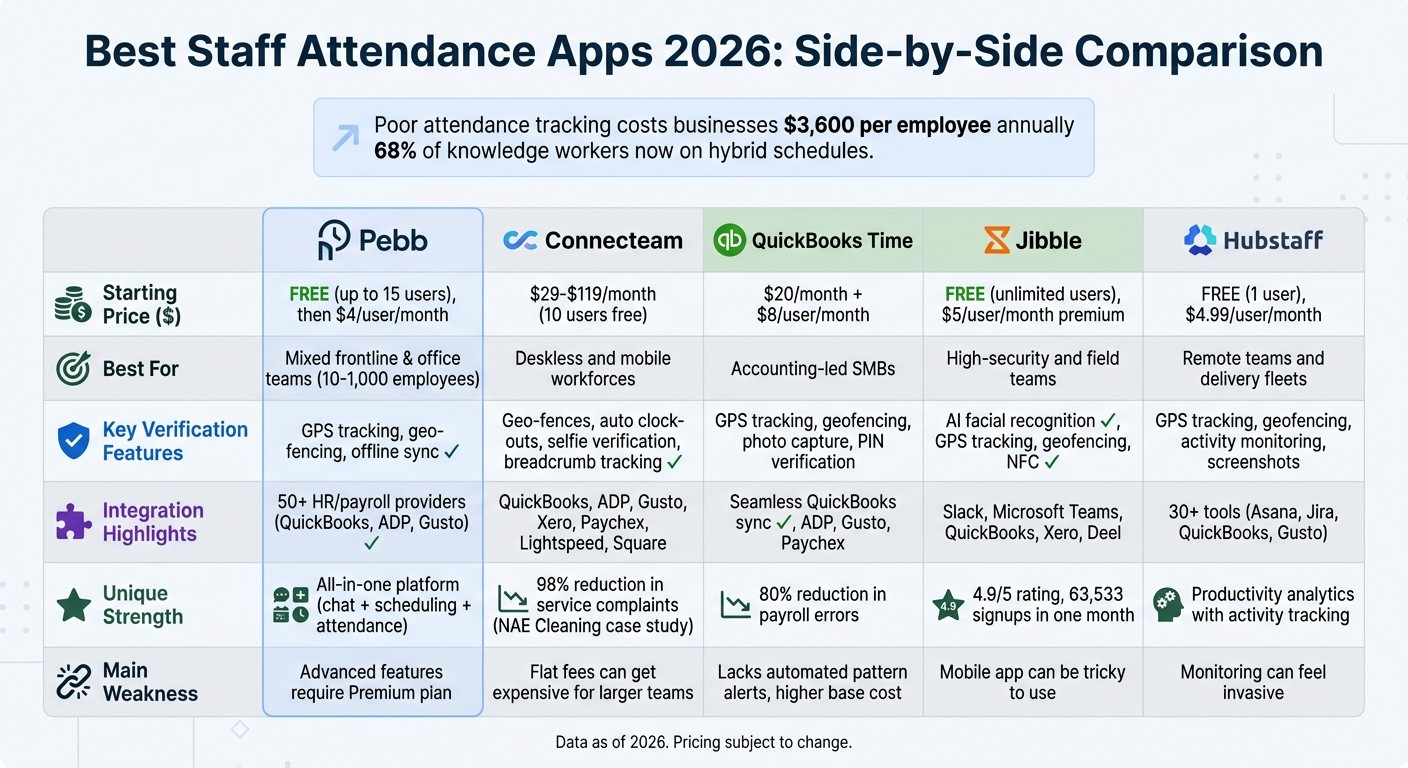
Staff Attendance Apps Comparison 2026: Features, Pricing & Best Use Cases
Let me walk you through the strengths and weaknesses of each platform so you can find the one that best aligns with your team's workflow, budget, and verification needs.
Here’s a quick comparison to make things easier:
App | Best For | Strengths | Weaknesses | Starting Price |
|---|---|---|---|---|
Pebb | Mixed frontline & office teams | Combines chat, scheduling, PTO, clock-in, and 50+ integrations in one platform; free for up to 15 users | Advanced features are locked behind the Premium plan | Free; $4.00/user/month Premium |
Connecteam | Deskless and mobile workforces | Offers geofencing, GPS, and kiosk mode; flexible pricing based on hubs | Flat fees per hub can get expensive for larger teams | Varies by hub |
QuickBooks Time | Accounting-led SMBs | Syncs seamlessly with QuickBooks; includes photo/PIN verification; praised for "efficiency in tracking absences" | Lacks robust automated pattern alerts; higher base cost | $20.00/month + $8.00/user/month |
Jibble | High-security and field teams | Features facial recognition and biometrics; free for unlimited users | Mobile app can be tricky to use | Free; $2.50/user/month for power-ups |
Hubstaff | Remote teams and delivery fleets | Includes GPS breadcrumb tracking and activity screenshots | Monitoring tools can feel invasive to some users | Free for 1 user; $4.99/user/month Starter |
Each platform has its standout features. For example, QuickBooks Time is a natural fit for accounting-led SMBs, thanks to its smooth QuickBooks integration and verification tools. On the other hand, Pebb shines as an all-in-one solution, perfect for teams juggling communication and attendance needs, plus it’s free for smaller teams (up to 15 users). Jibble stands out with its advanced verification features like facial recognition, but its mobile app can be a challenge. Meanwhile, Hubstaff offers detailed GPS tracking for remote teams, though its monitoring features can feel a bit too much for some.
If you’re looking for a well-rounded option, Pebb is hard to beat. It’s free for small teams and keeps costs reasonable at just $4 per user for the Premium plan, all while offering tools to cover almost every operational need.
Wrapping Up: Why Pebb is the Game-Changer
Let’s face it - most attendance apps out there are good at one thing, whether it’s syncing with accounting software or offering biometric verification. But here’s the problem: businesses don’t need a dozen apps that only do one job. What they really need is a single solution that can handle it all.
Think about it. Managing attendance is just one piece of the puzzle. You’ve also got communication, scheduling, PTO management, and keeping your team connected - whether they’re in the office or on the frontlines. Juggling five different tools for this? It’s a recipe for chaos. That’s exactly why we created Pebb.
Pebb is designed to simplify your workday. It replaces the mess of WhatsApp groups, spreadsheets, and disconnected apps with one easy-to-use platform. Whether you’re a small team of 15 (using it for free) or a larger team paying just $4 per user per month, you get everything - work chat, scheduling, PTO, and attendance tracking - all in one place. No extra fees, no extra headaches.
Our founder, Dan Robin, sums it up perfectly:
"The best software is the one your team doesn't secretly resent using. It should feel like a helping hand, not another task on a to-do list".
So, if you’re tired of juggling tools and ready for something that actually makes your workday easier, give Pebb a try. It’s built to bring your team together and keep things running smoothly, without the unnecessary complexity.
FAQs
How do I choose the right attendance app for a hybrid team?
When it comes to finding the right attendance app for a hybrid team, it's all about choosing a tool that does more than just track who’s clocked in. The best options seamlessly combine attendance tracking with features that support communication and collaboration. Here’s what to keep an eye out for: real-time reporting, flexible scheduling, and mobile access. These are must-haves for managing a mix of remote and on-site employees without breaking a sweat.
Let me tell you why Pebb is worth considering. It’s an affordable, all-in-one platform that checks all the boxes. From scheduling and PTO management to built-in communication tools, it’s designed to help hybrid teams stay efficient and connected. If engagement and smooth operations are your goals, Pebb might just be the perfect fit.
What’s the best way to prevent buddy punching and time theft?
The best way to tackle buddy punching and time theft is by using dependable attendance tracking software. Features like facial recognition, geofencing, and real-time alerts make all the difference. Take Pebb, for example - it blends these tools with scheduling and PTO management to ensure employees are actually there when clocking in. Plus, it keeps managers in the loop by flagging any irregularities right away. It’s a straightforward approach that boosts transparency and cuts down on dishonest practices.
Will Pebb sync time data with my payroll system automatically?
Pebb makes life easier by automatically syncing time data with your payroll system once integrated. This seamless connection ensures work hours and attendance details transfer accurately, cutting down on manual effort and minimizing errors.
