
Author: Ron Daniel
Slack Alternative for Frontline Workers
Most communication tools fail deskless teams. Compare mobile-first apps that unite chat, scheduling, offline access, and time tracking for frontline workers.
What if I told you that most communication tools fail the 2.7 billion frontline workers who keep our world running? That’s the reality I came face-to-face with when I managed a team at a retail store. Every shift felt like a game of telephone - missed updates, chaotic shift swaps, and constant backtracking. We tried Slack, but it was like trying to fit a square peg into a round hole. The endless channels, buried messages, and lack of offline functionality made it clear: this wasn’t built for us.
Here’s the kicker: frontline workers make up 80% of the global workforce, yet the tools they’re handed are designed for desk jobs. It’s like giving a chef a typewriter instead of a knife - completely mismatched. That’s why we built Pebb, a mobile-first app tailored for people on the move. It’s not just another tool; it’s a solution that solves real problems frontline teams face every day.
In this article, I’ll show you how Pebb stacks up against Slack and Microsoft Teams, why it’s built for frontline workers like yours, and how it saves time, money, and headaches. Let’s break it down.
1. Pebb
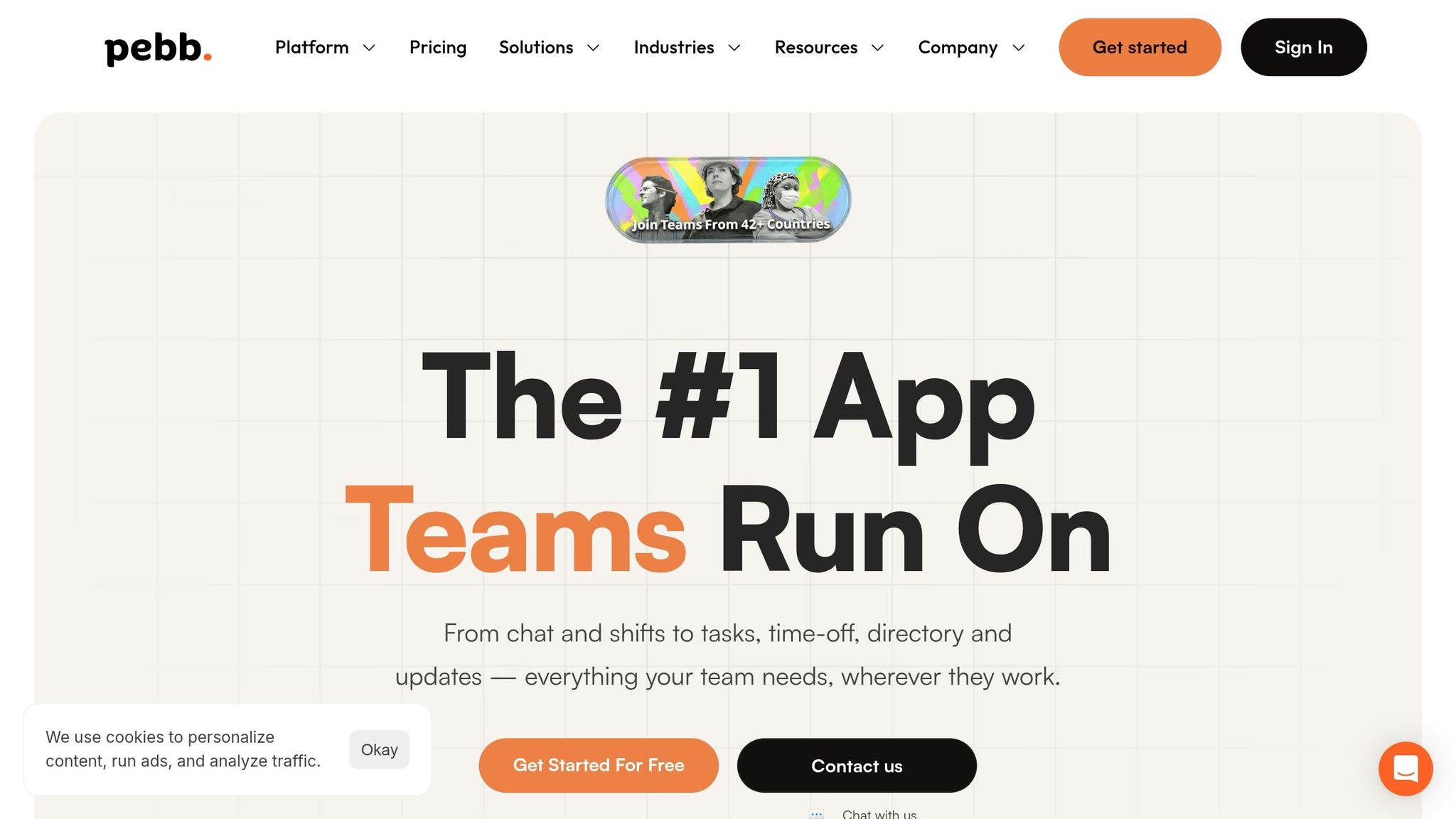
At Pebb, we set out to create a tool that frontline workers could genuinely rely on - a communication platform tailored to their everyday challenges. By bringing together chat, scheduling, forms, and time tracking into one mobile-first app, we’ve aimed to simplify life for teams on the go.
Mobile-First Design
Here’s the thing about frontline work: it’s fast-paced and often unpredictable. That’s why Pebb’s mobile-first design stands out. Whether you’re on iOS or Android, the app works seamlessly - even offline. Spotty Wi-Fi? No problem. Team members can still check schedules or submit forms without a hitch. And setting it up? It’s as easy as scanning a QR code, taking less than five minutes. No IT degree required.
Push notifications keep everyone in the loop, and we’ve heard firsthand from a retail manager who said our intuitive design helped build a stronger sense of community. In fact, many have left behind tools like Slack because Pebb just feels more in tune with their needs. And that’s not all - our mobile-first approach also brings a new level of efficiency to the table.
Operational Features
Pebb isn’t just about communication; it’s about making operations smoother.
Work Group Chat: Perfect for coordinating shift changes or flagging issues in real time.
News Feed: Delivers personalized updates on schedules, safety protocols, and more - right to the people who need them.
Digital Forms: Say goodbye to endless paper trails. For example, one U.S. retail chain reduced form submission errors by 70% and boosted policy acknowledgment from 40% to 90% - a game-changer for compliance.
Manufacturing teams, too, have seen the benefits. With instant alerts for safety concerns, response times are faster than ever compared to outdated tools. These features directly address the unique operational hurdles frontline teams face daily.
Cost Efficiency
Let’s talk numbers. At just $4 per user per month, Pebb costs nearly half of Slack’s Pro tier, which runs $7.25 per user per month. For a team of 100 frontline workers, that’s a yearly cost of $6,000 versus Slack’s $8,700. And here’s the kicker: by eliminating the need for extra apps, you’re looking at an additional 25-35% in savings.
Oh, and did I mention our free plan? It includes unlimited message history, unlike Slack’s 90-day limit. Affordable pricing paired with robust features makes Pebb an easy choice for teams looking to maximize value.
Ease of Adoption
We’ve designed Pebb to be so simple that teams hit 80% adoption in the first week. No lengthy training sessions, no complicated onboarding - just scan a QR code, and you’re good to go. Plus, with support for over 90 languages, everyone can use the app in their preferred language.
Our intuitive interface has earned a 90% user satisfaction rating, and the feedback is clear: when tools are easy to use, engagement skyrockets. In fact, quick onboarding has been shown to reduce turnover by 15-20%. When adoption is this seamless, it’s no wonder teams stick with it.
2. Slack
Slack has made a name for itself in the world of office work, but when it comes to frontline teams, it’s a different story. Thom Wilton, Director of Marketing at Prospr, sums it up perfectly:
"Slack was built for desk workers, not frontline teams. Teams stationed at computers have very different needs from hospitality, retail, gym, salon and mobile services teams."
This design intent is clear in how Slack functions - it’s geared toward desk-based workflows, leaving frontline teams searching for tools that better suit their unique communication needs.
Mobile-First Design
Here’s the thing: Slack’s mobile app is essentially a scaled-down version of its desktop counterpart. While that works for knowledge workers hopping between devices, it doesn’t quite click for frontline teams. Features like Huddles and Canvases are great for quick chats or document collaboration, but they don’t address the fast-paced, on-the-ground realities of managing a retail floor or coordinating warehouse shifts. The lack of a true mobile-first approach makes it harder for frontline teams to rely on Slack for their day-to-day operations.
Operational Features
Another challenge? Slack doesn’t come with built-in tools for shift scheduling, shift coverage, or "4-wall management." For retail managers or team leads, this means juggling multiple platforms just to keep track of who’s working and when. Sure, Slack’s 2,600+ third-party integrations and tools like Workflow Builder offer options for automation, and Slack Lists can help with task management. But here’s the rub: threaded conversations can easily bury critical messages when team members work staggered shifts. A note posted on Monday might be long gone by Thursday.
Cost Efficiency
Now, let’s talk dollars and cents. Slack’s Pro tier runs $7.25 per user per month, which is nearly double what Pebb charges. For a team of 100 frontline workers, that’s $8,700 annually compared to Pebb’s $4,800. Add in Slack’s 10GB per user file storage limit and the need for extra tools to handle scheduling, and the costs can stack up fast.
Ease of Adoption
Slack’s popularity is undeniable, with over 27,500 5-star reviews on G2 and top rankings in 9 categories. Users report a 47% boost in productivity and a 33% drop in meeting time. But here’s the catch: these stats mostly reflect desk-based teams. For frontline workers who need an intuitive, mobile-first tool that’s easy to adopt, Slack’s desktop-heavy design can feel like a mismatch. When you stack up these design and pricing differences, it’s easy to see why Pebb is the go-to choice for frontline communication.
3. Microsoft Teams
Microsoft Teams has solidified its place as a corporate powerhouse, but for frontline workers, it often feels like a tool designed for someone else. As Dan Robin aptly says:
"Teams has tried to support frontline workers with features like Shifts and Walkie Talkie, but its DNA is still corporate and desk-based." – Dan Robin
This corporate-first approach can make life harder for teams who aren’t tied to a desk all day.
Mobile-First Design
While Microsoft Teams does have a mobile app for iOS and Android, it’s essentially a scaled-down version of the desktop experience. That means it’s not as nimble or user-friendly for quick, on-the-go tasks. This can be a real sticking point for frontline workers who need tools that match their fast-paced environments.
Operational Features
Teams does offer tools like Shifts for scheduling and Walkie Talkie for push-to-talk communication. But here’s the catch: making the most of these features often requires a dedicated IT team to handle governance, security, and data protection. On the other hand, Pebb combines scheduling, clock-in, PTO management, and digital forms into a single, easy-to-use platform that doesn’t demand heavy IT involvement. It’s ready to go right out of the box.
Cost Efficiency
When it comes to pricing, Teams Essentials costs about $4 per user per month, which is the same as Pebb’s premium plan. But the differences are striking. Teams caps storage at 10 GB and limits meetings to 30 hours, while Pebb offers unlimited storage and unrestricted meeting durations for the same price. For companies that aren’t already tied to the Microsoft 365 ecosystem, Pebb delivers more value for frontline teams without breaking the bank.
Ease of Adoption
One of the biggest hurdles with Teams is its complexity. It often requires significant IT support and training to get frontline workers up to speed. In contrast, Pebb’s straightforward, mobile-first design makes it incredibly easy to adopt. Teams can hit the ground running with minimal training and zero need for extensive IT resources, giving Pebb a clear edge for frontline teams.
Strengths and Weaknesses
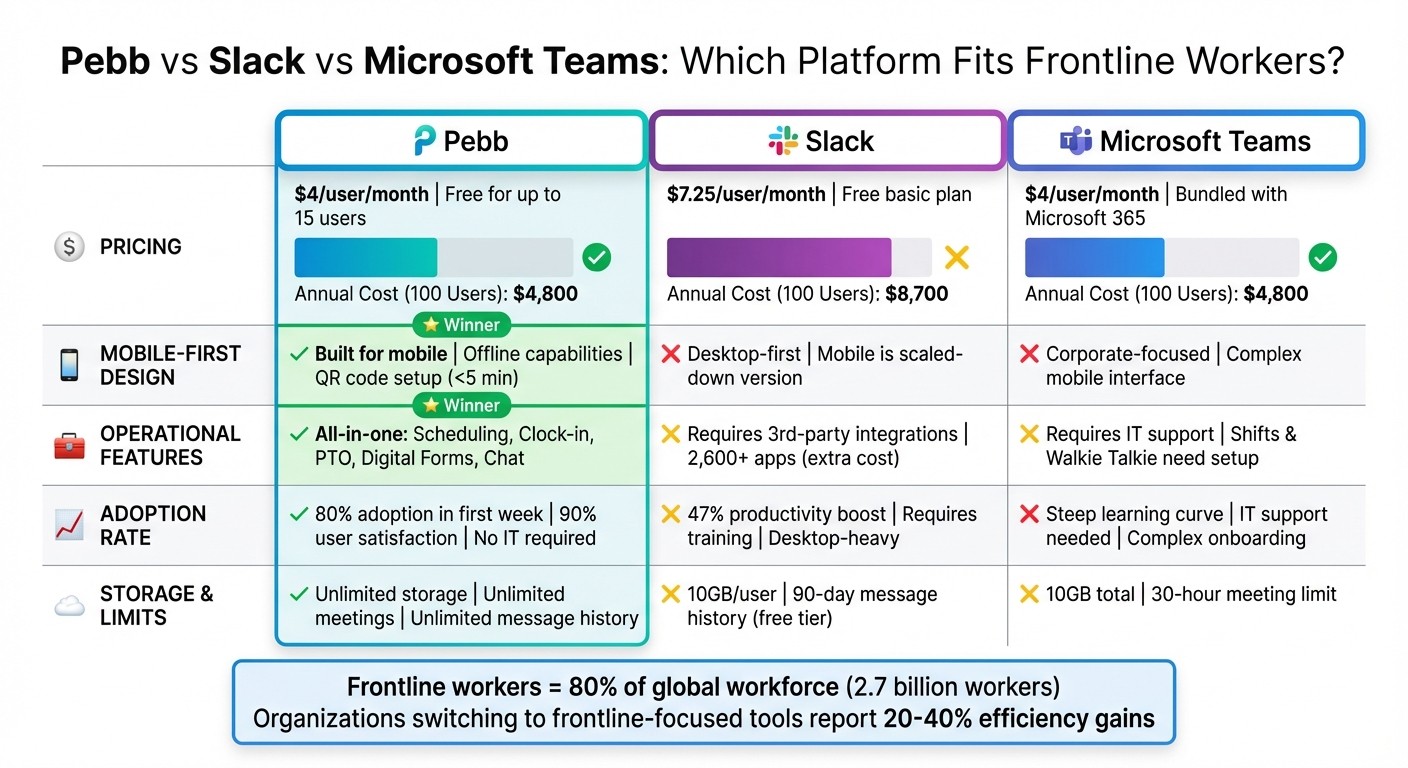
Pebb vs Slack vs Microsoft Teams: Feature and Cost Comparison for Frontline Workers
When you're picking a communication platform for frontline worker management, it's crucial to know what each option does well - and where it might not hit the mark. Pebb's design and features, which we've already covered in detail, give it some clear advantages. Here's a quick side-by-side comparison of how Pebb stacks up against Slack and Microsoft Teams in key areas that matter most to frontline teams.
Criteria | Pebb | Slack | Microsoft Teams |
|---|---|---|---|
Mobile-First Design | Strength: Built specifically for frontline workers, with offline capabilities. | Strength: Great for multimedia messaging and quick file sharing. | Strength: Offers a solid mobile app for iOS and Android. |
Operational Features | Strength: Combines scheduling, clock-in, PTO tracking, and digital forms - all in one platform, no extra add-ons needed. | Strength: Extensive app marketplace for connecting HR and scheduling tools. | Strength: Seamlessly integrates with Microsoft 365 for workforce management. |
Cost Efficiency | Strength: Premium plan starts at $4/user/month, with a free option for teams of up to 15 people. | Strength: Includes a free basic plan for small teams. | Strength: Frequently bundled with Microsoft 365 subscriptions. |
Ease of Adoption | Strength: Onboarding is a breeze with a single invite link - no IT setup required, so teams can get started right away. | Strength: Familiar interface for those already using Slack. | Strength: Works well for organizations already invested in Microsoft tools. |
Pebb clearly excels at meeting the needs of frontline teams, thanks to its straightforward approach and budget-friendly pricing. It’s not without its limitations, but it’s designed to keep things simple while covering the essentials.
Conclusion
Let me tell you why Pebb is the perfect fit for frontline communication. While tools like Slack and Microsoft Teams cater well to desk-based teams, they just don’t hit the mark for frontline workers.
Here’s the deal: at Pebb, we’ve built our platform with the 80% of the workforce that’s constantly on the move in mind. Whether your team is on the sales floor, in a warehouse, or out in the field, Pebb’s Work Group Chat, News Feed, and Digital Forms work together effortlessly to keep everyone connected and productive. No need to juggle multiple apps or worry about extra integration costs - everything is included.
And the cost? Just $4 per user per month, with a free option for teams of up to 15. Compare that to Slack vs Pebb pricing and features or the complicated, IT-heavy setup of Microsoft Teams, and it’s clear where the value lies. In fact, organizations that have switched to tools designed for frontline teams, like Pebb, report 20-40% efficiency gains thanks to improved communication and streamlined workflows.
If you’re ready to ditch office-centric tools and give your frontline team the tools they actually need, Pebb makes it easy. Start with a pilot program - migrate chats, set up shift schedules, and onboard your team with just one invite. No IT support required.
Your frontline workers deserve a solution that keeps up with their pace. Let Pebb be that platform. Let’s get started!
FAQs
How is Pebb different from a standard chat app?
Pebb isn’t just another chat app - it’s an all-in-one solution designed specifically with frontline workers in mind. Sure, apps like Slack are great for messaging, but Pebb takes it several steps further. It combines work group chats, a news feed, shift scheduling, PTO management, digital forms, and even voice/video calls into one seamless platform. And here’s the kicker: all of this comes at just $4 per user for the premium plan, with a free version also available. For teams with diverse needs, it’s hard to find a better combination of features and affordability.
Can Pebb handle scheduling, time tracking, and forms in one place?
Pebb brings scheduling, time tracking, and forms together on a single platform. By combining these features, it simplifies workflows and removes the hassle of juggling multiple tools. It's built to serve both frontline workers and office teams, offering a unified solution that keeps everyone on the same page.
What’s the fastest way to pilot Pebb with a frontline team?
The fastest way to try out Pebb is by diving into its free all-in-one communication solution. Just set up an account, invite your team, and explore features like work group chat, a news feed, shift scheduling, and digital forms. The platform is designed to be straightforward, so you can get started quickly and see how it improves team communication and engagement - all without spending a dime.
