

Author: Ron Daniel
How to Make Communication Part of Your Culture
A practical five-step guide to audit tools, choose the right platform, train teams, and measure engagement to embed communication in your company culture.
Have you ever had one of those days where it feels like everyone at work is speaking a different language - or worse, not speaking at all? That was us a few years ago. Our team at Pebb.io was growing fast, but something felt off. Meetings dragged on without clear takeaways, messages got lost in endless email threads, and updates seemed to vanish into the void. It was like we were all rowing in different directions, exhausting ourselves but getting nowhere.
Here’s what hit me: great ideas and hard work mean nothing if they’re stuck in silos. Communication isn’t just a “nice-to-have” - it’s what keeps the entire operation running. When it’s smooth, teams click, projects move faster, and people feel like they’re part of something bigger. But when it’s broken? Well, you already know how that story goes - frustration, confusion, and a lot of wasted time.
We knew we had to fix it, but where do you even start? That’s when we decided to rethink how we communicated as a team. Over time, we built a system that not only worked but became second nature. And trust me, it wasn’t about adding more tools or meetings - it was about simplifying, streamlining, and making sure everyone felt connected.
In this guide, I’ll walk you through the five steps that helped us turn communication into the backbone of our company. Whether you’re struggling with scattered tools, disconnected teams, or just want to make things easier, these steps can help. Let’s dive in and get your team rowing in the same direction.
Step 1: Review Your Current Communication Setup
Let me share something I’ve learned firsthand - building effective communication starts with taking a hard look at what you’re already doing. Think of this as a "communication audit." It’s about digging into how your team exchanges information, figuring out where things flow smoothly, and pinpointing where they hit roadblocks. This step is crucial because you can’t fix what you don’t fully understand.
Here’s how we approach it at Pebb.io: we break it down into smaller, actionable steps. Let me walk you through it.
Set Clear Communication Goals
If there’s one thing I’ve learned, it’s that vague goals like "we need to communicate better" don’t get you very far. You need to nail down specific, measurable objectives that align with what your business actually needs.
For example, if your departments are operating like isolated islands, your goal might be to increase cross-department collaboration. Maybe that means setting up regular meetings or creating shared project dashboards. On the other hand, if employee engagement is the issue, you might aim to boost participation in company-wide discussions by, say, 40% over six months.
One of my favorite examples of a clear communication goal is this: "Cut the time it takes for frontline workers to receive critical updates from 48 hours to 4 hours." It’s specific, measurable, and directly tied to making work easier for the team.
The key is to tailor these goals to your organization’s reality. If you’re in retail, for instance, you might focus on getting real-time updates to store associates about promotions or policy changes. If you’re in tech with remote teams spread across time zones, asynchronous communication tools could be your top priority.
Once those goals are set, write them down. Share them with leadership. And most importantly, explain to everyone why they matter. When people see how better communication directly improves their workday, they’re much more likely to get on board.
List Your Current Tools and Workflows
Next up, take stock of every tool and workflow your team uses to communicate. This step can be eye-opening. Start by listing everything - email, Slack, Teams, Zoom, project management tools, intranets, even informal channels like WhatsApp or text messages.
One thing we’ve discovered is that many companies end up with a patchwork of tools. Different departments adopt their own platforms, and before you know it, you’ve got a tangled mess. This kind of fragmentation isn’t just a headache - it’s a productivity killer.
For each tool, ask yourself:
Who’s using it?
How often?
For what purpose?
And here’s a critical question: are all employees, from office workers to frontline staff, operating within the same ecosystem? For example, if managers are sending updates via email, but warehouse workers don’t check their inboxes during shifts, that’s a major disconnect.
Also, map out your workflows. When leadership makes a decision, how does that information travel to every employee? How many steps does it take? If you can’t clearly trace this process, it’s a red flag.
As you do this, look for redundancies. Are you using two video conferencing tools when one would do? Do you have overlapping platforms that add confusion instead of clarity? Cutting out this clutter can save money and help your team stay focused.
Find Communication Barriers
Once you’ve got your tool inventory and workflow map, it’s time to identify the barriers standing in the way of effective communication. This is where things get interesting.
One common issue is tool fragmentation. It’s easy to see why this is a problem. If your team has to juggle five or six platforms just to stay updated, productivity takes a hit. Imagine having to check one app for quick updates, another for formal announcements, and yet another for project details - exhausting, right?
Another big one is information bottlenecks. If all updates have to pass through one person or department, delays are inevitable. And if frontline workers are waiting days for answers to straightforward questions, it’s not just inefficient - it’s frustrating.
Access issues are another major hurdle, especially for deskless workers. If your communication tools require a computer login, but your warehouse staff or retail associates don’t have regular access, you’re essentially leaving them out of the loop. That’s not just inefficient - it’s demoralizing.
And don’t forget about cultural barriers. If your company has a history of top-down communication, employees might feel hesitant to speak up or share ideas. Without a clear feedback loop, people can feel like their voices don’t matter, which is a huge missed opportunity.
Here’s what we do: we talk to everyone. We ask frontline workers what frustrates them about getting information. We check in with managers to find out what slows them down. And we survey employees to see which tools they actually use versus the ones they’re supposed to use. The gap between official policy and real-world practice can reveal a lot.
Once you’ve identified these barriers, you’ll be ready for the next step: choosing the right communication platform. But trust me, this groundwork is worth it. It sets the stage for everything that comes next.
Step 2: Select and Launch the Right Communication Platform
Now that you’ve reviewed your setup, it’s time to pick a communication platform that truly addresses your team’s needs. Let’s focus on aligning your goals with features that actually make a difference.
Match Features to Your Team’s Needs
Here’s where it gets real. Think back to the communication goals you outlined in Step 1. What does your team really need to work efficiently? Spoiler alert: it’s not about chasing flashy features - it’s about finding a solution that fits your team like a glove.
For frontline workers, mobility is key. They need tools that let them check schedules, get updates, and collaborate no matter where they are. Features like shift scheduling, instant messaging, and live news feeds are absolute game-changers here.
For office-based teams, the priorities shift a bit. They’ll likely need video calls, document sharing, project collaboration tools, and threaded conversations to stay on track. And if your organization includes both frontline and office teams, you’ll want a platform that bridges the gap - no silos allowed.
When we built Pebb, we kept all of this in mind. Here’s what we packed into it:
Unlimited work chat history so nothing gets lost in the shuffle.
A live news feed for company updates that everyone can see.
Shift scheduling and PTO management for frontline teams.
Video and voice calls for seamless remote collaboration.
Task management, a knowledge library, calendar events, digital forms, and groups for team-specific needs.
By unifying these tools into one platform, Pebb eliminates the hassle of switching between multiple apps for chat, scheduling, announcements, and video calls. Plus, accessibility is a priority - whether your team is using older smartphones or working with spotty internet, Pebb is designed to keep things running smoothly.
And let’s not forget integrations. Your communication platform should play nice with your existing systems, like HR software, payroll, or project management tools, to cut down on manual data entry and keep workflows seamless.
Test Before You Commit
Here’s a hard truth: rolling out a platform company-wide without testing is a recipe for chaos. Instead, start with a pilot program. Gather a diverse group of participants - frontline workers, managers, and executives - and test the platform over 2–4 weeks. Aim for 20–50 participants to get a good cross-section of feedback.
During the pilot, put the platform through its paces with real work scenarios. Have managers post live updates, teams coordinate projects, and shifts scheduled. This hands-on testing will reveal if the interface is easy to use, if frontline workers can access features on their phones, and if managers can stay on top of updates.
The feedback you gather will be pure gold. Maybe your retail team finds the groups feature perfect for sharing store-specific tips. Or perhaps your warehouse crew discovers voice calls make their workday smoother. These insights help refine your rollout and training plan for the next step.
Also, use this time to iron out any technical wrinkles. Test the platform on a range of devices and operating systems to ensure it works well across the board - even on older phones or with less-than-ideal internet connections.
Here’s a pro tip: if you’re testing Pebb, start with our free Standard plan. It supports up to 15 employees and includes all the essentials - work chat, a news feed, a knowledge library, tasks, a calendar, shift scheduling, and PTO management. It’s a no-cost way to see if Pebb fits your team’s needs.
Why Pebb Stands Out
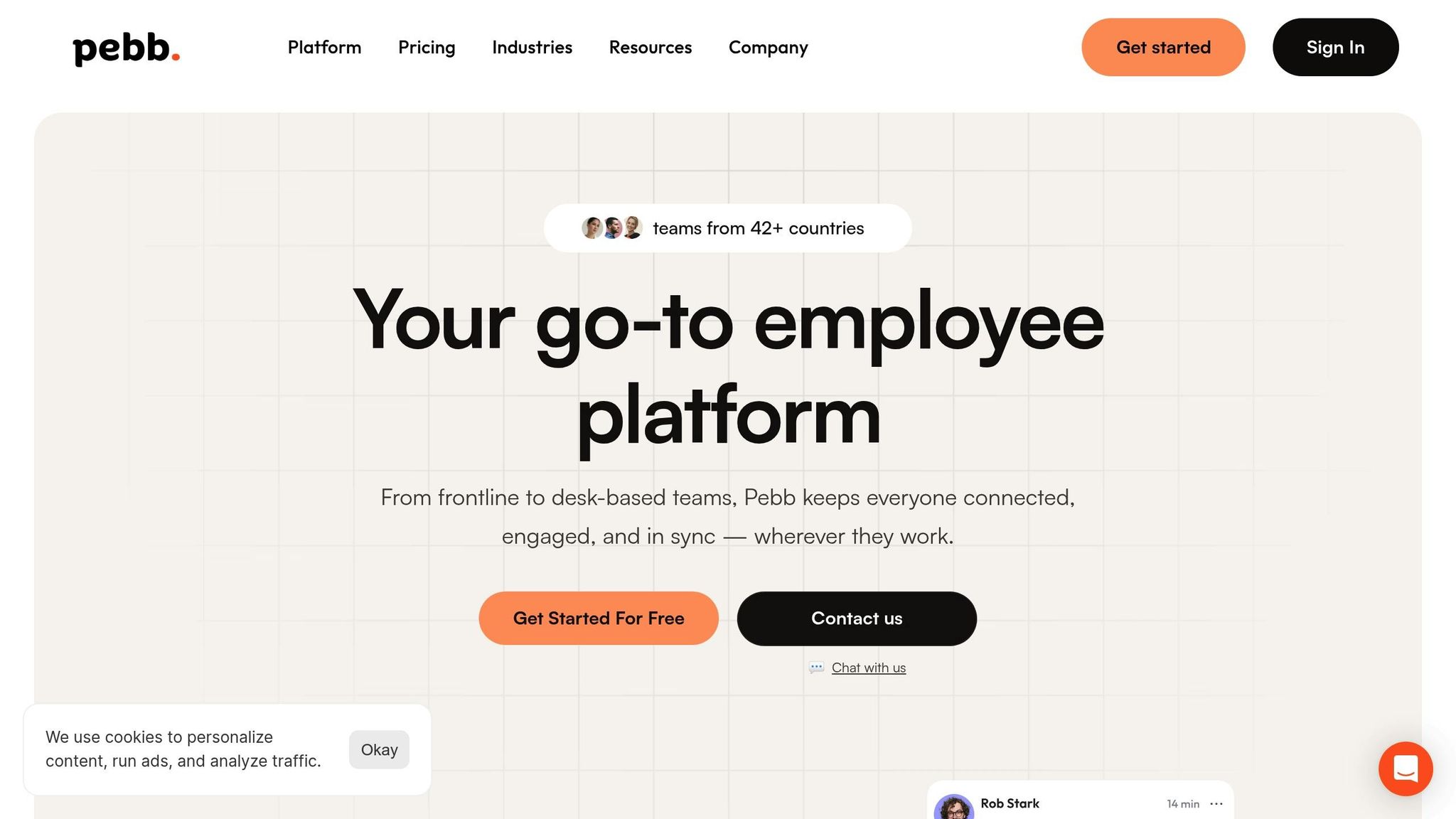
Let’s talk about why Pebb might be the solution you’ve been searching for. One of the biggest headaches for teams is tool overload. You’ve got Slack for chat, another app for scheduling, something else for announcements, and yet another for video calls. It’s exhausting - and expensive.
Pebb simplifies all of this. It brings everything together in one place: work chat, news feeds, video and voice calls, shift management, task lists, and more. This is especially important for frontline workers who need quick, reliable access on the go.
And then there’s cost. Many enterprise platforms come with a hefty price tag, but Pebb’s Premium plan is just $4 per user per month. It’s packed with features without draining your budget.
Pebb also shines when it comes to serving mixed workforces. Whether you’re managing office teams, retail staff, or warehouse crews, Pebb ensures everyone stays connected. Retail managers can schedule shifts while office teams collaborate on projects - all within the same platform.
Ease of use? We’ve got that covered, too. Most users can get the hang of Pebb in minutes, cutting down on training time. And if you upgrade to Premium, you unlock even more: unlimited admins, permissions control, detailed analytics, enterprise SSO, HR and payroll integrations, and premium SLA support.
Here’s the bottom line: if you’re serious about creating a communication system that works, you need a platform that’s affordable, easy to use, and comprehensive enough to replace that chaotic mix of tools you’re juggling now. That’s exactly why we built Pebb.
Once you’ve chosen and tested your platform, you’ll be ready to move on to building your rollout plan in Step 3. Stay tuned!
Step 3: Build Your Communication Rollout Plan
So, you’ve tested the platform and confirmed it’s a perfect fit - great! Now comes the part where the rubber meets the road: getting your team on board. Without a solid rollout plan, even the best tool can fall flat. Trust me, I’ve seen it happen. A well-thought-out approach ensures your team doesn’t just adopt the tool - they embrace it.
This is where Pebb can truly shine. It’s not just about streamlining tasks (like we talked about in Step 2); it’s about weaving the platform into the fabric of your team’s daily routines. Let me walk you through how we’ve communicated the benefits effectively to our own team.
Explain the Purpose and Benefits
Here’s the thing: people don’t like change unless they understand why it’s happening. If you want your team to get on board, you’ve got to spell out exactly how this new tool will make their lives easier. The key is to answer their unspoken questions: Why are we doing this? How does this make my job better?
For example, when we rolled out Pebb to our frontline workers, we highlighted the practical perks: “You’ll be able to check your schedule, swap shifts, and stay updated - all from your phone. No more juggling apps or missing announcements.” For our office teams, we focused on how Pebb consolidates tools: “No more bouncing between Slack, email, and Zoom. Everything you need is in one place.”
And don’t shy away from addressing pain points head-on. If missed updates or last-minute schedule changes have been headaches in the past, bring them up. Show how this tool solves their problems. That’s how you build buy-in.
When spreading the message, use every channel you’ve got. Email, team meetings, posters in the break room - mix it up. And remember, this isn’t about “replacing” the old system. Frame it as an upgrade. Instead of saying, “We’re ditching the old tool,” try, “We’re giving you something better.”
Train Leaders to Support the Change
Once you’ve got the “why” nailed down, it’s time to empower your leaders. Managers and team leads are the secret sauce to a smooth rollout. Their enthusiasm - or lack of it - can make or break adoption. That’s why we make sure they’re fully equipped to lead the charge.
Here’s what worked for us: we started with dedicated training sessions just for managers. We walked them through every key feature - posting updates, answering questions in work chats, managing schedules, approving PTO requests - you name it. These sessions gave them the confidence to answer questions like, “Why do we need another app?” without hesitation.
We also prepped them with a simple one-pager: key benefits, common concerns, and screenshots of the platform in action. This made it easy for them to communicate with their teams. And when managers started using features like private clubs for team-specific spaces or voice calls for quick check-ins, adoption skyrocketed. Leading by example works, plain and simple.
Create Pre-Launch Awareness
Now, here’s a mistake I’ve seen too many times: springing a new tool on employees out of nowhere. Don’t do that. Instead, build anticipation. You want your team to be curious and excited - not blindsided.
Start creating buzz about 2–4 weeks before launch. Short teasers work wonders: “Something new is coming to make your workday easier!” or “Tired of juggling apps? We’ve got a solution.” Keep it light, but intriguing.
And don’t rely solely on email - especially if you’ve got frontline workers who might not check it often. Mix in posters in the break room, quick shoutouts during team meetings, or even casual mentions during shift handoffs. A countdown to launch day can also build excitement. We’ve used everything from digital banners in our current tools to posters in high-traffic areas.
Want to take it up a notch? Share sneak peeks like screenshots or short videos showing off key features. For example, a quick clip of how easy it is to request PTO or how streamlined the news feed looks can go a long way in getting people on board.
Finally, host a live Q&A session before the big day. Let employees ask questions and voice concerns. When we did this, it significantly reduced resistance because people felt heard and prepared.
If you’re using Pebb’s Standard plan (free for up to 15 employees), don’t forget to mention it. It’s a great way to show your team that the company is investing in tools that are both effective and cost-conscious. Use inclusive language like, “We’re all in this together” or “This is how we’ll stay connected moving forward.” When people feel like they’re part of something bigger, they’re much more likely to get on board.
Step 4: Train Employees and Provide Support
Alright, your rollout plan is locked and loaded, but here's the thing: even the best tool will flop if your team doesn't know how to use it. Training your employees and giving them the right support is the next big move. But - and this is key - you can't take a one-size-fits-all approach. What works for your office staff might leave your frontline teams scratching their heads.
When we introduced Pebb to our own team, we learned this the hard way. Our initial generic training sessions? Total chaos. People were confused, and adoption stalled. So, we pivoted to a role-specific strategy, and let me tell you, it made all the difference. Here’s exactly how we made it work.
Tailor Training to Each Role
To get everyone on board, training needs to feel relevant and doable. We broke it down by role, focusing on what each group actually needed to succeed.
Frontline Teams
For retail staff, warehouse workers, and restaurant crews, it’s all about simplicity and speed. We focused on the features they’d use daily:
Checking the shifts schedule
Requesting PTO
Staying updated through the news feed
Using work chat to connect with teammates
We kept these sessions short - just 15 minutes before or after shifts - so they’d fit seamlessly into their day. And because we stuck to the essentials, employees could start using Pebb right away.
Office Teams
For office staff, we went a bit deeper, covering tools that support collaboration and project management:
Setting up and managing groups for team projects
Using tasks to keep track of to-dos
Making the most of voice and video calls for quick check-ins
Navigating the knowledge library for policies and resources
These sessions were longer - about 30 minutes - but we made them interactive, encouraging questions and hands-on practice.
Managers and Team Leads
Managers needed the full playbook, so we gave them a comprehensive 45-minute session. We focused on tools that help them lead effectively, like:
Posting updates and managing team schedules
Approving time-off requests
Using analytics (available in Pebb’s Premium plan at $4 per user, per month) to track engagement and spot communication gaps
We also made sure to record all training sessions. This way, new hires or anyone who needs a refresher can watch on-demand, at their own pace.
Empower Internal Champions
Once the training was done, we knew we needed a way to keep the momentum going. Enter: internal champions. These are your go-to people - the ones who are tech-savvy and well-respected by their peers. They’re the bridge between big-picture goals and everyday practice.
Here’s how we did it:
We picked champions from every department, like shift supervisors for frontline teams and early adopters for office staff.
We gave them early access to Pebb so they could explore and get comfortable before the official launch.
Armed with quick-reference guides, screenshots, and FAQs, they became the first line of support for their teams.
To keep them connected, we created a dedicated group within Pebb just for champions. This space became a hub for sharing tips, asking questions, and supporting one another. Employees naturally turned to these champions for help, which made the transition feel less like a top-down directive and more like a team effort.
And, of course, we made sure to show our appreciation. We gave shout-outs on the news feed and handed out perks like gift cards or extra PTO days. Recognizing their efforts kept them motivated and engaged.
Make Support Easy to Find
Even with great training and champions in place, questions will still pop up. The key is to make support easy to access, no matter where your employees are or how they prefer to learn.
Here’s what worked for us:
A Help & Support group in Pebb where employees could post questions and get answers from IT or peers. This turned into a living FAQ.
A support email address, clearly visible in the apps wall section.
A pinned post on the news feed with links to tutorials, guides, and contact info for support.
We also offered resources in multiple formats to suit different learning styles:
Short how-to videos (under two minutes)
Step-by-step articles
Live chat support during business hours
For frontline workers who don’t check email often, we leaned on their managers to answer basic questions. We even posted QR codes in break rooms that linked directly to video tutorials and support pages.
One last tip: track the questions that come in. If you notice the same issue keeps cropping up, it’s a sign to tweak your training or improve your documentation. This feedback loop helped us refine our approach and cut down on support requests over time.
As your team grows and new features roll out, keep updating your resources. When employees feel confident and supported, they’re more likely to embrace the tool - and that’s when the magic happens.
Step 5: Monitor and Improve Your Communication Culture
Launching your platform and training your team is a big step, but it’s far from the finish line. Building an effective communication culture means committing to ongoing monitoring, listening to your team, and making thoughtful adjustments over time. When we rolled out Pebb internally, we quickly learned that this process is a marathon, not a sprint.
At first, feedback was encouraging - most teams were excited about the platform. But within weeks, we noticed something interesting: not all departments were equally engaged. While some teams dove right in, others hesitated, barely scratching the surface of what Pebb could do. It was clear we needed to dig deeper into the data and listen closely to uncover the roadblocks. Let me walk you through how we turned this into a cycle of continuous improvement.
Measure Usage and Engagement
Here’s the truth: you can’t fix what you don’t measure. The first thing we did was figure out which metrics actually mattered for our goals. It wasn’t just about how many people logged in - surface data like that only tells part of the story. Instead, we focused on tracking active engagement across key features.
Some of the metrics we zeroed in on included:
Daily active users (DAU) vs. monthly active users (MAU): This showed us how consistently employees were using Pebb.
Feature usage rates: We looked at which tools were being used most. For example, were frontline workers using work chat to coordinate shifts? Were managers posting updates regularly?
Response times: We monitored how quickly teams were replying in work chats and groups, giving us a sense of how fluid communication was.
Content engagement: Posts, reactions, and comments on the news feed helped us see who was staying informed and involved.
Pebb’s built-in analytics on the Premium plan made it easy to spot trends. For example, early on, our warehouse team had low engagement in group discussions. A quick refresher session on how groups could simplify their day-to-day tasks turned that around almost immediately.
Beyond the platform data, we also kept a pulse on employee sentiment. Quarterly surveys with simple questions like, “Do you feel informed about company updates?” or “Can you easily connect with the people you need?” gave us deeper insights. When satisfaction scores started climbing, we knew we were heading in the right direction.
The key here is to track metrics that directly tie back to your communication goals. If you’re aiming for 80% platform adoption in three months, check in regularly and adjust as needed. And don’t stop at adoption - keep an eye on engagement to pinpoint where you can improve.
Collect Employee Feedback
Data tells you what’s happening, but feedback explains why. To get the full picture, we created multiple ways for employees to share their thoughts, concerns, and suggestions.
One of the first steps we took was setting up a dedicated feedback channel in Pebb. This space became a goldmine of insights. For instance, one frontline employee mentioned that the mobile app was tricky to navigate while wearing gloves. That one comment led to a design tweak that made the app more user-friendly for everyone.
We also leaned on our internal champions - those go-to team members who were early adopters and advocates for Pebb. Regular check-ins with them gave us valuable on-the-ground perspectives. I’ll never forget when a retail champion told us employees were struggling to find the PTO request feature. A quick fix - pinning a how-to post and adding a shortcut in the app - solved the issue almost overnight.
To gather broader input, we sent out short quarterly surveys. Keeping them brief (five to seven questions max) boosted participation. Questions like, “What’s one thing you love about Pebb?” and “What’s one thing we could improve?” surfaced everything from requests for more video tutorials to suggestions for better notification settings. We tackled the most common requests first, showing employees that their feedback mattered.
But here’s the catch: feedback only works if it’s a two-way street. We made a point to acknowledge every suggestion and clearly communicate the actions we were taking. Regular updates on the news feed reinforced that every voice was heard.
Make Improvements and Recognize Success
Once we identified areas for improvement, we wasted no time making changes. And just as importantly, we celebrated every win along the way.
For example, when we noticed that frontline teams weren’t taking full advantage of groups, we launched a campaign to highlight how they could benefit. We shared real-world examples, like using groups to coordinate shift swaps or share tips during busy times. Within a month, group engagement among these teams saw a noticeable bump.
Training was another area we fine-tuned. Employees told us they preferred shorter, more focused video tutorials, so we broke our longer sessions into bite-sized clips under two minutes. The result? Higher completion rates and fewer support tickets.
Every time we made a change based on feedback, we announced it loud and clear on the news feed. This transparency created a sense of shared ownership. Employees knew their input was shaping the platform, which encouraged even more engagement.
We also made a point to celebrate milestones. When a department hit full platform adoption, we gave them a public shout-out. And when an internal champion went above and beyond, we recognized their effort with a small token of appreciation. These gestures might seem small, but they went a long way in boosting morale and reinforcing the value of a strong communication culture.
The takeaway here is simple: monitoring and improving your communication culture is an ongoing process. As your team grows and your needs evolve, so will your strategy. By regularly reviewing your metrics and listening to your people, you’ll create a feedback loop that keeps your communication strong and your team connected. It’s not just about maintaining a tool - it’s about building a workplace where everyone feels heard and empowered to do their best work.
Conclusion
Creating a strong communication culture isn’t just a one-time task - it’s an ongoing journey that shapes how your team connects, collaborates, and thrives every day. From sharing updates to fostering meaningful daily interactions, communication is at the heart of a productive and engaged workplace.
Here’s the game plan: take a step back to evaluate your current setup, choose the right platform, plan your rollout thoughtfully, train your team effectively, and keep refining based on feedback. This approach lays the groundwork for a communication culture that not only works but lasts.
The key? A unified tool that consolidates everything your team needs - whether it’s work chat, a news feed, groups, a people directory, voice and video calls, or even shift and PTO management. Imagine eliminating the chaos of bouncing between apps and always knowing exactly where to find what you need. That’s the kind of clarity and simplicity that transforms how teams work together.
But tools alone aren’t enough. Building this culture means staying tuned into your people - listening to their needs, tweaking what isn’t working, and celebrating the wins along the way. When employees feel heard, informed, and genuinely connected, the ripple effects are undeniable. Productivity rises, turnover drops, and your workplace becomes the kind of environment where people actually want to be.
So, commit to the process - review, launch, train, and keep improving. With tools like Pebb, you can weave communication seamlessly into the fabric of your workplace. The result? A team that’s informed, aligned, and ready to tackle anything together.
FAQs
How can I perform a communication audit to uncover challenges in my organization?
Let me tell you, conducting a communication audit can be a game-changer for your team. It’s like holding up a mirror to see what’s working, what’s not, and where things might be falling apart. Here’s how we tackle it at Pebb.io.
We start by gathering honest feedback from our team. Surveys, one-on-one interviews, or even small focus groups work wonders here. The goal is to dig into their day-to-day communication experiences - what’s smooth, what’s frustrating, and where they feel disconnected. It’s amazing what you can uncover when you just ask.
Then, we take a close look at the tools and processes we already have in place. From email to chat platforms, and even our intranet, we assess how these tools are being used (or not used) and whether they’re helping or hindering our team’s flow.
Once we have all this data, it’s time to connect the dots. We look for recurring themes - maybe messages are unclear, transparency is lacking, or communication feels stuck in silos. These insights help us craft a focused action plan to address the gaps.
For example, one solution we’ve implemented is Pebb, our all-in-one employee app for communication and operations that combines work chat, news feeds, tasks, digital forms, calendar events, shift scheduling, clock in, PTO management, and voice/video calls. At just $4 per user per month, it’s been a lifesaver for keeping both our frontline and office teams connected. It’s not just about having the right tools; it’s about making sure everyone feels engaged and aligned with where the company is headed.
Improving communication isn’t a one-and-done task - it’s an ongoing process. But trust me, the effort pays off when your team starts working together seamlessly.
What are the best ways to ensure employees adopt a new communication platform successfully?
To roll out a new communication platform successfully, it’s important to start with a clear message about how it will make life easier for your team. Highlight the perks - like smoother collaboration and streamlined workflows - so everyone understands what’s in it for them. Then, back it up with practical support: hands-on training sessions and step-by-step guides that make navigating the platform feel like second nature.
Leadership plays a huge role here too. When managers and team leads actively use the platform, it sets the tone and encourages everyone else to follow suit. And don’t forget to keep the conversation going - regularly gather feedback from your team to tackle any pain points and fine-tune the experience.
This is where tools like Pebb shine. It’s an all-in-one employee app for communication and operations that’s easy to roll out and budget-friendly at just $4 per user per month. It takes the guesswork out of adoption, making the transition seamless for everyone.
How can I track the impact of better communication on team productivity and engagement?
Tracking the impact of better communication starts with keeping an eye on the right metrics. For instance, using employee engagement scores from surveys or feedback tools can reveal how connected and motivated your team feels. On top of that, monitoring productivity metrics - like how fast projects are completed, response times, or task efficiency - can give you a clear picture of tangible improvements.
With a tool like Pebb, communication becomes more streamlined, and you gain access to built-in analytics. These insights let you track trends in collaboration, participation in discussions, and overall engagement. By regularly reviewing this data, you can spot patterns and tweak your communication strategies to better align with your organization’s goals. It’s all about using the numbers to guide smarter decisions.
