
Author: Ron Daniel
Top 5 free apps for employee communication and shift management
Compare five free apps for shift scheduling, team chat, and PTO management to find the best fit for hourly teams.
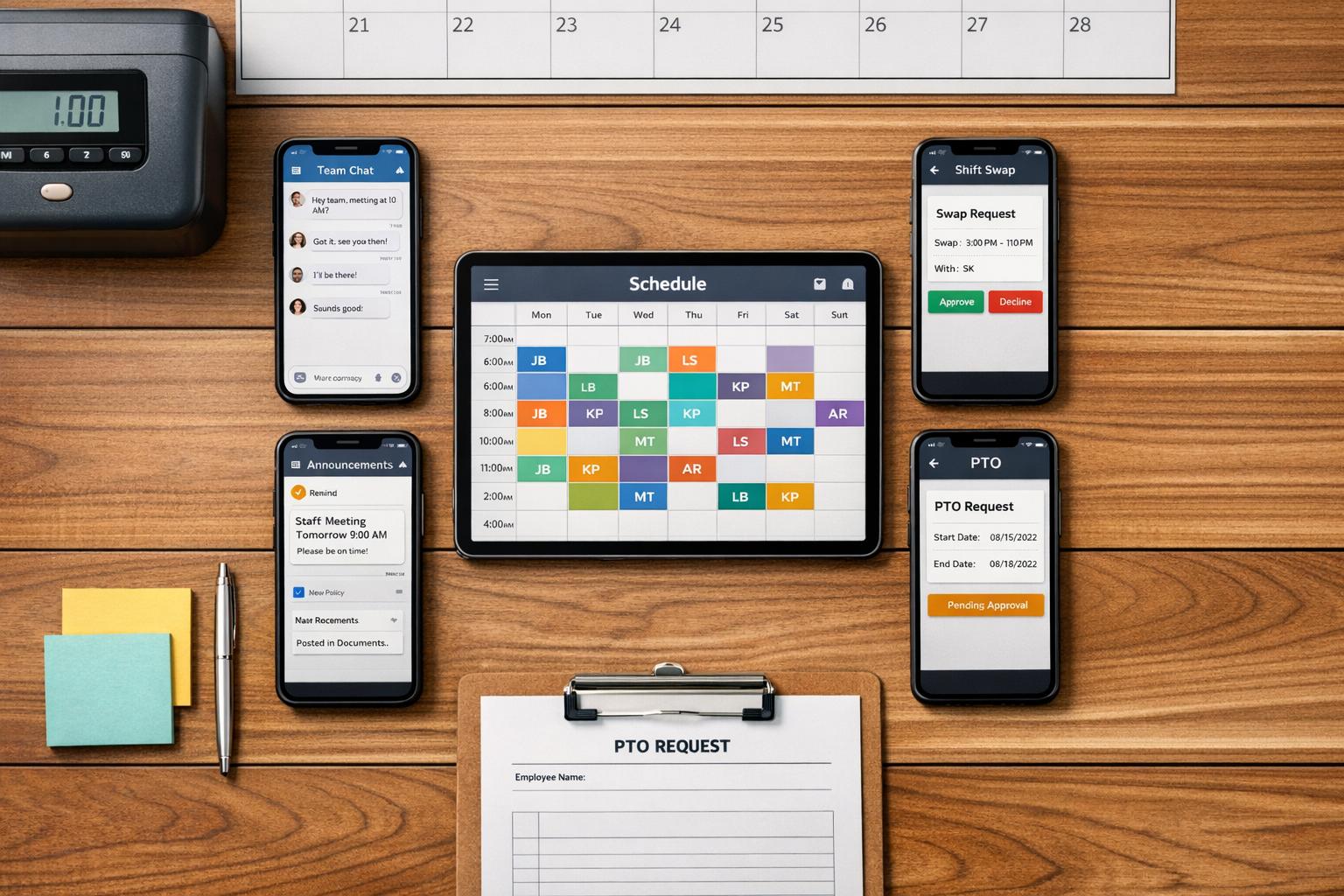
I remember the first time I tried managing a team without the right tools. It was chaos - group texts going unanswered, schedules scribbled on sticky notes, and last-minute shift swaps that felt like putting out fires. If you've been there, you know how draining it can be.
Here’s the kicker: most of the popular tools out there - like Slack or Microsoft Teams - weren’t built for hourly teams. They’re designed for desk jobs, not for the fast-paced, on-your-feet world of restaurants, retail, or small businesses. And let’s not even talk about the cost. That’s where free apps step in to save the day.
At Pebb, we’ve spent a lot of time thinking about these challenges. We built our app to solve them, but we also know we’re not the only option out there. That’s why we took a deep dive into five free apps - Pebb, Homebase, Connecteam, Sling, and 7shifts - to see how each one helps teams like yours. Whether you’re trying to simplify scheduling, streamline communication, or manage time-off requests, there’s something here for everyone. Let’s break it down.
1. Pebb
At Pebb, we set out to solve the chaos of juggling scattered texts, paper schedules, and endless email threads. We created an all-in-one app that combines communication, scheduling, and time-off management into one seamless experience. Let me walk you through how each feature works to simplify life for teams.
Shift Scheduling
Our drag-and-drop scheduler is a game-changer. Managers can create and publish shifts in just a few minutes. Have a repetitive weekly schedule? No problem - our recurring templates handle that effortlessly. And when changes happen (because they always do), employees get real-time updates right on their phones. This instant notification system has helped teams cut scheduling time by 40% after switching to Pebb.
Communication Tools
Forget chasing people across random group chats or scattered email threads. Pebb keeps all team communication in one place. Whether it’s group chats, direct messages, or shift-specific announcements, everything stays professional and organized. Features like read receipts, @mentions, and broadcast alerts make sure no one misses critical updates. In fact, restaurant teams have seen 30% fewer no-shows by using in-app alerts for last-minute shift changes.
Time-Off Management
Time-off requests? Handled. Employees can send their PTO requests directly through the app, and managers can approve or deny them with just a tap. The shared calendar ensures everyone stays on the same page, while the system flags any potential coverage gaps automatically. It’s all tracked and timestamped, so nothing falls through the cracks.
Free Employee Limit
Here’s something I love about Pebb: our free plan doesn’t lock you out of features just because your team is growing. You get the full experience - scheduling, chat, time-off management, clock-in, news feed, tasks, and more - for up to 15 employees. No paywalls. No gimmicks.
Unique Free Features
On top of that, the free plan includes some thoughtful extras like auto-reminders to prevent no-shows, a people directory, and a built-in knowledge base. Need even more? For just $4 per user/month, our Premium plan adds perks like voice and video calls, advanced analytics, unlimited admins, and enterprise integrations.
Feature | Free Plan | Premium ($4/user/month) |
|---|---|---|
Shift Scheduling | Drag-and-drop scheduling, templates | Drag-and-drop scheduling, templates |
Communication | Unlimited chat & news feed | + Voice & video calls |
Time-Off Management | PTO requests & approvals | PTO requests & approvals |
Employee Limit | Up to 15 users | Unlimited |
Admin Tools | Basic (1 admin) | Unlimited admins & permissions |
Pebb was built to make managing teams easier, and we’re proud to offer these tools to teams of all sizes, whether you’re just starting out or scaling up.
2. Homebase
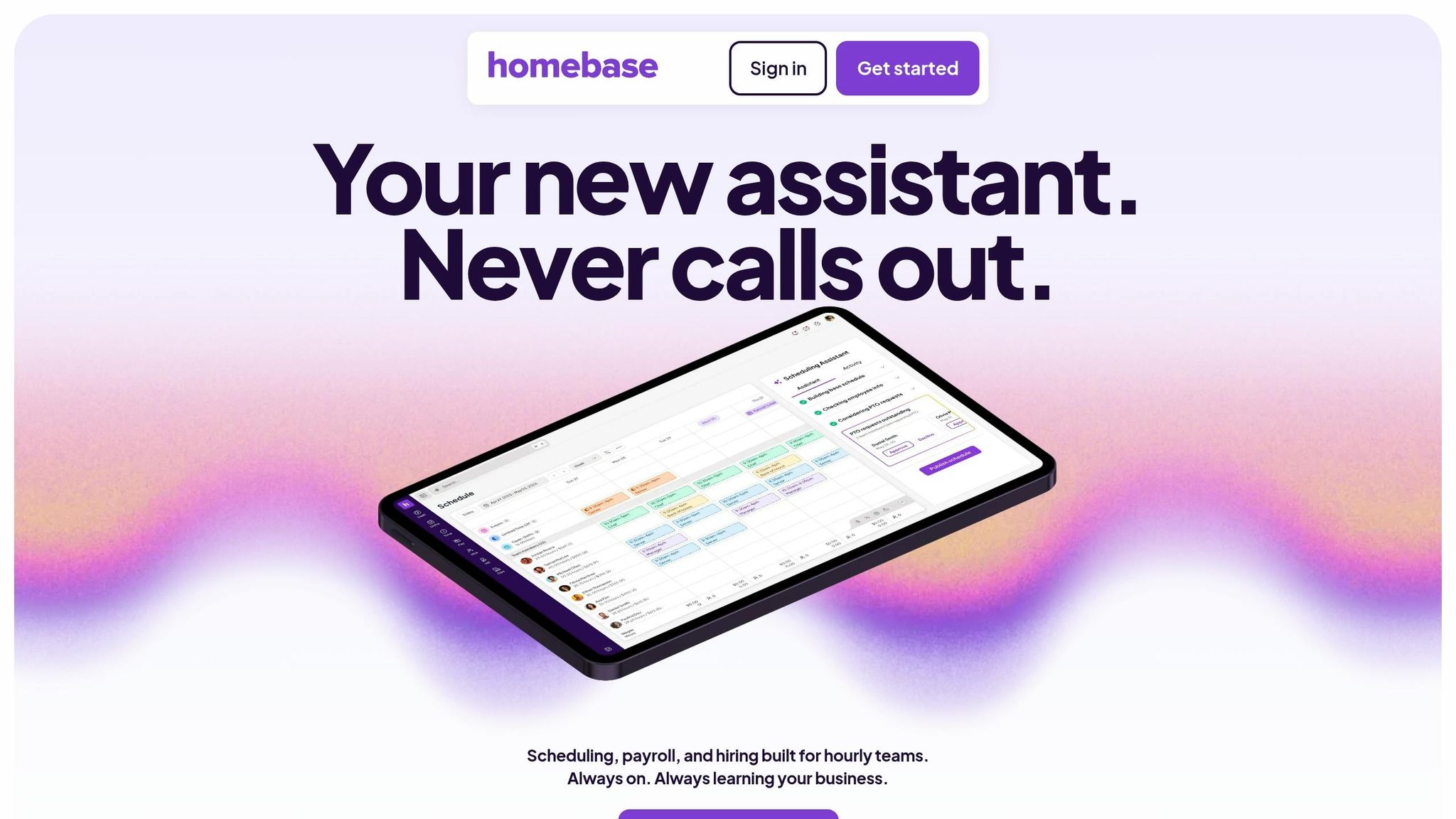
Homebase is tailored for small businesses with hourly workers - think retail shops, restaurants, and cafés. These are the kinds of workplaces where shift swaps and last-minute changes are just part of the daily grind. With over 150,000 small businesses relying on it and more than 3.5 million employees clocking in via the platform in 2025 alone, it’s clear Homebase has made its mark.
Shift Scheduling
Let’s talk about scheduling. Homebase keeps it simple with tools like a drag-and-drop schedule builder, reusable templates, and an option for posting open shifts that employees can pick up themselves. If you’re running a small team, the free plan has enough muscle to replace the chaos of spreadsheets and sticky notes.
Communication Tools
Here’s where Homebase really shines: its messaging system is directly tied to the schedule. Need to reach "everyone working tonight" or just "the closing crew"? It’s as easy as selecting the group - no manual setup required. Automated shift reminders go out via text, email, and app notifications, and read receipts ensure your staff stays in the loop.
"We very rarely have an employee tell us that they didn't know that they were supposed to work that day." - Cameron, The Barley Neck
This kind of seamless communication makes managing time-off requests a breeze.
Time-Off Management
Employees can submit PTO requests and update their availability, while managers can set blackout dates and notice periods. It’s a straightforward system that covers what small teams need.
Free Employee Limit
The Basic plan, which is free, supports up to 20 employees at one location. However, if you’re managing multiple sites, you’ll need to upgrade to a paid plan to keep everything under one account.
Unique Free Features
One standout of the free plan is its hiring tools. You can post jobs, track applicants, and automatically add new hires to the right groups - handy for keeping things organized.
While Homebase allows up to 20 employees per location on its free plan, Pebb offers a more comprehensive approach. Our platform includes chat, scheduling, PTO management, and more, all without feature restrictions for up to 15 users.
Feature | Free (Basic) Plan |
|---|---|
Shift Scheduling | Drag-and-drop builder, templates, shift reminders |
Communication | In-app messaging, group chats, schedule-based groups |
Time-Off Management | Availability tracking, basic PTO requests |
Unique Free Features | Hiring tools, POS integration, automated clock-in reminders |
Employee Limit | Up to 20 employees (single location) |
3. Connecteam
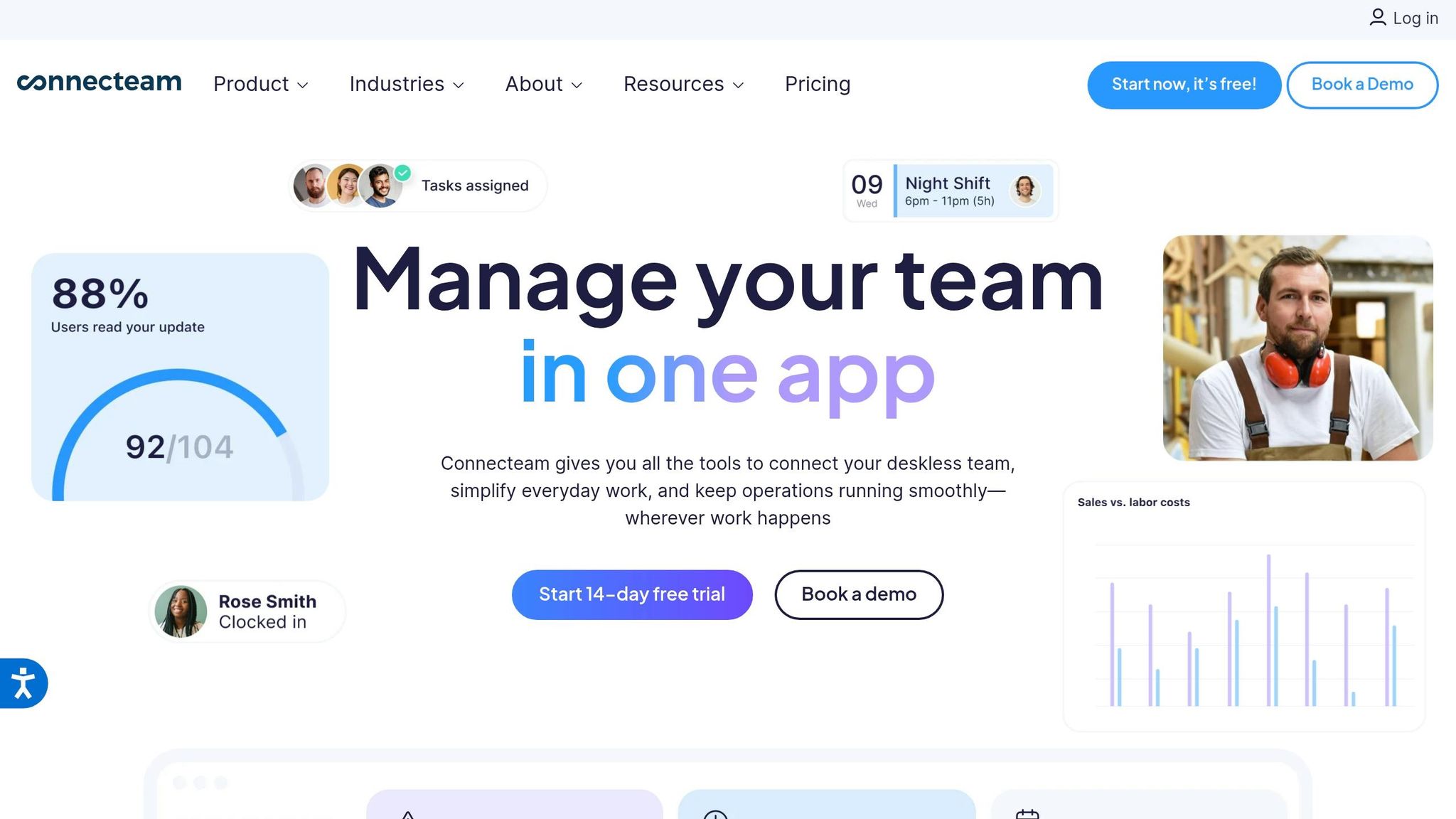
Let me tell you about Connecteam - a platform that’s been a game-changer for deskless workers. With over 80,000 companies and 1.2 million users already on board, it’s clear this app is making waves in the world of employee communication and management. And the best part? Its free plan packs a serious punch.
Shift Scheduling Made Simple
Connecteam's scheduling tools are where it truly shines. Imagine having a drag-and-drop builder that lets you create schedules in minutes. Need recurring shifts or want to reuse last week’s schedule? Done. Plus, the AI-powered Auto Scheduler takes things up a notch by automatically filling shifts based on who’s available and qualified. Oh, and the "Shift Layers" feature? It’s a lifesaver for managing resources like vehicles or equipment alongside your team.
Communication All in One Place
Juggling multiple apps to keep your team in the loop? Connecteam eliminates that headache. With features like 1:1 and group chats, a centralized news feed, and even polls, staying connected has never been easier.
"We were tired of juggling 10 apps. This all-in-one solution is perfect for large, multi-location teams." - Heather, IT Manager
Time-Off Management That Works
Handling time-off requests can be a nightmare, but Connecteam makes it painless. Employees can submit their requests directly in the app, and managers are alerted to potential conflicts before schedules are finalized. Even better, the free plan supports up to 9 different time-off policies, complete with balance tracking.
What’s the Catch? The Free Employee Limit
Here’s the deal: Connecteam’s Small Business Plan is free for life but only for teams of up to 10 users. If you’re lucky enough to outgrow that, you’ll need to upgrade to a paid plan, starting at $29/month for up to 30 users.
Features You Won’t Find Elsewhere (For Free)
This app doesn’t just stop at the basics. You get:
Shift swaps with manager approval
Open shift claims
A GPS-enabled time clock
Digital recognition badges
An AI Course Creator to streamline frontline employee onboarding
It’s no wonder independent reviewers ranked Connecteam as #1 for free employee scheduling software in 2026.
"I had people that we would just schedule for work and hope and pray that they show up. And now, we have an average of a 90-95% attendance rate." - Cristen Gros, VP of Special Projects
Quick Feature Breakdown
Here’s a snapshot of what the free plan offers:
Feature | Free Plan (Up to 10 Users) |
|---|---|
Shift Scheduling | Drag-and-drop builder, shift templates, recurring shifts, duplicate scheduling, AI Auto Scheduler, Shift Layers |
Communication | 1:1 & group chat, news feed, polls |
Time-Off Management | Up to 9 policies, balance management, conflict alerts |
Unique Free Features | Shift swaps, GPS clock-in, digital badges, AI Course Creator |
Employee Limit | Up to 10 users |
If you’re managing a small team and need tools that deliver without breaking the bank, Connecteam is worth a look. It’s built to empower frontline teams with features that make work easier and more efficient.
4. Sling

Sling is a go-to scheduling and communication tool, especially favored by those in the restaurant and retail industries. Its appeal lies in its simplicity - managers can whip up schedules quickly, and employees always know exactly where they stand. With a 4.7/5 rating from over 21,000 users on the Apple App Store, it's clear that Sling has earned its spot in the scheduling world.
Shift Scheduling
Sling's drag-and-drop builder makes shift creation a breeze. You can start from scratch, use templates, or even replicate last week’s schedule with just a few clicks. What really stands out is its AI-powered conflict prevention. It flags potential issues like double-bookings, overlapping shifts, and even overtime before they turn into headaches. Kenneth Taylor, Supervisor of System Operations at Expeditors, summed it up perfectly:
"Sling drastically reduced the amount of time I spend scheduling. I post weekly schedule in minutes and it replicates to future weeks. No more do I need to create schedules from scratch."
Communication Tools
Even on the free plan, Sling includes private 1:1 messaging and a newsfeed for company-wide updates, complete with images and GIFs. It’s a great way to keep everyone in the loop without resorting to personal phone numbers or messy group texts. The catch? Group messaging is only available on the paid Premium plan, which starts at $1.70 per user/month.
Time-Off Management
Sling keeps things organized by integrating availability and PTO requests directly into the scheduling interface. Managers can approve or deny requests right on the platform, and any scheduling conflicts are flagged automatically. It’s simple, efficient, and keeps everything centralized.
Free Employee Limit
One of Sling's strong points is its free plan, which supports up to 30 users - a more generous limit than many competitors. However, the free plan is focused on scheduling and messaging. Features like time tracking, labor cost tools, shift swaps, and GPS geofencing are locked behind paid tiers.
Unique Free Features
A standout feature on Sling's free plan is the "Available Shifts" (Shift Pool) option. This allows employees to claim open shifts on their own, saving managers from endless back-and-forth. It’s a feature you’d typically expect to pay for, but Sling includes it at no cost. That said, compared to Pebb’s broader free plan, Sling’s offering is more narrowly centered on scheduling and messaging, with other key tools reserved for paid upgrades.
Here’s a quick look at what Sling offers across its plans:
Feature | Free Plan | Premium ($1.70/user/mo) | Business ($3.40/user/mo) |
|---|---|---|---|
User Limit | Up to 30 | Unlimited | Unlimited |
Shift Scheduling | ✓ | ✓ | ✓ |
Shift Pool (Available Shifts) | ✓ | ✓ | ✓ |
Private Messaging | ✓ | ✓ | ✓ |
Group Messaging | ✗ | ✓ | ✓ |
Time Tracking | ✗ | Mobile GPS | Kiosk & Mobile |
Shift Swaps | ✗ | ✓ | ✓ |
PTO Management | Basic requests | Basic requests | Full accrual & tracking |
Labor Cost Tools | ✗ | ✓ | ✓ |
Next up, let’s dive into 7shifts and see how it stacks up.
5. 7shifts
If you're in the restaurant business and need a way to simplify shift management, 7shifts might be your answer. Designed specifically for restaurant teams, it's tailored for servers, cooks, bartenders, and anyone else working in the fast-paced hospitality world. In fact, independent reviewers gave it a 10/10 rating for scheduling features in 2026. Managers using 7shifts report spending 80% less time on staff scheduling, and restaurants have seen up to a 70% drop in calls and texts related to shifts. That’s a game-changer for anyone juggling a busy team.
Shift Scheduling
The drag-and-drop scheduler is a standout feature. You can organize shifts by time, role, employee, or department, and there's even an option to preset shift times - ideal for recurring schedules. Jayelynn, a General Manager, shared her experience:
"You can set multiple roles which is beneficial for staff who perform various roles. You can assign an hourly to each role as well, so you can see an approximation of your labor for the week."
Once the schedule is set, the app notifies employees instantly through their mobile devices, making communication seamless.
Communication Tools
One thing I love about 7shifts is how it centralizes work-related conversations. Instead of bombarding personal phones, all communication stays within the app. It offers 1-on-1 messaging, group chats, and one-way announcements with read receipts, so managers can confirm who’s actually seen updates. Plus, the Manager Log Book is a handy feature for supervisors to jot down notes about daily activities or incidents.
Time-Off Management
Managing time-off requests is simple. Employees can submit their availability and time-off requests directly in the app. The scheduler then flags any conflicts automatically to avoid double-booking. However, keep in mind that manager approval for availability changes is only available with paid plans.
Free Employee Limit
The free "Comp" plan supports up to 15 employees at one location. If you need more, paid plans start at $34.99 per location per month.
Unique Free Features
Even on the free plan, 7shifts packs in some great features. Employees can trade shifts or claim open shifts with manager approval, and the app integrates with popular POS systems like Toast, Square, and Clover. It also includes API access, which is impressive for a free tier.
Here’s a quick breakdown of what the free "Comp" plan offers:
Feature | Free "Comp" Plan |
|---|---|
User Limit | Up to 15 employees |
Location Limit | 1 location |
Shift Swaps & Open Shifts | ✓ (with manager approval) |
Messaging | 1-on-1, Group & Announcements |
POS Integrations | ✓ (Toast, Square, Clover) |
Manager Log Book | ✓ |
Support | Online/Self-serve only |
With all these features, 7shifts makes a strong case for being a go-to tool for restaurant teams. Next, let’s dive into the pros and cons of these free solutions.
Pros and Cons
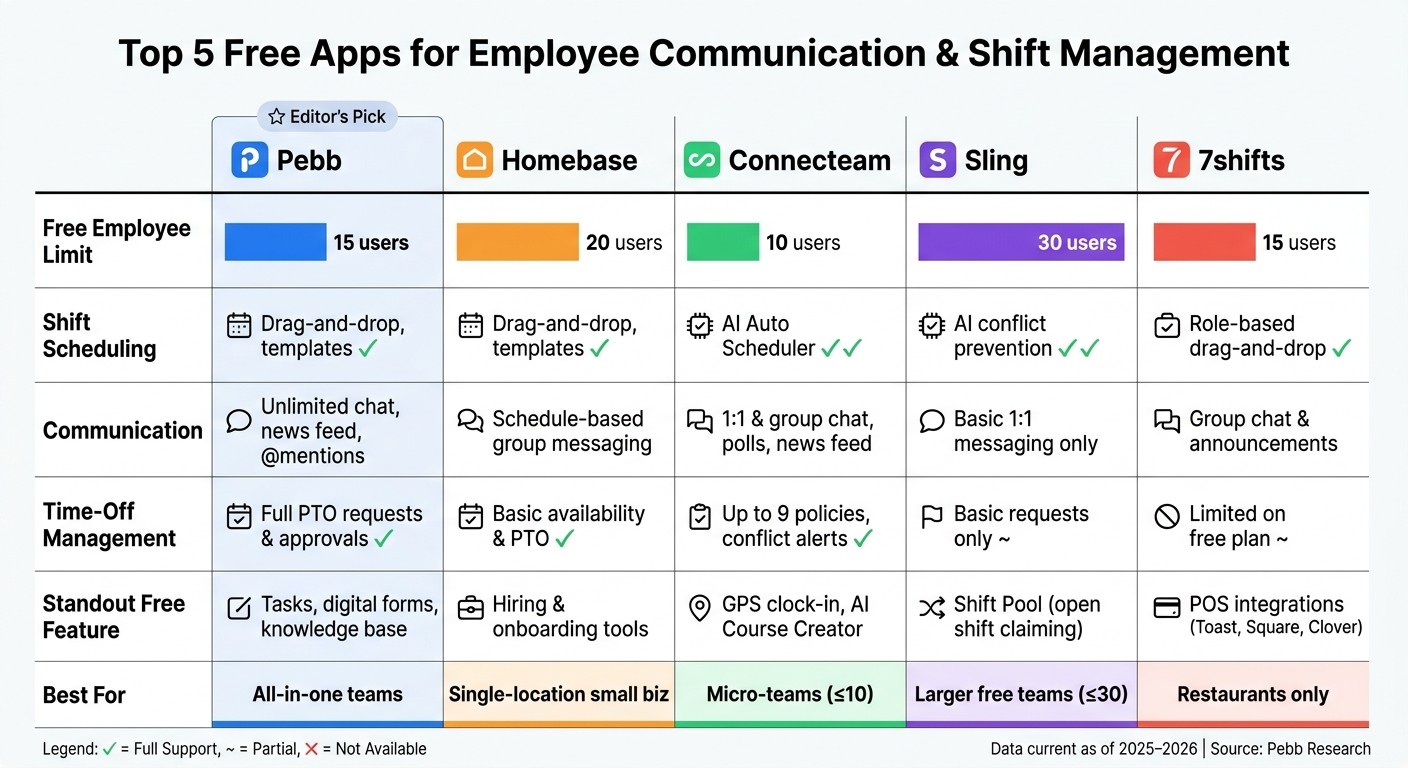
Top 5 Free Employee Communication & Shift Management Apps Compared
Let’s break it down: each tool has its strengths and a few drawbacks, so it’s worth weighing them carefully before making your pick.
Pebb stands out as the most well-rounded free option. It covers communication, shift scheduling, PTO management, tasks, and even a news feed - all in one platform. The catch? The free plan comes with some admin and data limitations. If you need voice and video calls or advanced analytics, you’ll need to upgrade to the Premium plan at $4 per user/month.
Homebase, on the other hand, is a favorite for single-location businesses that need simple scheduling and time tracking. Managers love the way it consolidates communication, replacing those endless group texts. The downside? Features like shift trades and open shift claiming are locked behind paid plans, which could be a dealbreaker for teams that rely on flexible scheduling.
Connecteam is a gem for small teams of up to 10 users. It includes features like AI auto-scheduling and employee rewards - perks you’d often pay extra for with other apps. However, the 10-user limit makes it less practical for teams that are growing or already larger.
Sling is a lifesaver for teams of up to 30 users, making it a great budget-friendly choice for larger groups. While it offers solid scheduling tools, its communication features are pretty barebones, limited to basic one-on-one messaging.
7shifts is tailor-made for restaurants, delivering a top-tier scheduling experience. But its laser focus on the hospitality industry means it’s not the best fit for businesses outside that niche.
Here’s a quick comparison table to help you decide which app fits your team’s needs:
Feature | Pebb | Homebase | Connecteam | Sling | 7shifts |
|---|---|---|---|---|---|
Shift Scheduling | ✓ | ✓ | ✓ (AI-driven) | ✓ | ✓ |
Communication | Unlimited chat, news feed | Basic messaging | Full chat & feed | Basic 1-on-1 messaging | Announcements & group chat |
Time-Off Management | ✓ Full PTO | Auto-approved only | ✓ | Requests only | ✓ (limited on free) |
Free Employee Limit | 15 users | 20 users | 10 users | 30 users | 15 users |
Unique Free Features | News feed, tasks, digital forms, knowledge base | Hiring & onboarding tools | Rewards, AI auto-scheduler | AI conflict prevention | POS integrations (Toast, Square, Clover) |
Now, here’s the thing: Pebb shines by combining operational tools with engagement features in a single platform. If you’re a micro-team of up to 10 users, Connecteam is a fantastic choice. For teams between 16 and 30 users, Sling offers reliable scheduling and basic communication at no cost. And if you’re in the restaurant business, 7shifts is a no-brainer. But if you’re looking for an all-in-one platform without needing pricey upgrades for essential tools, Pebb is hard to beat - and at just $4 per user/month for Premium, it’s one of the most cost-effective solutions out there.
Conclusion
After diving into the comparison above, here's what it comes down to for managers trying to simplify team communication and shift management: the right tool makes all the difference.
Pebb stands out as the only app on this list that brings together everything you need in one place - chat, news feed, shift scheduling, PTO tracking, task management, digital forms, and more. And here's the kicker: none of these essentials are hidden behind a paywall. That’s a game-changer for teams of all sizes.
If you're planning for growth, Pebb’s Premium plan is a steal at just $4 per user/month. For managers juggling scattered tools and chaotic schedules, Pebb offers a straightforward, integrated solution. You can sign up for free, import your team, and start seeing smoother workflows right away.
While other tools cater to specific niches, Pebb delivers an all-in-one platform that works seamlessly for both frontline and office teams. It’s everything you need, all in one place.
FAQs
How do I choose the right free app for my team size and workflow?
To pick the best free app for your team, start by considering your team size and how you work together. Pebb’s free plan is ideal for teams of up to 15 people, making it a great fit for small to medium-sized groups. If your team is bigger, the premium plan - priced at just $4 per user - offers an affordable solution. Plus, if you’re juggling tools for scheduling, communication, and PTO management, Pebb’s all-in-one platform brings everything under one roof, saving you the hassle of switching between multiple apps.
Can I import my current schedule and employee list into Pebb?
Pebb makes it easy to bring your existing schedule and employee list into the platform. With tools designed to streamline the process, you can quickly import your data, build schedules, and publish them without a hitch. Plus, managing employee information becomes a breeze, saving you time and effort.
What happens if my team exceeds Pebb’s 15-user free limit?
If your team grows beyond Pebb’s 15-user free limit, you’ll need to move up to the Premium plan. It’s priced at just $4 per user per month, and it ensures your team keeps enjoying all the tools you’ve come to rely on - like seamless communication, scheduling, and collaboration. It’s a small investment to keep your team running smoothly as it scales.
