

Author: Ron Daniel
Best practices for digitalizing retail store operations
Stop wasting manager hours: audit workflows, centralize communication, and digitize checklists, scheduling, and incident reporting.
Most store problems don’t start on the sales floor. They start in the gap between a paper checklist, a text thread, and a schedule nobody updated. I’ve seen stores lose hours every week not because people were off track, but because the work was scattered across too many places.
At Pebb.io, my team and I keep seeing the same pattern: retail inefficiencies can eat up 5.5% of revenue, managers spend about 6 hours and 24 minutes a week on manual admin, and scheduling alone can take 3+ hours per week for many retail managers. When brands move those workflows into one mobile system, the time savings add up fast - Office Depot cut weekly scheduling time from 3 hours to 30 minutes, and Michaels saved 223,000 hours per year across 1,350 stores.
This pattern points to a simple playbook. I’m going to walk through where stores should start, which workflows to move first, and how we think about communication, tasks, scheduling, compliance, and store knowledge at Pebb without turning the store into an app jungle.
![The Hidden Cost of Manual Retail Operations [Key Stats]](https://framerusercontent.com/images/e6ATILWxoH24HpdkG4yunrAAwc.jpg)
The Hidden Cost of Manual Retail Operations [Key Stats]
Audit manual workflows and set clear operational goals
The first time I sat down with store managers to figure out where their week was going, I expected a few obvious pain points.
I was wrong.
What showed up was messier and a lot more human. One manager had schedule updates buried in text messages. Another was juggling paper forms at the front desk, then retyping the same details into a spreadsheet later that night. Someone else had three email threads going for one promo update. It wasn’t one big problem. It was a pile of small handoffs eating hours.
So at Pebb.io, when we talk to retailers about fixing store ops, I always push this first step: don’t buy anything yet. Spend one week logging how work moves through the store.
Have managers write down every coordination task they handle, including:
schedule changes
texts
paper forms
spreadsheets
email threads
Next, sort each entry into seven buckets: communication, task execution, scheduling, clock-ins and attendance, compliance, incident reporting, and knowledge sharing.
Here’s the thing: you’ll usually spot a pattern fast. A few of those buckets tend to eat most of the time. Once that becomes clear, map those handoffs by time of day so you can see where work slows down, gets repeated, or falls through the cracks.
And the time loss is not small. U.S. retailers spend an average of 6 hours 24 minutes per week on manual admin tasks, or about 332 hours a year. On top of that, 65% of retail managers spend 3+ hours per week on scheduling alone, and 42% are still using paper or Excel to do it. That doesn’t even count the extra time spent chasing confirmations, entering the same data twice, or typing up incident forms after the fact.
Map the manager's day from opening to close
One thing I’ve learned is that the best way to find digitalization gaps is to follow a manager’s day from open to close.
Start at opening. The team comes in, runs the opening checklist, checks promos, counts the cash drawer, and walks the floor. Later in the morning, a shift handover happens, maybe face-to-face, maybe in a group text. Then a promo goes live, but the update was sent by email, so the next shift misses it until someone passes it along. A customer incident happens near the entrance, and the details get scribbled on a notepad to be typed up later.
Let me tell you what happened next in one of these reviews: once we laid the whole day out, the problem areas almost lit up on their own. The same information was getting copied in two or three places. Messages were delayed. Tasks were being confirmed more than once because nobody trusted that the first update reached the right person.
That’s the point of the map. Not to blame people. Not to say the store is doing it wrong. It’s to find the handoffs where digital workflows can cut re-entry, resends, and reconfirmation.
A good example is Walmart. Its AI-directed workflow tool for overnight stocking cut the time team leads spend planning shifts from 90 minutes to 30 minutes by automatically prioritizing and recommending tasks in its associate app. But results like that don’t start with software alone. They start with a clear view of where the friction sits.
Once you have that map, it becomes your rollout plan. Fix the biggest leaks first. Then track what changed.
Set measurable goals before rolling out new workflows
This is the part teams skip when they’re in a hurry.
After the audit, define what “better” means before you roll out anything new. Otherwise, digitalization just becomes another app people have to check.
In my experience, the best goals are plain and measurable. Track things like:
missed or overdue tasks per week
average time to publish a schedule change
clock-in corrections per pay period
audit completion rate
manager hours saved per week
If you run more than one store, add consistency measures too. For example, are all locations completing the same compliance checklists at the same rate?
I like a simple before-and-after review at 30 and 90 days after rollout. That gives you a fair read without waiting forever. A retailer putting digital task systems in place can return up to 12.8 hours per week to store managers. That sounds great on paper, but you won’t know if it’s happening in your stores unless you captured the baseline first.
Set that baseline before rollout, not after.
Build one communication and coordination hub with Pebb
I’ve seen this happen in retail more times than I can count: a promo update sits in someone’s email, the schedule lives in a spreadsheet, a shift swap gets handled over personal text, and the SOP? It’s printed out and sitting in a binder in the back room that nobody touches unless there’s a fire drill.
That’s usually the moment the problem stops feeling small.
Once we map where a store’s time is going, the next step gets pretty obvious: pick one place where the work lives. Retail stores often juggle 15–25 separate tools, and that patchwork creates the same messy picture we find in the audit. Teams keep typing the same info into different systems. Managers chase updates across channels. Staff miss messages, not because they don’t care, but because the message is buried somewhere.
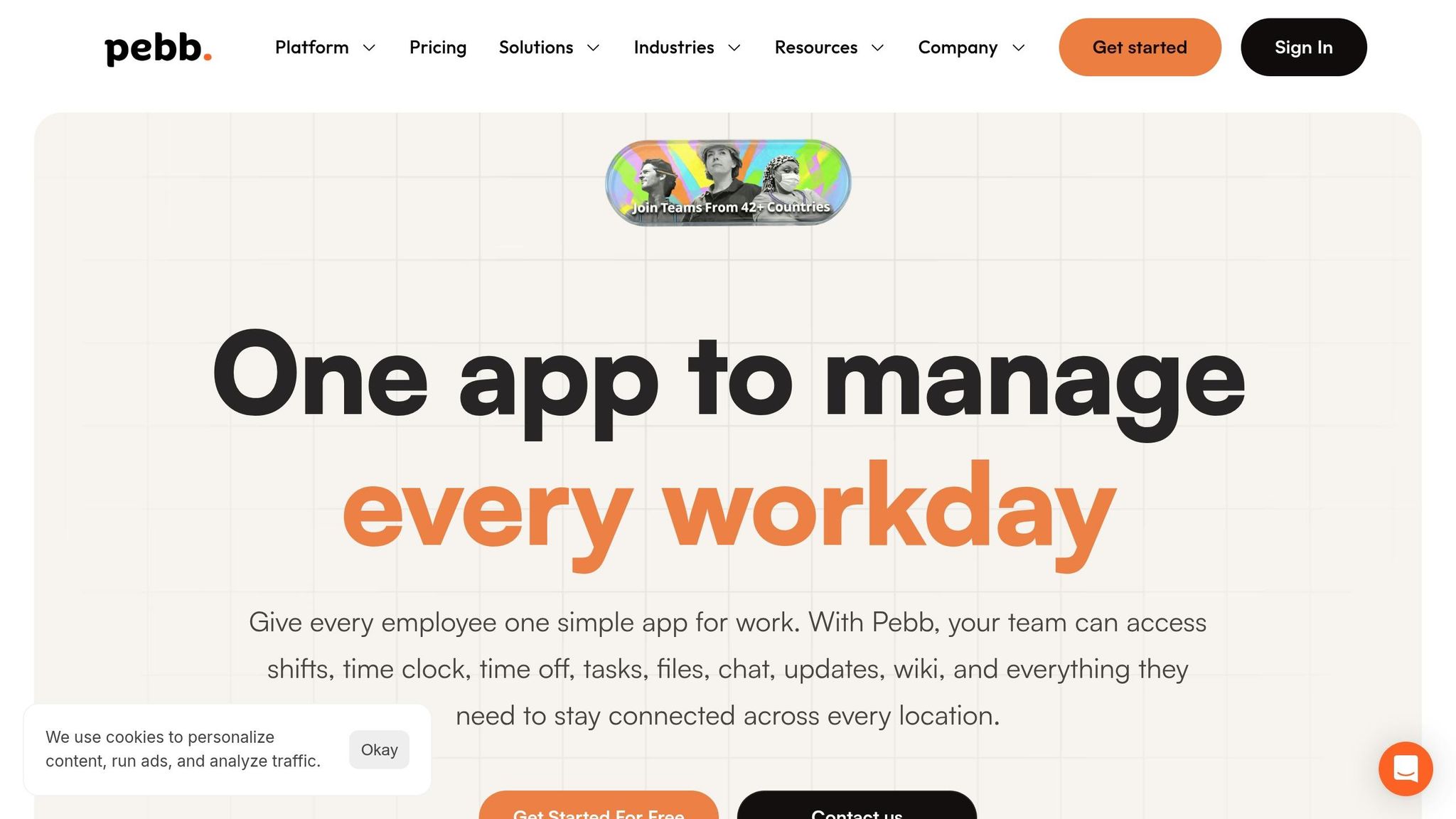
At Pebb, we built our app for exactly that kind of chaos. We offer a free plan for small teams and Premium at $4 per user per month. Inside one mobile-first app, teams get a news feed, chat, groups, directory, and voice and video calls. No bouncing around. No piecing the day together from five tools.
And that matters because the missed announcements, schedule confusion, and slow handoffs from the audit need one shared place to land.
Use news feed, chat, and groups for store-level communication
Here’s the setup we keep coming back to with retail teams because it’s simple and it works.
Start with an organization-wide news feed for official updates from HQ. That’s where new promotions, SOP changes, and policy notices should go. One source. One record. No guessing which version is the latest.
Then managers create location-specific groups like "Store #241 – Chicago North" for day-to-day store communication. That can cover daily priorities, local reminders, and end-of-day recaps.
After that, add role-based groups for teams like keyholders or regional managers. This keeps updates targeted, so associates don’t get flooded with messages that have nothing to do with their shift.
For live coordination, chat does a lot of heavy lifting.
I’ve watched managers use Pebb chat to handle:
shift swaps
urgent coverage gaps
quick task questions
photo-based checks for displays or merchandising
The big difference is that those messages stay inside a searchable, company-owned thread instead of disappearing into personal SMS.
Let me tell you what happened next in one common store scenario. A no-show hits. Instead of texting three people, calling two more, and hoping someone answers, the manager messages the associates who can cover and sees replies come in within minutes. Same issue, less scrambling.
And if a sales associate needs help with a promo display, they can ask inside Pebb and attach a photo. Now the conversation stays tied to the job itself, not scattered across texts and camera rolls.
We also see district managers use voice or video calls inside Pebb when they need to walk through a display setup with a store manager. It sounds minor, but it saves a lot of friction. Nobody has to hand out personal phone numbers or switch to another app just to finish one task.
Once communication sits in one place, it becomes much easier to run tasks, schedules, and attendance through that same hub.
Why a unified app outperforms fragmented retail tools
The shift is already happening. Companies using a dedicated employee app grew from 16% in 2021 to 25% by 2023.
From what I’ve seen, the reason is pretty plain. When announcements, schedules, tasks, and chats live in one app, a few good things happen fast:
updates reach the right people sooner
fewer messages get missed
managers spend less time chasing confirmations across inboxes and side threads
Here’s the thing: fragmentation doesn’t just slow communication. It makes accountability fuzzy. Who saw the update? Who finished the task? Which store followed the new promo setup? When tools are split up, those answers get murky fast.
When the work sits in one hub, messages are traceable, tasks have ownership, and leaders across multiple stores can track execution in real time.
That’s the part I think people often miss. A unified app isn’t just about convenience. It changes the day-to-day rhythm of the store. Less hunting. Less repeating. Less dropped context.
And once that foundation is in place, moving tasks, schedules, and attendance into the same workflow becomes a lot easier.
Digitize tasks, checklists, scheduling, and attendance
Once we got communication into one place at Pebb.io, the next pain point was obvious: the work itself was still scattered. Messages lived in one tool, schedules in another, and half the store routines were still sitting on paper by the back office printer.
That setup looks harmless until something slips. A closing check gets missed. A promo setup is half-done. A manager spends part of the morning trying to figure out who was supposed to do what. I’ve seen that happen more than once, and it’s almost always the same story: the process existed, but it wasn’t easy to follow in the flow of the day.
Turn SOPs and daily routines into digital tasks and checklists
We usually start with the boring stuff nobody wants to think about - but that keeps a store running. I’m talking about opening checks, closing walkthroughs, cleaning logs, promo setups, and price changes.
From there, we break each SOP into small, clear actions that fit into checkboxes inside a mobile app. That matters more than it sounds. A long paper SOP gets ignored. A short list someone can tap through on their phone gets done.
In Pebb, recurring digital checklists can run daily, per shift, or weekly, with required fields and photo proof for merchandising. One rule of thumb we lean on is simple: keep each shift to 5–7 key tasks per associate. That helps prevent task pile-up.
We also learned not to assign work by person if we can avoid it. Assign by role instead. So rather than “Maria,” we use Opening Supervisor. That way, if staffing changes at the last minute - and in retail, it always does - the workflow doesn’t break.
Here’s what changed when teams moved from paper to digital checklists:
Better audit trail
Clearer status visibility
Proof of completion
Faster updates across stores
And the big one? District managers can see completion rates by store in real time. If one location keeps falling behind on closing tasks, that shows up in the dashboard before it becomes a customer-facing mess. That kind of visibility saves a lot of cleanup later.
Once tasks are visible and time-stamped, the next snag usually shows up fast: scheduling and attendance.
Move schedules, clock-ins, and PTO into one mobile workflow
I’ve watched managers juggle printed schedules, spreadsheets, text threads, and last-minute call-outs all in the same day. It’s a headache. Printed schedules don’t show real-time changes, and spreadsheets push managers into endless phone chains.
So we apply the same idea here too. Put schedules and attendance into the app. Publish schedules there, notify associates right away, and let managers see labor cost before the schedule goes live.
That last part is a big deal. When labor rates are built into schedules, managers can see total scheduled labor in dollars per day and week before publishing. It gives them a shot to catch unplanned overtime early and avoid the slow margin creep that comes with it.
Clock-ins, call-outs, shift swaps, and PTO requests should stay tied to the schedule and payroll record. When they do, managers can spot coverage gaps right away. Every swap, approval, and change stays logged in the attendance record, which makes follow-up a lot less messy.
At Pebb.io, we’ve seen that when schedules, clock-ins, and PTO all live in one place, the back-and-forth that used to eat 2–3 hours of a manager’s week can shrink a lot. That means less rework, fewer attendance mistakes, and less scrambling when someone asks for records later.
And honestly, that’s when the day starts to feel more under control. Not perfect. Retail never is. But a whole lot easier to run.
Improve compliance, incident reporting, and store knowledge
I’ve seen this pattern play out more than once at Pebb.io.
A team gets tasks and schedules online, everyone feels a little more in control, and then the next weak spot shows up fast: compliance. Safety checks get missed. Incident reports sit too long. Store managers can’t tell who finished the right walkthroughs that morning and who didn’t.
Here’s the thing: going digital isn’t only about moving faster. It’s about making people accountable in a way paper never quite did. For me, the first gut check is simple: can a manager record what happened while it’s still fresh?
Use digital forms for audits and incident reporting
Paper incident reports sound fine until real life hits.
Someone slips. A piece of equipment stops working. Theft happens. Then a handwritten report gets filled out later, from memory, with half the details missing. I’ve watched that delay create messy records and even messier follow-up.
Digital forms change that because they add structure right away. In Pebb, incident reports can auto-capture the date and time, along with the store, department, incident type, location, a description, and photo or file attachments. We can also route sensitive reports to the right people using role-based access and notifications, so the record stays complete and easier to review.
That means better traceability, faster reporting, and a clearer view across many stores.
One stat stuck with me when I first dug into this space: a time-and-motion study of 2,847 inspections that moved from paper to mobile found that inspection time dropped 67% - from 18.8 minutes to 6.2 minutes per inspection - and errors fell 94%.
That’s not a small tweak. That’s the difference between “we’ll log it later” and “we already have it on file.”
Once reporting has structure, the next problem is usually easier to spot: people still need the current process at their fingertips.
Keep SOPs, updates, and training materials in one knowledge library
The other side of compliance is store knowledge.
If an associate needs the latest return policy, spill cleanup steps, or a seasonal campaign guide, they shouldn’t have to dig through old PDFs, group chats, or a back-office binder that may or may not be current. They should be able to pull it up on their phone in seconds.
That’s why we keep SOPs, policy updates, playbooks, and training materials in Pebb’s Knowledge Library. We organize everything by role and topic, so people can find what fits their job fast. And we keep the current version front and center instead of leaving teams to guess which copy is still right.
Let me tell you what happened next when we started thinking this way internally: updates stopped feeling like random announcements and started feeling tied to the work itself.
When a return policy or safety process gets updated, the new version goes live in the library, the old one gets archived, and a required acknowledgment task goes out. That gives us a clear audit trail showing which stores and employees saw the update. When compliance questions come up later, that record matters. A lot.
It also keeps updates connected to execution instead of buried in files somewhere no one checks.
From what I’ve seen, compliance works best when it lives right beside tasks, schedules, and store communication in the same workflow.
Conclusion: start small, connect workflows, and scale what works
I’ve seen this play out over and over at Pebb.io: retail digitalization doesn’t click when teams pile on more tools. It clicks when we swap paper, random texts, and plain old guesswork for one connected workflow.
Here’s the thing: the best place to start is usually the work that’s already eating up time every single day.
What I’ve found works best is pretty simple. We audit manager time first. Then we fix one high-friction workflow before touching anything else. In most cases, that means starting with checklists and team communication. After that, we layer in scheduling, attendance, compliance, and knowledge sharing. Let me tell you what happened next in a few rollouts I’ve watched closely: once the first workflow ran well, adding the rest got a lot easier because the team had already bought in.
That’s the part people miss. You don’t need to rebuild the whole store operation on day one. You need one win first.
When communication, tasks, schedules, incident reports, and SOPs all sit inside the same mobile app, the work stops bouncing between systems. An update happens once, and it stays in one record. My team and I have seen how much that cuts down on re-entry, confusion, and those messy “which version is right?” moments.
That’s exactly how we built Pebb. Our Free plan lets teams pilot one store at $0. When they’re ready to roll it out further, Premium is $4 per user per month. The aim is simple: replace the pile entirely.
FAQs
Where should a retail store start digitalizing operations?
At Pebb.io, I’ve seen this go sideways when teams try to fix everything in one shot. It sounds bold on paper. In practice, it usually turns into a mess.
What worked far better for us was starting with one painful problem and fixing that first.
In many stores, that pain point is easy to spot. It might be paper forms getting lost. It might be SOPs living in five different places, with nobody sure which version is the right one. That kind of chaos slows people down fast.
So instead of rolling out a giant change plan, we focused on one simple move: put that messy, scattered info into one digital tool, like a centralized Knowledge Library.
Here’s the thing: that first win does more than clean up one process. It shows the team that the change can help them, not just add more work. I’ve watched that shift happen. Once people see one problem disappear, trust starts to build. Then momentum kicks in, and it gets much easier to roll out digital workflows across the rest of store operations.
Which store workflows should be digitized first?
I’ve seen this play out more than once at Pebb.io: a store team starts with five tools, two paper binders, and one group chat that somehow turns into the place for everything. It works... until it doesn’t.
Here’s the thing: if you want to clean up store operations, don’t try to move everything at once. Start with the messiest manual work inside one system like Pebb.
I’d begin with shift scheduling and daily tasks. That’s usually where the cracks show first. One manager updates a paper rota, someone else sends a text, and the floor team ends up piecing the day together on the fly. We’ve found that these two workflows sit at the center of store coordination, and they’re often spread across paper forms or tools that don’t talk to each other.
Once that’s in one place, I’d move the next layer over:
opening and closing checklists
incident reports
inventory counts
Let me tell you what happened next in a lot of these rollouts: once those core workflows were in one platform, teams stopped chasing updates across different places. Managers had a clearer view of what got done, what got missed, and what needed attention before it turned into a bigger problem.
After that, bring in communication, knowledge sharing, and clock-ins on the same platform. That’s when the day starts to feel less scattered. Instead of bouncing between apps, paper logs, and side messages, the team can work from one shared system.
That step-by-step approach tends to land better with store teams because it fixes the most painful parts first, then builds from there.
How can one app improve retail store execution?
I’ve seen this problem up close in retail teams: one manager is checking schedules in one tool, sending updates in another, chasing task status in a group chat, and digging through folders for the latest checklist. It’s messy. It slows people down. And honestly, it wears teams out.
That’s where one app can change the day-to-day flow of a store. Instead of juggling scattered systems, we use a single digital hub for communication, scheduling, tasks, and documentation. The big shift is simple: managers stop bouncing between disconnected tools and start working from one place that keeps the store moving.
At Pebb, I’ve watched this play out with frontline teams who need speed and clarity, not more admin work. For example, Pebb lets store staff handle shift swaps, GPS clock-ins, and digital checklists right from their phones. That means fewer mistakes, less back-and-forth, and more time spent on the floor instead of chasing paperwork.
Here’s the thing: when updates happen in real time and everyone sees the same information in one place, it’s a lot easier to keep staff on the same page. That’s often the difference between a store that feels chaotic and one that just runs better.
