
Author: Ron Daniel
How to Create a News Feed Your Employees Actually Want to Check
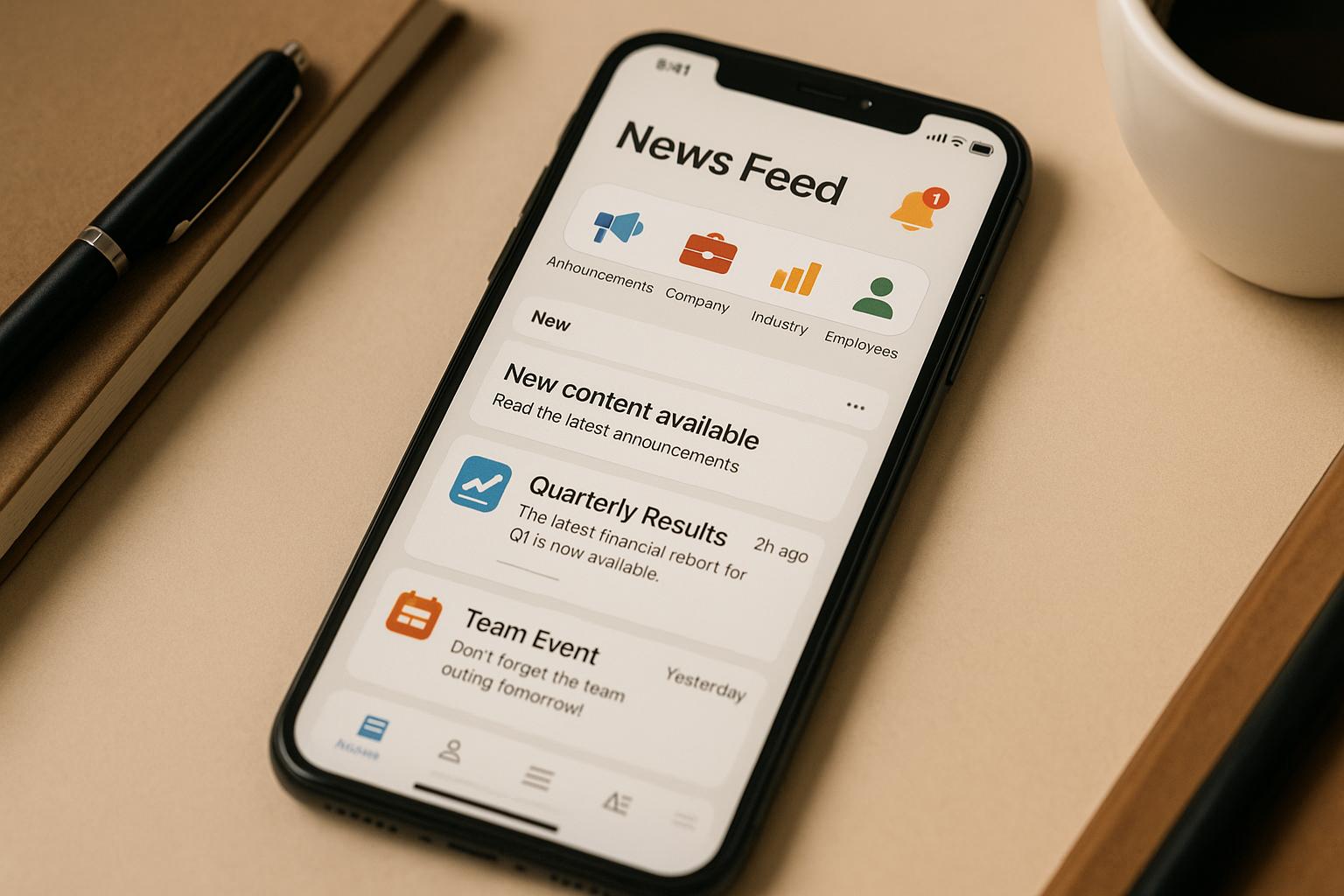
Create a targeted, mobile-first internal news feed with audience segmentation, engaging posts, smart notifications, and analytics to boost employee engagement.
Most workplace news feeds fail. There, I said it. And honestly, I get it - between endless emails, Slack messages, and those "urgent" Teams notifications, who has time to scroll through yet another channel stuffed with updates that barely apply to them? I’ve been on both sides of this mess: as an employee ignoring irrelevant posts and as someone trying (and failing) to get my team to engage with company announcements. It’s frustrating.
But then we tried something different at Pebb. Instead of cramming everything into one chaotic feed, we built a system that gives employees exactly what they need - and nothing they don’t. Imagine a news feed where a warehouse worker in Texas gets shift updates, while the marketing team in New York sees campaign results. No clutter, no noise, just useful, tailored content. The best part? It worked. Engagement shot up, and people actually started paying attention.
In this guide, I’ll share how we pulled it off - covering everything from audience segmentation to crafting posts that don’t bore people to tears. Whether your team is remote, on the frontline, or somewhere in between, I’ll show you how to create a feed they’ll actually want to check. Let’s dive in.
Segment Your Audience for Better Communication
Let me paint you a picture: imagine a warehouse worker in Phoenix scrolling through a company update about a new espresso machine in the corporate office break room. Or a New York marketing team getting pinged about maintenance schedules for equipment they'll never see. What happens? They tune out. And who can blame them?
Here’s the thing - when everyone gets the same updates, nobody pays attention. But when communication is tailored to what actually matters to each group, engagement skyrockets. It’s not rocket science; it’s just common sense. People care when the information impacts their day-to-day work.
Let me walk you through how to define these groups effectively.
How to Define Employee Groups
The first step is figuring out how to divide your workforce into groups that make sense. The goal is to keep it relevant and manageable.
Start with the basics: department, location, and role. Your sales team doesn’t need IT updates, and your Miami office has different priorities than Seattle. Managers need leadership-focused updates, while individual contributors are better served with operational news.
Shift schedules are a big deal, too. If you’ve got frontline workers, think about how announcements hit them. Night shift employees often miss out on daytime updates, and weekend crews can feel left out entirely. Segmenting by work schedule ensures no one’s left in the dark.
Don’t forget employment type. Full-time employees, part-timers, contractors, and seasonal workers all have unique needs. For instance, a seasonal retail worker hired for the holidays doesn’t need the same onboarding content as your full-time store manager.
Now, here’s where Pebb really shines. Instead of manually juggling spreadsheets and trying to sort through who gets what, Pebb automates the process. As soon as someone joins your company, they’re automatically added to the right groups based on their role, location, department, and other key details. No more manual updates. No more guesswork.
The trick is to keep your segments simple and practical. Don’t overcomplicate it with too many overlapping groups. Aim for 5-10 core segments that address your key communication needs. Add filters sparingly, only when absolutely necessary.
When your segments are clear, communication becomes far more effective - and far less of a headache.
Why Targeted Content Works
Once you’ve nailed down your segments, the benefits start rolling in fast. Employees pay attention because the updates they see actually matter to them.
Think about it: California employees get notified about state-specific policy changes. Equipment training only goes to the departments that need it. Shift-specific updates land with the right crews. It’s all about precision - and it works.
The real magic happens when you layer segments. Need to notify all managers in the Northeast? Done. Want to update part-time retail workers across every location about a new scheduling tool? Easy. This level of targeting was nearly impossible with old-school email blasts or generic bulletin boards.
Here’s an example: finance teams get quarterly reminders, while customer service teams receive support updates - without clogging up anyone else’s feed. Suddenly, your news feed becomes something employees actually want to check.
And that’s the game-changer. When employees know their feed is always relevant, they stop ignoring it. No more "notification blindness." No more important updates getting lost in a sea of irrelevant noise. Instead, your communication becomes a tool that keeps everyone informed, engaged, and in the loop.
That’s the power of targeted content. It makes your news feed a place employees trust - and actually use.
Create Content That Employees Want to Read
Let’s be honest - most company news feeds flop because they’re, well, boring. It’s not that employees don’t care about what’s happening at work. They do. But when the feed is crammed with dry policy updates, corporate buzzwords, and announcements that feel like they were written by a robot, people start tuning out.
So, what’s the fix? Shake things up. Give employees content that’s relevant, relatable, and engaging - stuff they’ll actually want to read.
Content Types That Get Attention
If you want a news feed that employees check regularly, variety is key. Here’s the kind of content that works:
Company news and updates: Sure, you need to share policy changes and updates, but ditch the legalese. Write like you’re talking to a coworker. For instance, instead of saying, “Per new expense regulations effective January 1st…,” try, “Starting January 1st, submitting expenses just got easier.”
Employee recognition: This is the secret sauce. Celebrate milestones, promotions, and team wins. Whether it’s a photo of someone’s 10-year anniversary cake or a shout-out to a team that crushed their quarterly goals, this kind of content gets people reading, sharing, and feeling good.
Training materials and resources: Keep it practical. Post quick tips, links to new courses, or a short video on using a company tool. No one’s excited to read a 47-page PDF, so keep it short and actionable.
Project updates and milestones: When a team launches a new feature or completes a big project, shout it from the rooftops (or the news feed). It’s a great way to show progress and help everyone see how their work fits into the bigger picture.
Behind-the-scenes content: This stuff humanizes your company. Share photos from team outings, fun facts about new hires, or a quick video of the office dog stealing snacks. It’s these little glimpses that make people feel connected.
Industry news and trends: If something big is happening in your industry, share it. Add a quick note about how it impacts the team or the company - it’s a great way to keep everyone informed and engaged.
At Pebb, we’ve designed our news feed to handle both broad company updates and tailored content effortlessly. Everyone sees the big stuff, like the announcement about the company picnic, but teams also get updates specific to their roles - like equipment schedules for the warehouse crew or campaign results for marketing. It’s all about making the feed useful for everyone.
Once you’ve nailed down your content mix, the next step is keeping it consistent.
Set Up a Regular Posting Schedule
Here’s the thing: consistency is everything. When employees know they can rely on regular updates, they’re more likely to make checking the feed a habit. On the flip side, if you post sporadically - like a flurry of updates one week and radio silence the next - you’ll lose their attention.
Start with a weekly rhythm. Pick a day for your main update. Maybe a “Monday Momentum” post to kick off the week or a “Friday Wrap-Up” to celebrate wins. Add a monthly leadership message - say, the first Tuesday of each month - for insights from the CEO or updates on company priorities. For teams with time-sensitive needs, like manufacturing or retail, daily touchpoints can work wonders. Think morning safety tips or shift updates.
Here’s a sample schedule:
Monday morning: Company-wide updates
Wednesday: Employee recognition or project milestones
Friday: Leadership messages or team spotlights
Sprinkle in role-specific updates, training resources, and timely announcements as needed during the week.
But remember, quality beats quantity. Three thoughtful updates a week will always outshine ten rushed, generic ones. A content calendar can help you stay organized, avoid gaps, and ensure you’re covering all the bases.
At Pebb, we make this process a breeze with our calendar feature. It lets you draft posts, schedule them for specific times, and target them to the right groups - all in one go. I usually set aside a couple of hours every other week to plan and schedule content. It’s a small investment of time that pays off big.
When your updates are consistent and well-crafted, your news feed becomes more than just a bulletin board - it’s the go-to source for everything employees need to know. And that’s when the magic happens.
Design for Easy Use and Interaction
Let me tell you, even the best content won’t matter if your news feed is a pain to use. Employees won’t bother with it if it feels clunky or outdated. Think about it - when was the last time you willingly navigated a complicated app? A news feed should feel natural, like scrolling through Instagram or Twitter, not like trying to decode a puzzle.
Here’s the goal: make sure employees can access and interact with the feed effortlessly, no matter where they are.
Mobile-First Design
If you’re still designing your news feed with desktop users in mind, you’re missing the mark. A huge part of today’s workforce - especially in industries like retail, healthcare, and manufacturing - spends most of their time away from a desk. For them, mobile access isn’t just a perk; it’s a must-have.
Picture this: a warehouse worker needing to check shift updates or a retail associate wanting to read company news. They’re not going to hunt down a desktop computer. They need quick, easy access on their phones.
That’s why we’ve prioritized mobile-first design at Pebb from the very beginning. Our platform works seamlessly on both iOS and Android, with a thumb-friendly interface that keeps everything just a tap or two away.
Here’s what makes mobile-first design work:
Fast load times: No one’s going to wait around for a feed to load. Slow apps lose users - period.
Simple navigation: Keep menus streamlined. Employees should be able to find what they need in two or three taps.
Readable content: Use clear fonts, plenty of white space, and short paragraphs. Mobile is all about quick and scannable information.
Offline access: For employees working in areas with spotty internet, features that allow previously loaded content to be viewed offline are a lifesaver.
When your news feed is built with mobile users in mind, you’re meeting employees where they are - literally. And that’s when they’ll actually start using it.
Add Interactive Features
Now, let’s take it a step further. A static news feed? That’s old news. To truly engage employees, you need to make it interactive. Think of it this way: a one-way feed is like talking at someone, but an interactive feed is like having a real conversation.
Here’s what works:
Likes and reactions: A quick thumbs-up or heart emoji might seem small, but it’s a big deal. It’s an easy way for employees to show support or appreciation without overthinking it.
Comments: This is where the magic happens. Whether it’s a question about a new process or a shoutout to a team, comments turn posts into dynamic discussions.
Peer recognition: Let employees tag or shout out their coworkers directly in the feed. It’s a simple way to build camaraderie and make people feel valued.
Polls and surveys: Want feedback on a new policy or ideas for the next team outing? A quick poll makes it fun and gives employees a voice.
We’ve baked all these features into Pebb’s platform. Employees can like, comment, tag teammates, and even share updates within specific groups. It feels familiar, like the social apps they already use, but tailored for the workplace.
Here’s the cool part: when employees interact with the feed, they’re no longer just passive readers. They’re part of the conversation. They’re building connections, sharing ideas, and staying plugged into the company vibe. That’s when your news feed becomes more than just a tool - it becomes something people actually enjoy using.
And there’s a bonus: these interactions give you valuable insights. If a post gets tons of likes and comments, it’s a hit. If it falls flat, you know it’s time to tweak your approach. It’s like having a built-in feedback loop to keep improving.
So don’t just push out information - invite employees to engage with it. Make your news feed a space where everyone feels included, and watch how quickly it becomes the heartbeat of your workplace communication.
Use Personalization and Smart Notifications
Let me tell you, nothing kills engagement faster than irrelevant updates. A warehouse supervisor doesn’t need to know about the latest marketing campaign, and your sales team probably doesn’t care about maintenance schedules. When you blast the same content to everyone, you’re practically begging people to tune out.
This is where personalization and smart notifications can make all the difference. They’re like the secret ingredient that turns a bland, one-size-fits-all news feed into something that feels tailored to each person. And when content feels tailored, people actually pay attention.
Personalize Content Feeds with AI
Think about how platforms like Netflix or Spotify work. They don’t just throw everything at you - they serve up what’s relevant to you specifically. Your workplace news feed should do the same thing.
At Pebb, we’ve built this kind of personalization right into our platform. The system automatically filters content based on roles, departments, locations, and even the groups employees join. Here’s how it plays out:
A manager posting a policy update can target it to specific departments or locations, like full-time staff in the Denver office.
A retail associate in Chicago sees store-specific updates front and center, while a remote developer gets tech team announcements without having to sift through unrelated posts about warehouse operations.
The result? Employees open the app and see exactly what’s relevant to them - no digging required. And it gets better. Our platform can even learn from behavior. Let’s say someone regularly engages with safety updates but skips posts about social events. Over time, their feed adjusts to show more of what they care about. It’s not about deciding for them; it’s about making their experience smoother.
When employees know they’re getting content that actually matters to them, they’re way more likely to stay engaged.
Balance Notifications to Avoid Overload
Now, let’s talk about notifications - because this is where things can go sideways fast. We’ve all been there: your phone buzzes every five minutes, and eventually, you stop paying attention. Or worse, you turn off notifications altogether and miss something important.
Here’s the thing: not every update deserves a push notification. A last-minute shift change or a critical safety alert? Sure, that’s notification-worthy. But a reminder about next month’s team lunch? That can wait in the feed for when someone checks it on their own time.
At Pebb, we’ve adopted a simple rule: urgent updates get a notification; everything else lives in the feed. This approach keeps employees informed without overwhelming them. We also give employees control over their notification preferences. For example:
Someone might want alerts for company-wide announcements but silence for group chat messages.
They might prefer notifications only during work hours and none after 6:00 PM.
Another game-changer? Batching notifications. Instead of bombarding employees with five separate alerts in the morning, bundle them into one digest. A single “You have 3 new updates” notification is far less disruptive than multiple pings.
We also use notification channels to prioritize updates. On both iOS and Android, you can set different priority levels. Critical alerts come through with sound and vibration, while routine updates arrive silently. Employees can customize these settings to fit their needs.
The goal isn’t to eliminate notifications - it’s to make them meaningful. When employees trust that a notification signals something important, they’ll pay attention. But if you overload them, they’ll tune out entirely.
The companies that get this right treat notifications with care. They’re selective, thoughtful, and respectful of their employees’ time. And that respect? It pays off big time. Employees actually want to check the news feed - not because they’re being nagged, but because they know it’s worth their attention. That’s the sweet spot we’re all aiming for.
Track Results and Make Improvements
Setting up a news feed is just step one. The real work begins when you start tracking its performance and tweaking things to make it better. Too often, companies launch a feed and then just hope it works, without ever checking in on how it's actually performing. The result? A stagnant, uninspiring feed that misses the mark.
Here’s the deal: you can’t just guess at what’s working. You need to dig into the data - figure out what content grabs attention, what gets ignored, and where you can do better. At Pebb, we’ve made this process seamless by building a connected platform that brings communication and operations into one place. Let me show you how we approach this and the key metrics we monitor to keep our feed dynamic and engaging.
Key Metrics to Track
Not all metrics are created equal, so it’s crucial to focus on the ones that provide real insights into your feed’s performance. Here are the big ones we keep an eye on:
Read rates: This is your baseline. It tells you how many employees are opening and viewing your posts. For instance, if a critical update barely gets noticed, it’s a red flag. Maybe the headline didn’t grab attention, the timing was off, or the post wasn’t placed in a prominent spot. With Pebb, you can organize communication by department, location, or team so the right people see the right updates.
Engagement rates: This goes beyond views and tracks interactions like likes, comments, and shares. If you’re getting lots of views but no engagement, something’s off - maybe the content isn’t resonating. On the flip side, a post with high interaction signals you’re hitting the right note. For example, we’ve noticed that posts with images or targeted questions often get more traction than plain text updates.
Reach by department or location: This metric ensures no part of your workforce is left out. If a specific group consistently shows low engagement, it might be time to tweak your messaging or rethink how you’re notifying them.
Time to read: If employees are barely spending time on a post, it could mean the content isn’t compelling enough or it’s too long for the format. This metric can guide you in fine-tuning your posts to match your audience’s attention span.
Notification response rates: When you send out a push notification, do people click through? Tracking this helps you figure out the right balance for frequency and urgency.
By looking at these metrics collectively, you get a full picture of how your feed is performing. For instance, high read rates but low engagement might mean employees are skimming without really connecting with the content. On the other hand, a smaller audience with strong reactions could point to a deeply engaged core group. These insights are invaluable for shaping your strategy.
Use Feedback to Improve
Numbers can tell you what’s happening, but they don’t always explain why. That’s where employee feedback comes in. To keep your feed relevant and engaging, you need to pair your metrics with direct input from your team.
At Pebb, we’ve found a few simple ways to make gathering feedback easy and effective:
Quick polls or reaction buttons: Add these directly to your posts. After reading an update, employees can quickly indicate whether they found it useful. Over time, these small bits of feedback create a clear picture of what’s landing well and what’s falling flat.
Short, targeted surveys: Keep them brief and focused, asking questions like, “Is the content relevant to your role?” or “What type of updates would you like to see more of?” Delivering these surveys through the news feed makes it convenient for employees to respond.
Dedicated feedback channels: Set up a space where employees can share suggestions or flag issues anytime. The key here is acting on what you hear. When employees see their input leading to real changes, they’re far more likely to keep sharing.
We also use Pebb’s all-in-one tools to connect the dots. By bringing the news feed together with other areas - like work chat, tasks, and digital forms - we get a broader view of how engaged and informed our team really is.
Here’s the bottom line: if you’re not tracking results and actively seeking feedback, you’re leaving valuable opportunities on the table. With the right data and a commitment to iterating, you can turn your news feed into something employees actually look forward to checking every day.
Conclusion
Creating a news feed that your team actually wants to engage with isn’t something you can leave up to chance. It takes a thoughtful approach. Start by segmenting your audience so the right people see content that matters to them. Then, focus on writing posts that grab attention and optimizing for mobile, because let’s face it, that’s where most of your team will be scrolling. Add in personalization and smart notifications to keep things relevant without bombarding anyone, and don’t forget to track your results so you can fine-tune what’s working and what’s not.
Once you’ve nailed your strategy, there’s one big trap to avoid: juggling too many platforms. I’ve seen it happen - companies patch together tools like Slack for chat, another app for announcements, and something else for scheduling. It’s messy, overwhelming, and guarantees missed updates. That’s exactly why we built Pebb the way we did - to simplify everything.
With Pebb, you get an all-in-one employee app for communication and operations that covers it all: a news feed, work chat, shift management, an employee directory, tasks, calendar events, digital forms, and even voice and video calls. Your team can check their schedules, stay updated on company news, and message coworkers - all without hopping between apps. The best part? Our Standard plan is free for teams up to 15 employees, and the Premium plan comes in at just $4 per user per month. For everything you get, it’s hands-down the best deal out there.
FAQs
How can we tailor our employee news feed to ensure everyone gets updates that matter to them?
To make your company's news feed more relevant and engaging for employees, start by grouping them based on factors like their job roles, departments, locations, or even personal interests. Why does this matter? Well, it lets you tailor updates to match what’s actually useful to them. For instance, frontline workers might care more about operational updates, while office staff could be more interested in project milestones or company-wide announcements.
With a tool like Pebb, personalizing the news feed becomes a breeze. You can set up group-specific content or allow employees to customize their own preferences. By encouraging your team to fine-tune what they see, you’re not just boosting engagement - you’re also showing them that their time and needs are a priority. It’s a simple way to keep everyone informed and feeling connected to what’s important.
What kind of content should we focus on to make our company news feed more engaging for employees?
To build a news feed your employees will actually look forward to checking, the key is to focus on content that’s relevant, tailored, and worth their time. Think about the updates your team truly cares about - things like major company announcements, team wins, upcoming events, or progress on key projects. Adding personal touches like employee spotlights or user-generated content can also spark a stronger sense of connection and community.
Here’s where Pebb comes in handy. Its personalization features let you customize content based on roles, interests, or departments, so everyone gets updates that matter to them. Nobody wants to scroll through irrelevant posts, right? Keep your updates short, visually interesting, and easy to digest. A splash of color with images, quick-hit videos, or eye-catching infographics can make all the difference.
When you focus on delivering meaningful and engaging updates, your news feed can evolve into more than just a bulletin board - it becomes a go-to space where your team feels informed, connected, and involved.
How does Pebb make employee news feeds more engaging compared to traditional communication tools?
Pebb takes the employee news feed to the next level by blending personalization, ease of use, and features designed to keep teams engaged - all in one intuitive platform. Unlike the clunky, one-size-fits-all tools of the past, Pebb lets you fine-tune updates to match your team’s specific roles, interests, and preferences. The result? Content that actually matters to your employees.
Here’s the kicker - Pebb offers a free all-in-one employee app for communication and operations for up to 15 employees, and if you’re looking for a bit more, the premium plan is just $4/user/month. That gives your team access to everything they need in one place: work chat, groups, voice, and video calls. This seamless setup doesn’t just streamline communication; it transforms your news feed into the go-to hub for staying connected. By focusing on simplicity and relevance, Pebb helps build stronger workplace relationships and keeps your team engaged day in and day out.
