
Author: Ron Daniel
Best Shift Scheduling App for Teams with Hourly Employees
Compare five shift scheduling apps for hourly teams and find an all-in-one option for scheduling, time tracking, and team messaging.
It’s Sunday night, and I’m staring at my phone, juggling a scheduling nightmare. Two employees just called out, someone updated their availability (again), and I’m trying to make sure no one accidentally hits overtime. Sound familiar? If you’ve ever managed a team of hourly workers, you know this struggle all too well.
Here’s the thing: scheduling hourly employees can feel like playing Tetris on hard mode. Between last-minute changes, no-shows, and compliance headaches, it’s no wonder managers spend hours trying to make it all work. I’ve been there, and spreadsheets just don’t cut it anymore. That’s why I’m excited to share how shift scheduling apps - like Pebb - are changing the game.
In this guide, I’ll break down five apps designed for teams with hourly employees: Pebb, When I Work, Homebase, Shiftboard, and Sling. And while I’ll cover all of them, I’ll explain why Pebb stands out as the most effective solution for simplifying scheduling, tracking hours, and keeping your team connected - all without breaking the bank. Let’s dive in.
1. Pebb
At Pebb, we’ve created a platform that takes the headache out of managing retail crews, restaurant staff, and field service workers. By combining scheduling, time tracking, and messaging into one app, we’ve made it easier for teams to stay organized and avoid the chaos that comes with juggling multiple tools.
Scheduling Features
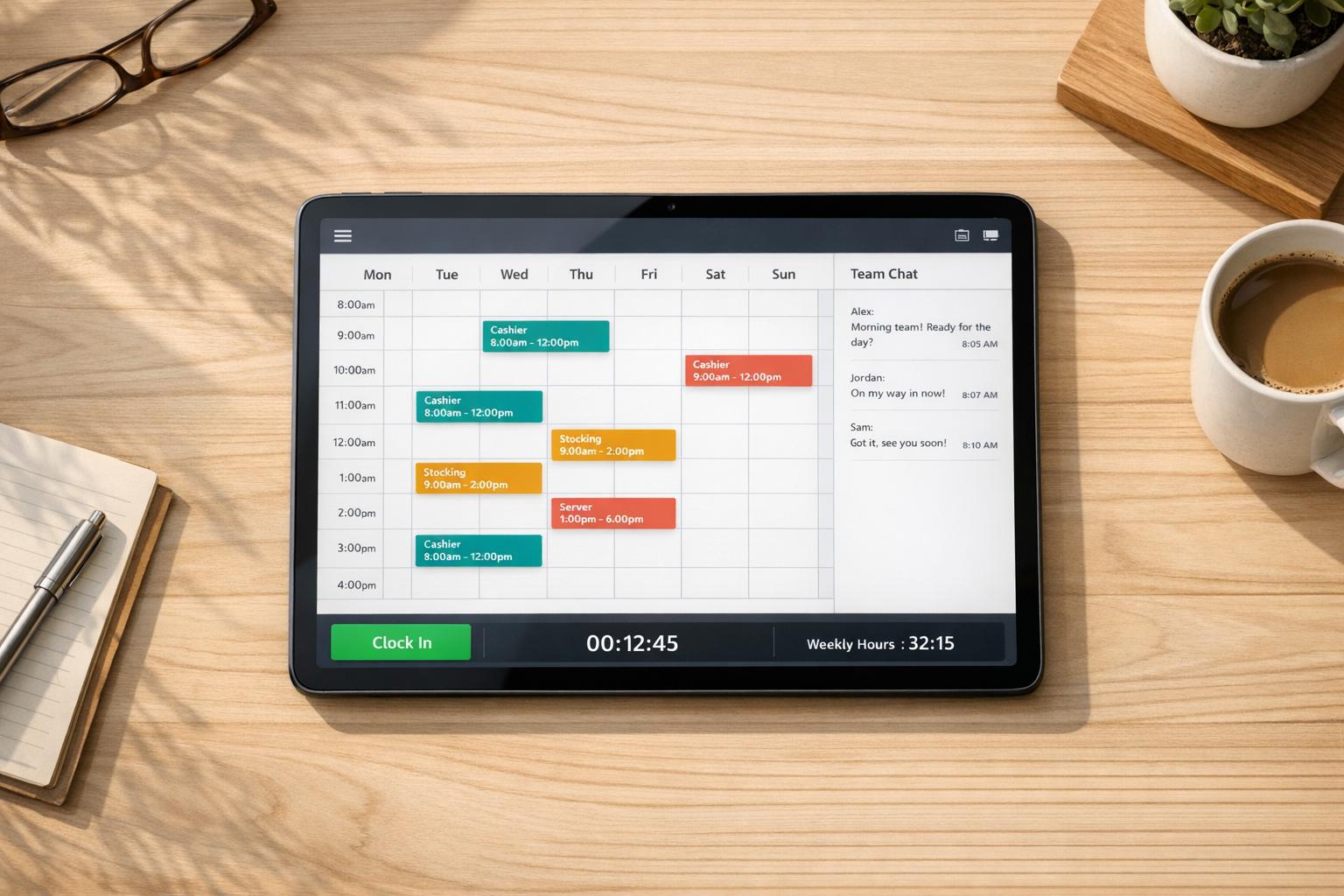
Let me tell you, our drag-and-drop schedule builder is a game-changer. Whether you’re setting up weekly or biweekly rosters, it’s as simple as moving pieces on a board. You can save your favorite shift templates - like "Morning Cashier 8:00 AM–2:00 PM" or "Closing Shift 4:00 PM–11:00 PM" - and reuse them across different weeks or even multiple locations. When a shift opens up, managers can post it as an Open Shift for eligible employees to claim, and built-in rules ensure no one accidentally racks up overtime. Employees can also manage their availability and submit PTO requests directly in the app, with any conflicts flagged automatically.
Once the schedule is locked in, Pebb’s time tracking steps in to keep everything running smoothly.
Time Tracking and Compliance
Our mobile clock-in feature takes the guesswork out of tracking hours. Employees can clock in and out right from their phones, and with GPS geofencing (accurate within 50 feet), they can only clock in when they’re actually on-site. The app automatically tracks breaks, overtime, and time-off balances, then compiles all of this into payroll-ready timesheets - saving hours of manual work.
"Pebb's clock-in app lets employees clock in and out from their phone, so you always know who's working - and when."
For businesses in the U.S., staying compliant with labor laws is non-negotiable. Pebb takes care of state-specific overtime calculations and automatically logs unpaid breaks, so you always have an audit-ready record without lifting a finger.
Communication Tools
Keeping your team connected has never been easier. Pebb includes built-in work chat and a news feed that deliver updates instantly. If you’re on our Premium plan, you can also use voice and video calls. Managers can attach notes to specific shifts - like "Deep clean the walk-in cooler tonight" or "Train on the new POS system" - and employees see these updates as soon as they check their schedules. And the best part? You don’t need corporate email addresses to get started, making it simple to onboard frontline workers.
But we didn’t stop at communication - our pricing makes scaling up a breeze.
Pricing and Scalability
Here’s the deal: our Standard plan is completely free for teams of up to 15 employees. It includes all the essentials - shift scheduling, clock-in, PTO management, chat, and a news feed - perfect for small businesses that want to streamline operations without spending a dime. When it’s time to grow, the Premium plan is just $4 per user per month. It adds advanced features like analytics, enhanced chat, voice and video calls, integrations, enterprise SSO, and priority support.
Plan | Price | Highlights |
|---|---|---|
Standard | Free (up to 15 users) | Scheduling, Clock-in, PTO, Chat, News Feed |
Premium | $4/user/month | Everything in Standard + Analytics, Voice/Video, Integrations, SSO |
Managing multiple locations? No problem. With Spaces, you can organize teams by branch, department, or job site. A regional manager can get a bird’s-eye view of all locations, while a store manager focuses only on their team. It’s a clean and scalable system that grows with you.
Pebb is designed to make life easier for managers and employees alike, no matter how small or large your team becomes.
2. When I Work
If Pebb is the Swiss Army knife for workforce management, When I Work is like a trusty toolkit designed specifically for hourly teams. It’s built with industries like restaurants, retail, healthcare, and hospitality in mind, offering features that make scheduling, time tracking, and communication smoother and less stressful. Let me walk you through what makes it stand out.
Scheduling Features
The scheduling system is a lifesaver for managers. With its drag-and-drop builder, you can easily create schedules, reuse templates, or post open shifts for employees to claim. It even integrates employee availability and time-off requests directly into the app, so you’re not scrambling to double-check who’s free. One of my favorite features? Conflict alerts. They flag potential issues like double-bookings or employees nearing overtime before you hit publish. That kind of foresight is a game-changer, especially when you’re juggling multiple shifts.
Here’s the kicker: When I Work claims it can cut scheduling time by up to 50%. That’s a bold claim, but when you think about how much back-and-forth texting and emailing it eliminates, it starts to make sense. Plus, the system seamlessly ties into time tracking, which keeps things running smoothly.
Time Tracking and Compliance
Let’s talk about time tracking. Employees can clock in and out using their phone, a tablet, or even a web browser. To keep things honest, there’s GPS enforcement and photo clock-ins, which help prevent issues like buddy punching or off-site clock-ins. The app also tracks breaks and unpaid meal periods, so you’ve got a clear record of everything.
Managers can review and edit timesheets, complete with an audit trail, and then export them directly to payroll providers like Gusto, ADP, or QuickBooks. That’s a huge time-saver, cutting out the manual data entry that can lead to costly errors. There’s even an alert system to notify managers when employees are nearing overtime, which can help you sidestep unexpected FLSA overtime costs. That said, it’s worth noting that you’ll still need to manually configure certain city- or state-specific rules, like Chicago’s predictive scheduling laws or California’s split-shift premiums.
Communication Tools
Here’s where When I Work gets clever: it ties communication directly to the schedule. Need to send a note to tonight’s closers? Easy. Want to remind everyone to wear branded polos for an event? Just attach a note to the shift. The platform supports 1:1 messaging, group chats, and even company-wide announcements. No more hunting for phone numbers or relying on chaotic group texts.
While the communication tools are efficient, I have to say, Pebb’s free integrated communication platform still takes the crown for its seamless experience. But if you’re already using When I Work, you’ll appreciate how it centralizes and organizes everything.
Pricing and Scalability
When I Work uses a per-user, per-month subscription model, with tiered plans to fit different needs. The base plan covers the essentials like scheduling and time tracking, while higher tiers unlock advanced features like reporting, integrations, and multi-location controls. There’s also a free trial, so you can take it for a spin before committing.
For businesses with multiple locations, the platform offers role-based access, allowing local managers to handle their own sites while headquarters keeps an eye on labor costs through centralized reporting. It’s a smart setup for growing teams.
Area | Key Capabilities |
|---|---|
Scheduling | Drag-and-drop builder, templates, open shifts, availability management, conflict alerts |
Time Tracking | Mobile/tablet/web clock-in, GPS + photo verification, overtime alerts, payroll exports |
Communication | 1:1 and group messaging, shift-specific notes, push and SMS notifications |
Integrations | Gusto, ADP, QuickBooks, and other U.S. payroll providers |
Best For | Restaurants, retail, hospitality, healthcare clinics with hourly staff |
Pricing | Per-user/month tiers (USD); free trial available |
When I Work simplifies the chaos of managing hourly teams, making it easier to focus on what really matters - running your business. It’s not perfect, but it’s a solid option for industries that rely on efficient scheduling and time tracking.
3. Homebase
When it comes to small brick-and-mortar businesses juggling hourly teams, Homebase steps in with a scheduling solution designed to handle the daily grind. Over 150,000 small businesses across the U.S. rely on it to keep operations running smoothly.
Scheduling Features
Homebase shines with its AI-powered auto-scheduling. This feature takes employee availability and PTO into account, reducing conflicts before they even arise. Managers can post open shifts for employees to claim, and staff can handle their own shift swaps - with manager approval, of course. This is a lifesaver when you're scrambling to cover a busy Friday night.
Time Tracking and Compliance
Employees can clock in using a variety of devices - mobile, tablet, desktop, or even integrated POS systems like Square, Toast, or Clover. For extra accuracy, Homebase uses GPS geofencing and photo capture. It doesn’t stop there: hours are automatically converted into payroll-ready timesheets, and the system sends alerts for things like overtime, late arrivals, or missed breaks. Plus, it helps businesses stay compliant with rules like Fair Workweek regulations and California's break requirements.
"Even when I'm not in the store, I can track my employees' hours. If someone forgets to clock in or out, I can fix it from my phone or computer, wherever I am." - Roxana Rodriguez, Owner, RDR Hats
For managers who want more than just clock-in data, the Performance section tracks key metrics like on-time rates, no-shows, and missed breaks. These insights are invaluable for keeping tabs on team performance.
Communication Tools
Homebase integrates communication directly into its scheduling system. Shift-based messaging and automated text reminders ensure everyone’s on the same page. However, it doesn’t offer the robust communication tools that Pebb brings to the table.
Pricing and Scalability
Homebase’s pricing is per location, not per user, which can become pricey if you’re managing multiple sites.
Plan | Price (per location/month) | Notes |
|---|---|---|
Basic | $0 | 1 location, up to 10 employees |
Essentials | $24 (annual) / $30 (monthly) | Core scheduling and time tracking |
Plus | $56 (annual) / $70 (monthly) | Adds PTO tracking and AI scheduling |
All-in-One | $96 (annual) / $120 (monthly) | Adds HR tools and onboarding |
Payroll Add-on | $39/month base + $6/employee | Separate from all plans |
PCMag rated Homebase 3.5/5, noting that the pricing could be a hurdle for businesses with multiple locations. Payroll isn’t included in any of the standard plans, so you’ll need to budget an extra $39/month plus $6 per employee for that.
With Homebase covered, let’s see how Shiftboard handles the needs of larger teams, especially when it comes to compliance and scheduling challenges.
4. Shiftboard
Shiftboard is tailored for a different kind of workplace. While Homebase caters to small local businesses, Shiftboard focuses on larger, more intricate setups - think energy companies, manufacturing facilities, and healthcare organizations, where compliance isn’t just a suggestion, it’s a requirement.
Scheduling Features
Shiftboard offers two specialized products: ScheduleFlex for dynamic, on-demand workforces, and SchedulePro for industries with strict compliance needs, such as those governed by union rules and fatigue standards. These tools use automated algorithms to assign shifts based on employee skills, certifications, and availability. Employees can sign up for overtime, trade shifts using a built-in "tradeboard", and set their own work preferences. This approach gives workers more control over their schedules, which has led to some impressive outcomes: an 86% boost in worker satisfaction and a 16% drop in employee turnover. Plus, these scheduling features integrate seamlessly with Shiftboard’s compliance tools.
Time Tracking and Compliance
When it comes to compliance, Shiftboard doesn’t mess around. Its rules engine ensures adherence to labor laws, union agreements, and fatigue standards like OSHA and API RP 755. It even tracks overtime balances and seniority to distribute extra hours fairly. And here’s the kicker - Shiftboard offers the only compliance guarantee in the scheduling software market.
"Shiftboard saved us ~$3M in costs and is a proven solution for API RP 755 compliance. Employee scheduling was a vital concern at an executive level - they went over and above the call of duty to meet our needs." - Larry Heasley, HR Manager, Shell
That said, its time tracking and leave management features aren’t as advanced as those offered by all-in-one platforms like Pebb. And while the mobile app is solid, the web interface feels outdated, lacking modern conveniences like drag-and-drop editing.
Communication Tools
Shiftboard sticks to the basics with its communication tools. It supports one-way broadcast messaging, automated SMS, email, and push notifications, plus an AutoCall feature for urgent shift coverage. However, it doesn’t include real-time team chat or social-style engagement tools. By comparison, Pebb stands out with its integrated communication platform, offering work chat, news feeds, and more - all included at just $4 per user.
Pricing and Scalability
Shiftboard is clearly designed for larger organizations. Its plans require a minimum of 100 employees, making it less suitable for smaller teams.
Plan | Monthly Cost (Annual Billing) | User Limit |
|---|---|---|
Lite | $45 | Up to 50 users |
Standard | $120 | Up to 75 users |
Plus | $267 | Up to 125 users |
Silver | $476 | Up to 200 users |
Gold | $976 | Up to 350 users |
Enterprise | Custom quote | 350+ users |
Both PCMag and G2 have rated Shiftboard highly, with scores of 4.0/5 and 4.6/5, respectively. It’s a robust solution for compliance-heavy operations, but if you’re managing a smaller team or need modern communication tools included, it’s probably more than you need.
5. Sling
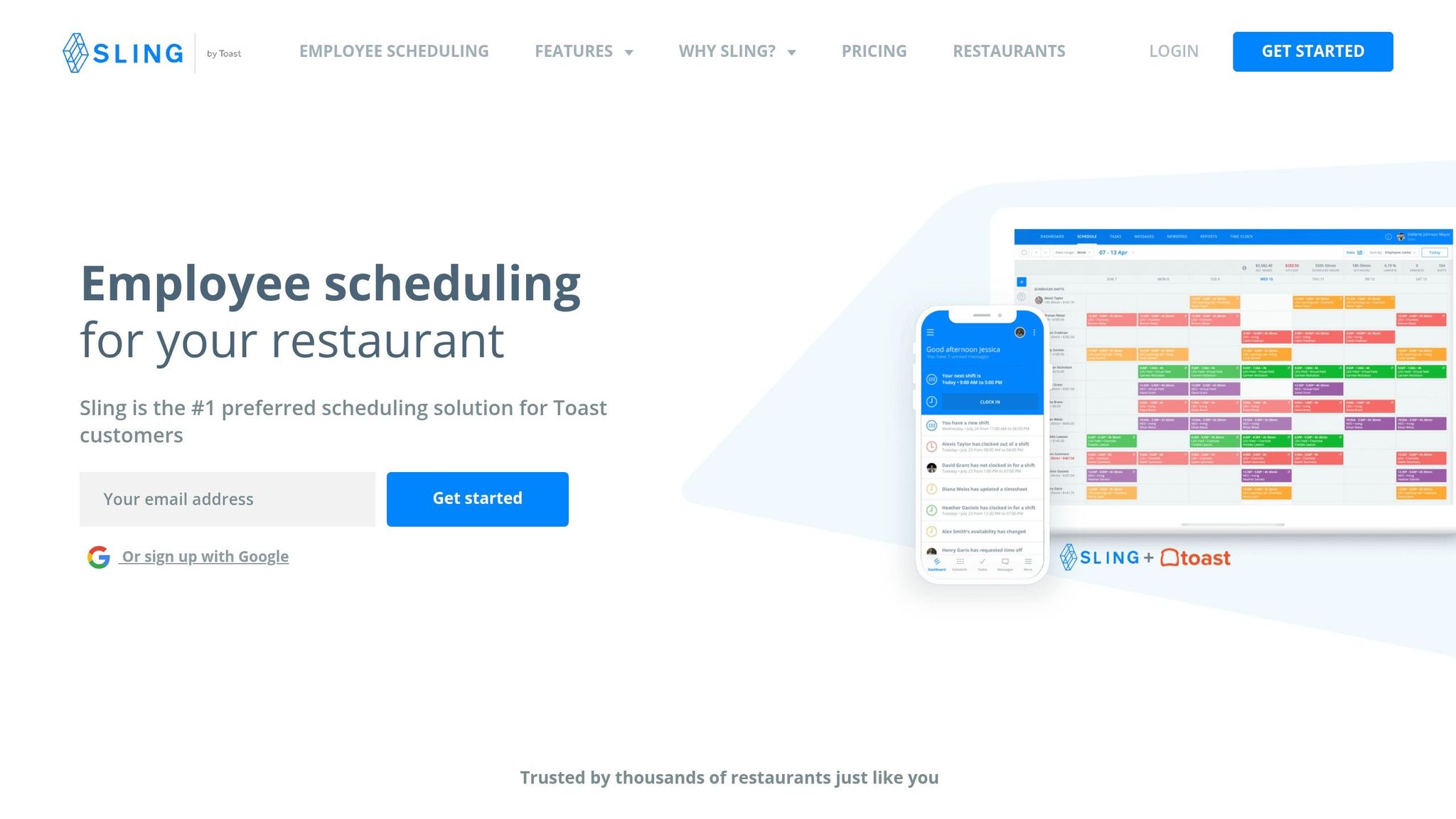
Sling by Toast keeps scheduling simple and affordable for restaurants, retail shops, and service businesses that rely on hourly staff.
Scheduling Features
The drag-and-drop calendar in Sling makes creating schedules a breeze. Managers can use shift templates and recurring weekly schedules, saving time by avoiding the need to rebuild the same schedule each week.
"I post weekly schedule in minutes and it replicates to future weeks. No more do I need to create schedules from scratch." - Kenneth Taylor, Supervisor of System Operations, Expeditors
Employees can claim open shifts, mark their unavailability, and request shift swaps directly through the mobile app. The system automatically flags scheduling conflicts before they cause issues. It also supports split shifts, rotating schedules, and clopenings, giving managers the flexibility they need to manage dynamic workforces.
This streamlined scheduling process also integrates seamlessly with Sling's time tracking features.
Time Tracking and Compliance
Sling's time tracking tools are designed to address common payroll challenges. For example, GPS geofencing ensures employees can only clock in when they're physically on-site, helping eliminate "buddy punching", which can cost businesses 2–5% of payroll annually.
The Business plan adds features like Kiosk Mode, which turns a tablet into a shared time clock using PINs, and break attestation, where employees confirm they’ve taken their required breaks before clocking out. These tools not only simplify time tracking but also provide a compliance trail for labor laws.
Here’s a breakdown of key time tracking features by plan:
Feature | Free | Premium | Business |
|---|---|---|---|
Mobile Time Tracking | No | Yes | Yes |
Geofencing | No | Yes | Yes |
Overtime Tracking | No | Yes | Yes |
Break Attestation | No | No | Yes |
Clopening Rules | No | Yes | Yes |
Kiosk Time Clock | No | No | Yes |
For payroll, Sling allows you to export timesheets directly to platforms like Toast, Gusto, Square, or Shopify, making payday smooth and hassle-free.
Communication Tools
Sling includes basic communication features like private messaging and news sharing in its free plan. Group messaging is available at the Premium level. However, its messaging tools are limited compared to Pebb's all-in-one platform. Sling lacks threaded work chats, a social-style news feed, and voice or video calling - all of which Pebb provides at just $4 per user. While Sling covers the essentials, Pebb offers a more robust and integrated communication experience.
Pricing and Scalability
Sling's free plan is generous, supporting up to 30 users at no cost. For paid plans, you can save 15% with annual billing, and Sling even prorates charges when users are deactivated, so you only pay for active team members.
Plan | Monthly (per user) | Annual (per user) | Notable Features |
|---|---|---|---|
Free | $0 | $0 | Scheduling (30 users), time-off requests, private messaging |
Premium | $2.00 | $1.70 | Mobile time tracking, geofencing, overtime tracking |
Business | $4.00 | $3.40 | Kiosk clock-in, break attestation, PTO management, attendance reports |
With over 21,000 reviews and a 4.7/5 rating, Sling proves to be a strong option for small and mid-sized teams, offering competitive pricing and flexibility to meet a variety of business needs.
Pros and Cons
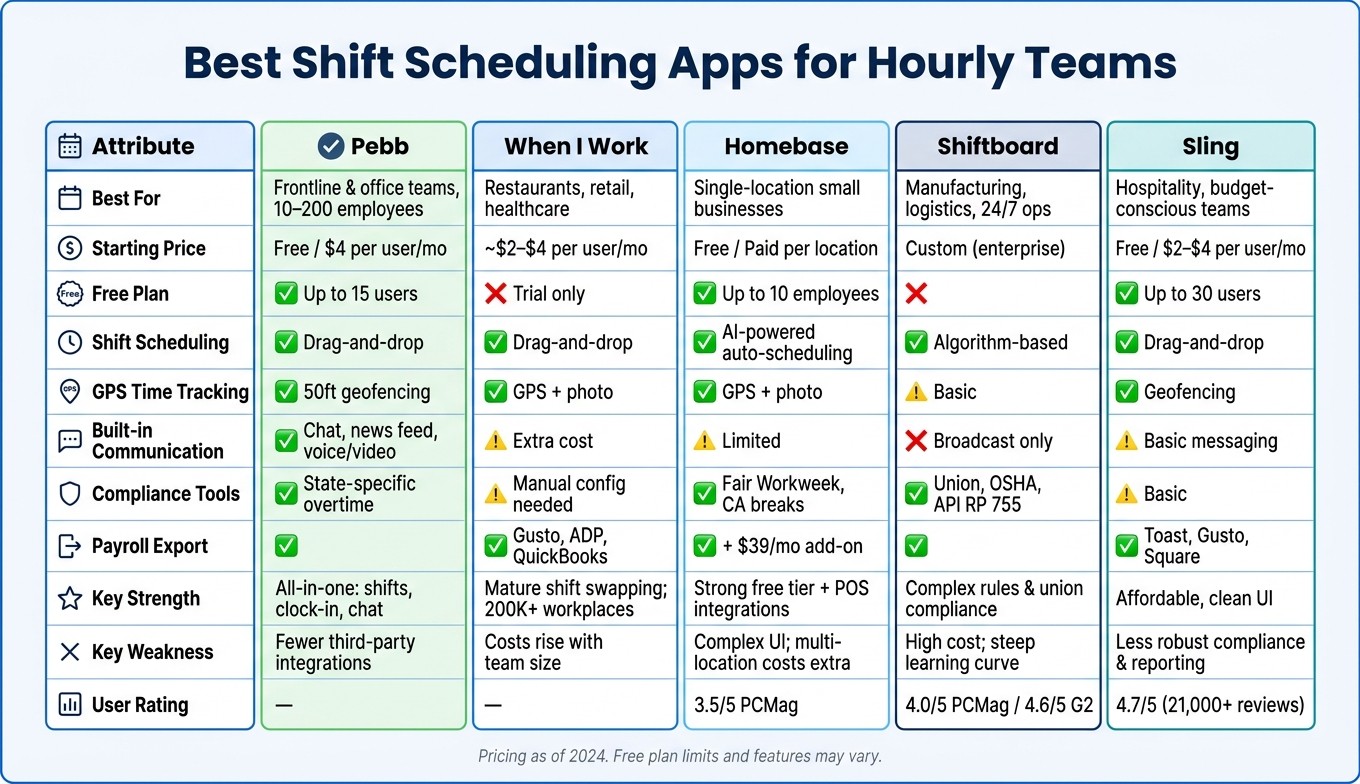
Best Shift Scheduling Apps for Hourly Teams: Side-by-Side Comparison
Every app has its own set of perks and drawbacks, and picking the right one depends on what your team needs most. Here’s a breakdown of the standout features and challenges for each app when it comes to managing hourly teams.
Let’s start with Pebb. It’s a powerhouse for frontline and office teams, combining scheduling, clock-in, and communication tools - all for just $4 per user/month on the premium plan. What really sets Pebb apart is that it offers free all-in-one communication alongside its scheduling and clock-in features. That’s a game-changer, especially when no one else in the market does this. The downside? It doesn’t have as many third-party integrations as some older platforms. Plus, if you’re running a massive enterprise with union rules or complex compliance needs, you might need a more tailored solution.
When I Work has earned its stripes with over 200,000 workplaces trusting it. It’s a great pick for industries like restaurants, retail, and healthcare, where shift swapping and mobile-first scheduling are key. Payroll exports are another strong suit. However, integrated messaging isn’t included unless you pay extra, and costs can stack up quickly for larger teams. Advanced reporting? That’s locked behind higher-tier plans.
Then there’s Homebase, which shines for small businesses like coffee shops or salons, thanks to its free tier and integrations with systems like Square and Gusto. But if you’re after simple scheduling, the interface might feel a bit overwhelming. Also, if you’re managing multiple locations, you’ll need to upgrade to a paid plan - and messaging features aren’t included in the free version.
Shiftboard is the go-to for complex setups like manufacturing plants or 24/7 operations with union contracts. It handles intricate coverage rules and forecasting like a pro, but it’s not for the faint of heart. The learning curve is steep, the sales process takes time, and pricing is custom-quoted, so you won’t find a straightforward price tag.
Finally, Sling is a budget-friendly option with a sleek, easy-to-use interface. Its free tier is strong, making it a good match for hospitality and multi-location retail teams. That said, it falls short on compliance tools and advanced reporting compared to enterprise-level solutions.
Here’s a quick side-by-side comparison to help you decide:
App | Best For | Starting Price | Key Strength | Key Weakness |
|---|---|---|---|---|
Pebb | Frontline & office teams, 10–200 employees | Free / $4 per user/mo | All-in-one: shifts, clock-in, chat, news feed | Fewer third-party integrations |
When I Work | Restaurants, retail, healthcare | ~$2–$4 per user/mo | Mature shift swapping; used by 200,000+ workplaces | Costs increase with larger teams; advanced features gated |
Homebase | Single-location small businesses | Free / Paid per location | Strong free tier with POS integrations | Complex interface; multi-location setups incur extra costs |
Shiftboard | Manufacturing, logistics, 24/7 operations | Custom (enterprise) | Complex rules, union compliance, forecasting | High cost; steep learning curve |
Sling | Hospitality, budget-conscious teams | Free / $2–$4 per user/mo | Affordable, clean UI with a strong free tier | Less robust compliance and reporting features |
This table highlights the essentials, making it easier to pinpoint the app that fits your team’s specific needs.
Wrapping Up
After digging into the details, it's clear why Pebb stands out as the go-to solution for most hourly teams in the U.S. It’s the only app that seamlessly combines shift scheduling, clock-in/clock-out, and team communication - all in one place - without tacking on extra fees for each feature. At just $4 per user/month (or free for teams of up to 15 users), it’s built to scale, whether you’re running a small café or managing multiple locations.
Sure, other apps cater to specific needs. Homebase works well for those on a tight budget, while Shiftboard is ideal for operations with complex compliance requirements. But here’s the thing: Pebb’s integration is what sets it apart. It’s not just about offering features; it’s about making them work together to solve real problems. For example, a study by QuickBooks Time found that businesses using integrated scheduling and time-tracking tools saved 2–8 hours per payroll period just on collecting timecards. That’s time you could spend growing your business instead of chasing down timesheets.
If manual scheduling, tracking timesheets, and keeping your team aligned are constant headaches, Pebb is designed to tackle those challenges head-on. Its intuitive setup and straightforward pricing make it an easy choice for teams managing 10–100 hourly employees. My advice? Give it a test run. Start with a 30–60 day pilot for one team, and track how much time you save on scheduling and payroll. You’ll see the difference it can make.
FAQs
How hard is Pebb to set up for my team?
Setting up Pebb is a breeze - seriously, it’s that quick. Depending on your team size, it can take anywhere from just a few minutes to a couple of hours. Here’s what happens: you’ll customize the platform to fit your team’s workflow, set up groups, and handle access permissions. If you’re working with a smaller team, you can have your workspace up and running in seconds. Plus, inviting members is straightforward, and the onboarding process? It’s smooth sailing, thanks to the step-by-step guidance we provide at every turn.
Can Pebb prevent off-site clock-ins and overtime?
Pebb combines GPS geofencing with smart automation to make time tracking a breeze. Here's how it works: employees can only clock in when they're at approved locations, thanks to precise geofencing technology. This eliminates guesswork and ensures accountability.
On top of that, Pebb takes care of state-specific overtime rules automatically. Managing hours and staying compliant with labor laws becomes much simpler for managers. It’s all about accurate tracking without the hassle.
Does Pebb work for multiple locations and roles?
Pebb makes it easy to handle multiple locations and roles seamlessly. Managers can create, manage, and update schedules across different branches, departments, or job types without breaking a sweat. With Dedicated Spaces, team members only see the schedules and information that apply to them. This keeps things organized and ensures everyone stays focused on what matters most.
