
Author: Ron Daniel
Top 10 Employee Scheduling Software Tools for Small Businesses
Compare the top 10 employee scheduling tools for small businesses — features, pricing, integrations, and best fits for different industries.
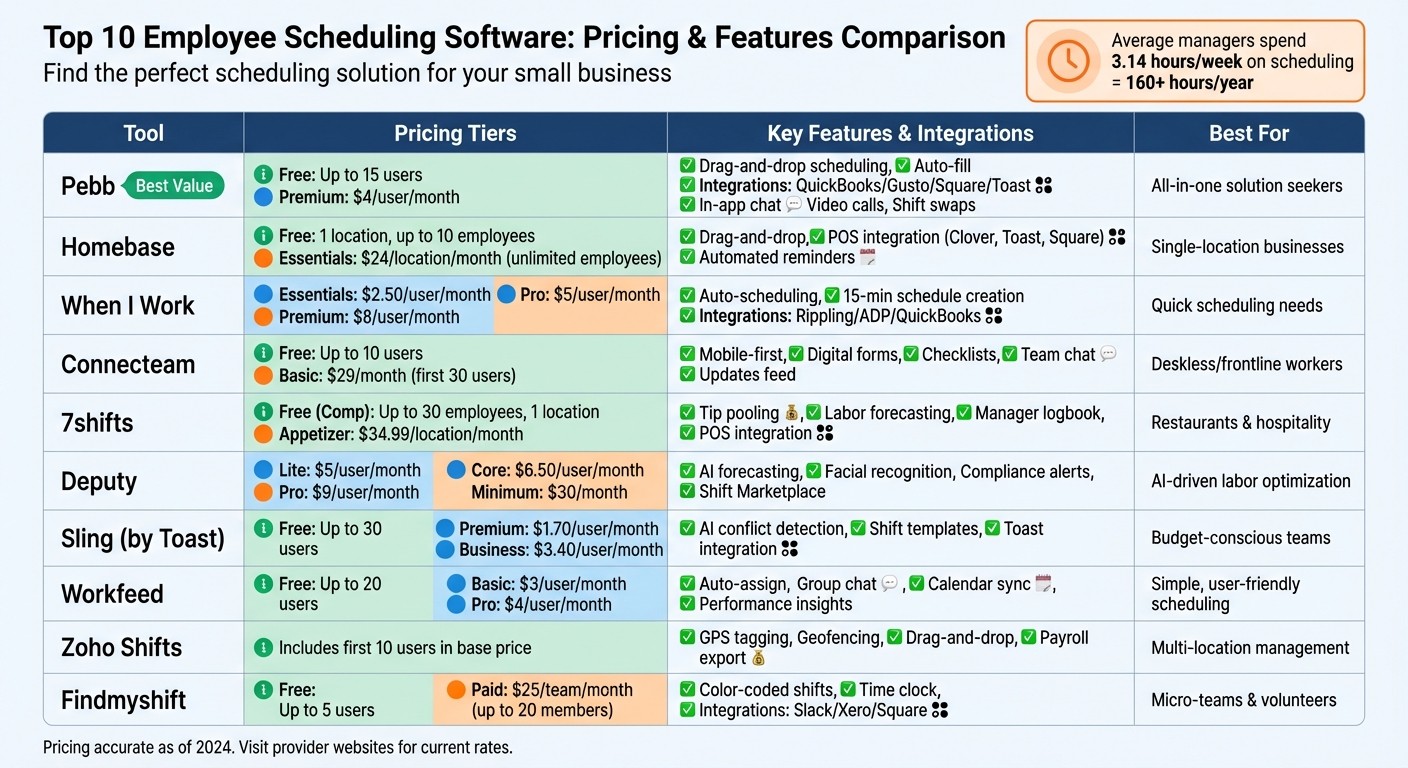
Have you ever spent hours juggling schedules, only to end up with a mess of double bookings, missed shifts, and frustrated employees? Trust me, I’ve been there. When I first started managing team schedules, it felt like playing a never-ending game of Tetris - with people’s lives. And here’s the kicker: the average manager spends 3.14 hours a week on scheduling alone. That’s over 160 hours a year - time that could be spent growing the business instead of untangling shift swaps and last-minute requests.
Here’s what I learned: the old way of handling schedules (group texts, sticky notes, and crossed fingers) just doesn’t cut it anymore. It’s chaotic, error-prone, and leaves everyone stressed. That’s why tools like Pebb and others on this list exist - to make scheduling easier, faster, and way less stressful. Whether you’re running a café, a retail shop, or a growing team, the right scheduling software can save you hours every week, cut down on no-shows, and even help you avoid costly overtime mistakes.
In this article, I’ll walk you through the top 10 scheduling tools for small businesses, including what makes each one stand out and how they compare. Let’s dive in and find the perfect fit for your team.
Top 10 Employee Scheduling Software Comparison: Pricing and Features for Small Businesses
1. Pebb
At Pebb, we’re on a mission to simplify life for small businesses struggling with scheduling headaches and high costs. Our platform combines shift scheduling, communication, and team management into one streamlined solution - no more juggling multiple apps or endless text threads.
Affordable Options for Small Businesses
We know budgets are tight, especially for smaller teams. That’s why we offer a completely free plan for businesses with up to 15 employees. This plan includes full access to our scheduling tools, making it a great fit for micro-businesses just starting out. Need more flexibility? Our premium plan is only $4 per user per month - clear, straightforward pricing with no hidden charges.
Simplified Shift Planning and Scheduling
We’ve made scheduling as easy as it gets. With drag-and-drop tools and auto-fill for recurring shifts, managers can create and duplicate weekly schedules in seconds. Employees can update their availability directly from their phones, cutting down on back-and-forth. One Denver coffee shop with 12 employees shared how our auto-scheduling features reduced their scheduling errors by 90% and saved them 5 hours a week. Plus, real-time conflict notifications flag double-bookings before they happen, keeping everything running smoothly.
Seamless Integration with Your Favorite Tools
Pebb plays nicely with the platforms you’re already using. We integrate with QuickBooks and Gusto for payroll, as well as Square and Toast for point-of-sale systems. For example, our Square integration syncs sales data to help predict staffing needs, so you’re not left overstaffed during slow times or scrambling during busy ones. And when it’s time to process payroll, time tracking data exports directly in USD, saving you from tedious manual entry.
Built-In Tools for Team Communication
Scheduling is just the beginning. Pebb includes features like an in-app chat, voice and video calls, a news feed, and one-tap shift swaps (with manager approval). Employees can also claim open shifts directly from their mobile app - no more messy group texts or confusion. A café with 15 employees saw their shift fill rate improve by 40% and reported higher team satisfaction after switching to Pebb. Need to swap a shift? It’s all handled in-app with just one tap, keeping everything organized and easy to track.
2. Homebase
For small businesses juggling the challenges of scheduling hourly workers, Homebase steps in with a simple yet effective platform. With over 100,000 small businesses using their services, Homebase has carved out a niche by offering a pricing model that charges per location rather than per user. This approach can be a game-changer for businesses aiming to manage costs as their teams expand.
Affordable Options for Small Teams
Homebase provides a free Basic plan, which covers one location and accommodates up to 10 employees. For those needing extra features, the Essentials plan costs $24 per location per month (billed annually) and allows an unlimited number of employees. While Pebb's pricing at $4 per user remains the most budget-friendly option, Homebase's per-location structure is particularly appealing for single-location businesses, like a bustling café or a small retail shop with a larger team. It’s a pricing model that pairs perfectly with their efficient scheduling tools.
Simplified Shift Management
Homebase makes scheduling a breeze with its drag-and-drop interface. Managers can create schedules in minutes using templates and auto-scheduling that factor in employee availability and labor costs. The system also flags potential issues - like double-bookings or scheduling someone during their approved time off - before the schedule is finalized.
Eve Hogan, owner of The Sacred Garden, shares her experience: "Homebase made setting up our schedule effortless with its intuitive, mobile-friendly design and built-in reminders."
Seamless Integration with Other Tools
One of Homebase’s strengths is its ability to integrate with major POS systems like Clover, Toast, and Square, as well as payroll platforms such as QuickBooks, Gusto, and ADP. These integrations sync sales data to predict labor needs and ensure time-tracking data flows directly into payroll, cutting down on manual work and reducing errors. On top of that, Homebase’s employee collaboration features add another layer of convenience.
Tools for Team Communication and Coordination
The Homebase mobile app empowers employees to manage their schedules by swapping shifts, claiming open slots, and submitting PTO requests - all subject to manager approval. Integrated messaging and automated reminders help reduce no-shows. Theresa Fouquette, owner of Bliss Small Batch Creamery, uses Homebase to navigate her "crazy summer schedule" with a team of student employees. The software takes availability data and turns it into an easy-to-read grid, making even complex seasonal scheduling manageable.
While Homebase offers impressive tools for communication and scheduling, Pebb's all-in-one platform still holds the edge when it comes to seamless team collaboration and communication.
3. When I Work
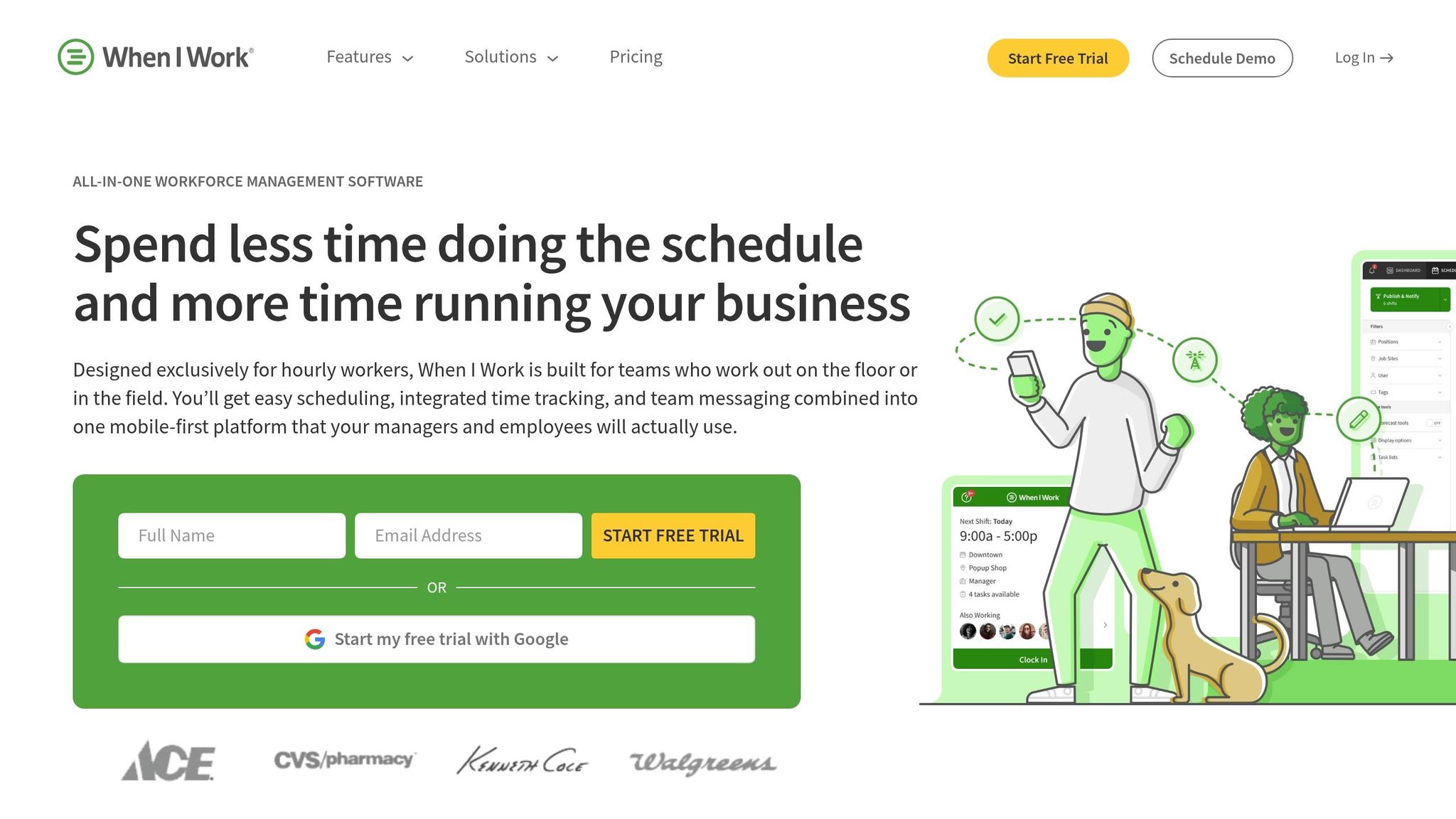
When I Work has earned its place as a favorite among small businesses, simplifying scheduling to a quick 15-minute task. With over 200,000 workplaces relying on it, its mobile-first approach makes managing shifts both flexible and efficient.
Affordable Plans for Small Businesses
Starting at just $2.50 per user per month, the Essentials plan offers core features like auto-scheduling, team messaging, and payroll integrations. For businesses needing more, the Pro plan at $5 per user includes advanced scheduling rules and custom reporting, while the Premium plan at $8 per user adds API access and single sign-on for larger, more complex needs.
New users can explore the platform with a 14-day free trial, no credit card required. While this pricing is attractive, Pebb offers a competitive alternative - an all-in-one communication platform with premium features for just $4 per user.
Simplified Shift Planning and Scheduling
The auto-scheduling feature is a game-changer, matching shifts with employees based on their availability, qualifications, and preferences. For managers, the OpenShifts feature makes it easy to post available shifts for employees to claim, cutting down on back-and-forth.
Tommy Hamilton from Goldfish Swim School shared, "Using When I Work has saved me more than 7 hours per week handling the schedule changes and requests. Now, I'm only spending about 15 minutes per week to build out a schedule."
Even onboarding is quick. Chris Koehnen from 1-800-GOT-JUNK mentioned that training new employees on the platform takes less than 10 minutes.
Seamless Integration with Other Platforms
When I Work doesn’t stop at scheduling - it integrates smoothly with major payroll systems like Rippling, ADP, QuickBooks, and Gusto, as well as POS platforms like Square. This eliminates the hassle of manual data entry by syncing time-tracking data directly with payroll systems.
For businesses with more complex needs, the Premium plan includes API key access and webhooks for custom integrations. A partnership with Rippling also sweetens the deal, offering new customers six free months of payroll and HR services.
Communication and Collaboration Features
Scheduling is just one part of the equation. When I Work also makes communication and collaboration a breeze. Employees can request shift swaps directly in the app, and managers can approve them with a single tap.
A customer from Dangerous Man noted, "It saves me 8 hours a week. Instead of texting back and forth, employees can swap shifts in the app. All I do is approve the swap."
Integrated messaging and one-tap shift swapping simplify daily operations. While these features are impressive, Pebb takes it a step further by combining scheduling with real-time communication and collaboration in one platform.
4. Connecteam
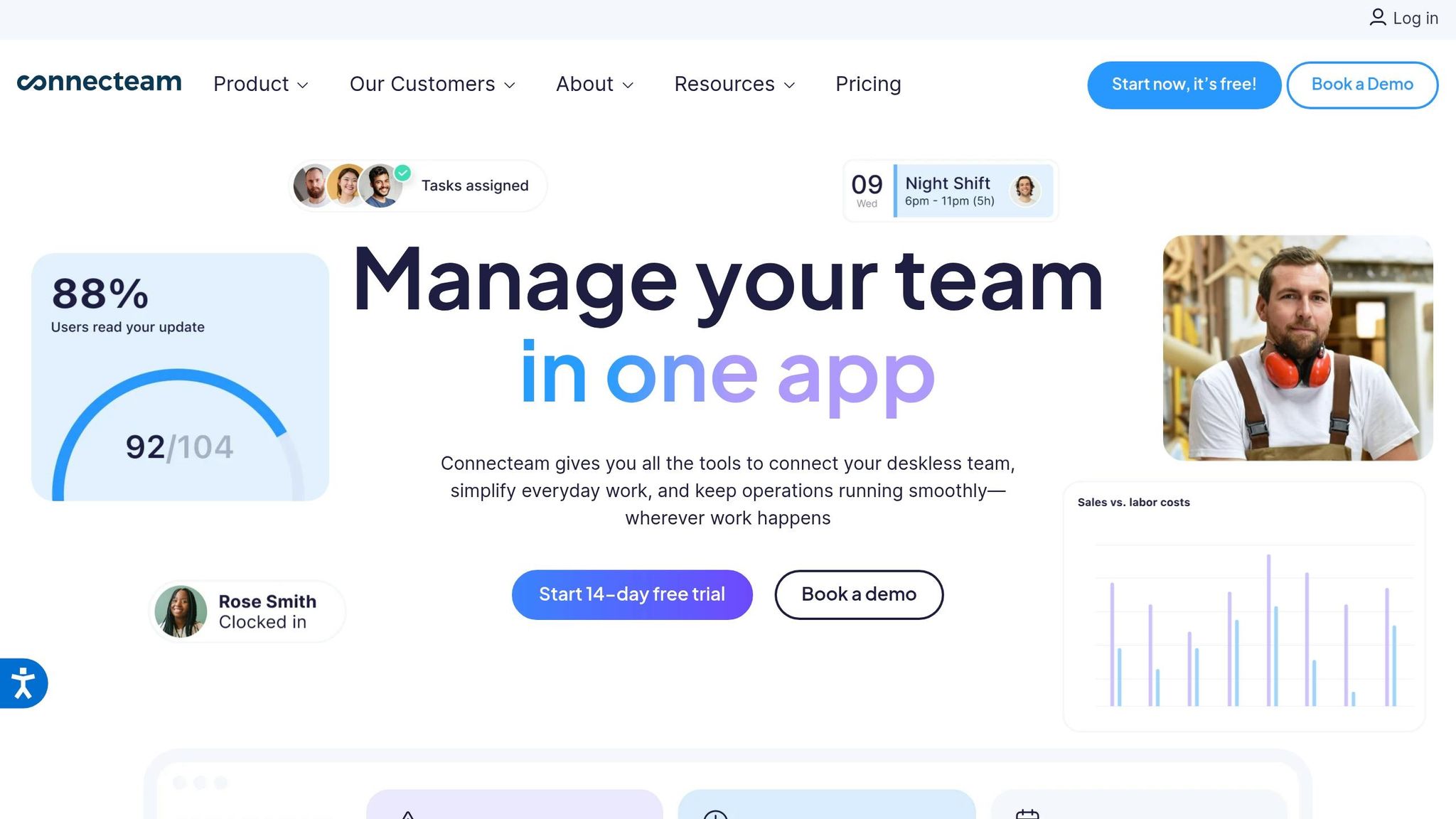
Connecteam is designed with deskless and frontline workers in mind, offering a mobile-first platform that combines scheduling with tools like digital forms and checklists. With over 36,000 companies already relying on it, it's a popular choice for businesses managing on-the-go teams.
Affordable for Small Businesses
Here’s where Connecteam stands out for small teams: it’s completely free for up to 10 users. That’s right - $0/month. But as your team grows, the Basic plan kicks in at $29/month for the first 30 users. It’s worth noting that Connecteam divides its features into three hubs - Operations, Communications, and HR & Skills. If your team needs access to multiple hubs, the costs can stack up quickly, ranging from $58 to $87/month. On the other hand, Pebb simplifies things with an all-in-one plan for just $4 per user, covering scheduling, communication, and HR tools in one neat package.
Simplified Shift Planning and Scheduling
Scheduling on Connecteam is straightforward. You can set up single shifts, create recurring patterns, or even import schedules from Excel. The auto-scheduling tool is a lifesaver - it matches shifts with employee availability and flags errors like overlaps before they become an issue. Plus, employees can claim open shifts directly through the app, which is ideal for businesses that thrive on flexible scheduling.
Ashley Tusa from Bechtel Corporation shared, "Connecteam is faster and easier to use, which has helped us solve the problem of team management, team collaborations, and group work."
This ease of scheduling naturally complements its communication tools.
Tools for Communication and Collaboration
Connecteam’s communication hub is packed with features: team chat, a social media-style updates feed, and an employee directory. The updates feed allows targeted messaging to specific teams or locations, complete with read receipts and mandatory confirmations - perfect for urgent safety alerts or policy updates. The chat feature ensures work conversations stay secure and separate from personal messages. Managers can also attach important documents, safety notes, or task lists directly to shifts, keeping everything organized.
Limited Integration with Other Platforms
While Connecteam covers the basics well, integration is a sticking point. Its native integrations are limited, and API access is only available on the pricey Enterprise plan. For small businesses needing smooth connections to payroll systems or other software, this can mean extra manual work or higher costs. In comparison, Pebb offers seamless integration with top payroll, POS, and HR systems, making it a more unified and cost-effective choice for businesses looking to streamline operations without breaking the bank.
5. 7shifts
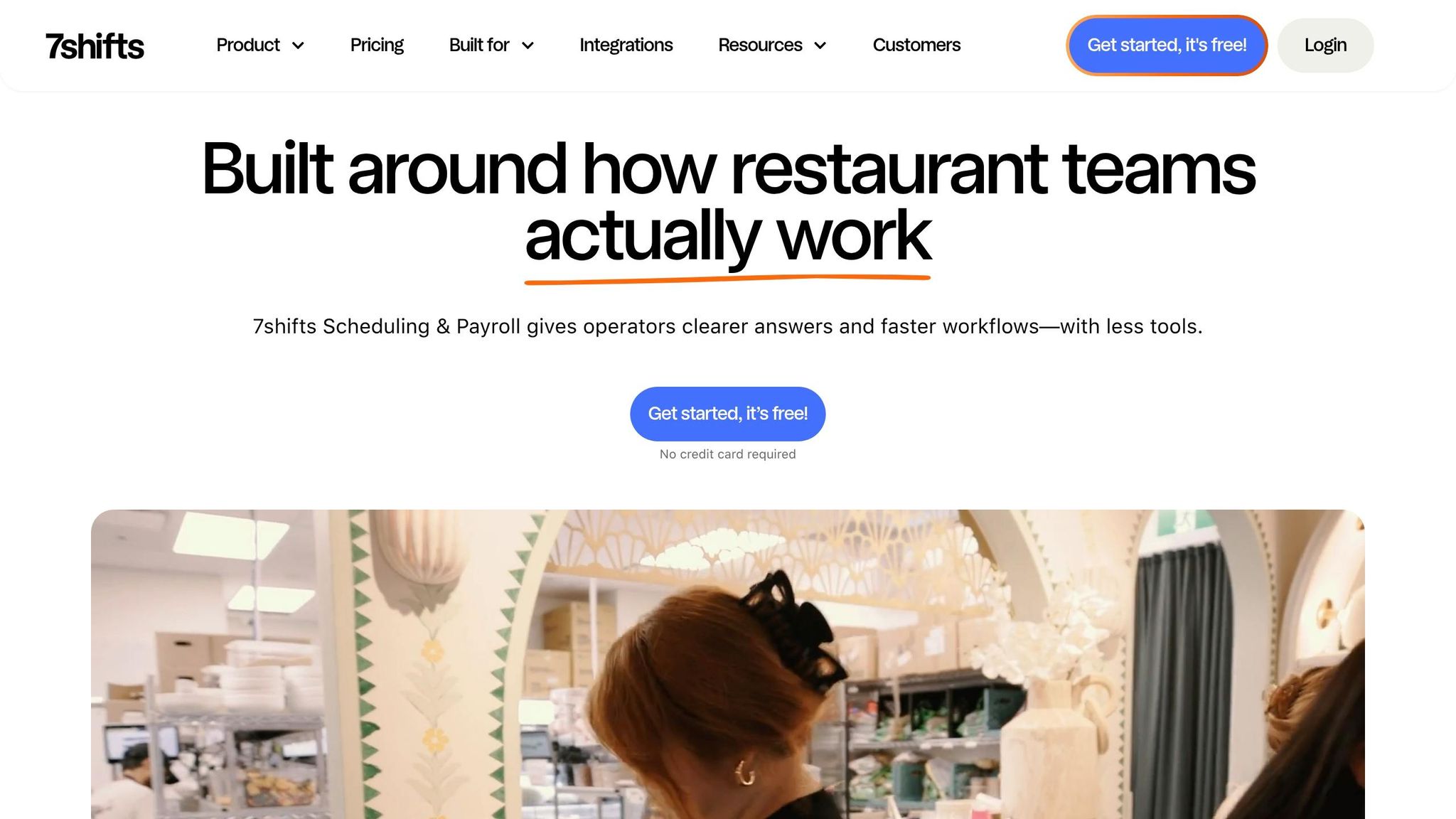
If you’re in the food service or hospitality industry - think restaurants, cafés, or bars - 7shifts is designed specifically for you. It offers tools like tip pooling, manager logbooks, and labor forecasting based on sales data. Plus, the free Comp Plan supports up to 30 employees at a single location, making it a great option for smaller eateries just starting out. This focus on industry-specific needs is what makes 7shifts a go-to choice for culinary professionals.
Affordable Options for Small Businesses
Here’s the deal: 7shifts prices its plans per location, not per user. That means the free Comp Plan is available for up to 30 employees at one location. If you need more features, the Appetizer Plan costs $34.99 per month per location, the Entree Plan is $76.99, and The Works Plan comes in at $150 per month. While this pricing works well for single-location businesses, it can add up quickly for multi-location operations. Compare that with Pebb’s straightforward $4-per-user model, which includes scheduling, communication, and HR tools without any location-based fees. It’s a simpler, more predictable setup for businesses looking to grow.
Simplified Shift Planning and Scheduling
With its drag-and-drop scheduler, 7shifts makes creating shifts a breeze. You can save unlimited templates for recurring schedules, which is a huge time-saver. The platform’s labor forecasting feature pulls data from your POS system to help you staff efficiently based on sales trends. It also includes compliance alerts for things like required breaks, overtime, and split-shift violations, helping you stay on the right side of labor laws. Employees can use the app to submit availability, request time off, or trade shifts, cutting down on the endless back-and-forth of texts and calls. These features make scheduling smoother for everyone involved.
Seamless Integration with Other Tools
One of the standout features of 7shifts is its ability to integrate with popular POS systems like Toast, Square, and Clover. These integrations automatically sync your sales data, making labor forecasting even more precise and ensuring your staffing matches your business’s actual needs.
Communication and Collaboration Tools
7shifts also includes a Manager Logbook, which lets leadership record and share shift notes to keep everyone on the same page. Employees can use the mobile app to check schedules, pick up open shifts, and coordinate with teammates. While these tools are helpful, they’re somewhat limited. For a more comprehensive communication solution, Pebb offers all these features - and more - for just $4 per user. It’s an all-in-one approach that simplifies team management.
6. Deputy
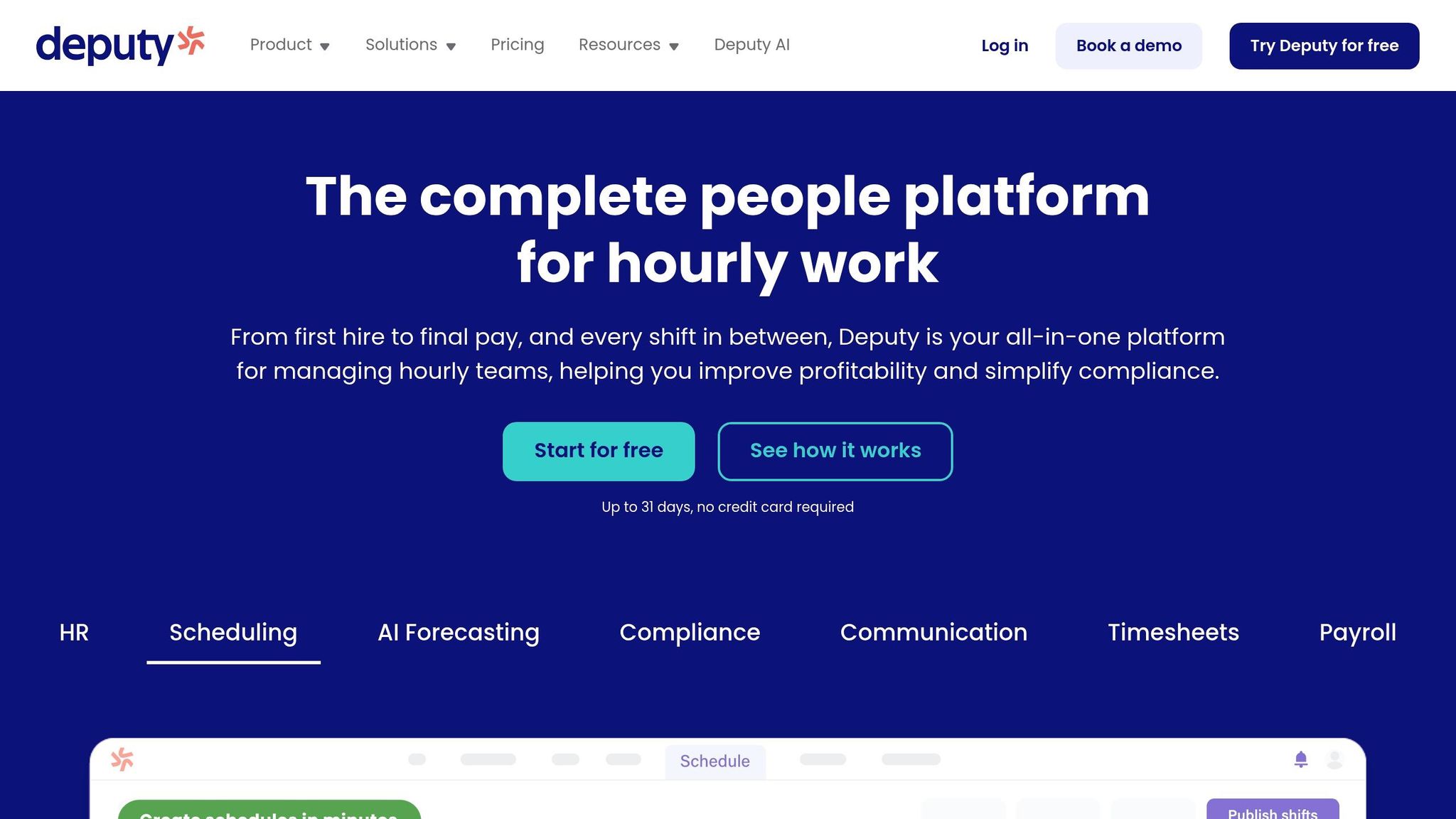
Deputy is designed for businesses that want to take control of labor costs. Its AI uses historical data, weather patterns, holidays, and sales traffic to forecast staffing needs, creating schedules that align with actual demand. The drag-and-drop interface makes adjustments a breeze, and you can repeat shifts for the week or month with a single click. This kind of automation makes shift planning both faster and smarter.
Affordability for Small Businesses
Now, let’s talk pricing. Deputy’s Lite plan starts at $5.00 per user per month, while the Core plan, which includes features like auto-scheduling and demand forecasting, costs $6.50. The Pro plan is $9.00 per user per month. However, there’s a $30 monthly minimum to account for setup and support. While the 31-day free trial (no credit card required) gives you a chance to explore the platform, the costs can add up as your team grows. For a 10-person team, that’s $50 to $90 per month. By comparison, Pebb offers a simpler, all-in-one solution at $4 per user, with no hidden fees or minimums, covering scheduling and communication in one package.
Ease of Shift Planning and Scheduling
Deputy’s scheduling tools are built to simplify the process. It includes compliance alerts for things like overtime, required breaks, and even fatigue notifications to help avoid employee burnout. The Shift Marketplace feature allows employees to swap shifts or pick up open ones directly through the app, cutting down on manual coordination. Plus, employees can clock in using facial recognition or GPS, check schedules, and request time off - all from their mobile devices. These features take a lot of the stress out of managing schedules for both managers and employees.
Integration with Other Tools or Platforms
One of Deputy’s strengths is its ability to integrate seamlessly with other systems. Its robust API and automatic syncing with major payroll and POS systems enhance its AI-driven scheduling capabilities. By pulling in real-time sales data, Deputy can refine labor forecasts to match actual demand. If you’re already using multiple tools and want them to work together effortlessly, Deputy is one of the most integration-friendly options out there.
Next, we’ll look at how the next tool continues to innovate in the world of scheduling for small businesses.
7. Sling

Let me tell you about Sling, or as it’s now called, Sling by Toast. After joining the Toast ecosystem, this tool has become a go-to for small businesses looking for efficient scheduling without breaking the bank. What really stands out? Sling offers a free plan that doesn’t feel like an afterthought. You can schedule months ahead, manage time-off requests, and even use shift templates - all at zero cost for up to 30 users. That’s a big deal when so many other tools hide these basics behind a paywall.
Affordable Options for Growing Teams
If your team needs a little more, Sling’s paid plans are refreshingly budget-friendly. The Premium plan is just $1.70 per user per month (when billed annually) and adds features like mobile time tracking and labor cost management. Want more? The Business plan steps it up with kiosk time tracking and PTO management for $3.40 per user per month. Plus, Sling’s billing is super fair - you only pay for active users. If someone leaves, you get prorated credits. For a 10-person team, you’re looking at $17 to $34 per month.
Now, let me throw in a comparison: Pebb, where I work, offers an all-in-one solution at $4 per user. That includes scheduling, communication, PTO management, and collaboration tools. It’s a slightly higher price point, but everything’s bundled into one platform.
Smooth and Simple Shift Scheduling
Sling makes scheduling ridiculously easy with its drag-and-drop builder. And here’s the kicker - it uses AI to catch potential conflicts like overlapping shifts, double bookings, or dreaded “clopening” scenarios (you know, when someone closes late and opens early with barely any rest). Employees can also swap shifts directly in the app using the Shift Pool feature.
Eddie Dyer, the Owner and Managing Partner at Vessel NOLA, summed it up perfectly:
"Sling provides a consistent view of all schedules, both to all management and staff. It also allows us to predict labor costs, warn of overtime, and easily make adjustments".
That level of clarity and control is a game-changer for businesses juggling multiple schedules.
Integration with Other Tools
Since Sling is part of the Toast family, it syncs seamlessly with Toast's restaurant management tools. It also connects with external calendar apps, covering most small business needs. That said, if you’re looking for deeper integrations across various platforms, something like Pebb might be a better fit.
Sling is a solid choice for small businesses that need straightforward scheduling without unnecessary bells and whistles. It’s affordable, easy to use, and gets the job done. But if you’re after a more integrated, all-in-one solution, there are other platforms worth exploring.
8. Workfeed
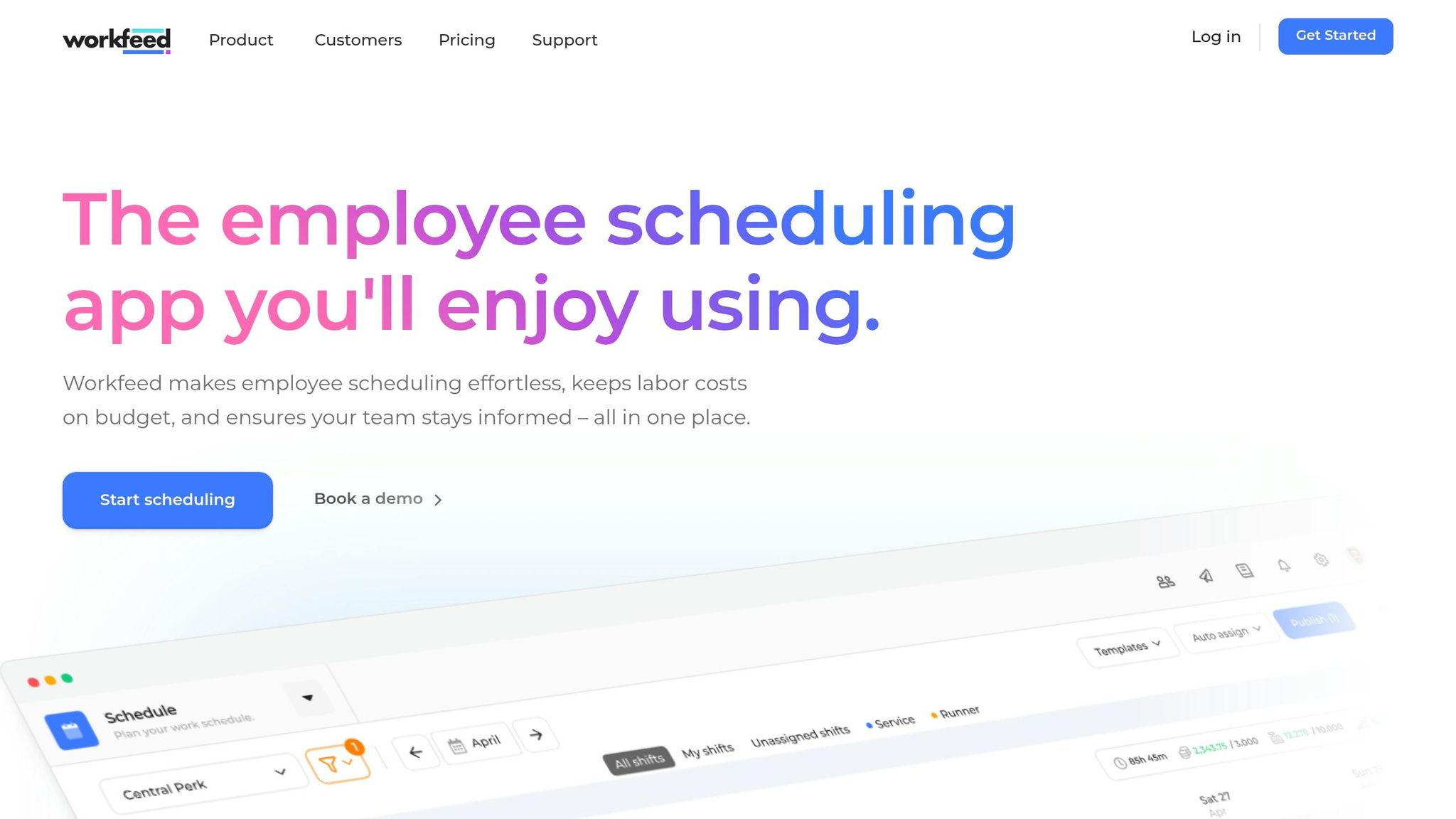
Workfeed is all about keeping scheduling simple and effective. With its sleek, user-friendly interface, it’s a great fit for small businesses looking to create schedules without spending hours figuring out how to use the tool.
Affordable Options for Small Teams
If you’re running a startup or a small team, Workfeed’s free plan covers up to 20 users with basic features - perfect for getting started. As your team grows, you can upgrade to the Basic plan for just $3 per user per month, which includes scheduling, time tracking, notifications, and calendar sync. Need more? The Pro plan, at $4 per user per month, adds automated scheduling and even a group chat feature. For comparison, Pebb bundles scheduling, communication, PTO management, and collaboration tools into one package at the same $4 per user.
Simplifying Shift Planning
Here’s where Workfeed shines: its auto-assign feature. With just a few clicks, you can create an entire weekly or monthly schedule. Managers can set up rules like minimum rest periods or limits on consecutive workdays, while employees can update their availability and swap shifts directly in the app.
On top of that, Workfeed provides helpful insights into team performance - tracking things like sick days, dropped shifts, and retention rates. Employees can clock in and out using their phones or a dedicated terminal, and the built-in group chat makes it easy to coordinate shift swaps or pickups.
Calendar Integration Made Easy
For those on paid plans, Workfeed lets employees sync their work schedules with personal calendars, which is a huge time-saver for keeping everything in one place. That said, the exporting options are a bit limited compared to larger platforms, making this tool better suited for teams focused on straightforward scheduling rather than extensive integrations.
If you’re looking for a tool that prioritizes ease of use and efficiency, Workfeed might just be what your team needs.
9. Zoho Shifts
Zoho Shifts takes a slightly different approach to pricing, which can be a breath of fresh air for small businesses. Its Basic and Standard plans include the first 10 users in the base price, offering more predictable monthly costs. Plus, they let you test the waters with a 30-day free trial to get a feel for the platform’s features.
Designed with Small Businesses in Mind
Zoho Shifts, much like Pebb, caters to small businesses but stands out with its bundled pricing. Unlike competitors like When I Work, which starts charging $2.50 per user per month from day one, Zoho Shifts includes the first 10 users in its base price. Pebb, on the other hand, offers a free plan for up to 15 users and keeps things affordable with scheduling, communication, PTO management, and collaboration tools bundled at $4 per user. Zoho Shifts also packs in tools to help with labor law compliance and cost tracking, making it easier to manage staffing expenses without surprises.
Simplifying Shift Management
Zoho Shifts makes scheduling a breeze with its drag-and-drop interface. You can create conflict-free schedules, replicate them with ease, and even track attendance in real time. For businesses managing remote or field staff, the platform’s GPS tagging and geofencing features ensure employees are clocking in from the right locations.
Here’s a real-world example: In 2026, Canine Country Club Inc. used Zoho Shifts to oversee 80 employees across two locations, including part-time and seasonal staff.
Tracy Musser, Manager at Canine Country Club Inc., shared: "Shifts efficiently manages scheduling for our 80 employees across two locations, accommodating part-time and seasonal workers. The flexible reporting and accessible support chat have proven valuable for resolving issues."
Seamless Integrations
One of the standout features of Zoho Shifts is its ability to integrate smoothly with payroll software. By enabling direct timesheet exports, it cuts down on tedious manual data entry. The platform also includes a built-in messenger with direct messaging, group chats, and announcement channels, keeping everyone on the same page.
Up next, we’ll dive into the final tool on our top 10 list and see how it takes workforce management to the next level.
10. Findmyshift
Findmyshift is a simple scheduling tool designed for micro-teams and volunteer groups. If you're managing a small operation and need something straightforward, this platform keeps things easy by focusing on the essentials.
Affordable Option for Small Teams
Findmyshift keeps its pricing clear and accessible. Its free plan supports up to 5 users and 5 facilities, which works well for small teams just starting out. Once you're ready to grow, the paid plan is $25 per team per month for up to 20 members. This flat rate makes budgeting easy, and you also get a 3-month free trial to test premium features. By comparison, Pebb offers a more robust free plan for up to 15 users and costs just $4 per user for its paid option.
Simplified Shift Planning and Scheduling
The drag-and-drop scheduler is a standout feature, making it easy to assign shifts. You can color-code shifts by location, manage leave requests like sick days and vacations, and even handle shift swaps. It also includes a time clock that tracks attendance and compares scheduled hours to actual hours worked, which helps you identify any mismatches quickly. However, the free plan does have a limitation - you'll need to create schedules from scratch every week since shift templates aren't included.
Integrations with Popular Tools
Findmyshift connects with tools like Slack, Xero, Square, and BambooHR, and it also offers API access for custom workflows. With a 4.6/5 rating on Capterra, many users appreciate its simple interface and how quickly it integrates into their operations. That said, if you're looking for advanced labor and compliance features, this platform might not meet your needs. While integration is a key feature for many scheduling tools, Pebb takes it a step further with its unified communication and scheduling capabilities.
Communication and Collaboration Features
The platform includes a digital notice board for team updates and one-way messaging to keep everyone informed. Automated shift reminders - sent via email, SMS, or push notifications - help reduce no-shows. Plus, even free-tier users have access to support through live chat, WhatsApp, and email, which is a nice perk for smaller teams. While Findmyshift covers the basics of team communication, Pebb offers a more comprehensive, all-in-one solution for just $4 per user.
Conclusion
Finding scheduling software that fits your team's specific needs can make a world of difference. Think about this: the average manager spends 3.14 hours every week just on scheduling tasks. For small businesses, where every hour and dollar matter, reclaiming that time can be a game-changer - not to mention the added benefits of controlling labor costs and staying compliant with break requirements.
When you're comparing options, the pricing model is key. If you're planning to expand across multiple locations, per-user pricing might be your best bet. On the other hand, if you operate a single site with a large team, per-location pricing could save you more. Beyond cost, take a close look at how well the software integrates with your existing tools. Whether it's Square, Toast, QuickBooks, or another POS or payroll system, seamless integration is a must. And don't forget to factor in your industry. For example, restaurant owners should look for features like POS integration and tip pooling, while field teams might need GPS-verified clock-ins and geofencing to track attendance at various job sites.
At Pebb, we’ve created a solution that stands out. For teams of up to 15 users, our all-in-one platform - covering scheduling, communication, and team management - is completely free. Need more? Our premium plan is just $4 per user, offering one of the most competitive rates around. We designed it to help small businesses avoid juggling multiple tools while only paying for what they truly need.
Here’s a tip: take advantage of free trials. Test the platform with a small team for two weeks. See how long it takes to create schedules and how easily your team adapts. The right tool should simplify your processes, not add complexity. With Pebb, you can streamline scheduling and communication in one cost-effective package. Why not give it a try?
FAQs
How do I choose the right pricing model for my business?
When it comes to picking the right pricing model, it all boils down to your team size, budget, and the features you actually need. For smaller businesses, we’ve got you covered with Pebb’s free plan - perfect for teams of up to 15 employees. It includes all the basics like shift scheduling and PTO management, so you’re not left scrambling for the essentials.
But if you’re looking to scale or need more advanced tools, our premium plan is a steal at just $4 per user per month. It offers a range of advanced features and stands out as an affordable option when stacked up against pricier tools like Slack or Microsoft Teams. Trust me, it’s a game-changer without breaking the bank.
What features are most important for preventing overtime and no-shows?
Real-time schedule updates, automated shift notifications, and easy communication tools are just the beginning of what we offer at Pebb. With our all-in-one platform, creating and managing schedules is as simple as drag-and-drop. Employees get instant notifications, so they're always in the loop, which naturally cuts down on no-shows and last-minute confusion.
But that's not all. Features like PTO management and attendance tracking take things a step further. By helping teams plan ahead and schedule accurately, we’re able to minimize unexpected absences and keep overtime under control. It’s all about making scheduling smoother and more efficient for everyone involved.
How can I test a scheduling tool without disrupting my team?
If you're considering new software, starting with a trial or free version is a smart move. Take Pebb's free all-in-one platform for scheduling and workforce management, for example. Begin by testing it with a small group or a pilot team. This way, you can simulate your processes, gather honest feedback, and see how it fits into your workflow without committing upfront.
This controlled approach helps you avoid major disruptions, gives you a chance to evaluate the features in real-world scenarios, and sets the stage for a smooth rollout when you're ready to introduce it to your entire team. It's all about easing into the change while keeping things under control.
