
Author: Ron Daniel
Top 7 Employee PTO Tracker Tools for 2026
Compare seven leading PTO trackers — features, pricing, and integrations — to streamline time-off, scheduling, and compliance for remote and frontline teams.
Have you ever tried managing PTO with a spreadsheet? It’s like playing a game of Jenga - one wrong move, and everything collapses. I learned this the hard way a couple of years ago when our team at Pebb was rapidly expanding. Requests were piling up, approvals were scattered across email threads, and let’s just say, we had more “oops” moments than I’d like to admit. It was a nightmare trying to keep track of who was out, who was covering, and whether we were staying compliant with local labor laws.
Here’s the kicker: we weren’t alone. A 2024 report showed 62% of HR managers noticed a sharp rise in leave requests, and 75% said those requests increased by 20% or more. Fast forward to today, with hybrid and remote teams spread across time zones, manual PTO management feels... well, outdated. Burnout is on the rise, and 44% of U.S. employees report struggling with work-life balance, even though 40% underuse their PTO. Clearly, something’s broken.
That’s why I’m excited to share what we’ve learned about PTO trackers. These tools don’t just simplify the process - they change the game entirely. From real-time visibility into schedules to automated approvals and compliance features, they make managing time off effortless. In this guide, I’ll walk you through seven of the best PTO trackers for 2026 - tools like Pebb, Connecteam, BambooHR, and more. Whether you’re leading a small team or managing a global workforce, there’s something here for everyone. Let’s dive in!
1. Pebb
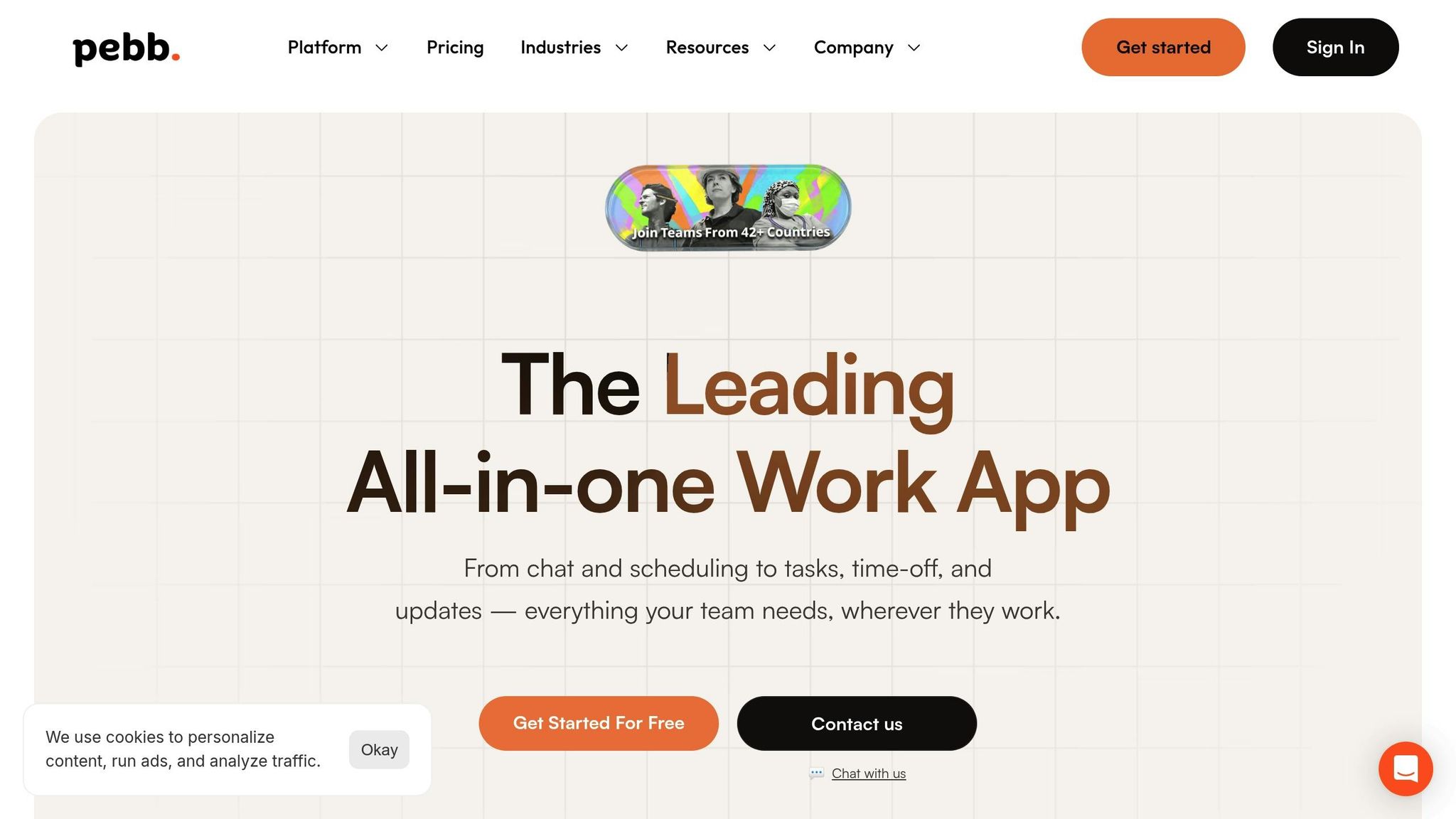
At Pebb, we set out to tackle a challenge we saw everywhere: teams juggling communication and operations across too many apps. PTO management? It's not an afterthought - it’s seamlessly baked right into our platform. And it sits alongside shift scheduling, chat, news feeds, tasks, digital forms, calendar events, and all the other tools your team leans on every single day. No more app-hopping, no more approval headaches.
PTO Management Features
Let me walk you through how PTO management works with Pebb. Employees can request time off directly in the app, and managers? They can approve it with just one tap. The magic happens when the calendar updates instantly, syncing with shift schedules to avoid conflicts and even alerting the rest of the team. It’s all about simplicity and keeping everyone on the same page.
Pricing and Affordability
Here’s the best part: our Standard plan is completely free for teams of up to 15 people. Yep, you get PTO management, shift scheduling, work chat, news feeds, and more - all without spending a cent. When it’s time to scale, our Premium plan is just $4.00 per user per month. That unlocks advanced analytics, voice and video calls, permissions control, premium SLA support, integrations, and enterprise SSO.
Now, let’s talk comparisons. Slack? It starts at $7.25 per user and doesn’t even include PTO tracking. Vacation Tracker? Sure, it’s $2.00 per user, but there’s a $25 monthly minimum. Pebb stands out as the only all-in-one solution at a price that’s hard to beat.
Who Is Pebb For?
Pebb isn’t just for one type of team - it’s built to work for everyone. Got a retail staff? Restaurant crew? Healthcare workers who need everything on their phones? Or maybe you’re managing desk-based teams across departments? No matter the setup, Pebb keeps everyone connected and on track. And whether you’re running a small business or gearing up to expand, our platform grows with you - without locking you into tricky enterprise pricing.
2. Connecteam
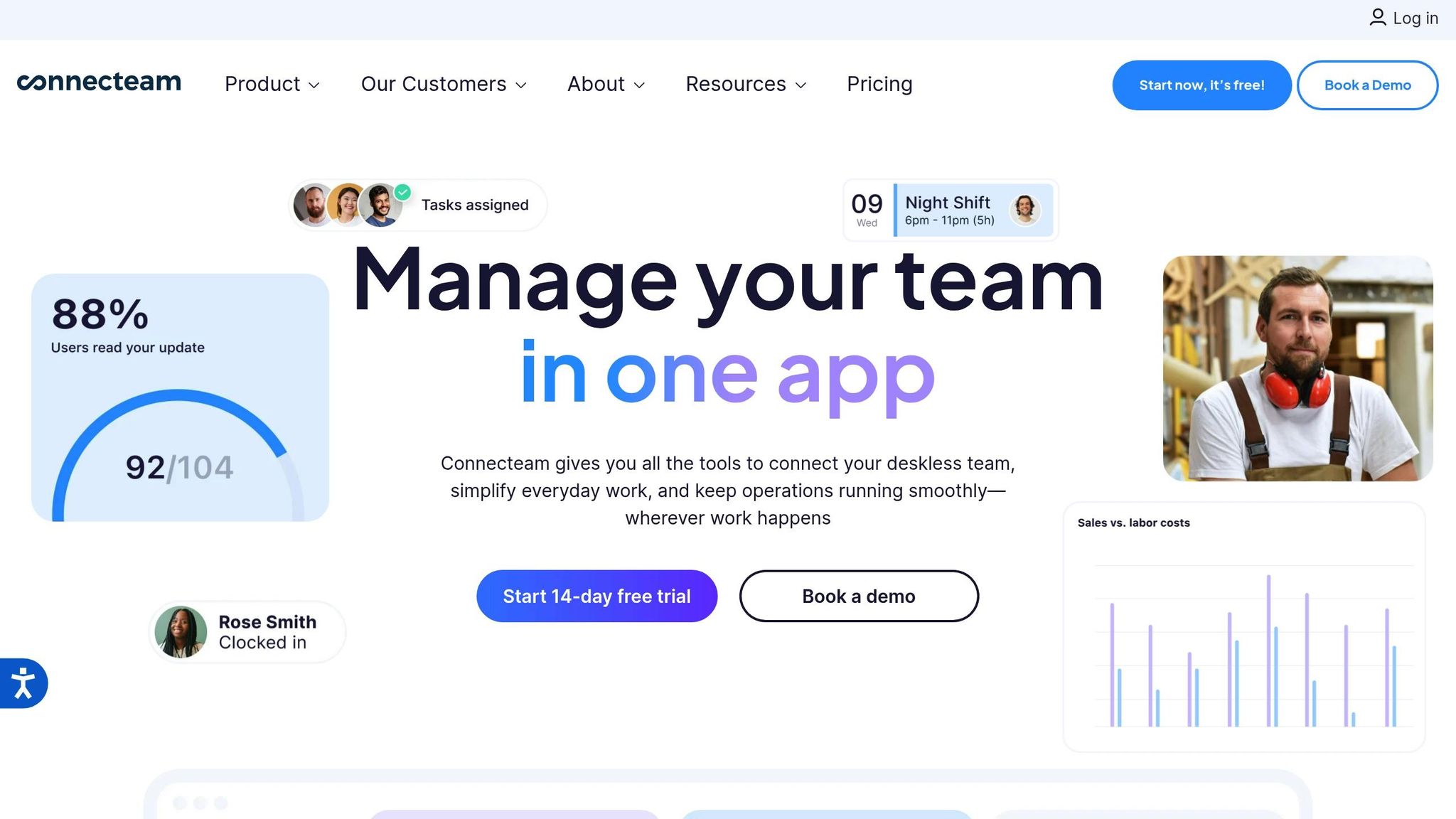
Let me tell you about Connecteam - a mobile-first platform that’s made a name for itself among deskless teams in industries like construction, healthcare, and retail. With over 80,000 companies already on board, it’s clear they’re doing something right. If you’re managing a team that’s always on the move, this app could be your new best friend. It handles everything from PTO tracking to scheduling and even team communication, all in one place.
PTO Management Features
Here’s what makes Connecteam stand out when it comes to PTO management: employees can submit their time-off requests straight from their phones, and managers can approve or decline them through a centralized dashboard. No need to mess with clunky spreadsheets - approved days are automatically deducted from employee balances. Plus, it flags any scheduling conflicts in real time, so you won’t accidentally assign a shift to someone who’s on leave. Need to double-check a policy? The app stores PTO policies right there, and its built-in chat tool means you can clear up any confusion instantly.
Pricing and Affordability
One thing I appreciate about Connecteam is its pricing - it’s perfect for small and growing teams. If you’ve got a team of up to 10 people, their Small Business Plan is completely free, forever. As your team grows, the Basic Plan kicks in at just $29.00 per month for the first 30 users. That’s a flat rate, not per user, which is a big deal for budget-conscious managers. For comparison, Jibble will set you back about $89.70 monthly for 30 users, and Clockify comes in at $119.70. You can see how Connecteam’s pricing is a win here.
Integration Capabilities
Here’s where Connecteam really shines - it integrates with major payroll systems like QuickBooks Online, Gusto, and ADP. Once PTO is approved, it syncs directly with payroll, so you don’t have to worry about manual errors. It also connects seamlessly with its own scheduling and time clock features, meaning if you accidentally try to schedule someone who’s on leave, the system will alert you instantly. That’s a lifesaver for busy managers.
Target Audience Suitability
Connecteam is tailor-made for deskless and mobile workforces in industries like construction, healthcare, security, and cleaning. It’s designed to keep teams in the field connected and organized. That said, it does require an active internet connection, which could be a challenge if your team operates in areas with spotty service.
3. BambooHR
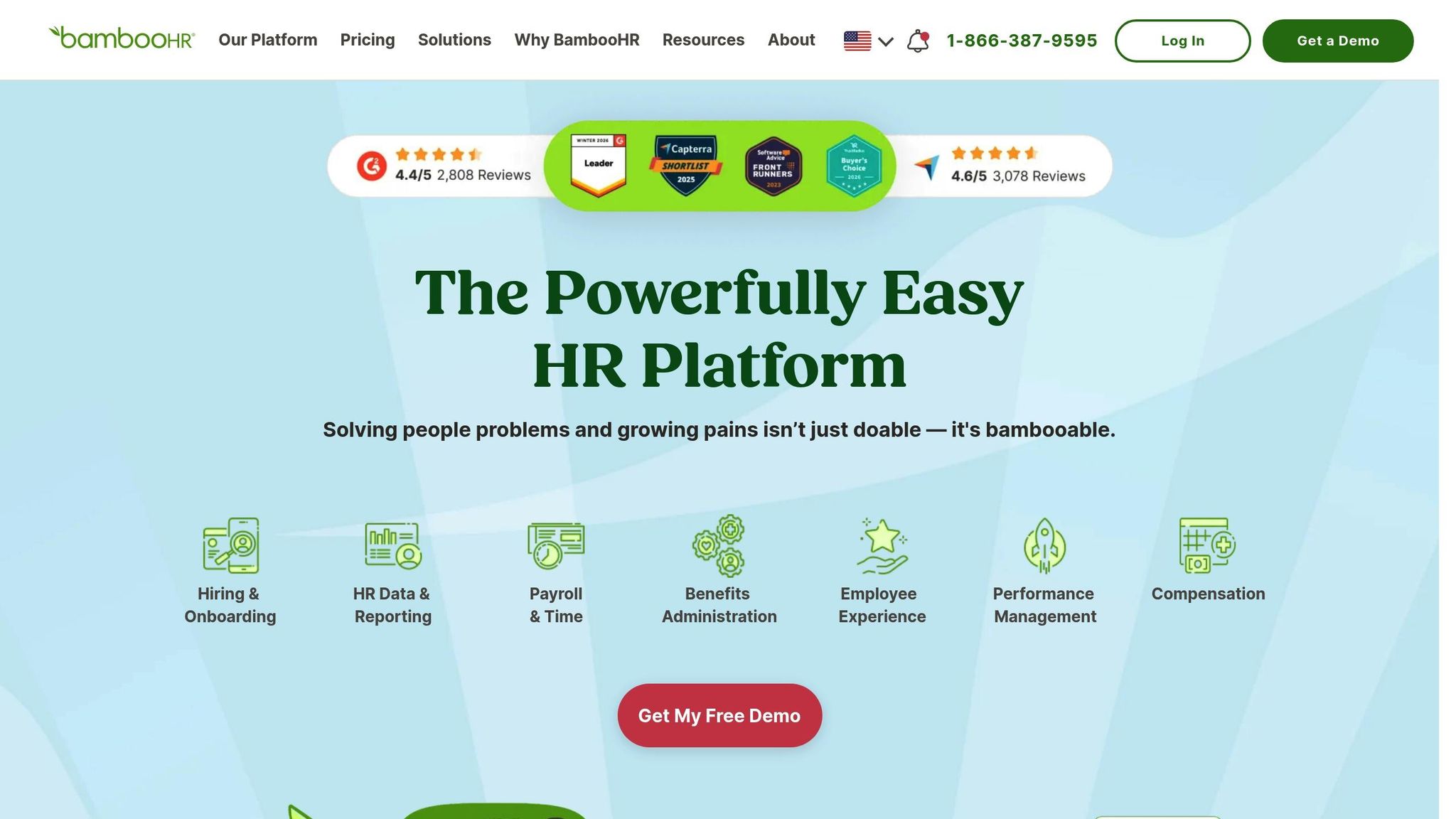
When it comes to managing HR needs for small and medium-sized businesses, BambooHR is like having a Swiss Army knife at your disposal. It’s a full-service HRIS (Human Resources Information System) that handles everything from hiring and onboarding to payroll and performance reviews. PTO tracking? That’s just one piece of the puzzle, but it’s a solid one. What sets BambooHR apart is how seamlessly it integrates PTO management into its broader HR toolkit, making it more than just a standalone time-off tracker.
PTO Management Features
BambooHR’s PTO system is built with flexibility in mind. Employees can easily submit time-off requests through a self-service portal or mobile app, while managers can approve them with just a click. Features like the "Who's Out" Calendar and Time-Off Calculator make it easy to see who’s available and keep track of balances without any guesswork. Plus, the Custom Policy Builder allows you to create tailored PTO policies based on department, location, or employee type. According to a 2025 survey of 507 BambooHR users, the platform significantly reduced the time HR teams and employees spent managing time-off requests compared to older systems.
Pricing and Affordability
BambooHR starts at $10.00 per employee per month, which includes its full suite of HR tools - PTO tracking included at no extra charge. If you’re looking to bundle features like payroll, applicant tracking, or performance management, this could be a cost-effective option. They even offer volume and nonprofit discounts, which can be a nice bonus. However, if all you need is a simple PTO tracker, BambooHR might feel like overkill for your budget.
Integration Capabilities
One of BambooHR’s strengths is its ability to sync PTO data automatically with its in-house payroll system and employee records, cutting down on manual errors. It also supports over 150 third-party integrations, including scheduling platforms like Deputy, Humanity Scheduling, and MakeShift. And with its mobile app, managers can approve requests on the go, making it incredibly convenient. Nyree Arroyo, an Account Manager at Accurate Personnel, shared her experience:
"The self-service portal empowers employees to manage their own information, request time off, and track their hours without needing to go through HR for every little update. This drastically reduces administrative work and allows me to focus on more strategic tasks."
Target Audience Suitability
BambooHR is tailored for small to medium-sized businesses that want an all-in-one HR solution. It’s especially useful if your workforce is a mix of hourly, salaried, full-time, and part-time employees, as it allows for custom PTO policies to fit different groups. For companies with global teams, features like Global Employment and Employer of Record make it a great fit for today’s remote and hybrid work environments. That said, if you’re only looking for a basic PTO tracker, BambooHR might be more than you need.
With a 4.4/5 rating on G2 and Capterra, users often highlight its intuitive interface while occasionally pointing out hiccups with third-party integrations. The platform’s comprehensive approach ensures that as your business evolves, your PTO tracking can scale right along with it.
4. Factorial
Factorial is like the Swiss Army knife of HR tools, bundling PTO management, payroll, document storage, performance reviews, and time tracking into one sleek dashboard. It’s a lifesaver for growing businesses that need to juggle multiple HR tasks without losing their sanity. If you’re managing teams spread across different locations, each with its own policies, languages, and holidays, Factorial’s flexibility can make your life a whole lot easier. Let me walk you through how Factorial’s PTO management simplifies and automates your HR workload.
PTO Management Features
With Factorial, employees can submit their PTO requests directly from their mobile phones or desktops, and managers get notified instantly for approvals. The platform lets you create custom leave policies tailored to different locations and leave types, while automated accruals and carryover rules ensure everyone has real-time clarity on their available time off. The centralized time-off calendar is a standout feature - it gives a clear snapshot of who’s out and when, so you can avoid those dreaded overlapping absences. Plus, administrators can even block time-off requests during critical periods to keep operations running smoothly.
Pricing and Affordability
Factorial’s pricing is straightforward and competitive. The Business Plan starts at just $8.00 per employee per month for teams of up to 100 employees, and it includes the full HR suite - not just PTO tracking. For smaller teams, there’s a Starter Plan for up to 10 employees, while larger organizations can opt for the Enterprise Plan with custom pricing. At $8.00 per employee, you’re not just getting PTO management but an entire HR toolkit that makes the cost worthwhile.
Integration Capabilities
One of the best parts? Factorial plays nice with other tools you’re likely already using. It integrates seamlessly with Google Calendar, so your team’s time-off schedule shows up alongside other events. It also syncs PTO data with payroll, automatically reflecting approved leave in paychecks. Max, a G2 reviewer, summed it up perfectly:
"Having a fully integrated experience for all the tools was a game changer for us. It also offers enough flexibility to customize most of our requirements".
And because managers can approve requests on the go with real-time mobile updates, you’re never stuck waiting for decisions.
Who Is Factorial Best For?
Factorial is tailor-made for small to medium-sized businesses that are scaling up and need more than just a single-purpose tool. It’s especially handy for international companies managing diverse policies, languages, and regional holidays across multiple locations. With a 4.4/5 rating on G2 and a 4.5/5 rating on Capterra, users frequently praise its straightforward interface and the autonomy it gives employees to manage their own information. If you’re looking for a platform that combines robust HR capabilities with efficient PTO tracking, Factorial is definitely worth considering.
5. Vacation Tracker
Vacation Tracker fits right into the tools your team is already using. Instead of asking employees to juggle yet another app, it works directly within Slack, Microsoft Teams, and Google Workspace. With it, your team can request time off, check their balances, and approve leave requests - all without leaving the platforms they’re familiar with. For companies already running on Slack or Teams, this kind of integration saves a ton of time. Over 2,500 companies and more than 200,000 employees use Vacation Tracker, and they report saving an average of 4 hours a week on admin tasks.
PTO Management Features
Vacation Tracker doesn’t just integrate; it simplifies. It automates PTO management, handling things like accruals, carryovers, and even Time Off in Lieu (TOIL) calculations behind the scenes. Employees can check their balances and submit requests, while managers get instant alerts for approvals. The Wallchart feature gives a real-time snapshot of who’s out and when, keeping everyone on the same page. You can even set blackout periods, multi-level approvals, and limits on how many people can be out at the same time, ensuring smooth operations. As Romana R., a producer at No Code, shared:
"The ease with which everyone transitioned across to using Vacation Tracker without asking a million questions was impressive!"
Pricing and Affordability
Vacation Tracker’s pricing is as simple as its features. Here’s how it breaks down:
Free Plan: Unlimited users but limited to one leave type, one location, and one department - great for small teams with basic needs.
Core Plan: $2.00 per user per month (or $1.00 per user annually) with a $25.00 monthly minimum. This plan supports up to 3 locations and 10 departments.
Complete Plan: $4.00 per user per month (or $3.00 annually) with a $75.00 monthly minimum. It unlocks unlimited locations, departments, accruals, TOIL, and multi-level approvals.
With a 4.8/5 rating on Capterra and 4.4/5 on G2, users often rave about how easy it is to "set it and forget it."
Integration Capabilities
Vacation Tracker doesn’t stop at Slack, Teams, and Google Workspace. It syncs approved leave directly with Google Calendar, Outlook, and iCal, keeping everyone’s personal calendars up to date automatically. Need something custom? There’s an API for that, letting you connect it to your internal systems. Jonathan Shedd, an Accounting & HR Specialist at Barnabas Foundation, summed it up perfectly:
"It integrates directly with Microsoft Teams and Outlook so that employees can see everything in one application"
Plus, there are dedicated iOS and Android apps for managing PTO on the go.
Target Audience Suitability
Vacation Tracker is tailor-made for small to mid-sized teams. If your team already lives on Slack or Microsoft Teams, this tool is a no-brainer. Setup takes just 30 minutes, and it even pulls in users from your existing workspace automatically. With SOC 2 certification and full GDPR compliance, it’s a secure and straightforward solution for managing PTO while keeping things simple.
6. Jibble
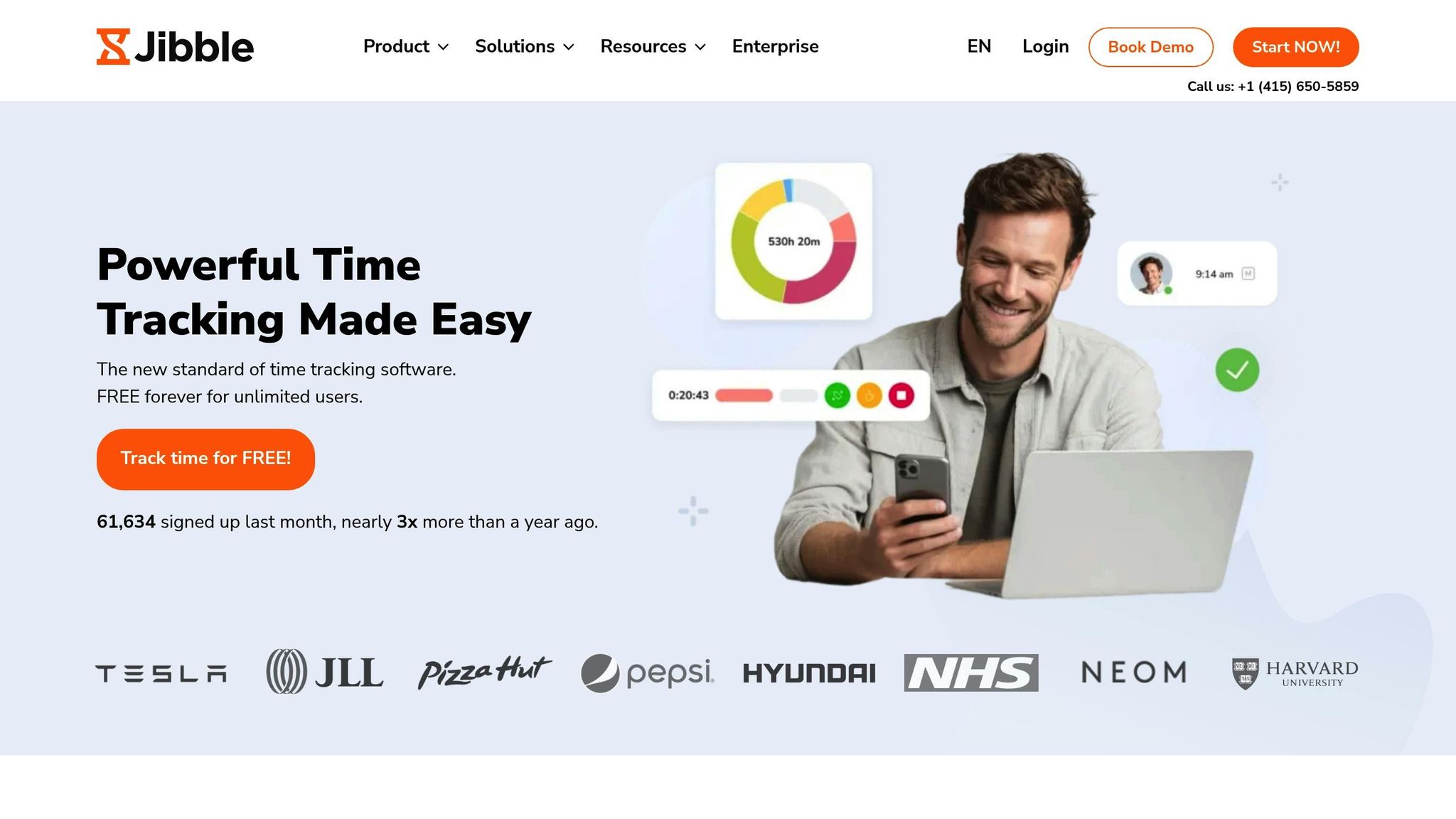
When it comes to PTO trackers, there’s no shortage of options, but Jibble manages to stand out for one big reason: it’s budget-friendly without cutting corners. Here’s the kicker - Jibble offers a 100% free forever plan for unlimited users. That’s right, no hidden costs, no user limits. For small businesses that need to keep an eye on expenses, this is a game-changer. The free plan isn’t just a teaser; it includes essentials like basic PTO tracking, custom leave policies, and even time tracking. It’s no surprise that 90% of Jibble’s users stick with the free plan, proving it’s more than sufficient for most teams. To give you an idea of its growing popularity, Jibble brought in 63,638 new users in just one month - a nearly threefold jump compared to the year before.
PTO Management Features
Jibble doesn’t just cover the basics; it adds a little extra. You can set up multiple leave policies, both paid and unpaid, and choose whether to track them by days or hours. Plus, there’s flexibility in how you configure accrual schedules - annually, monthly, or even based on an employee’s start date. For teams that need more oversight, the Premium plan allows up to three levels of approval, ensuring every request goes through the right channels. Employees can also attach supporting documents (up to 10MB, with three attachments per request), making the process smoother. As Kody Atkinson from YNAB puts it:
"Jibble takes the headache out of time tracking. The team can easily see who's working at any given time and pull hours for reports and payroll."
Pricing That Works for Everyone
Let’s talk numbers. Jibble’s Free plan offers unlimited users access to automated timesheets, GPS tracking, and basic leave management. Need more? The Premium plan is just $3.49 per user/month, while the Ultimate plan comes in at $6.99 per user/month, and the Enterprise plan is $8.99 per user/month. Taxes aren’t included, but if you’re managing a team of over 500 users, bulk discounts make it even more affordable. With pricing like this, Jibble is a solid choice for small businesses and remote teams looking for value.
Seamless Integrations
Jibble plays nicely with other tools, integrating with Slack, Microsoft Teams, Xero, QuickBooks Online, Deel, and Zapier. Need to export data? No problem - you can pull attendance and leave records in XLS or CSV formats for easy compatibility with payroll systems. For enterprise-level needs, features like Single Sign-On (SSO) and 2-Factor Authentication add an extra layer of security. As Khalil Azar, Jibble’s Co-founder and CEO, explains:
"The standout feature to look for in a PTO tracker is easy integration with existing systems. This means the software can seamlessly work alongside other tools and platforms already in use, such as HR systems, payroll software, and project management tools."
Who Should Use Jibble?
Jibble is tailor-made for small businesses and remote teams. Its free plan is perfect for startups or companies just dipping their toes into PTO tracking software, offering unlimited user access without the financial commitment. For remote and field teams, features like GPS tracking, geofencing, and mobile accessibility (available on both iOS and Android) make it incredibly practical. With glowing reviews - an impressive 4.8/5 rating on both G2 and Capterra - users frequently praise its user-friendly design and quick setup process. If you’re looking for a PTO tracker that delivers without draining your budget, Jibble might just be the answer.
7. Clockify
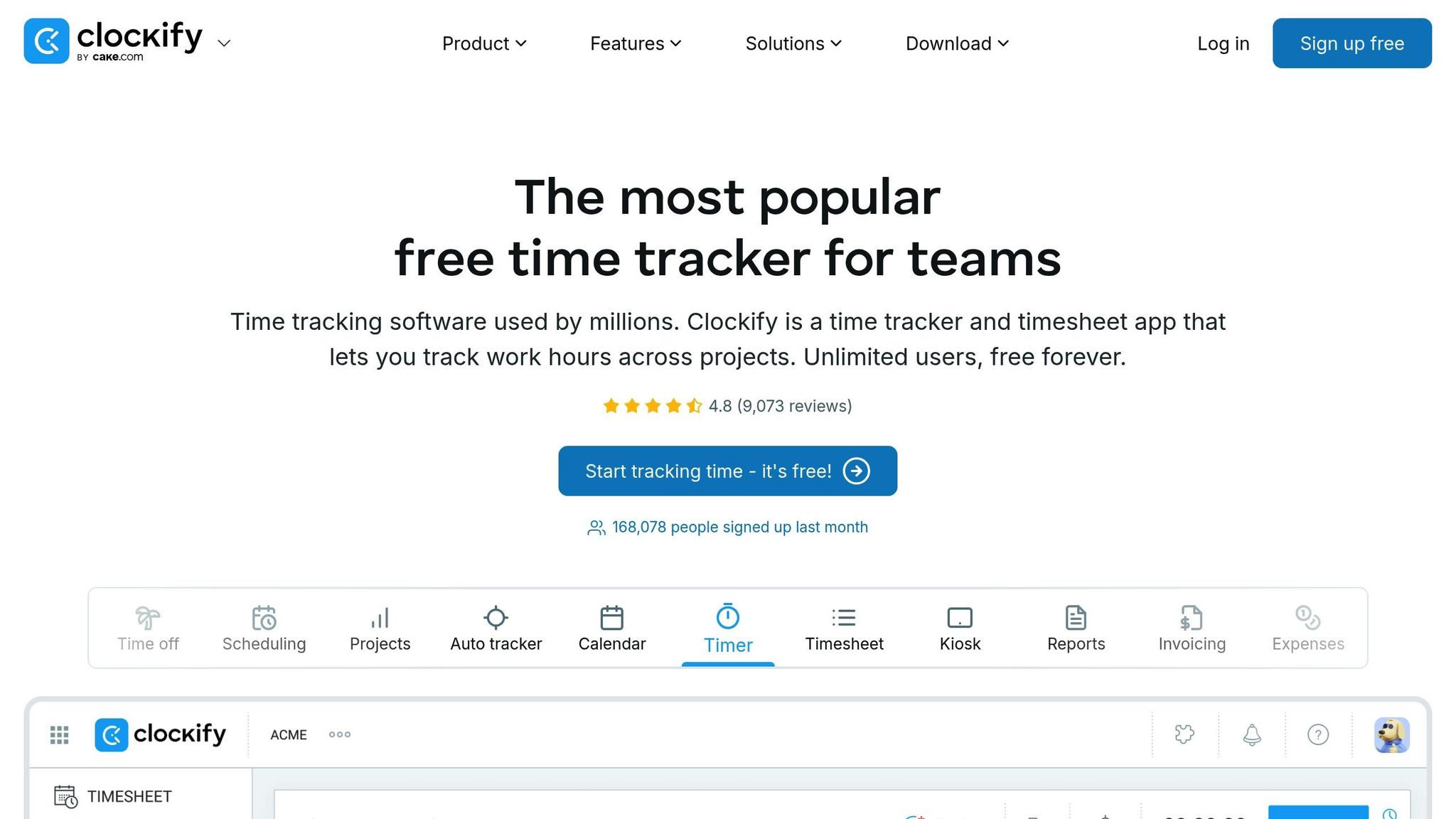
Clockify wraps up our list as a solid choice for teams looking to combine time tracking with PTO management. With over 5 million users globally and a whopping 167,000 new sign-ups just last month, it's clear this tool has built a strong reputation. It boasts a 99.99% uptime and an impressive 4.8/5 rating from more than 9,000 reviews. Plus, Clockify offers a "Free Forever" plan for basic time tracking with unlimited users. However, if you need PTO features, you'll need to upgrade.
PTO Management Features
By upgrading to the Standard plan, you unlock unlimited PTO policies that cover everything from sick leave and vacation to bereavement, jury duty, and TOIL. Employees can easily submit their time-off requests via web or mobile, while managers get notified by email for quick approvals. The system handles calculations for accrued time off and offers a "Timeline" view, making it simple to see who's out and when. Whether it's a full day off or just a couple of hours, you can track time off in days, hours, or even minutes.
Luis Miguel Rivas Zepeda, a Software Engineer, shared his experience:
"Clockify is the easiest to use time tracking tool and has given me the most beneficial time tracking experience."
Pricing and Affordability
Clockify's Free plan is a great starting point, supporting unlimited users for basic time tracking. But if you need PTO management, you'll want the Standard plan, priced at $5.49 per user/month (billed annually) or $6.99 if billed monthly. For more advanced features, the Pro plan costs $7.99 per user/month (annual) or $9.99 monthly, while the Enterprise plan is $11.99 per user/month (annual) or $14.99 monthly. If you're unsure, you can try the Pro features with a 7-day free trial - no credit card required. This flexible pricing makes Clockify a great option for teams ready to step up their PTO game.
Integration Capabilities
Clockify works seamlessly with tools like QuickBooks for billing and payroll (Standard plan required) and integrates with Google Calendar and Outlook to display leave schedules. It's available in multiple formats, including web, desktop (Windows, Mac, Linux), mobile apps (iOS and Android), and even as a browser extension. To make things even easier, approved time-off entries can automatically generate time entries in reports, streamlining payroll processing.
Target Audience Suitability
With its strong time-tracking foundation, Clockify is a fantastic option for teams looking to add PTO management to their toolkit. Its unlimited user model makes it scalable for growing businesses, and its 95% customer satisfaction rating, along with cross-platform availability, makes it particularly handy for remote teams. Whether you're a small startup or a larger organization, Clockify has the flexibility to grow with you.
Feature and Pricing Comparison
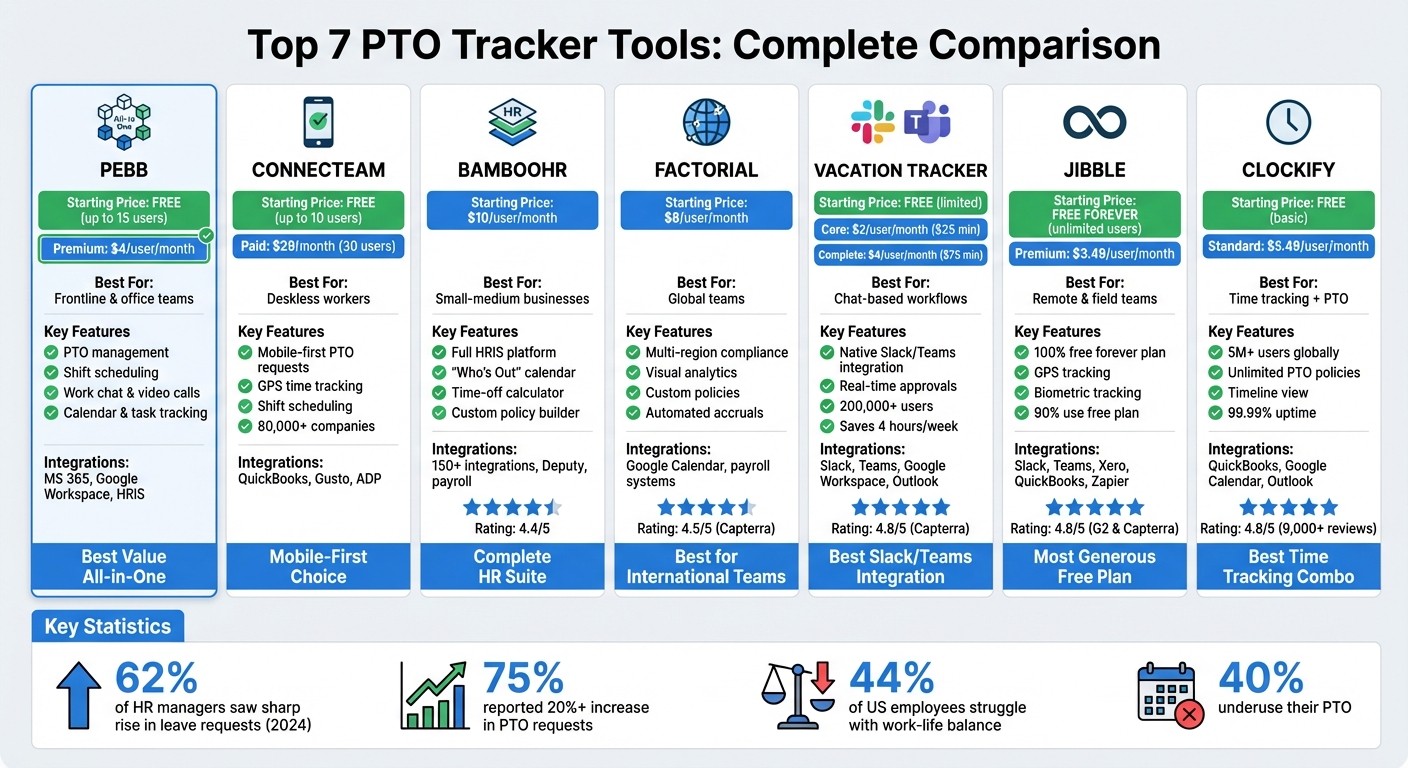
PTO Tracker Tools Comparison: Features, Pricing & Best Use Cases 2026
Let me walk you through a quick comparison of seven PTO trackers, outlining their pricing, standout features, and key integrations. Here’s the breakdown:
Tool | Starting Price | Best For | Key PTO Features | Notable Integrations |
|---|---|---|---|---|
Pebb | Free (up to 15 employees), $4/user/month Premium | Frontline and office teams needing an all-in-one employee app | PTO management, shift scheduling, calendar, task tracking, digital forms, work chat, news feed | Integrations |
Connecteam | Free (up to 10 users), $29/month for 30 users | Non-desk and frontline workers | Mobile-first PTO requests, GPS time tracking, shift scheduling | Mobile-first features, task management |
BambooHR | Quote-based pricing | SMBs needing a full HR suite | Time-off calculators, "Who's Out" calendars, accrual tracking | ADP, Google Calendar, Outlook, payroll providers |
Factorial | $4.50–$6.90/user/month | Scaling businesses with global teams | Visual analytics, multi-region compliance, custom policies | Google Calendar, payroll systems |
Vacation Tracker | Free (1 leave type), $2/user/month Core, $4/user/month Complete | Teams using chat-based workflows | Slack/Teams native requests, real-time approvals, calendar sync | Slack, Microsoft Teams, Google Workspace |
Jibble | Free forever (unlimited users) | Field and remote teams | Biometric/GPS tracking, basic leave management (free tier) | Xero, QuickBooks, Slack, Microsoft Teams, Zapier |
Clockify | Free (basic tracking), $5.49/user/month Standard | Teams combining time tracking with PTO | Unlimited PTO policies, timeline view, accrual calculations | QuickBooks, Google Calendar, Outlook |
Now that you’ve got the table for reference, let’s unpack the details.
Why Pebb Stands Out
When it comes to balancing cost and functionality, Pebb really hits the sweet spot. At just $4/user/month for the Premium plan, it’s the only platform offering an all-in-one employee app with PTO management, shift scheduling, chat, news feeds, tasks, digital forms, calendar events, and more. Sure, free options like Connecteam, Jibble, or Clockify might work for very small teams, but as your team grows, you’ll quickly notice the feature limitations. That’s where Pebb shines - it scales with you.
The Premium plan also bundles in extras like voice and video calls, advanced analytics, unlimited admins, permissions control, premium SLA support, integrations, and enterprise SSO. This makes it a great pick if you’re looking for more than just a PTO tracker. It’s about creating a seamless experience for your team, where communication and time-off management work hand in hand.
Why Integrations Matter
Here’s a stat that might surprise you: over 40% of US professionals don’t use their allocated leave, and 44% report burnout from poor work–life balance. That’s why having the right PTO tracker is so important. It should make taking time off simple, not a hassle.
Integrations play a huge role in this. Whether it’s syncing with Slack or Teams for quick PTO requests, connecting with payroll systems for accurate calculations, or operating within a unified platform like Pebb, these connections reduce the back-and-forth. Less friction means faster approvals and, ultimately, a happier, healthier team. And let’s be real - when PTO is easy to manage, everyone wins.
If you’re weighing your options between a standalone tracker and an integrated platform, think about what your team truly needs. Are you looking for a quick fix or a long-term solution that grows with your business? For me, the choice is clear - an integrated platform like Pebb doesn’t just manage PTO; it boosts overall productivity and work–life balance. That’s a win in my book.
Conclusion
Finding the perfect PTO tracker isn’t just about ticking off a list of features or comparing price tags - it’s about choosing a tool that aligns with how your team operates daily. There are plenty of options out there: Vacation Tracker hooks right into Slack and Teams, Jibble offers a free plan with biometric tracking for field teams, and BambooHR brings a full suite of HR tools for larger organizations. But if you're looking for an all-in-one platform, Pebb is in a league of its own.
With the Premium plan priced at just $4 per user per month, Pebb goes beyond PTO management. It includes shift scheduling, work chat, news feeds, tasks, digital forms, calendar events, voice and video calls, and a full suite of tools designed to keep your team connected. And here’s the kicker: for teams with up to 15 members, it’s completely free. That’s a value you won’t find with any other tool on this list. By integrating PTO management with the tools your team already uses every day, Pebb makes taking time off effortless and stress-free.
A good PTO tracker should simplify your life, not complicate it. Look for tools that offer self-service options so employees can check balances and submit requests without needing to loop in HR. Make sure it syncs seamlessly with your payroll and HR systems to cut down on manual work. And if you’re managing a distributed team, prioritize features that handle multi-region labor laws automatically - because compliance headaches are the last thing anyone needs.
What sets Pebb apart is its ability to go beyond PTO management. By consolidating everything into one platform, it eliminates the need for constant app-switching and creates a smoother workflow. When your team can easily unplug, knowing everything is handled, it’s not just productivity that gets a boost - work-life balance improves too. At the end of the day, the best tool is the one your team will actually use, making time off a breeze for everyone.
FAQs
How does Pebb integrate PTO management with shift scheduling?
Pebb's PTO management feature works hand-in-hand with its shift scheduling system, giving you a streamlined way to manage employee time off without the usual headaches. Here's how it works: when an employee submits a PTO request, the system instantly cross-checks it with the current shift schedule. If there's a conflict, it flags it right away. This means managers can make quick, informed decisions without scrambling to figure out how it impacts the team.
What sets Pebb apart is how much it packs into one platform. For just $4 per user with the premium plan, you’re not just getting PTO management and shift scheduling - you’re also getting work chat, news feeds, and more. No need to juggle multiple tools or pay for extra add-ons. It’s all here, designed to make managing your workforce as simple and efficient as possible.
Why is Pebb's pricing a great value compared to other PTO tracker tools?
Pebb has carved out a niche by offering a budget-friendly pricing model paired with a wide range of features. For just $4 per user per month, our premium plan delivers a full suite of tools, including PTO tracking, work chat, shift scheduling, and news feeds - all in one platform. When you stack that up against competitors like Slack, which starts at $8.75 per user per month, or even Microsoft Teams at the same $4 per user per month, the difference is clear: Pebb gives you more for your money.
But here’s the kicker - our free plan supports up to 15 employees. That’s a game-changer for small and medium-sized businesses that want to streamline their workflows without overspending. By combining affordability with a feature-rich offering, Pebb ensures businesses don’t just save money - they get tools that truly add value.
How does Pebb help businesses comply with labor laws across different regions?
Pebb takes the headache out of navigating multi-region labor laws by bundling everything you need into one seamless platform. With tools for PTO management, shift scheduling, and employee communication, it’s like having a compliance and workforce management assistant rolled into one. Need to track employee time off? Done. Juggling schedules? Handled. Keeping everyone on the same page? Easy.
What sets Pebb apart is how it brings everything together. By combining features like work chat, news feeds, and scheduling into a single system, it helps businesses stay organized while minimizing the risk of compliance missteps. And the best part? It’s budget-friendly. Pebb is free for teams of up to 15 employees, and the premium plan is just $4 per user. Whether you’re managing a local team or a workforce spread across regions, Pebb keeps things simple and stress-free.
