
Author: Ron Daniel
Best Clock In and Out App for Small Businesses
Compare top clock-in and out apps for small businesses—features, pricing, GPS, scheduling, and communication, plus why an all-in-one free option matters.
Most small business owners I’ve talked to share the same frustration: tracking employee hours feels like a never-ending headache. I get it - before we built Pebb, I saw my fair share of manual timesheets and payroll errors. One story that stuck with me was from Kathleen, who runs Smiling Tree Toys. She told me, "Before using a digital tool, I spent hours every week double-checking work hours, hoping I wasn’t making mistakes." Sound familiar?
Here’s the reality: relying on spreadsheets or paper timesheets isn’t just time-consuming - it’s costing you money. Think about it: if five employees clock in five minutes late every day, you’re paying for over 20 extra hours a month. That’s not even counting compliance risks or payroll errors, which can damage trust with your team.
The good news? Tools like Pebb can simplify all of this. We’ve designed an all-in-one app that tracks time, manages schedules, and keeps teams connected - all for free if you’ve got 15 employees or fewer. In this article, I’ll walk you through why Pebb stands out, how it compares to other apps like Clockify and Connecteam, and what to consider when choosing the right tool for your business. Let’s dive in!
1. Pebb
At Pebb, we set out to solve a problem that so many small businesses face. Juggling different apps for time tracking, scheduling, communication, and PTO management can feel like a never-ending game of whack-a-mole. That’s why we built an all-in-one platform that keeps everything in one place. No more switching between tools or paying for features you’ll never use.
Pricing
Here’s the deal: Pebb is free for up to 15 employees. You get access to all the essentials - Work Chat with unlimited history, News Feed, Knowledge Library, Tasks, Digital forms, Calendar, Clock in, Shift scheduling, PTO management, Apps, Unlimited Spaces, Teams & Branches. If your team grows beyond that, our Premium plan is just $4 per user per month. That’s half the price of competitors charging $8–$12 per user, and you’re still getting a full suite of tools.
Clock In Features
We’ve made clocking in ridiculously easy. Employees just tap a button on their phone or desktop, and their hours are logged automatically. No complicated setup, no training headaches. The system tracks start times, end times, and breaks, syncing everything directly with payroll. This not only reduces errors but also saves you from manually double-checking data.
And here’s the best part: it’s not just about tracking time - it’s the foundation for keeping your team connected.
Communication Tools
When someone clocks in, it’s not just a time stamp - it’s their gateway to everything they need. They can check shift updates, message teammates, and see their schedule, all from the same app. No hopping between platforms. It’s all in one place, making life easier for managers and employees alike.
But we didn’t stop there. We knew scheduling and PTO management had to work just as smoothly.
Scheduling and PTO Management
We’ve tied scheduling directly to time tracking, so you can see everything - availability, time-off requests, and even potential overtime - at a glance. PTO requests? They go through automated approval workflows, and once approved, they sync automatically with payroll. That means fewer admin headaches for you and more time to focus on growing your business.
With Pebb, we’re not just giving you tools; we’re giving you back your time. And for small business owners, that’s priceless.
2. Clockify
Clockify shifts its focus to tracking billable hours across projects rather than just managing shifts. This makes it a go-to option for agencies, consulting firms, or any business where employees need to log time for specific tasks. Unlike Pebb's all-in-one free platform, Clockify's pricing model revolves around add-on features.
Pricing
Clockify's free plan is a standout, offering unlimited users and projects with all the essential time-tracking tools at no cost. For small businesses juggling tight budgets, this can be a lifesaver. If you need more advanced features, paid plans start at $3.99 per user per month for the Basic plan. The Standard plan, which includes PTO management, costs $5.49 per user per month, while the Pro plan, featuring scheduling tools, is priced at $7.99 per user per month - all based on annual billing.
Clock In Features
Clockify gives users several ways to log time, including:
A one-click timer
Manual timesheet entries
Kiosk mode with PIN access
A desktop auto-tracker
Browser extensions that integrate with tools like Asana or Trello
Matthew W., who works in Sales Administration Support, praised the system for being quick and easy to use. On the other hand, Jack C., a Digital Specialist, pointed out that its rigidity might make it challenging for teams that frequently switch tasks.
Scheduling and PTO Management
The scheduling feature, only available in the Pro plan, includes a drag-and-drop timeline and supports recurring assignments. However, it lacks advanced options like shift-swapping or customizable templates, which could limit its flexibility. PTO management, part of the Standard plan, operates on an accrual-based system. While functional, it might feel overly complex for teams with part-time or variable schedules.
GPS and Geofencing
Clockify's Pro plan also includes GPS tracking, which records employee locations at clock-in. That said, it doesn't offer geofencing capabilities, meaning employees can still clock in from outside designated areas. This could be a drawback for businesses that require strict on-site verification.
While Clockify excels in project-based time tracking, Pebb continues to lead when it comes to offering a more comprehensive solution for communication and management.
3. Connecteam
Connecteam brings together time tracking, scheduling, communication, and HR tools in one app. This all-in-one setup appeals to small businesses aiming to streamline their operations by managing multiple tasks from a single platform.
Pricing
If you're a small business with up to 10 users, Connecteam’s free-for-life Small Business Plan might be all you need. For larger teams, the Operations Basic plan starts at $29 per month for the first 30 users, with an additional $0.80 per user beyond that. The Operations Advanced plan is priced at $49 per month for the first 30 users, and each extra user costs $2.50.
Clock In Features
Connecteam offers flexible clock-in options - whether it’s through mobile apps (iOS/Android), desktop, or a shared kiosk secured by a personal PIN. It tracks clock-ins down to the second and automates overtime calculations, break management, and more. Plus, it integrates seamlessly with payroll tools like QuickBooks Online, Gusto, ADP, Paychex, and Xero. Primo Stropoli, owner of Tetta's Market, shares his experience:
"Now it takes me about five minutes. I do payroll every week... I click click click. I'm through payroll".
Communication Tools
Connecteam includes built-in communication features like a secure in-app chat, a company-wide updates feed with engagement tracking, and a work contact directory. While these tools are convenient, it’s worth noting that Pebb remains the only platform offering a free, all-in-one communication suite with a premium plan starting at just $4 per user.
Scheduling and PTO Management
The scheduling module is user-friendly, featuring a drag-and-drop interface and an AI-powered auto-scheduler that assigns shifts based on employee availability and labor costs. It also includes handy tools like shift templates and PTO management, complete with automated accruals and carryover rules.
GPS and Geofencing
Connecteam takes location tracking seriously. Each clock-in is paired with a location stamp, and its "Breadcrumbs" feature allows for real-time tracking. With geofencing, managers can create virtual boundaries around job sites, ensuring employees can only clock in within designated areas. It even sends reminders when employees enter these zones. While the GPS accuracy is highly rated at 9.8 out of 10, keep in mind that a stable internet connection is necessary for real-time syncing, which could be a hurdle in areas with poor connectivity.
Next, I’ll dive into Buddy Punch to explore how its features stack up for small businesses.
4. Buddy Punch
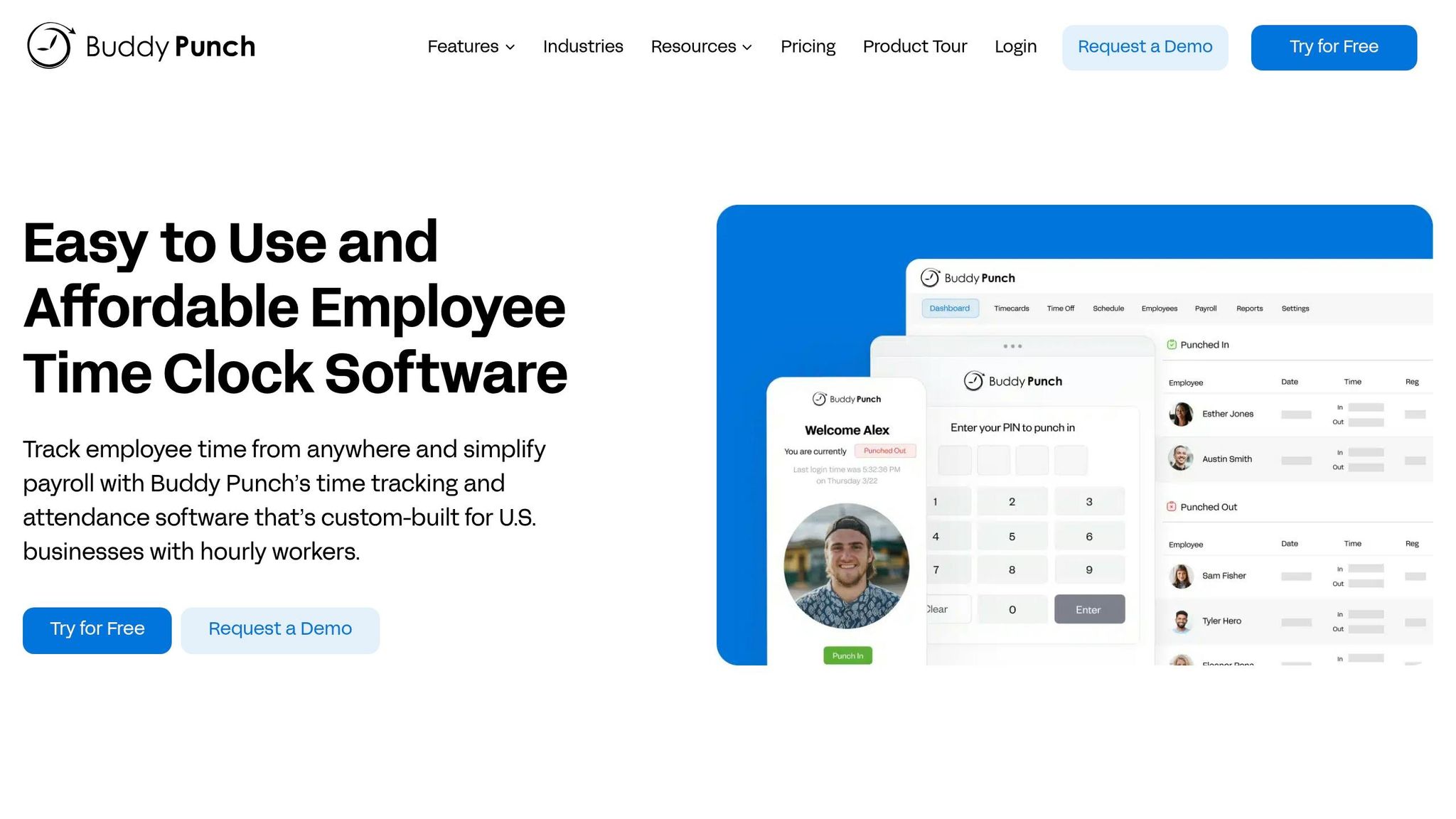
Buddy Punch is a time-tracking solution designed with small businesses in mind, offering flexibility and ease of use. With over 10,000 organizations relying on it and a solid 4.8 out of 5 rating on G2 and Capterra, it’s clear this platform has earned its place in the market. What makes it shine is its variety of clock-in options. Employees can punch in through web browsers, mobile apps, or even a tablet kiosk using a 4-digit PIN or QR code. For field workers without smartphones, clocking in via text message is also an option.
Pricing
Let’s talk numbers. Buddy Punch starts at $4.49 per user per month, billed annually, with an added $19 monthly base fee. The Starter plan covers the basics, but if you need extras like scheduling and facial recognition, the Pro plan costs $5.99 per user per month. For advanced features like real-time GPS tracking, the Enterprise plan is available at $10.99 per user per month. Opting for annual billing can save you up to 18% compared to paying monthly.
Clock-In Features
One of Buddy Punch’s standout features is its ability to capture GPS coordinates during clock-ins, ensuring employees are starting and ending their shifts in the right locations. For added control, the geofencing feature restricts clock-ins to specific boundaries. As Bryan P., a healthcare professional, explains:
"Employees just need to be within a geofence to log in and punch in/punch out. They don't have to jump through endless steps for something that should be straightforward."
To prevent "buddy punching", the platform also offers tools like "Photos on Punch" and facial recognition. Managers can even customize requirements, such as enabling GPS or geofencing for specific employees while keeping it optional for others.
Scheduling and PTO Management
Planning shifts has never been easier, thanks to Buddy Punch’s drag-and-drop scheduling builder. Employees can also request shift trades directly through the system. To keep things efficient, the platform can restrict clock-ins to scheduled shifts, minimizing early or late punches. When it comes to PTO, Buddy Punch offers features like custom accrual rules and approval workflows that automatically sync with timesheets.
If you’re on the Starter plan, scheduling can be added for $1 per user, but it’s already included in the Pro and Enterprise tiers.
Next, we’ll dive into how these tools can transform your team’s workflow and save you time. Stay tuned!
5. Timeero
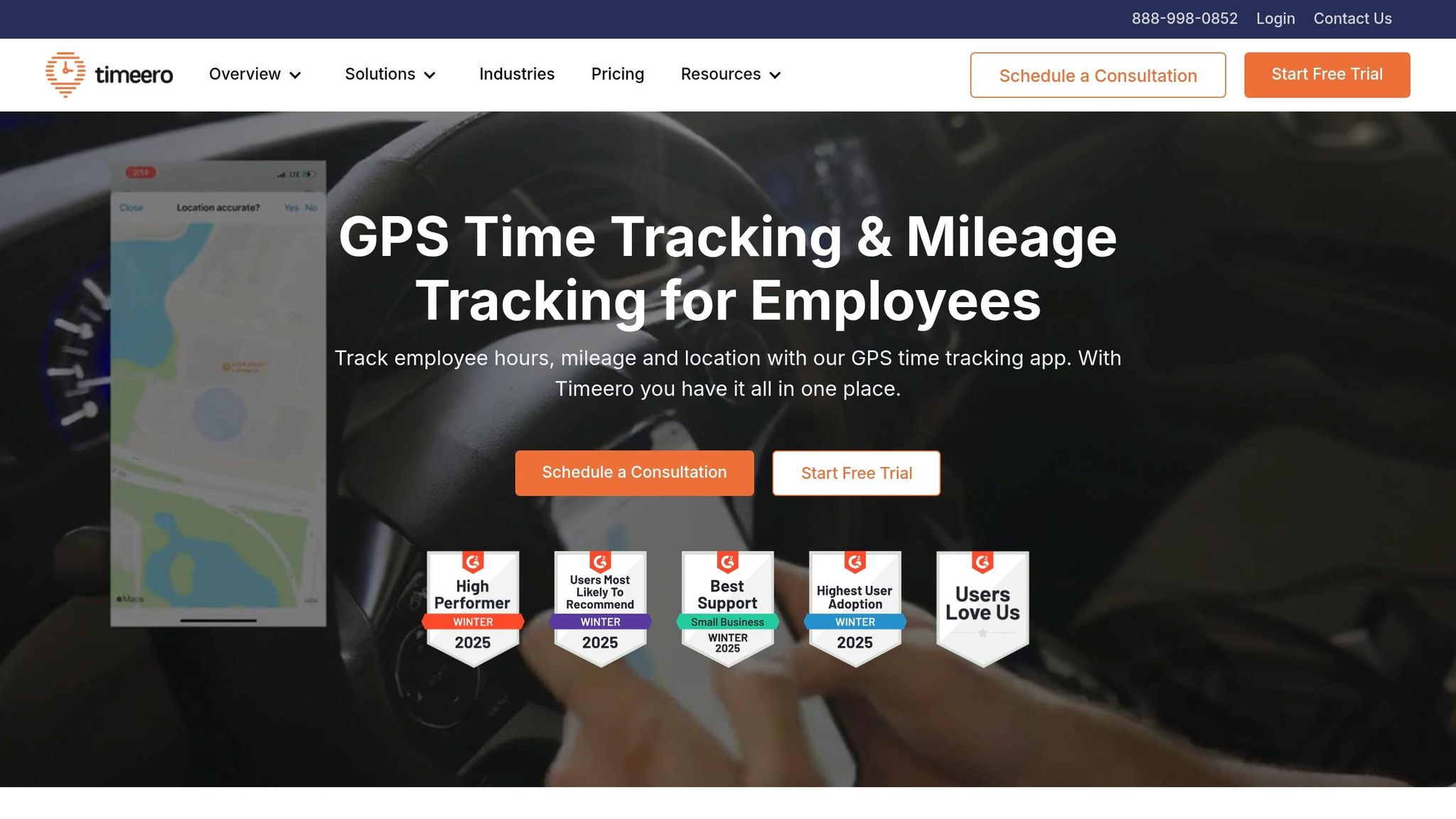
At Pebb, we pride ourselves on being the go-to communication and management hub for small businesses. But when it comes to managing mobile workforces - like field service teams, construction crews, or delivery drivers - Timeero shines. With over 588,000 active users and more than 15 million hours tracked, it’s tailored to businesses with teams constantly on the move. What sets it apart? Timeero blends time tracking with GPS and mileage features, all for a budget-friendly price.
Pricing
Timeero keeps things simple with a per-user pricing structure and no base fee. Here’s the breakdown:
Basic plan: $4 per user per month (up to 10 users), covering time, GPS, and mileage tracking.
Pro plan: $8 per user per month, adding scheduling, geofencing, integrations, and PTO management.
Premium plan: $11 per user per month, ideal for businesses needing HIPAA compliance and suggested mileage features.
Want to try it out? They offer a 14-day free trial - no credit card required.
GPS and Geofencing
Timeero’s GPS functionality is a game-changer for tracking mobile teams. It records real-time location trails (breadcrumb trails) with timestamps, so managers always know where their team is. The geofencing feature lets you set up virtual boundaries around worksites, offering an extra layer of oversight. As Luke Loukinas, Owner of PTTI, explains:
"The geo-fencing feature allows us to track progress and employee locations for safety, time management and tracking mileage".
Plus, the built-in mileage tracker and route replay feature make it easy to monitor travel efficiency. These tools work seamlessly with Timeero’s clock-in options.
Clock-In Features
Timeero offers flexibility with multiple ways to clock in. Employees can use mobile apps (iOS and Android), a web browser, or even a kiosk app for iPads, which includes facial recognition to prevent buddy punching. The offline mode ensures time and location data are captured even without internet and syncs automatically when back online. Employees can also attach notes, photos, and digital signatures to their timecards for added accountability.
Scheduling and PTO Management
Timeero doesn’t stop at tracking - it simplifies scheduling too. The drag-and-drop scheduler makes shift planning a breeze, and employees can accept or decline shifts directly in the app. PTO accruals are calculated automatically based on company policies, and employees can check their balances in real time. For businesses in California, Timeero even includes a California Breaks Tracker that sends automated notifications for meal and rest breaks, helping you stay compliant with state laws.
While Timeero is a fantastic tool for mobile teams, Pebb continues to lead as the ultimate free all-in-one communication platform for small businesses.
Comparing Features and Pricing
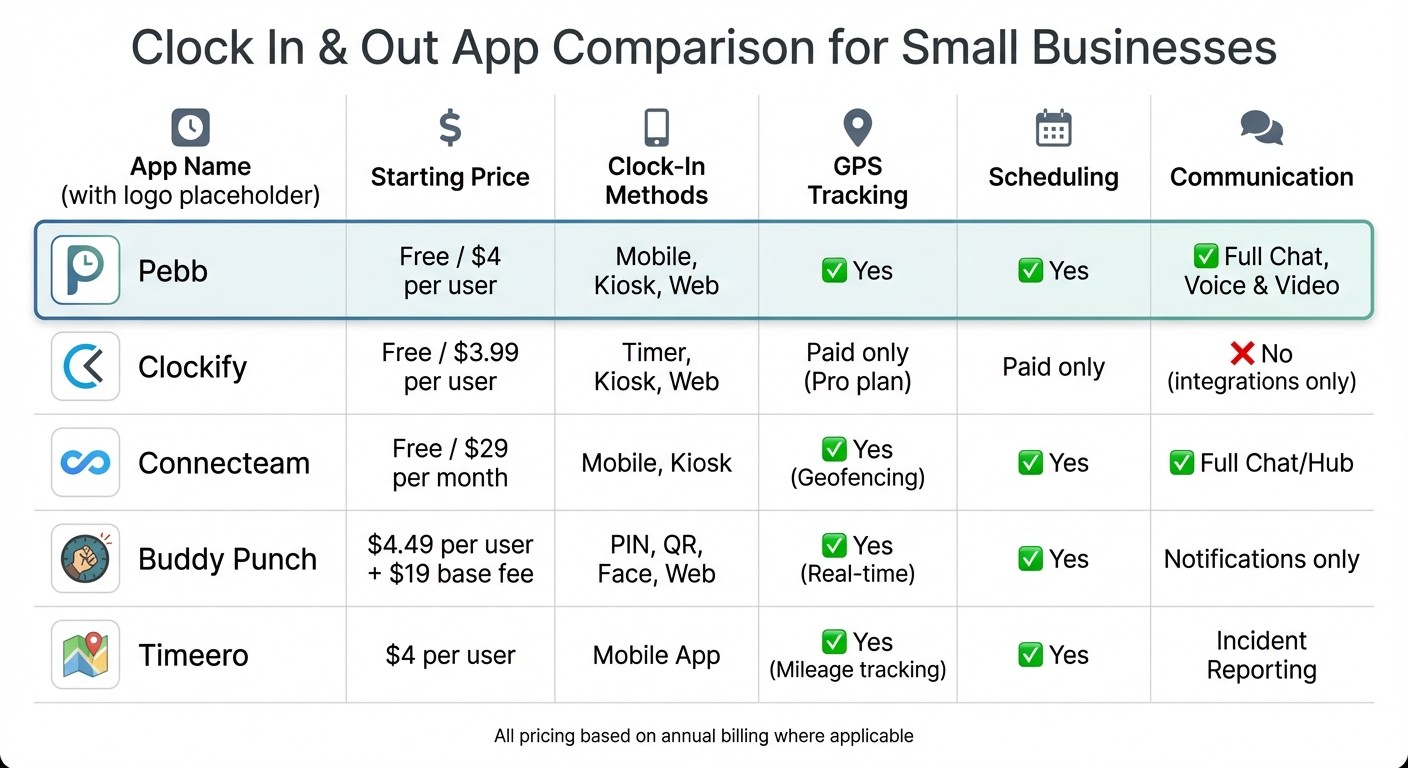
Clock In App Comparison: Features and Pricing for Small Businesses
When it comes to picking the right clock-in and out app, it’s all about knowing what you’re paying for and what you’re getting in return. To make this easier, I’ve broken down a comparison of Pebb, Clockify, Connecteam, Buddy Punch, and Timeero. Let’s see how they measure up in pricing, clock-in options, GPS tracking, scheduling, and communication tools.
Here’s the breakdown:
App | Pricing (Starting) | Clock-In Methods | GPS Tracking | Scheduling | Communication |
|---|---|---|---|---|---|
Pebb | Free / $4 per user | Mobile, Web | No | Yes | Yes (Full Chat) |
Clockify | Free / $3.99 per user | Timer, Kiosk, Web | Paid only (Pro) | Paid only | No (integrations only) |
Connecteam | Free / $29 per month | Mobile, Kiosk | Yes (Geofencing) | Yes | Yes (Full Chat/Hub) |
Buddy Punch | $4.49 per user + $19 base | PIN, QR, Face, Web | Yes (Real-time) | Yes | Notifications only |
Timeero | $4 per user | Mobile App | Yes (Mileage) | Yes | Incident Reporting |
Let’s unpack this a bit.
Why Pebb Stands Out
Pebb is the only app offering a free tier with robust features like scheduling, clock in, and internal communication tools. The Premium plan, priced at just $4 per user per month, delivers everything you need without hidden fees or add-ons. Whether you’ve got a small team or a growing one, Pebb keeps things seamless and cost-effective.
What About the Competition?
Clockify has a great free plan for unlimited users, but you’ll have to upgrade to unlock GPS tracking and scheduling features. If those are must-haves, it might not be as budget-friendly as it seems.
Connecteam offers a flat rate of $29 per month for up to 30 users, which is great for predictability but could feel restrictive as your team grows.
Buddy Punch charges a $19 base fee on top of per-user costs, which can add up fast for smaller teams.
Timeero keeps pricing simple at $4 per user, but advanced features like scheduling and integrations jump to $8 per user.
The Bottom Line
If you’re managing a team and want an all-in-one solution that won’t break the bank, Pebb checks all the boxes. Unlike other apps that rely on piecemeal upgrades or flat fees, Pebb scales with your team while keeping costs predictable. It’s a straightforward, powerful tool that delivers everything you need to manage time, scheduling, and communication - without the hassle of hidden fees or limited features.
Wrapping It Up: Finding the Right Clock-In and Out App
When it comes to picking the perfect clock-in and out app, it all boils down to your team's specific needs and how much you're willing to spend. After diving into the features of Pebb, Clockify, Connecteam, Buddy Punch, and Timeero, one thing is clear: these apps aren't one-size-fits-all. Some tack on extra fees for features you might consider essential, while others lock key capabilities behind pricey upgrades. This is why finding an all-in-one solution can save you from unnecessary headaches and potential errors.
Now, let me tell you why Pebb stands out. It’s not just about time tracking - it’s the whole package. Pebb combines reliable time tracking, shift scheduling, and seamless team communication (yes, including voice and video calls) into one platform. And it starts at just $4 per user per month - or even free for smaller teams. That means no juggling multiple apps or worrying about surprise fees.
Of course, other apps might fit niche needs. For example, Clockify’s free plan could work if you only need basic time tracking, though you might find yourself upgrading for more advanced tools. On the other hand, if your business is scaling quickly, Connecteam’s pricing model might appeal to you. But if you’re looking for a solution that checks all the boxes - time tracking, scheduling, and communication - without breaking the bank, Pebb is hard to beat.
Here’s a tip: take advantage of free trials to see which app feels right for your team. The best tool should simplify your workflow, not complicate it. And with Pebb’s integrated features, you’ll find it easier to streamline operations and boost productivity.
At its core, Pebb is designed to give small businesses access to tools typically reserved for larger enterprises - without the hefty price tag. Whether you go with Pebb or another app, make sure it grows with you, keeps your team connected, and stays within budget. The right choice will make your work life smoother, not harder.
FAQs
How do I stop time theft with clock-in rules?
To tackle time theft effectively, automated clock-in and clock-out systems are a game-changer. They help cut down on manual errors and keep things honest. Here’s what works: establish clear rules that notify managers if someone clocks in too early or late without approval. Pair that with straightforward policies around clock-in behavior to set expectations. Tools like Pebb’s shift scheduling and attendance tracking features make it easier to stay on top of compliance and boost accountability across the board.
Can employees clock in without internet access?
Employees can still clock in even without an internet connection, thanks to offline mode features available in certain apps. These tools allow time tracking to continue seamlessly, with data syncing once the device reconnects to the internet. At Pebb, we’ve ensured our platform works in both online and offline settings, offering flexibility that’s especially helpful for small businesses navigating unique challenges.
Will tracked hours sync with my payroll system?
Yes, tracked hours can sync directly with payroll systems, especially if you're using apps like Homebase. These platforms are built to simplify time tracking and payroll by integrating the two processes. This not only saves time but also helps cut down on manual errors.
