

Author: Ron Daniel
Best All-in-One Staff Management Apps in 2026
A concise comparison of leading all-in-one staff management apps, their features, pricing, and why integrated scheduling saves time.
Managing a team in 2026 is like juggling flaming torches - blindfolded. Let me explain. A few months ago, I sat down with a retail manager who was losing sleep over scheduling conflicts. Her team was using five different tools to manage shifts, track time, and communicate. The result? Missed updates, constant disputes, and a 30% drop in productivity. Sound familiar? She’s not alone - 74% of managers are stuck in the same cycle, wasting nearly a quarter of their week switching between platforms.
Here’s the kicker: when she switched to an all-in-one platform like Pebb, everything changed. Scheduling conflicts dropped by 40%, and team engagement jumped 22%. Why? Because consolidating tools isn’t just convenient - it saves time, money, and sanity.
In this guide, I’ll walk you through the top staff management apps of 2026, including what they offer, how they compare, and why Pebb stands out as the only free all-in-one solution. Whether you're managing a retail team or a remote workforce, I’ve got the insights to help you find your perfect match. Let’s dive in.
1. Pebb
At Pebb, we bring all your tools together under one roof. Instead of hopping between apps for communication, scheduling, and task management, Pebb gives you one platform that does it all. Whether you're managing a retail team or leading a remote workforce, everything stays organized and connected - no chaos, no confusion. Let me walk you through how Pebb simplifies communication, scheduling, and task management.
Communication Tools
Gone are the days of messy chat groups and endless email chains. Pebb’s work chat keeps everything streamlined, with unlimited chat history and built-in voice/video calls - even on the free plan. The news feed is a game-changer, letting you share updates, polls, and announcements in real time. One retail manager shared with us how they slashed email volume by 40% just by using shift-update channels. Plus, unlike Slack or Teams, Pebb doesn’t require an email address for sign-up, making it ideal for hourly workers.
Scheduling and Time Tracking
Pebb makes scheduling and time tracking a breeze. The drag-and-drop calendar simplifies shift planning, while the mobile app allows GPS-verified clock-ins and sends automated overtime alerts to keep you compliant with U.S. labor laws. Everything’s tailored for U.S. users, from MM/DD/YYYY date formats to 12-hour clocks. One restaurant chain with 50 locations switched to Pebb and saw their shift fill rates soar to 98%, all while cutting tool costs by 60%. And with built-in PTO management, tracking vacation days has never been easier.
Task Management and Collaboration
Keeping your team on track doesn’t have to mean micromanaging. Pebb’s task system lets you assign to-do lists, link tasks to specific shifts, and track progress through comment threads - all in one place. The knowledge base stores your procedures, while the centralized file hub ensures quick access to resources. In one hospitality case study, shared task boards increased daily prep completion rates by 35%. It’s collaboration made simple and effective.
Pricing and Plans
Here’s the best part: Pebb’s free plan supports up to 15 users with unlimited chat history, scheduling, clock-in tools, and digital forms - no credit card required. For just $4 per user per month, the Premium plan adds analytics, voice/video calls, enterprise SSO, and unlimited admins. Compare that to Slack at $7.25 per user or tools like Deputy, which charge $5–$9 per user plus add-ons, and you’ll see why Pebb offers everything you need without breaking the bank. No hidden fees, just straightforward value.
2. Slack
Slack has earned its place as a leader in communication tools, offering features like organized channels for group chats, direct messaging, and quick audio or video calls through Huddles. It’s no surprise that 65% of Fortune 500 companies rely on it for internal communication. With its Canvas feature, teams can collaborate on notes asynchronously, while Slack AI steps in to summarize long threads and create task lists from conversations. In fact, after the 2026 update, user studies showed a 32% boost in productivity. When it comes to real-time, chat-based communication, Slack is hard to beat.
Communication Tools
Slack’s channels make it easy to organize conversations by team or project, reducing email overload with threaded, real-time messaging. Need a quick chat? Huddles let you jump into calls with screen sharing, and Zoom integrations handle larger meetings seamlessly. A great example is Shopify, which uses Slack to connect its 10,000+ employees. Its mobile app keeps frontline workers in the loop, but here’s where Slack falls short: unlike Pebb’s email-free signup designed for hourly teams, Slack still requires an email address for access.
Scheduling and Time Tracking
Here’s the catch - Slack doesn’t have built-in scheduling or clock-in tools. Instead, users need third-party integrations like Homebase or Toggl to fill the gap. Compare that to Pebb, which offers an integrated drag-and-drop calendar and GPS-verified clock-ins, making it a one-stop solution for managing schedules and attendance.
Task Management and Collaboration
Slack handles task management with its Workflow Builder, which automates assignments, and integrates with tools like Asana, Trello, or Jira for tracking tickets. Features like Clips allow for short video updates, while shared channels enable collaboration with external partners. IBM, for instance, used Slack AI to summarize tasks for its retail teams, cutting meeting time by 25%, according to a 2026 Gartner case study. However, while Slack shines in communication and collaboration, it still requires additional tools to create a fully unified staff management system.
Pricing and Plans
Slack’s Free plan offers a 90-day message history and up to 10 app integrations, but most teams opt for the Pro plan at $7.25 per user per month (billed annually), which includes unlimited messages and Huddles. The Business+ plan costs $12.50 per user per month, adding extra security and management controls, while Enterprise Grid pricing is tailored for larger organizations. For perspective, a 50-person team on Slack’s Pro plan would shell out about $4,350 per year, compared to Pebb’s flat rate of $4 per user per month.
Slack is a fantastic tool for communication, but when teams need a comprehensive staff management solution, the additional costs can stack up. Up next, let’s see how Microsoft Teams measures up in its features and pricing.
3. Microsoft Teams
Microsoft Teams has become the go-to collaboration tool for companies deeply invested in Microsoft 365. Its seamless integration with Word, Excel, PowerPoint, and SharePoint makes it a powerhouse for office-based teams needing smooth document collaboration. It even includes AI-powered assistance through Copilot, making it a solid option for knowledge workers. That said, when it comes to frontline teams, Teams can feel clunky and less intuitive, especially compared to Pebb's mobile-first, social-style interface.
Communication Tools
Teams offers a solid suite of communication features: standard channels, direct messaging, and video calls that support up to 300 participants. It even has a Walkie Talkie feature for push-to-talk communication, aimed at frontline workers. For larger organizations, Teams can host webinars with up to 1,000 fully interactive attendees on its higher-tier plans. However, its desktop-first design highlights a key difference from Pebb's mobile-first approach, which is tailor-made for frontline teams.
Scheduling and Time Tracking
The Shifts feature in Teams handles scheduling and basic calendar management for hourly workers, but setting it up often requires IT support. In contrast, Pebb simplifies scheduling with a single invite link. Another limitation is storage: the Microsoft 365 F1 plan for frontline workers only provides 2 GB, while Pebb offers unlimited chat history on its free plan.
Task Management and Collaboration
Teams excels in collaboration, thanks to its tight integration with the Microsoft 365 suite. You can edit Word documents, update Excel spreadsheets, or collaborate on PowerPoint presentations directly within the app. This makes it a strong choice for teams already immersed in Microsoft's ecosystem. But for teams that just need straightforward communication and scheduling tools, Teams can feel unnecessarily complex. Pebb, on the other hand, focuses on essentials like shifts, clock-ins, PTO management, and a news feed - everything in one easy-to-use platform.
Pricing and Plans
As of July 1, 2026, Microsoft has raised its commercial plan prices. Teams Essentials remains $4.00 per user per month, matching Pebb's premium price, but it only includes 10 GB of storage. Microsoft 365 Business Basic has increased from $6.00 to $7.00 per user per month, and the frontline-oriented F1 plan now costs $3.00 per user per month, up from $2.25. For a 50-person team on Business Basic, the annual cost is $4,200 - without features like PTO management or clock-ins, which Pebb includes at no extra cost.
If your team is already entrenched in the Microsoft ecosystem, Teams might seem like the natural choice. But if you're after a simpler, all-in-one solution that eliminates IT headaches, Pebb offers more value at a comparable price point. Next, I'll dive into how Firstup stacks up when it comes to delivering a unified staff management experience.
4. Firstup
Firstup is all about improving the employee experience by delivering the right content to the right people at the right time. It’s not your go-to for handling day-to-day operations like shift management or PTO tracking. Instead, it shines as a platform for personalized content delivery across email, mobile apps, desktop, and even third-party tools. This makes it a great fit for large enterprises drowning in information overload, thanks to its AI-powered content and delivery optimization. But if you're hunting for a simple, all-in-one tool to manage operations, Firstup might not check all the boxes.
Communication Tools
Here’s where Firstup really stands out: multichannel communication. You can create personalized employee feeds tailored to roles, locations, or even specific behaviors. They’ve got a no-code visual builder that lets you design automated employee journeys - think onboarding flows triggered by hire dates or engagement campaigns based on survey results. People love how these personalized feeds cut through the noise, helping employees find what they need without wading through irrelevant announcements. However, Firstup is more about broadcasting tailored content than enabling real-time chats.
Scheduling and Time Tracking
This is where Firstup falls short. It doesn’t have built-in tools for scheduling or time tracking. If you need to manage shifts or PTO, you’ll have to rely on integrations with other platforms. On the flip side, Pebb keeps it simple by bundling these operational features into one system, so you’re not juggling multiple tools.
Pricing and Plans
Firstup offers three tiers - Essential, Professional, and Premier - but you won’t find per-user pricing listed. You’ll need to request a custom quote. The Essential plan covers basics like audience creation and multichannel publishing. The Professional plan steps it up with AI content creation and delivery optimization, while the Premier plan goes all-in with hyper-personalized journeys and a one-click flow builder. According to Research.com, Firstup scores 4.5/5, with users praising its analytics for tracking engagement. However, for smaller teams, the lack of transparent pricing can be a hassle. Compare that to Pebb, which offers a premium plan at just $4 per user per month, covering everything from chat to scheduling - no sales calls required.
Firstup is an excellent choice for enterprises prioritizing content orchestration and employee experience. But if you’re after an all-in-one solution that blends communication and operations seamlessly, Pebb delivers more bang for your buck. Up next, let’s dive into how Workvivo stacks up for all-in-one staff management.
5. Workvivo
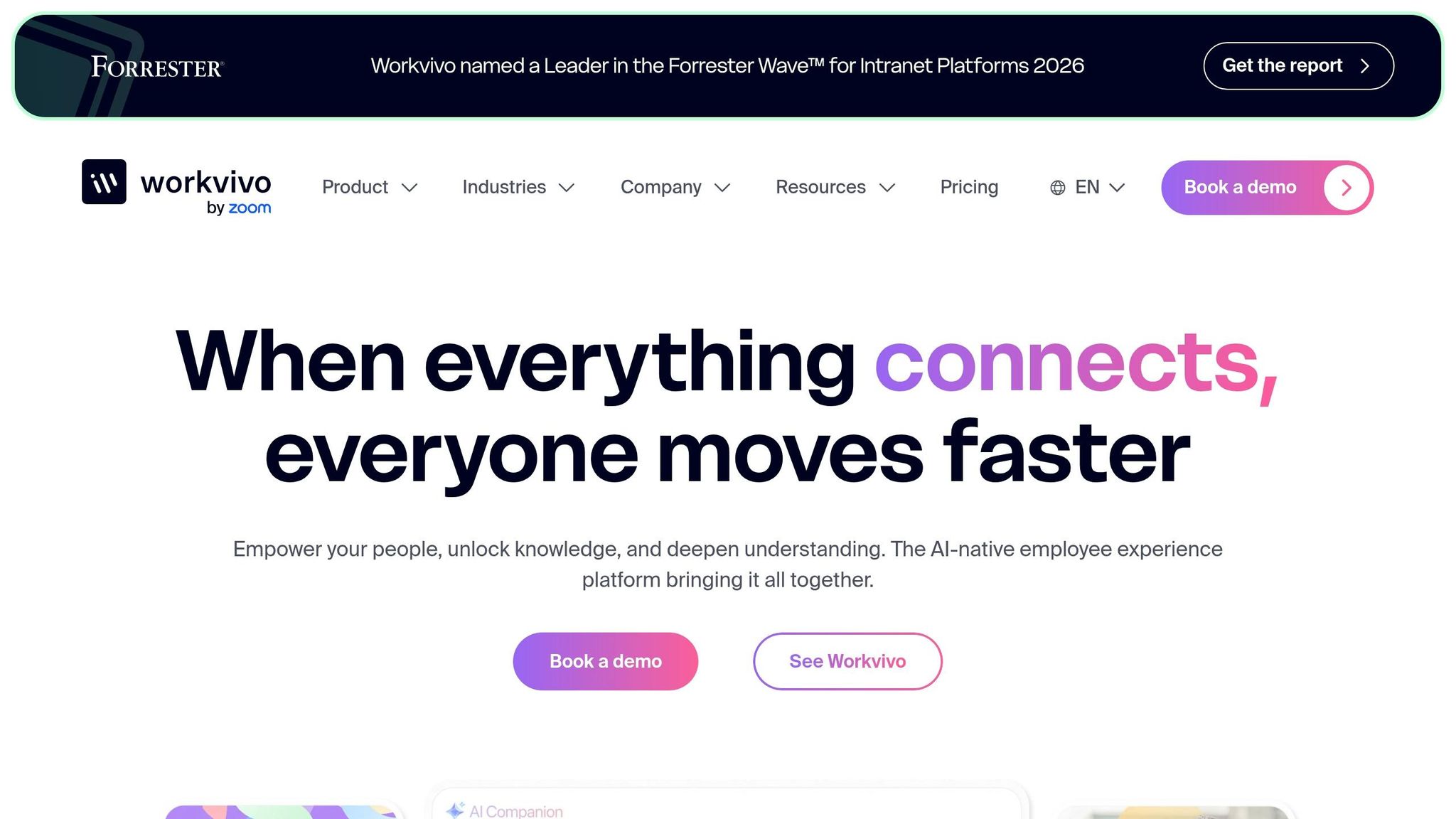
Workvivo puts a spotlight on building a strong company culture and boosting engagement. Designed for mid-to-large organizations (250+ employees), it prioritizes the employee experience rather than operational tasks. Its standout features include an AI-powered Smart Feed, community-focused Spaces, digital badges, and Shoutouts for peer recognition. There’s even Workvivo TV, which allows for digital signage in break rooms, and support for auto-translation into over 90 languages. That said, if you’re looking for built-in shift scheduling or time tracking, Workvivo isn’t equipped for those functions - it relies on third-party integrations instead.
Communication Tools
Workvivo shines when it comes to social communication. Its Smart Feed personalizes content for each employee, making it easier for them to stay engaged. Community Spaces allow teams to create dedicated hubs for projects or departments, while the Shoutouts feature brings peer recognition into the spotlight, visible across the entire organization. It also supports live video streams for company-wide announcements, which is a great way to boost team morale and cut down on email overload. However, for quick, task-oriented chats, Pebb’s built-in work group chat offers a more streamlined and tailored option.
Scheduling and Time Tracking
Here’s where Workvivo falls short - it doesn’t offer native scheduling or time tracking. Instead, it leans on third-party tools like Google Calendar or When I Work. Pebb, on the other hand, integrates these features directly into its platform, offering scheduling, PTO management, and time tracking all in one place. This means Workvivo users often have to juggle multiple platforms to handle operational needs, which can be a hassle.
Pricing and Plans
Workvivo’s Essential plan starts at $5 per user per month when billed annually. For a mid-sized team, this adds up to around $20,000 per year. While this pricing works for larger organizations, smaller teams or those looking for an all-in-one solution might find better value elsewhere. For instance, Pebb offers a free plan for up to 15 users and a premium plan at just $4 per user per month, making it a more affordable choice for teams that need both communication and operational tools in a single platform.
If your main goal is to build a strong company culture and improve engagement, Workvivo is a solid option. But for teams that need a mix of communication and operational tools without breaking the bank, Pebb is the more practical and cost-effective choice. Next, we’ll explore how Staffbase measures up as an all-in-one staff management solution.
6. Staffbase
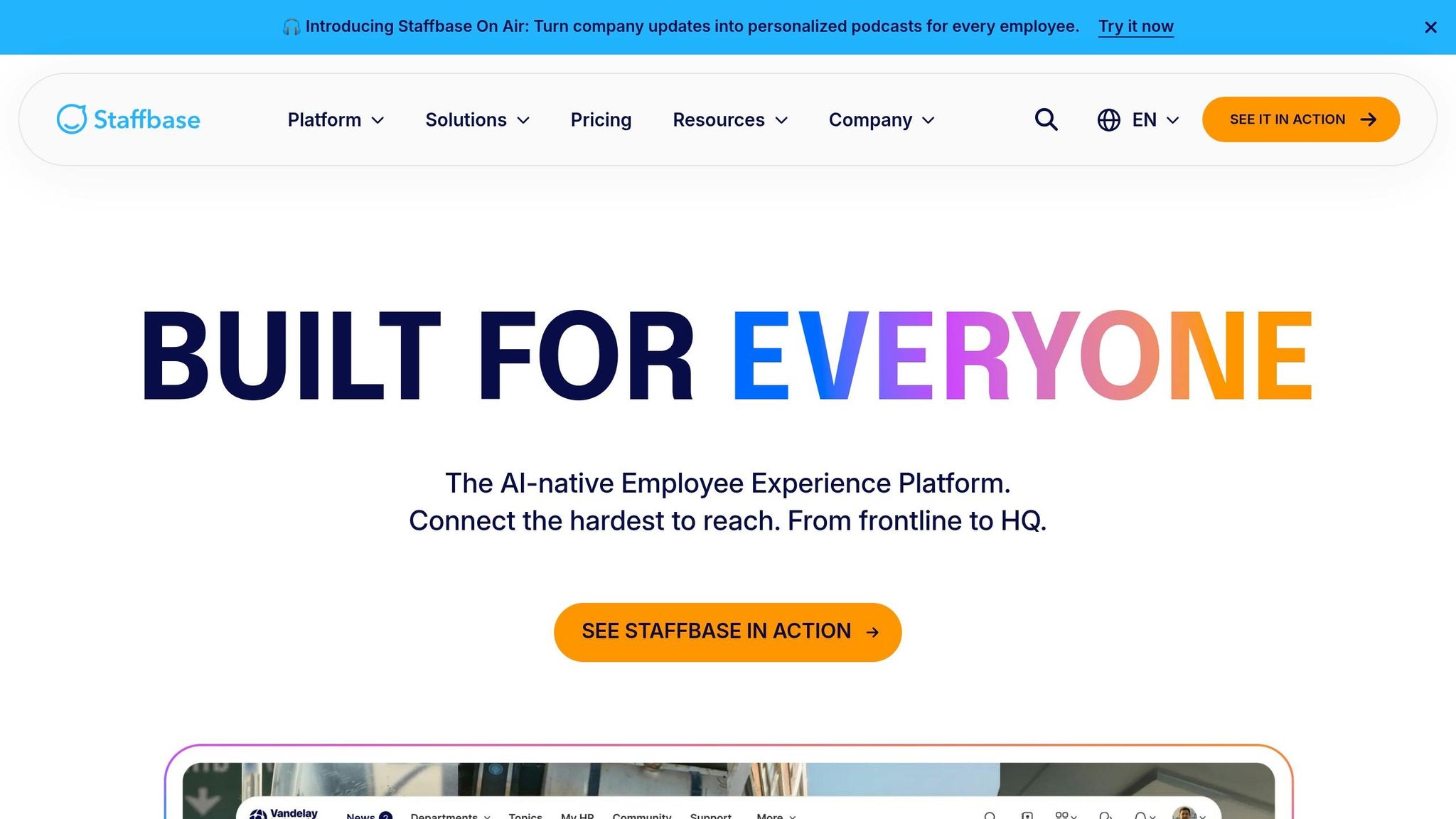
Staffbase is designed with large enterprises in mind - think organizations with 1,000 or more employees. Its primary focus is on corporate communication and employee engagement rather than day-to-day operations. What sets it apart? Features like Staffbase On Air, which provides personalized audio briefings and podcasts, and Live Town Halls, perfect for reaching employees who are often on the move or hard to contact through traditional means.
Communication Tools
To enhance communication at scale, Staffbase offers a range of creative features. These include Live Town Halls, Ask the CEO AMAs, pulse surveys, and tools for gathering feedback, all of which help leadership stay connected with their teams. One standout feature is Staffbase On Air, delivering company updates through personalized audio formats. Another is Staffbase Screens, which enables digital signage in shared spaces like breakrooms or lobbies.
While Staffbase excels in keeping employees informed and engaged, it doesn’t offer the kind of day-to-day operational chat features that Pebb does. This can be a limiting factor for teams that need seamless communication across both strategic and operational levels.
Scheduling and Time Tracking
Here’s where things get tricky. Staffbase doesn’t come with built-in scheduling or time-tracking features. If your team needs tools for shift swapping, PTO requests, or clocking in and out, you’ll have to rely on third-party integrations. That’s a stark contrast to Pebb, which bundles scheduling, PTO management, and time tracking into one unified platform. This gap makes Pebb not just simpler but also more cost-efficient for organizations that need these operational tools baked into their communication system.
Pricing and Plans
Staffbase uses a custom pricing model that factors in the number of employees and the features you select. On average, annual costs range from $8 to $22 per employee, with a median annual contract value of $28,544. But that’s not all - there are implementation fees, which can run between $15,000 and $75,000+, and custom integrations may add another $10,000 to $50,000 to your bill. For a team of 2,000 employees, annual costs typically fall between $25,000 and $40,000, which is significantly higher than Pebb’s $4 per user per month pricing - without any setup fees.
If your organization is a large enterprise focused solely on internal communication, Staffbase might be a fit. But if you’re looking for a platform that handles both communication and operations seamlessly - and at a fraction of the cost - Pebb is the better option. Up next, I’ll break down the pros and cons of each platform to help you decide which one aligns best with your needs.
Pros and Cons
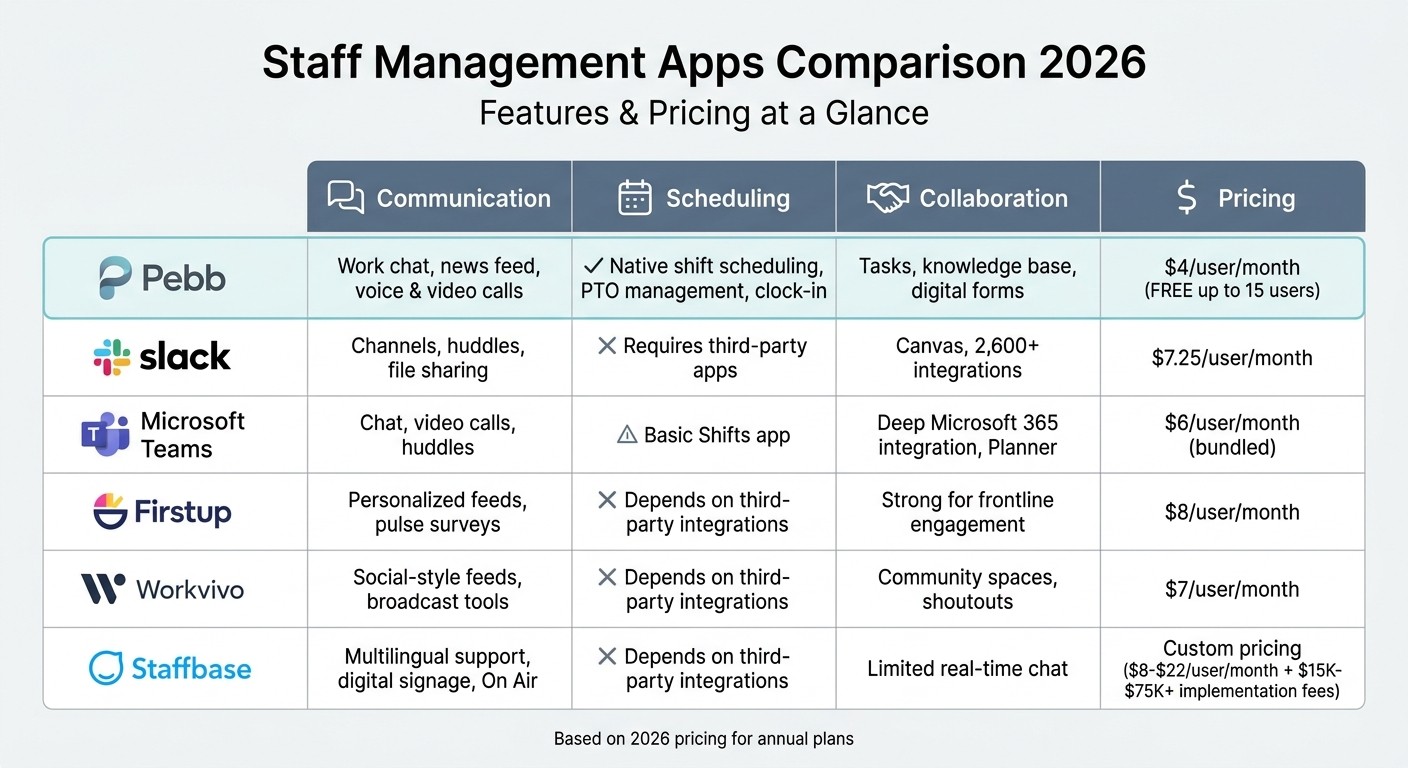
Staff Management Apps Comparison 2026: Features and Pricing
Let me break this down for you - every app we’ve covered has its own strengths and trade-offs when it comes to communication, scheduling, collaboration, and cost. Choosing the right one really depends on what your team needs most.
Here’s why Pebb stands out: it’s an all-in-one solution that combines native scheduling, chat, PTO management, and more for just $4 per user per month. That price tag covers shift scheduling, clock-ins, and built-in work chat - no need to shell out extra for third-party integrations. If you’re running a team that juggles operations and communication, Pebb has everything in one tidy package.
Now, let’s look at the competition. Slack and Microsoft Teams are fantastic for collaboration, but they fall short on scheduling. Slack, for instance, relies on third-party tools like Homebase, while Microsoft Teams’ Shifts app is pretty bare-bones. Firstup excels in personalized communication, with some manufacturing teams reporting a 40% engagement boost. However, at $8 per user per month, you’re paying for features that don’t include native scheduling. Workvivo, on the other hand, brings a social vibe to the workplace - one hospitality company saw morale improve by 35% - but again, no built-in scheduling. Staffbase is a strong contender for global teams with its multilingual support, but its hefty implementation costs (ranging from $15,000 to $75,000+) might be a dealbreaker, especially if you’re a smaller team needing operational tools.
Here’s the big question: Do you need an all-in-one tool that handles both operations and communication, or are you just looking for a platform focused on internal communication? If your team includes frontline workers who need shift swaps, time tracking, and instant updates, Pebb is hands-down the best choice. For larger enterprises with bigger budgets and a focus solely on communication, Staffbase or Firstup could fit the bill. And if you’re already using Microsoft or Slack and don’t mind extra integrations, those platforms might work - just be ready for the added time and costs.
Here’s a quick comparison to help you weigh your options:
Platform | Communication | Scheduling | Collaboration | Pricing |
|---|---|---|---|---|
Pebb | Work chat, news feed, voice & video calls | Native shift scheduling, PTO management, clock-in | Tasks, knowledge base, digital forms | $4/user/month |
Slack | Channels, huddles, file sharing | Requires third-party apps | Canvas, 2,600+ integrations | $7.25/user/month |
Microsoft Teams | Chat, video calls, huddles | Basic Shifts app | Deep Microsoft 365 integration, Planner | $6/user/month (bundled) |
Firstup | Personalized feeds, pulse surveys | Depends on third-party integrations | Strong for frontline engagement | $8/user/month |
Workvivo | Social-style feeds, broadcast tools | Depends on third-party integrations | Community spaces, shoutouts | $7/user/month |
Staffbase | Multilingual support, digital signage, On Air | Depends on third-party integrations | Limited real-time chat | Custom pricing |
At the end of the day, it’s about finding the right fit for your team’s specific needs and budget. Each platform has its place - it’s just a matter of deciding what works best for you.
Wrapping It Up
Here’s the thing: every tool out there has its strengths, but only Pebb brings everything your team needs into one seamless platform. Sure, Slack and Microsoft Teams are great at communication, but they rely on third-party add-ons to handle operations. Firstup and Workvivo? They’re solid for engagement but come with higher price tags and no built-in shift management. And Staffbase? Their implementation fees alone can run anywhere from $15,000 to $75,000+.
Pebb takes a different approach. With us, you get an all-in-one solution that covers shift scheduling, clock-ins, PTO management, work chat, news feeds, and more - all in one place. The best part? It’s completely free for teams of up to 15 users. Need more? Our premium plan is just $4 per user per month, which is about half the cost of Slack while eliminating the need for multiple subscriptions.
Let me share a real-world example. Beatgrid, one of our customers, saved a whopping $180,000 a year by consolidating their HR and communication tools into Pebb. And they’re not alone - over 10,000 companies worldwide trust us to streamline their operations and boost efficiency.
If your team is juggling too many tools or struggling to stay on the same page, Pebb is the solution you’ve been looking for. You can get started today with our free plan and be fully set up in under 15 minutes. Say goodbye to tool overload and experience what true all-in-one staff management feels like.
FAQs
How do I know if my team needs an all-in-one app?
If your team is juggling multiple tools for scheduling, communication, or task management, you’ve probably felt the pain - missed updates, wasted time, and plenty of frustration. I’ve been there too. That’s why an all-in-one app like Pebb can be a game-changer. It pulls everything together into one platform, so you’re not hopping between apps or losing track of important details.
Whether it’s resolving scheduling conflicts, bridging communication gaps, or streamlining time-off requests, having an integrated solution makes coordination smoother and frees up valuable time for the work that really matters. Trust me, once you experience the difference, you’ll wonder how you managed without it.
Can hourly workers use Pebb without a company email?
Pebb works seamlessly for both frontline and office employees. Hourly workers can use features like shift scheduling and clock-ins without needing a company email. It’s all about making sure every team member, no matter their role, can access what they need effortlessly.
How long does it take to set up Pebb for shifts and clock-ins?
Setting up Pebb for shifts and clock-ins is a breeze - it only takes a few minutes. The platform is built with simplicity in mind, making it easy for managers to configure schedules and activate clock-in options for their teams without any headaches.
