
Author: Ron Daniel
Best Staff Management Apps for Scheduling, Chat & Time Tracking
Compare top staff management apps for shift scheduling, team chat, and time tracking.
It’s wild how many managers I’ve spoken to who still wrestle with the same old problems - scrambling to fill shifts, chasing down timesheets, and juggling endless group chats. I get it; I’ve been there. In fact, before I joined Pebb, I worked at a retail chain where scheduling was a nightmare. We’d spend hours piecing together spreadsheets and sending frantic texts just to cover shifts. And time tracking? Forget it - half the time, payroll was a guessing game.
Here’s the kicker: this chaos isn’t just frustrating; it’s expensive. U.S. businesses lose $300 billion a year to inefficiencies like these. And it’s not just a management headache - 74% of employees say they’re overwhelmed by too many communication tools, wasting up to 21 hours a week just trying to stay on the same page. That’s time and money no one can afford to lose.
So, what’s the solution? At Pebb, we’ve seen firsthand how unified staff management apps can change the game. By combining scheduling, chat, and time tracking into one platform, we’re helping teams reclaim their time and reduce errors. And we’re not alone - companies using tools like ours report 27% higher productivity and save 18% of their time on admin tasks.
In this article, I’ll break down how Pebb stacks up against other platforms like Slack, Microsoft Teams, Firstup, and Workvivo. Whether you’re running a restaurant, a retail store, or a small business, I’ll show you what’s working, what’s not, and how to find the best fit for your team. Let’s dive in!
1. Pebb
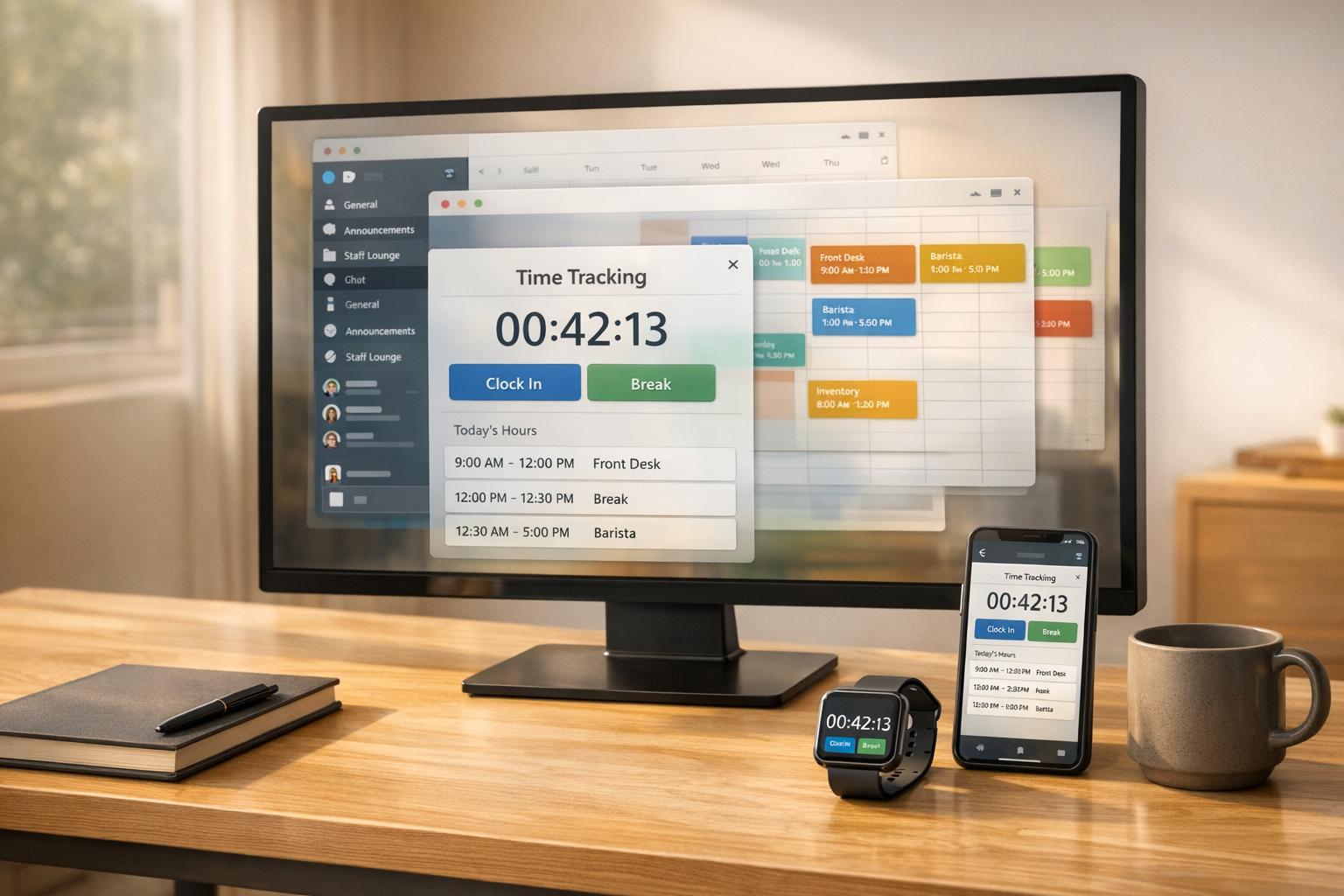
At Pebb, we set out to tackle a challenge we saw everywhere: teams drowning in a sea of apps just to get through their day. Scheduling in one app, chatting in another, tracking time in yet another - it’s a mess. That’s why we built Pebb, a platform that combines scheduling, communication, and time tracking into one seamless space. No more juggling apps, no more multiple subscriptions.
Scheduling Features
Let’s talk scheduling. We designed our drag-and-drop scheduler to make life easier, especially for retail and restaurant teams. It handles recurring shifts effortlessly and uses employee availability and skills to auto-fill open slots. Here’s a real win: a Chicago restaurant chain using Pebb slashed their weekly scheduling time from 5 hours to just 30 minutes with our auto-fill feature. Plus, the system flags conflicts in real-time, so no more double-bookings or last-minute panic over coverage gaps.
Employees love the flexibility too. They can claim open shifts, request swaps, and manage their PTO - all right from the app. No more late-night group texts begging someone to cover a shift. It’s all streamlined.
Chat and Communication
Our chat feature isn’t just another messaging tool - it’s shift-aware. When you @mention someone, they get notifications tied directly to their schedule. Threaded conversations keep discussions organized, and our News Feed acts like a virtual bulletin board for announcements, polls, and updates.
Here’s a standout feature: unlike Slack’s 90-day message limit on free plans, we offer unlimited message history, even on our Standard plan. One California retail store used our chat during the holiday rush and hit 95% shift coverage. Employees confirmed availability and swapped shifts without needing a single phone call. Our mobile-first design makes it easy for frontline teams to adopt, reflected in our 4.8/5 star rating on G2 and a 60% drop in email overload.
Time Tracking
Time tracking with Pebb is simple and smart. Employees clock in using GPS-enabled mobile check-ins with photo verification, putting an end to buddy punching. Breaks are tracked automatically, and managers get overtime alerts before costs spiral out of control.
The manager dashboard is a game-changer, offering customizable timesheet approvals and exportable reports tailored for U.S. payroll systems - dates in MM/DD/YYYY and currency in USD. Small businesses using Pebb have seen 50% fewer payroll errors compared to manual methods. Plus, we’re FLSA-compliant with audit-proof logs and encrypted data, so compliance reviews are stress-free.
Pricing
Here’s where we shine. Our Standard plan is free for teams of up to 15 users. It includes unlimited chat history, scheduling, clock-in, PTO management, and digital forms. When you’re ready to grow, our Premium plan is just $4 per user per month and adds voice/video calls, advanced analytics, and enterprise SSO.
Let’s compare: Slack Pro costs $7.25 per user, and piecing together Microsoft Teams with third-party scheduling tools? It’s not just pricey - it’s complicated. With Pebb, you get a 14-day free trial of Premium (no credit card required), and most teams are fully set up in less than a day. These features, combined with our competitive pricing, make Pebb a standout choice as we dive into other platforms on the market.
2. Slack
If you've worked in an office, you've probably heard of Slack. It’s a well-known chat platform that’s great for desk-based teams. But when it comes to managing frontline staff, Slack doesn’t quite hit the mark. Why? It lacks built-in scheduling and time tracking. To fill those gaps, you’ll need third-party tools, which often means juggling extra apps and subscriptions. Let me break it down for you.
Chat and Communication
Slack shines when it comes to communication - at least for office teams. You’ve got channels for group discussions, direct messages for one-on-one chats, and Huddles for quick voice calls. Plus, the mobile app includes a voice-to-text feature, which is handy for teams on the move. However, here’s the catch: the mobile app is essentially a smaller version of the desktop interface. It’s not tailored for frontline workers who need a simpler, more intuitive design. Oh, and if you’re on the Free plan, you’ll only get a 90-day message history. That’s not ideal if you need to keep records for longer.
Scheduling Features
Here’s where Slack starts to stumble. It doesn’t offer built-in scheduling tools. If you’re managing shifts, you’ll need to invest in third-party integrations, which can get pricey. Sure, Slack’s Workflow Builder can help automate small tasks like status updates, but it’s no replacement for a real scheduling system. Compare that to Pebb, where you get features like drag-and-drop scheduling, auto-fill for shifts, and even built-in shift swapping - all included.
Time Tracking
Slack doesn’t include native time tracking either. If you want to track work hours, you’re looking at yet another third-party app. It’s functional, but it’s not seamless.
Pricing
Let’s talk dollars and cents. Slack’s Pro plan starts at $7.25 per user per month when billed annually. That gets you unlimited message history and up to 10 integrations. Need more? The Business+ plan costs $12.50 per user per month and offers unlimited integrations along with advanced admin controls. But here’s the thing: if you also need scheduling and time tracking, those third-party tools can quickly inflate your costs. Compare that to Pebb’s Premium plan at just $4 per user per month. It includes chat, scheduling, and time tracking - all in one package. No extra apps, no extra headaches.
3. Microsoft Teams
After diving into Slack's limitations, let’s shift gears and talk about Microsoft Teams. It’s a solid option for workplace collaboration, combining chat, video meetings, and file sharing into one platform.
Chat and Communication
Microsoft Teams shines when it comes to communication. It organizes conversations into channels, which can be tailored to departments, projects, or specific topics. You can also have private chats or one-on-one video calls, which are dependable and smooth. Plus, if your team is already using Microsoft tools like Outlook or SharePoint, Teams integrates beautifully with those apps, making collaboration feel natural.
Scheduling Features
Teams includes a scheduling tool called Shifts. It handles basic scheduling needs like creating shifts, assigning them, and even allowing simple swaps. But here’s the catch - it doesn’t offer the flexibility you’d get with Pebb’s scheduling system. Another limitation? Shifts is only available if you’re on a paid Microsoft 365 plan, which could be a deal-breaker for some.
Time Tracking
One area where Teams stumbles is time tracking. It doesn’t have a built-in option, so you’ll need to rely on third-party integrations to handle clock-ins and clock-outs. While this might work, it can add extra layers of complexity and cost.
Pricing
Microsoft Teams comes bundled with Microsoft 365 subscriptions. The Business Basic plan starts at $6 per user per month, giving you access to Teams, email, and cloud storage. If you need the full suite of Office apps, the Business Standard plan runs $12.50 per user per month. While Teams offers a lot within these plans, you might still need to pay for additional tools - like advanced time tracking - to cover all your needs.
Now, compare that to Pebb, which offers everything you need for frontline management at just $4 per user per month. While Teams is a great tool for office collaboration, it doesn’t quite hit the mark for comprehensive frontline management. That’s where Pebb steps in to fill the gap, offering a more streamlined and cost-effective solution.
4. Firstup
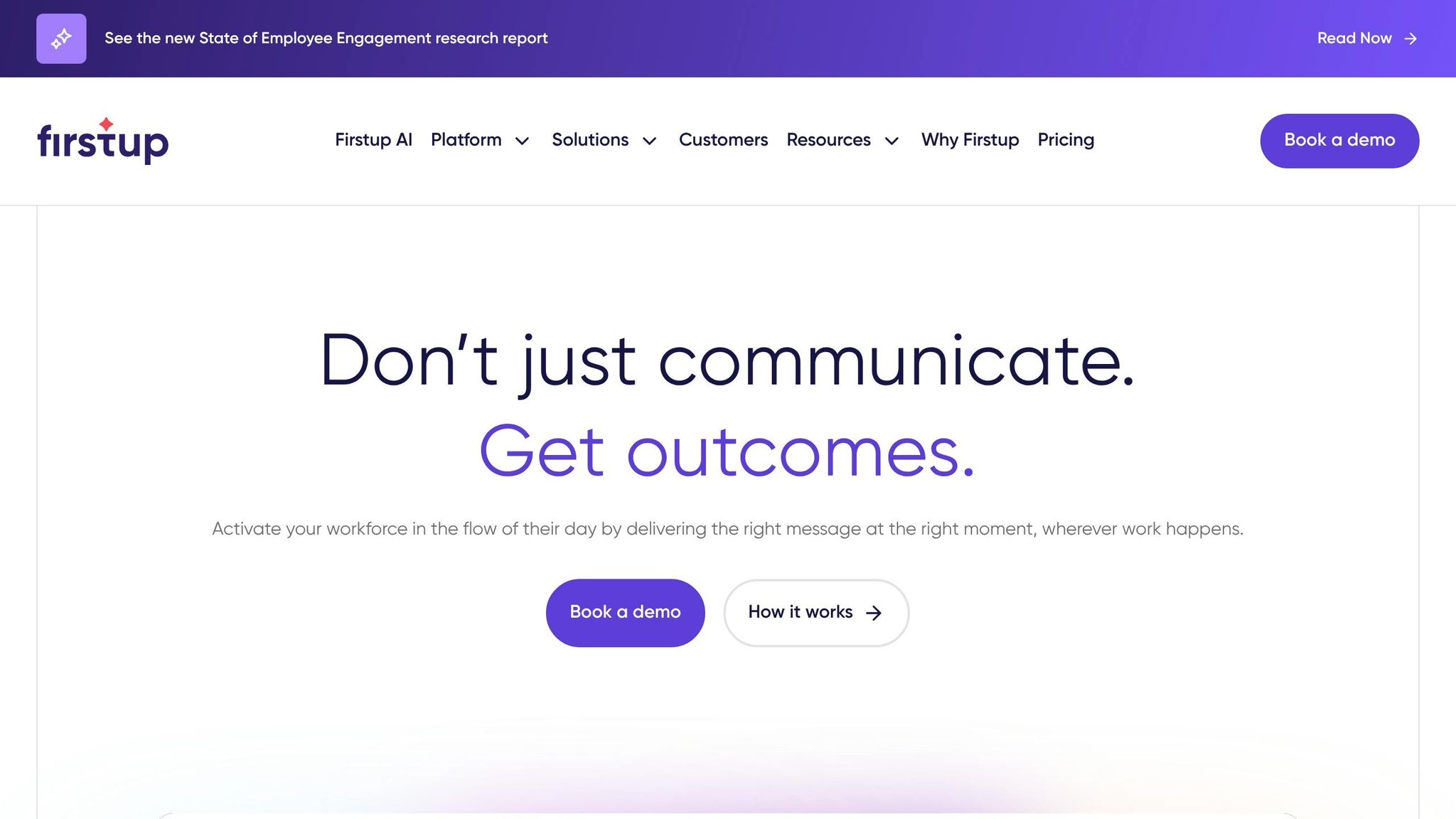
Firstup stands out from the tools we've talked about so far because it takes a different route. Instead of focusing on real-time chats or scheduling shifts, it operates as an internal communication tool. Its main purpose? Delivering content to employees across various channels. Think of it as a content distribution system rather than a place to collaborate.
Chat and Communication
Here’s where Firstup differs significantly from Pebb. It doesn’t include native instant messaging, voice calls, or video conferencing. Instead, it excels in omnichannel messaging, pushing updates and announcements through email, mobile notifications, and other platforms. Users often highlight its strong mobile capabilities and the flexibility it offers for audience segmentation. But if your team relies on real-time back-and-forth conversations to get work done, Firstup won’t cut it. You’d likely need to pair it with another tool to cover that gap.
Scheduling Features
Firstup does include some calendaring tools to help with coordination. However, it doesn’t offer the shift-specific features that Pebb provides, like creating schedules, handling swap requests, or managing frontline staff. Its scheduling tools are more about organizing communication campaigns than figuring out who’s working when.
Time Tracking
If you’re looking for time tracking, Firstup doesn’t deliver. While it integrates "AI Actions" to assist employees with operational tasks - like submitting PTO requests through systems like ADP - it doesn’t actually track clock-ins or hours worked. For that, you’d need to bring in another tool. These missing features are reflected in how Firstup approaches pricing.
Pricing
Speaking of pricing, Firstup doesn’t publicly share its costs, which usually hints at enterprise-level pricing that requires custom quotes. On the other hand, Pebb keeps things straightforward with an all-in-one solution priced at just $4 per user per month.
5. Workvivo
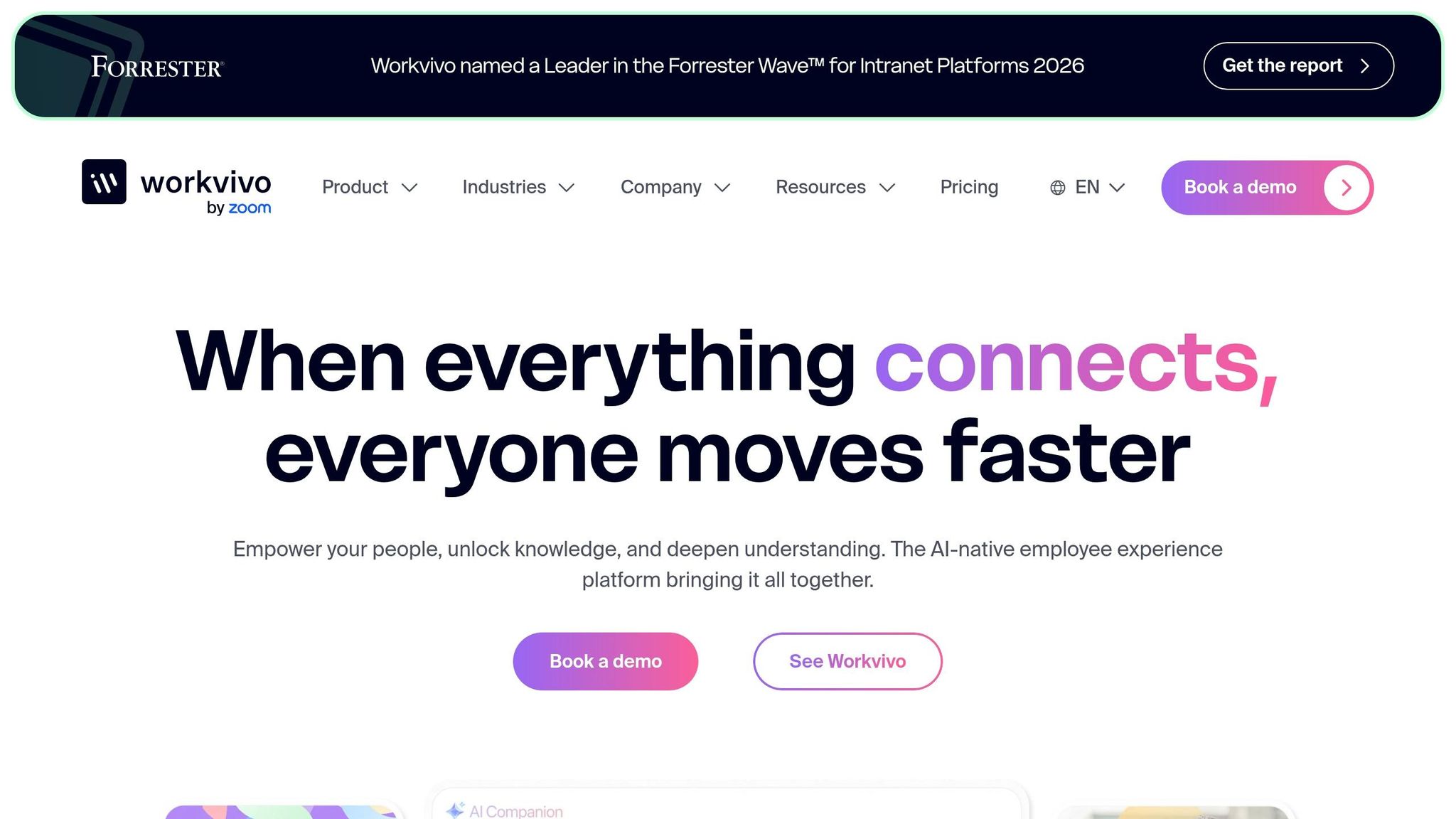
Workvivo is all about creating a strong company culture by focusing on employee engagement. While it shines in this area, it doesn’t cover essentials like scheduling or time tracking on its own. Let me walk you through its standout features and where it might leave you wanting more compared to an all-in-one platform like Pebb.
Chat and Communication
Workvivo’s communication tools are its bread and butter. With real-time messaging, video calls, and collaborative spaces that feel like a social network, it’s easy to see why it’s a favorite for boosting engagement. Its interface is reminiscent of Facebook, complete with threaded discussions and @mentions, making it intuitive for teams. According to a 2024 internal survey by Workvivo, companies using the platform saw a 74% higher employee engagement score and a 60% jump in internal communication participation. That’s impressive, but keep in mind, it’s designed to excel in engagement - not necessarily to handle every operational need like Pebb does.
Scheduling Features
Here’s the catch: Workvivo doesn’t have built-in scheduling tools. If you need to manage shifts or plan your team’s time, you’ll have to rely on third-party tools like When I Work, Deputy, or Google Calendar. It’s an extra step that Pebb users don’t have to worry about since scheduling is baked right into the platform.
Time Tracking
The same goes for time tracking - Workvivo doesn’t offer it natively. To keep tabs on staff hours, you’ll need to integrate with tools like Toggl, Clockify, or Harvest. While these integrations work, they add complexity compared to the streamlined experience you get with Pebb’s all-in-one approach.
Pricing
Workvivo starts at $5 per user per month for basic features, with a Premium plan at $8 per user per month. If you’re managing a large team of 500+ employees, there’s an Enterprise option with custom pricing. While the platform is great for engagement-focused companies, it’s worth noting that Pebb offers a more complete solution at just $4 per user per month. Workvivo’s plans are billed annually, and you can test it out with a 14-day free trial.
In short, Workvivo is a solid choice for organizations prioritizing engagement, but if you’re after a platform that handles both engagement and operational needs seamlessly, Pebb might be the better fit.
Pros and Cons
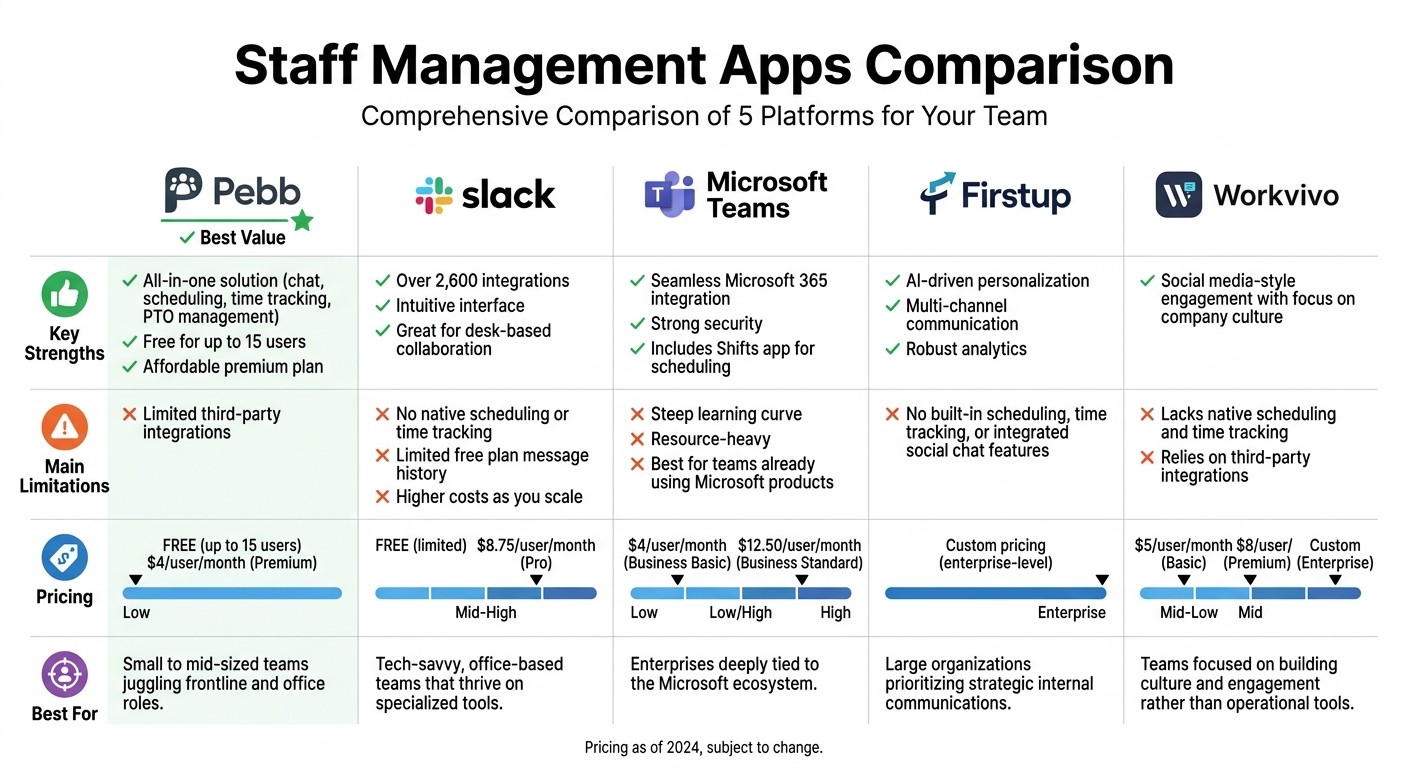
Staff Management Apps Comparison: Features, Pricing & Best Use Cases
Let me break it down for you: here’s a quick comparison of the strengths and limitations of each platform, along with pricing and who they’re best suited for. This way, you can decide which one fits your team like a glove.
Platform | Key Strengths | Main Limitations | Pricing | Best For |
|---|---|---|---|---|
Pebb | All-in-one solution with chat, scheduling, time tracking, and PTO management; free for up to 15 users; affordable premium plan at $4/user/month | Limited third-party integrations | Free (up to 15 users), $4/user/month (Premium) | Small to mid-sized teams juggling frontline and office roles |
Slack | Over 2,600 integrations; intuitive interface; great for desk-based collaboration | No native scheduling or time tracking; limited free plan message history; higher costs as you scale | Free (limited), $8.75/user/month (Pro) | Tech-savvy, office-based teams that thrive on specialized tools |
Microsoft Teams | Seamless Microsoft 365 integration; strong security; includes the Shifts app for scheduling | Steep learning curve; resource-heavy; best for teams already using Microsoft products | $4/user/month (Business Basic), $12.50/user/month (Business Standard) | Enterprises deeply tied to the Microsoft ecosystem |
Firstup | AI-driven personalization; multi-channel communication; robust analytics | No built-in scheduling, time tracking, or integrated social chat features | Custom pricing (enterprise-level) | large organizations prioritizing strategic internal communications |
Workvivo | Social media-style engagement with a focus on company culture | Lacks native scheduling and time tracking; relies on third-party integrations | Enterprise pricing | Teams focused on building culture and engagement rather than operational tools |
Here’s what stands out: Pebb is perfect if you’re looking for an all-in-one solution that keeps everything - chat, scheduling, time tracking, and PTO management - in one place. For just $4/user per month, it’s a no-brainer for small to mid-sized teams who don’t want to juggle multiple apps or subscriptions.
On the flip side, if you’re part of a large enterprise with very specific needs, like advanced Microsoft 365 integration or AI-powered communication, the other platforms might be worth the extra cost - though you’ll likely have to deal with some missing features or higher complexity. It all boils down to what your team values most: simplicity and affordability or specialized capabilities.
Conclusion
Picking the right staff management app comes down to what your team actually needs - not just a flashy list of features.
For small to mid-sized businesses, Pebb is a strong contender. It offers a free plan for teams of up to 15 people and a premium option at just $4 per user. Everything you need - scheduling, communication, time tracking - is bundled into one platform, so you’re not juggling multiple tools or pricey add-ons. It’s designed for quick setup and easy adoption, which makes life simpler for busy managers.
Now, if you’re already tied into ecosystems like Slack or Microsoft Teams, those might be good options. But keep in mind, you’ll likely spend more and still need other tools for things like scheduling or tracking hours. On the other hand, platforms like Firstup and Workvivo cater to larger enterprises focused on culture and communication, but they come with custom pricing and often require extra integrations to handle operations effectively. As mentioned earlier, juggling too many systems can hurt productivity, and these solutions don’t always address that issue head-on.
So, the big question isn’t about who has the longest feature list. It’s about which app actually solves your problems. If you’re managing shift schedules, team communication, and time tracking, the answer might be simpler - and more cost-effective - than you think.
FAQs
How fast can my team get set up in Pebb?
Getting started with Pebb is quick and straightforward. Our all-in-one platform brings scheduling, communication, and management tools together in one app, making onboarding a breeze. Best of all, the free standard plan ensures that teams of any size can set up without a hitch.
Does Pebb work for both frontline and office employees?
Pebb works seamlessly for frontline workers and office teams alike. With features like scheduling, messaging, PTO management, and effective communication tools, it’s built to meet the needs of diverse teams. Whether you're on the shop floor or behind a desk, Pebb has you covered.
Can Pebb export timesheets for U.S. payroll?
Yes, Pebb makes it easy to export timesheets for U.S. payroll in the U.S. dollar format. This simplifies payroll processing, ensuring it works seamlessly with popular payroll systems and helps keep workforce management smooth and hassle-free.
