
A Calm Guide to Internal Communications Software
A calm, practical guide to choosing internal communications software - cut through the noise and pick a tool your team will actually use.
Dan Robin
We’ve all been there. The inbox is overflowing. Chat notifications are pinging nonstop. And somewhere, on an intranet no one’s visited in years, a critical company update is gathering digital dust. This isn’t a sign of a busy company; it’s a sign of a broken one.
This constant, low-level chaos is the default setting for most organizations. Important news gets lost in the noise, frontline workers feel disconnected, and people waste precious time just hunting for basic information. It's a huge operational drag, and it takes a serious toll on your people.
So, what’s the fix? It’s not another app or a stricter email policy. It’s a dedicated home for the important stuff—a single, calm source of truth. It’s what we call internal communications software.
The Hidden Cost of Workplace Chaos
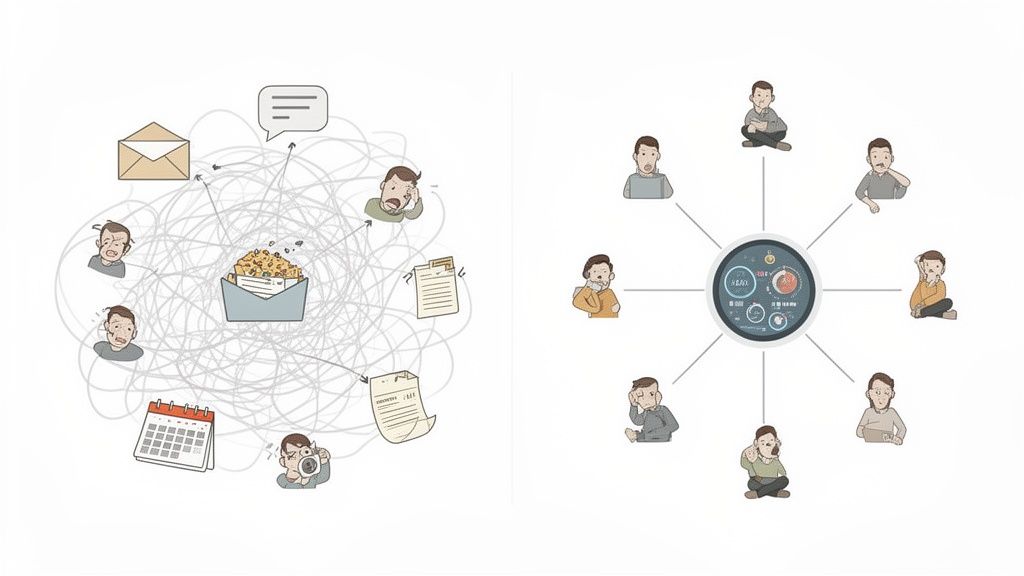
Let’s be honest for a second. In most companies, communication is a mess. It’s a tangled web of urgent emails, constant chat pings, and a company portal that feels like a ghost town.
Important announcements get buried. Frontline workers hear about major news through the grapevine. People waste a shocking amount of time asking coworkers, "Did you see that memo?" or "Where can I find the latest policy?"
The Real Price of Disconnection
This isn't a minor annoyance. It’s a serious tax on your business and your people. When communication breaks down, the costs add up in ways that don't always show on a balance sheet.
Frustration: Employees feel like they’re running an obstacle course just to do their jobs.
Disengagement: Feeling out of the loop quickly leads to apathy. Why care if the company doesn't seem to care about keeping you informed?
Mistakes: Acting on outdated or wrong information leads to costly errors. It’s inevitable.
This chaos is the default. Without a clear strategy, communication splinters. What you’re left with is a constant buzz of anxiety and inefficiency.
I’ve seen teams where critical safety updates were missed because they were posted in a chat channel half the staff didn't check. That’s not a software problem. It’s a system problem.
Creating a Single Source of Truth
The only way out is to build a single, calm source of truth. A dedicated home for important information, separate from the frantic, day-to-day chatter. This isn't about adding another tool. It's about subtraction—replacing a handful of chaotic channels with one thoughtful, central platform. Smartly using workflow automation can also help cut the noise that fuels this chaos.
A deliberate approach to internal communication is no longer a “nice-to-have.” It’s a core operational need. It's how you ensure everyone is working from the same playbook, feels connected to the company’s purpose, and is pulling in the same direction. It's how you build a workplace where clarity finally wins.
So, What Exactly Is This Kind of Software?
Let's clear the air. This isn't just another app your team has to download or another login they'll forget. When we talk about internal communications software, we’re not describing a simple tool. We’re talking about your company’s digital headquarters.
Think of it as the central nervous system for your business. It’s the network that connects everyone—from the leadership team hashing out strategy to the newest hire on the factory floor. It’s where information flows, culture grows, and people connect.
It’s easy to confuse this with other tools. Project management software is for tracking tasks. It’s about the work. Instant messaging apps are for quick pings. They often just add to the noise. Internal comms software is built for something different: to shape the entire employee experience.
It's More Than Just a Megaphone
For years, internal communication was a one-way street. Leadership had a message, and they’d blast it out via email or a memo. The goal was to inform.
But that’s only half the story. Real communication is a two-way street. The right tool isn’t just a megaphone for announcements; it’s a town square where people can gather. A place where a frontline worker can share a brilliant idea, a remote team can celebrate a win, and a new hire can finally put a face to a name in the company directory.
This matters because your company’s best insights often come from people closest to the customer. Their voices are easily lost in the daily grind. A dedicated platform gives everyone a place to be heard. You can get a deeper sense of these ideas in this guide on what internal communication is.
The Business of Connection
Here’s the thing: the need for this has exploded. The shift to hybrid and remote work didn’t create disconnection, but it sure put a spotlight on it. When your teams are spread across cities or countries, you can't rely on hallway chats to keep everyone on the same page.
The market tells the same story. It’s currently valued at over $12 billion and is expected to more than double by the early 2030s. This isn't a trend; it’s a fundamental change in how good businesses are run. You can find the numbers in various market research reports.
This isn’t about chasing the latest tech. It’s about building a resilient, connected organization where information gets to the right people and everyone feels like they belong.
At the end of the day, this software exists to streamline critical information, unite scattered teams, and forge a shared sense of purpose. It’s the digital infrastructure for your company culture. It’s how you turn a group of individuals into a real team.
The Core Features That Actually Matter
Software vendors love to show off long, overwhelming feature lists. It’s an easy way to look impressive, but most of those features are just noise. They’re complex add-ons that solve problems very few people actually have.
So, let's cut through that.
I’ve found that a handful of core components do 90% of the real work. These aren’t flashy specs; they are calm, thoughtful solutions to the everyday challenges of keeping a team connected. If a tool doesn’t get these fundamentals right, everything else is just window dressing.
This flowchart shows how the right features work together to build culture, share information, and create real connection.
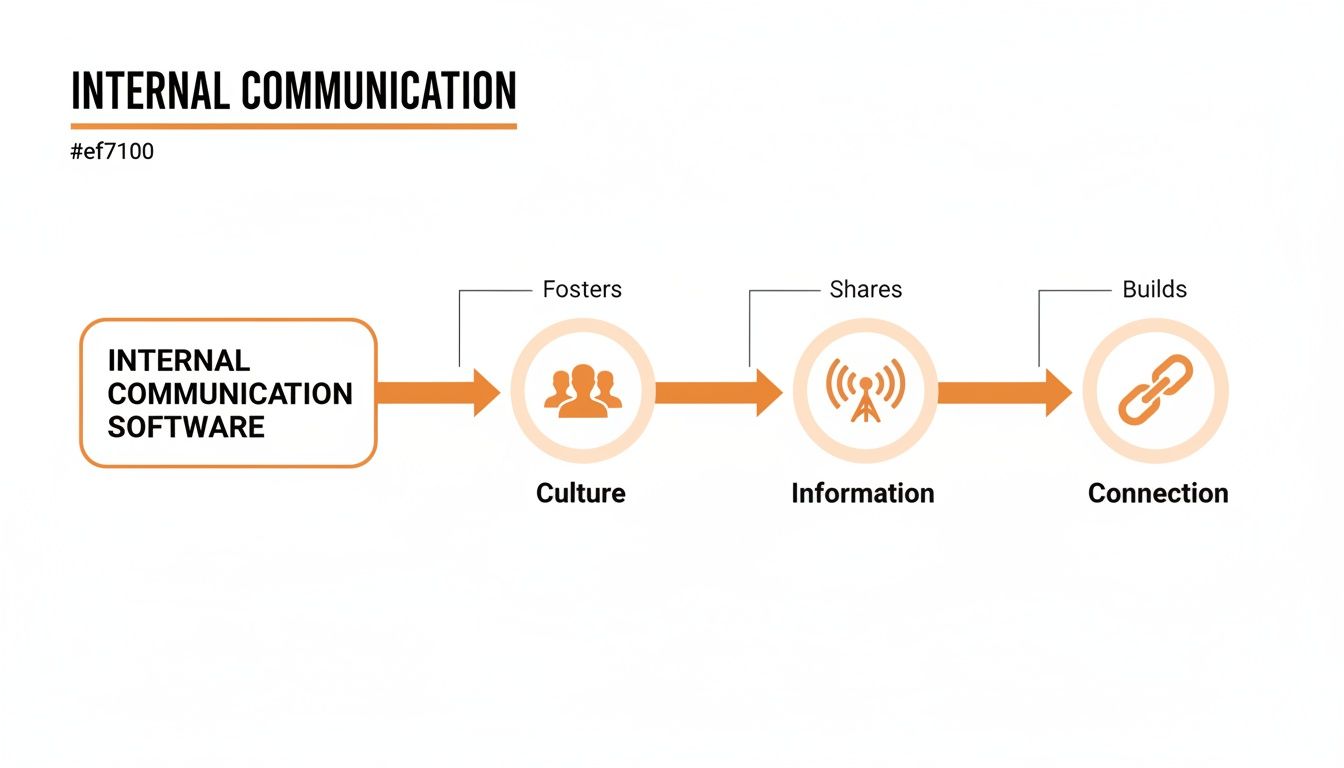
As you can see, it’s a simple flow. It starts with your people, moves to broadcasting what they need to know, and results in stronger team bonds.
A Central Hub for Company News
Let’s face it, the all-staff email is broken. Critical updates get buried, newsletters go unread, and you never know who has seen what. The first non-negotiable feature is a central news feed—a single source of truth where official company announcements live.
Think of it as your company’s digital front page. It’s where you post the big wins, policy changes, and strategic updates. This isn't about blasting information; it's about creating clarity. When a frontline worker needs to know about a new safety protocol, they shouldn’t have to dig through their inbox. They should know exactly where to look.
Dedicated Spaces for Teams to Connect
While a central news feed handles the big picture, the real work happens in smaller groups. The second essential is dedicated spaces for teams, projects, or even social interests. These are focused channels where a marketing team can discuss a campaign, a project group can share files, or a running club can organize its next outing.
This structure prevents the chaos of a single, company-wide chat. It gives conversations context and keeps them relevant to the people involved. It’s how you give people a place to collaborate without creating more noise for everyone else.
A People Directory That Actually Works
Here’s a situation we've all seen: a new hire needs to ask someone in accounting a question, but they have no idea who to talk to. A searchable, visual people directory is one of the most quietly powerful features there is. It turns an anonymous org chart into a living network of real people.
A great directory does more than list names and titles. It shows who reports to whom, what team they’re on, and maybe a little about their expertise. It’s a simple tool that solves a fundamental problem: helping people connect with the right colleagues, fast. For a new employee, it's the difference between feeling lost and feeling like part of a team from day one.
The goal isn't to have more features. It's to have the right features, designed to make the workday simpler, clearer, and more human.
Simple Analytics That Tell a Story
Finally, you need a way to know what’s working. But this doesn't mean you need a dashboard with a hundred confusing charts. Good analytics should answer a few simple questions: Are people seeing our most critical updates? What topics are they most interested in? Which teams are the most engaged?
The best tools provide clear, straightforward insights that help you understand what resonates. This data isn't for surveillance; it’s for improvement. It helps you become a better communicator by showing you what your people actually care about.
Essential Features and the Problems They Solve
To tie it all together, here’s how those core features solve real business problems.
Essential Feature | The Problem It Solves | Why It Matters for Your Team |
|---|---|---|
Central News Feed | Information gets lost in email; inconsistent messaging. | Creates a single source of truth so everyone is on the same page. |
Team/Project Spaces | "Reply-all" chaos; irrelevant notifications create noise. | Enables focused collaboration and builds community without overwhelming everyone. |
Searchable Directory | New hires feel lost; difficult to find the right person for a task. | Helps employees connect with colleagues quickly, breaking down silos. |
Clear Analytics | Not knowing if messages are being read or understood. | Provides actionable insights to improve communication strategy. |
These fundamentals are the foundation. Anything beyond this should be questioned—is it solving a real problem, or just adding complexity?
For a deeper look, you can explore our guide on the top 10 features every employee communication app should have.
Connecting Everyone from Frontline to HQ
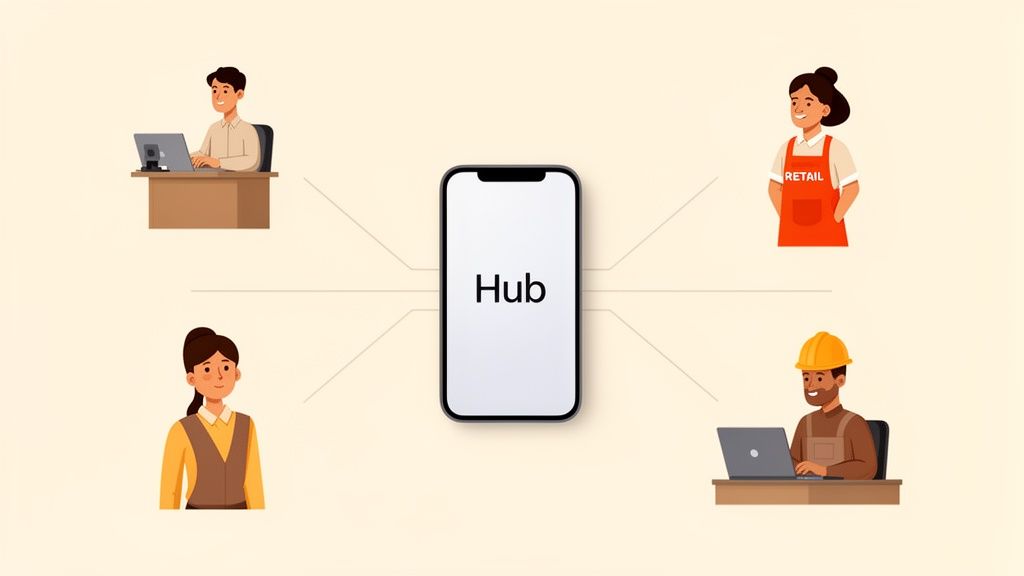
Here’s a hard truth: internal communication is not a one-size-fits-all problem. How a corporate employee at a desk gets information is completely different from how a retail associate on the floor or a technician in the field does. For too long, company software was built for the desk-bound crowd, leaving everyone else behind.
That old model is broken. It creates a quiet but powerful divide between HQ and the people doing the work on the front lines. The right internal communications software has to be for everyone, not just those with a company laptop.
For the Teams on the Go
Think about it. Is a warehouse worker or a nurse going to log into a clunky intranet from their phone to check for an update? Of course not. Their work is mobile, so their tools must be, too. They need a dead-simple, mobile-first app that gives them critical information in seconds.
Imagine a retailer trying to coordinate a new product launch. Instead of playing a game of telephone where managers pass down information—a process begging for mistakes—they can push a single, clear update directly to every employee's phone. That update could include a quick video from the CEO, a PDF of the new display guidelines, and a simple poll to confirm everyone is ready.
This is what direct access looks like. It’s not just efficient; it’s respectful of your frontline team’s time.
For the Distributed and Hybrid Workforce
Now, let's talk about the modern hybrid company. You've got people in the office a couple of days a week and others fully remote across different time zones. How do you maintain a cohesive culture with no "water cooler" moments? This is where a unified platform becomes your digital town square.
I once spoke with a sales team scattered across the country. They used to share wins in a massive, chaotic email chain where details would get buried. By moving to a dedicated channel in their communication tool, they created a specific place just for celebrating success.
A junior salesperson in a small territory could post about landing a new client, and moments later, the VP of Sales would jump in with a personal note of encouragement. That’s how you build real connection when you’re not sharing an office.
It’s about creating intentional spaces for the kinds of interactions that used to happen by chance. It’s how you make sure your remote employees feel just as much a part of the team as everyone else.
Tying It All Together
The point of modern internal communications software is to tear down these silos. It’s about creating a single, fair information environment where your role or location no longer determines what you know.
A Retail Associate gets instant shift updates and safety alerts on their phone.
A Field Technician pulls up the latest technical manual from their tablet before a job.
A Corporate Marketer brainstorms and collaborates with their team in a dedicated project space.
And here’s the key: they are all using the same platform. The experience is suited to their needs, but the system underneath is unified. The technician’s feedback on a faulty part can be instantly seen by engineers at HQ. The marketer’s new campaign is accessible to the sales team on the road.
This is about more than sending information. It’s about creating a feedback loop that connects every part of the business. When you give every employee a voice that can be heard, you don’t just improve communication—you build a smarter, more connected organization.
How to Introduce a New Tool Without the Groans
We’ve all seen it. The mandatory training for a new piece of software. The polite resistance from the team. Six months later, that shiny, expensive tool is gathering digital dust. It’s a familiar story, but it doesn't have to be yours.
The classic mistake is treating a software rollout like a tech project. It isn't. It’s a human one. Successful adoption isn't about flipping a switch; it's about helping busy, smart people change their habits. It’s about showing them that this new way is genuinely better than the old one.
Start with a Clear Why
Before you send a single invite, you need a rock-solid, human answer to one question: “Why are we doing this?” If your answer is, “to streamline our communications,” you’ve already lost. That’s corporate jargon.
A good “why” taps into a frustration everyone feels. Try something like: “We’re tired of crucial updates getting lost in email,” or, “Our frontline teams shouldn’t find out about company news from a customer.” This frames the new internal communications software not as another tool, but as the solution to a shared headache.
The goal isn't to launch a platform. The goal is to solve the problem of chaos and disconnection. The platform is just how you get there.
Find Your Champions
Next, skip the formal "pilot group." Instead, quietly look for your natural champions. These are the people already grumbling about the current mess—the ones who will be thrilled to see a better way.
Give this small group early access. Let them explore it on their own terms. Their authentic excitement will do more for adoption than any top-down directive ever could. When a respected teammate says, “Hey, this is actually pretty great,” people listen.
Launch Small, Win Big
A big-bang launch is often a recipe for overwhelming your team. A better approach is to start with a single, clear use case that provides an immediate win. Don't try to roll out every feature on day one. Just focus on one thing that makes life noticeably easier.
For instance, you could launch by using the platform exclusively for something highly visible, like sharing quarterly results. This does two things:
It creates a focused reason to log in. People know why they need to be there.
It demonstrates immediate value. They get the information they need, but in a cleaner, better way.
From that first small win, you build momentum. Once everyone is comfortable, you can introduce another feature. This gradual rollout feels natural and helpful, not disruptive. Getting this right is crucial, and running smart internal campaigns can significantly drive platform adoption by showing clear benefits from the start.
A successful launch has very little to do with the software itself. It’s about empathy, clear communication, and proving real, human value. Get that right, and they’ll be asking how they ever managed without it.
A Simple Checklist for Choosing Your Platform
You’re ready for a change. But the market for internal communications software is crowded and noisy. Every vendor promises a dizzying list of features. It’s easy to get lost in demos and spreadsheets. That's not how you find a tool your people will actually want to use.
The real test isn't about ticking boxes; it’s about the feel. It’s about finding a partner, not just a provider—a company that gets the chaos you’re trying to solve and is invested in helping you build a calmer workplace.
So, instead of a dry comparison chart, here are a few honest questions worth asking.
Will People Actually Use This?
Forget the sales pitch and just play with the tool. Does it feel simple and intuitive? Or are you clicking through a maze of menus? If it takes you more than a few minutes to figure out the basics, imagine how your busiest frontline employee will feel.
The best tools get out of the way. They feel less like corporate software and more like the well-designed apps we use every day. If a tool is complicated, adoption will be a constant uphill battle.
The goal is to find a platform your team enjoys using, not one they are forced to tolerate. The difference is everything.
Does It Work Where Your Team Works?
The "workplace" can mean a lot of things. A factory floor, a delivery truck, a kitchen table. Any tool that wasn't built with a mobile-first mindset is a non-starter for companies with frontline or hybrid workers.
Pull it up on your phone. Does it work flawlessly? Or is it a shrunken, clunky version of the desktop site? Your people on the go need something designed for their reality—fast, accessible, and dead simple to use.
Are They a Partner, Not Just a Product?
This one is huge. Pay attention to how the vendor treats you. Are they listening to your specific problems, or just reading from a script? How helpful is their support team? You’re not just buying a tool; you're starting a relationship.
In that relationship, security and compliance are non-negotiable. When looking at a new platform, especially one using AI, ensuring it has a GDPR Compliant AI Integration is a must. A true partner will be transparent about how they protect your data. Choosing a tool is about trust. Find the one that earns it.
Frequently Asked Questions
Choosing software for your entire company is a big deal. It’s natural to have questions. Here are a few common ones we hear from teams ready to find a calmer, more organized way to communicate.
No marketing fluff. Just our honest take.
How Is This Different from Slack or Microsoft Teams?
This is the number one question we get, and it’s a smart one. Slack and Microsoft Teams are fantastic for real-time chatter. Think of them as the digital version of tapping someone on the shoulder—perfect for quick questions and project discussions. We use them ourselves.
But that rapid-fire pace is also their biggest weakness. Important announcements get buried in minutes. Internal communications software is built for a different job. It’s your company’s single source of truth—the calm, official place for the stuff that everyone needs to see and find again later.
Here’s a simple way to think about it: Chat is for talking. A communications platform is for publishing. You need both, but they solve completely different problems.
Will Our Employees Actually Use Another App?
That’s a fair question. The honest answer is that people will use a tool if it genuinely makes their lives easier. If your new platform just adds to the noise, they’ll ignore it. But if it replaces five confusing channels with one clear one, they’ll embrace it.
The key is launching a tool that feels simple and intuitive from the very first click. It needs to feel less like clunky corporate software and more like a well-designed app they’d choose to use themselves. Adoption isn’t about force; it’s about providing undeniable value.
If the new tool reliably gives them the information they need to do their jobs—without the usual headache—they’ll use it. It’s that simple.
How Do We Measure the Return on Investment?
Many people expect a complicated formula here, but the real ROI is surprisingly human. The initial return isn't found in a spreadsheet; it's felt in the culture.
You’ll see it when a new policy is rolled out and you get zero confused emails because everyone saw the clear, central announcement. You’ll feel it when engagement surveys show people feel more connected to the company’s mission. A 2024 Grammarly report noted that companies with effective internal communication saw a 55% increase in team productivity.
The real return is less time wasted, fewer mistakes from miscommunication, and a team that actually feels like a team. It’s about building a workplace where clarity is the default. That’s a shift that pays for itself almost immediately.
Ready to see how a calm, all-in-one platform can transform your team's communication? Pebb unifies your frontline and office teams in one simple, modern app. Learn more and see it in action at Pebb.io.
