
The Honest Guide to Employee Digital Experience
Tired of clunky software and endless logins? Let's fix the employee digital experience and build a calmer, more productive team. Here's our honest guide.
Dan Robin
The term "employee digital experience" gets thrown around a lot. It’s the sum of every interaction someone has with the technology they use for work. Not one app, but the whole digital mess—from logging in to finding a policy or just trying to talk to a coworker. When it works, it’s invisible. When it doesn’t, it’s a constant, low-grade hum of frustration.
The Thousand Digital Paper Cuts Killing Your Team's Soul
Let's be honest. We talk a big game about "digital transformation," but for most people, the day-to-day reality is a tangle of forgotten passwords, clunky apps that refuse to talk to each other, and a quiet resentment that grinds you down.
This isn't just an inconvenience. It's death by a thousand digital paper cuts.

Think about the last time you needed a simple piece of information. The Q3 sales report, the new PTO policy, anything. How many steps did it take? Did you have to log into three different systems, one with a broken sign-on link? Did you finally find the document, only to realize it was the 2022 version?
That feeling right there—that small sigh of defeat—is the heart of the employee digital experience.
It’s About Helping or Getting in the Way
The idea is simple. From the moment someone boots up their laptop to when they log off, their experience is shaped by the tools we give them.
This isn't about flashy new software. It's about whether the technology helps people do their work or actively gets in their way.
Here’s the thing many leaders miss: a bad digital experience is a direct tax on an employee's time and energy. A recent McKinsey study found that the average worker spends nearly 20% of their week just looking for internal information. That's one full day a week spent on digital busywork, not the actual job.
Every minute someone spends wrestling with a clunky system is a minute they aren't spending with a customer, solving a problem, or thinking of a new idea. It tells them their time isn't valued. That friction adds up.
We’ve all seen it. A salesperson can’t find the right proposal template. A new hire gets lost in a confusing onboarding portal. Each of these moments is a tiny failure of the digital experience. On their own, they seem small. Compounded over days, weeks, and an entire workforce, the cost is staggering.
It leads to lost productivity, deep frustration, and good people leaving for a workplace that respects their time.
The problem is, we’ve gotten used to it. We accept that finding a simple file should take ten minutes. We assume it's normal to have twelve different logins. But what if it didn't have to be this way?
We’ve been so focused on buying more technology that we forgot to ask if it actually works together. We chose features over flow, systems over people. The result is a digital workplace that feels more like a tangled mess of wires than a coherent, helpful environment. It's time we started untangling it.
Why Good Intentions Just Aren't Cutting It
Most leaders get it, in theory. They know a good employee digital experience keeps people happy and productive. We all nod along in meetings, agreeing that seamless tech is the goal.
So why does the reality on the ground feel so broken? Why are your best people still wrestling with software that feels like it was designed in another century?
Here’s the hard truth: good intentions don't fix broken workflows. A desire for efficiency means nothing when an employee needs three different apps and a prayer to submit an expense report. There’s a massive gap between what leadership thinks they’re providing and what people actually deal with every day.
The App-for-Everything Trap
One of the most common mistakes I see is the "best-in-breed" approach. It starts innocently. HR needs a performance management tool, so they buy the best one. Finance needs a payroll system, so they buy the best one. Sales gets the fanciest CRM.
Each purchase makes sense on its own. The problem? Nobody asks how these tools will work together.
The result is a digital Frankenstein's monster. You end up with a dozen "best-in-breed" apps that create a worst-in-class experience. People are left to stitch it all together themselves, toggling between countless tabs and trying to remember which login goes where. The intention was to give them the best tools; the outcome is chaos.
We’ve become so focused on acquiring features that we’ve completely lost sight of the employee’s journey. The goal isn't to have the most apps; it's to have the most cohesive path to getting work done.
When Security Becomes the Enemy of Work
Security is another place where good intentions go wrong. Of course, protecting company data is critical. But too often, security is a series of rigid, frustrating hurdles rather than a seamless process.
Think about mandatory password resets every 30 days or VPNs that slow everything to a crawl. When security makes it nearly impossible to do your job, people find workarounds. And those workarounds are almost always less secure.
This is a classic organizational blind spot. IT teams are measured on system uptime and compliance, not on user frustration. They check a box saying the system is secure, while employees give the tech a B-minus grade at best.
The Glaring Perception Gap
This disconnect isn't just a feeling; it's backed by data. According to Ivanti’s 2025 Digital Employee Experience Report, 85% of IT teams believe a strong digital experience boosts satisfaction, and 77% say it helps retention. They know it's important. Yet despite this, only about half of companies call it a high priority. The numbers don't lie.
This creates a massive perception gap. IT leaders see a perfectly functioning, secure network. Employees see a daily gauntlet of slow apps and frustrating logins.
Let's break it down.
The Perception Gap: IT Beliefs vs. Employee Reality
Area of Focus | Common IT Leader Belief | Reported Employee Experience |
|---|---|---|
Technology | "We provide top-of-the-line, best-in-breed tools." | "I have to use 10 different apps that don't talk to each other. It's confusing." |
Productivity | "Our systems are optimized for efficiency." | "I waste so much time just trying to find information." |
Security | "Our multi-layered security protocols keep us safe." | "Security is a constant hurdle. The VPN is slow and I have to reset passwords all the time." |
Support | "We have a comprehensive help desk ready to solve any issue." | "Submitting a support ticket is a black hole. It takes forever to get a real answer." |
This table shows where the problem lies. When the people in charge of the technology don't see the daily friction, they have no reason to fix it. We've written before about why HR should own the digital employee experience, because they often have a clearer view of these day-to-day struggles.
Until companies start measuring what actually matters—user sentiment, time spent on key tasks, and direct feedback—this gap will only get wider. Good intentions are a nice start, but they are no substitute for a thoughtful, empathetic approach.
The Four Pillars of a Better Digital Workplace
If you want to fix your employee digital experience, the answer isn't another piece of software. That’s how we got into this mess. The market is flooded with tools promising to solve everything, but they often just add to the noise.
Instead, improving the digital workplace comes down to getting four simple pillars right. These aren’t complicated theories. They’re practical, human-centric ideas that force us to see technology through our employees' eyes. When we nail these, everything else starts to fall into place.
Think about how often small tech issues add up. Every glitch, forgotten password, or mandatory update pulls someone out of their workflow. It's this constant friction that makes work feel harder than it should.
Pillar 1: The Tools Themselves
Let’s start with the basics: the actual software people use. Is it good at what it’s supposed to do? Is it intuitive, or do you need a PhD to figure it out?
A powerful tool is useless if it’s buggy, slow, or buried so deep no one can find it. We’ve all been forced to use that one internal system that constantly crashes or a clunky messaging app from 2005. It’s not about flashy features; it’s about dependability and simple, thoughtful design.
Pillar 2: The Journey Between Tools
This is where most companies drop the ball. They buy great tools for individual tasks but give zero thought to how a person moves between them. How many steps does it take to go from checking a schedule to requesting time off to reading a company update?
If that simple workflow requires three different logins and four separate browser tabs, the journey is broken. It’s like having amazing kitchen gadgets but no counter space to prepare a meal. The goal isn't just a collection of apps; it's a cohesive ecosystem. To get past the "digital paper cuts" and build something that truly works, you have to focus on Mastering Remote Collaboration and designing workflows that flow.
Pillar 3: The Support When Things Break
Let's be real—technology isn't perfect. Things break. People get confused. The real test is what happens next. How easy is it for someone to get help?
A fast IT ticket response is great, but it’s meaningless if the root cause is never addressed. Great support isn’t just about closing tickets; it’s about listening for patterns of frustration and using that feedback to make the systems better. It’s about seeing support as a source of invaluable insight, not just a cost center.
Support should be less about fixing one broken link and more about asking, "Why did this break, and how many other people are struggling with the same thing?"
Pillar 4: The Human Sentiment
Finally, and most importantly, how do your people feel about the technology they use all day? Do they see it as a helpful partner or a frustrating roadblock? This is the pillar of sentiment.
You can’t measure this with uptime reports. You can only get it by talking to people, by watching them work, and by taking their complaints seriously. Sentiment is the ultimate report card for your digital workplace.
It’s the quiet sigh when a system logs someone out for the fifth time. It’s the celebratory Slack message when a clunky app is finally retired. This is the human element, and when it comes down to it, it’s the only one that really matters.
The Hidden Link Between Bad Tech and Burnout
Let's be honest. We frame a poor employee digital experience as an IT headache. But it's a people problem. It's a direct line to frustration, disengagement, and burnout.
We think burnout is about working too many hours. That’s only part of the story. More often, it comes from feeling ineffective, like you're pushing a boulder uphill just to get the basics done. Clunky, outdated technology is a master at creating that feeling.
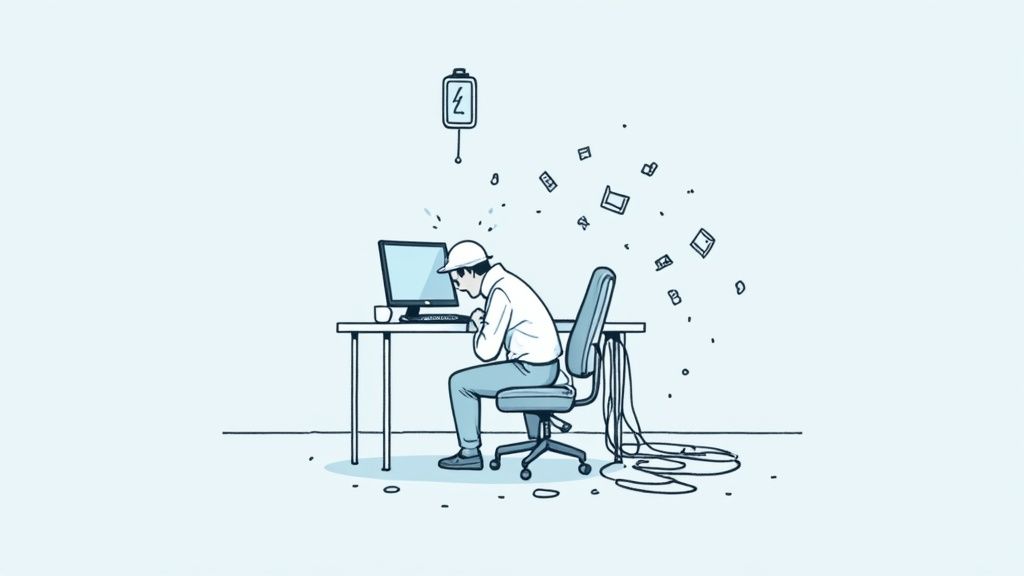
Think about it. When someone wastes an hour fighting with software, that's an hour of lost focus and momentum. It sends a clear message: their time isn't valued. It says, "We bought this tool, and now it's your job to figure it out, no matter how illogical it is."
This daily battle isn't just inefficient; it's emotionally exhausting. Over time, that constant drain leads to detachment. People stop trying to find better ways to do things. They just stop caring.
The Real Cost of Digital Frustration
This isn’t some minor issue. It's at the heart of the employee engagement crisis. You can't have a great employee experience without a great digital one. The two are inseparable, especially with remote and hybrid teams where technology is the workplace.
The data highlights this disconnect. While 97% of executives agree a quality digital experience boosts productivity, a tiny 30% of employees feel their company’s tech actually exceeds expectations. That massive gap is where burnout takes root.
On the flip side, providing a seamless digital experience is one of the most powerful ways to show your team you trust and respect them. It proves you’re invested in clearing the path so they can do their best work.
When your tools just work, it feels like the company is on your side. When they don’t, it feels like you're fighting a battle on two fronts: one against your workload, and another against the very tools meant to help you.
From Friction to Flow
Consider the cumulative effect of all those little digital headaches. It's the small, daily annoyances that do the most damage. The cognitive load of jumping between a dozen different apps makes deep work impossible. The emotional toll of feeling stuck while a page refreshes is a momentum-killer. The hidden work of creating your own spreadsheets and workarounds just to get by.
These issues chip away at well-being day after day. The constant struggle is a huge reason people feel so overwhelmed. We've talked before about how poor time management impacts employee well-being, and clunky technology is a primary thief of that precious time.
Improving the digital experience isn't about adding another perk. It's about removing a fundamental source of stress. It’s about giving people back their time, focus, and energy to do the work you hired them for.
So, Is AI the Answer or Just Another Problem?
AI is the latest buzzword echoing through every boardroom. We hear the promises: it'll summarize meetings, draft emails, and find that obscure file instantly. It’s pitched as the ultimate simplifier.
But let's be real. It’s also perfectly positioned to become the next layer of digital clutter we force on our people.
We’ve seen this movie before. A shiny new technology comes along, and in the rush to adopt it, we skip the thoughtful part. We hand out logins, cross our fingers, and treat it like just another app. If we get this wrong, AI isn't a solution; it's just another password to forget.
The Rise of "Shadow AI"
Here’s a hard truth: your people aren't waiting for a top-down AI strategy. They're already using it. When the tools the company provides are slow or clunky, people find a workaround.
This creates "shadow AI." It’s the unofficial adoption of consumer AI tools happening inside your business right now. An employee uses a free chatbot to polish a report. A team uses a public AI tool to transcribe a sensitive meeting. It’s happening because people are resourceful and just want to do their jobs better.
But this underground movement comes with serious baggage. Company data gets uploaded to unsecured platforms, workflows become even more disjointed, and leadership has no visibility. This isn't a failure of your employees; it's a direct result of a poor employee digital experience.
The numbers tell the story. A recent Qualtrics report found that while 54% of workers have used AI for their jobs, a huge chunk are using personal accounts (23%) or tools they sourced themselves (30%)—not the ones sanctioned by IT.
Making AI a Simplifier, Not a Complicator
The real win here isn't handing everyone a chatbot. That just adds another icon to an already crowded desktop. The goal is to weave AI so seamlessly into the digital workplace that it actually reduces friction.
Think about an AI that doesn't demand its own app. Instead, it works quietly in the background.
It proactively summarizes a long chat thread for a new team member.
It surfaces the answer to a benefits question right where you are, without making you dig through the intranet.
It automatically drafts a project update based on recent activity, saving a manager 30 minutes.
This is where AI becomes a game-changer. It stops being another thing to do and starts acting like a helpful partner that cuts out the tedious parts of your day.
The ultimate goal of AI at work shouldn't be to show off how clever the technology is. It should be to make employees feel smarter by making the technology virtually disappear.
The danger is that we’ll repeat our past mistakes, buying flashy AI tools in silos without a thought for the employee's journey. If we do that, we’ll just end up with a smarter, more expensive version of the mess we already have. The question isn't if we should use AI, but if we'll use it to finally simplify work—or just add to the noise.
A Simpler Way to Fix Your Digital Workplace
We’ve spent a lot of time digging into the problem. Now, let’s talk about the way out. After all the talk about digital friction and burnout, it’s easy to think the only solution is a massive, expensive overhaul.
But it's not. The path to a better employee digital experience doesn’t mean ripping everything out and starting from scratch. It’s a lot calmer than that. It begins with a simple shift: stop managing a portfolio of disconnected apps and start curating a single, unified experience.
This isn't about some huge three-year project. It's about taking small, deliberate steps to remove friction, one headache at a time. The real goal isn't more technology; it's less of it getting in the way.
Start by Listening, Not by Buying
The first step has nothing to do with buying new software. It’s about listening. Your people already know what’s broken—they live it every day. The answers you need aren't in a vendor's sales pitch; they're in the quiet sighs of frustration from your team.
Start by asking simple, direct questions:
What's the most frustrating tech task you do each week?
If you could wave a magic wand and fix one system, what would it be?
Where do you waste the most time just trying to find something?
The goal isn't just to collect complaints. It's to find the patterns. You'll quickly see where the biggest points of friction are—the common journeys that are far more complicated than they should be.
Focus on Integration and Simplification
Once you’ve identified the pain points, the work is about integration and simplification, not replacement. You probably don't need a brand-new HR system; you just need the existing one to be accessible without four clicks and a separate login. You don’t need another communication tool; you need the important updates to find people where they already work.
Think of it like this: your job is to make the technology disappear into the background. This might mean connecting two systems that have never talked to each other or building a simple dashboard that pulls critical information into one place. For organizations with distributed teams, the right tech is foundational. Discover the best remote team management tools that can simplify your digital workplace.
The most elegant solution isn't the one with the most features. It's the one that requires the least effort from the employee. It's about reducing steps, not adding them.
This approach centers on creating a unified digital front door—a single place where people can start their day and find what they need. It’s about building a calm, organized hub instead of forcing people to navigate a chaotic collection of bookmarks. For a deeper dive, you can learn what features you should look for in an employee experience platform that can serve as this central hub.
The truth is, a better digital workplace isn't built overnight. It’s cultivated, one small, thoughtful improvement at a time. It's about having the humility to admit what's not working and the patience to fix it the right way—by putting your people's experience first.
Your Questions About EDX Answered
We get it. The world of work is flooded with jargon, and "employee digital experience" can sound like another buzzword to ignore. But it’s a simple, human idea. Let's cut through the noise and tackle a few common questions.
What Is the Difference Between EX and EDX?
Think of the Employee Experience (EX) as the entire movie of someone's journey with your company. It covers everything from the culture and their manager to the office coffee. It’s the whole picture.
The Employee Digital Experience (EDX) is a huge scene in that movie. It’s every interaction an employee has with the tech you provide. With so many teams working remotely, your company’s tech often is the workplace. If that tech is clunky, the entire employee experience takes a massive hit, no matter how great the other perks are.
Who Is Responsible for the Employee Digital Experience?
Historically, this is where things fell apart. IT owned the tools, and HR owned the people. They operated in separate silos.
But a great EDX requires a team effort. While IT will lead on the technical front, HR needs to be at the table championing the employee's voice. Even more importantly, leadership has to see this as a core business strategy, not just another item on IT's to-do list. The companies that get this right usually form a small, cross-functional team dedicated to owning the experience from every angle.
How Do We Start Measuring Our EDX?
Before you build complex dashboards, just start by talking to your people.
Surveys are fine, but honest, one-on-one conversations are where the real gold is. Ask simple questions like, "What's the single most frustrating tech task you do every week?" or "If you could fix one thing about our software, what would it be?" You can then pair those qualitative stories (the why behind the frustration) with hard data like common help desk tickets or app usage stats (the what).
Ready to build an employee digital experience that feels less like a chore and more like a helpful partner? See how Pebb brings everything your team needs—communication, resources, and culture—into one calm, organized place. Learn more at Pebb.
