

Author: Ron Daniel
From WhatsApp to Workplace Tools: The Shift Businesses Are Making
Why businesses are replacing WhatsApp with secure, admin-ready workplace tools and how Pebb, Slack, and Teams compare.
You know that moment when you’re scrolling through your work group chat, desperately searching for a file someone shared weeks ago, and it feels like you’re trying to find a needle in a haystack? I’ve been there too. For years, my team relied on WhatsApp to manage everything from project updates to client communications. It worked - kind of. But as we grew, so did the chaos. Conversations got buried, files vanished into the abyss, and security? Let’s just say it wasn’t exactly airtight.
Here’s a stat that hit me like a ton of bricks: 68% of businesses using WhatsApp face data security risks (Gartner, 2023). That’s not just inconvenient - it’s a disaster waiting to happen. And it’s not just about security. Teams are wasting hours every week digging through chats, productivity is tanking, and compliance issues are keeping IT teams up at night. Sound familiar?
We knew something had to change, so we started looking at tools that could handle the needs of a growing business. That’s when we discovered Pebb. In this article, I’ll walk you through why businesses like ours are leaving WhatsApp behind and how platforms like Pebb, Slack, and Microsoft Teams are stepping up to fill the gap. Whether you’re a small team or a large enterprise, I’ll break down the differences so you can choose the right tool for your team. Let’s dive in.
Why Businesses Are Leaving WhatsApp Behind
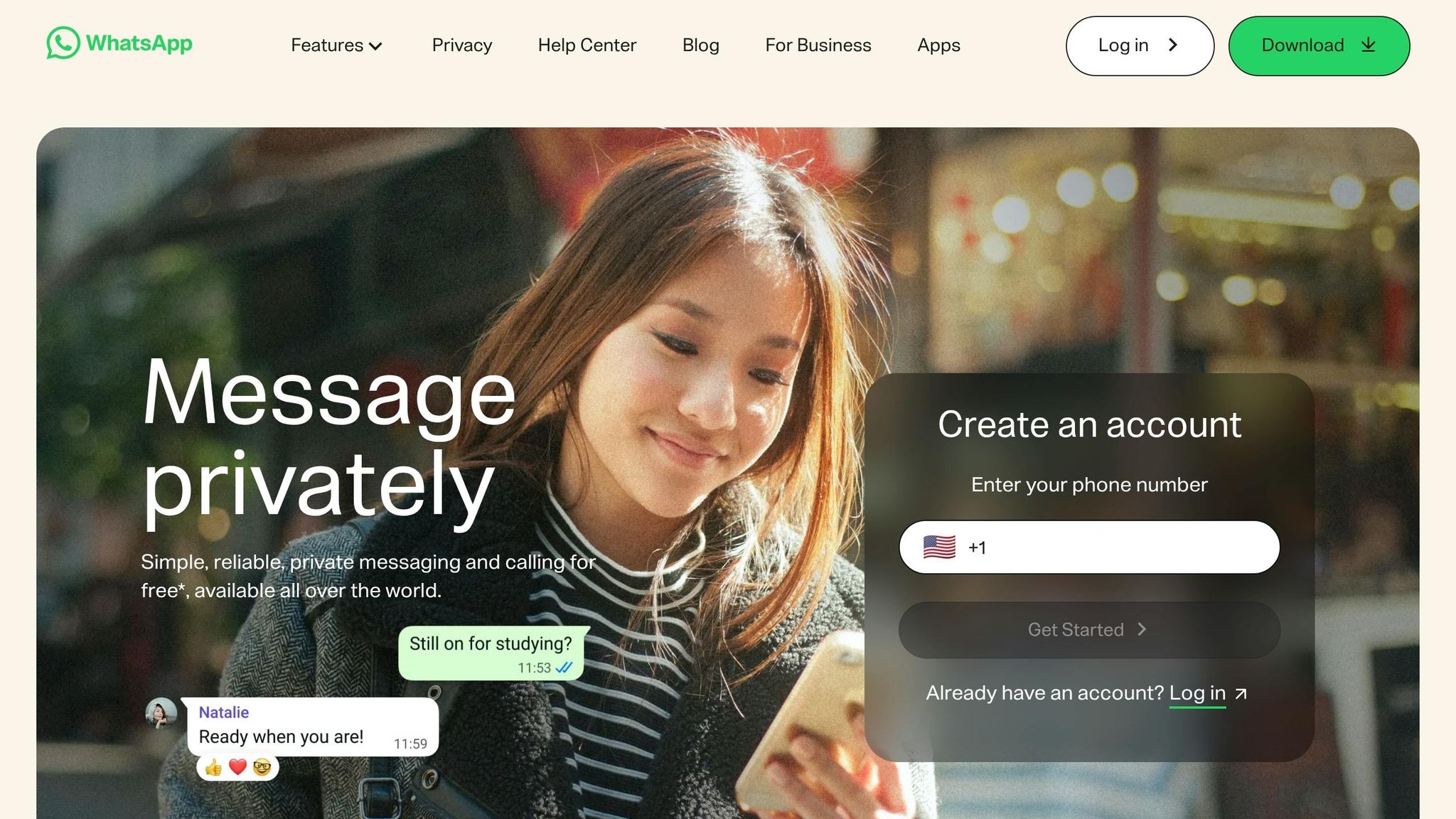
Let me tell you, WhatsApp might work for personal chats, but when it comes to running a business, it falls short - big time. The main issue? No admin controls. Imagine this: an employee leaves your company, and with them goes every conversation, file, and sensitive piece of data. You can’t revoke access or wipe anything. According to Gartner’s 2024 workplace communications report, 45% of companies flagged this lack of admin oversight as a major risk. That’s a compliance nightmare waiting to happen.
The Chaos of Scattered Conversations
Now picture this: you’re trying to find a client proposal from three weeks ago, but it’s buried somewhere in a sea of personal and work-related WhatsApp threads. Sound familiar? You’re not alone. A survey of 500 small and medium-sized businesses found that 45% of them struggled with retrieving information, burning through an average of 2.5 hours every week just searching chats. Multiply that by 52 weeks, and you’re looking at 130 hours per year per employee spent hunting for things that should be easily accessible. That’s not just frustrating - it’s a massive productivity drain.
Growing Teams, Shrinking Productivity
Here’s another kicker: WhatsApp’s group chat cap of 1,024 members and its one-size-fits-all notifications start to crumble as teams grow. For companies with more than 50 employees, productivity can drop by 40%. And the risks? They’re very real.
Take this example: a U.S. retail chain with 200 employees had a major data leak when a manager accidentally shared confidential financial reports in a family group. Or consider the tech startup that lost a key client because they couldn’t keep track of action items scattered across over 50 WhatsApp groups. These aren’t just one-off incidents - they’re the kind of mistakes that can cost businesses dearly.
The Shift to Smarter Solutions
Here’s the thing: tools built specifically for workplace communication, like Pebb, solve these issues by centralizing conversations, tightening security, and offering admin controls that WhatsApp simply doesn’t have. The numbers back it up. By 2026, 62% of U.S. companies using WhatsApp for work say they’re planning to switch, with 73% citing security concerns as their main reason. The trend is clear - businesses are moving on, and they’re doing it quickly.
1. WhatsApp
Let me walk you through why WhatsApp, despite its popularity, struggles to meet the demands of businesses. From security concerns to scalability issues, there’s a lot to unpack here.
Security and Privacy
Sure, WhatsApp’s end-to-end encryption is great for personal chats, but when it comes to business use, it’s a different story. The platform lacks critical enterprise features like data retention policies, audit logs, and compliance certifications for regulations like HIPAA and GDPR. In fact, a 2023 study revealed that 68% of businesses faced compliance headaches from relying on consumer apps like WhatsApp. This is a serious issue, especially for industries like healthcare or finance, where data security isn’t just important - it’s mandatory.
And here’s the kicker: there’s no centralized control. If an employee leaves the company or loses their phone, you can’t remotely wipe sensitive data or revoke their access. Compare that to workplace tools designed for businesses, which let admins manage everything from message retention to role-based permissions. With WhatsApp, you’re left crossing your fingers that nothing slips through the cracks.
Features for Team Collaboration
When it comes to team collaboration, WhatsApp covers the basics: group chats (up to 1,024 members), voice and video calls, and file sharing. But that’s about it. There’s no support for threaded conversations, assigning tasks, or integrating with tools like CRM or ERP systems. Without these features, conversations can quickly become disorganized, and finding important information becomes a time sink.
This lack of structure often leads to measurable productivity drops. Teams end up spending more time untangling fragmented chats than focusing on meaningful work.
Scalability and Usability
Now, let’s talk scale. WhatsApp might work for small teams, but it starts to crack under the pressure of larger organizations. That 1,024-member group limit? It forces big teams to split into multiple groups, which only adds to the chaos. Plus, there’s no enterprise directory for easily finding colleagues, and the admin tools are far too basic to manage large user bases effectively. During high-volume chats, performance issues can crop up, leaving teams scrambling for workarounds.
Usability is another sticking point. While WhatsApp feels natural for personal use, its mobile-first design doesn’t translate well to professional settings. The desktop app, for instance, requires your phone to stay connected - a frustrating limitation for teams that rely on desktop workflows. Surveys show that usability scores can drop by 30% for teams with more than 50 members. Add in the lack of workflow automation, and you’ve got a recipe for user fatigue.
These challenges make it clear why businesses are turning to platforms like Pebb, which are purpose-built for growing teams.
Cost and Accessibility
Let’s not forget about the costs. At first glance, WhatsApp Business seems like a budget-friendly option - it’s free for basic use, which is why small teams often gravitate toward it. But scaling up comes with hidden expenses. The WhatsApp Business API charges between $0.005 and $0.05 per message in the U.S., and third-party services can tack on an extra $10–$50 per month. Gartner even reported that 45% of enterprises abandon WhatsApp because API scaling costs can surpass $10,000 annually.
So, while WhatsApp might seem affordable at first, the costs can spiral quickly. And even with these expenses, you’re still left without the features and functionality of platforms designed specifically for workplace collaboration.
It’s no wonder more businesses are seeking alternatives that grow with their needs, without the compromises.
2. Pebb
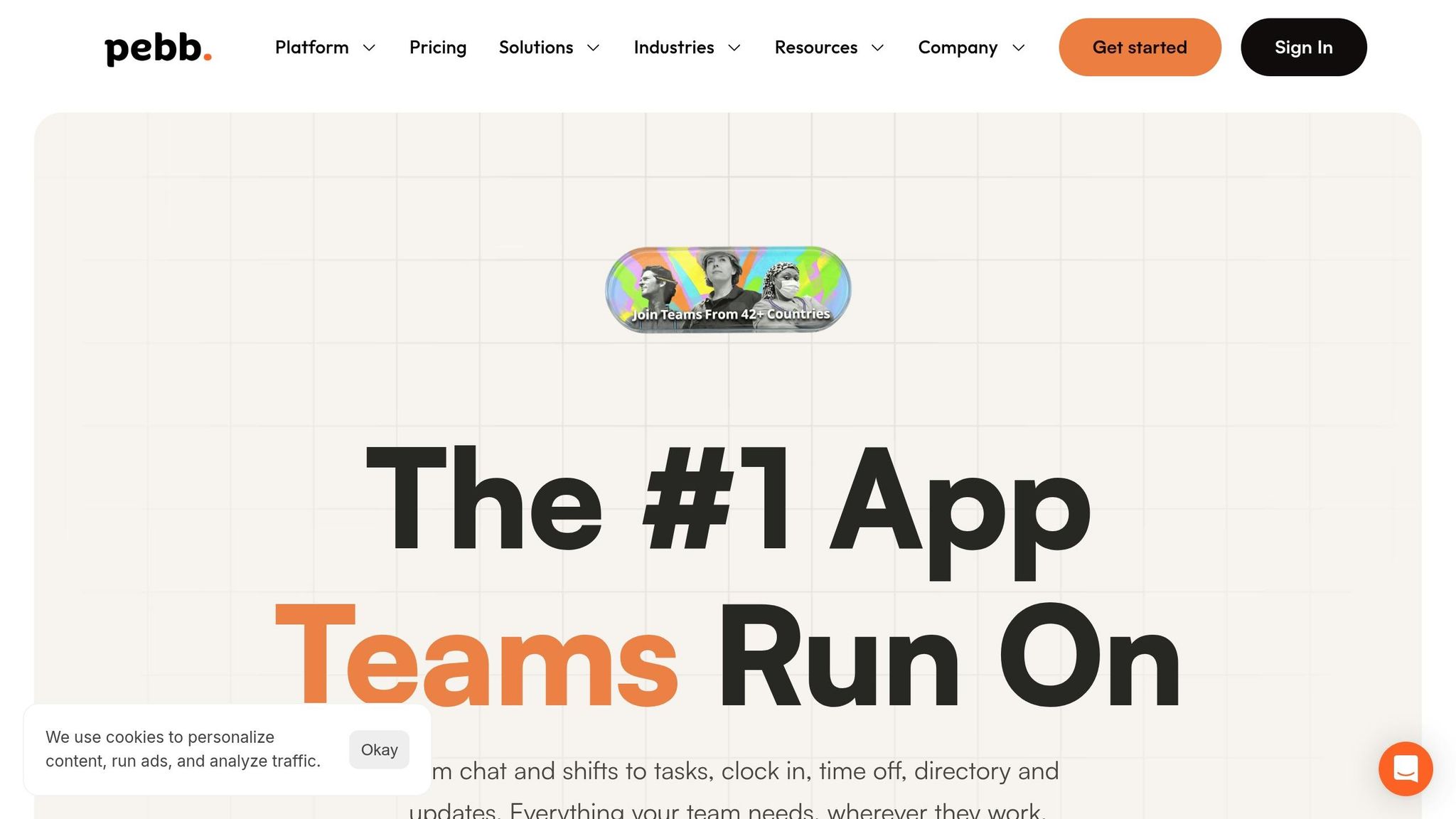
At Pebb, we saw the frustrations businesses faced with tools like WhatsApp, and we knew there had to be a better way. So, we built Pebb - a platform specifically designed to tackle the challenges consumer apps create in professional settings.
Security and Privacy
When it comes to security, we didn’t cut any corners. Pebb provides end-to-end encryption for all chats and meets GDPR and HIPAA standards. This makes it a safe choice for industries like healthcare and finance, where compliance is non-negotiable. We also added role-based access controls and detailed audit logs, so you always know who’s accessing what. With data securely stored in US data centers and zero-knowledge encryption, your company’s information stays exactly where it belongs - in your hands.
Here’s the kicker: unlike WhatsApp, where personal phone numbers are exposed, Pebb keeps that information private. And if an employee leaves, you can instantly revoke their access, ensuring sensitive data doesn’t leave with them.
Features for Team Collaboration
Pebb isn’t just secure - it’s built for teamwork. Our Work Group Chat includes threaded conversations, @mentions, and file sharing that go far beyond what consumer apps offer. The News Feed delivers targeted announcements and personalized updates, which has led to 30% higher response rates compared to traditional chat tools in our internal studies.
Need proof? A logistics company with 200 employees switched to Pebb and saw some incredible results: communication silos dropped by 45%, and their onboarding time shrank from two weeks to just three days thanks to our searchable Knowledge Base. Add in calendar tools and task management, and you’ve got a one-stop shop for keeping your team aligned and productive.
Scalability and Usability
Whether you’re a small startup or a massive enterprise, Pebb grows with you. Our platform supports over 100,000 users per organization, handles unlimited groups without slowing down, and syncs in real-time across all devices. We’ve also made sure it integrates seamlessly with CRMs, HR systems, and more.
Here’s another win: unlike WhatsApp’s mobile-first design, Pebb works equally well on desktop and mobile. This means you’re not stuck tethered to your phone. And the results speak for themselves - users report 35% faster issue resolution using our Knowledge Base and a 28% boost in engagement thanks to the News Feed.
Cost and Accessibility
Let’s talk numbers. Pebb offers a free plan for up to 15 users with unlimited message history, perfect for small teams. Ready to scale? Our Premium plan costs just $4 per user per month, which is 20–40% cheaper than Slack or Microsoft Teams for similar features.
For example, a team of 100 people would pay about $4,800 per year for full access to chat, scheduling, PTO management, analytics, and more. Compare that to WhatsApp Business API, which can cost over $10,000 annually without delivering nearly as much functionality. Plus, we offer a 14-day trial so you can explore everything risk-free.
3. Slack
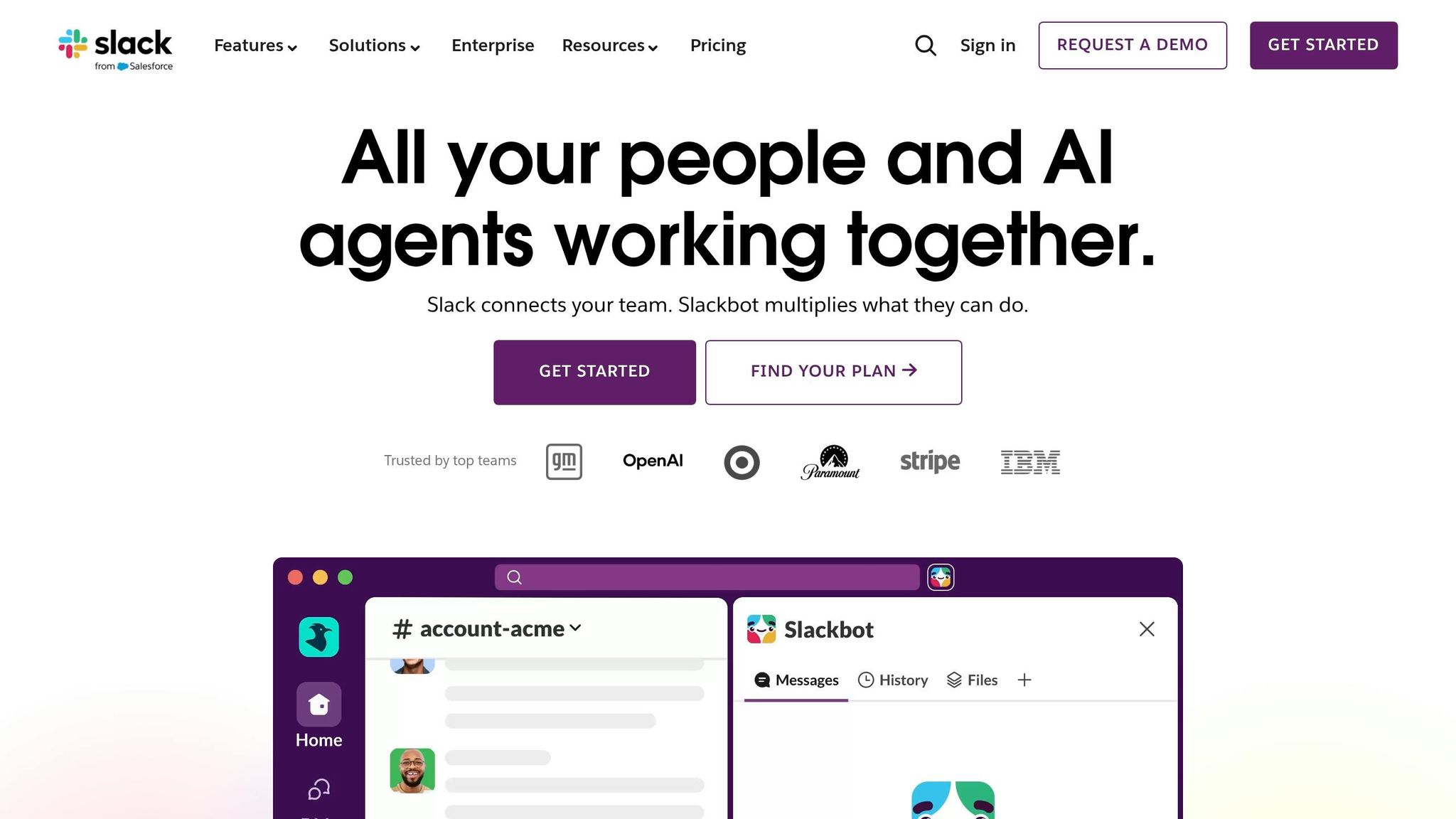
Slack has become synonymous with workplace communication, and for good reason. It takes the simplicity of consumer messaging apps like WhatsApp and elevates it with features designed specifically for professional collaboration. With over 10 million daily active users across 65,000+ organizations as of 2023, Slack has proven itself as a reliable tool for serious business needs.
Security and Privacy
When it comes to security, Slack doesn’t mess around. It offers enterprise-grade protection with SOC 2 compliance, HIPAA eligibility (on Enterprise plans), and beta-phase end-to-end encryption. Features like two-factor authentication, data retention policies, and robust admin controls ensure sensitive information stays safe. For US businesses managing critical data, the Enterprise Grid plan adds even more layers, including single sign-on integration with providers like Okta and customer-managed encryption keys.
A 2023 Gartner report revealed that Slack's compliance features reduced breach risks by up to 40% compared to unsecured chat apps. Plus, workspace owners can enforce data loss prevention policies, access audit logs, and export messages for eDiscovery - capabilities that tools like WhatsApp simply can’t match.
Features for Team Collaboration
Slack’s collaboration tools are designed to make teamwork smoother and more efficient. Channels keep discussions focused on specific topics, while threaded replies prevent conversations from spiraling into chaos. The platform integrates with over 2,600 apps, including Google Drive and Zoom, making it easy to connect the tools your team already uses.
Some standout features include:
Huddles for quick audio or video calls
Slack Canvas for real-time collaboration on shared documents
Powerful search functionality that retrieves information from up to 10 years of message history
Slack’s internal research shows these tools can lead to 32% faster internal communication and 23% higher team productivity. IBM’s adoption of Slack is a prime example - by using threaded replies and organized channels, they cut email volume by 50%. And with the introduction of Slack AI in 2024, teams now benefit from automated summaries and workflow automation, making it even easier to stay on top of tasks.
Scalability and Usability
Scaling up? Slack’s got you covered. Its Enterprise Grid supports millions of users across unlimited workspaces, complete with advanced admin controls. According to a Forrester study, 90% of US firms were able to adopt Slack within weeks, thanks to its user-friendly interface and minimal learning curve.
The platform works seamlessly across mobile and desktop, offering customizable notifications and handy keyboard shortcuts. That said, Slack’s free plan comes with limitations - like 90 days of message history and only 10 app integrations - which can be a challenge for growing teams. G2 reviewers give Slack a solid 4.5/5 for usability, though some mention issues like "channel sprawl" and notification overload if settings aren’t optimized.
Cost and Accessibility
Let’s talk numbers. Slack’s free plan is a good starting point, but businesses often need more. Pricing starts at $7.25 per user per month for the Pro plan (billed annually), jumps to $12.50 for Business+, and reaches custom pricing for Enterprise Grid, which typically starts around $15 per user. For a 100-person team, the Pro plan would cost about $8,700 annually.
In comparison, Pebb offers an all-in-one solution for just $4 per user per month - that’s $4,800 annually for a 100-person team. Slack also provides a 14-day trial, so businesses can test the waters before committing. Up next, we’ll dive into how Microsoft Teams stacks up against other staff communication apps in this competitive landscape.
4. Microsoft Teams
Microsoft Teams has become the gold standard for enterprise collaboration, with over 320 million monthly active users as of 2024. It's trusted by 75% of Fortune 500 companies, making it a go-to for businesses with demanding operational needs.
Security and Privacy
When it comes to security, Teams stands head and shoulders above consumer tools like WhatsApp. It offers end-to-end encryption for calls and meetings, multi-factor authentication, and data loss prevention policies that give IT admins full control over data access. Plus, it complies with strict regulations like GDPR, HIPAA, and FedRAMP - key for industries like healthcare and finance in the U.S.
Here’s a stat that caught my attention: a 2023 Gartner report revealed that Teams' integration with Azure Active Directory (Azure AD) can reduce breach risks by up to 50%. Features like audit logs, conditional access, and eDiscovery tools provide businesses with the administrative oversight they need. For example, Ford Motor Company successfully unified 190,000 employees on Teams, cutting email volume by 40% in the process.
With security locked down, Teams focuses on boosting productivity through its collaboration tools.
Features for Team Collaboration
Teams is like a Swiss Army knife for collaboration. It combines chat, video conferencing, file sharing, and task management in one platform. Whether you're hosting a video meeting with up to 10,000 participants or co-editing documents in real-time, Teams keeps everything organized in persistent channels.
The platform also integrates seamlessly with tools like OneDrive, SharePoint, and Planner, along with countless third-party apps. And let's not forget Copilot, the AI assistant introduced in 2024. Copilot can summarize meetings and help teams find information faster - a real game-changer for productivity.
For frontline workers, Teams has specialized tools like Shifts for managing schedules and Walkie Talkie for instant voice communication. It's all about making work smoother, no matter your role.
Scalability and Usability
One of Teams' standout qualities is its ability to scale. From small startups to global enterprises, it supports millions of users with 99.99% uptime. It’s available on desktop, mobile, and web browsers, ensuring accessibility wherever you are.
According to a 2023 Gartner survey, 91% of Teams users reported improved collaboration efficiency. Its interface feels familiar for anyone who’s used Microsoft Office, which helps with onboarding. That said, managing file permissions through SharePoint can be tricky for some, especially less tech-savvy users. On G2, Teams scores a 4.5/5 for usability, though the learning curve is steeper compared to simpler tools.
Cost and Accessibility
Now, let’s talk numbers. Teams isn't cheap, but it delivers a lot for the price. There's a free version with basic chat and 60-minute video calls, but the paid plans start at $4 per user per month for Essentials. Business Basic, which includes Microsoft 365, costs $6 per user per month, while enterprise plans with advanced security and AI features range from $36 to $57 per user per month.
For a 100-person team, the Business Basic plan costs around $7,200 annually. Compare that to Pebb, which offers a similar all-in-one solution for $4,800 annually for the same team size. Teams often makes sense for companies already using Microsoft’s ecosystem, where bundling can help lower overall costs. But for those looking to save without sacrificing functionality, Pebb might be the smarter choice.
Strengths and Weaknesses
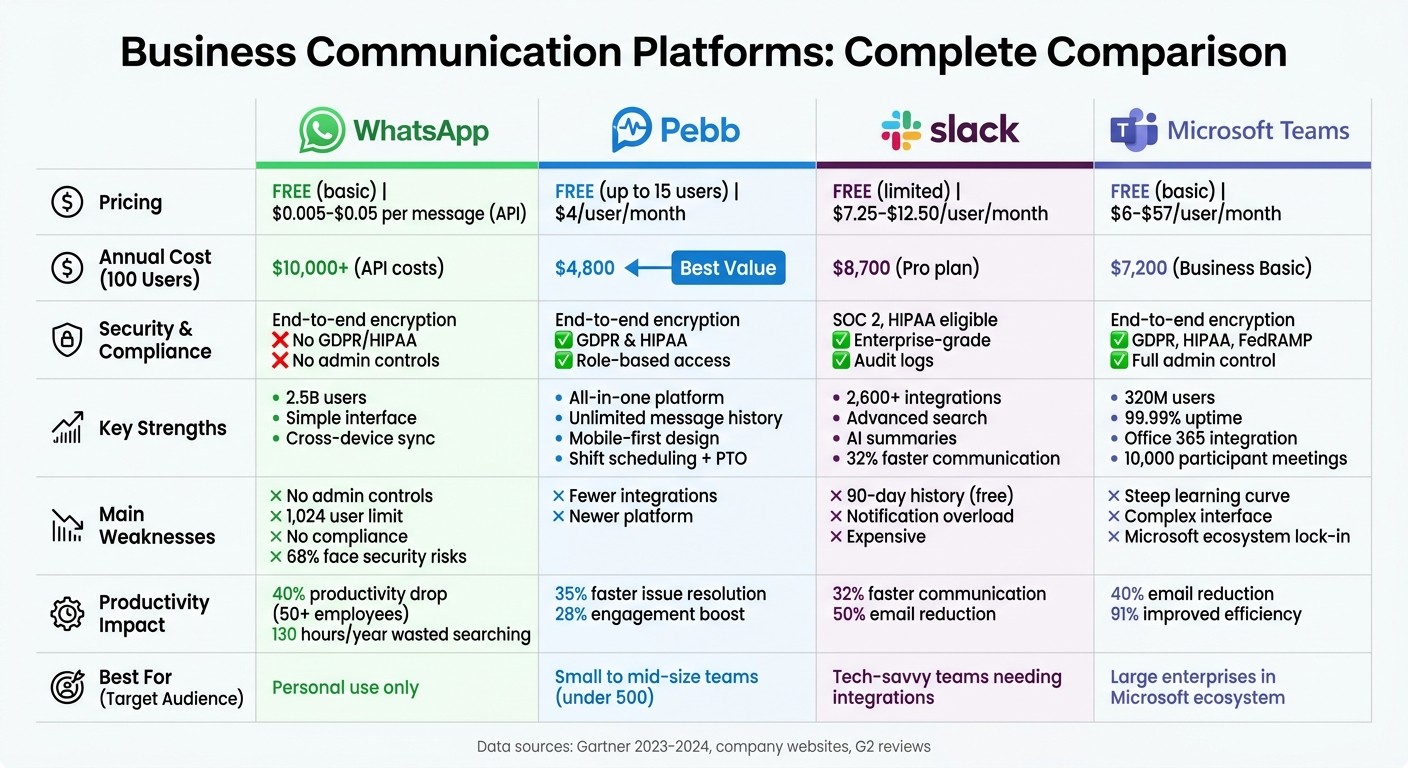
WhatsApp vs Pebb vs Slack vs Microsoft Teams: Feature and Pricing Comparison for Business Communication
When we put the major platforms side by side, the differences become much clearer. Here's a quick breakdown of their main strengths and weaknesses:
Platform | Strengths | Weaknesses |
|---|---|---|
Pebb | - Combines chat, news feed, shift scheduling, and PTO management in one place | - Fewer integrations compared to Slack’s 2,600+ apps |
- Free and widely recognized, with over 2.5 billion users worldwide | - No admin controls or message archiving | |
Slack | - Integrates with over 2,600 business tools | - Costs $7.25–$12.50/user/month, making it pricier |
Microsoft Teams | - Seamless integration with Office 365 and 300+ apps | - Complex user interface with a steep learning curve |
This table highlights why so many businesses are turning to Pebb for an affordable, all-in-one solution.
Take this for example: 60% of small and medium businesses (SMBs) have moved away from WhatsApp to tools designed with better data security in mind (Gartner, 2024). It’s easy to see why. WhatsApp lacks admin controls, which platforms like Pebb, Slack, and Teams deliver in spades. Plus, the cost savings are undeniable. For a 100-person team, Pebb costs around $4,800 annually while offering features like shift scheduling, PTO management, and a built-in knowledge base - all in one neat package. That’s a game-changer compared to pricier alternatives.
Conclusion
Switching from WhatsApp to purpose-built workplace tools is no longer just a nice-to-have - it's a must for businesses aiming to stay organized, meet compliance requirements, and keep up with the competition. While WhatsApp works fine for casual chats, it simply doesn't deliver the advanced features that modern workplaces need. That’s where Pebb steps in.
Pebb tackles the challenges of WhatsApp with ease while keeping things simple and budget-friendly. Imagine having Work Group Chat with organized threads, a News Feed for company-wide updates, shift scheduling, PTO management, and a Knowledge Base - all in one platform. Here's the kicker: Pebb offers all this starting at just $4 per user per month, and there’s even a completely free plan for teams of up to 15 people. Compare that to Slack’s $7.25+ per user or the complexity of Microsoft Teams, and it’s clear why Pebb is the smarter choice for growing businesses.
Let’s break it down:
For small teams under 50 employees, Pebb eliminates the unnecessary bloat of enterprise tools, offering a quick, low-cost setup.
Mid-sized businesses with 50-500 employees will appreciate the balance Pebb strikes - structured communication and admin controls without the overwhelming integrations and costs.
Large enterprises over 500 employees can use Pebb as the foundation for communication and engagement, layering in Teams or Slack only if advanced integrations are needed.
The numbers don’t lie. Companies that switch to workplace-specific tools like Pebb cut communication overhead by 35% and see engagement climb by 25-40% compared to using consumer apps. For a 100-person team, Pebb costs around $4,800 annually, which is a fraction of what competitors charge - and it includes features like shift scheduling, PTO tracking, and knowledge management right out of the box.
When you look at the full picture, Pebb isn’t just another tool - it’s the practical, cost-effective solution for businesses ready to take their workplace communication to the next level.
FAQs
What’s the easiest way to move my team off WhatsApp without losing history?
Migrating your team off WhatsApp doesn’t have to be a headache. With Pebb, the process is straightforward and keeps your message history intact. Pebb allows you to export your WhatsApp data and bring it into their platform effortlessly. This means you won’t lose those important conversations while upgrading to a more secure and powerful workspace.
To make the switch even smoother, team members can log in using their existing email addresses and temporary passwords. It’s quick, easy, and sets everyone up for success right from the start.
How does Pebb handle offboarding and access removal when someone leaves?
When an employee leaves, we at Pebb follow a clear and well-documented process to ensure their access is promptly revoked. This isn’t just about ticking boxes - it’s about safeguarding sensitive information while keeping everything running smoothly. By sticking to IT best practices for offboarding, we maintain operational continuity without missing a beat.
What should I look for in a workplace tool for frontline teams?
When picking a workplace tool, go for something mobile-friendly and simple to navigate - especially since most frontline workers depend on their smartphones. Look for essential features like chat, shift scheduling, and time tracking, all bundled into one platform. Strong security and real-time updates are a must to keep everyone in the loop. At just $4 per user, Pebb offers an affordable, all-in-one solution that ticks all these boxes for frontline teams.
