
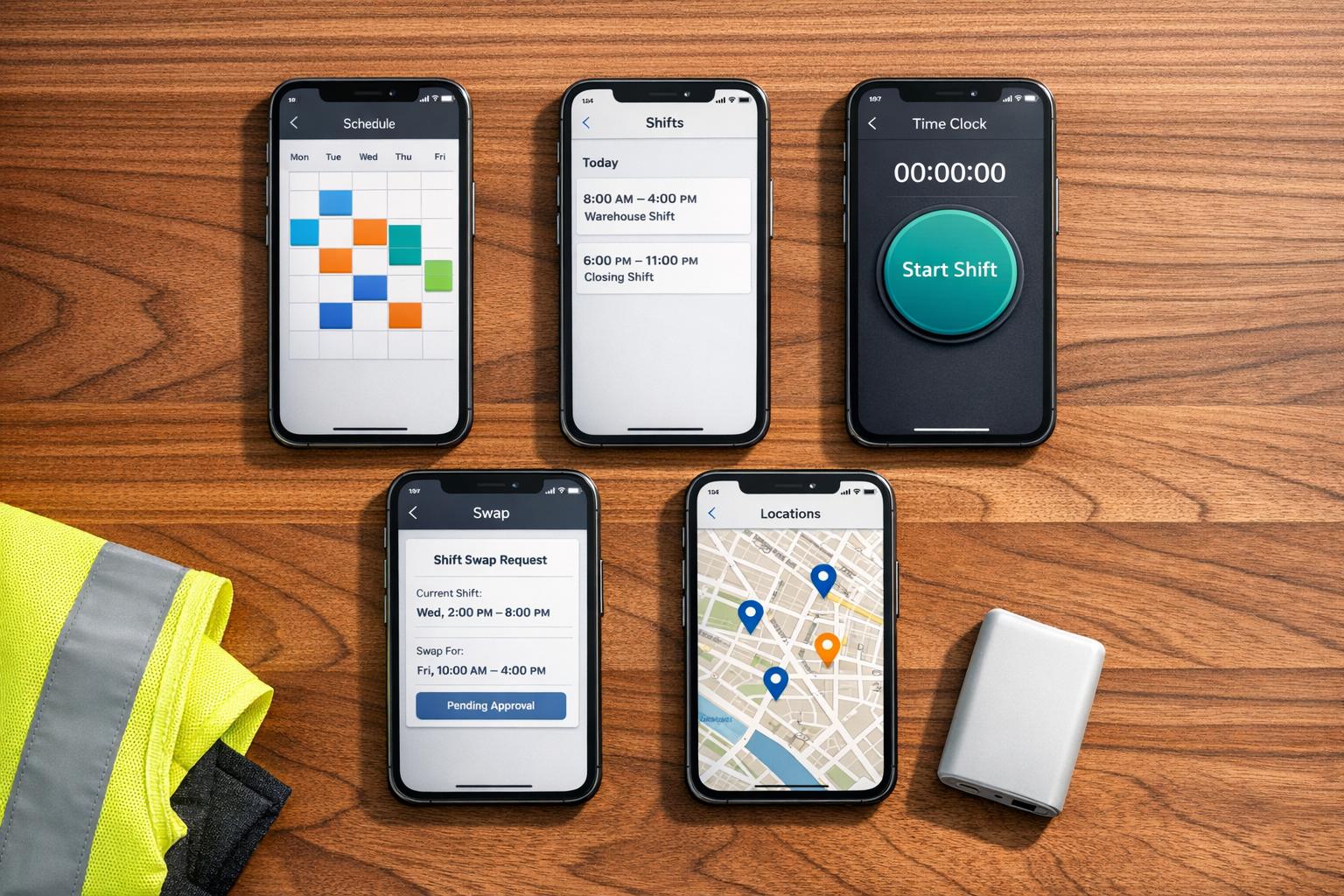
Author: Ron Daniel
Top Free Shift Scheduling Apps for Teams That Work on the Go
Compare five top free shift-scheduling apps for mobile teams, with features, user limits, mobile tools, and pros to help choose the best fit.
Let me start with a confession: a few years ago, I thought spreadsheets were the ultimate tool for scheduling shifts. I’d spend hours meticulously crafting weekly schedules, only to watch them unravel by Tuesday. A sick call here, a no-show there, and suddenly my “perfect” plan was in shambles. Sound familiar? If you’ve ever juggled shift swaps with a group text or tried to track availability through email chains, you know the chaos I’m talking about.
Here’s the kicker: managers lose an average of 2–4 hours a week just updating and tweaking schedules. And without real-time updates, no-shows can spike by as much as 50%. That’s not just frustrating - it’s costly. I knew there had to be a better way, and that’s when I discovered the power of shift scheduling apps.
These tools are game-changers. They centralize everything - shift swaps, availability updates, time-off requests - into one easy-to-use app. And the best part? Many of them are free. I’ve spent years working with teams to streamline their workflows, and today, I’m sharing my insights on five standout apps: Pebb, Homebase, Sling, ZoomShift, and When I Work.
At Pebb, we’ve taken a different approach. We didn’t just build another scheduling app - we created an all-in-one employee app that combines scheduling, communication, and operations into one seamless experience. Our goal? To make work easier for frontline teams. Whether it’s shift changes, team chats, or company updates, everything is right in your pocket.
In this guide, I’ll walk you through what makes each app tick - and why Pebb might just be the solution your team has been looking for. Let’s dive in.
1. Pebb
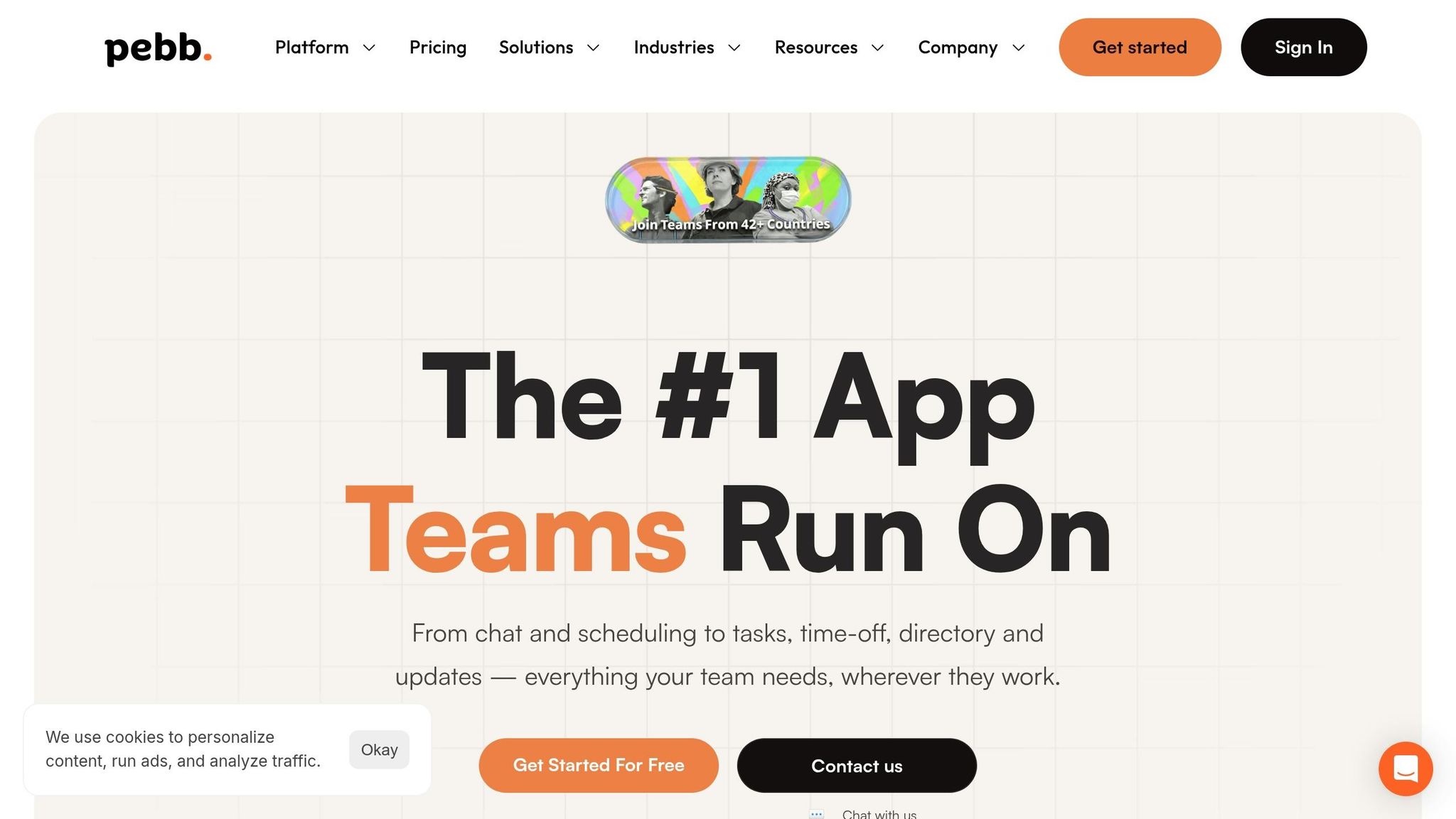
Pebb tackles the chaos of juggling multiple apps for shift management by bringing everything together in one streamlined platform. Let me walk you through what it offers.
Free User Limits
Our Standard plan is completely free for up to 15 users - no credit card, no trial period, no strings attached. You get access to work chat with unlimited history, the news feed, knowledge library, tasks, digital forms, calendar, clock in, shift scheduling, PTO management, apps, and all the essential tools to keep your team running smoothly. For those ready to level up, our Premium plan starts at just $4 per user per month. Compare that to Slack's $7.25 per user or Microsoft Teams' $4+ per user, and you can see why Pebb is a budget-friendly choice.
Scheduling Features
We designed our scheduler to be as intuitive as possible for planning and managing staff rosters. Whether you're setting up a weekly schedule or planning for the entire month, it’s quick and flexible. Need to repeat a schedule? Plan and manage staff rosters in one simple app to save time and avoid starting from scratch every week. Employees can manage their schedules right in the app, request time off, and managers can keep everything aligned in one place - no more early morning texts or last-minute panic. Plus, the scheduler integrates seamlessly with mobile and communication tools, keeping everything connected.
Mobile Functionality
For teams on the go, Pebb is built to work wherever you are. Signing up is easy - no email required; a phone number is all it takes. Features like clock in and clock out ensure your team can record working hours in real time, and real-time push notifications keep everyone in the loop when schedules go live or get updated. This means fewer no-shows and more peace of mind.
Communication Tools
Scheduling is just one piece of the puzzle, so we added tools to keep your team connected, organized, and operational. Enter Spaces - a feature that helps organize team conversations, tasks, and resources in one place. For example, your morning crew can chat, check off opening tasks, and access necessary files all in one spot. On top of that, we offer integrated voice and video calls, a company-wide News Feed for announcements, real-time task management, calendar events, and digital forms. It's everything your team needs to stay on the same page - without hopping between apps. Users have raved about how it simplifies their workflows.
2. Homebase
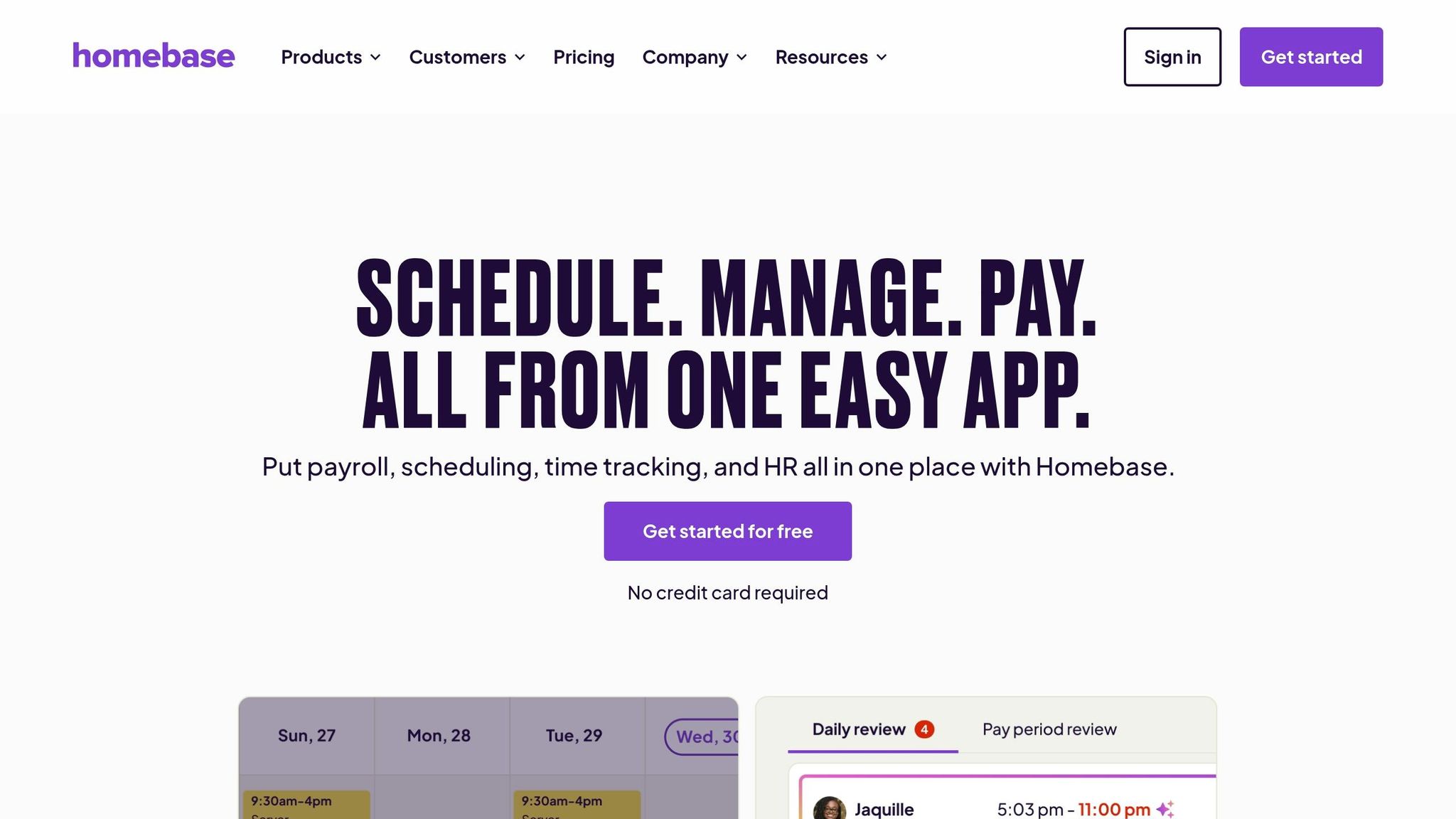
Free User Limits
Homebase’s free Basic plan is perfect for small, single-location teams, covering up to 20 employees at one location. If your team grows, paid plans kick in at around $20–$30 per month and support unlimited employees. With over 150,000 small businesses and 3.5 million employees using the platform, it’s clear Homebase has found its niche in helping small businesses thrive.
Scheduling Features
Creating schedules with Homebase is a breeze, thanks to its drag-and-drop interface. The platform even uses AI to auto-generate shifts based on employee availability, roles, and sales trends. It’s smart enough to flag potential issues like double-bookings or overtime risks, saving managers from headaches down the road. Plus, employees can take charge of their schedules by swapping shifts or claiming open ones without managerial bottlenecks. Fred S., who owns Fix Coffee + Bikes, shared how his team benefits from this feature:
"We take advantage of the notes in the scheduling function because sometimes there's something people need to know about their shift".
And it’s not just about convenience - businesses are seeing real results. Butter Baker, for instance, cut labor costs by 20% in January 2026 by optimizing schedules and tracking hours through Homebase. Combined with its mobile-friendly design, this scheduling system is built for teams that need flexibility.
Mobile Functionality
The Homebase mobile app is a game-changer for on-the-go teams. With an impressive 4.8/5 rating on the Apple App Store from 90,000 reviews, it’s clear users love its functionality. Managers can tweak schedules on the fly, while employees can clock in and out, check their schedules, request time off, or coordinate shift coverage. Features like GPS and photo verification add an extra layer of accountability, and automated shift reminders sent an hour before shifts help keep everyone on track. That said, some users have flagged occasional hiccups, like messaging glitches and auto-logout issues.
Communication Tools
Homebase doesn’t just stop at scheduling - it simplifies team communication, too. Forget messy group texts! The platform offers built-in messaging, shift-specific notes, and automated alerts whenever schedules are updated or published. Jane Wild, owner of Jane and the Lion, summed it up perfectly:
"The biggest make-or-break for a team can be communication, and having a schedule that everyone can share on their phone is incredible".
With tools like these, Homebase helps teams stay connected and organized, no matter where they are.
3. Sling

Free User Limits
Sling’s free plan is a bit of a mystery when it comes to user limits. Officially, they claim you can schedule an unlimited number of users and locations without spending a dime. But here’s the twist - independent reviews from February 2026 suggest the free tier actually maxes out at 30 users. Even with this possible cap, it still beats out most competitors offering free plans. With over 1 million downloads on Google Play, it’s clear that Sling has found its sweet spot among small to mid-sized teams who need flexible scheduling without breaking the bank.
Scheduling Features
Sling doesn’t just stop at generous user limits; it simplifies scheduling in ways that make life easier for managers. The drag-and-drop schedule builder is a game changer. You can whip up shift templates, manage recurring schedules, and even handle time-off requests all in one place. One standout feature is “Available Shifts,” where managers can post open shifts that employees can claim on a first-come, first-served basis. This cuts down the endless back-and-forth emails or texts.
Kenneth Taylor, a Supervisor of System Operations at Expeditors, shared his experience:
"Sling drastically reduced the amount of time I spend scheduling. I post weekly schedule in minutes and it replicates to future weeks. No more do I need to create schedules from scratch".
However, if you’re looking for time tracking or labor cost reporting, you’ll need to upgrade to a paid plan.
Mobile Functionality
The mobile apps for Sling are where it really stands out. With a 4.7/5 rating from over 27,000 reviews on the Apple App Store and a 4.8/5 rating from roughly 9,600 reviews on Google Play, the apps are clearly doing something right. Managers get the flexibility to adjust schedules on the go, while employees can check shifts, request changes, and even find coverage - all without needing to sit at a desk.
One feature I find especially useful is the GPS geofencing. It ensures employees are in the right place before clocking in, which helps prevent “buddy punching” and keeps accountability in check. That said, some Android users have mentioned occasional hiccups like notification delays and random sign-outs.
Communication Tools
Sling also steps up its game with built-in communication tools. Whether it’s group chats, private messages, or a newsfeed for company-wide updates, everything stays organized in one place. Employees can like and comment on updates, making it feel more interactive. Plus, the system automatically notifies staff about schedule changes and lets managers quickly contact available employees for last-minute coverage.
Bradley Knebel from The Market Line summed it up perfectly:
"Sling is a flexible scheduling platform that works for a wide variety of businesses – from bars and cafes to fine dining restaurants. Sling gives the ability to customize the platform to best fit each concept, while also providing easy to use communication features and time tracking".
These communication tools make it easier for teams to stay connected and keep everything running smoothly - all in one platform.
4. ZoomShift
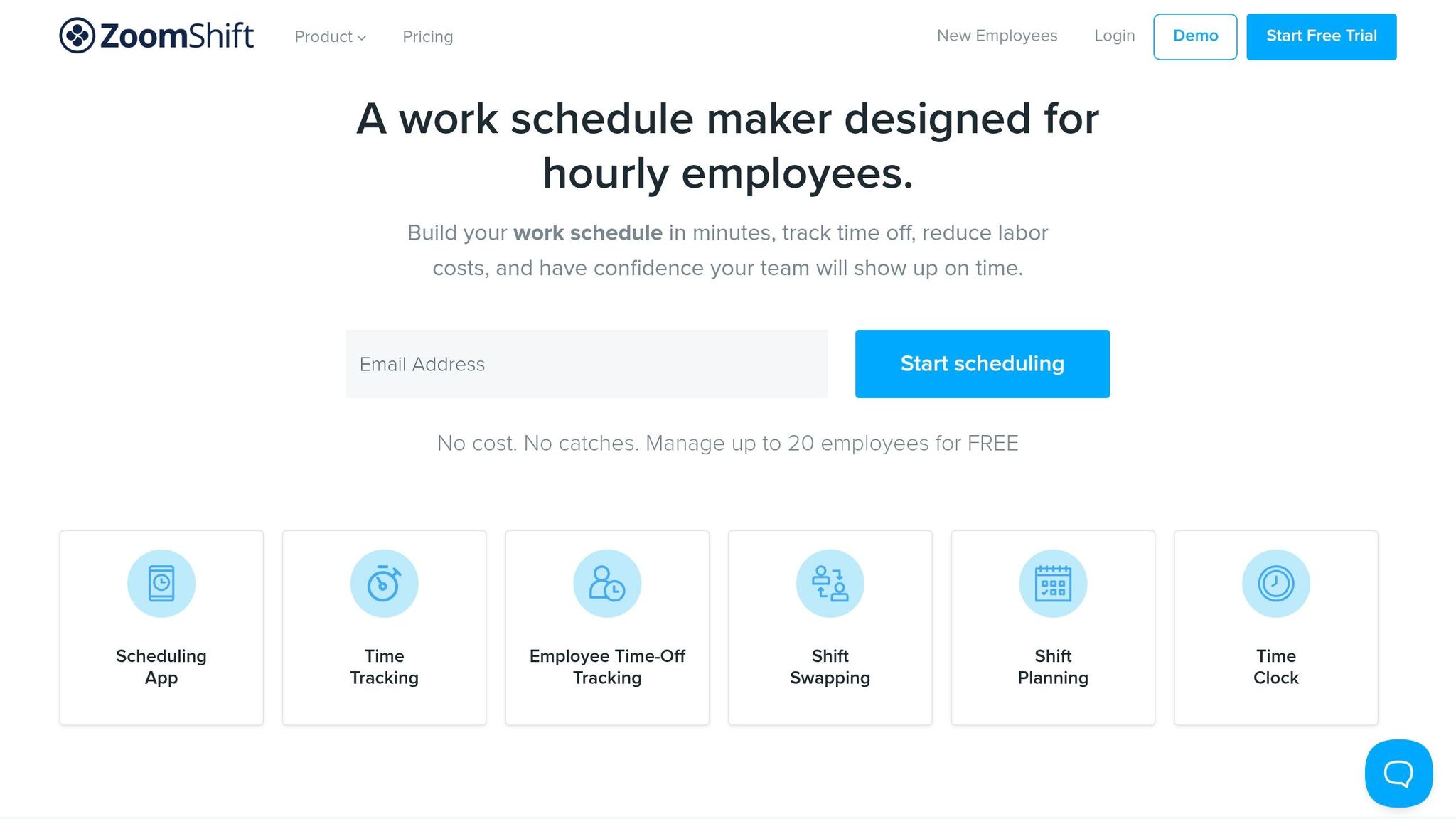
Free User Limits
ZoomShift offers a practical solution for shift scheduling, especially for smaller teams. Their free Essentials plan accommodates up to 20 active team members at a single location and allows scheduling only two weeks ahead. Need to plan further out or manage multiple locations? That’s where the paid plans come in, starting at just $2 per user per month. With over 20,000 businesses relying on ZoomShift, it’s clear they’ve found their niche in straightforward, no-frills scheduling.
Scheduling Features
The Essentials plan comes equipped with tools like shift swapping, open shift pickups, and confirmations. You’ll also find schedule templates, which are a lifesaver when managing recurring shifts. Employees can easily submit their availability and time-off requests through the app, and managers can approve or deny these with just a few clicks.
David Wise, who manages more than 60 employees, shared his experience:
"I'm currently using this software solution for over 60 employees. It's easy to use. I probably spend about 1-2 minutes explaining how the app's scheduling feature works and my employees pick up on it right away".
If you’re looking for advanced options like auto-scheduling or labor cost tracking, those are part of the Premium plan, which costs $4 per user.
Mobile Functionality
ZoomShift’s mobile app, available for iOS and Android, is another highlight. With over 50,000 downloads on Google Play and a 3.6/5 rating from 233 reviews, it’s clear that many teams are using it on the go. Managers can create schedules, approve shift trades, and monitor attendance in real-time, all from their phones. On the employee side, the app allows clocking in and out, logging breaks, and requesting shift swaps.
One standout feature is the GPS time clock, which verifies that employees are clocking in from the correct location. It’s a handy way to keep everyone accountable, even for remote teams.
Communication Tools
ZoomShift also shines when it comes to communication. It provides private, group, and company-wide messaging channels, so sharing files and updates is seamless. Notifications - delivered via push, text, and email - keep team members informed about schedule changes, shift reminders, and approvals.
The platform even includes a read status indicator, so managers can confirm when updates have been seen. Plus, new hires are automatically added to communication channels, while former employees are removed to maintain security. Anne Long, who manages a team of about 90 employees, says:
"Zoomshift has become essential to easily managing our staffing and schedule. With about 90 employees, it's so important to have everyone connected and Zoomshift keeps us all on the same page".
5. When I Work
Free User Limits
When I Work has a free version, but it’s not as generous as some of the other apps we’ve talked about. You’ll get the basics like scheduling, clock-in/out tools, and team messaging. However, it comes with tight restrictions on user numbers, locations, and reporting features. If you’re managing a larger team, you’ll need to upgrade to unlock the full toolkit. Compared to Pebb's free all-in-one platform, When I Work's free plan feels a bit limited in both user capacity and features.
Scheduling Features
When I Work really shines when it comes to tackling the nitty-gritty of shift management. You’ve got tools like shift confirmations, mobile task lists for real-time updates, and overtime alerts to help keep your labor budget in check. Managers can even set up shift templates and use qualification tags, ensuring only the right people fill specific roles. Amanda Koss, Pool Manager at North Hartford Swim Club, pointed out how helpful this feature is. Plus, the platform’s real-time labor forecasting lets you compare scheduled hours against your budget before you finalize the schedule.
Donna Rea from Caring Transitions shared, "I have been able to take my employee scheduling from 8 hours a week to merely 15 minutes a week thanks to how easy it is to use When I Work".
The time savings are no joke - managers report cutting scheduling time by up to 15 hours a week, with an 8x boost in speed. On top of that, businesses have seen a 20% drop in labor costs and a threefold reduction in no-shows. These scheduling tools work seamlessly with the platform’s mobile features, making it a great fit for teams on the move.
Mobile Functionality
When I Work’s mobile app is a game-changer for teams that are always on the go. With a stellar 4.8/5 star rating on both the Apple App Store (from over 52,000 ratings) and Google Play (from over 74,000 reviews), it’s clear that employees love it. The app lets workers check their schedules, trade shifts, and grab extra hours through the "OpenShifts" feature - all from their phones. There’s also GPS-enforced geofencing to make sure employees are clocking in from the right location. That said, some users have mentioned occasional hiccups with the location tracking feature.
Communication Tools
Communication is baked right into the platform, making it easy to message individuals, groups, or even discuss specific shifts. Managers can send instant push notifications about schedule changes, keeping everyone in the loop. On G2, the platform holds a strong 4.3/5 rating.
Michael H., a seasoned Restaurant Manager, said, "In my 34 years in the service industry, this is the most convenient way for a team to coordinate".
With around 10% of employees relying on When I Work, it’s become a trusted go-to for businesses across various industries.
Pros and Cons
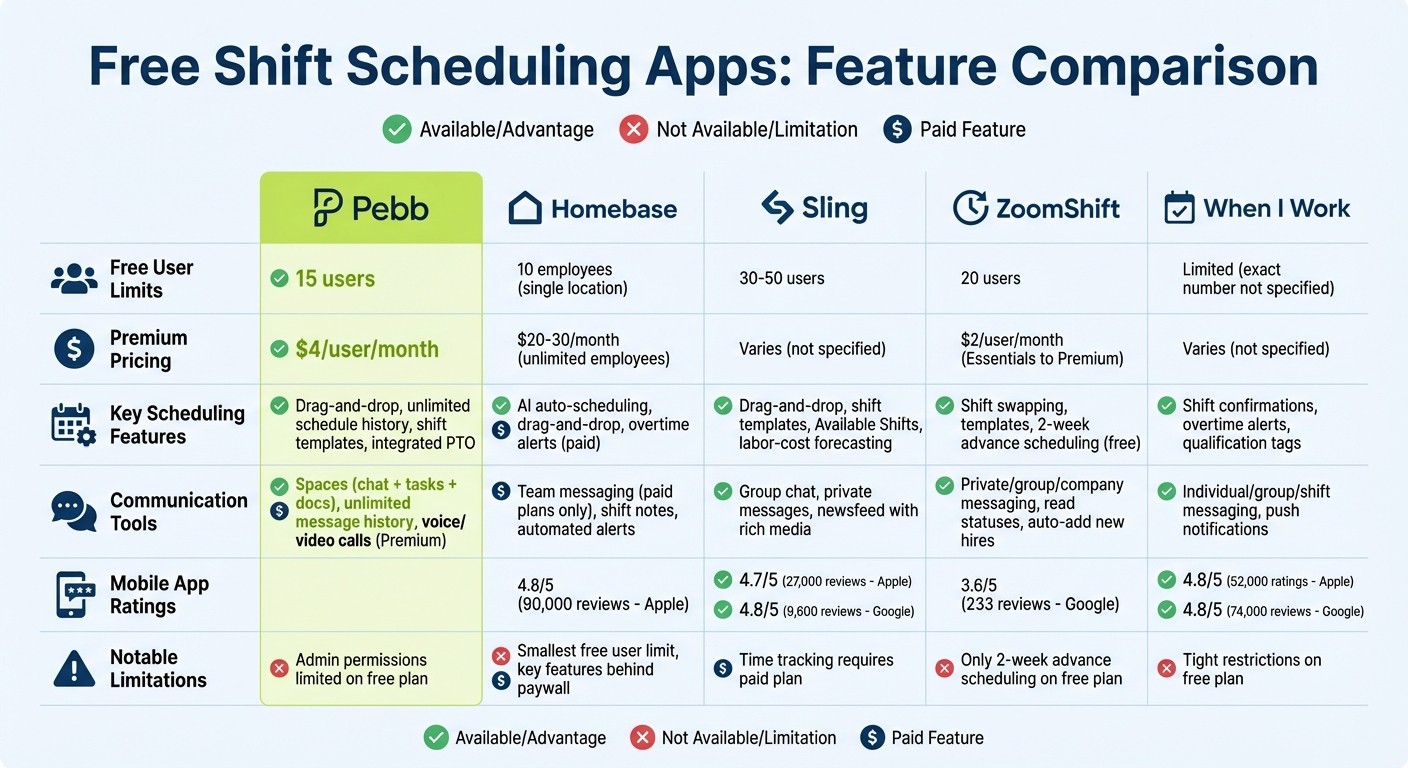
Free Shift Scheduling Apps Comparison: Features, Limits, and Pricing
Let me break down the strengths and limitations of each app so you can see how they stack up.
App | Free User Limit | Scheduling Strengths | Scheduling Weaknesses | Communication Highlights | Notable Drawbacks |
|---|---|---|---|---|---|
Pebb | 15 users | Shift scheduling, clock in, PTO management, tasks, and digital forms | Admin & data limitations on the free plan | News Feed, knowledge library, unlimited message history; voice & video calls (Premium) | Some advanced features require a $4/user Premium plan |
Homebase | 10 employees | Automated reminders; limited free features | Shift trades and open shifts require paid plans | Team messaging only available on paid plans | Smallest free user limit; key scheduling tools locked behind paywall |
Sling | 30–50 users | Labor-cost forecasting included in free plan; newsfeed supports rich media | N/A | Newsfeed with GIFs and images; Shift Pool for managing open shifts | N/A |
ZoomShift | 20 users | Drag-and-drop calendar; automated reminders via text, push, and email | N/A | Read statuses for messages; company-wide broadcasts | N/A |
When I Work | Limited free plan | Basic scheduling tools, including clock in/out | N/A | Team messaging and OpenShift notifications | N/A |
Here’s what stands out: Pebb is the clear choice for teams looking for an all-in-one platform that combines scheduling and communication. With its free plan supporting up to 15 users, unlimited scheduling history, and integrated tools like Spaces, it’s hard to beat. Plus, it doesn’t nickel-and-dime you for basic features.
If your team is smaller, Homebase could work, but you’ll need to upgrade for many essential tools. Sling offers a generous free user limit and unique tools like labor-cost forecasting, while ZoomShift shines with its simple drag-and-drop calendar and automated reminders. When I Work provides a limited free plan but includes basic scheduling and messaging features.
Each app has its strengths, but if you’re after a balanced, feature-rich solution without hidden costs, Pebb is the one to watch.
Wrapping It All Up
Finding the right shift scheduling app boils down to what your team truly needs. If you’re managing a smaller crew - say, up to 15 people - and you’re looking for a tool that combines scheduling, communication, and collaboration in one place, Pebb might just be your perfect match. With features like shift scheduling, unlimited chat history, PTO management, tasks, digital forms, calendar, clock in, and a built-in news feed, the free plan alone covers a lot of ground.
That said, different teams have different priorities. Apps like Homebase, Sling, ZoomShift, and When I Work cater to specific niches. For instance:
Homebase: Great for businesses needing tight POS integration, though features start falling behind paywalls as you scale.
Sling: Ideal for mid-sized teams (30–50 users) looking for straightforward scheduling tools.
ZoomShift and When I Work: Solid options for teams that only need basic scheduling without extra bells and whistles.
Here’s where Pebb really shines: it eliminates the need for juggling multiple frontline worker solutions. Unlike Slack, which charges $7.25 per user and still requires separate apps for scheduling, or Teams, which relies on its Shifts add-on, Pebb offers everything natively. Plus, with built-in chat, news feed, tasks, and digital forms, teams can easily stay aligned on shift details and safety notes. And there’s no need for corporate email addresses - frontline workers can jump in effortlessly.
If you’re ready to simplify your workflow, Pebb’s free plan is a great place to start. Need more? The Premium plan, at just $4 per user per month, adds analytics, unlimited admins, permissions control, advanced work chat, advanced posts, voice & video calls, Premium SLA support, integrations, and Enterprise SSO to the mix. Why not give it a try?
FAQs
Can Pebb handle last-minute shift swaps without manager chaos?
Pebb makes those last-minute shift swaps a breeze without turning things into a managerial nightmare. Employees can hop into the app to request swaps or tweak their availability, and managers stay in the loop with built-in approval tools. This real-time, mobile-ready feature keeps everyone on the same page, cutting down on confusion and avoiding any unwelcome surprises. It’s all about handling changes quickly and keeping things running smoothly.
How does GPS clock-in help prevent time theft?
GPS clock-in is a game-changer for keeping time theft in check. By confirming that employees are actually at the designated location when they clock in, it eliminates the risk of false clock-ins or buddy punching. The result? Attendance records that you can trust to be accurate.
What should I look for in a truly free scheduling app?
When it comes to managing teams effectively, especially without breaking the bank, it’s all about finding tools that streamline the process and keep things simple. Features like drag-and-drop scheduling, mobile access, shift swaps, availability tracking, and automatic reporting can make a world of difference. If you’re juggling multiple locations, support for that is a must, and let’s not forget the importance of a user-friendly interface - because no one wants to spend hours figuring out how to use the software.
Here’s where Pebb shines. It’s not just another scheduling app. Pebb offers a free, all-in-one employee app that combines scheduling, communication, and operations in one place. That’s a game-changer compared to other apps that only focus on scheduling. It’s efficient, flexible, and designed to make managing your team as seamless as possible.
