
Author: Ron Daniel
LTI 1.3 for Frontline Teams
Make frontline training fit the workflow: LTI 1.3 plus Pebb delivers secure, mobile, bite-sized learning inside everyday apps.
Have you ever tried getting a busy retail associate or warehouse worker to sit through a 60-minute training session? It’s like asking water to stop being wet - it’s just not happening. I’ve been there, juggling the chaos of keeping frontline teams informed while knowing they don’t have time to spare. That’s when I realized: the problem isn’t the training itself - it’s how we deliver it.
Here’s the thing: frontline workers are always on the move. They're managing customer rushes, restocking shelves, or hustling through the dinner rush. Stopping them for long sessions? Unrealistic. But what if training could fit right into their day, like a quick nudge instead of a full-on interruption? That’s where LTI 1.3 and Pebb come in.
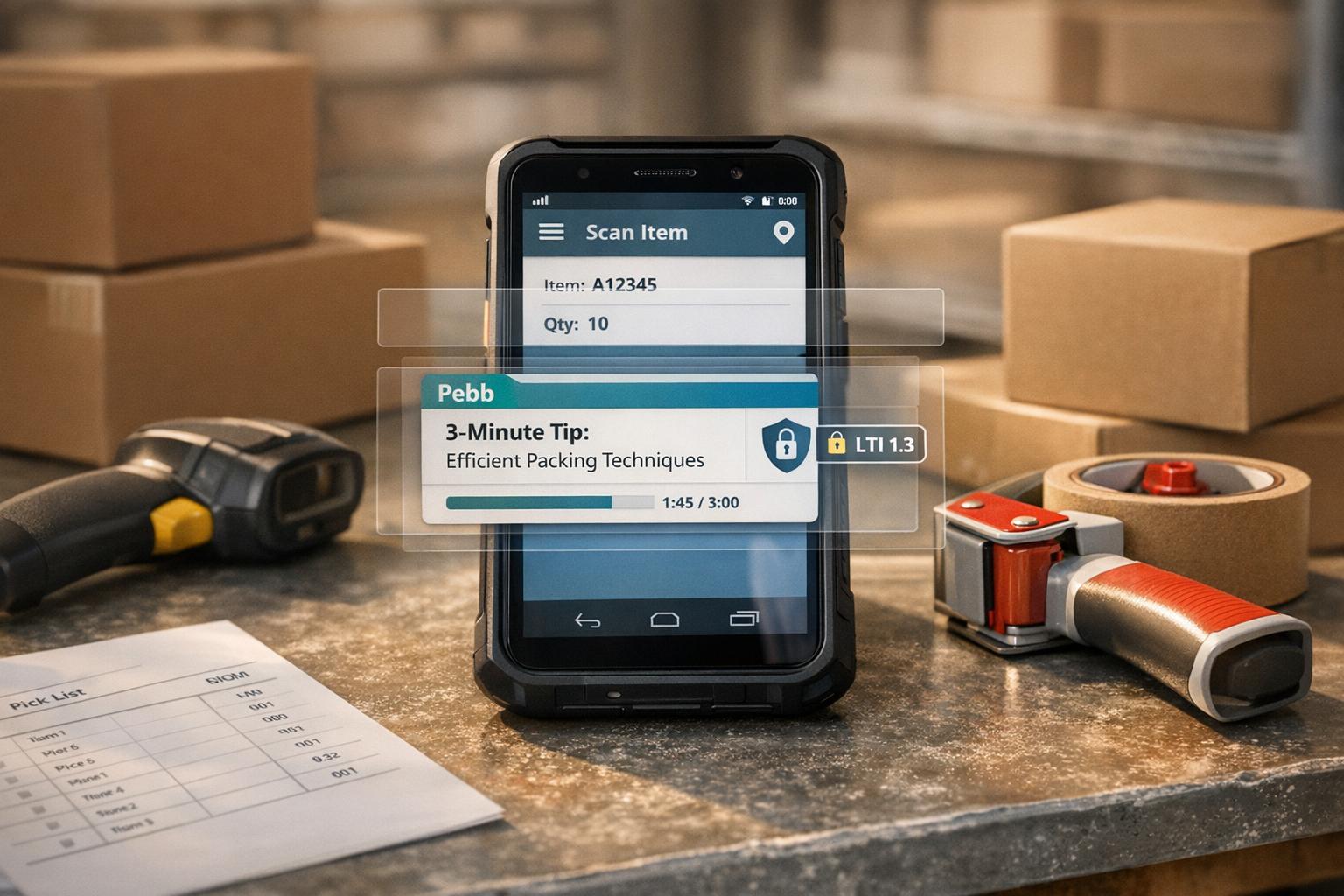
LTI 1.3 acts like a bridge, connecting your learning system with everyday tools your team already uses. Add Pebb to the mix, and suddenly training becomes part of the flow. Imagine your team checking schedules, swapping shifts, and - oh, look - completing a 90-second training moment right there in the app. It’s not extra work; it’s just part of their routine.
In this article, I’ll break down how LTI 1.3 simplifies training for frontline teams and why Pebb takes it to the next level. Whether you’re managing a retail store, a restaurant, or a warehouse, this combo could be the game-changer your team didn’t know they needed. Let’s dive in.
1. LTI 1.3
Integration Capabilities
LTI 1.3 connects your learning management system with the tools your team relies on every day, cutting out the hassle of juggling multiple logins. By using trusted protocols like OAuth2 and OpenID Connect, it provides secure Single Sign-On access - one login, and you're in.
At Pebb, we’ve leaned into this integration to create a truly unified experience. Our platform syncs seamlessly with enterprise learning systems, meaning training modules sit right alongside shift schedules, chats, and task lists. For retail associates or warehouse staff, this is a game changer. No more switching between apps or trying to remember a dozen passwords. Everything they need is in one place, making their workday smoother and more efficient. This simplicity ensures training is always within reach, right when it’s needed.
Training Accessibility
For frontline workers, training can’t wait. They need answers and guidance in the moment, not hours or days later during a scheduled session. That’s where LTI 1.3 shines - embedding learning content directly into the tools they’re already using.
We built Pebb with this exact need in mind. Our mobile knowledge base feels more like scrolling through a social feed than flipping through a dense manual. Whether they’re clocking in or checking their schedule, employees can instantly pull up product guides, safety protocols, or customer service tips. It’s training on demand, designed for the fast-paced reality of frontline work. And because most of these workers aren’t tied to a desk, having mobile-friendly access is non-negotiable.
Mobile-First Design
Frontline teams are constantly on the move - whether they’re on the sales floor, in the kitchen, or out in the field. While LTI 1.3 supports mobile functionality, the platform delivering that content has to be designed with phones in mind. Unfortunately, many traditional tools miss the mark here.
That’s why we built Pebb to work seamlessly on smartphones. Unlike platforms like Slack, which often require add-ons for frontline features, or Microsoft Teams, which struggles with mobile usability, we’ve made sure every feature works flawlessly on the go. Need to watch a quick training video? Check. Complete a safety checklist? Done. Review updated procedures? Easy. And it’s all in the same app your team uses to swap shifts or message their manager. No desktops, no complicated menus - just quick, straightforward access to everything they need.
2. Pebb
Integration Capabilities
At Pebb, we designed the platform to play nicely with LTI 1.3, making training integration with your LMS (like Moodle or Canvas) a breeze. Setting it up is straightforward: just register Pebb as an LTI tool in your LMS admin panel, configure the launch URLs and keys in our dashboard, and you’re good to go. The whole process takes less than 30 minutes, and rolling it out to a team of 100 people? You can have that done in a single day.
Here’s an example: imagine you’re managing a retail team. Your associates receive a task notification in Pebb, which launches a safety training session directly in the app. They complete the training on the spot, and their progress syncs automatically. In fact, our case studies with restaurant chains show this setup can improve training completion rates by up to 40%. It’s all about making training easy and accessible, so your team can focus on what they do best.
Training Accessibility
Let’s talk about frontline workers for a second. These folks don’t have the luxury of sitting at a desk for hour-long training sessions. They need quick, mobile-friendly modules they can tackle during a break or between tasks. Our LTI 1.3 integration delivers exactly that - 5-minute quizzes with instant feedback, voice-guided navigation, and multilingual support for diverse teams.
Take one of our US restaurant chain case studies, for example. We used LTI 1.3 to roll out hygiene training to over 500 deskless employees. The results? Training time was slashed by 60%, completion rates soared to 95% (thanks to our reminders and chat features), and the chain went six months without a single health inspection violation. Plus, the modules work offline, which is a game-changer for warehouse teams dealing with spotty internet connections. It’s not just about delivering training - it’s about making it work for your team’s unique needs.
Team Engagement Features
Now, let’s get into what really makes training stick: engagement. With Pebb’s LTI 1.3 integration, training completion can spark in-app chats, leaderboards, and group challenges that turn learning into a shared experience.
"LTI 1.3 turns dry training into team rituals - our chats and badges make learning social, like a group chat victory lap"
Here’s a great example: a manufacturing team we worked with used Pebb groups to discuss skill modules delivered through LTI. They even awarded badges to top performers, which led to a 35% boost in retention rates. Across all our US-based implementations, we’ve noticed a 65% jump in voluntary participation when social features are part of the training. It’s the difference between simply completing a task and actually enjoying the process of building new skills together.
Pros and Cons
Pebb vs LTI 1.3: Feature Comparison for Frontline Teams
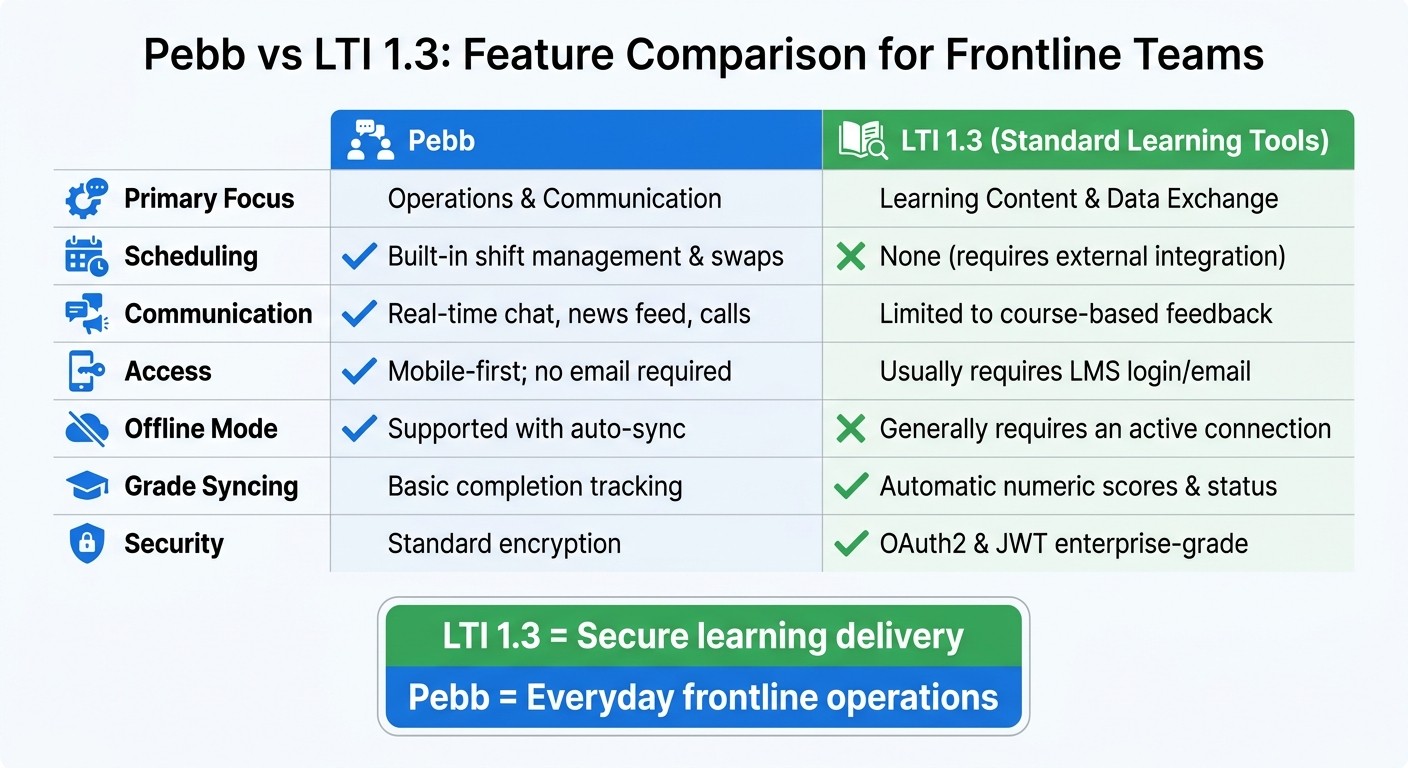
Let me break this down for you: when it comes to comparing LTI 1.3 and Pebb, the key is understanding what each one brings to the table. They tackle different challenges, and knowing their strengths can help you decide which is the better fit for your frontline team.
LTI 1.3 is all about securing the connection between your Learning Management System (LMS) and training tools. It shines with features like automatic grade syncing through Assignment and Grade Services, enterprise-level security using OAuth2 and JSON Web Tokens, and rostering visibility, which lets you see who hasn’t even started their course yet. That last point is a game-changer - older standards couldn’t track these “invisible students.” But here’s the catch: LTI 1.3 doesn’t offer the day-to-day tools your team might need, like shift swaps, real-time chat, or offline access.
Now, Pebb? It’s a different story. Pebb is built for frontline teams, focusing on operational needs. We’ve created an all-in-one platform that handles shift scheduling, PTO requests, task checklists, and real-time communication, all without requiring a corporate email address. Plus, our mobile-first design means your team can work offline and sync up seamlessly when they’re back online. However - and this is important - Pebb isn’t a dedicated LMS. If you’re looking for deep learning analytics or detailed grade tracking, you might still need to integrate with an LMS through LTI 1.3.
Here’s a quick side-by-side comparison to make it clearer:
Feature | Pebb | LTI 1.3 (Standard Learning Tools) |
|---|---|---|
Primary Focus | Operations & Communication | Learning Content & Data Exchange |
Scheduling | Built-in shift management & swaps | None (requires external integration) |
Communication | Real-time chat, news feed, calls | Limited to course-based feedback |
Access | Mobile-first; no email required | Usually requires LMS login/email |
Offline Mode | Supported with auto-sync | Generally requires an active connection |
Grade Syncing | Basic completion tracking | Automatic numeric scores & status |
Security | Standard encryption | OAuth2 & JWT enterprise-grade |
So, here’s the takeaway: LTI 1.3 is fantastic for secure, structured learning delivery, while Pebb is your go-to for streamlining the everyday operations of frontline teams. It really depends on what your team needs most.
Conclusion
Here’s the takeaway: LTI 1.3 and Pebb address entirely different challenges, so the right choice boils down to what your frontline team needs most on a daily basis.
If your organization leans heavily on a major LMS like Canvas, Moodle, or Blackboard to connect with specialized training platforms such as Coursera or CompTIA, LTI 1.3 is a strong contender. As Brook Mecham from VitalSource Success explains:
"LTI 1.3 is more secure than earlier LTI versions... It provides modernized options and industry-best security needed to protect the personally identifiable information (PII) that is shared between platforms and tools".
This makes it a great option for companies with strict compliance requirements or formal certification programs. That said, keep in mind that around 67% of software licenses go unused. It’s always a good idea to review your current tools before diving into something new and potentially adding unnecessary complexity.
On the other hand, frontline teams often need something more dynamic. If your team’s priorities include swapping shifts, checking PTO balances, staying updated on company news, and communicating instantly - all from their smartphones and without needing a corporate email - then Pebb is tailor-made for them. It’s quick to set up, with pricing starting at $0 for up to 15 employees. The Premium plan is just $4 per user per month. No hidden fees, no drawn-out IT projects - just straightforward pricing and fast deployment to get your team up and running in no time.
FAQs
Do I need an LMS to use LTI 1.3 with Pebb?
No, you don’t need an LMS to make LTI 1.3 work with Pebb. It connects directly into Pebb, making training and development easy for your team - no extra tools or platforms needed.
What frontline training works best for LTI 1.3 launches?
When it comes to preparing for LTI 1.3 launches, the most effective frontline training is structured, tailored to specific roles, and interactive. It’s all about equipping employees with the practical skills they need to confidently navigate the platform. This means focusing on areas like customer service, safety protocols, and in-depth product knowledge.
To make learning stick, a mix of methods works best. That’s where tools like Pebb shine. They bring together training, communication, and engagement in one seamless platform. With features like real-time updates, video tutorials, and feedback channels, teams can stay in the loop and ready to handle the fast-paced demands of frontline work. It’s about keeping things clear, accessible, and actionable.
How does LTI 1.3 handle privacy and security?
LTI 1.3 prioritizes privacy and security by leveraging OAuth 2.0 and JSON Web Tokens (JWT) for secure authentication and message signing. On top of that, it incorporates the OpenID Connect workflow, which provides a scalable and dependable layer of protection. Together, these protocols create a strong framework to protect user data and ensure integrations remain secure.
