
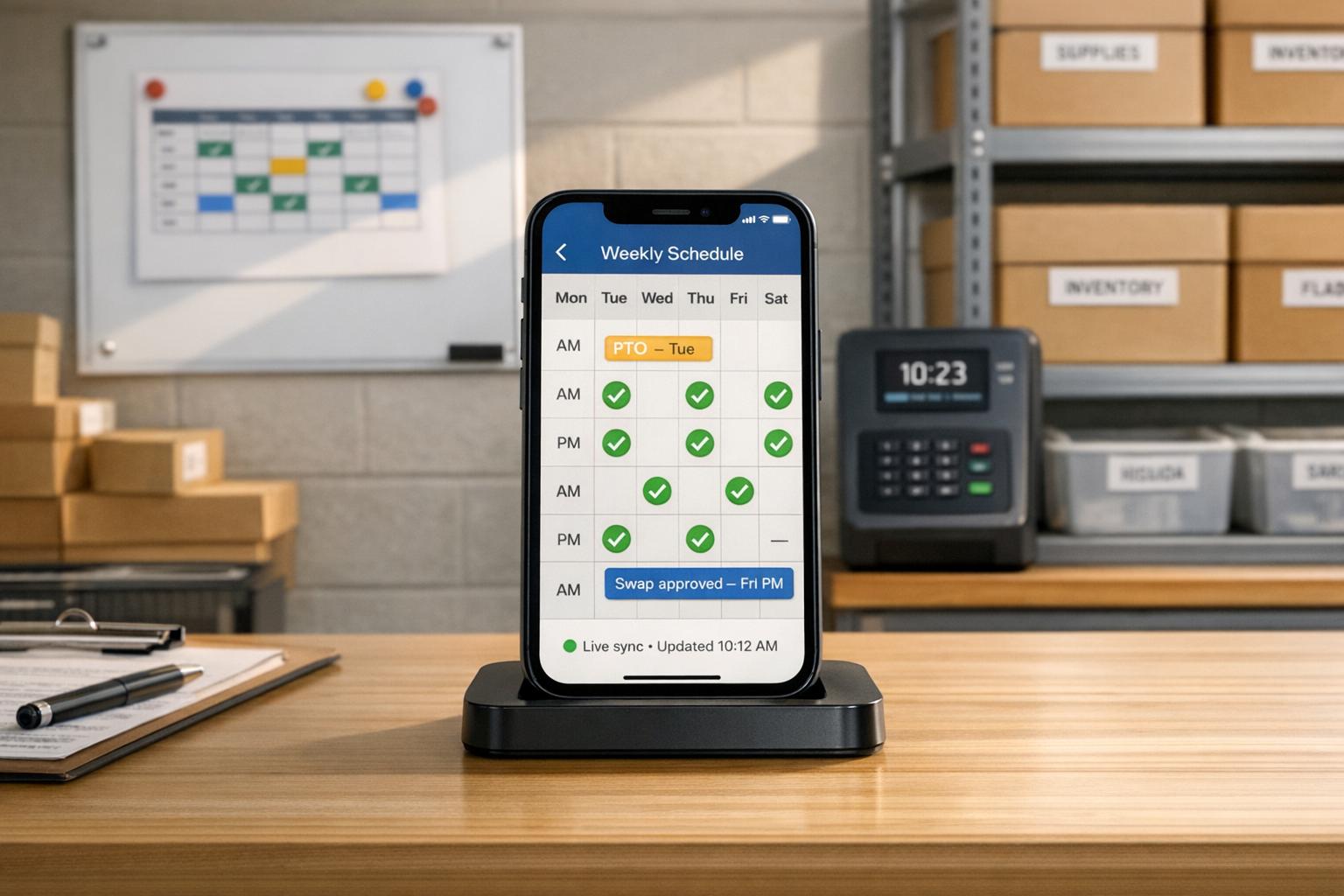
Author: Ron Daniel
How to sync frontline employee schedules with a mobile app
Publish real-time schedules, manage swaps and PTO, and cut last-minute chaos for frontline teams with a mobile scheduling app.
Have you ever spent hours crafting the "perfect" schedule for your team, only to have it unravel within a day? I have. I’d post the weekly shifts on the breakroom wall, feeling accomplished, only to get hit with a barrage of texts: “Can I swap with Sarah on Thursday?” or “What’s my start time on Saturday again?” And let’s not even talk about the last-minute call-outs that turned my phone into a hotline for chaos. Sound familiar?
Here’s the truth: manual scheduling is a time suck. It’s out of date the second something changes, and trying to keep up with updates through group texts or sticky notes is like trying to patch a sinking ship with duct tape. But when I started using Pebb, everything changed. Suddenly, schedules weren’t just a headache for me - they became a tool that actually worked for my team.
In this article, I’ll walk you through how we transformed our scheduling process using Pebb’s mobile app. From understanding what your team really needs to handling those inevitable last-minute changes, I’ll share exactly how you can ditch the chaos and build a scheduling system that works in real time. Let’s dive in.
Assess Your Scheduling Needs Before Picking a Mobile App
Before diving into a scheduling app, take 30 minutes to reflect on your team's recent scheduling history. Look back at the past 60 days and ask yourself some key questions: How often did shift changes lead to confusion? How long did it take to notify everyone about updates? Were there instances of employees showing up for the wrong shift - or not showing up at all? These insights are far more valuable than any feature comparison chart you’ll find online.
Identify Your Core Scheduling Requirements
Every frontline team operates differently, and understanding your specific needs is crucial. For instance:
A restaurant might juggle split shifts and weekend rush hours.
A warehouse typically requires strict hour controls and role-specific coverage.
A retail store may rely on rotating weekend templates and open-shift flexibility.
Take time to document your shift patterns - whether they’re fixed, rotating, split, or overnight. Also, make sure to outline your overtime rules, PTO approval process, and any labor laws that apply to your location. For example, under the Fair Labor Standards Act (FLSA), non-exempt employees must be paid overtime at 1.5× their regular rate for hours worked over 40 in a week. It’s worth noting that in FY 2023, the U.S. Department of Labor recovered over $151 million in back wages for violations of these rules. Additionally, cities like Seattle and New York City enforce fair workweek laws, requiring certain employers to post schedules at least 14 days in advance.
This is where Pebb’s scheduling tools really shine. With built-in PTO management and shift assignment features, everything from approvals to change records is centralized. No more hunting through email threads or sticky notes to piece together an audit trail - it’s all in one place.
Understand What Your Employees Expect
Here’s a stat that might catch your attention: 55% of frontline employees have thought about quitting due to poor scheduling practices, according to workforce analytics firm Legion. Scheduling isn’t just about logistics - it’s a key factor in employee satisfaction and retention.
Before choosing a tool, have a conversation with your team. Ask them how they currently learn about schedule changes, what frustrates them most, and how quickly they expect updates. Most frontline workers prioritize three things in a scheduling app:
Real-time visibility of their shifts.
The ability to request changes without chasing down a manager.
Built-in communication tools for seamless updates.
Pebb’s mobile app checks all these boxes. Employees can view their schedules the moment they’re published, submit swap or PTO requests directly from their phones, and receive instant push notifications for any changes. This kind of user-friendly experience isn’t just convenient - it encourages your team to actually use the tool.
Once you’ve nailed down your team’s needs and expectations, you’ll see how Pebb can become the go-to scheduling hub for your business.
Set Up Pebb as Your Central Scheduling Hub
When it comes to managing schedules and operations, having everything in one place can make a world of difference. With Pebb, you can bring together schedules, time tracking, and PTO into a single platform. Let me walk you through how to set it up so your team can smoothly transition from manual scheduling to a more organized digital system.
Create Teams and Configure Settings
Start by mirroring your organization's structure within Pebb. Set up dedicated Spaces for each branch, department, or job site. For example, you might create Spaces like "Downtown Store", "Warehouse Floor", or "Back of House." Within these Spaces, define specific roles such as Cashier, Team Lead, or Line Cook. If you'd like, you can even assign hourly wages to these roles so Pebb can calculate labor costs automatically as you build out schedules.
Next, fine-tune the settings to match your business operations. Set your business hours (e.g., Mon–Sat 9:00 AM–9:00 PM) and make sure each location has the correct time zone. Align your workweek start day and pay period with your payroll system, and add US federal holidays to help with demand planning and PTO management.
Use Pebb's Core Scheduling Features
Pebb's scheduling tools are designed to save you time. Shift templates are a great example. You can create standard shifts like "Open – 7:00 AM–3:00 PM", "Mid – 11:00 AM–7:00 PM", and "Close – 2:00 PM–10:00 PM", and then simply drag and drop them onto your schedule. For recurring patterns, use the Repeating Shift feature so you don’t have to recreate the same schedule week after week.
You can also set break rules using the Unpaid Break feature - just input the duration, and Pebb automatically adjusts the schedule. Need to manage shift changes? Set up Decline Policies to control whether employees can reject assigned shifts, and enable Swap Requests with a cutoff time (like 2 hours before a shift starts) to avoid last-minute chaos.
"Scheduling isn't just about plugging names into a calendar; it's a constant act of communication and negotiation." - Dan Robin, Pebb
Connect Scheduling with Daily Operations
Here’s where Pebb really shines - everything ties together seamlessly. Employees can clock in and out using the mobile app, and managers can compare actual hours worked to the schedule without leaving the platform. Want to see how labor costs stack up against revenue? Just input sales data alongside your schedule to analyze staffing during peak times.
Pebb also integrates PTO management, so approved time off is automatically reflected in your schedule. With tasks, shift locations, and team communication all in one app, you can finally ditch the messy mix of spreadsheets and endless group texts. Everything updates in real time, making it easy to create and share dynamic schedules that work for everyone.
Build and Publish Schedules with Real-Time Sync
Build Rosters with Templates and Drag-and-Drop Tools
At Pebb, we’ve made scheduling a breeze with tools designed to save you time and keep your team on track. Once you’ve got your Spaces and roles set up, creating a schedule is faster than you’d think. Here’s how I usually handle it: I start by setting the scheduling period - say, a two-week block starting Monday, July 7, 2026. Then, I load my saved shift templates directly onto the calendar. Templates like "Opening – 7:00 AM–3:00 PM", "Mid – 11:00 AM–7:00 PM", and "Closing – 3:00 PM–11:00 PM" are already set up, so I don’t have to retype a thing.
From there, it’s all about drag-and-drop. Need to cover a busy Saturday evening? Just drag an extra closing shift onto an available team member in seconds. If Sunday’s schedule is similar to Saturday’s, you can even copy the entire day and make small adjustments instead of starting from scratch. Before I hit publish, I always switch to the Shift Roles view to double-check that every key position - like a supervisor or keyholder - is filled. Trust me, this step saves you from those frantic, last-minute calls.
"The goal isn't just to fill empty slots. It's to build a predictable, fair, and transparent system that respects everyone's time - both the business's and the employee's." - Dan Robin, Pebb
Publish Schedules and Notify Your Team
At Pebb, we rely on a draft-then-publish system, which keeps the schedule private until you’re ready to share it. Once you’ve reviewed everything - coverage, costs, and all - just click Publish, set your date range, and pick how you want to notify your team.
Notification Option | Who Gets Alerted | Best Use Case |
|---|---|---|
Notify assigned Members | Only employees assigned to specific shifts | Routine weekly schedules with set roles |
Notify all Space Members | Everyone in that branch or department | Publishing open shifts that anyone can claim |
Notify Pending Responses | Members who haven't accepted or declined yet | Following up on a previously published schedule |
Don't Notify | No one | Minor administrative corrections |
Once the schedule is live, I like to post a quick note on Pebb’s news feed - something like, "The July 7–20 schedule is live. Please check your shifts by Wednesday and flag any issues in the app." For critical roles, like keyholders or charge nurses, I’ll send a quick work chat message to confirm they’ve seen their shifts. It’s a small step that can prevent big headaches later.
Keep Schedules Synced in Real Time
The moment you hit Publish, Pebb instantly updates the schedule across every affected employee’s mobile app. If you need to adjust a Wednesday shift from 3:00 PM–11:00 PM to 1:00 PM–9:00 PM, your team sees the change on their phones immediately - no need to resend PDFs or scramble with group texts. Research shows that real-time mobile scheduling can cut labor costs by 2–5% by reducing last-minute replacements, overtime, and errors.
I always encourage my team to treat the Pebb app as the single source of truth for their shifts. No screenshots, no printed copies - just the live schedule in the app. When everyone’s on the same page, those "Wait, I didn’t know I was working!" moments become a thing of the past.
Handle Schedule Changes and Last-Minute Updates
Let’s face it, no matter how much effort you pour into planning, schedules can still throw you a curveball. Maybe someone calls in sick at 6:00 AM, a keyholder requests Friday off, or two team members decide to swap shifts. The way you handle these moments can either keep your day on track or turn it into a chaotic mess of group texts.
Manage Shift Swaps and Open Shifts
Here’s how we tackle this at Pebb. Employees can handle swaps directly from the Schedule tab on their phones. For example, if someone is scheduled as a "Server – 4:00 PM–10:00 PM on 08/03/2026", they can tap that shift and choose either "Offer shift" or "Request swap." They can send the request to specific coworkers or open it up to anyone in the same role. The best part? Nothing is finalized without manager approval. This way, you’re always in control of coverage and qualifications.
To avoid last-minute chaos, you can set a cutoff time for swaps, like no swaps allowed within two hours of the shift. And for those unexpected gaps? Use the Open Shift feature to notify eligible team members instantly. They can claim the shift on a first-come basis, or you can require admin approval for critical roles, like supervisors or charge nurses. It’s a simple way to keep everything running smoothly.
Handle PTO Requests and Emergency Changes
When it comes to PTO requests, employees can submit them directly through the "My Availability" section in the app. They select the dates they need (e.g., 09/10/2026–09/12/2026) and whether it’s for full days or just a few hours. These requests pop up on your scheduling grid as "Unavailable – Time Off" so you can easily spot conflicts before approving them. Once approved, Pebb automatically adjusts the schedule, removing or reassigning shifts as needed, and notifies the employee right away.
For same-day call-outs, employees can use Pebb's Work Chat to notify you. The app immediately marks the shift as open, filters for available replacements, and posts it to the team - all in real time. This eliminates the need for endless follow-ups and ensures everyone’s calendars are updated instantly.
Keep a Clear Record of All Changes
One thing I love about Pebb is how it keeps everything transparent. Every change is logged with a timestamp and user details, so you’ve got a searchable record for resolving disputes. The Shift Details window shows the current status (Pending, Accepted, Rejected), who created the shift, and any notes attached. This audit trail is a lifesaver when questions pop up weeks later or when you need to track attendance trends.
And because all scheduling conversations stay within Pebb’s Work Chat, you’ve got a clean, searchable history tied directly to the schedule. No more digging through text messages or emails - everything you need is right there.
Connect Scheduling with Communication and Reporting
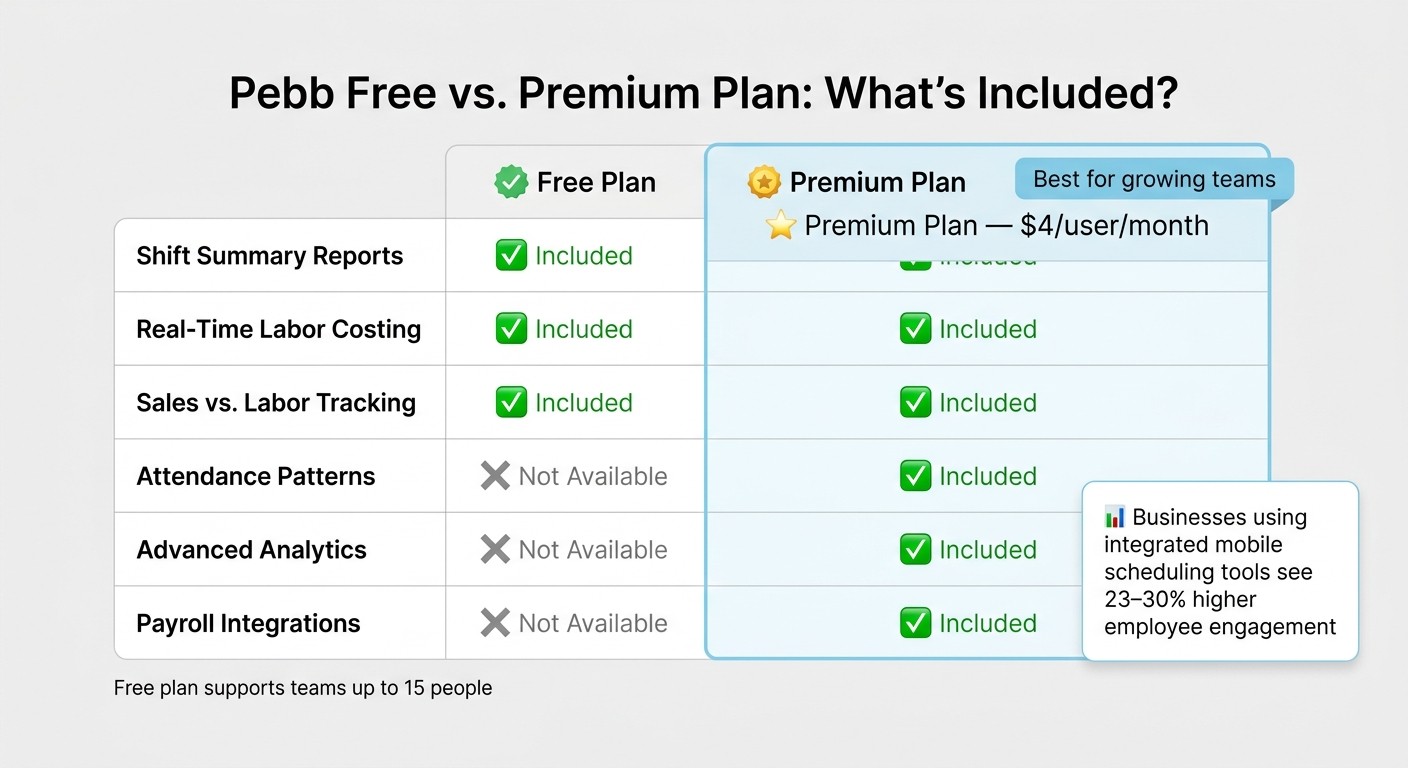
Pebb Free vs Premium Plan: Scheduling Features Compared
Link Schedules to Daily Workflows
A schedule that only lists shift times? That’s not going to cut it. With Pebb, we’ve taken scheduling to the next level by letting you attach notes, tasks, and files directly to shifts. Need your closing team to follow a checklist? Attach it. Got a training PDF for new hires? Add it to their shifts. And if you’re using Pebb’s Knowledge Base, you can link SOPs or training videos to specific teams or locations. This way, employees don’t just see their hours - they get the full context to hit the ground running. When they open their shift in the app, everything they need is right there, just a tap away.
And here’s where it gets even better: Pebb’s reporting tools help you refine your scheduling strategy so you’re not just guessing - you’re improving.
Use Reporting to Improve Scheduling Decisions
Pebb’s Schedule Summary Bar is like having a dashboard for your workforce. It shows you everything at a glance: total shifts, open slots, hours worked, and even estimated labor costs. Need to dig deeper? The reporting tools track attendance, overtime, and schedule changes, giving you the data you need to make smarter decisions.
One standout feature is Sales vs. Labor, where you can input daily revenue and compare it to labor costs. Overstaffed on a slow Tuesday? You’ll see it. Understaffed for a Friday night rush? That’ll pop up too. For teams on the Premium plan (just $4 per user per month), advanced analytics and attendance pattern tracking take it even further, helping you uncover those hidden scheduling gaps.
Here’s a quick breakdown of what’s included:
Reporting Feature | Free Plan | Premium ($4/user/mo) |
|---|---|---|
Shift Summary Reports | ✓ | ✓ |
Real-Time Labor Costing | ✓ | ✓ |
Sales vs. Labor Tracking | ✓ | ✓ |
Attendance Patterns | - | ✓ |
Advanced Analytics | - | ✓ |
Payroll Integrations | - | ✓ |
Keep Employees Engaged Through Built-In Communication
Now, let’s talk about keeping your team in the loop. Once you’ve got the schedule ready, Pebb’s News Feed makes it easy to share updates. You can highlight key shifts, remind everyone about an upcoming busy weekend, or roll out a new policy - right in the app. No need for separate emails or messy group texts.
Want to get input from the team? Run a quick poll in the feed. Ask about weekend availability or see which shift pattern works best before finalizing next month’s schedule. It’s these little touches that make employees feel heard, and when they feel involved, you’ll notice fewer last-minute call-outs or swap requests.
Here’s the kicker: research shows that companies using integrated mobile communication tools see 23–30% higher engagement than those relying on outdated methods like email or bulletin boards. By combining scheduling, reporting, and communication in one place, Pebb makes managing your team easier and more effective. It’s all about keeping things efficient, responsive, and - most importantly - human.
Conclusion: Make Frontline Scheduling Simpler with Pebb
Let me tell you, managing frontline schedules doesn’t have to feel like putting out fires every day. If you’ve made it this far, you already know what we’re about: ditching the chaos and replacing it with a system that just works. Here’s the gist of what we’ve covered: figure out what your team actually needs, set up Pebb as your go-to scheduling hub, build and share schedules that sync in real time, handle those inevitable changes without losing your mind, and use communication and reporting to tie it all together. No more juggling spreadsheets, group texts, and frantic last-minute calls. With Pebb, scheduling becomes a whole lot smoother.
Here’s why this works: it’s all in one place. Imagine this - an employee checks their phone at 7:00 AM and sees their 9:00 AM–5:00 PM shift, task notes, and even a message from their manager, all in the same app. That’s not just convenient; it’s a game-changer. It cuts down on no-shows, clears up confusion, and keeps everything running like clockwork. In fact, businesses using tools like this have seen labor costs drop by up to 5% and overtime reduced by as much as 31% simply by aligning staffing with actual demand.
Pebb is designed to work for teams of all sizes. Whether you’re managing a small café with 10 employees or a regional chain with hundreds of staff spread across states and time zones, the experience stays consistent - mobile-first, straightforward, and budget-friendly. And here’s the kicker: our free plan covers the basics for teams of up to 15 people, while our Premium plan is only $4 per user per month. That’s enterprise-level scheduling without the hefty price tag.
My advice? Start small. Test it out with one team or one location. Build your next weekly schedule in Pebb instead of your usual spreadsheet, and run it for a couple of weeks. Track how many fewer schedule-related texts and calls you get. You’ll see the difference - less confusion, better communication, and a noticeable boost in efficiency.
With everything we’ve talked about - real-time syncing, mobile access, and streamlined reporting - Pebb turns scheduling headaches into a seamless process. Trust me, with the right tool in your pocket, scheduling can go from being a daily hassle to one of the easiest parts of your job.
FAQs
How do I migrate my current schedule into Pebb?
When you're ready to move your schedule into Pebb, start by logging into the dashboard and navigating to the Shifts Scheduling section. Here’s where it gets super simple: use the drag-and-drop tool to assign shifts effortlessly in a 12-hour format. If you’ve got recurring weekly patterns, the Templates feature will save you a ton of time - no need to start from scratch every week.
Before wrapping things up, double-check that your team has updated their availability in the app. This ensures shifts align with their schedules and skill sets, making everything run smoothly.
Can employees swap shifts without manager approval?
In our company, employees can’t swap shifts without getting the green light from their manager. Here’s how it works with Pebb: employees can easily request a shift swap directly through the app. But before anything is finalized, the request goes straight to the manager for review. Managers get an instant notification and can approve or deny the swap with just one tap. Once approved, the schedule updates in real time, keeping everything accurate and organized while still giving managers full oversight.
How does Pebb help with overtime and labor-law compliance?
Pebb brings everything together - shift scheduling, PTO tracking, and GPS-enabled clock-ins - on one streamlined platform. By doing this, we cut down on errors and help avoid those expensive overtime issues that often crop up when systems don’t talk to each other.
Here’s how it works: managers can easily keep tabs on attendance, sync clock-in data directly with schedules, and apply consistent rules for handling time-off requests. Plus, with automated reporting, payroll accuracy gets a boost, and teams can make staffing decisions that align with labor laws - all without the usual headaches.
