
Author: Ron Daniel
Free Apps to Manage Employee Schedules and Team Conversations
Compare free apps for shift scheduling, PTO, time clocks, and team chat to pick the best fit for small teams.
What if I told you that a simple scheduling mistake could cost your business thousands of dollars in overtime - or worse, result in missed shifts that leave your team scrambling? It’s not just a hypothetical. I’ve seen it happen. A few years ago, before I joined Pebb, I worked with a manager who spent hours wrestling with spreadsheets every week. Despite all that effort, shifts were still getting double-booked, and team communication was a mess. People were frustrated, and morale was in free fall. Sound familiar?
Here’s the kicker: it doesn’t have to be that way. Free apps are making it easier than ever to manage schedules, handle time-off requests, and keep your team connected - all without the chaos of juggling multiple tools. I’ve spent countless hours testing these platforms, and I can tell you firsthand, not all free apps are created equal. That’s why I’m so proud of what we’ve built at Pebb. We’re solving these exact problems with a free, all-in-one tool designed for teams of up to 15 users.
In this article, I’ll walk you through how Pebb compares to other free apps like Homebase, Connecteam, TimeTrex, and Sling. I’ll share what works, what doesn’t, and why Pebb stands out as the best option for small teams. Let’s get into it.
1. Pebb
At Pebb, we set out to tackle a problem we kept hearing about: teams struggling to juggle multiple apps for scheduling, communication, and managing time-off requests. So, we rolled up our sleeves and built a free, all-in-one tool that brings everything together in one place.
Scheduling Features
Our drag-and-drop scheduler is a game-changer. It lets you create weekly rosters in minutes instead of hours. You can reuse past schedules, set up shift templates for recurring patterns, and easily spot coverage gaps - all while working with familiar US time (9:00 AM–5:00 PM) and date (MM/DD/YYYY) formats. Plus, it automatically factors in employee availability and PTO requests, so you won’t accidentally schedule someone who’s already booked Labor Day off. Managers who’ve switched to Pebb have shaved 5 hours a week off their scheduling time. That’s time they can put back into leading their teams.
Team Communication Tools
With Pebb, all your work chats live in one place - right alongside your schedules. You can send instant messages to individuals or teams, post updates on the news feed, and keep everyone in sync without bouncing between apps. Staff get automatic shift notifications, and they can request swaps or report absences directly from the same platform where they view their schedules. It’s professional, organized, and fully searchable. Even better? These features are included in our free plan for small teams.
Free Plan Limitations
Our Standard plan is completely free for up to 15 users. It covers shift scheduling, PTO management, unlimited chat, clock-in tracking, task management, digital forms, and a news feed. The main restriction is that it supports up to 3 Spaces (think departments or locations) and limits the number of admin accounts - plenty for most small teams. If you’re looking for voice and video calls, unlimited admins, or advanced analytics, our Premium plan is just $4 per user per month. Honestly, it’s the best value out there.
Engagement Features
Pebb isn’t just about keeping schedules organized - it’s about building a connected, informed team. You’ll find tools like a people directory, event calendar, and a knowledge base for training materials and policies. The dynamic news feed acts like a mini social network for your company, where you can post updates, celebrate wins, run polls, and keep everyone engaged. It’s all designed to make staying connected effortless, even when your team works different shifts.
2. Homebase
When it comes to managing hourly teams, Homebase has carved out a niche for itself. With over 150,000 businesses relying on it and more than 2 million workers using it daily, it’s a go-to for industries like restaurants, retail, and service. Its features are tailored to meet the specific needs of these fast-paced environments, and it shows.
Scheduling Features
Homebase makes scheduling feel less like a chore and more like a breeze. You can use AI auto-scheduling or simply duplicate a previous week's schedule, saving tons of time. It even flags conflicts, like when an employee’s availability doesn’t match or they’ve requested time off. Need to make last-minute changes? The drag-and-drop interface lets you adjust on the fly, and open shifts can be offered up for employees to claim. Plus, with built-in labor cost tracking, you’ll get alerts when someone’s about to hit overtime, helping you keep a close eye on your budget. Once the schedule is ready, it’s instantly shared via text, email, and app notifications.
"Finding Homebase was a game changer. It made setting up the schedule super easy. My staff and I all really like being able to see the schedule from our phones." – Eve Hogan, Owner, The Sacred Garden
Team Communication Tools
One of my favorite features? The way Homebase handles team communication. It automatically creates groups based on the schedule - like “closing crew” or “everyone working today” - so there’s no hassle with managing lists. Employees can message each other without needing to share personal phone numbers, which keeps things professional. There’s also a manager logbook for shift supervisors to share updates or document incidents, and you can even attach notes to specific shifts. For example, you might add, “Restock the walk-in” or “Train new hire on the register,” so everyone’s on the same page.
Free Plan Limitations
Here’s the deal: Homebase offers a free Basic plan, which covers scheduling, time tracking, and messaging for one location with unlimited employees. That’s great if you’re running a single site. But if you’ve got multiple locations, you’ll need to upgrade to a paid plan, starting at $24.95 per month per location. While the free plan is solid, the paid tiers unlock even more functionality.
Engagement Features
Homebase isn’t just about logistics - it also focuses on keeping teams engaged. It includes features like "shoutouts" for recognizing great work and shift feedback surveys to measure how your team is feeling. New hires are seamlessly added to the right communication groups on day one, so they’re instantly part of the team. These little touches make a big difference in creating a connected and motivated workforce.
3. Connecteam
Connecteam is a lot like Pebb and Homebase in the way it combines scheduling and communication tools to simplify daily operations. With over 80,000 companies and 1.2 million users worldwide, it’s clear that this all-in-one platform is making waves. What’s great is that it brings together scheduling, time tracking, communication, and even employee recognition - all without needing to juggle multiple apps.
Scheduling Features
The scheduling tools are a standout. Managers can create shifts using templates, duplicate existing schedules, or even import them from Excel. The drag-and-drop interface makes last-minute adjustments a breeze, and it’s smart enough to flag issues like double bookings or time-off conflicts. Plus, the AI-powered Auto Scheduler steps in to fill shifts based on who’s available and qualified. You can also attach notes, tasks, or files directly to a shift, which is super handy. Automated reminders? They’re built right in to help cut down on no-shows. And for employees, there’s flexibility - they can claim open shifts or request swaps, depending on the settings you’ve chosen.
Team Communication Tools
Communication is another area where Connecteam shines. It offers options like 1:1 and group chats, a company-wide update feed, live polls, surveys, and even a centralized knowledge base for things like policies and training. There’s also a digital directory for work contacts, which keeps everything you need in one place. No more digging through emails or scrambling to find someone’s number.
Free Plan Limitations
Now, let’s talk about the free plan. The Small Business Plan is free for up to 10 users, which is great for tiny teams. But if you’ve got 11–30 users, you’ll need the Limited Plan, and that comes with restrictions - features like recurring shifts and auto-scheduling aren’t included.
Engagement Features
Connecteam doesn’t just stop at operations; it’s also big on engagement. It includes tools like digital badges, rewards, and automated celebrations to keep morale high. And this isn’t just fluff - it’s delivering real results. For instance, Biggby Coffee reported that 98% of its employees used the app daily in 2024. Meanwhile, NAE Cleaning Solutions saw a 98% drop in service complaints after streamlining their operations with Connecteam. Those numbers speak for themselves.
4. TimeTrex
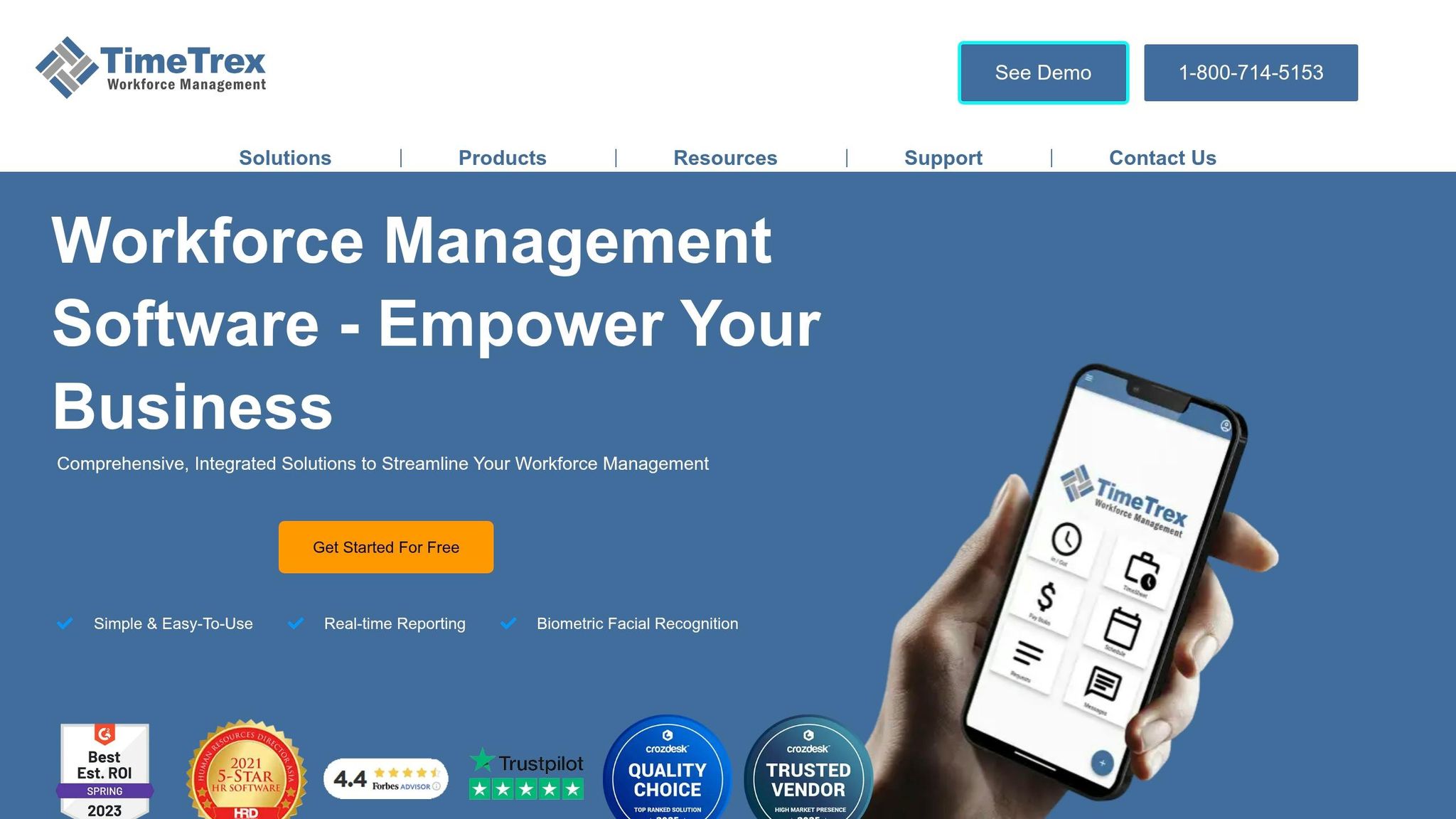
When we looked into free scheduling apps, TimeTrex caught my attention for its automated approach. It’s a bit different from what we offer at Pebb, as it focuses more on scheduling rather than a full communication suite. What makes TimeTrex stand out is its ability to handle complex, multi-week rotating shifts and the fact that it doesn’t limit the number of users on its free plan. Unlike other tools that cap free tiers at 10–30 users, TimeTrex’s Community Edition supports unlimited users - a game-changer for industries like healthcare or manufacturing that operate around the clock. Let’s break down how its automation features can streamline operations.
Scheduling Features
TimeTrex takes automation seriously. Its scheduling tools use algorithms to balance employee availability, preferences, and time-off requests, flagging conflicts before they become an issue. Employees input their availability directly, creating a bottom-up approach that makes scheduling more efficient. There’s even a compliance engine built in, which calculates things like overtime and holiday pay automatically.
One feature I found particularly useful is how time tracking integrates directly with its native payroll engine. This means you don’t have to manually transfer data between systems - everything flows seamlessly from scheduling to timesheets to payroll. It’s a setup designed to save time and reduce errors, especially for businesses with complex scheduling needs.
Team Communication Tools
Here’s where TimeTrex takes a different path. While Pebb emphasizes communication with integrated chat and collaboration tools, TimeTrex sticks to scheduling and HR workflows. Communication happens within the scheduling system itself. Employees submit their preferences and time-off requests, and managers handle approvals through a multi-level workflow.
This centralized approach simplifies things - no need to juggle separate tools for scheduling and HR tasks. According to users, this setup saves them an average of 15 hours a week on admin work. That’s a big win for teams looking to cut down on back-and-forth emails. Fun fact: TimeTrex scored 9.8/10 on the 2026 leaderboard for free scheduling software.
Free Plan Limitations
The Community Edition is accessible through web browsers like Chrome, Edge, Firefox, or Safari, but there’s no native mobile app unless you upgrade to the Professional Edition ($5.00 per user per month, with a $50.00/month minimum). Features like GPS geofencing, biometric facial recognition, and offline sync are also reserved for paid plans. Support is available on the free tier but is more limited compared to what you’d get with a subscription.
Despite these restrictions, the numbers speak for themselves: verified users report seeing a return on investment in under six months. That’s impressive, considering the free plan still packs a punch for businesses looking to streamline scheduling without breaking the bank.
5. Sling
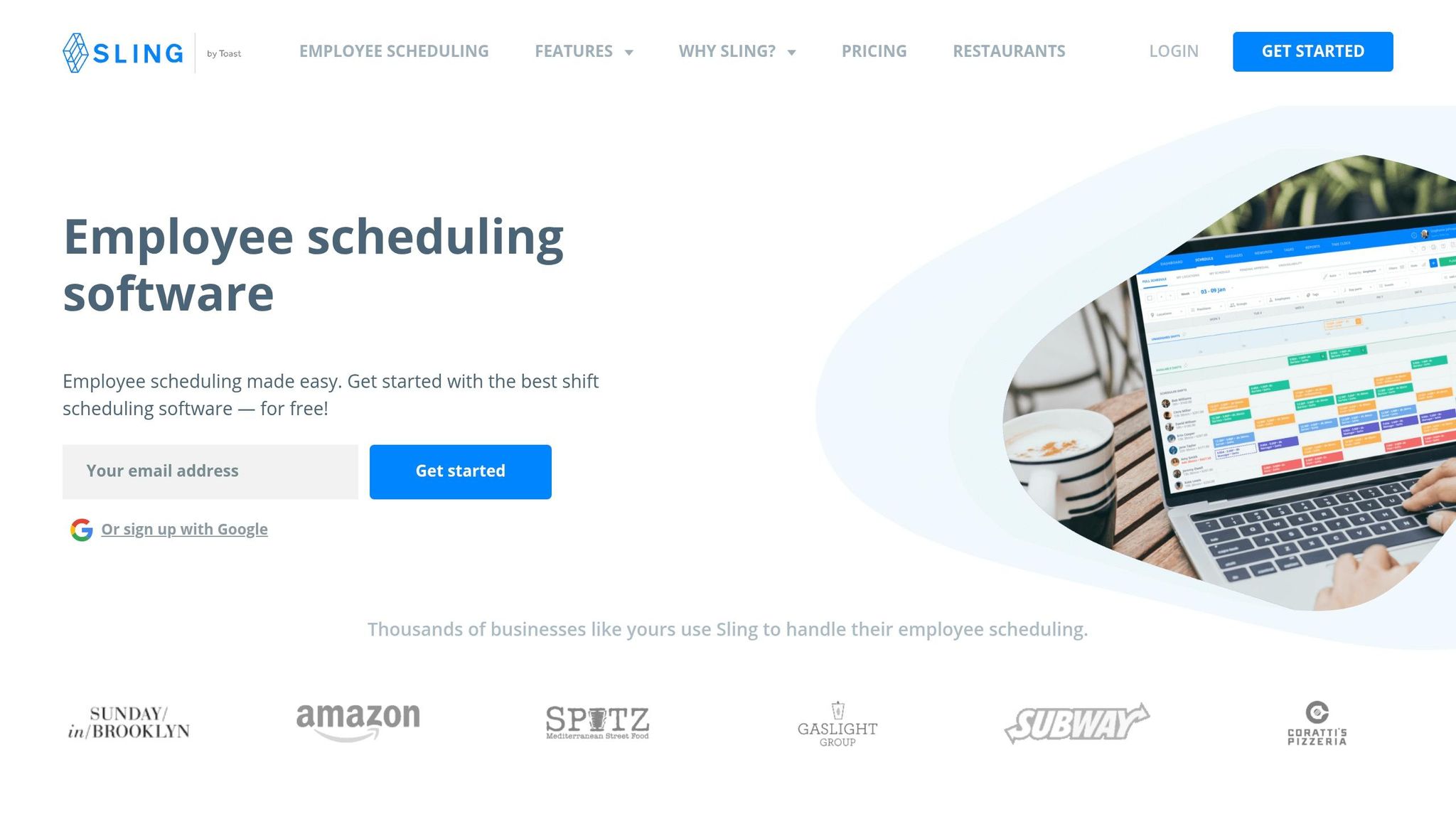
Sling has become a popular go-to for teams that need straightforward scheduling tools without breaking the bank. While Sling zeroes in on streamlining shift management, Pebb takes a broader approach by combining scheduling with robust communication features. Unlike Pebb’s integrated experience, Sling focuses almost entirely on managing shifts, with some basic messaging thrown in. One feature that stands out is its built-in AI for conflict prevention - flagging double-bookings, overlapping shifts, and potential overtime before they turn into headaches. Sling’s free plan supports up to 30 users, making it a practical option for smaller teams, especially in industries like retail or hospitality.
This laser focus on shift management has earned Sling a solid reputation in its niche.
Scheduling Features
Sling’s scheduling tools are designed to give employees more control over their shifts. Team members can claim open slots, update their availability, and even swap shifts - all without needing constant input from managers. This self-service scheduling approach saves managers a ton of time. On top of that, managers can create and publish schedules well in advance, using handy shift templates for recurring patterns.
One feature worth mentioning is labor optimization. Managers can set labor budgets and monitor real-time shift costs to keep spending in check, but this perk is only available with paid plans. The free version, while more basic, still covers essentials like shift scheduling, time-off requests, shift swaps, and tracking employee availability.
"There are plenty of scheduling platforms to choose from, but Sling stands out by striking the perfect balance with its user simplicity and powerful management tools." – Todd Enany, Sunday in Brooklyn
Team Communication Tools
Sling doesn’t stop at scheduling - it also offers basic communication features. The free plan includes one-on-one messaging and targeted news updates. However, if your team relies heavily on group chats for coordination, you’ll need to upgrade to the Premium plan ($1.70 per user/month billed annually, or $2.00 monthly). This is a notable limitation, especially since Pebb includes group messaging as part of its core offering.
Sling has earned solid user reviews, boasting a 4.8/5 rating on Google Play from over 2,100 reviews and 4.5/5 on Capterra. With more than 1 million downloads on the Google Play Store, it’s clear that Sling has struck a chord with frontline teams. That said, some Android users have flagged issues like inconsistent notifications and higher-than-usual battery usage.
Free Plan Limitations
As with most free tools, Sling’s no-cost plan comes with its share of restrictions. Features like PTO management, labor costing, overtime tracking, geofencing, timesheet approvals, and task management are all locked behind the Business plan ($3.40 per user/month billed annually, or $4.00 monthly). Accrual tracking and other advanced tools also require an upgrade. For teams needing a more comprehensive solution, Pebb’s all-in-one platform might be a better fit.
Even with its limitations, Sling remains a strong contender for teams looking for a free, no-frills scheduling solution.
Feature Comparison
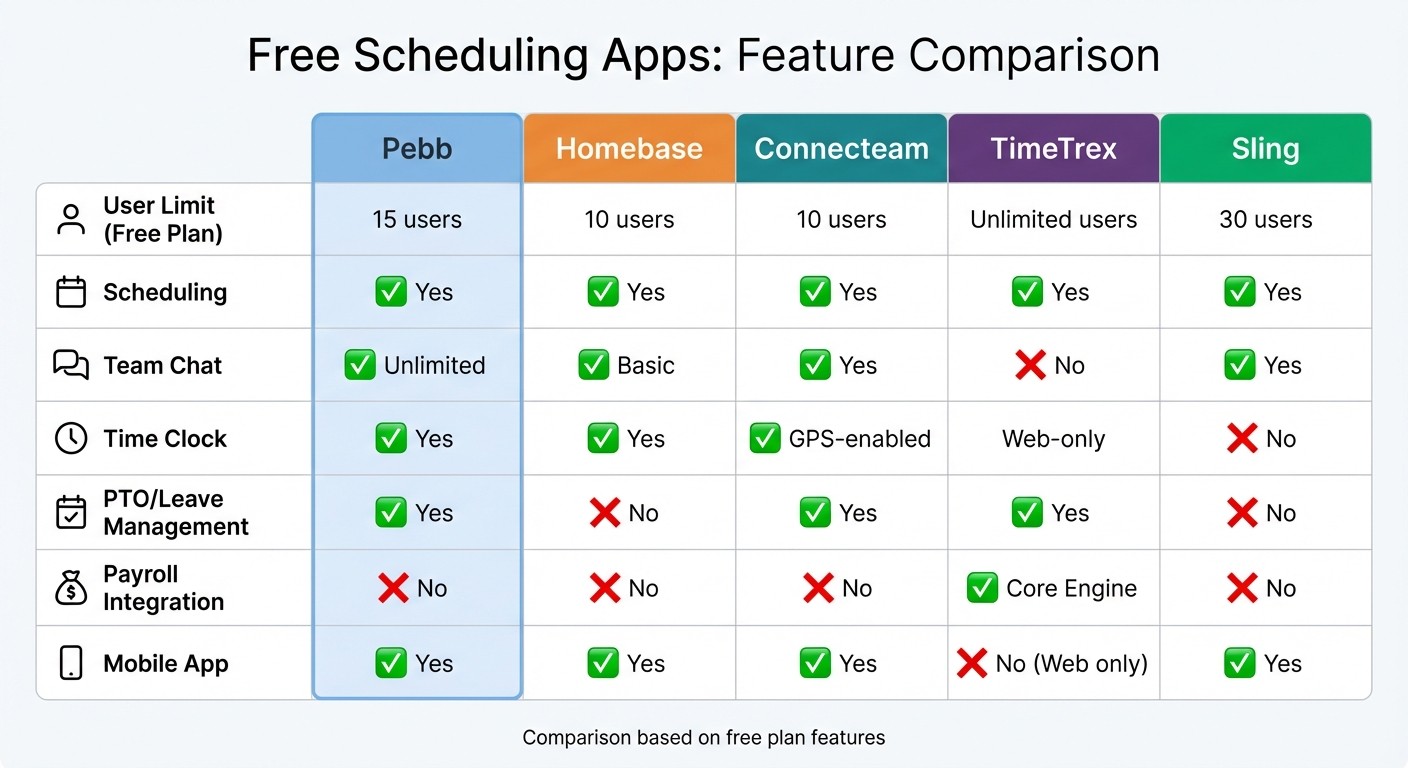
Free Employee Scheduling Apps Feature Comparison Chart
Let’s break down how staff communication apps compare against each other in terms of core features.
Feature | Pebb | Homebase | Connecteam | TimeTrex | Sling |
|---|---|---|---|---|---|
User Limit | 15 | 10 | 10 | Unlimited | 30 |
Scheduling | Yes | Yes | Yes | Yes | Yes |
Team Chat | Unlimited | Basic | Yes | No | Yes |
Time Clock | Yes | Yes | GPS-enabled | Web-only | No |
PTO/Leave | Yes | No | Yes | Yes | No |
Payroll | No | No | No | Core Engine | No |
Mobile App | Yes | Yes | Yes | No (Web only) | Yes |
Here’s what stands out: Pebb is the only free app that combines unlimited team chat, PTO management, and scheduling in one package. It’s built for teams that need flexibility without the pressure to upgrade as they grow.
Now, let’s talk about TimeTrex. Sure, it offers unlimited users with its Cloud Community Edition and even integrates payroll processing. But there’s a catch - it doesn’t have a mobile app. For teams that rely on mobile access (think retail or fieldwork), this can be a significant drawback.
With Pebb’s free plan, you get all the essentials for up to 15 users, including unlimited chat history, PTO tracking, and clock-in features - all accessible through our mobile app. Need more? Our Premium plan, priced at just $4 per user, brings in extras like voice and video calls, analytics, and enterprise SSO, without breaking the bank.
The best part? Pebb doesn’t push you to upgrade as your team grows. Whether you're running a small business or managing a larger team, it’s a solution designed to scale effortlessly while keeping costs manageable. For smooth scheduling and seamless communication, it’s hard to beat.
Conclusion
Pebb is the only free app that combines scheduling and team communication into one seamless platform. While other options like Homebase, Connecteam, TimeTrex, and Sling offer pieces of the puzzle, Pebb is the only one that brings it all together - without hidden fees.
Here’s the thing: choosing the right tool depends on your team’s needs. Are you managing one location or multiple? How many users do you need to support? Do you want scheduling and communication in a single app, or are you okay bouncing between separate tools? Answering these questions will help you decide what fits best.
For teams looking for simplicity and efficiency, Pebb stands out. It’s the only free solution that offers unlimited team chat, shift scheduling, PTO management, and clock-in features - all in one app - for up to 15 users. No extra apps, no extra costs. And if your team grows or your needs expand, our Premium plan is just $4 per user per month, unlocking voice and video calls, analytics, and advanced tools without breaking the bank.
Why not give it a try? Start with the free plan and see how it works for your team. Most apps, including Pebb, let you dive in without needing a credit card. Test it out, see what your team actually uses, and find out what makes your day run smoother.
We created Pebb to simplify team management and communication for businesses like yours. If you’re tired of juggling apps or paying for features you don’t use, give Pebb a shot and see how it can streamline your workflow.
FAQs
How do I choose the right scheduling app for my team size?
Choosing the right scheduling app boils down to a few key factors: your team size, what you need the app to handle, and how much you’re willing to spend. If your team has 15 members or fewer, Pebb’s free plan could be a great fit. It covers the basics like shift scheduling, team chat, and PTO management - all without costing a dime.
For larger teams, scaling is easy with Pebb’s premium plan, which comes in at just $4 per user. The platform is designed to streamline workflows and grow with your team, making it a solid choice for small to medium-sized businesses looking for a simple yet powerful solution.
Can employees swap shifts and request time off in the same app?
With Pebb, managing work schedules and time off becomes a breeze. Employees can effortlessly swap shifts or request PTO - all within a single platform. By combining shift scheduling, PTO management, and team communication, Pebb keeps everything organized and in one place, making day-to-day operations smoother for everyone.
What happens if my team grows past 15 users?
If your team expands past 15 users, you can upgrade to Pebb's premium plan for just $4 per user each month. With this plan, you’ll unlock unlimited spaces, teams, and a suite of advanced features designed to keep up with your growing needs.
