

Author: Ron Daniel
Best employee directory apps for large distributed teams
Compare directory apps on search, org visibility, communication, and mobile for distributed and frontline teams.
Most teams don’t have a people problem. They have a find-the-right-person problem.
At Pebb.io, I’ve watched that issue slow down hiring, support, store ops, and day-to-day teamwork more times than I can count. One person needs HR, another needs the branch manager, someone else needs the warehouse lead on shift, and suddenly a simple question turns into three chat pings, two wrong contacts, and 15 wasted minutes. When employees spend about 25% of their workweek looking for people or info, that friction adds up fast.
I’ve spent a lot of time looking at how companies solve this, especially when teams are split across offices, job sites, and time zones. What I keep seeing is simple: the best directory apps do four things well - search, org visibility, communication, and mobile use. If one of those breaks, the whole experience starts to drag.
So in this guide, I’m cutting through the noise and comparing Pebb, Slack, Microsoft Teams, Workvivo, Staffbase, and Simpplr. I’ll show where each one fits, where it falls short, and which type of team gets the most out of it.
1. Pebb
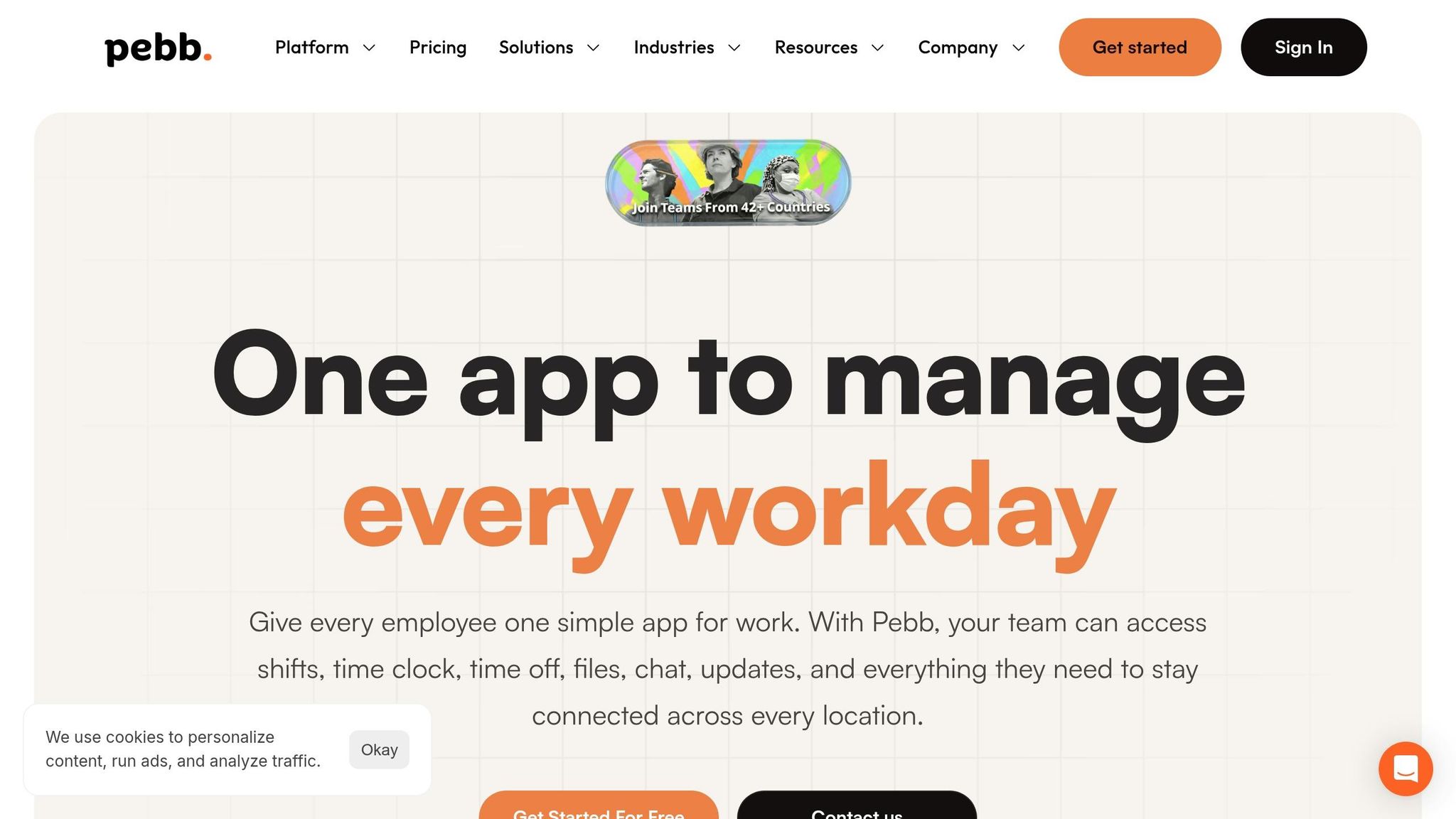
When I first started working with distributed teams at Pebb, one problem kept showing up over and over again. People didn’t struggle because they lacked effort. They struggled because they couldn’t find the right person fast enough.
One team had names buried in spreadsheets. Another leaned on static org charts. A third had contact lists scattered across tools. It was messy, slow, and honestly a little painful.
That’s the gap Pebb was built to fix.
At its core, Pebb is an all-in-one communication and operations platform with the people directory front and center. For large distributed teams, we replace spreadsheets, static org charts, and scattered contact lists with one searchable directory. Employees can find coworkers, check shifts, manage PTO, and message from one place. We also offer a free plan, and Premium starts at $4 per user/month with chat, voice and video calls, analytics, enterprise SSO, and integrations.
Here’s what that looks like in day-to-day work.
Profile search
This is where things start to click.
Our directory lets employees search by name, role, team, or branch across branches, shifts, and teams. That sounds simple, but in practice, it saves a ton of time. People often know what someone does, not their exact name.
So if someone needs the right person in Operations, Sales, or Kitchen, they can use filters like "Select Team". If they need someone at a certain location, they can narrow it down with "Select Branch" like NY Store or Warehouse 2.
I’ve seen this help in the exact kind of moment where speed matters. A manager knows they need the warehouse lead on duty, but they only remember the branch and job title. Instead of asking around in chat or texting three people, they just search and find them.
Each profile shows the role, team, branch, manager, and a bio field. That gives people enough context to reach the right coworker without sending a follow-up like, “Hey, are you the right person for this?”
Search alone isn’t enough, though. People also need to see how the company fits together.
Org visibility
That’s why Pebb includes Chart View.
It’s our org chart view that maps reporting lines across the company. For new hires, this is one of those features that quietly removes a lot of friction. They can see who reports to whom, how teams are set up, and where different groups connect.
I’ve watched this make a big difference in multi-site companies. You might know what someone does, but not where they sit in the hierarchy. Instead of asking around and hoping you land in the right place, you can just look.
That kind of org visibility cuts down the awkward back-and-forth and helps people get oriented faster.
Communication tie-in
Here’s the thing: finding someone is only half the job.
What matters next is being able to act right away. In Pebb, every profile has a "Send Message" button tied directly to our work chat. So if a manager finds the right person, they can message them on the spot without jumping into another tool.
That sounds small, but it changes the flow of work. Search turns into action in one step.
The same platform also includes news feeds, groups, and voice and video calls, so the directory becomes the place where work starts moving. I’ve seen teams use it less like a static employee list and more like a live control center for day-to-day coordination.
And for people who aren’t sitting at a desk all day, that speed matters even more.
Mobile ops fit
A lot of frontline work happens in motion, not behind a laptop.
That’s why Pebb runs on iOS and Android, and the directory works fully on both. For frontline teams, mobile access isn’t a nice extra. It has to work during a shift, in the back room, on the floor, or between locations.
We built it so a worker can look someone up fast without using personal contact details. That keeps work communication in the work app, where it belongs.
If you want a chat-first option that also includes directory features, Slack is next.
2. Slack
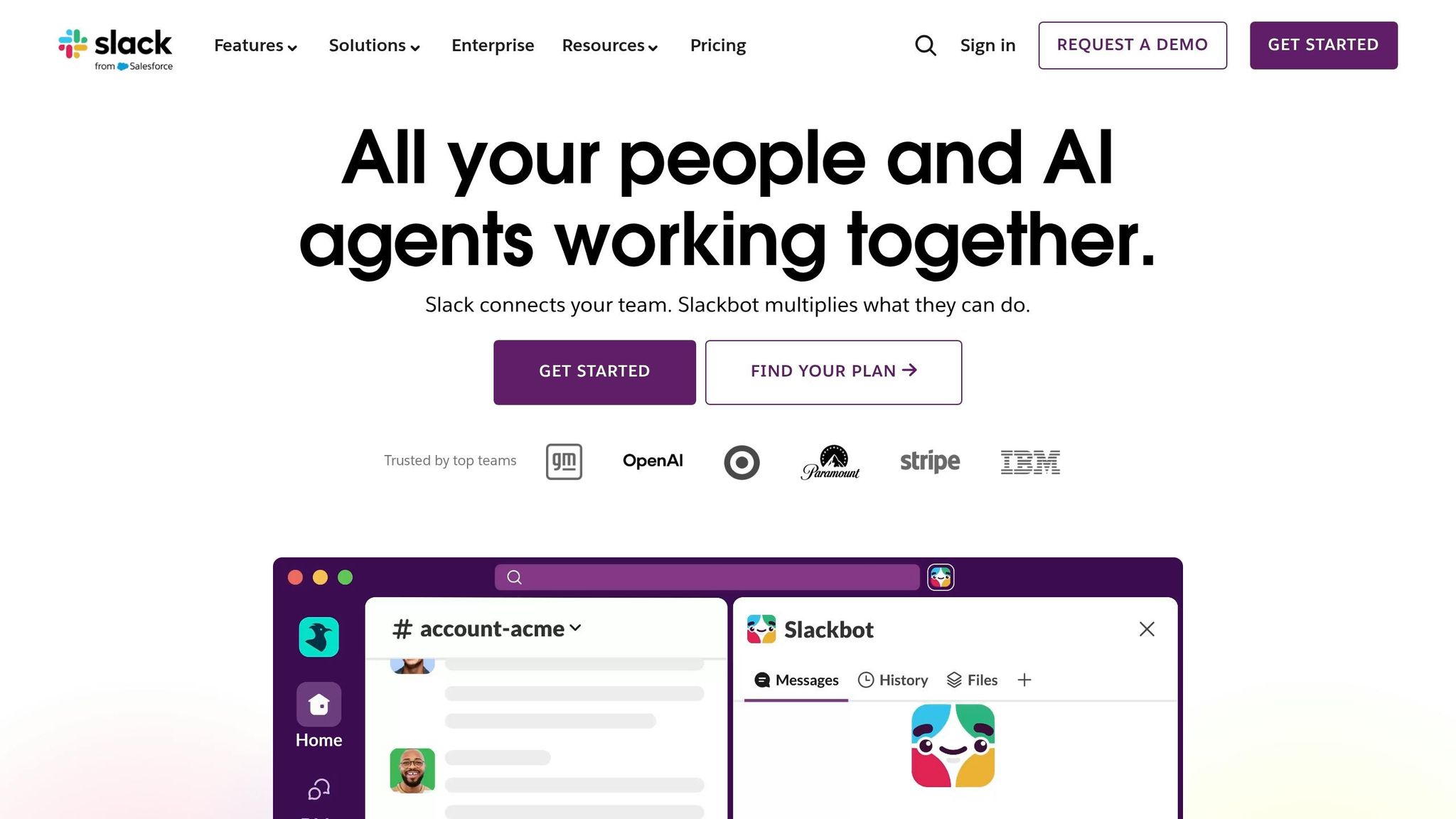
I’ve seen this play out a lot at Pebb.io: a team starts using Slack for chat, then little by little it turns into the place people go to find coworkers too. Not in a polished “company directory” kind of way at first. More like, “I know she’s in Slack somewhere, let me search her name and message her.”
That’s the appeal. Slack is built for communication first, and because of that, it often ends up doing double duty as a lightweight employee directory.
Profile search
When I’ve used Slack day to day, the search bar has done a lot of heavy lifting. Users can search for people, channels, files, messages, and canvases. Profiles show basic details like job title and time zone.
Here’s the thing, though: search only helps when profile data is filled out. And in a lot of workspaces, it isn’t. I’ve seen profiles with just a name and maybe a photo, while fields that would help people find the right coworker fast are left empty.
That’s usually where admins step in. They can improve results by enforcing steady profile fields such as location, department, shift, and manager. When that happens, Slack becomes much more useful for teams that already live inside chat. But it still leans hard on clean profile data.
Org visibility
Let me tell you what happened next on a few teams I’ve worked with: search worked fine, but people still wanted to know who reports to whom, which team owns what, and where someone sits in the company. That’s where Slack starts to show its limits.
Slack gives you basic profiles and some org visibility, but not a full org chart. Atlas and Enterprise Grid add richer profiles and org-chart support.
If a team needs deeper visibility into reporting lines, Slack often works better when paired with HR databases, Active Directory, or a dedicated directory platform. From what I’ve seen, Slack does a solid job as a directory layer for companies that already keep people data in good shape, but it’s not the strongest standalone directory.
Communication tie-in
This is the part Slack does best, and honestly, it’s why people keep leaning on it.
Once you find a coworker, you can send a DM, mention them in a channel, or message them right where the work is happening without switching tools. That sounds simple, but in practice it saves time. I’ve watched teams skip the usual back-and-forth of “Who handles this?” because the answer was one search away and one message away.
For chat-first organizations, that makes Slack a practical employee-directory layer inside the workstream.
Mobile ops fit
Slack’s mobile app keeps search, messaging, profile viewing, and channel participation open to remote employees, supervisors, shift leads, and mobile staff who need to find and contact coworkers without waiting to get back to a desktop.
That matters more than some teams expect. When people are on the move, a fast mobile search and a quick message can keep work from getting stuck.
For deeper org structure, comparing Slack and Teams shows why Microsoft Teams comes next.
3. Microsoft Teams

I’ve seen this play out a lot at Pebb.io: when a company already runs on Microsoft 365, Microsoft Teams usually becomes the default place people go to look someone up. Not because it feels like a full employee hub, but because it’s already sitting there in the flow of work.
That starts with search.
Profile search
When I search for a coworker in Teams, I get a profile card with the basics I usually need right away: job title, department, manager, office location, work phone, email, and presence status. Teams leans on current profile data in Microsoft 365, so if that data is messy or old, the search experience starts to fall apart fast.
Here’s the thing: the search works a lot better when people can also tell where that person sits in the company. A name and title help, sure. But seeing how someone connects to the rest of the team makes the result far more useful when you’re trying to find the right person, not just a person.
Org visibility
Click on someone’s profile image in Teams, and you can open the Organization tab. That shows who they report to, who reports to them, and their peers at the same level. I like this because it cuts down that awkward moment where you’re thinking, “Wait, is this the right manager? Or am I one level off?”
For bigger companies, Org Explorer lets employees move through the company structure in a more interactive way, and it’s available to Microsoft 365 enterprise customers. Let me tell you what happened next in one case I saw: once people could trace reporting lines more clearly, they spent less time bouncing between chats asking who owned what.
The catch is pretty plain. This setup works best for direct reporting lines. Matrix relationships usually don’t show, which can be a pain if your company runs across shared teams, dotted-line managers, or cross-functional groups. And once people figure out who they need, the next move is usually simple: contact them fast.
Communication tie-in
This is where Teams feels smooth. From a profile card, I can chat, call, schedule a meeting, or email without leaving Teams. That saves time, and in a busy workday, those little cuts in friction matter more than people think.
Teams also connects neatly with Outlook scheduling, so lookup and communication stay in one place. I’ve found that this is one of the main reasons companies stick with it as their employee directory software. It’s not just about finding someone. It’s about finding them and doing something with that info right away.
Mobile ops fit
On iOS and Android, Teams mobile shows org chart details, email addresses, and phone numbers right in the profile view. For mobile workers, that’s handy. If someone needs to find a coworker and make a call fast, it gets the job done without much fuss.
That said, I wouldn’t pretend it’s perfect. Deep org chart navigation can feel clunky on a small screen, and frontline workers without full Microsoft 365 access may get limited directory functionality. I’ve seen that become a sticking point, especially when a company wants one tool for everyone but access levels split the experience.
If you need a more engagement-centered employee hub, Workvivo is next.
4. Workvivo
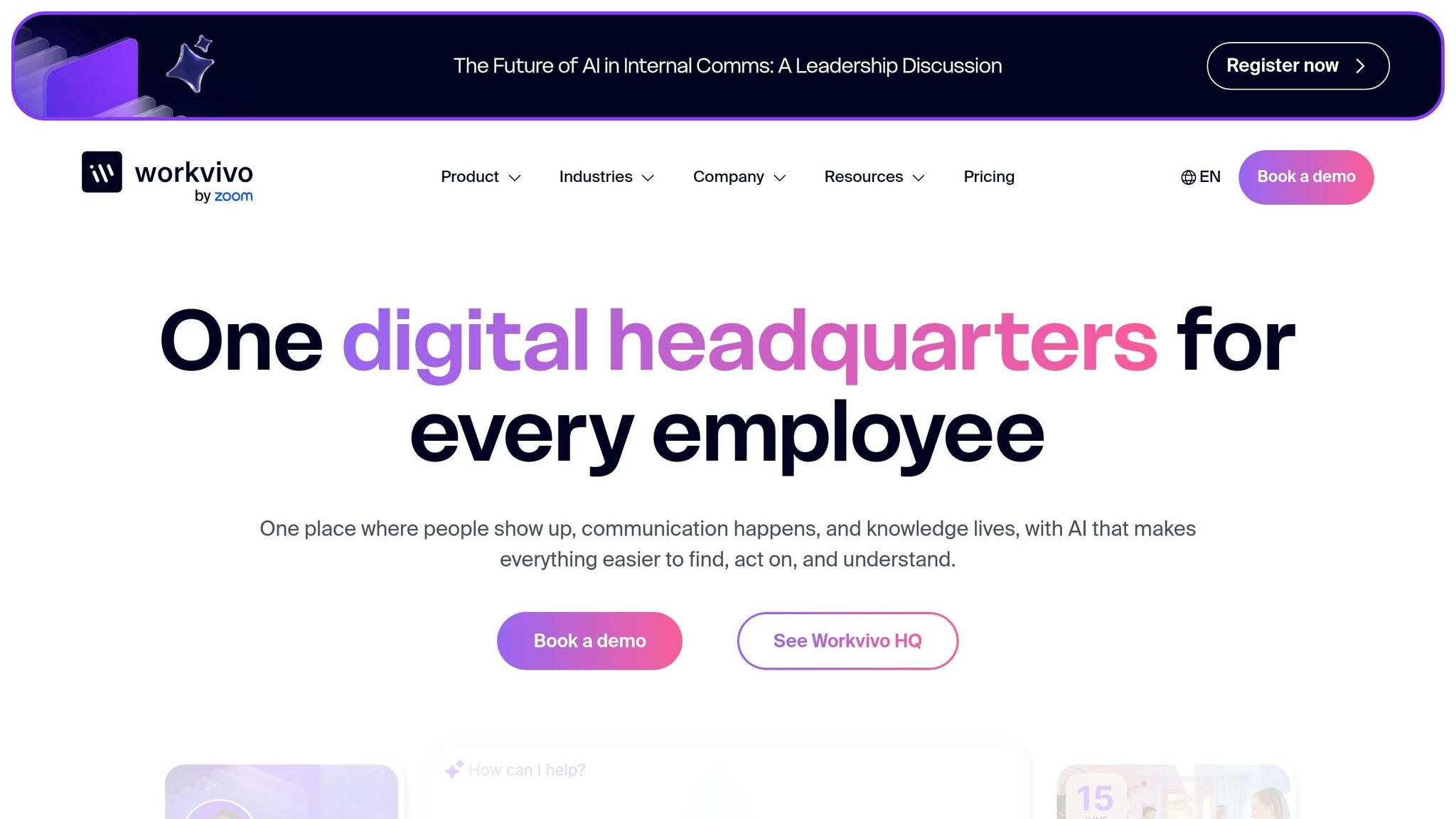
When I first looked at Workvivo, one thing stood out right away: it’s built more for connection than pure admin speed. At Pebb.io, we pay close attention to that difference. Some tools help you find a name and move on. Workvivo tries to help people understand who that person is inside the company.
That sounds small, but it changes how the directory feels day to day.
Profile search
In Workvivo, search lives in the People section on desktop and under More > Connect on mobile. When I pull up a coworker, I can see their job title, department, location, start month, and direct manager.
So yes, it handles person lookup well.
But here’s the thing: finding a person is only part of the job. If I’m a manager, I also want to see how the team fits together. That’s where structure starts to matter a lot more.
Org visibility
Workvivo does include a visual org chart, which is helpful, but admins have to turn on Open Org Chart first. That extra setup step can trip teams up if they expect it to be there by default.
It also uses the HR system as the source of truth. In my experience, that works fine for clean, top-down reporting lines. But if your company runs on matrix setups or project-based reporting, things can get messy. Workvivo doesn’t handle those setups as well, because the chart depends so heavily on HR records.
There’s another catch. The sidebar shows only the five largest locations and departments. On paper, that may seem fine. In practice, smaller teams can get buried. I’ve seen how that can make a distributed company feel more centralized than it is.
For remote or spread-out teams, the directory is only as good as the HR data behind it.
One part I do like is that Workvivo has a separate Teams Directory alongside the People Directory. That gives people another path when they’re trying to find a group, not just an individual. And once they land on the right profile or team, the next piece is interaction.
Communication tie-in
This is where Workvivo starts to feel more social.
Profiles include Activity and Posts tabs, so coworkers can get a quick snapshot of someone’s engagement and what they’ve shared. I can see why that helps in a company that wants people to feel more visible to each other, not just listed in a database.
For direct communication, though, Workvivo leans on integrations. It uses tools like Zoom for video calls and Slack for some chat workflows instead of keeping all of that native inside the platform.
That setup can work well if your company already lives in those tools. But if you want everything in one place, you’ll feel that gap pretty fast.
Mobile ops fit
This is one area where Workvivo feels strong. It was built mobile-first, and you can tell.
The mobile app makes it easy for frontline workers to find contact details and follow coworkers to keep up with their updates. In sectors like manufacturing and retail, that matters a lot. People aren’t sitting at desks all day. They need fast access from their phones, and Workvivo clearly had that use case in mind.
At Pebb.io, we’ve seen again and again that mobile access isn’t just a nice extra for frontline teams. It changes whether people use the directory at all.
For teams that want the directory tied more tightly to company communications, Staffbase is next.
5. Staffbase
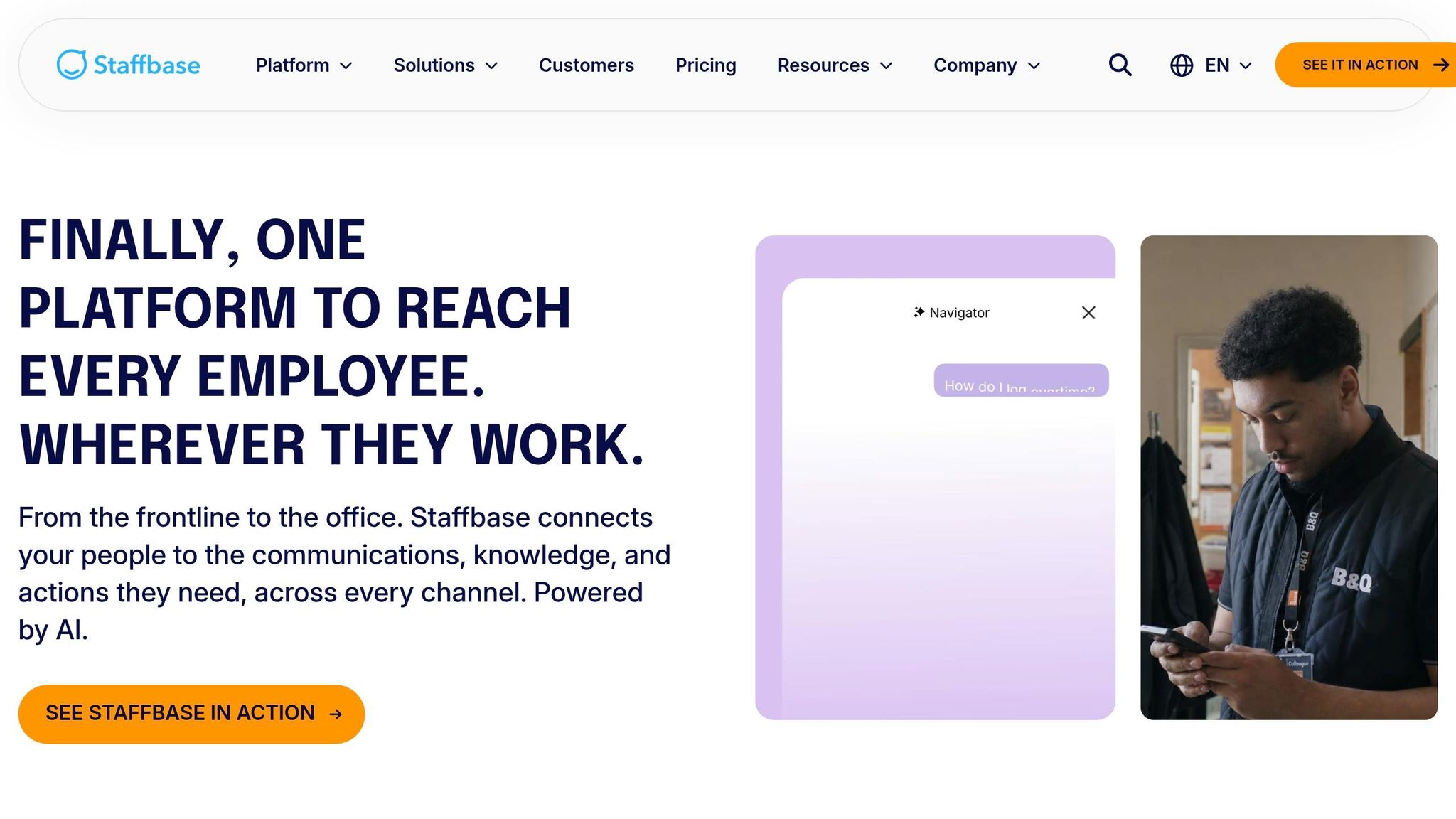
I’ve seen this pattern a lot at Pebb.io: some teams don’t just want a directory. They want a directory that lives inside the flow of company updates, team news, and day-to-day communication. That’s where Staffbase tends to come up.
It’s built for large, spread-out teams, and it makes the most sense when directory search needs to sit right next to internal comms, not act as a stand-alone coworker finder.
Profile search
Staffbase gives companies a phonebook-style directory, but with more context than the old-school kind. Each profile can show a name, photo, job title, department, location, email, phone number, and reporting line, plus extra fields like skills or spoken languages.
What I like here is that search stays simple. It’s keyword-based, and people can narrow results by department, location, function, and employment type. There’s also typeahead search, so likely matches show up as people type, both on web and mobile.
In my experience, this only works well if teams keep the basics in place. Staffbase teams usually require fields like photo, role, location, and a contact channel so profiles don’t feel half-empty or hard to use. That sounds small, but it makes a big difference when someone needs the right person NOW, not after five extra clicks.
Org visibility
Let me tell you what happened next when I looked at how Staffbase handles structure. From any profile, employees can open an integrated org chart and see that person’s manager, peers, and direct reports in a visual tree.
That org chart shows up in both the Staffbase Employee App and the intranet, which helps a lot for mixed teams where some people live on desktop and others are on their phones all day. It also syncs from HRIS or identity systems, which cuts down on manual updates as teams shift around.
Here’s the thing: sync alone doesn’t fix messy ownership. I’ve learned that someone still needs to own updates. Staffbase works better when companies clearly decide whether HR or local admins handle reporting-line changes, especially across multiple sites and functions.
Communication tie-in
This is the part that stands out most. Once employees find the right person, Staffbase keeps the next move close by. From a profile or directory result, they can jump straight into chat, call, or email without leaving the platform.
Profiles also connect to teams, locations, and news streams, so a directory search can lead people straight to the updates and resources tied to that person or group. In other words, it’s not just “Who is this person?” It’s also “What team are they part of?” and “Where do I find the info around their work?”
Staffbase also includes social walls and interactive spaces, which can help employees find coworkers with shared roles or interests. For large U.S. companies with frontline workers in healthcare, retail, or manufacturing, that matters a lot because many employees don’t depend on email in the first place.
I’ve seen plenty of tools assume everyone is sitting at a laptop all day. That’s just not how many companies run.
Mobile ops fit
Staffbase is a mobile-first employee app, and the directory is fully available on mobile. Employees can search for coworkers, view org charts, and use click-to-call, click-to-email, or tap-to-open-chat right from their smartphones.
That matters more than it sounds. In warehouse settings, field sites, or other places with uneven internet, people don’t have time to wrestle with a clunky app. Staffbase handles spotty Wi‑Fi well, so workers in remote sites can still look up key contacts when they need them.
One thing I wouldn’t gloss over: Staffbase sits in the premium tier, so price is part of the conversation. When I compare tools, I’d put this in the camp of teams willing to spend more for deeper internal comms and directory tie-ins, rather than going for the lowest-cost option.
For teams that want the directory tied to a social intranet experience, Simpplr is next.
6. Simpplr
I’ve seen this pattern a lot at Pebb.io: a team says they want “employee search,” but once we dig in, they’re not just trying to find a name. They’re trying to find the person and the work around that person. That’s where Simpplr comes into the picture.
Simpplr blends employee search with intranet content and company updates. For distributed teams, that means people search stays connected to the pages, posts, and work context tied to each employee.
Profile search
Simpplr's People tab lets users search the employee roster and filter by department, location, and expertise. Admins can control visible fields such as job title, phone number, employment type, skills, and custom categories, which helps teams filter by shifts, sites, or certifications.
Here’s the thing: that field control matters more than it sounds. I’ve watched teams hit a wall when everyone’s profile looks the same and no one can sort by the stuff that matters day to day. If you run teams across multiple sites or schedules, those custom categories can save a lot of back-and-forth.
Org visibility
Simpplr includes interactive org charts that connect to employee profiles and show managers, peers, and direct reports. That makes it easier to move from “Who is this person?” to “Who do they work with?” in a few clicks.
There is one catch, though. It does not offer a single company-wide org chart, so admins must export employee and manager data for broader views.
I’ll be honest, that can be a pain if leadership wants one top-down view of the whole company. We’ve run into similar requests before, and when that broad map isn’t built in, desktop exports become part of the process.
Communication tie-in
This is one part I like. Employee profiles link to the intranet content those people own or contribute to, so users can move from a person to the related pages and updates fast.
Let me tell you what happened next in one rollout I worked close to: once people could jump from a profile straight into the content that person touched, they stopped wasting time asking around in chat. The directory became less like a phone book and more like a starting point for getting work done.
Simpplr also pushes content into Slack and Microsoft Teams. For frontline and deskless workers, it can connect with digital signage tools like ScreenCloud to reach employees who are not always at a desk.
That matters if your workforce isn’t sitting in front of a laptop all day. In retail, healthcare, and manufacturing, desk access can be hit or miss, so getting updates into the channels people already see changes the game.
Mobile ops fit
Simpplr's mobile app supports search, filters, profile views, and contact access on iOS and Android, and the branded app option can help adoption in retail, healthcare, and manufacturing. Deeper configuration and broader org-chart work still belong on desktop.
In plain English, the mobile side handles the everyday stuff well. You can look people up, check profile details, and get contact info when you’re on the move. But if you’re doing admin-heavy setup or trying to work through broad org-chart tasks, you’ll still want a desktop.
That makes Simpplr a stronger fit when directory search sits inside a broader intranet, not as a standalone tool.
How these apps compare on the decisions that matter most
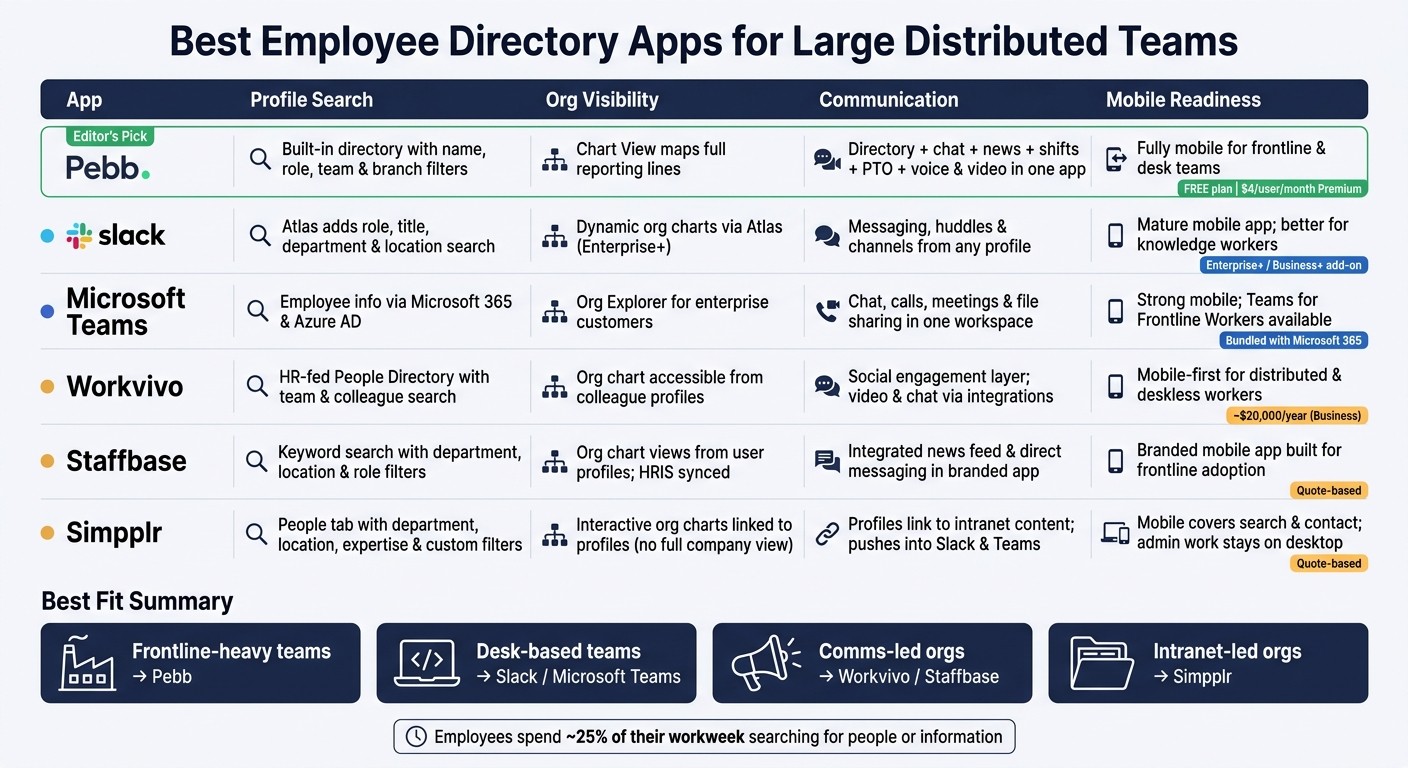
Best Employee Directory Apps for Large Distributed Teams: Side-by-Side Comparison
When we were putting this side by side at Pebb.io, I kept coming back to one simple test: can people find the right coworker fast, understand who reports to whom, and do all of that from their phone without a headache?
That’s where most directory tools either click or fall apart.
The best directory app isn’t the one with the longest feature page. It’s the one people can search fast, trust for reporting lines, and use on mobile without hunting around.
The table below cuts the six tools down to the decisions that matter most.
App | Profile Search | Org Visibility | Communication | Mobile Readiness |
|---|---|---|---|---|
Pebb | Built-in people directory with name, role, team, and branch filters | Chart View maps reporting lines across the company | Directory, chat, news, shifts, PTO, and voice & video calls in one app | Fully mobile for frontline and desk teams |
Slack | Atlas adds role, title, department, and location search | Dynamic org charts via Atlas | Messaging, huddles, and channels from any profile | Mature mobile app; better fit for knowledge workers than frontline teams on shifts |
Microsoft Teams | Employee info surfaced through Microsoft 365 and Azure AD | Org views and Org Explorer for enterprise customers | Chat, calls, meetings, and file sharing in one workspace | Strong mobile support, including Teams for Frontline Workers |
Workvivo | HR-fed People Directory with team and colleague search | Org chart accessible from colleague profiles | Social engagement layer; video and chat via integrations | Mobile-first design for distributed and deskless workers |
Staffbase | Keyword search with department, location, and role filters | Org chart views from user profiles | Integrated news feed and direct messaging in a branded app | Branded mobile app built for frontline adoption |
Simpplr | People tab with department, location, expertise, and custom field filters | Interactive org charts linked to profiles | Profiles connect to intranet content; pushes into Slack and Teams | Mobile covers search and contact access; admin work stays on desktop |
Here’s the thing: each of these tools does one part of the job well. But they don’t all solve the same problem.
From my seat at Pebb.io, Pebb is the only option here that combines a free directory, chat, news, shifts, PTO, and voice and video calls in one app. That matters a lot when a company doesn’t want five tools glued together just to help people find each other and get work done.
Slack and Teams are strongest when directory search lives inside a collaboration stack. If your team already spends all day there, that setup can make sense. Workvivo, Staffbase, and Simpplr fit better when the directory sits inside an engagement or intranet layer.
Communication is the other big split.
Slack and Microsoft Teams stand out on chat
Pebb brings directory, chat, news, shifts, PTO, and calls into one app
Pebb Standard is free, and Premium costs $4 per user per month
That last point comes up a lot in buying talks. If you are currently selecting an intranet solution, you know how quickly requirements can expand. I’ve seen teams start with “we just need an employee directory,” then a week later they’re asking for messaging, shift tools, time-off access, and mobile support for frontline staff. Let me tell you what happened next in more than one case: the “simple directory” search turned into a hunt for one place that could do the day-to-day work too.
Next, here’s the plain-English breakdown of each app’s pros, cons, and best-fit use case.
Pros, cons, and best-fit picks for each app
I’ve been in those comparison meetings where everyone agrees on the features, then gets stuck on the part that actually decides the rollout: who the tool is for, what it costs, and how much pain it takes to get live.
That’s what this section gets into.
After looking at these apps side by side, we narrowed the choice down to the same four areas we kept coming back to at Pebb.io: search, org visibility, communication, and mobile usability. On paper, a lot of tools look close. In practice, the gaps show up fast, especially when you’re dealing with shift workers, mixed teams, or messy employee data.
Here’s the side-by-side view:
App | Best For | Pros | Cons | Pricing Snapshot |
|---|---|---|---|---|
Pebb | Large frontline-heavy or shift-based organizations with mixed desk and non-desk workforces | Free plan available; all-in-one directory, chat, news feed, shift scheduling, PTO, and voice & video calls; mobile-first for frontline workers; simple rollout for non-technical users | Less brand recognition than Slack or Teams; requires clean HR data for best results | Free (Standard, up to 15 employees); $4/user/month (Premium) |
Slack | Digital-first companies where most employees are knowledge workers already living in Slack | Fast profile search with presence indicators; Slack Atlas adds org charts and richer profiles; easy DM or huddle from any profile | Frontline workers may be left out in mixed desk/non-desk orgs; out-of-the-box reporting lines are limited without Atlas or other add-ons | Atlas included in Enterprise+; add-on for Business+ |
Microsoft Teams | Large enterprises standardized on Microsoft 365 with formal reporting structures and compliance needs | Org Explorer for hierarchy visualization; deep Microsoft 365 integration; enterprise-grade security | Directory quality depends on Azure AD data hygiene; people discovery can feel more cumbersome; complex licensing can slow frontline rollouts | Bundled with Microsoft 365; no standalone directory price |
Workvivo | Culture-focused enterprises (500–20,000+ employees) wanting employee experience and people discovery together | People Directory + Org Chart built in; strong mobile app for deskless workers; social feed boosts discoverability | Org chart depends on clean manager-data provisioning; may overlap with existing intranet tools | About $20,000/year (Business); custom (Enterprise) |
Staffbase | Large enterprises (5,000–100,000+ employees) with corporate comms teams running internal communications programs | Org chart visible on user profiles; strong frontline mobile app; configurable profile attributes synced from HR | Pricing is opaque and quote-based; comms-team ownership can limit HR or manager control over directory data | Quote-based |
Simpplr | Intranet-centric organizations (1,000–20,000+ employees) where knowledge access and "who does what" clarity matter most | Syncs profiles, roles, and hierarchies from HR systems; good team pages and org visibility; integrates with common identity providers | Does not have a function to show an entire company org chart; admin-heavy tasks stay on desktop; quote-based pricing with no public figures | Quote-based |
Here’s the thing: once I look past feature checklists, pricing changes the conversation fast.
At Pebb.io, I’ve seen how often teams want one place for directory search, chat, updates, scheduling, and time-off without stitching together three or four products. Pebb is the only option here with a free plan and a $4/user/month Premium tier. That matters a lot when a company needs to move fast or bring in a large frontline group without a huge software bill.
I’ve also seen the other side. If a company already lives inside Slack or Microsoft 365, switching behavior is hard. Slack and Teams often make sense for desk-based groups because people are there all day anyway. But when a company has a mix of office staff and frontline workers, that’s usually where the cracks start to show.
The pattern is pretty clear:
Pebb fits frontline-heavy teams
Slack and Microsoft Teams fit desk-based teams
Workvivo and Staffbase fit comms-led orgs
Simpplr fits intranet-led orgs
Let me tell you what happened next in a few of our own internal reviews: the winning tool usually wasn’t the one with the longest feature list. It was the one that matched the workforce model and the team that would own it day to day.
That’s why the best fit depends on workforce type and ownership model just as much as product features. Some tools are better when HR owns employee data. Others make more sense when internal comms runs the platform. And some are built first for people at desks, while others work better when half the company is on the move.
That sets up the final recommendation.
Conclusion
I’ve seen this play out again and again at Pebb.io.
A team starts with one problem. They just want a better way to find people. Then a second problem shows up. No one can tell who reports to whom. Then a third one hits. Messages are split across tools, updates get missed, and mobile access feels clunky for frontline staff.
That’s when the bigger picture clicks.
After comparing search, org visibility, communication, and mobile access, the answer is pretty clear. The right employee directory app should help people find coworkers fast, understand reporting lines, start a conversation right away, and use the whole thing without friction on mobile.
Here’s where I think Pebb stands out, and I’m saying that as someone who works here and sees how teams use it day to day. We put directory search, org charts, chat, news, shifts, PTO, and voice and video calls into one app. We also offer a free plan, with Premium at $4 per user. For a lot of companies, that matters more than people expect. One app replacing scattered people data and day-to-day communication can save a ton of time and a lot of back-and-forth.
That’s why, in my view, Pebb is the best pick when one tool needs to do the heavy lifting across both people data and daily comms.
That said, not every company buys software the same way. I’ve talked to teams that are chat-first from the start, and for them, Slack and Teams can make sense. I’ve also seen cases where the company is more focused on engagement or an intranet-style setup, and that’s where Workvivo, Staffbase, and Simpplr tend to fit better.
But when I look at large distributed teams, and especially teams with a lot of frontline workers, Pebb is the strongest fit.
FAQs
How do I choose the right directory app for a frontline-heavy team?
When I started working with more frontline teams at Pebb.io, one problem kept coming up again and again. People didn’t need a fancy system. They just needed to find the right coworker fast, especially from their phone when they were on the move.
Here’s the thing: if your team lives on the frontline, speed matters. Nobody wants to dig through five menus just to find a manager, a teammate in another location, or the person who can answer one simple question. That’s why I always tell teams to pick a directory app that makes finding people feel easy, not like a scavenger hunt.
What do I look for?
Smart search so people can find coworkers fast
Clear profiles that show who someone is and what they do
Reporting lines so it’s easy to see who reports to whom
Direct contact options for fast outreach
I’ve seen this make a big difference on mobile. If someone’s between shifts, on the floor, or away from a desk, they need answers in seconds, not later.
I’d also put a lot of weight on having a live, company-wide directory that isn’t boxed into one group. That part matters more than many teams expect. If the directory only shows part of the company, people hit dead ends fast. And when that happens, communication slows down.
That’s one reason Pebb stands out to me. At Pebb.io, we built it to work the way companies actually work. It includes an org-wide People Directory, mobile search, manager and team context, and built-in communication. So instead of jumping between tools, people can find someone and reach out right away.
What employee data needs to be accurate for directory search to work well?
I learned this one the hard way at Pebb.io.
Early on, we had people using the directory to find a designer, loop in the right manager, or figure out who owned a project. On paper, it looked fine. In practice, not so much. A few profiles were missing job titles. Some had old department info. One teammate had even switched teams, but the directory still showed their old reporting line. Let me tell you what happened next: people stopped trusting it.
That’s why directory search works best when employee data is accurate and up to date. The basics matter more than most teams think:
Full names
Job titles
Department
Location
Manager or reporting relationships
Here’s the thing: once those fields are wrong, search starts to feel broken even if the tool itself works.
We’ve also seen that profiles become far more useful when they go beyond the basics. At Pebb.io, the profiles people use most often usually include skills, specializations, project involvement, and languages. That extra detail helps teams answer everyday questions fast. Need someone who speaks Spanish for a customer call? Looking for an engineer who worked on a past rollout? Trying to find the person who knows a niche tool? That’s where a richer profile pays off.
The flip side is simple. If data gets stale, adoption drops. People try the directory once or twice, get the wrong result, and then go back to asking around in chat. That’s why HR system integrations help keep the directory reliable. When profile data updates on its own, we don’t have to chase people down to fix titles, teams, or reporting lines by hand.
Can one app handle directory search, org charts, and team communication?
Yes - and this is one of the biggest things I like about working at Pebb.
Pebb brings together directory search, interactive org charts, and team communication in one platform. That means I don’t have to jump between tools just to find a coworker, figure out who they report to, and send them a message.
Here’s the thing: a lot of teams still patch this together with separate apps. I’ve seen that setup slow people down more than they expect.
Unlike tools like GoProfiles or Pingboard, which often need a separate communication tool, Pebb lets me search for coworkers, see reporting lines, and start chats or voice and video calls in the same place - all for $4 per user.
It sounds simple, but in day-to-day work, that kind of setup saves time and cuts the usual back-and-forth.
