

Author: Ron Daniel
Apps for employee communication 2026
Compare seven employee communication apps - features, pricing, integrations, and which fit frontline, hybrid, or office teams.
The digital workplace is a mess. That’s the thought I had last week as I watched a colleague frantically switch between five apps just to find a single update about a shift change. It’s 2026, and while hybrid work has given us flexibility, it’s also introduced chaos. Notifications pile up, critical updates vanish into the noise, and employees spend hours searching for the information they need. The numbers back it up: workers lose over two hours a day hunting for answers, and 68% miss key updates entirely. It’s exhausting - and expensive, costing businesses a staggering $8.8 trillion annually in disengagement and turnover.
Here’s what I’ve learned at Pebb: communication isn’t about shouting louder or adding more tools. It’s about clarity and simplicity. That’s why we designed Pebb to cut through the noise and bring everything your team needs into one calm, organized space. But we’re not the only ones tackling this problem.
In this article, I’ll walk you through seven apps - including Pebb, Slack, Staffbase, and more - that are shaping workplace communication in 2026. Whether you’re managing a small team of 15 or a workforce of 15,000, I’ll break down what works, what doesn’t, and how to find the best fit for your team. Let’s dive in.
1. Pebb
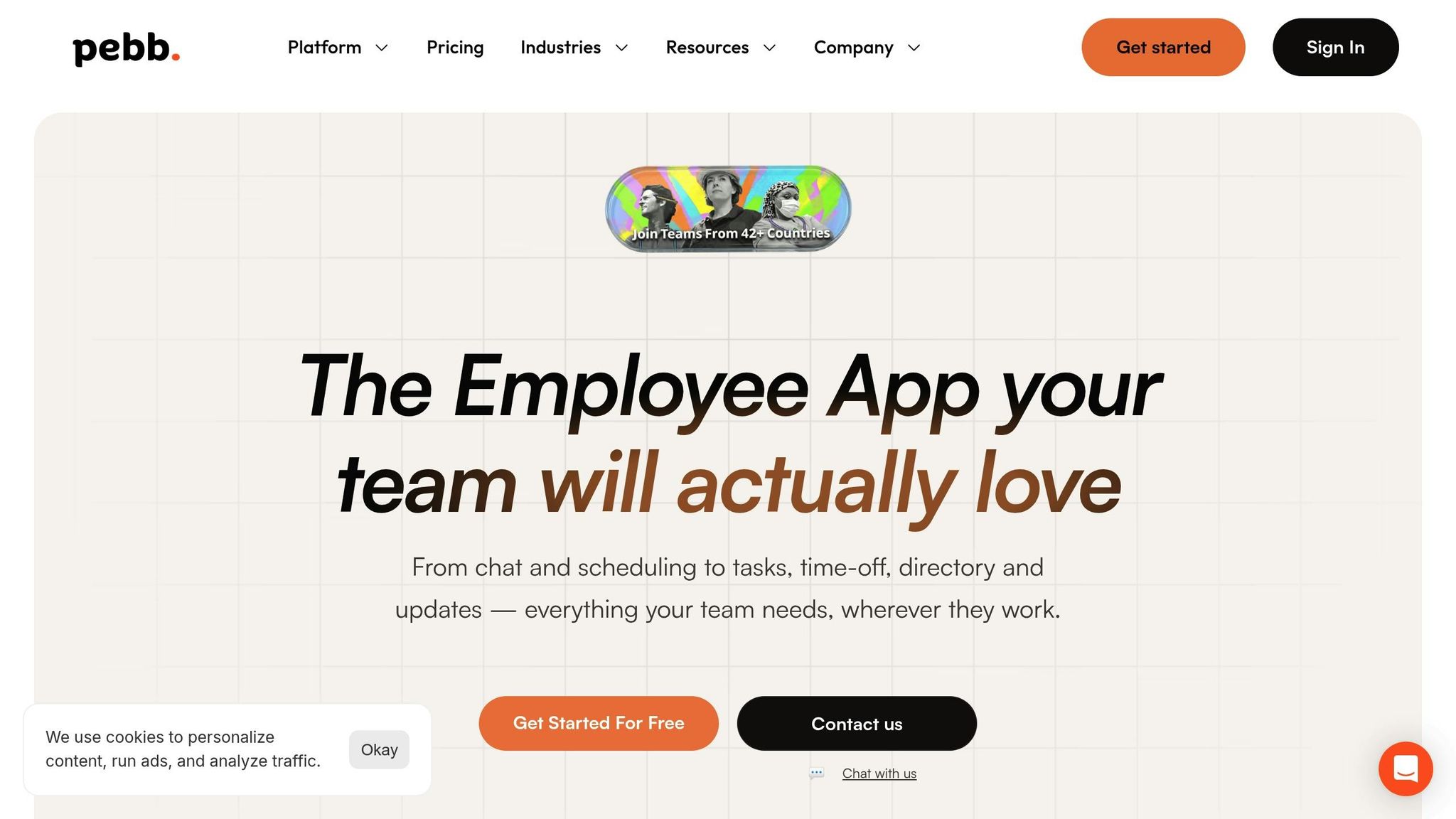
At Pebb, we’ve created an all-in-one employee app for communication and operations that simplifies how teams stay connected, manage schedules, and handle day-to-day operations - all without the need for a dedicated IT team. We designed Pebb with frontline workers in mind, ensuring they’re no longer left out of the conversation.
Pricing and Plans
Let’s talk numbers. Pebb offers two straightforward plans:
Standard Plan: Perfect for small teams, this plan is completely free for up to 15 employees. It includes essentials like unlimited work chat history, news feeds, knowledge library, shift scheduling, PTO management, calendar, time clocks, task tracking, and digital forms.
Premium Plan: For just $4.00 per user per month, you unlock advanced features like voice and video calls, detailed analytics, enterprise SSO, and unlimited admins. To put this into perspective, Slack's pricing starts at $8.75 per user per month - making Pebb an affordable yet powerful alternative.
With these options, Pebb is a smart choice for teams looking to streamline their tools without breaking the bank.
Who’s Pebb For?
Pebb is tailored for mixed workforces - teams that combine desk-based staff with frontline employees. Think industries like retail, healthcare, logistics, manufacturing, and hospitality. Whether your team operates across stores, warehouses, hospitals, or job sites, Pebb eliminates the headache of juggling multiple apps for scheduling, communication, and HR tasks.
What Can Pebb Do?
Here’s a quick rundown of what Pebb brings to the table:
Unlimited Work Chat: Stay in touch with your team and access your chat history anytime.
Dynamic News Feeds: Share company updates, celebrate wins, polls, and keep everyone in the loop. This is a cornerstone of a strong internal communications strategy.
Scheduling and Time Clocks: Simplify shift management and track hours with ease.
PTO Management: Handle time-off requests without the usual back-and-forth.
Knowledge Library: Store and share important documents, files, links, and resources.
Tasks and Digital Forms: Keep projects and paperwork organized.
Groups and Spaces: Collaborate on projects in focused spaces.
People Directory and Events: Quickly find and connect with colleagues, and stay organized with calendar events.
Premium users also enjoy built-in voice and video calls, advanced work chat, advanced posts, analytics, permissions control, integrations, enterprise SSO, and premium SLA support, making communication even more seamless. Plus, onboarding is a breeze - just share a single invite link, and your team is ready to roll.
Integrations That Work for You
Pebb plays nicely with integrations, ensuring employee directories stay current and workflows remain smooth. Premium users can also take advantage of enterprise SSO through providers like Okta and Active Directory. And because we know frontline workers often deal with unreliable connectivity, Pebb includes mobile access, groups, files, links, calendar events, and a knowledge base to keep things running, no matter the circumstances.
2. Slack

Slack has been a household name in workplace communication for years, and in 2026, it’s still a go-to for tech-savvy, office-based teams. With over 38 million active users, it’s built its reputation as a messaging platform that helps turn conversations into actionable steps.
Pricing and Plans
Here’s where things get interesting. Slack’s premium plan comes with a heftier price tag compared to Pebb’s, which is just $4 per user per month. For teams keeping a close eye on their budgets, that price difference can stack up fast. While Slack’s pricing might work for office-centric teams, it’s not necessarily the most budget-friendly option for everyone.
Target Audience
Slack shines in office environments where teams spend most of their day typing away on keyboards. Dan Robin sums it up perfectly:
"Slack is often the default choice for office teams... If your team lives on their keyboards, Slack is a powerful hub for turning talk into action".
But here’s the thing: if your workforce includes a lot of frontline or deskless workers, Slack’s design might not hit the mark. Unlike Pebb, which bridges the gap between frontline and office teams, Slack’s functionality is heavily geared toward traditional office setups.
Core Features
Slack is packed with tools designed to simplify collaboration. Some standout features include:
Canvases: A space for teams to create and share documentation right in the app.
Slack Connect: Securely collaborate with up to 250 external organizations.
Workflow Builder: Automate those tedious, repetitive tasks.
Slack AI: Get quick summaries of channels and threads, making it easier to catch up when you’ve been away.
These features are a win for office-based teams that need to stay organized and efficient.
Integration Capabilities
One of Slack’s biggest strengths is its ability to integrate with a massive range of tools. With connections to over 2,600 third-party apps, teams can tie all their essential tools into one place, cutting down on the constant app-switching. For tech-heavy teams, this level of integration can be a productivity booster - research even shows that tools like Slack can increase productivity by 47%.
While Slack is a powerhouse for digital collaboration in office settings, platforms like Pebb go a step further by offering a unified solution that works just as well for frontline employees as it does for desk-based teams. It’s all about finding the right fit for your team’s unique needs.
3. Staffbase
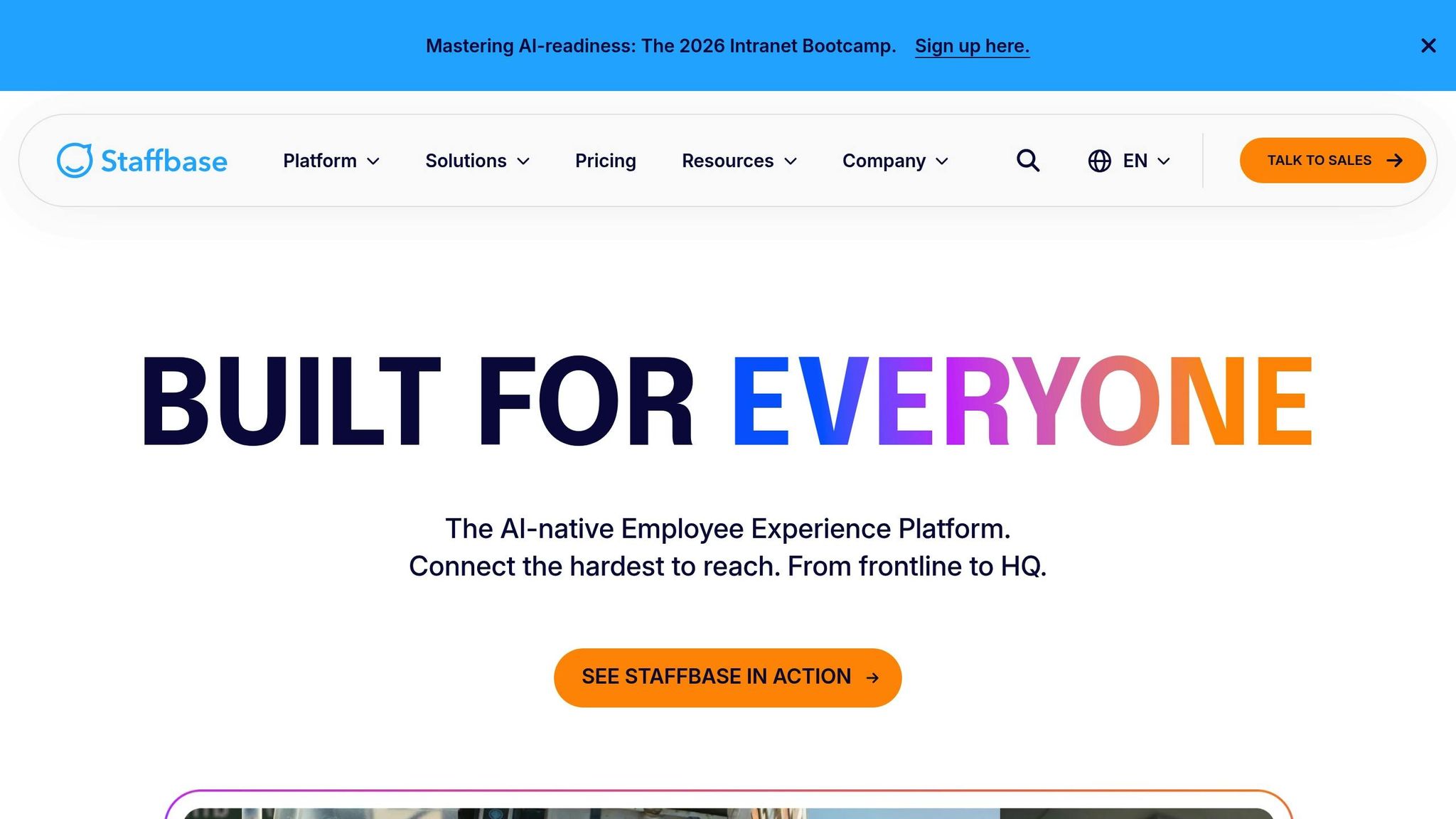
Staffbase is an AI-driven Employee Experience Platform designed to connect large, distributed workforces. Take DHL Group, for example - they rely on Staffbase to keep 600,000 employees informed and connected worldwide.
Pricing and Plans
Here’s the deal: Staffbase doesn’t share its pricing upfront. If you’re interested, you’ll need to contact their sales team for a custom quote. This enterprise-focused pricing model is tailored for large organizations, which might feel limiting if you’re looking for straightforward, budget-friendly options like Pebb’s $4 per user per month.
Target Audience
Staffbase is built for large enterprises with frontline or distributed teams, making it a go-to solution for industries like manufacturing, healthcare, and retail. It’s particularly effective for bridging the gap in corporate communication between office staff and frontline workers who often don’t have access to corporate email or a desk. For instance, Alaska Airlines uses Staffbase to deliver real-time updates to pilots, flight crews, and ground teams through mobile apps, intranets, and digital signage. This focus on reaching diverse, dispersed teams sets Staffbase apart.
Core Features
Staffbase brings a lot to the table with its multichannel publishing capabilities. A single update can be pushed out across intranet, mobile, email, SMS, and even digital signage. On top of that, the platform leverages AI to make communication smarter and more personalized. Jennifer O'Brien from Staffbase sums it up perfectly:
"Staffbase Employee AI adds intelligence to every step: personalized news digests, AI-assisted writing, smart search, and employee sentiment analysis".
Their Studio Publisher offers a no-code interface, making it easy for HR and communications teams to create content, while Smart Impact Analytics focuses on tracking meaningful behavioral outcomes rather than vanity metrics.
Integration Capabilities
Staffbase doesn’t just stop at great features - it also integrates seamlessly with major enterprise tools like Microsoft 365 (Teams, SharePoint), Google Workspace, Slack, ServiceNow, and HRIS platforms such as Workday. This ensures that updates published on the intranet appear directly in the tools employees already use, cutting down on information silos.
Keep in mind that 68% of employees in companies without dedicated communication platforms miss critical updates. While Staffbase is designed for large enterprises, Pebb offers similar multichannel engagement tools for teams of any size, all for a transparent $4 per user per month. For smaller teams or startups, Pebb delivers the same level of reach without the need for lengthy sales negotiations.
4. Workvivo by Zoom
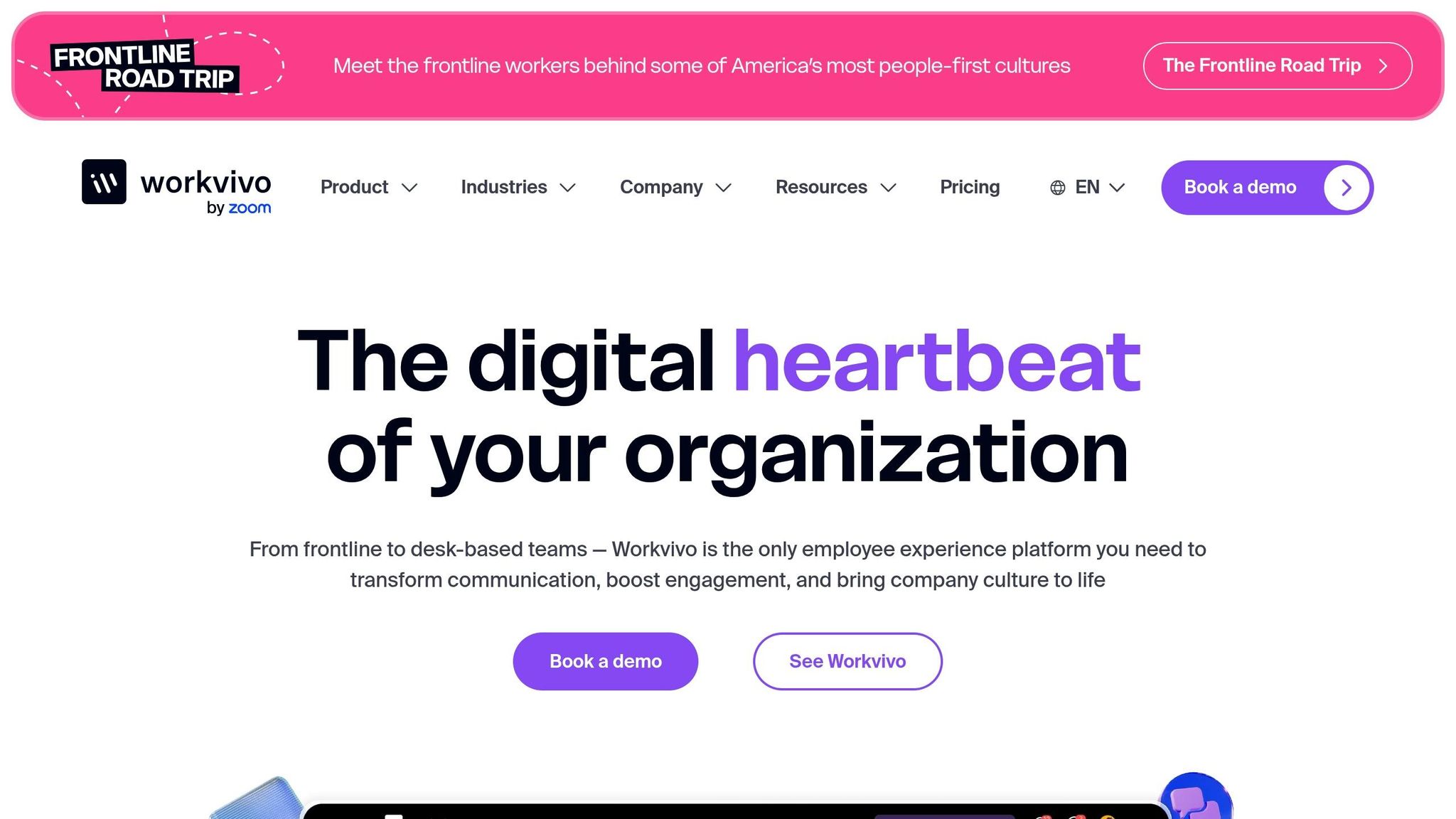
Workvivo by Zoom offers a mobile-first platform that blends internal communications, employee engagement, and digital workplace tools. Take Ryanair, for example - they managed to achieve adoption rates above 90% by leveraging Workvivo to unify their widely dispersed workforce. Much like Pebb, Workvivo aims to connect frontline and office employees effortlessly, making it especially useful in industries like healthcare, manufacturing, and retail, where employees may not always have access to a computer.
Pricing and Plans
Workvivo follows a custom pricing model with two main tiers: Business, designed for companies with 250–2,000 employees, and Enterprise, tailored for organizations with over 2,000 employees. Additional features like Chat, Workvivo TV (for digital signage), and Advanced Analytics are offered as optional add-ons. In contrast, Pebb provides a free all-in-one plan, alongside a premium option priced at just $4 per user per month.
Target Audience
Workvivo is geared toward mid-to-large enterprises with distributed or frontline teams. It’s particularly effective in workplaces where fostering communication and engagement is just as critical as operational communication. As Caz Meech, Head of Internal Comms and Employee Engagement at Keyloop, shared:
"Workvivo has been instrumental in driving our culture forward. It's living and dynamic, and allows our people to really be themselves."
Core Features
The platform comes packed with tools designed to build connection and engagement. Some highlights include:
A social-media-style feed for updates and interaction.
Peer-to-peer recognition to celebrate achievements.
"Spaces" for interest-based communities.
Its "Mission Control" feature serves as a central hub for internal communicators to plan campaigns and target specific teams or locations. On the tech side, Workvivo AI steps in to automate content creation and provide summaries of employee sentiment. For global organizations, its auto-translation capability covers over 90 languages, ensuring accessibility. Plus, Workvivo TV keeps frontline teams informed by broadcasting updates on on-site screens, even if they don’t use personal devices.
Integration Capabilities
Workvivo connects seamlessly with over 40 tools, including heavyweights like Zoom, Workday, BambooHR, Microsoft 365, Google Workspace, and Slack. Its "App Launcher" simplifies workflows by offering single-point access to external tools, so employees can handle tasks like booking time off or editing documents without juggling multiple platforms. The native Zoom integration makes voice and video calls a breeze, keeping everything streamlined. Up next, let’s dive into how Firstup approaches employee communication.
5. Firstup
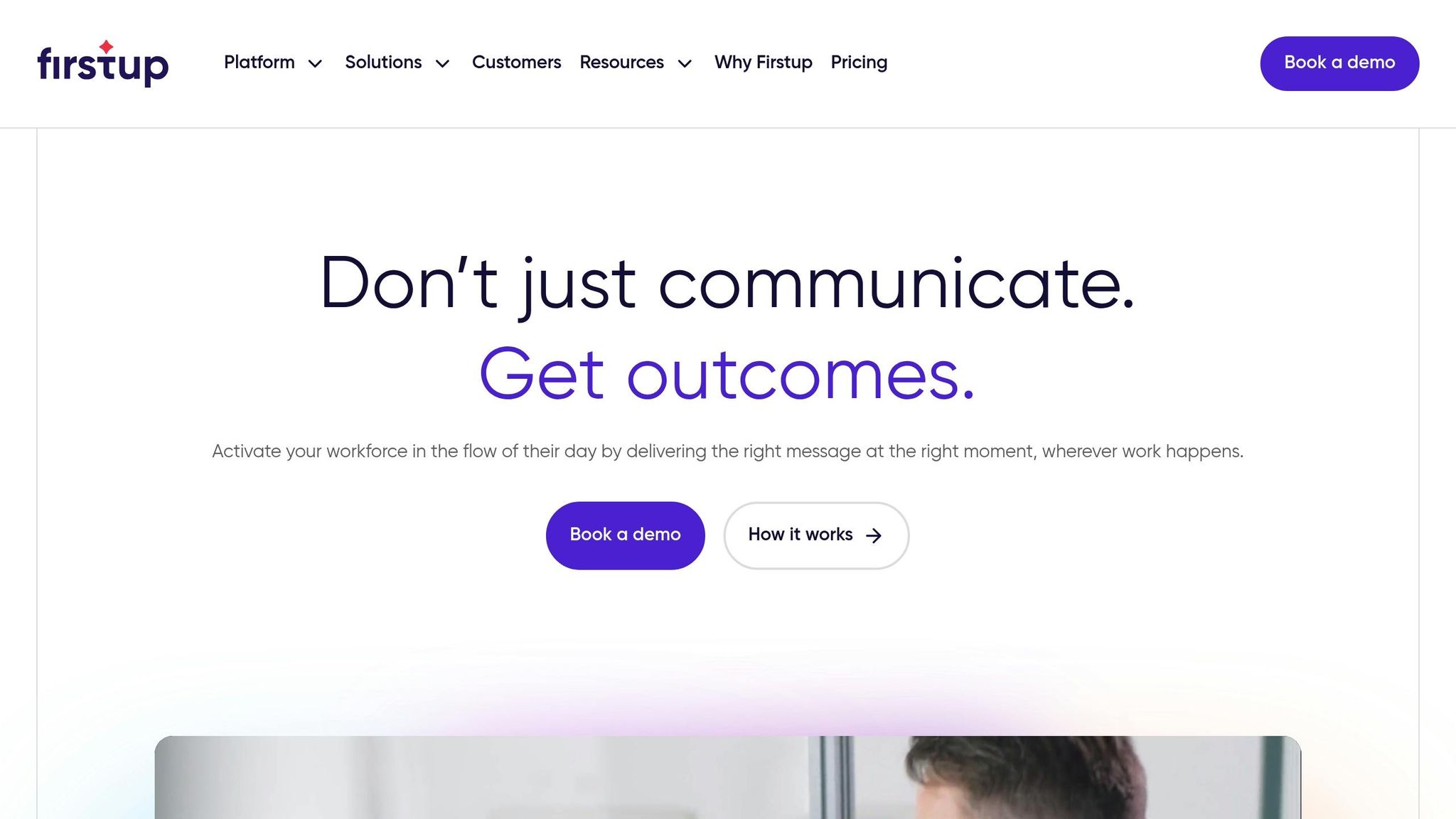
Firstup is built for managing the needs of large, distributed workforces. Unlike tools like Slack or Teams that focus on real-time chat, Firstup is more about structured content delivery, making it ideal for top-down communication and automated engagement.
Pricing and Plans
Firstup offers three customizable tiers: Essential, Professional, and Premier. Pricing details aren’t publicly available - you’ll need to contact their sales team for a quote. Here’s a quick breakdown of what each plan includes:
Essential: Audience segmentation, drag-and-drop content creation, and multi-channel delivery.
Professional: Adds AI-powered content assistance, optimal channel and timing selection, and multi-language translation.
Premier: Includes everything from the lower tiers plus Journey Builder, a no-code tool for automating communication flows based on employee behaviors or key dates like hiring anniversaries. You can also add an employee intranet to any plan.
For comparison, Pebb offers a free all-in-one solution and a premium plan priced at just $4 per user per month.
Target Audience
Firstup is tailored for large enterprises with intricate organizational structures. It’s especially useful for companies that rely on automated campaigns to maintain consistent messaging across email, mobile apps, and desktop notifications.
Core Features
A few standout features make Firstup shine:
Intelligent Delivery: AI determines the best channel and timing for messages.
Automated Retargeting: Ensures follow-ups with employees who haven’t engaged.
Universal Employee Profile: Combines external data to create highly personalized messaging.
Advanced Analytics: Offers deep insights into how campaigns are performing.
Integration Capabilities
Firstup integrates seamlessly with HCM systems, productivity tools, and search platforms, making workflows smoother. Its campaign automation feature ensures messages are distributed across multiple channels without requiring manual effort.
Next, I’ll dive into how LumApps approaches employee communication.
6. LumApps
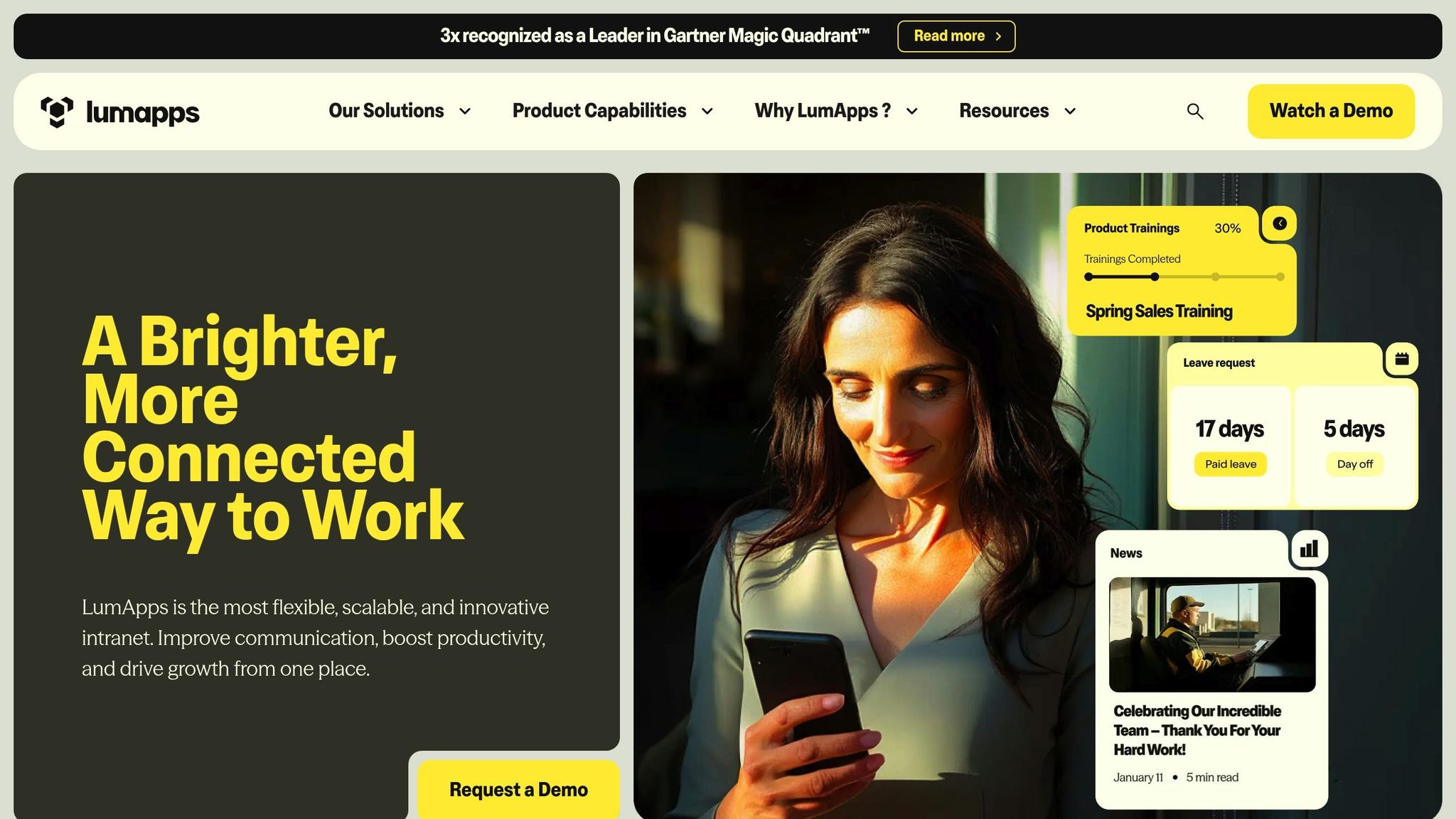
LumApps serves as a centralized hub for employees, bringing together communication, knowledge sharing, business tools, and learning into one platform. If your organization relies heavily on Microsoft 365 or Google Workspace, LumApps integrates seamlessly with both systems.
Pricing and Plans
LumApps doesn’t publish its pricing online - you’ll need to reach out to their sales team for a tailored quote. They offer three primary tiers:
Business: Geared toward corporate communications.
Professional: Adds features like peer-to-peer sharing and community spaces.
Enterprise: Includes advanced governance, multichannel campaign management, and enhanced analytics.
To further customize the platform, you can add optional features like AI assistants, video delivery, learning modules, and branded mobile apps. On the other hand, Pebb offers a simple, transparent pricing structure: a free all-in-one plan and a premium option at just $4 per user, making it an unbeatable value.
Target Audience
LumApps is designed for large enterprises with complex structures - think multinational companies with thousands of employees spread across various locations. It’s especially beneficial for organizations with both desk-based and frontline workers who need a unified digital workspace. With over 6 million employees using LumApps daily, the platform has earned recognition as a Leader in the Gartner Magic Quadrant™ three times. For businesses managing large-scale operations, LumApps offers tailored solutions and extensive features.
Core Features
One standout feature of LumApps is its AI Digital Assistant, which allows employees to handle tasks like PTO requests, IT ticket submissions, and benefits look-ups directly from the homepage. Additionally, targeted segmentation ensures that employees receive news and updates relevant to their specific roles and locations.
In 2024, Genuine Parts Company implemented LumApps for its 60,000 employees and achieved a 294% increase in employee content sharing. The platform also reduces onboarding time by 20% and saves deskless workers approximately 13.8 hours, significantly improving their daily productivity. While LumApps offers robust AI tools and segmentation capabilities for large enterprises, Pebb provides a more affordable, all-inclusive option suitable for teams of any size.
Integration Capabilities
Like Pebb, LumApps excels in integration. It works natively with Microsoft 365 (Teams, SharePoint, Outlook) and Google Workspace (Drive, Gmail, Calendar), making it a natural fit for large enterprises. Beyond that, it connects with HR systems, CRM platforms, and project management tools through its integration hub. The platform also streamlines workflows by automating routine tasks - for example, updates in Adobe Creative Cloud can sync automatically with connected document libraries. This level of integration helps enterprises maintain efficiency across their digital ecosystems.
7. Blink
Connecting desk-based and frontline workers is no small feat, but it's a challenge that both Blink and Pebb tackle head-on. Blink positions itself as a mobile-first super-app designed specifically for the 2.7 billion deskless workers worldwide - those who often don’t have access to corporate email or conventional tools. If your team operates in industries like transit, healthcare, retail, manufacturing, logistics, hospitality, or construction, Blink aims to serve as the all-in-one digital hub for communication and collaboration.
Pricing and Plans
Blink's pricing starts with a Business plan at $4.50 per user per month for teams of up to 1,000 employees. Larger organizations can explore custom Enterprise pricing by reaching out to their sales team. They also offer a 30-day free trial, so you can test the waters before making a commitment. On the other hand, Pebb provides a free all-in-one solution and a premium plan at just $4 per user - a standout value in the market.
Target Audience
Blink zeroes in on teams working outside the traditional office environment. Industries like transit, healthcare, retail, and construction are its sweet spot. The platform claims to reach 95% of the workforce, boasting adoption rates of over 90% among its customers. A 2025 study even revealed that 61% of employees considered leaving their jobs due to communication breakdowns. This highlights just how critical effective communication is, especially for frontline workers.
Core Features
Blink comes packed with tools to enhance communication and engagement. Here’s what you get:
Messaging: Secure 1:1 and group chats.
News Feed: A social-style feed for updates, complete with Stories and Communities.
AI Assistance: Blink Assist, a generative AI tool, helps craft and optimize posts for the news feed.
Pulse Surveys: These can triple response rates, offering valuable employee feedback.
Recognition Tools: "Blink Kudos" lets teams celebrate wins and achievements.
Digital Forms: Simplifies data collection and reduces paperwork.
Content Hub: A central repository for policies, guides, and resources.
Analytics: Tracks workforce sentiment and engagement trends.
While Blink offers a solid suite of engagement tools, Pebb matches these features and adds extras like shift scheduling and PTO management - at a more competitive price.
Integration Capabilities
Blink excels at making life easier for frontline teams by integrating seamlessly with other tools. It uses Single Sign-On (SSO) to connect with identity providers like Okta and Active Directory, enabling easy access to multiple apps with a single click. It also integrates with popular platforms such as:
HR Systems: Workday, ServiceNow, UKG.
Productivity Tools: Microsoft 365, Google Workspace, Trello, Asana, Slack, Zoom, and GitHub.
This level of integration simplifies workflows and reduces the hassle of juggling multiple systems. A Digital Project Manager praised Blink’s user-friendly interface, calling it:
"intuitive and built for teams that aren't particularly tech-savvy".
That said, some users have pointed out that the search functionality could benefit from more advanced filtering options. Still, Blink’s mobile-first approach and integration capabilities make it a strong contender for frontline teams. Next, let’s weigh its overall pros and cons.
Pros and Cons
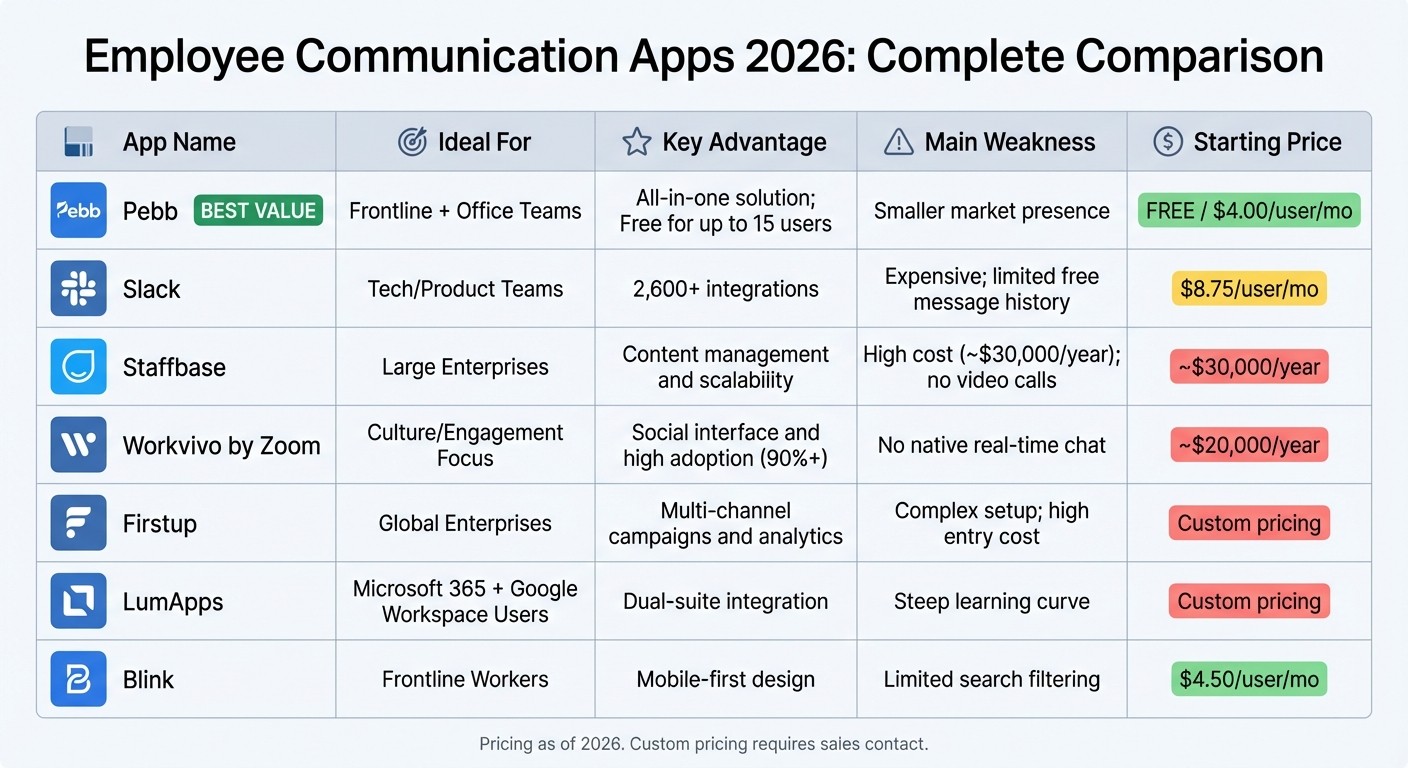
Employee Communication Apps 2026: Features and Pricing Comparison
When it comes to choosing the right platform, understanding the strengths and trade-offs of each option can make all the difference. Let me break it down for you - pricing, audience fit, strengths, and limitations all play a role in how these tools serve different organizations.
App | Ideal For | Key Advantage | Main Weakness | Starting Price |
|---|---|---|---|---|
Pebb | Frontline + Office | All-in-one employee app for communication and operations; Free for up to 15 users | Smaller market presence | Free / $4.00/user/mo |
Slack | Tech/Product Teams | 2,600+ integrations | Expensive; limited free message history | $8.75/user/mo |
Staffbase | Large Enterprises | Content management and scalability | High cost (~$30,000/year); no video calls | ~$30,000/year |
Workvivo by Zoom | Culture/Engagement | Social interface and high adoption | No native real-time chat | $20,000/year |
Firstup | Global Enterprises | Multi-channel campaigns and analytics | Complex setup; high entry cost | Custom pricing |
LumApps | Dual-suite Users | Google + Microsoft 365 integration | Steep learning curve | Custom pricing |
Blink | Frontline Workers | Mobile-first design | Limited search filtering | $4.50/user/mo |
Let’s talk about what makes Pebb stand out. It’s not just the affordability - though offering a free plan for up to 15 employees is a game-changer - it’s the way Pebb bundles everything into one platform. Work chat, live news feeds, shift scheduling, PTO management, tasks, digital forms, and calendar events all come together in a single package. And the kicker? You won’t find hidden fees or stripped-down features here. That’s a big deal when most competitors charge premium prices or lock key tools behind enterprise plans.
Now, if integrations are your thing, Slack is hard to beat with its 2,600+ third-party options. But let’s be real - it’s not cheap, and smaller teams might feel the pinch as costs stack up. On the other hand, platforms like Staffbase and Workvivo focus on large enterprises, offering advanced tools like content management and engagement features. The downside? Their hefty annual fees - $30,000 or more - make them less accessible for smaller organizations.
For frontline workers, Blink offers a mobile-first approach, which is great, but its search functionality could use some work. And while LumApps integrates seamlessly with Google and Microsoft 365, it comes with a steep learning curve that might slow down onboarding.
The bottom line? Pebb is the only platform delivering a free all-in-one solution without cutting corners. Whether you’re managing a frontline team, an office crew, or a mix of both, it’s designed to meet your needs without breaking the bank. That transparency and flexibility make it a clear choice for organizations looking to balance functionality with budget.
Wrapping It Up: Finding the Right Fit for Your Team
Picking the right communication app boils down to knowing your team and what tools they need to thrive. If you’re running a small to mid-sized business - especially one with frontline workers - Pebb is built to simplify everything. For just $4.00 per user per month, it covers communication, operations, scheduling, PTO management, tasks, digital forms, calendar events, and collaboration. Plus, there’s a free plan for teams of up to 15 people, making it an easy choice for businesses watching their budgets.
Now, if your team has specific needs, other platforms might be worth exploring. For example:
Slack is a go-to for tech-heavy teams that need deep integrations and workflow automation. It’s packed with thousands of third-party options, but the starting price of $8.75 per user per month can stack up quickly.
If your organization already uses Microsoft 365, Teams might make sense since it’s included in the package. Just be prepared for an interface that can feel a bit... clunky at times.
For large enterprises managing global communications, platforms like Staffbase or Firstup are designed for scale but often come with enterprise-level price tags.
Want to focus on building a strong sense of community? Workvivo offers a social media-inspired experience, though it typically requires an annual commitment of around $20,000.
Here’s the thing: most businesses don’t need to spend a fortune to get the functionality they need. Pebb delivers everything mixed workforces require - whether you’re managing a retail team, healthcare staff, or a hybrid office - without breaking the bank. It’s all about keeping things simple, effective, and affordable.
FAQs
How do I choose the right employee communication app for my team?
When picking an employee communication app, it’s important to zero in on what truly matters: ease of use, security, and features that cater to everyone - from remote employees to frontline workers. Let’s face it, if the app isn’t simple enough for daily use or doesn’t protect sensitive information, it’s not going to cut it.
Take Pebb, for instance. It’s a solid all-in-one employee app with tools like work chat, scheduling, tasks, digital forms, calendar events, and video calls - all for just $4 per user. That’s a pretty sweet deal when you think about how much functionality it packs in.
You’ll also want to think about scalability - can the app grow with your team? Mobile access is another must-have, especially for teams on the go. And don’t forget to check if it plays nicely with the systems you already use. The right app won’t just meet your needs today; it’ll adapt as your team evolves.
Can Pebb replace separate apps for chat, schedules, and PTO?
Pebb simplifies everything by combining chat, schedules, PTO management, tasks, digital forms, and calendar events into a single platform. For just $4 per user, you get access to features like work chat, a news feed, shift scheduling, PTO tracking, groups, a people directory, and even voice and video calls. It’s a streamlined way to handle employee communication and operations without juggling multiple apps.
How fast can we roll out Pebb without an IT team?
Pebb makes getting started a breeze - even if you don’t have an IT team on hand. The platform is designed to be straightforward, with a user-friendly interface and a sign-up process that’s quick and hassle-free. There’s no need to worry about complicated integrations or drawn-out setups; you can dive in and start using it right away.
